
What Is AI SEO?
AI SEO is the practice of using artificial intelligence tools to improve a website’s visibility and rankings on search engines.
It involves automating one or more of on-page SEO, off-page SEO, or technical SEO tasks, such as keyword research, content creation, content optimization, link building, traffic prediction, and trend analysis.
The level of automation will differ depending on the blogger, their niche, and the type of content they publish. However, the moment a blogger automates any SEO task using AI, no matter how small, they are applying AI SEO.
In this article, we’ll cover:
Does Google Rank AI Content?
Yes, Google ranks AI-generated content the same way it ranks human-written content. This means Google will not penalize you for publishing content generated using AI.
Instead, Google has confirmed that it rewards high-quality content, regardless of whether it was written by humans or AI. Rather than focusing on how a specific content was created, Google focuses on who it was written for.
Google only wants to rank content that is written for humans. This means you should create your content with the primary intent of providing value to real human users and not to manipulate the Google Search algorithm.
Why You Should Implement AI SEO
AI SEO is a significant shift in how bloggers approach search engine optimization (SEO). Here are a few reasons you should use it.
1 AI SEO Allows You to Work Smarter Instead of Harder
Traditional SEO heavily relies on multiple repetitive and data analysis-intensive tasks, such as keyword analysis, content audits, and performance tracking. All of these can quickly become overwhelming for a blogger.
Fortunately, AI tools can automate and expedite these tasks. This means bloggers can instead focus on strategy and creating quality content, while AI handles the repetitive and data analysis-heavy tasks.
2 AI SEO Opens You to New Sources of Traffic
Zero-click searches are on the rise. This means bloggers need to turn to new traffic sources to maintain their pre-zero-click search era traffic. AI chatbots and search engines (called answer engines) are among the new traffic sources that bloggers are turning to.
Answer engines like Perplexity AI and AI chatbots with answer engine capabilities, such as ChatGPT, even directly compete with traditional search engines, and are increasingly becoming alternatives to them.
3 AI SEO Makes Content Creation Faster Than Ever
The influx of large language models (LLMs) means bloggers can now churn out content at a faster rate than they used to.
AI can assist with various SEO tasks, including identifying high-potential keywords, uncovering topic gaps, and highlighting trends that may otherwise go unnoticed or would have required considerable time to execute.
This enables bloggers to produce high-quality content faster. Bloggers who do not use AI will have to spend more time on each article, which can slow down their content creation process and put them at a disadvantage compared to their competitors.
4 AI SEO Prepares You for the AI Search Future
AI is predicted to be the future of search. We are starting to see these changes across multiple search engines, including Google itself, which utilizes multiple AI systems and models, such as RankBrain, MUM, and BERT.
Such systems have changed how we search, how bloggers create content, and how search engines can understand the searcher’s intent and deliver relevant results.
How to Ensure Your AI SEO Content Ranks on Google
If you want your AI-generated SEO content to rank on Google, ensure that you create content that meets the needs of your human audience.
Content written for humans will usually meet Google’s E-E-A-T (experience, expertise, authoritativeness, and trustworthiness) guidelines. That is, it must be written by people who possess the necessary experience and expertise in the field and are an authority on the topic. The content, author, and site must also be trustworthy.
Ultimately, a piece of content will need to be reviewed by an expert in the subject matter to pass Google’s E-E-A-T guidelines.
With that said, there is strong evidence that Google can identify AI content. Therefore, it is essential to incorporate human input into your AI-generated content. This ensures you can pass the relevant Google Search algorithm signals and systems and rank on Google’s search results pages.
How to Research, Generate, and Optimize Blog Posts with AI
We will be using two sets of AI tools to research and create content. The first is RankBot, your personal AI SEO assistant, while the other are a part of the 40+ AI tools available in Content AI. Let us get started.
1 Getting Started with Content AI
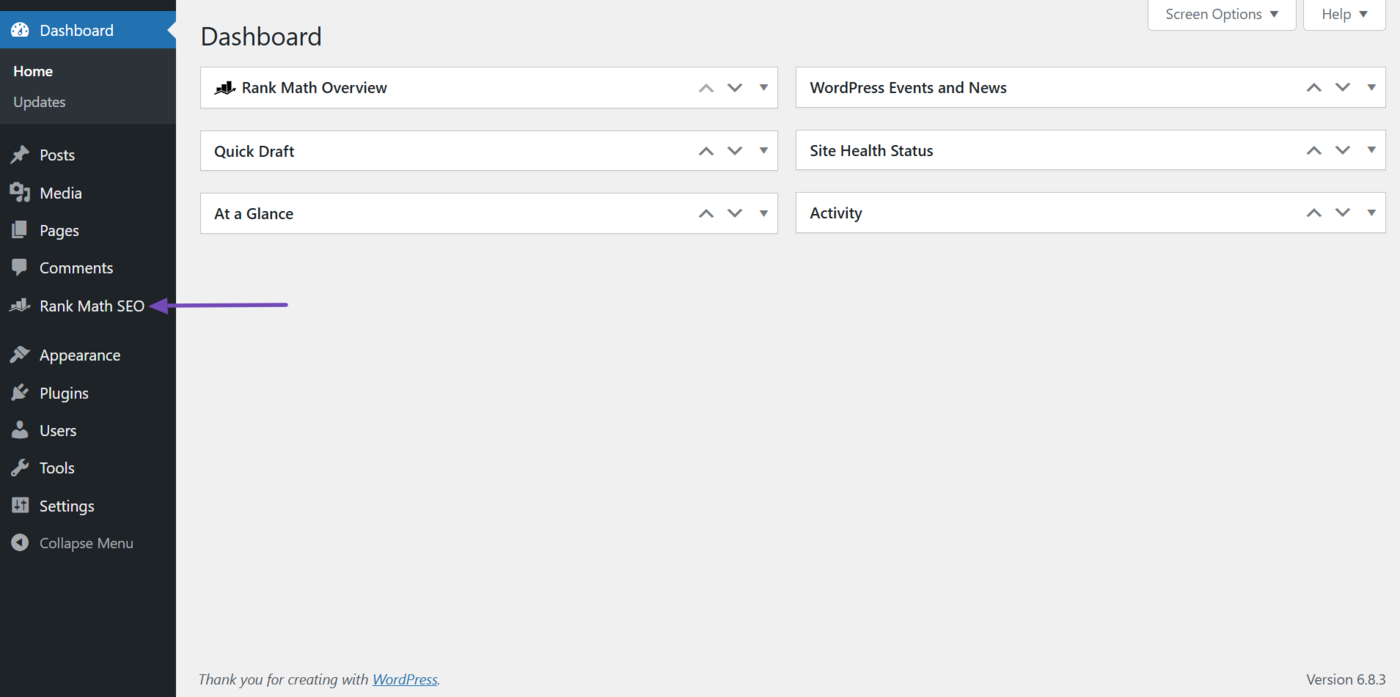
To get started with Content AI, click Rank Math SEO from your WordPress dashboard.
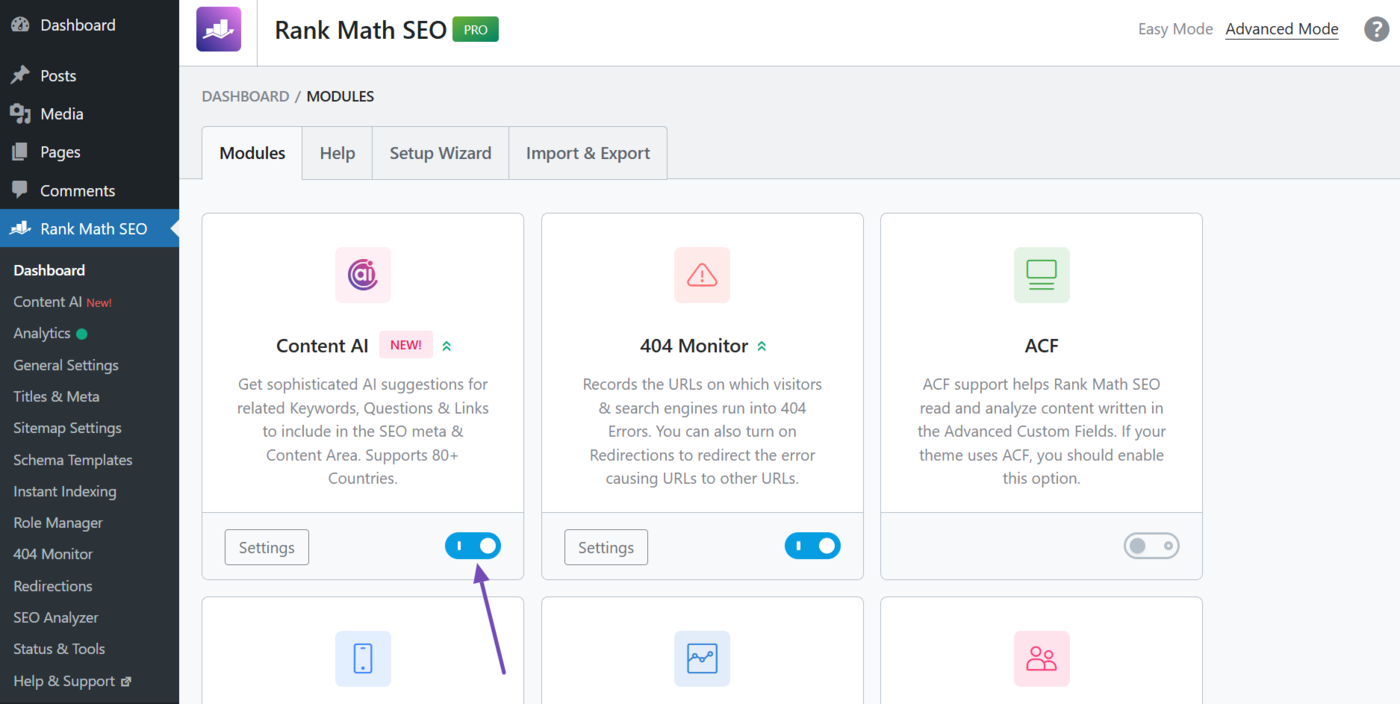
Then, head to the Content AI module and enable it, as shown below.
You can now access RankBot and the AI tools using one of two means:
- WordPress post editor
- Content AI dashboard
a. Access Content AI Through the WordPress Post Editor
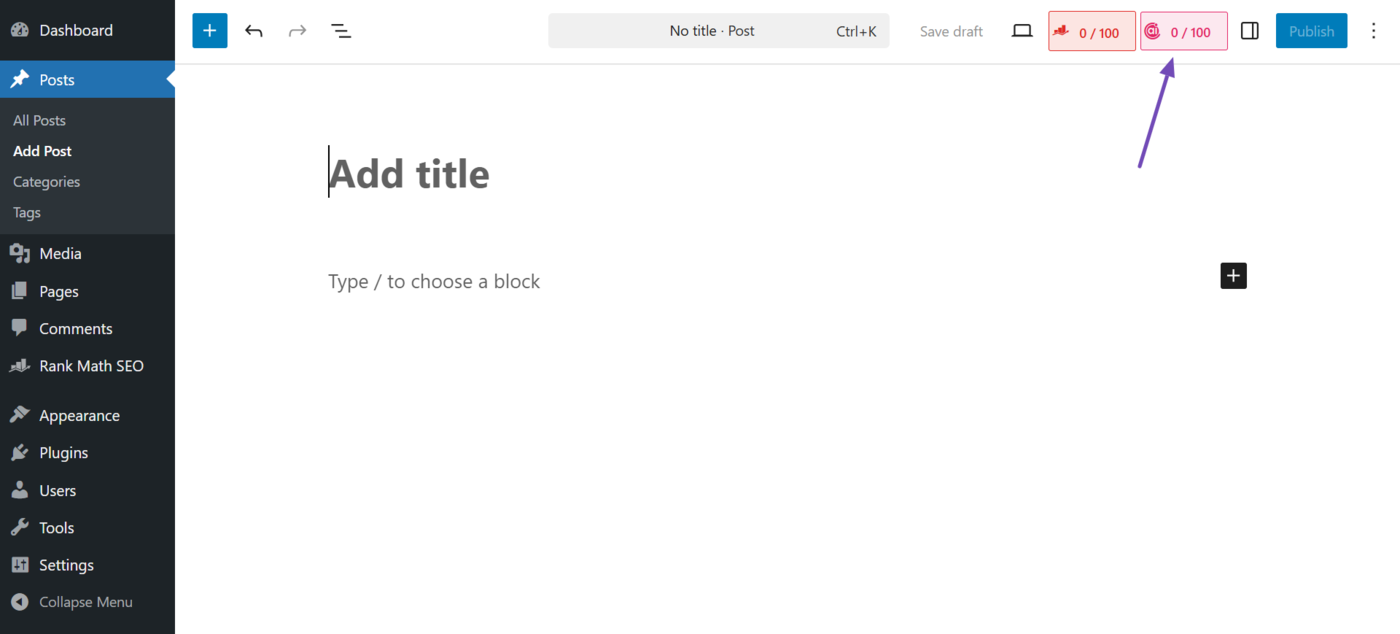
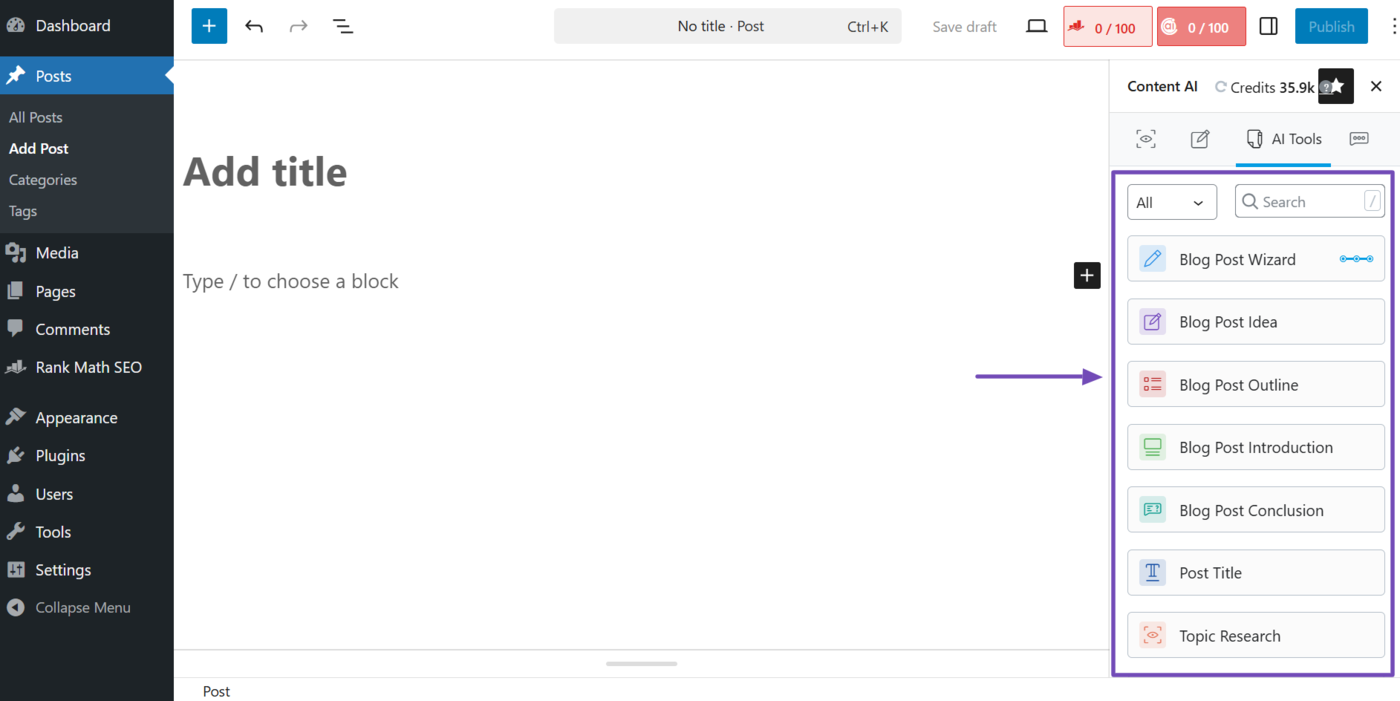
To access RankBot and the 40+ AI tools from the WordPress post editor, head to the post or page and click the Content AI icon, as shown below.
Then, click the AI Tools icon.
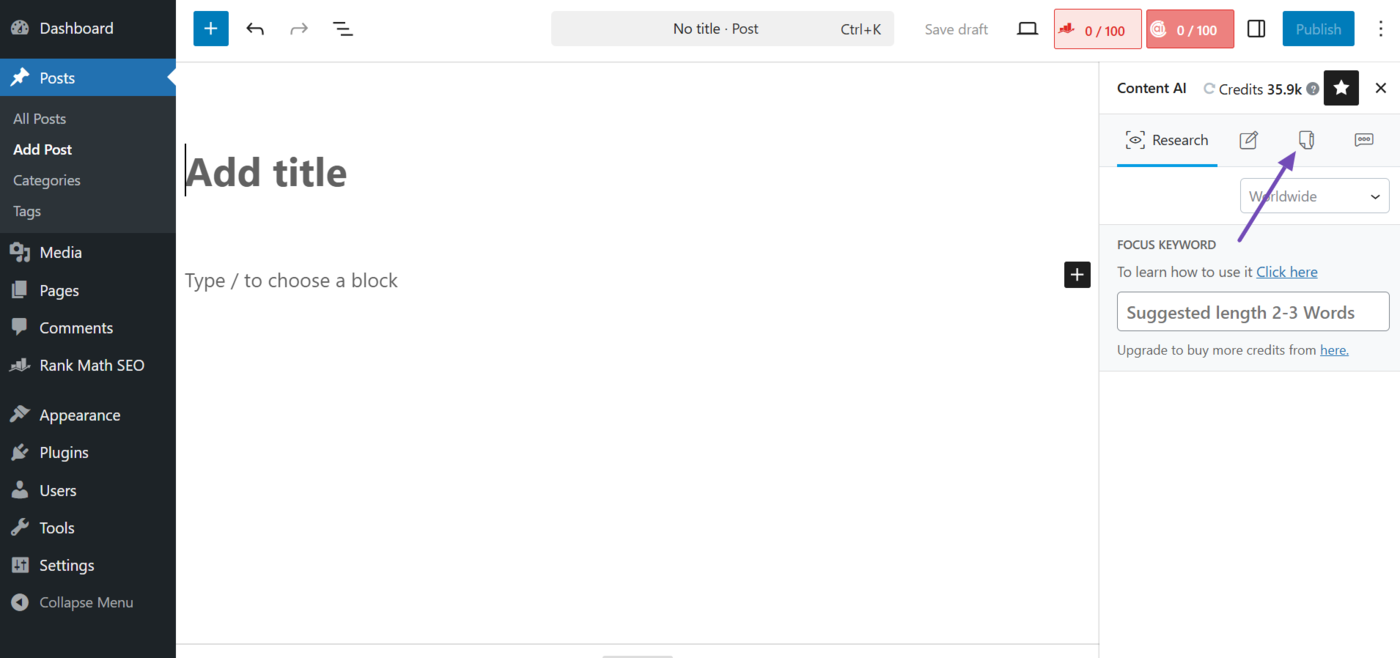
You will be presented with the 40+ AI tools available in Rank Math. You will scroll down to view all the available AI tools. You can also use the search bar to find the AI tool you want to use.
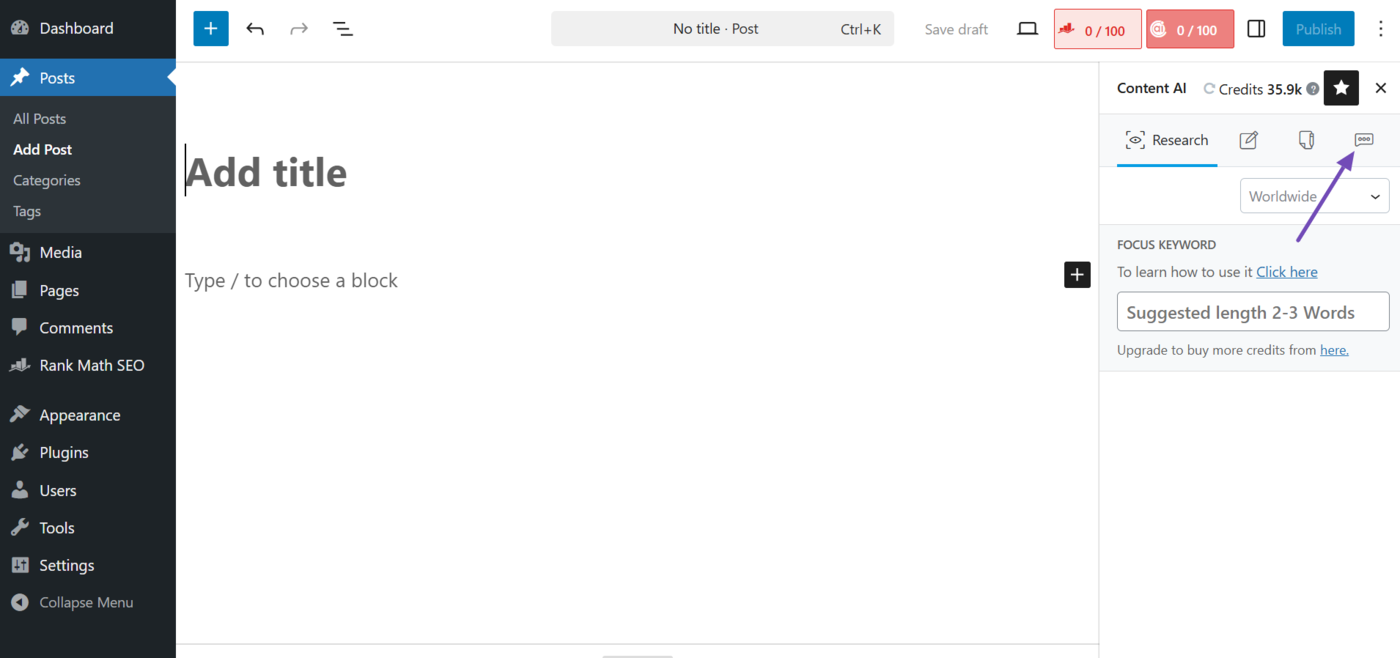
To access RankBot, click the Chat icon, as shown below, and you will be presented with RankBot.
b. Access Content AI Through the Content AI Dashboard
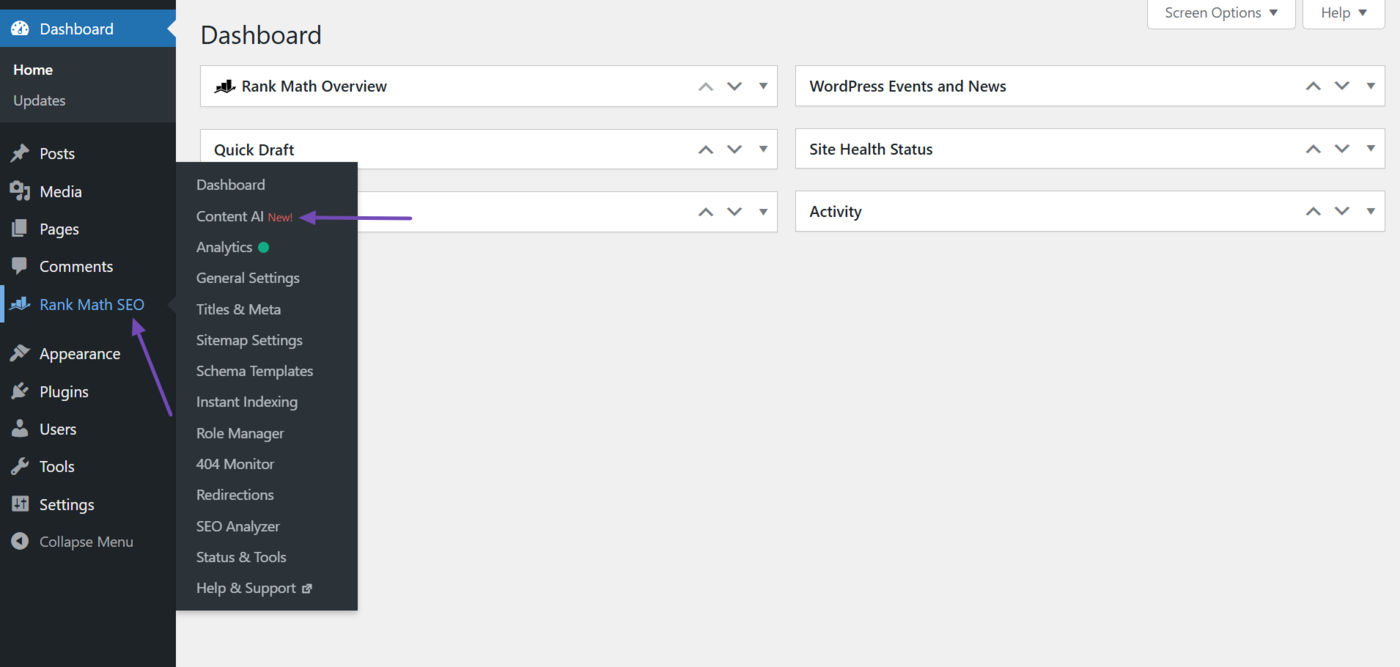
To access RankBot and the AI tools from the Content AI dashboard, head to Rank Math SEO → Content AI from your WordPress dashboard.
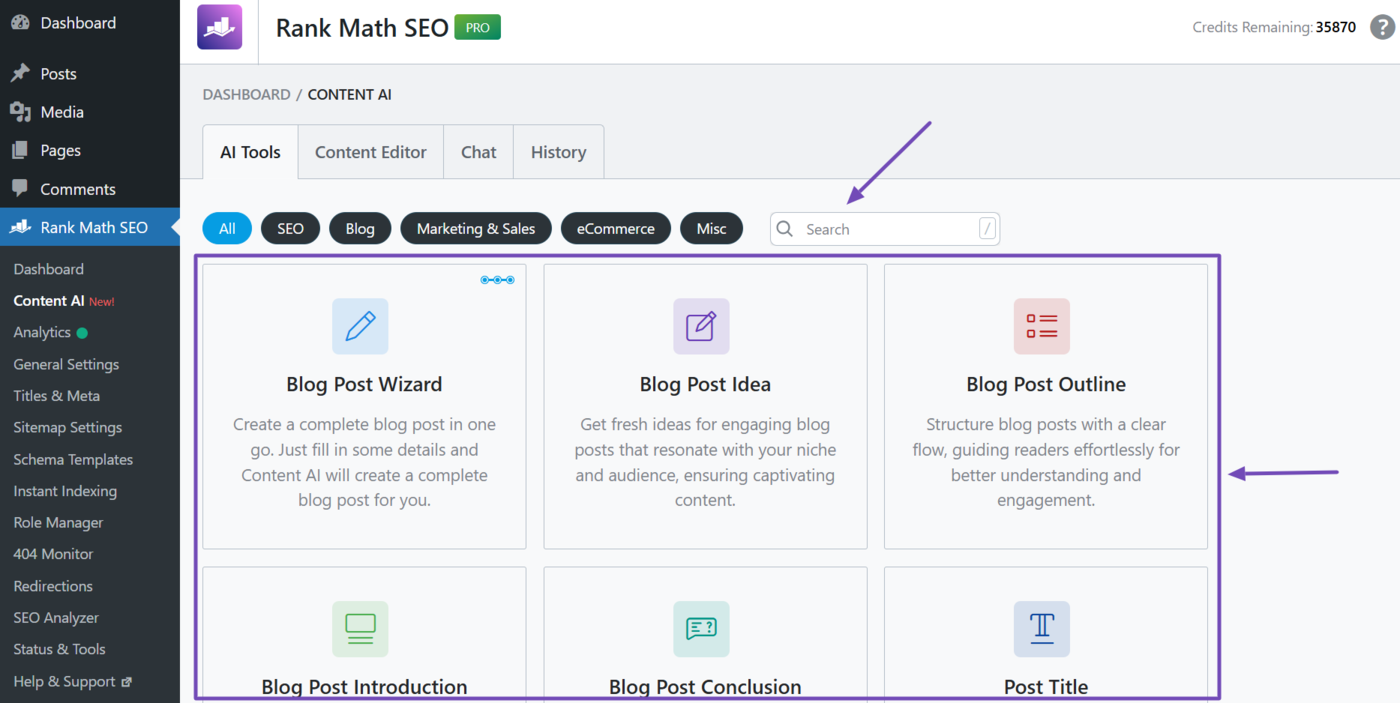
You will be presented with the 40+ AI tools available in Content AI. You will scroll down to access all the tools. You can also use the search bar to find a specific tool.
To access RankBot, click Chat, and RankBot will open.
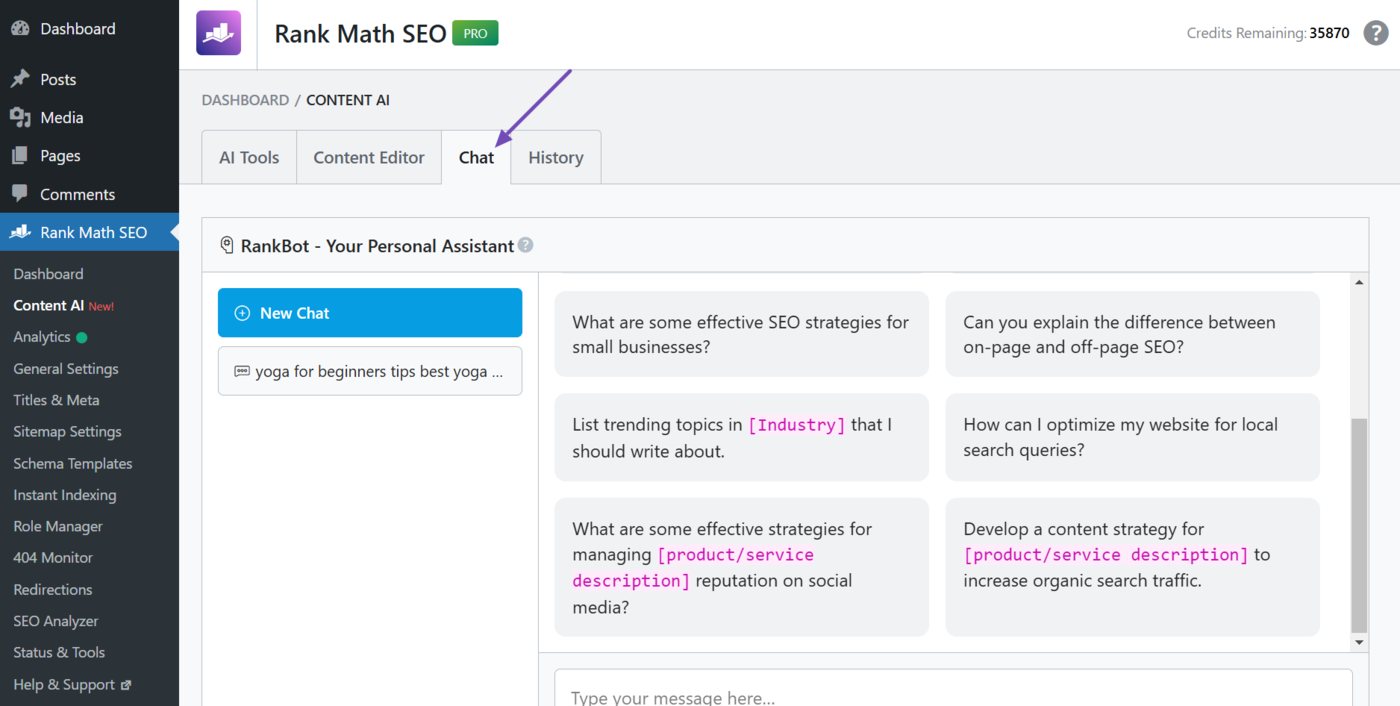
We will now show you how to execute multiple AI SEO tasks using RankBot or a relevant AI tool in Content AI.
2 Research a Blog Post Using Content AI
Content research is the first step in the content creation process. And with Content AI, you can perform multiple content research tasks, including:
- Topic research
- Keyword research
- Blog post idea research
Content AI includes a Blog Post Wizard AI tool that can whip up a complete blog post in a few seconds. This AI tool saves you a significant amount of time by eliminating the content research and content generation SEO tasks. To see how it works, refer to this guide on using the Blog Post Wizard AI tool.
a. Topic Research
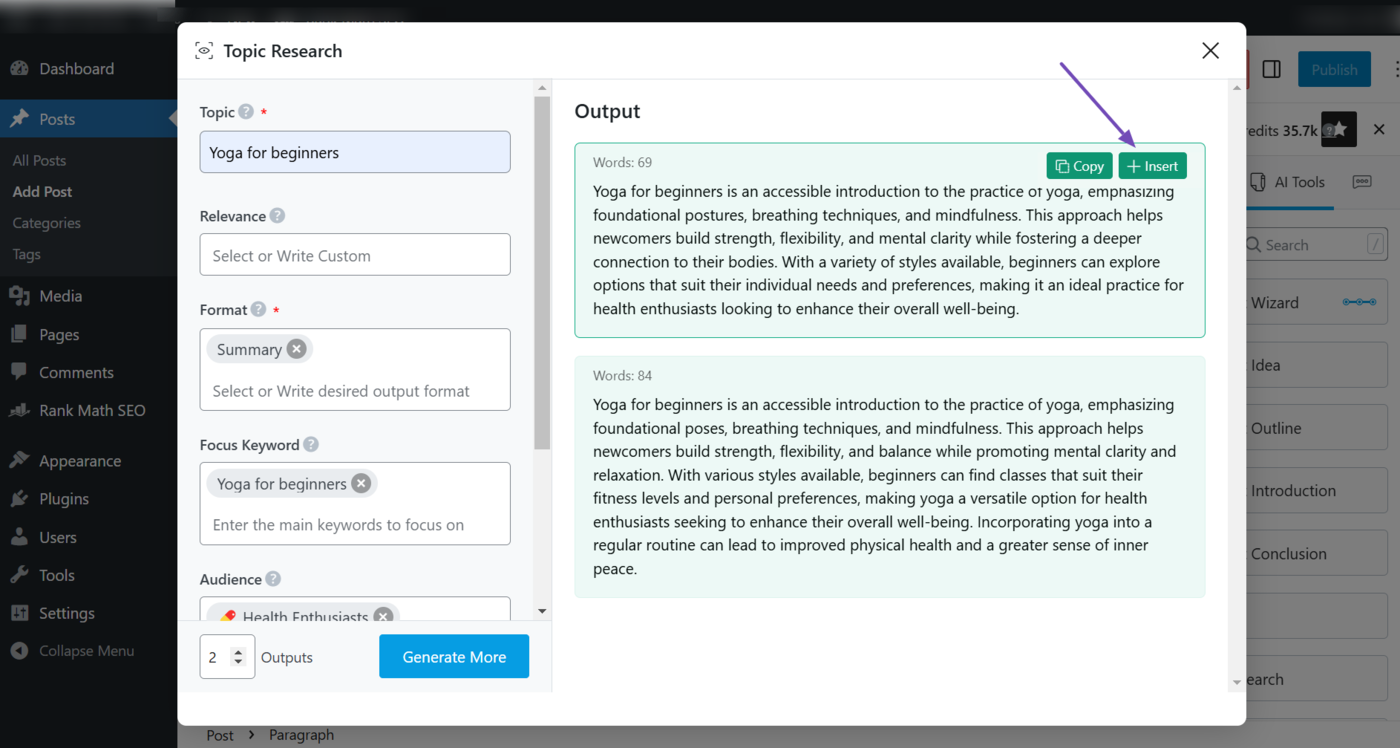
The Topic research AI tool helps you discover trending or relevant subjects that your target audience is searching for and will be interested in. This makes it crucial for bloggers who are still brainstorming content ideas.
To get started, select the Topic Research AI tool.
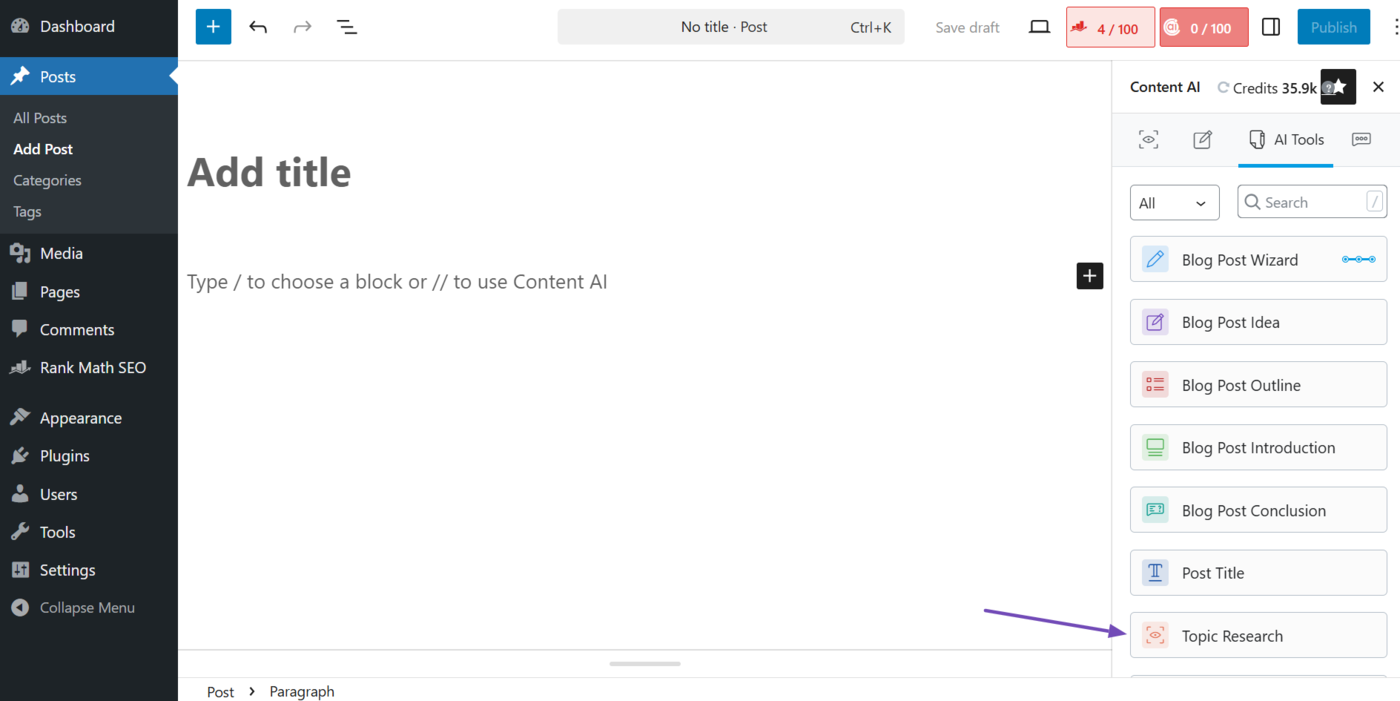
Now, fill in the required fields and click Generate. Content AI will generate relevant topics you can create content around. Hover over your desired output and click Insert. It will be inserted into your editor.
Note: You can further refer to this guide on using the Topic Research AI tool.
b. Keyword Research
The keyword research process is crucial for bloggers seeking to identify relevant keywords to incorporate into the topics they discovered during the topic research phase. You will need RankBot for this.
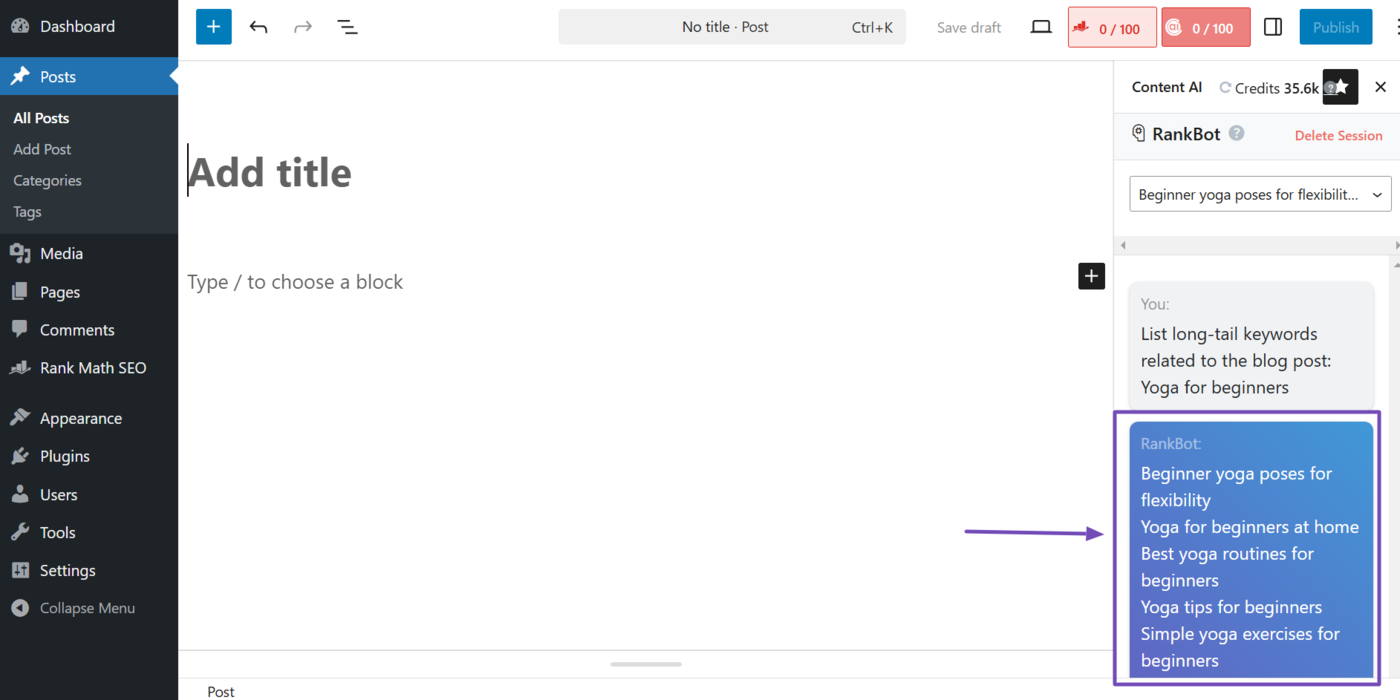
Now, head to RankBot. Then, enter a prompt like List long-tail keywords related to the blog post: [Post Title] and click Enter. (Make sure to replace [Post Title] with your post title.)
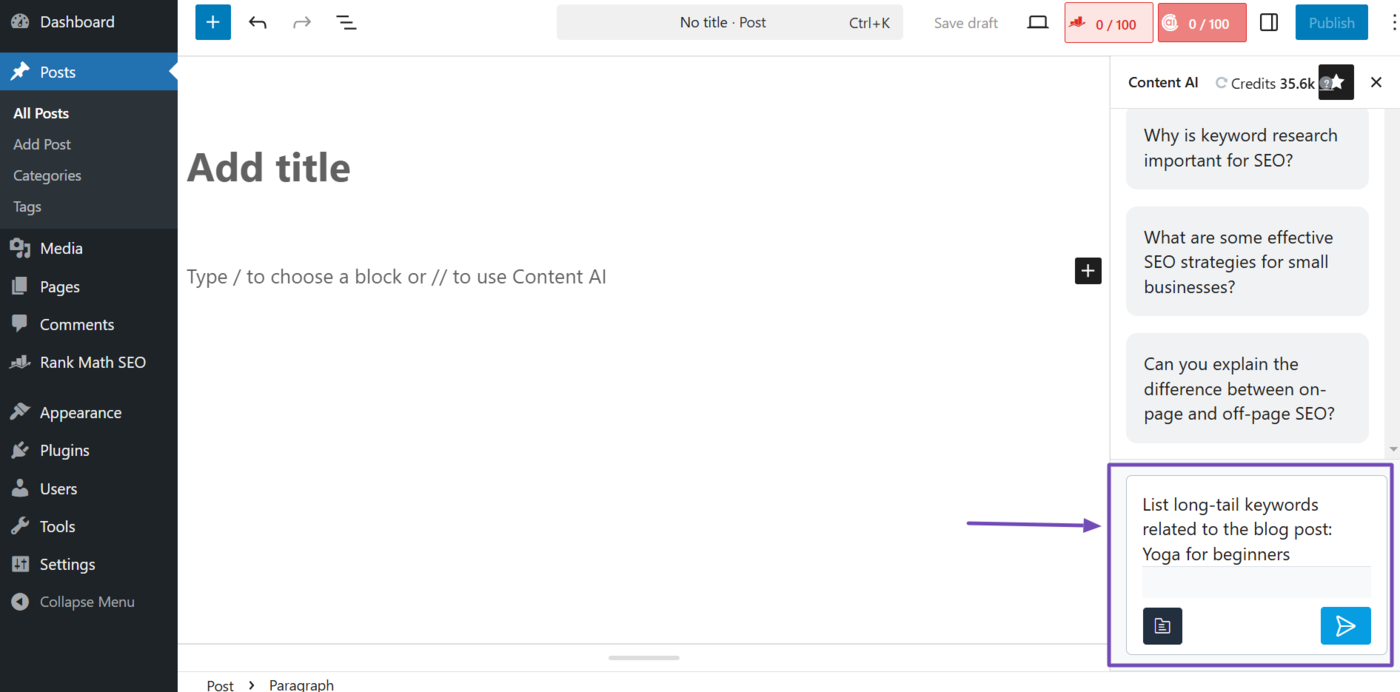
RankBot will return with some relevant keywords. You will review them and can further review their search volume and keyword difficulty using other keyword research tools.
c. Blog Post Idea
The Blog post idea AI tool helps bloggers uncover a specific angle they can use to develop the topic or keyword they have in mind. This stage is typically the final part of the brainstorming process, after which the blogger can proceed to create their content.
To generate an idea for your blog post, select the Blog Post Idea AI tool.
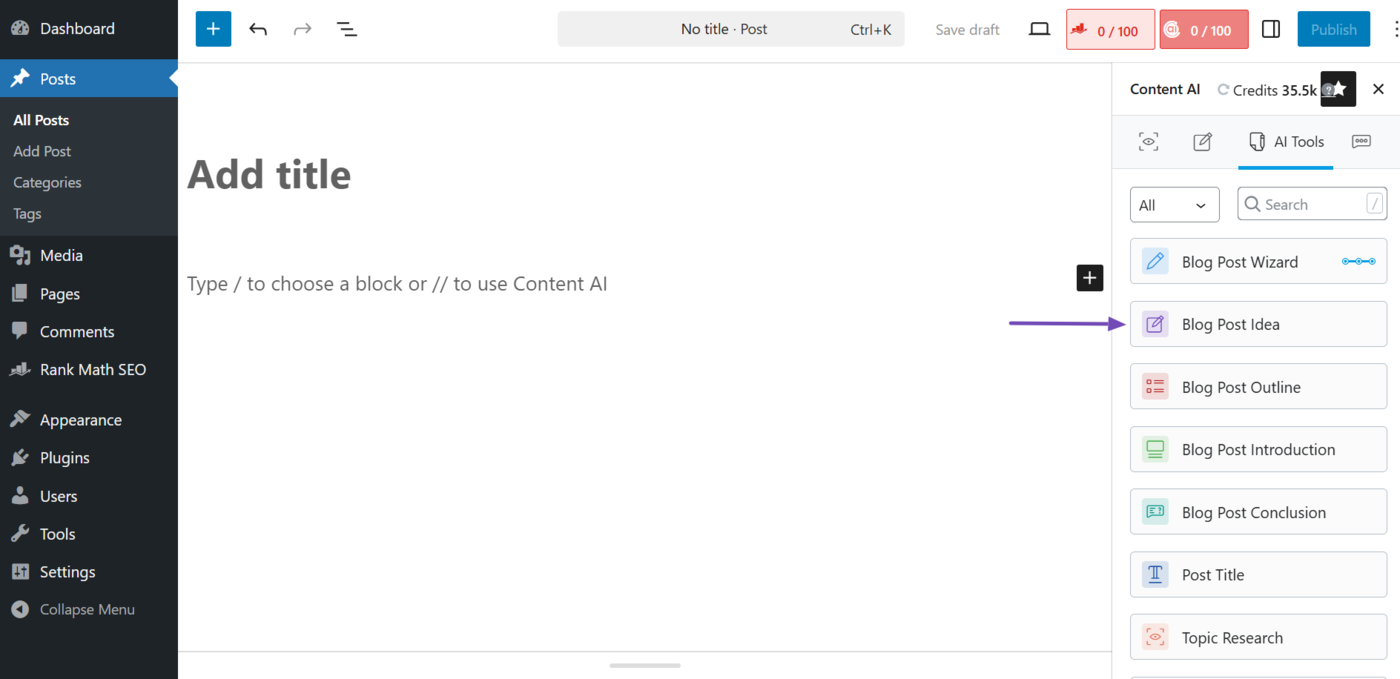
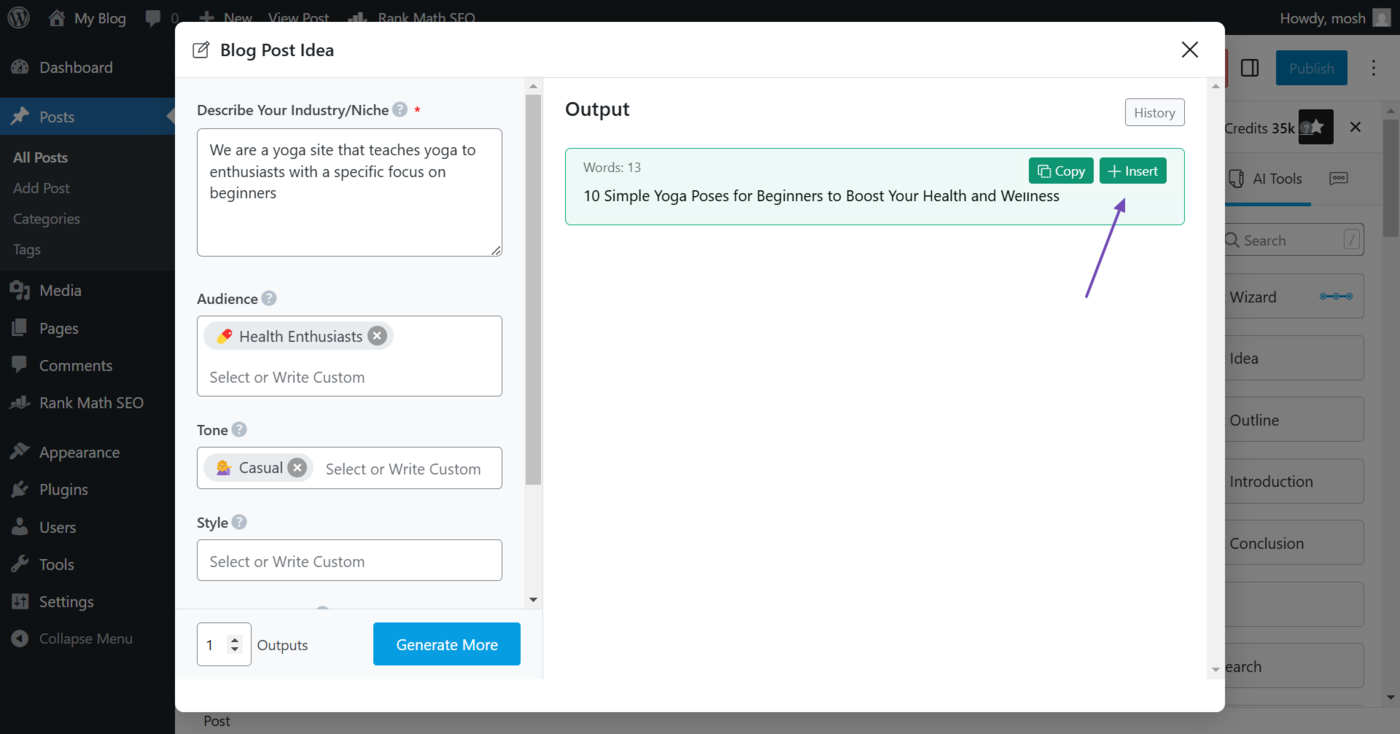
Once done, click in the required fields and click Generate. Content AI will give you ideas for blog posts you can create. Hover over it and click Insert. It will be inserted into your editor.
Note: You can refer to this guide on using the Blog Post Idea AI tool.
3 Generate a Blog Post Using Content AI
Now, it is time to create your content. You will need multiple AI tools for this. These are the most important ones:
- Post title
- Blog post outline
- Blog post introduction
- Paragraph
- Blog post conclusion
In addition to the ones above, you may need these too, depending on your needs and the type of content you want:
- Recipe
- AI command
- Frequently asked questions
- Sentence expander
- Fix grammar
- Product review
- Product description
- Product pros & cons
Now, let us get started.
a. Post Title
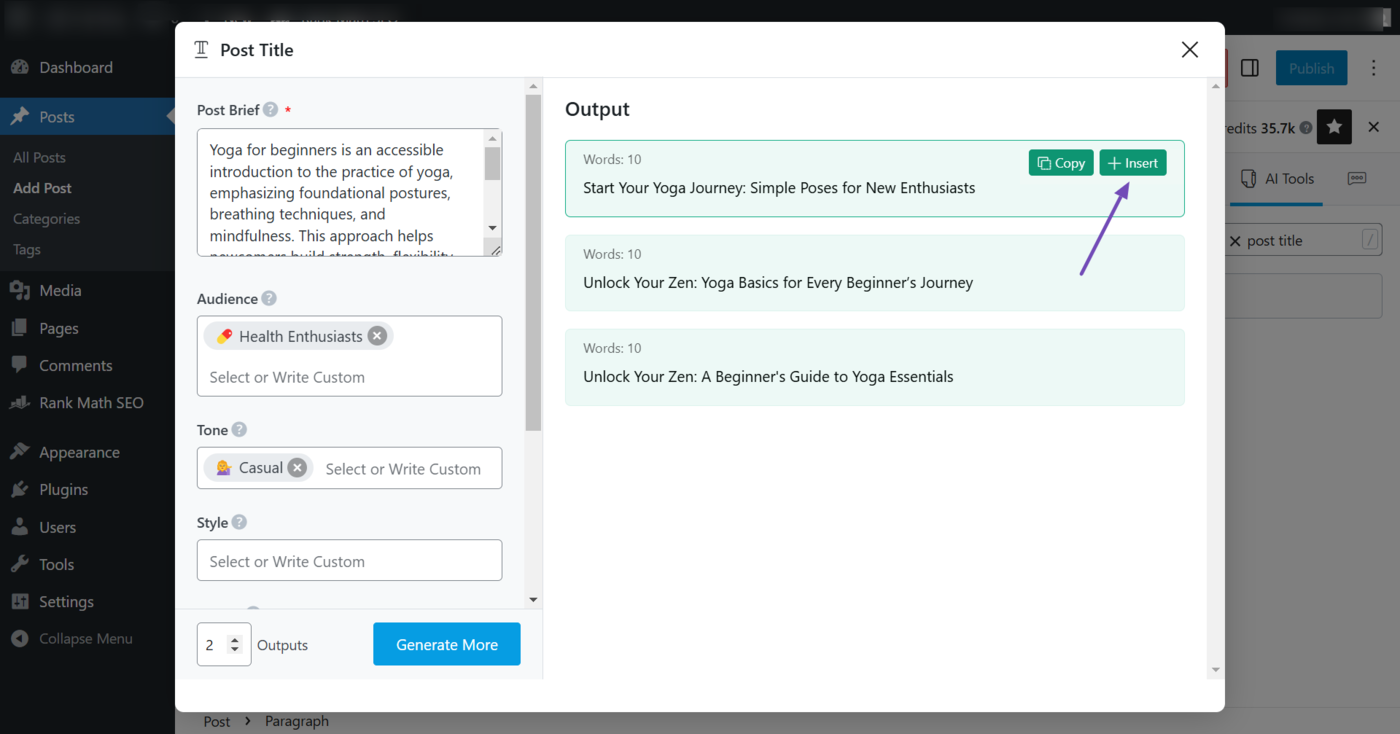
The Post title AI tool generates a descriptive, catchy, and SEO-friendly title for your blog post. To generate one, select the Post Title tool.
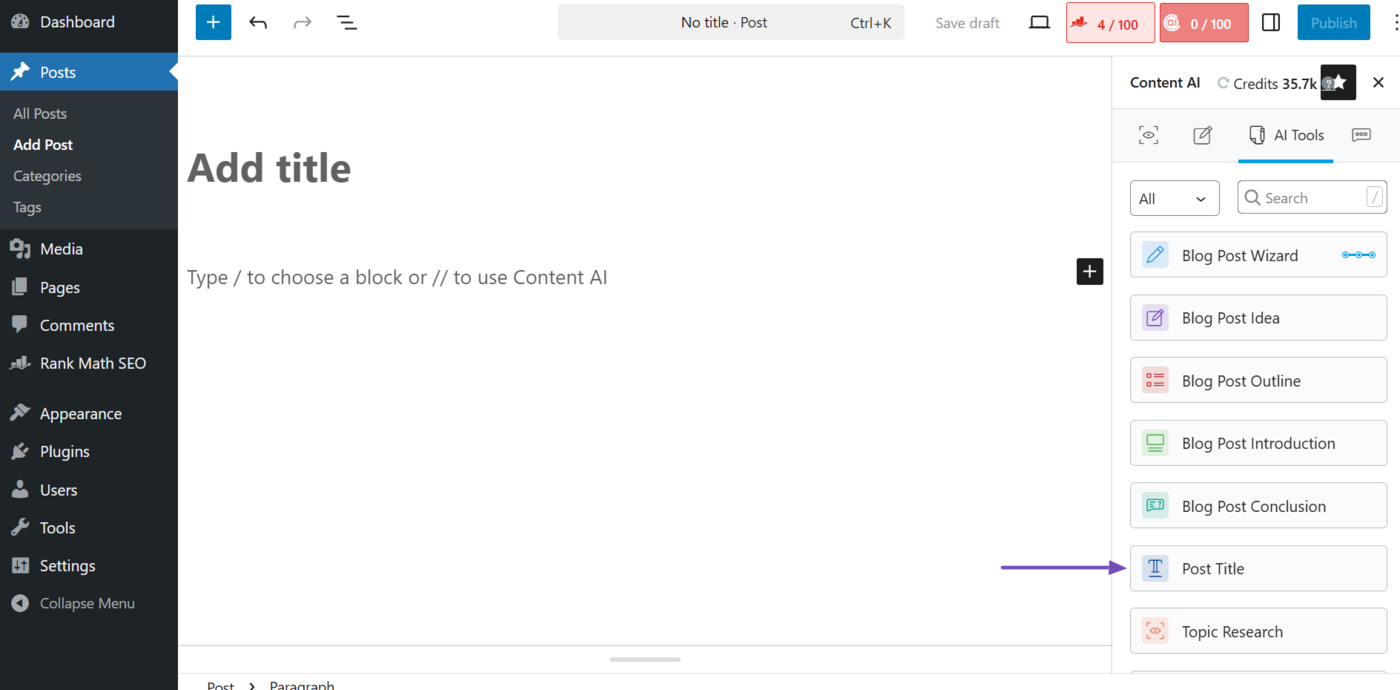
Next, fill in the required fields and click Generate. Once the tool generates your post title, hover over it and click Insert.
Note: You can refer to this guide for instructions on using the Post Title AI tool.
b. Blog Post Outline
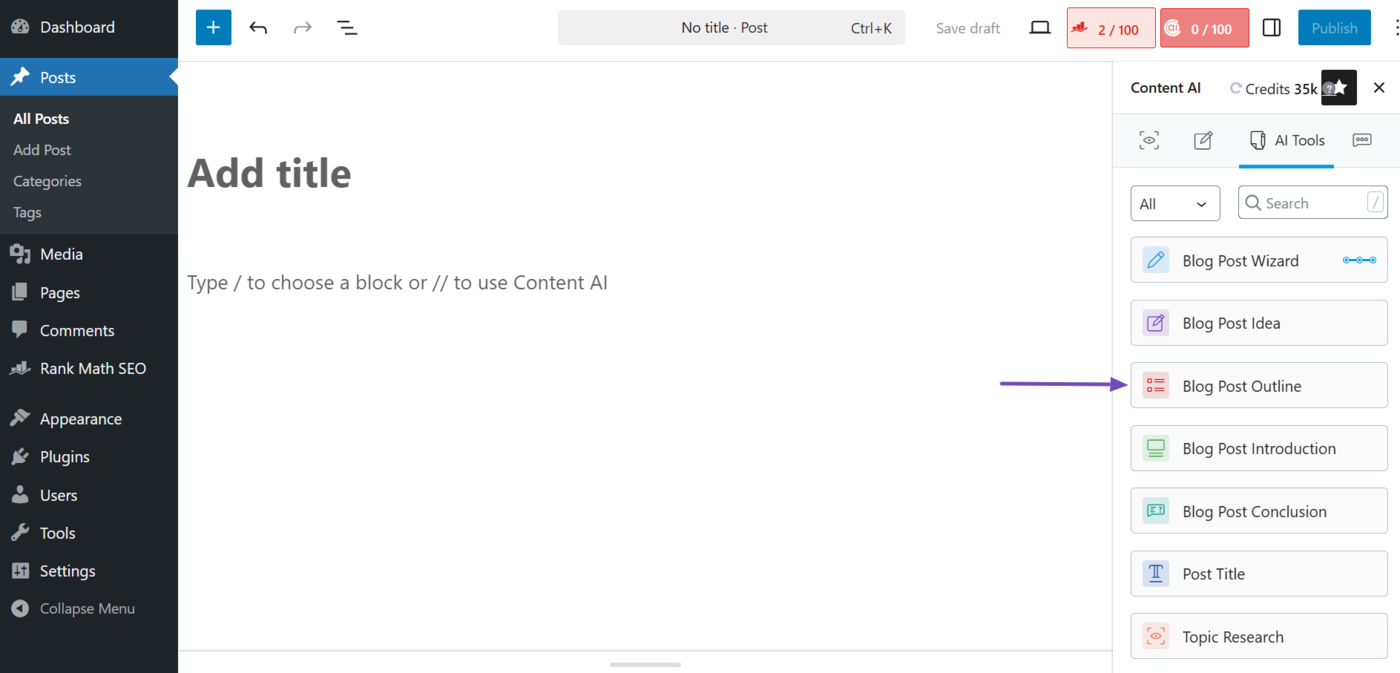
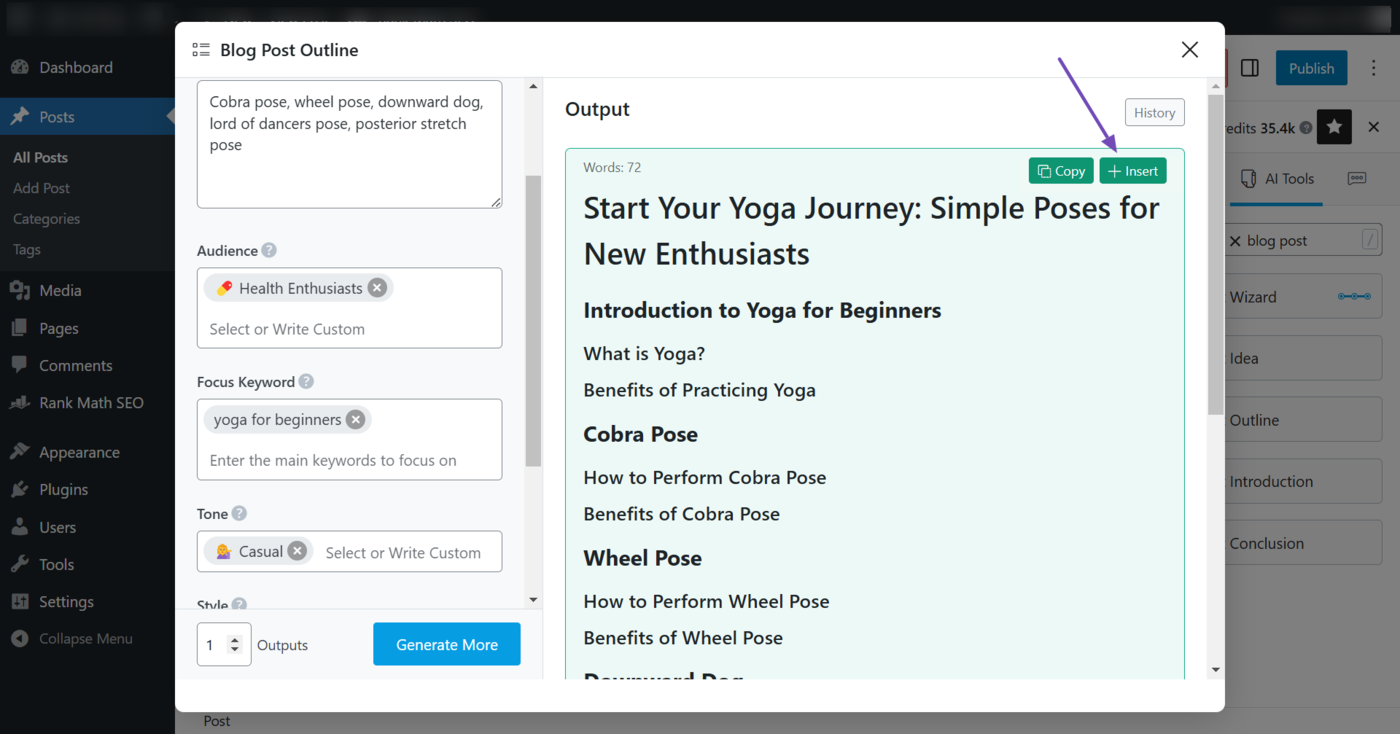
The Blog post outline AI tool generates a structured outline that includes the headings, subheadings, and key points to discuss in your article. So, to outline your content, select the Blog Post Outline AI tool.
Next, fill in the required fields and click Generate. Content AI will draft an outline for your blog post. Hover over your desired outline and click Insert.
Note: You can refer to this guide on using the Blog Post Outline AI tool.
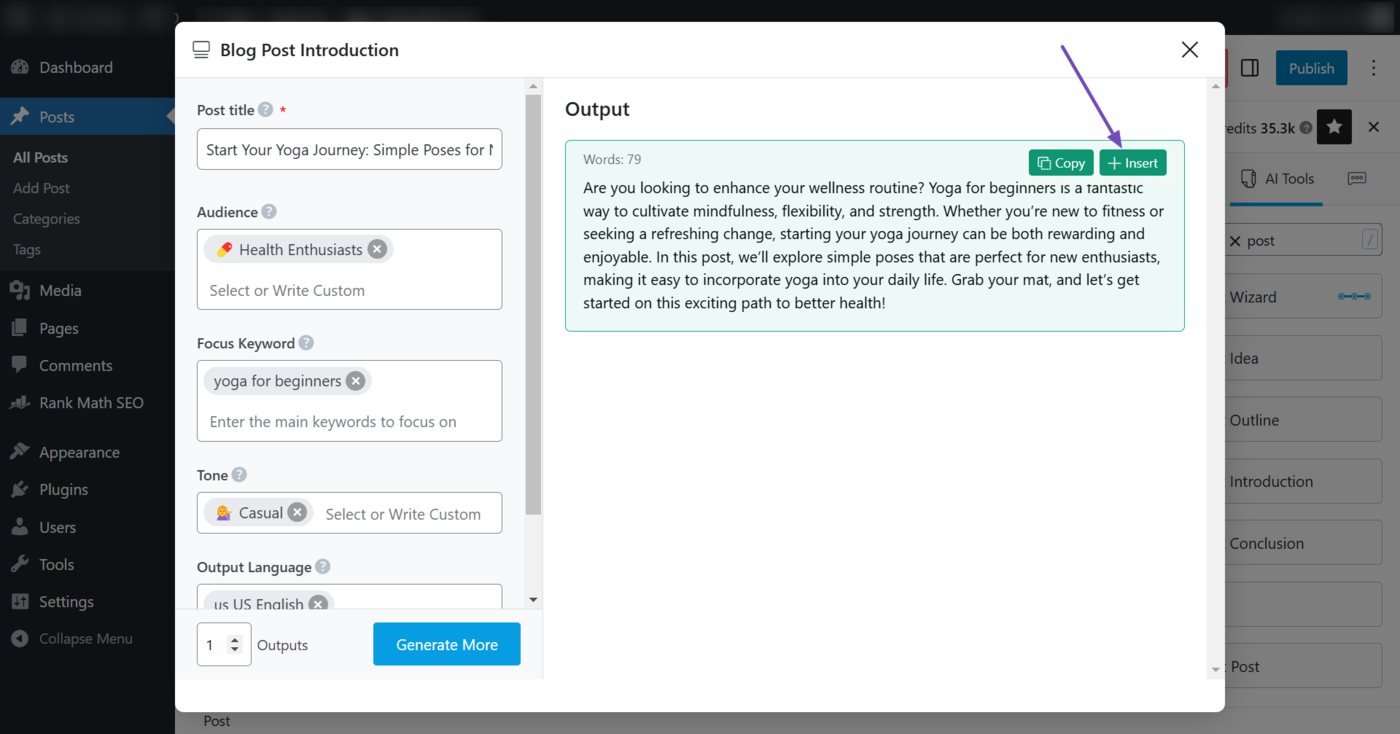
c. Blog Post Introduction
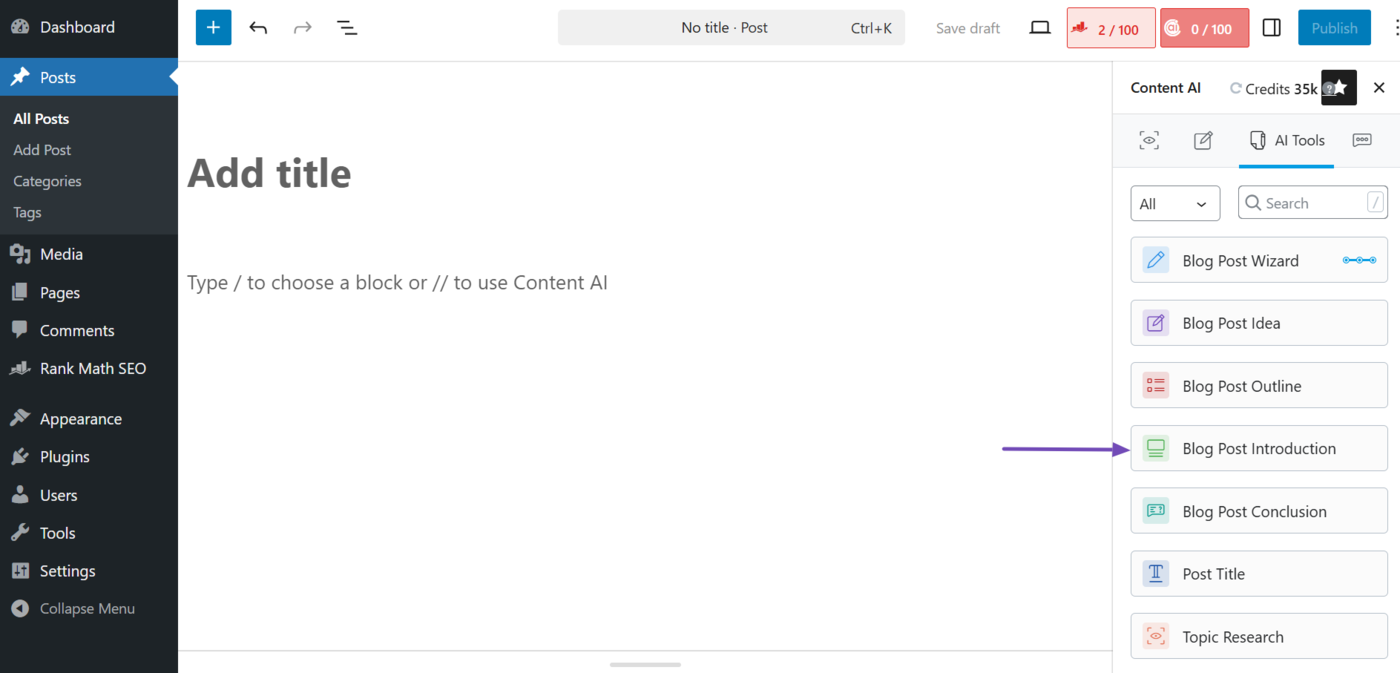
The Blog post introduction AI tool generates an engaging opening paragraph that introduces your topic to your audience and hooks your readers. To get started, click the Blog Post Introduction AI tool.
Fill in the required fields and click Generate to create your content. Hover over the introduction you want to use and click Insert.
Note: You can refer to this guide on using the Blog Post Introduction AI tool.
d. Paragraph
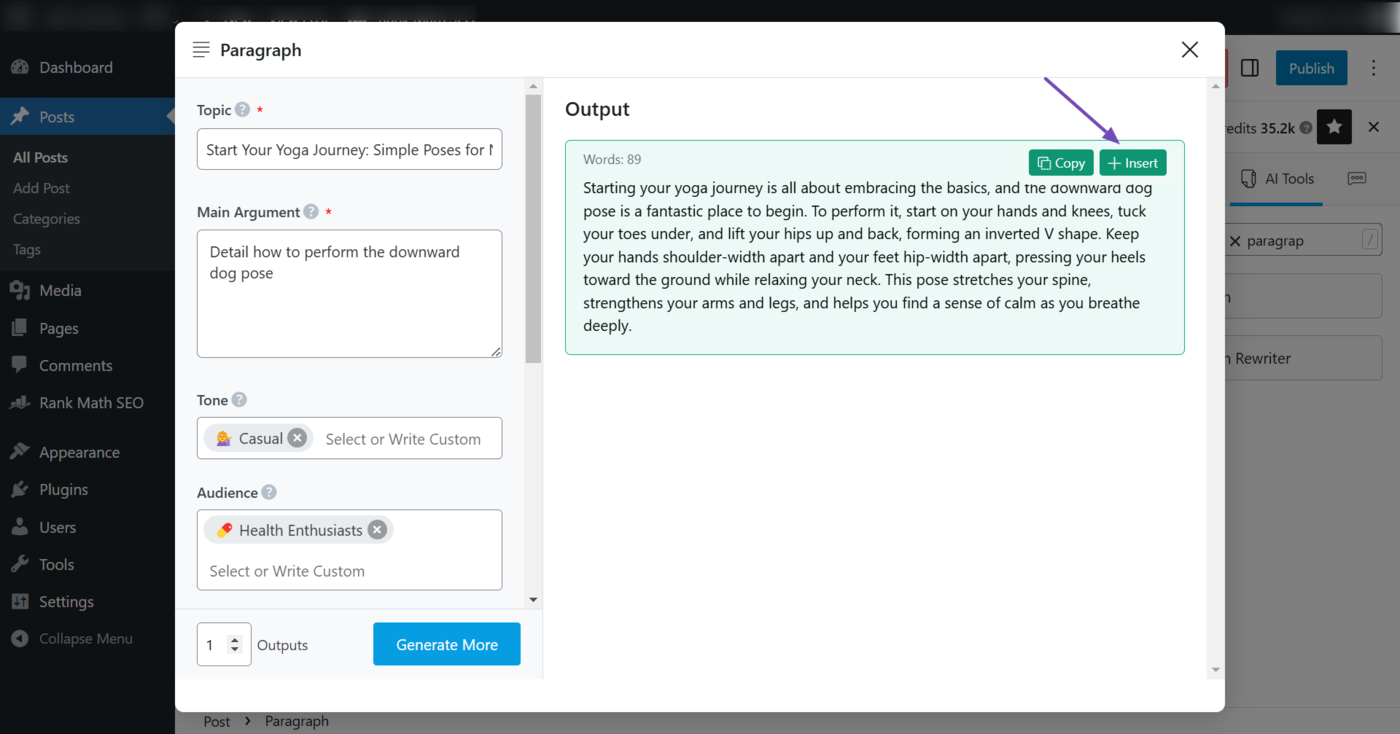
You can now begin to draft your paragraphs using the Paragraph AI tool. This tool generates detailed and SEO-friendly paragraphs for specific sections or subsections of your blog post, depending on the points you want it to cover.
To create your paragraphs using Content AI, click the Paragraph AI tool.
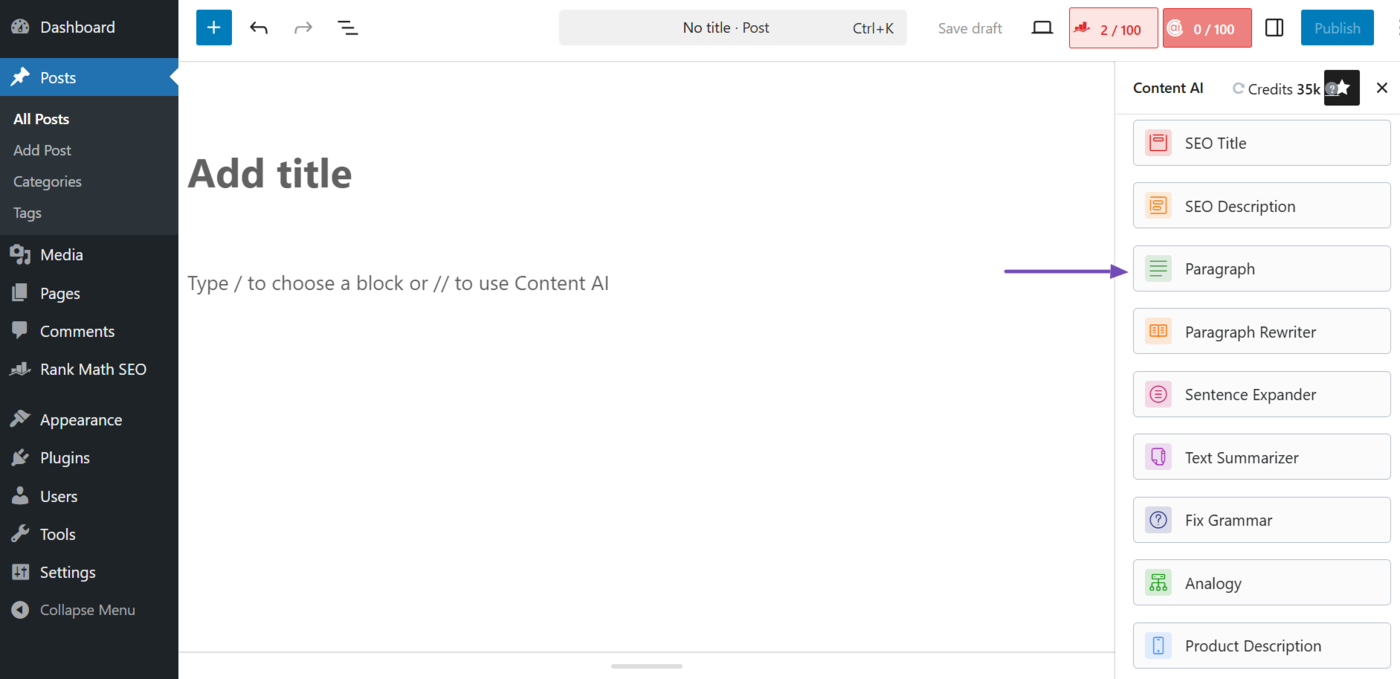
Then, fill in the required fields and click Generate. Once done, hover over the output and click Insert.
Note: You can refer to this guide on using the Paragraph AI tool.
Now, depending on your content, you may also use the other AI tools below to create entries for the sections and subsections in your article:
- Recipe AI tool: This AI tool generates an easy-to-follow recipe complete with ingredients, steps, and serving details. It is helpful for food bloggers. You can refer to this guide on using the Recipe AI tool.
- Product Description AI tool: This AI tool generates product descriptions and summaries that highlight the key features and benefits of a product. This makes it useful for bloggers, marketers, and ecommerce store owners. You can refer to this guide on using the Product Description AI tool.
- Product Pros & Cons AI tool: This AI tool lists the advantages and disadvantages of a product to help users make informed decisions. The tool is useful for bloggers, marketers, and ecommerce store owners. You can refer to this guide on using the Product Pros & Cons AI tool.
- Product Review: This AI tool generates in-depth, SEO-friendly product reviews. It is ideal for bloggers, marketers, reviewers, and other creators who create review-style content. You can refer to this guide on using the Product Review AI tool.
Another tool you should pay attention to is the AI Command tool.
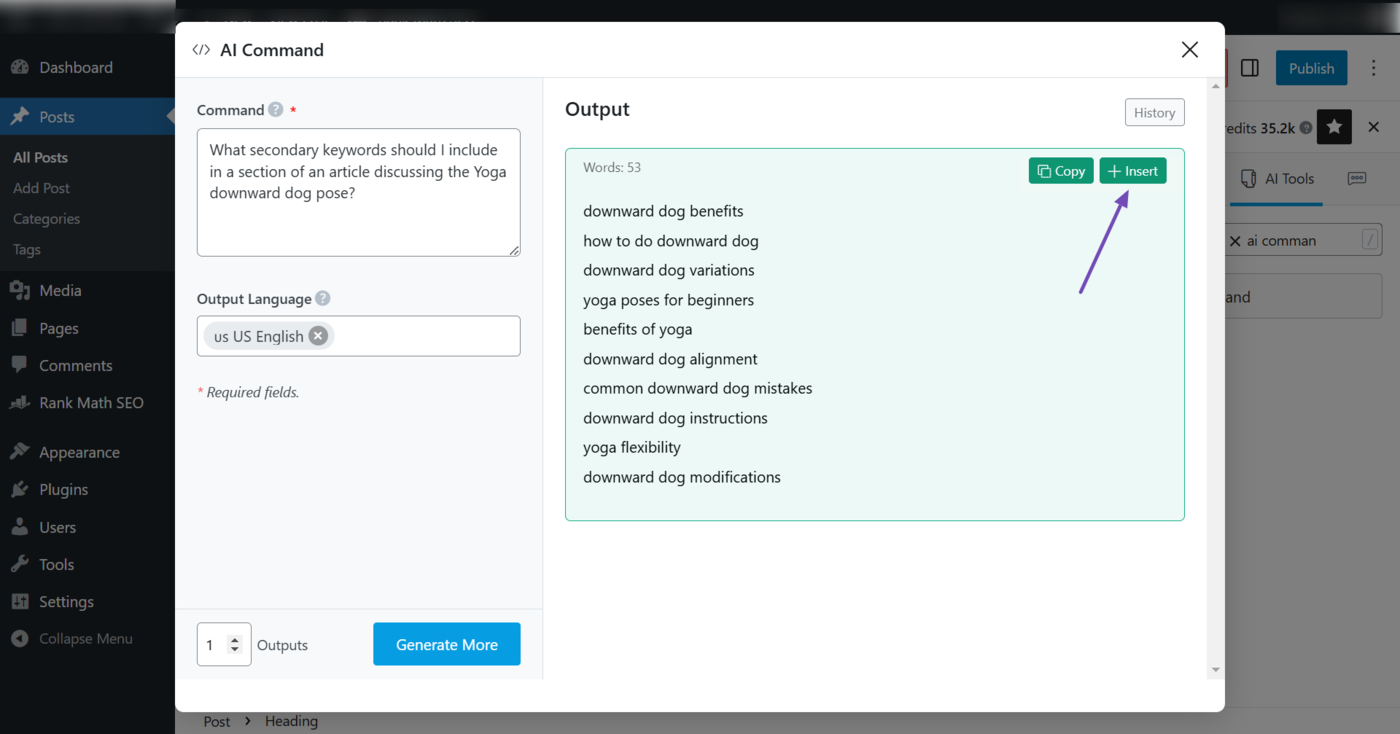
When creating your content, you may want to perform some quick research into some terms or techniques you address in your article. In such cases, you will use the AI Command AI tool.
To do that, select the AI Command tool.
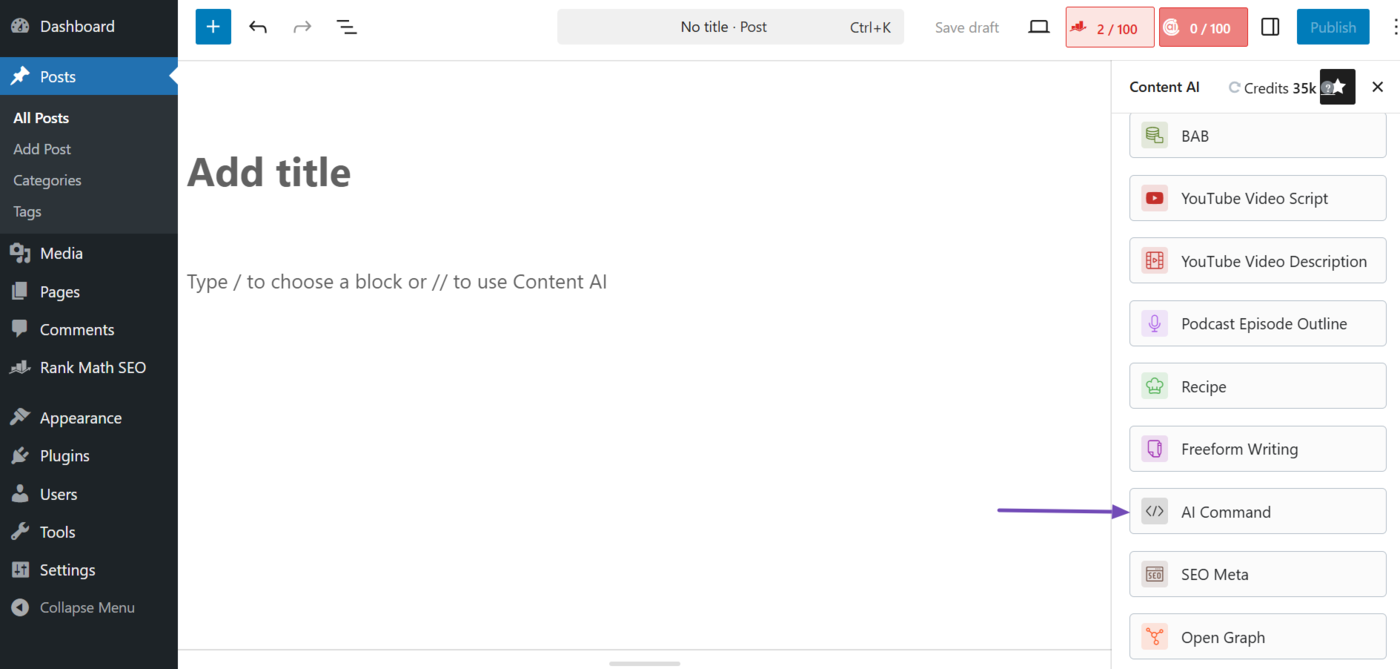
Once done, enter your SEO-related question into the Command field and click Generate.
Content AI will return with an answer to your question. Hover over the output and click Copy to copy it to your clipboard or Insert to insert it into the content.
Note: You can refer to this guide on using the AI Command tool.
e. Blog Post Conclusion
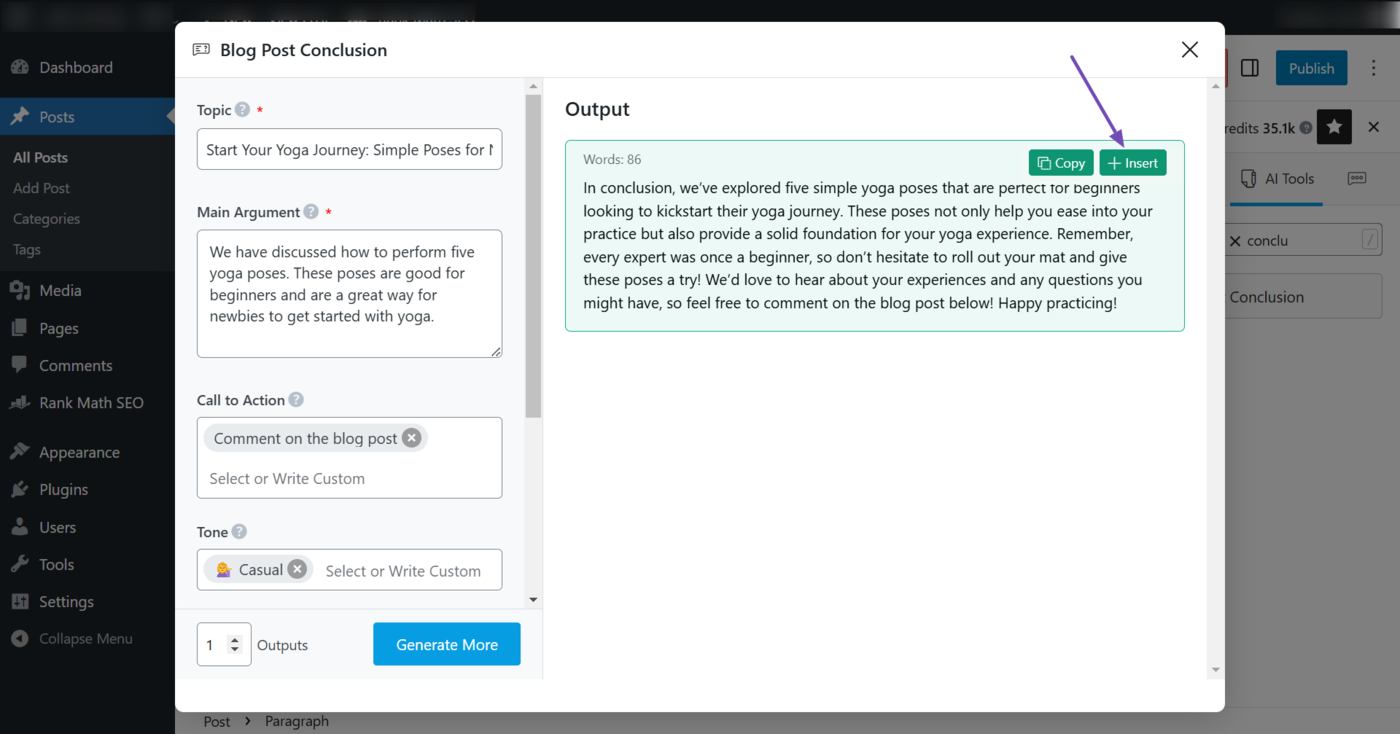
The Blog post conclusion AI tool generates a strong closing paragraph that summarizes your main points, reinforces your message, and includes a call to action (CTA) or final thought.
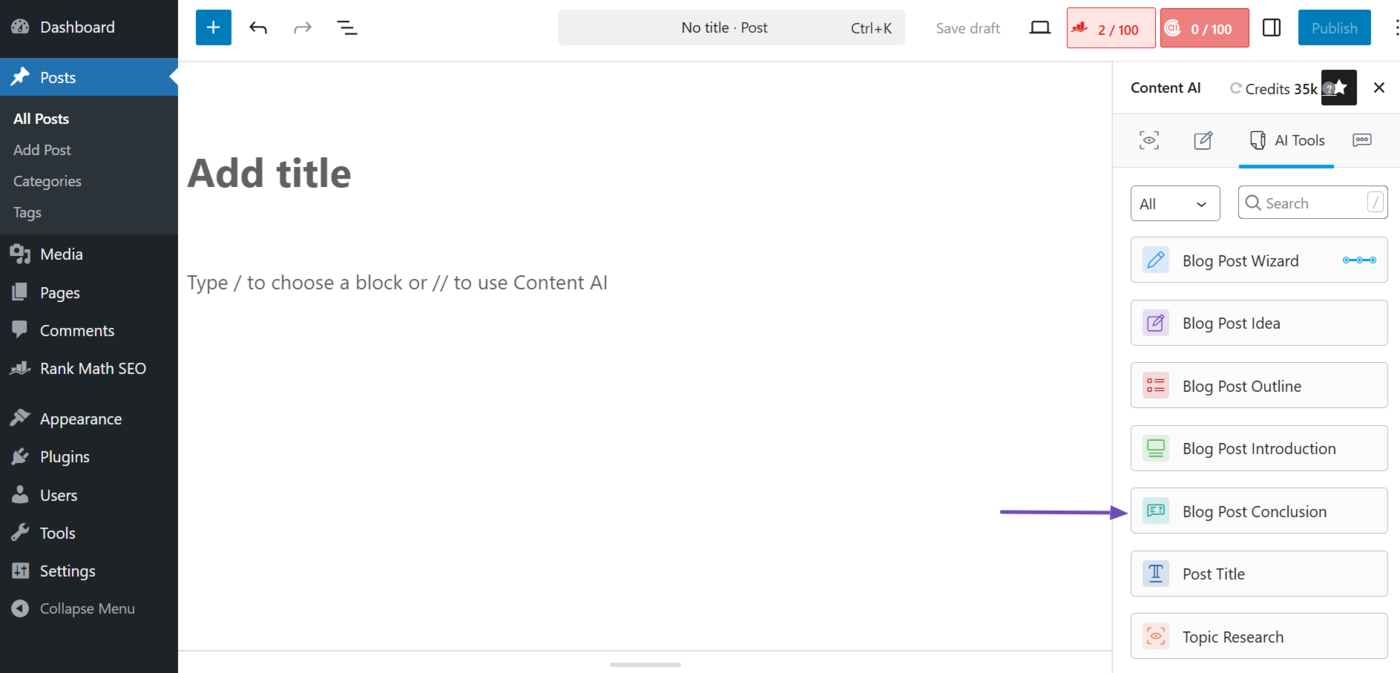
To generate your conclusion, select the Blog Post Conclusion AI tool.
Then, fill in the required fields and click Generate. Once done, hover over the output you want to use, and click Insert.
Note: You can refer to this guide on using the Blog Post Conclusion AI tool.
Those are the AI tools you need to create your content. However, you may also use the ones below, too.
f. Frequently Asked Questions
The Frequently Asked Questions AI tool enables you to generate a relevant frequently asked questions (FAQs) section, complete with concise and SEO-optimized questions and answers.
This tool is helpful if you want to include a frequently asked questions field in your content. You can refer to this guide on using the Frequently Asked Questions AI tool.
g. Sentence Expander
The Sentence expander AI tool allows you to lengthen your sentences into full paragraphs. This tool is useful for expanding short sentences into longer, in-depth paragraphs. You can refer to this guide on using the Sentence Expander AI tool.
h. Fix Grammar
The Fix grammar AI tool serves as a word checker that corrects grammatical, spelling, and punctuation errors in your content. Just paste the content you want to spell check into it, and it will edit it. You can refer to this guide on using the Fix Grammar AI tool.
4 Optimize a Blog Post Using Content AI
After creating your content, you can proceed to optimize it for clicks on search engines and shareability on social media apps by adding the metadata below to it:
Here is how to generate all three types of metadata using Content AI.
a. Generate SEO Title and Description
Content AI has three sets of tools to generate your SEO meta tags.
- SEO title: Generates an SEO title only
- SEO description: Generates an SEO description only
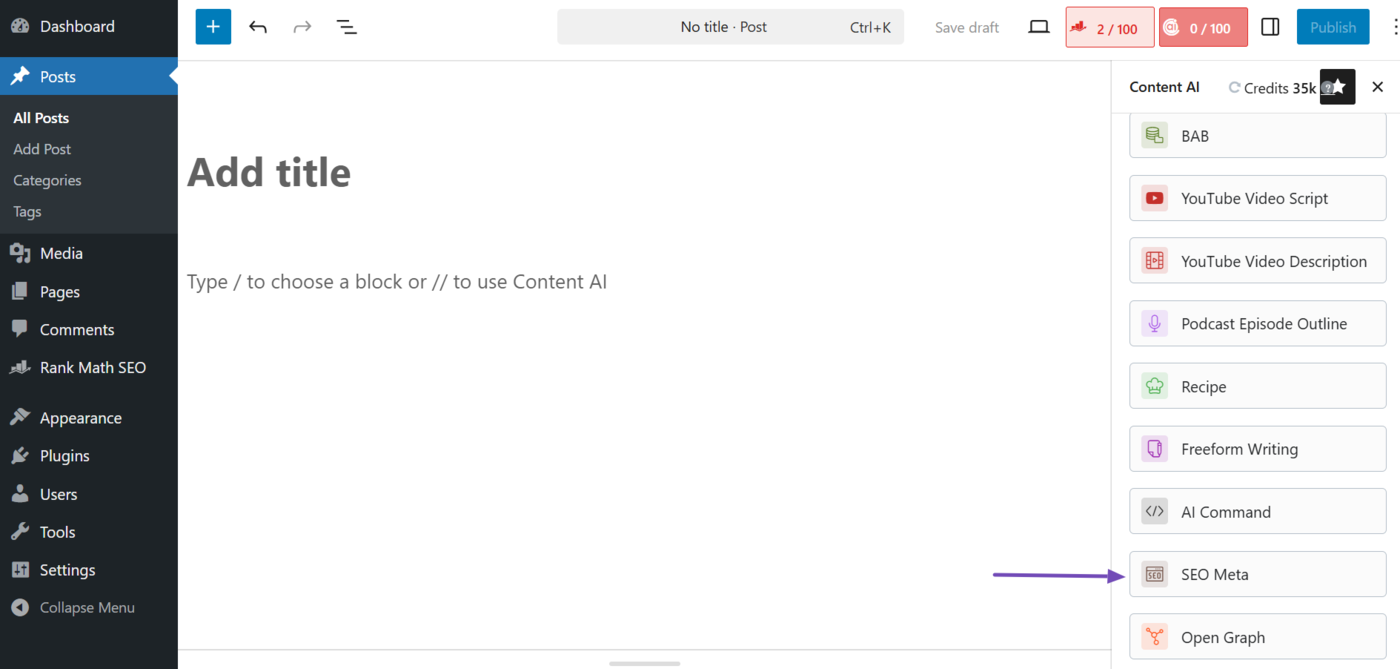
- SEO meta: Generates both an SEO title and description
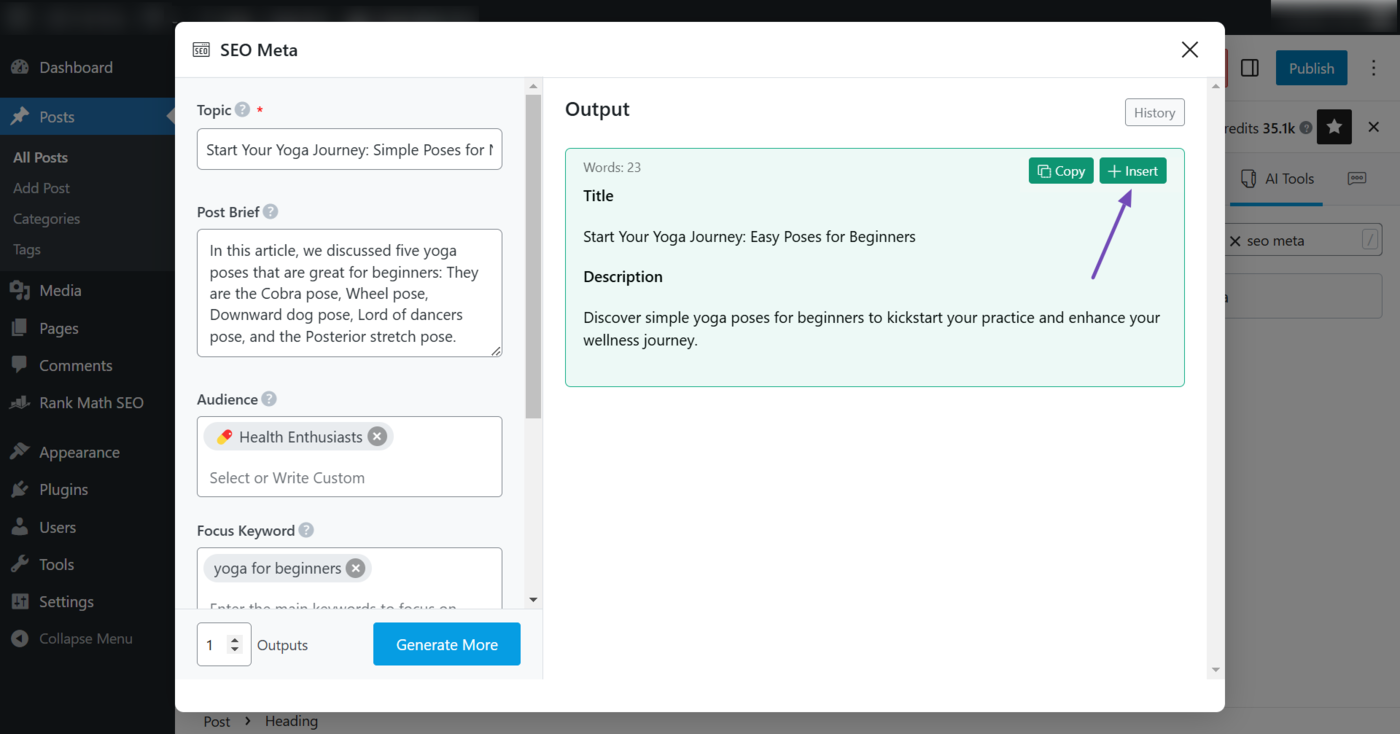
To get started, select the appropriate SEO tool. Let us use the SEO Meta AI tool to generate both an SEO title and description.
Then, fill in the required fields and click Generate. The Content AI tool will generate an SEO title and description. Hover over the output you want to use and click Insert.
Note: You can refer to these guides on using the SEO Meta AI tool, the SEO Title AI tool, and the SEO Description AI tool.
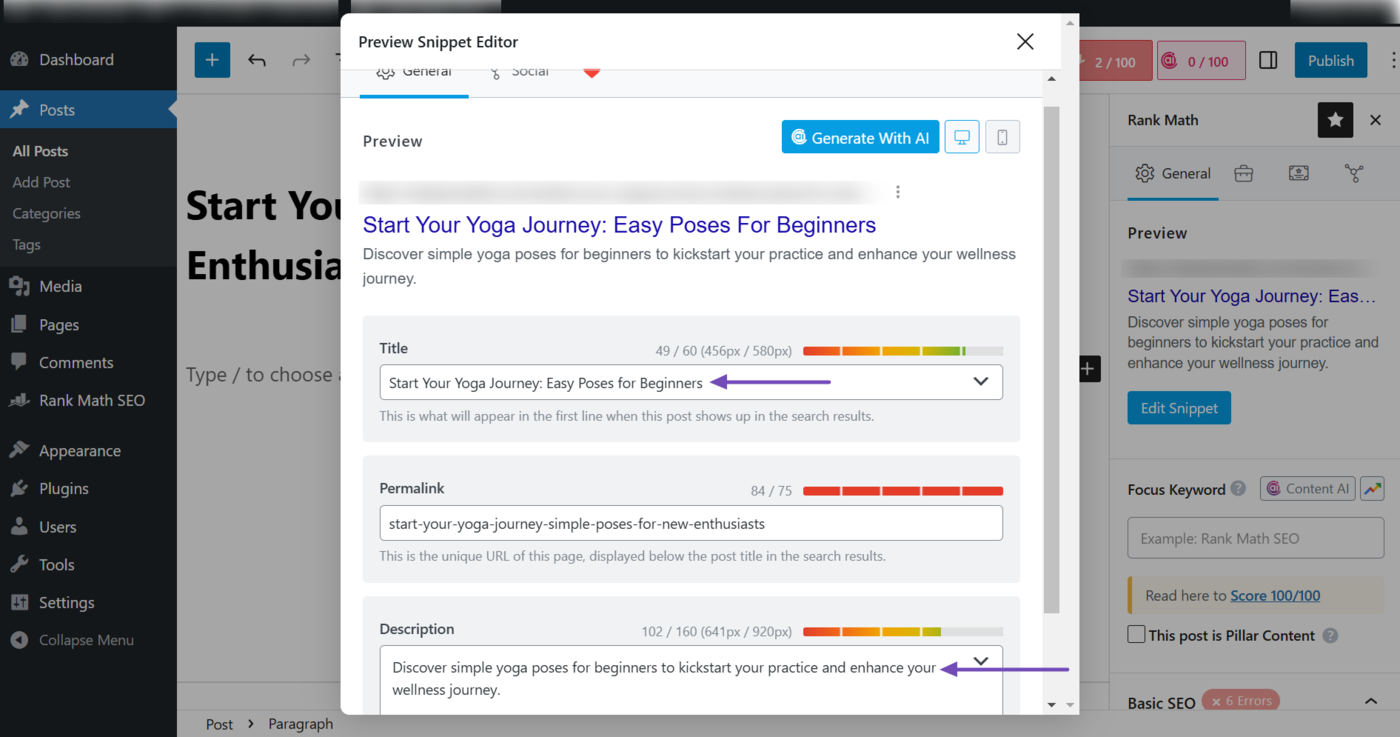
Rank Math will add the SEO metadata you just generated to the SEO title field, the SEO description field, or to both fields, depending on the AI tool you used.
You can view them by clicking the Rank Math SEO icon → Edit Snippet from your post editor screen.
b. Generate Open Graph Metadata Using Content AI
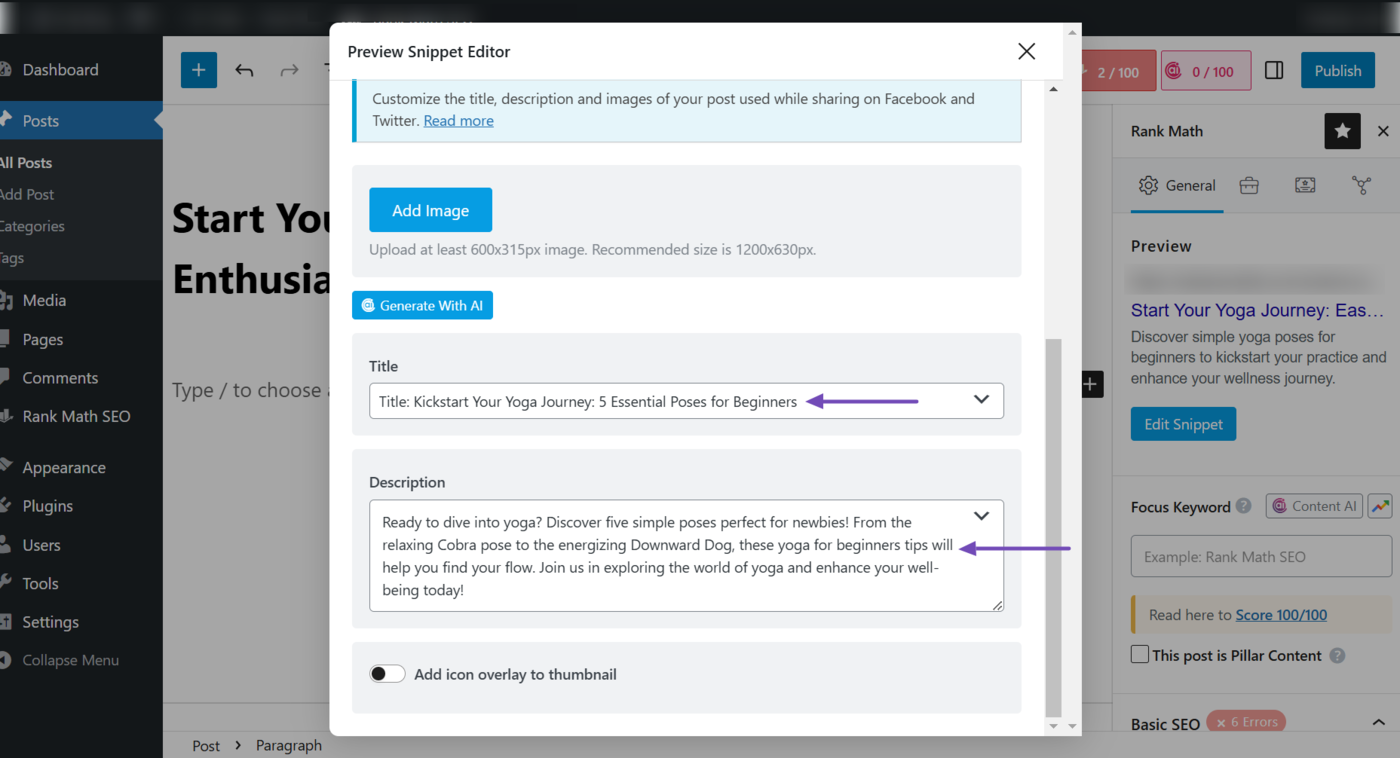
The Open Graph AI tool allows you to generate Open Graph meta titles and descriptions. This title and description are displayed when your content is shared on social media platforms like Facebook, X, and LinkedIn.
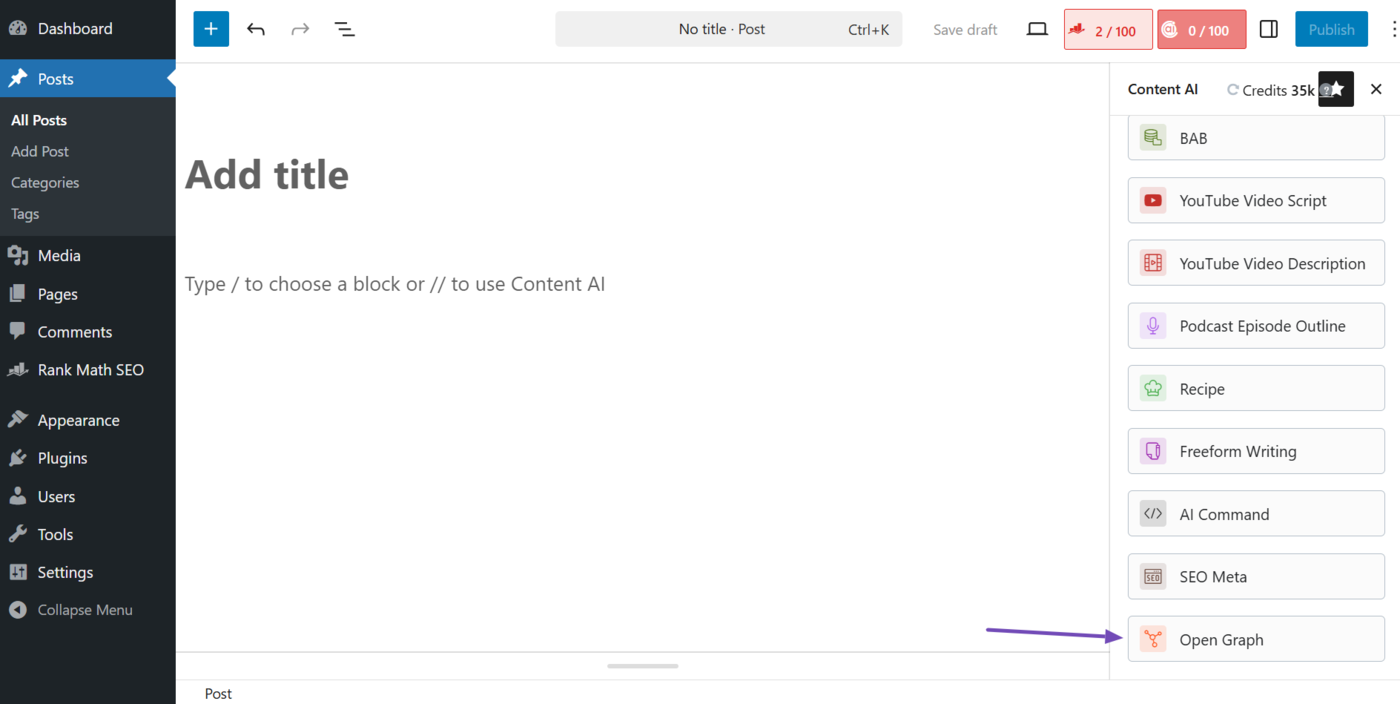
To generate your Open Graph title and description, select the Open Graph AI tool.
Then, fill in the required fields and click Generate. Next, hover over it and click Insert.
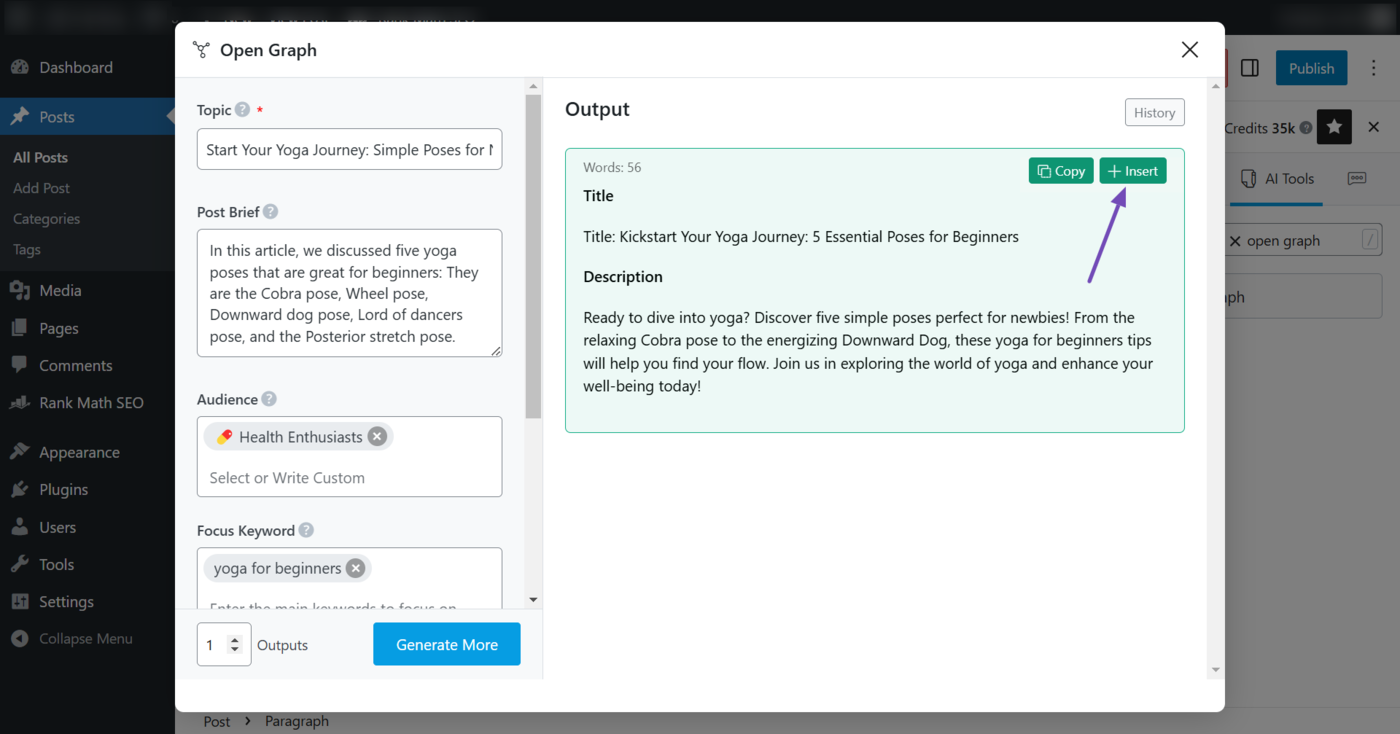
Once done, the Open Graph you just generated will be added to the Open Graph title and description fields. You can view them by clicking the Rank Math SEO icon. Once done, click Edit Snippet → Social.
This is how to get started with AI SEO.
For bloggers, AI SEO is considered the next evolution of SEO, and individual bloggers will eventually need to integrate it into their content creation process. The earlier you start, the better.
However, remember that incorporating AI into your content creation, optimization, and evaluation process is a means to an end, and not the end itself. The end is to create content that is usable, helpful, and accessible to your human audience.