

When you create content, it’s not always easy to know what’s working and what’s not. That’s where content analysis comes in.
It helps you understand how your content performs, what your audience likes, and what you should change to get better results.
Over the last few years, AI tools have made this work much easier. Instead of guessing, you now get clear data, suggestions, and insights that help you improve your writing, SEO, and overall content quality.
In this post, you’ll find the only content analysis tools you actually need. No long lists. No confusing features. Just simple tools that help you create better content without wasting time.
So, without any further ado, let’s get started.
Table Of Contents
1 Why Content Analysis Matters in 2026
Search and user behaviour are changing, and good analysis helps you keep up. Here’s why it matters:
- Google and AI search focus on helpful content, not just keywords.
- Competition is high, so quality beats quantity.
- User actions matter: clicks, time on page, and how satisfied visitors are all affect your visibility.
- AI tools make analysis easier, so you don’t have to do everything manually.
- Better analysis leads to better results: higher rankings, more engagement, and more conversions.
Using the right tools helps you understand what works and what needs improvement, without guessing.
2 The Only Content Analysis Tools You’ll Ever Need (Top Picks)
I’ll now discuss the content analysis tools that’ll help you create your content faster and achieve good results.
2.1 Rank Math’s Content AI
Rank Math Content AI works inside your WordPress editor and helps you improve your content as you write.
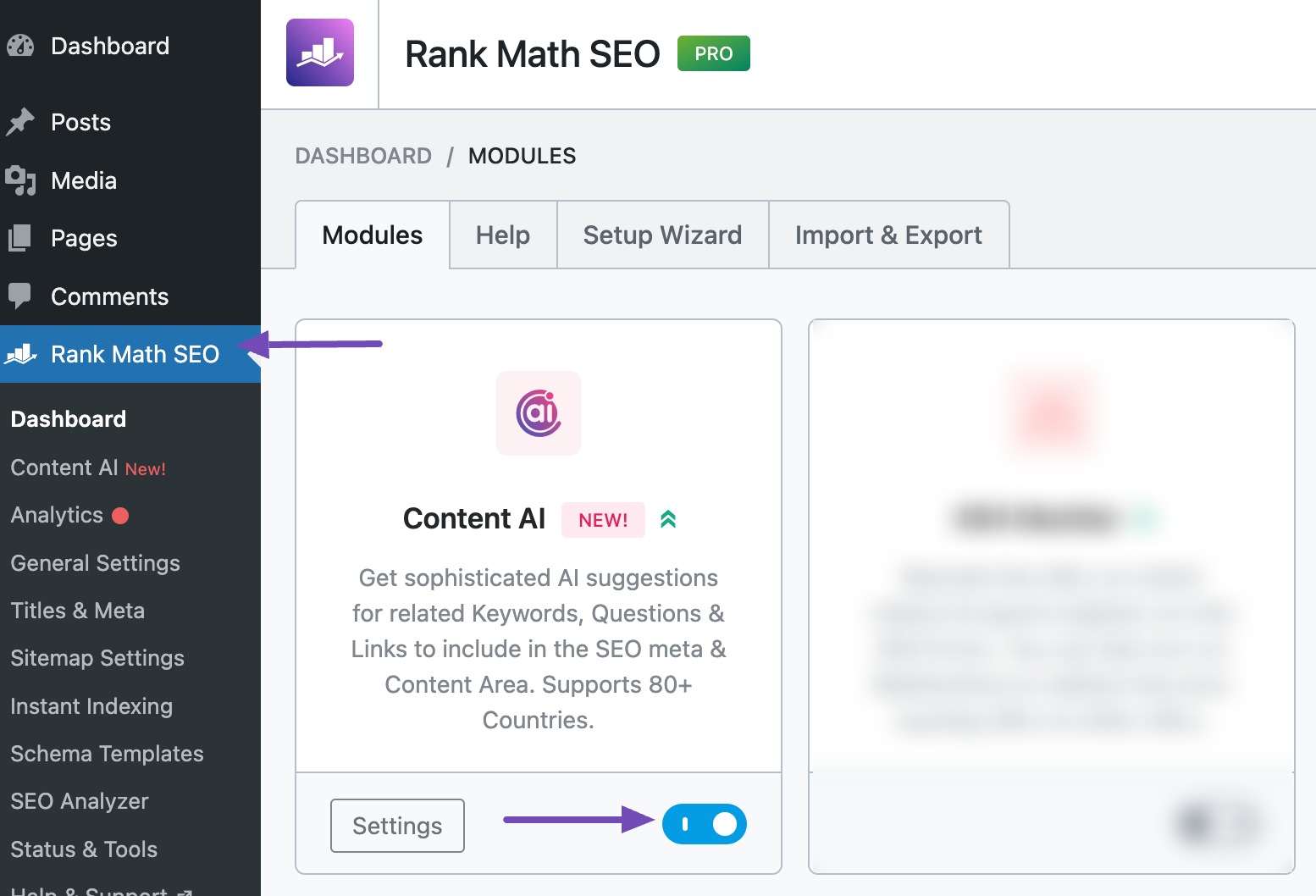
Note: You must enable the Content AI module from Rank Math’s dashboard to use its features.
To do so, navigate to Rank Math SEO → Modules from your WordPress dashboard, and enable the Content AI module, as shown below.
You don’t have to switch between different tools because it gives you suggestions, checks your content, and shows what you can add or fix on the same screen. It’s made to guide you while still giving you full control over your writing.
Here’s what Rank Math’s Content AI has to offer:
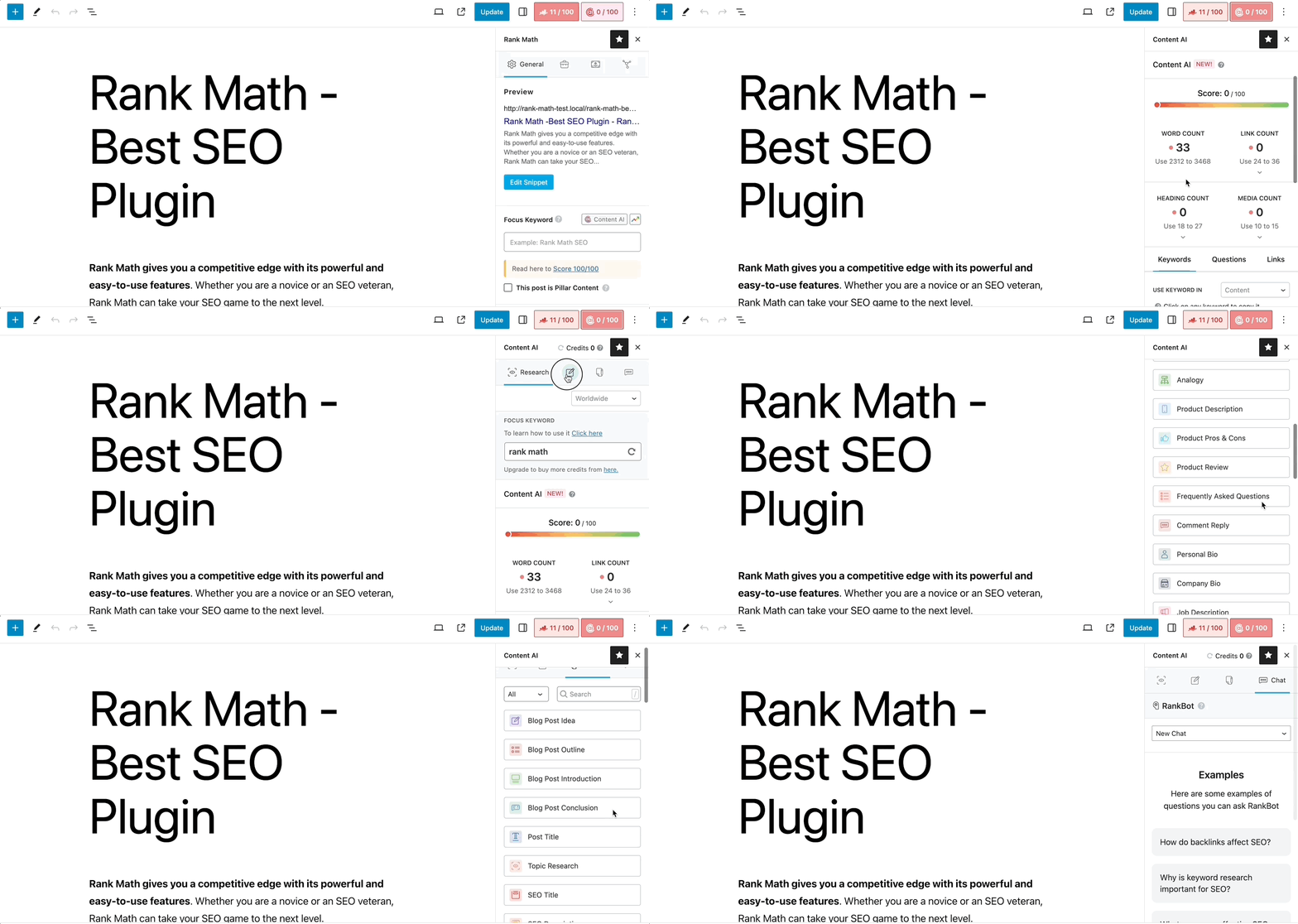
The tool gives you a content score that shows how complete and well-optimized your page is. As you make changes, the score updates, so you can see your progress in real time.
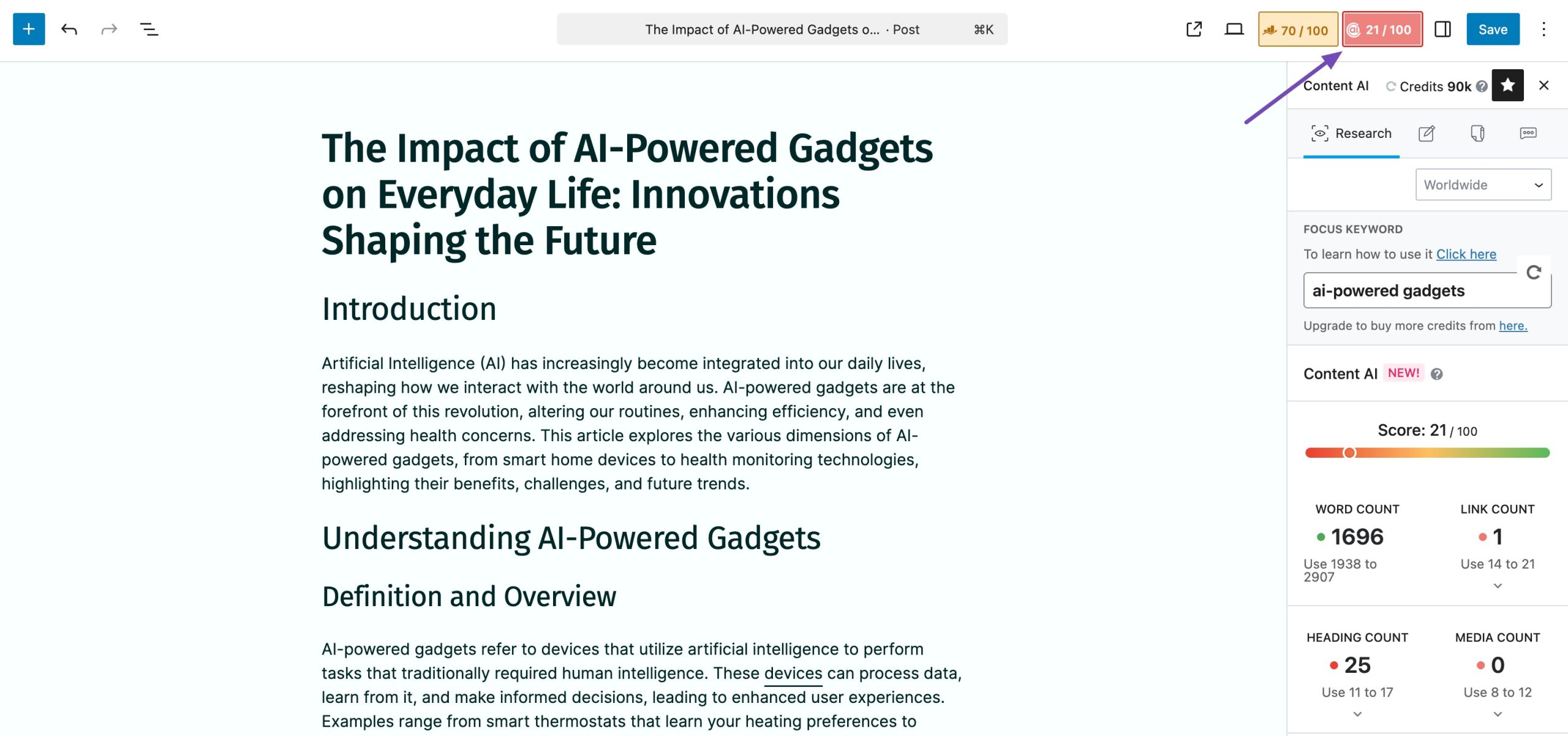
You can also use Rank Math’s Research feature by entering your focus keyword in the Focus Keyword field and clicking the Research button. Rank Math will request our AI server to analyze the keyword, and in a few moments, you will find the related keywords available inside your Content AI panel.
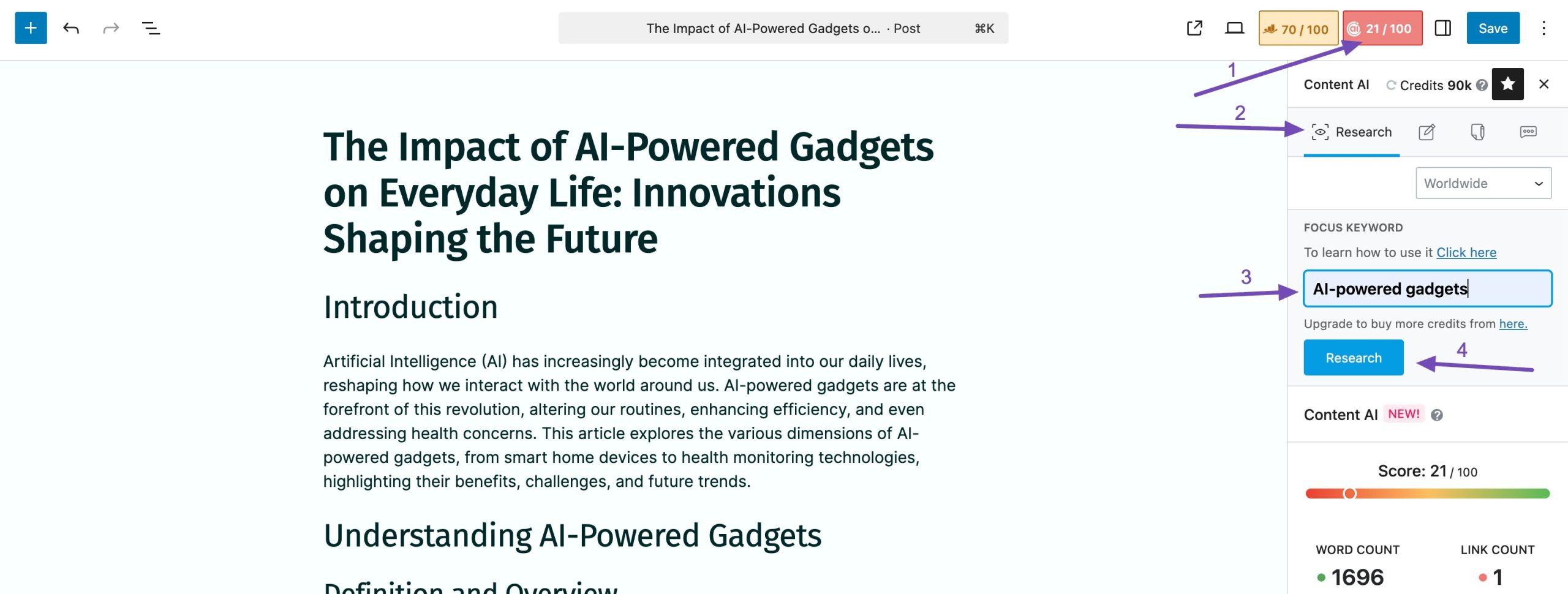
This helps you find important terms you may have missed and gives you a chance to improve your page for additional keywords you haven’t covered yet.
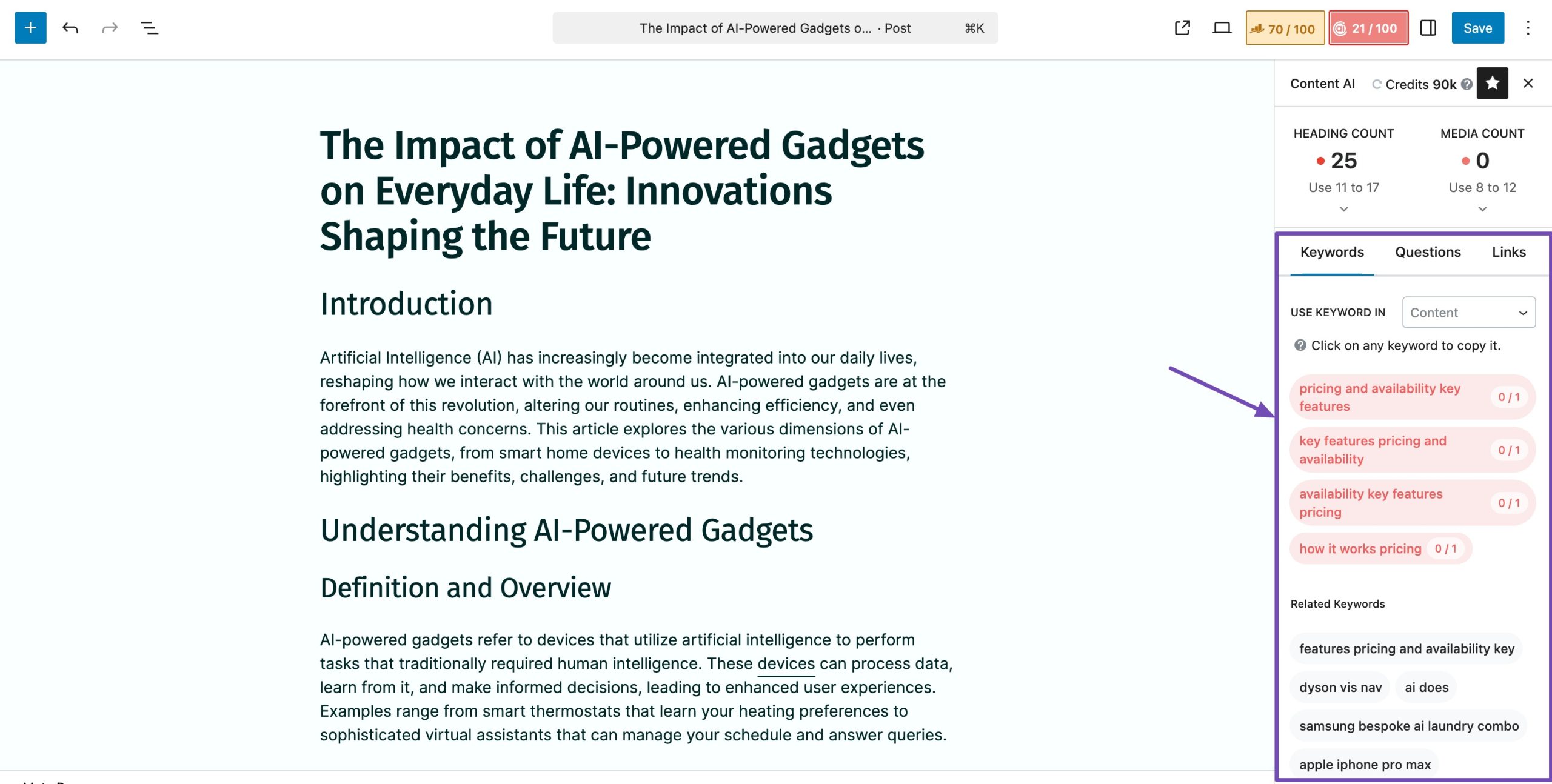
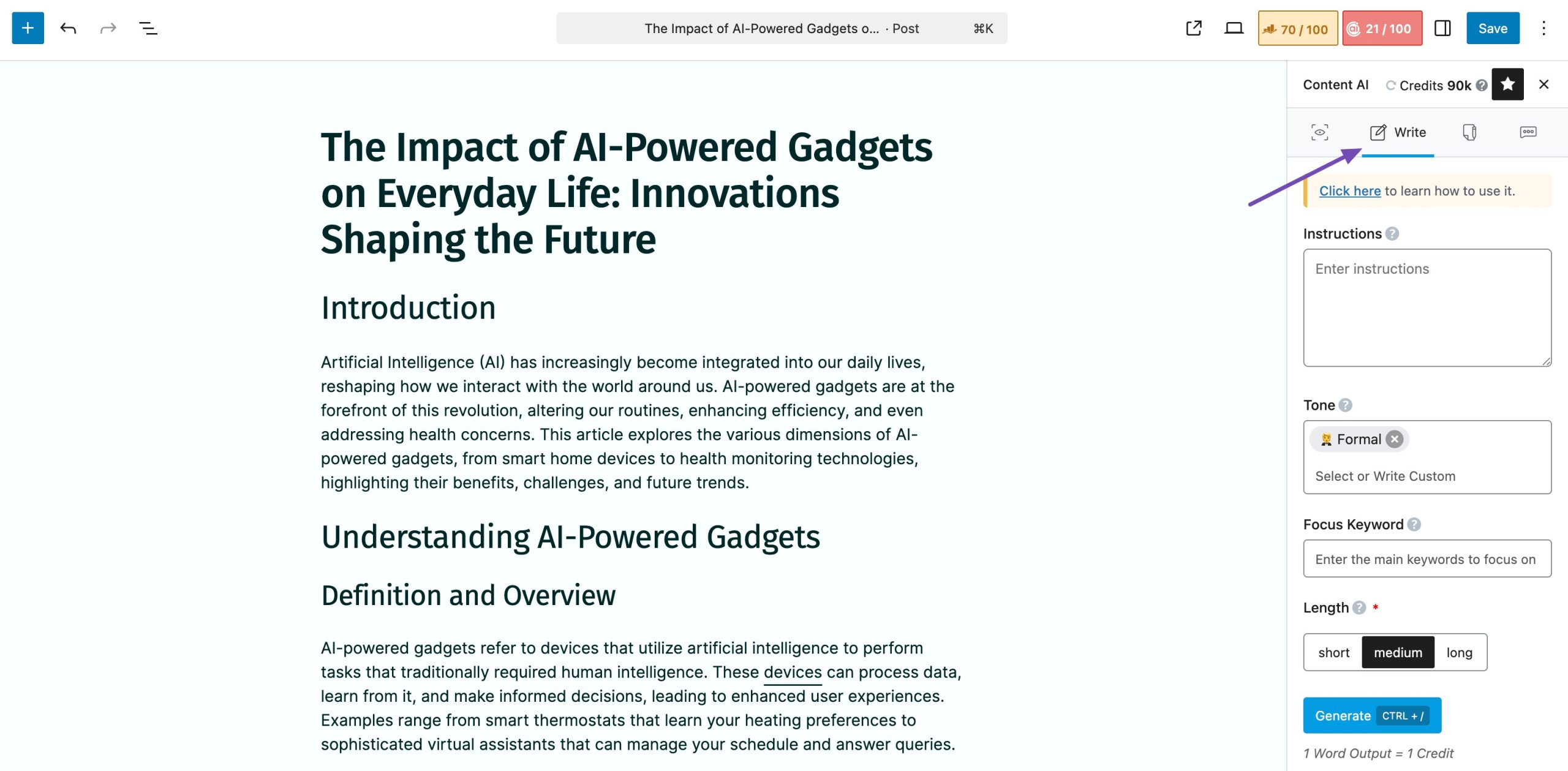
You also have access to AI writing features that can help you expand a paragraph or build a section you’re struggling with.
It also offers 40+ AI tools designed for specific use cases, allowing you to efficiently accomplish your tasks. These tools are designed to enhance your workflow and maximize productivity.
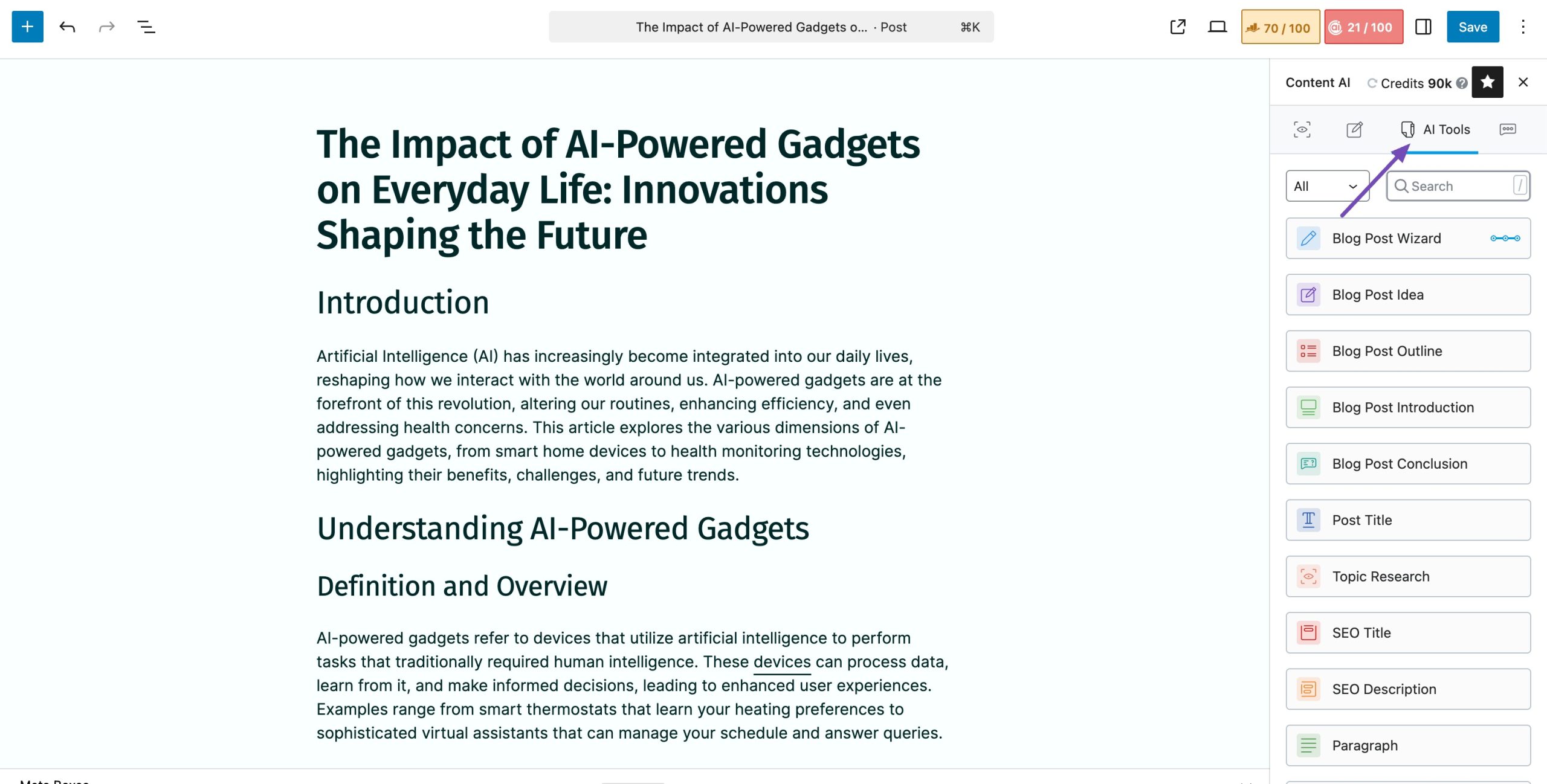
Use the table below to navigate to various Content AI tools quickly.
The best part? You don’t have to jump between different tools. With Content AI built into Rank Math, you can research, refine, and optimize the keywords in one place, saving time while making sure your content checks all the right SEO boxes.
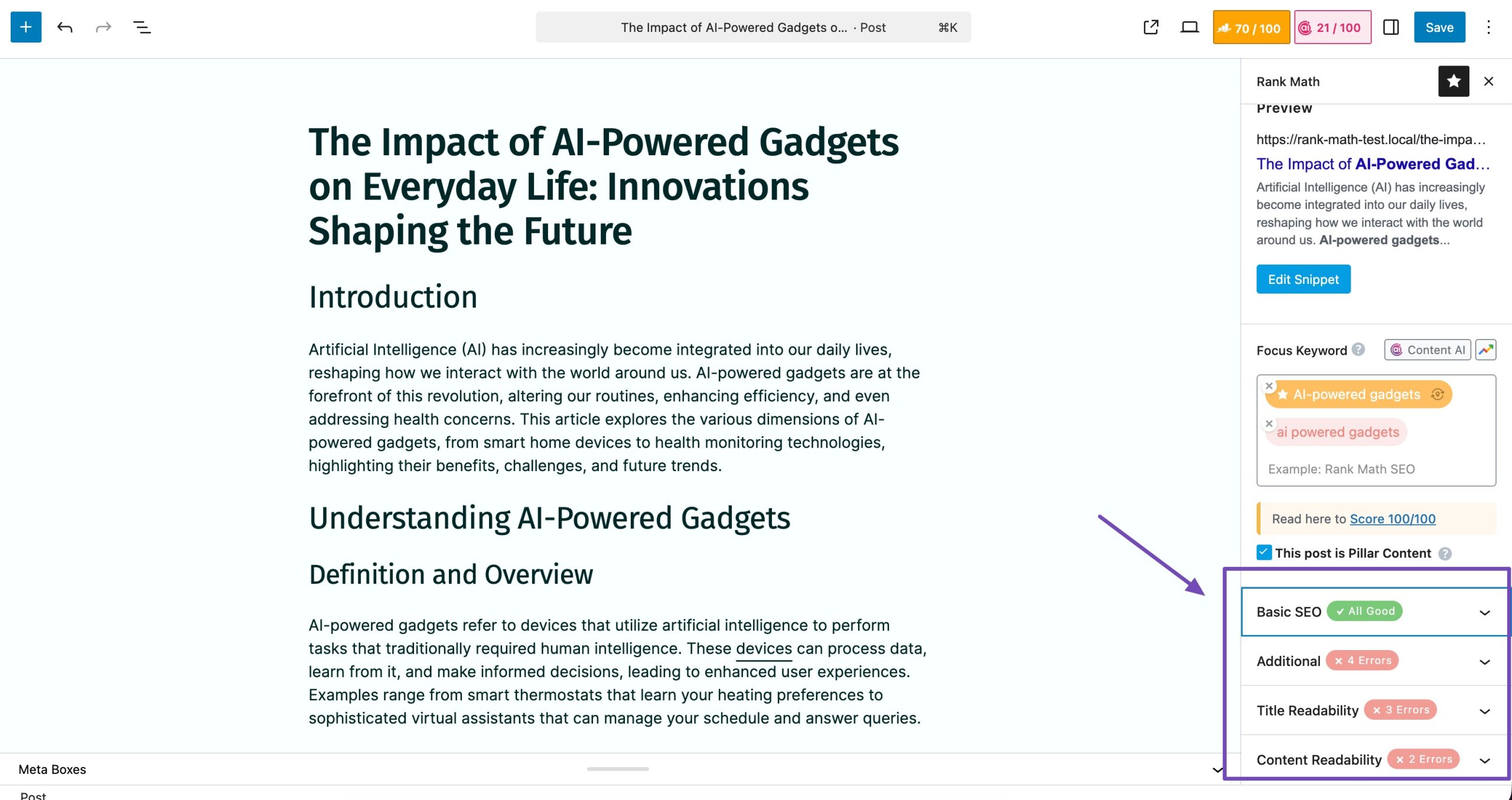
You can also start a conversation with RankBot and let it handle your research. Navigate to the Chat tab in the Content AI panel.
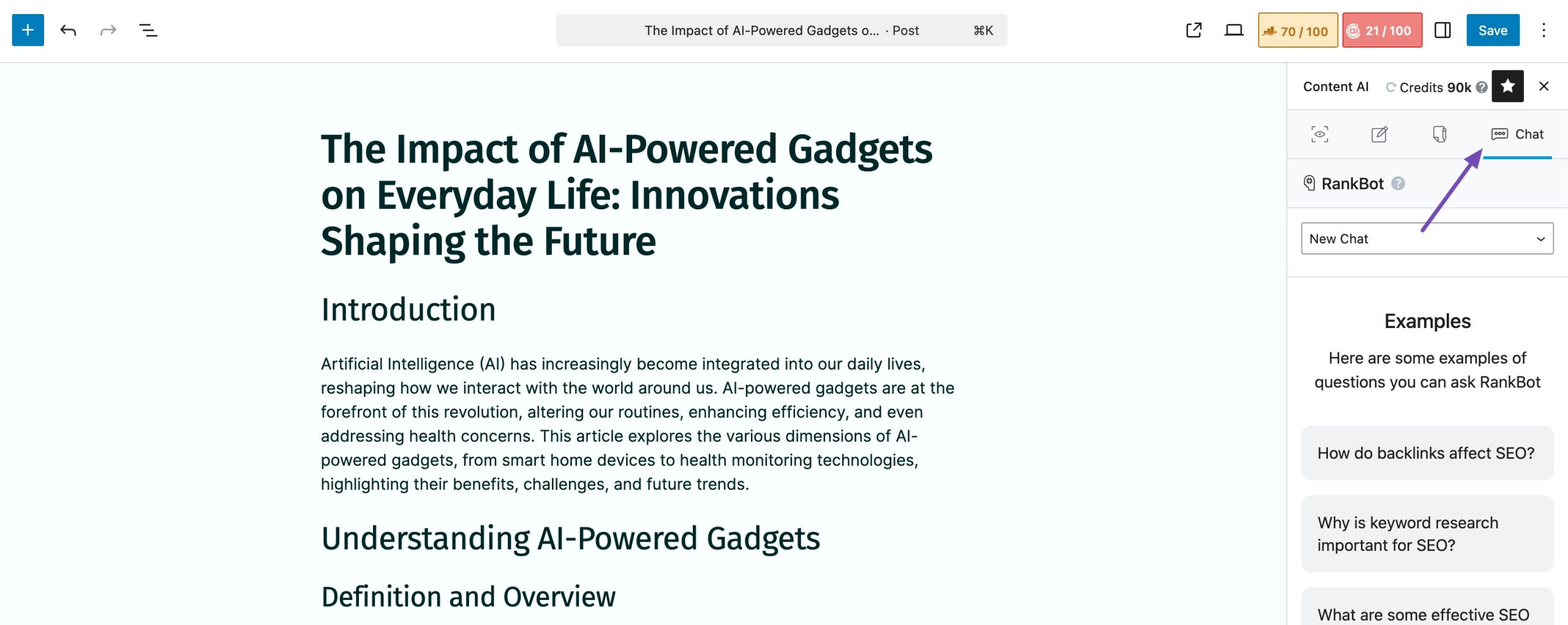
RankBot includes 125+ pre-built prompt templates created by AI experts to cover different use cases. You can type a prompt directly in the text box (up to 2,000 characters), and RankBot will quickly generate a response.
Using the Prompts Library
- Click Prompts Library to browse all available prompts.
- Select a prompt to preview, then click Use Prompt.
- Replace the placeholder text with your details, then press Enter or click the Send icon.
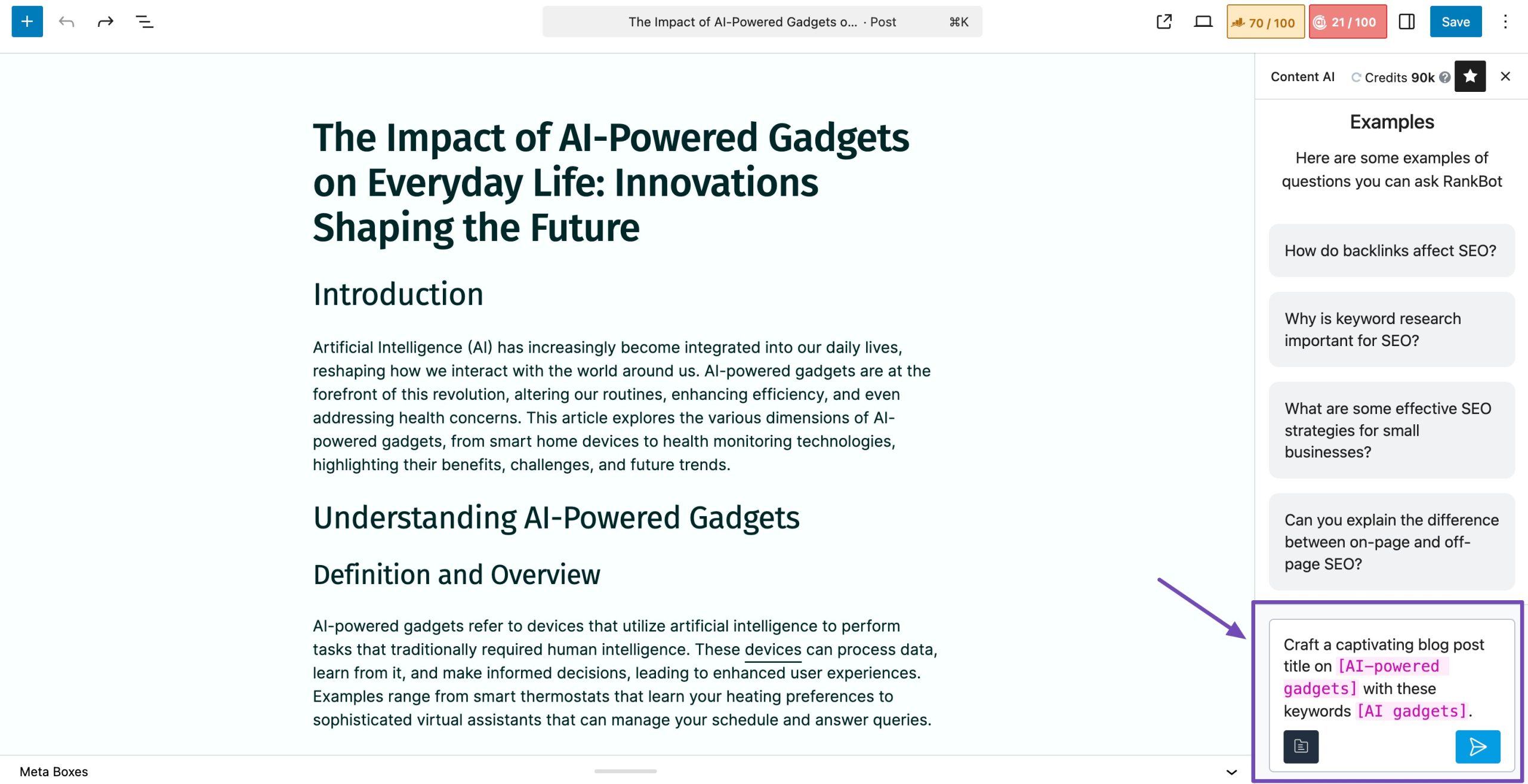
For more guidance, refer to our detailed RankBot article.
Pricing: Content AI offers 750 monthly credits. Starter plans begin at $71.88/year.
2.2 Google Search Console
Google Search Console helps you understand how your content performs in Google Search.
It shows you what audiences search for before they find your pages, how often your pages appear in results, and how many visitors actually click on them. This gives you a clear picture of what’s working and what needs improvement.
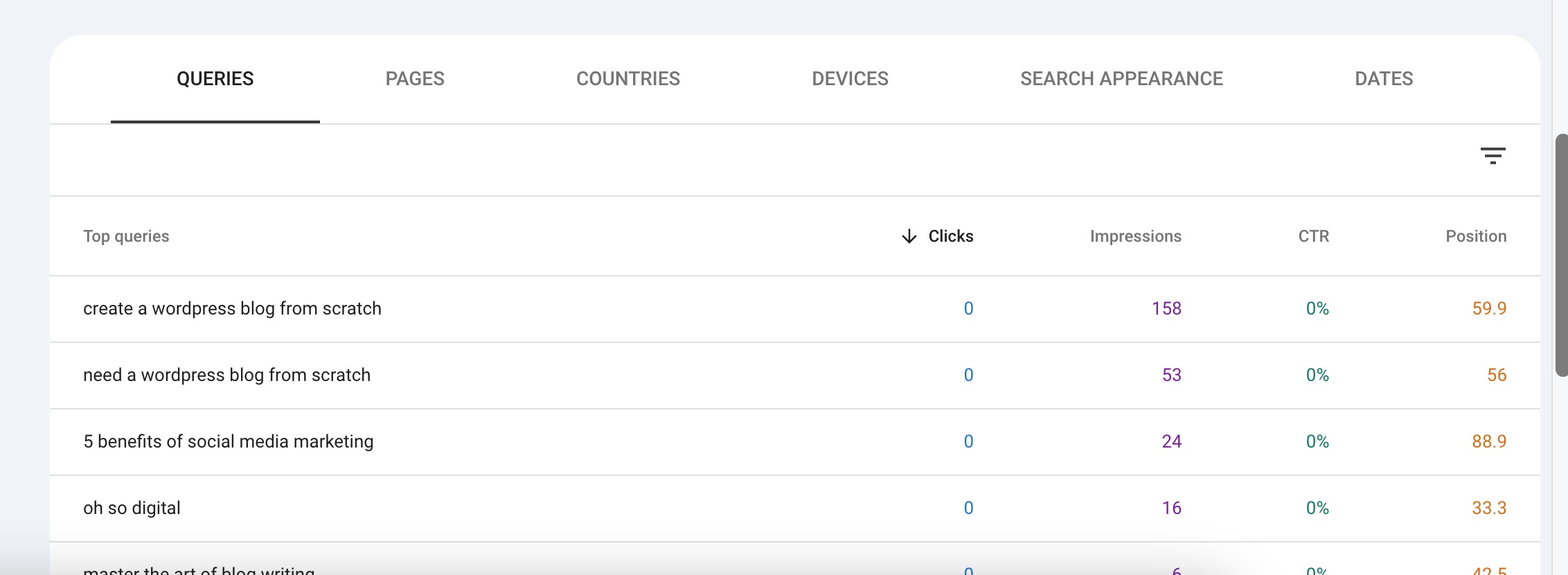
When you look at your QUERIES report, you can see the exact keywords your page is ranking for. This helps you understand whether your content matches what audiences are looking for.
If you notice keywords where you get impressions but few clicks, it may mean your title or description needs work, or your content doesn’t fully answer the search.
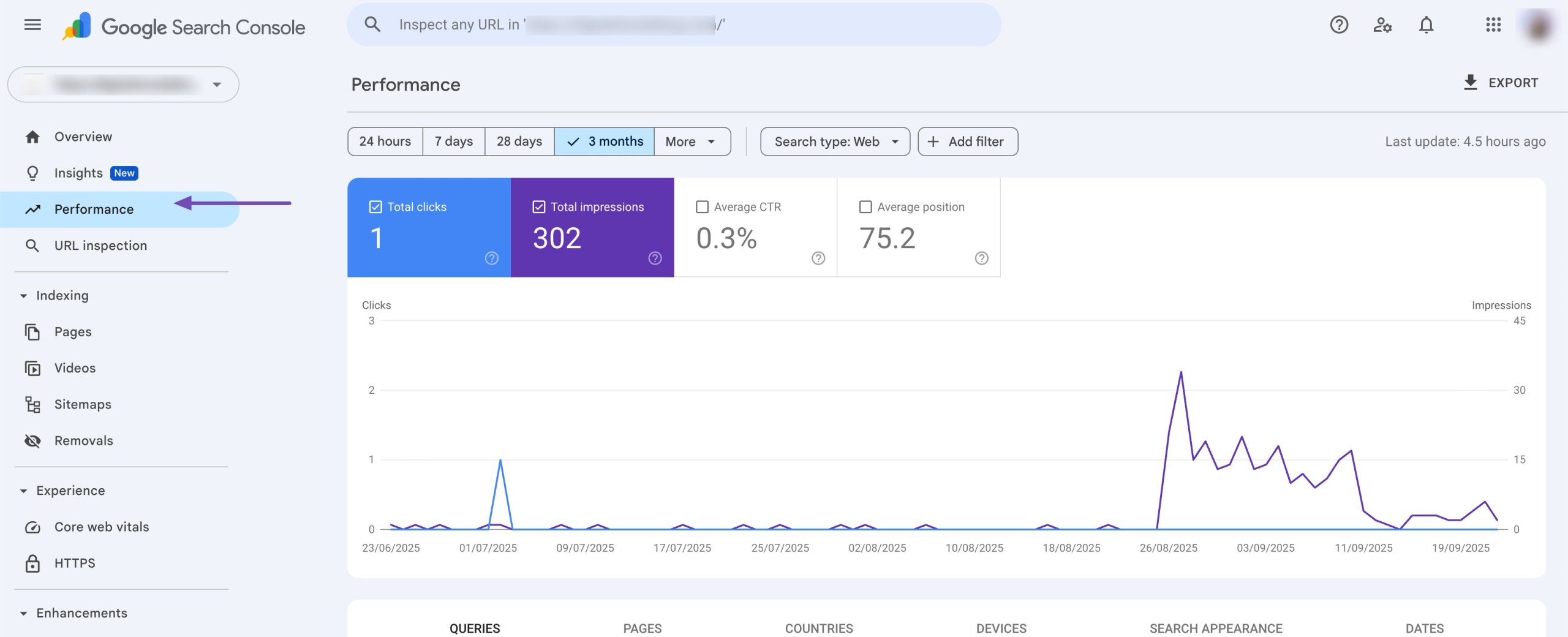
You can also track the performance of your pages in the Performance report, as shown below. This helps you spot pages that are dropping in rankings so you can update or improve them.
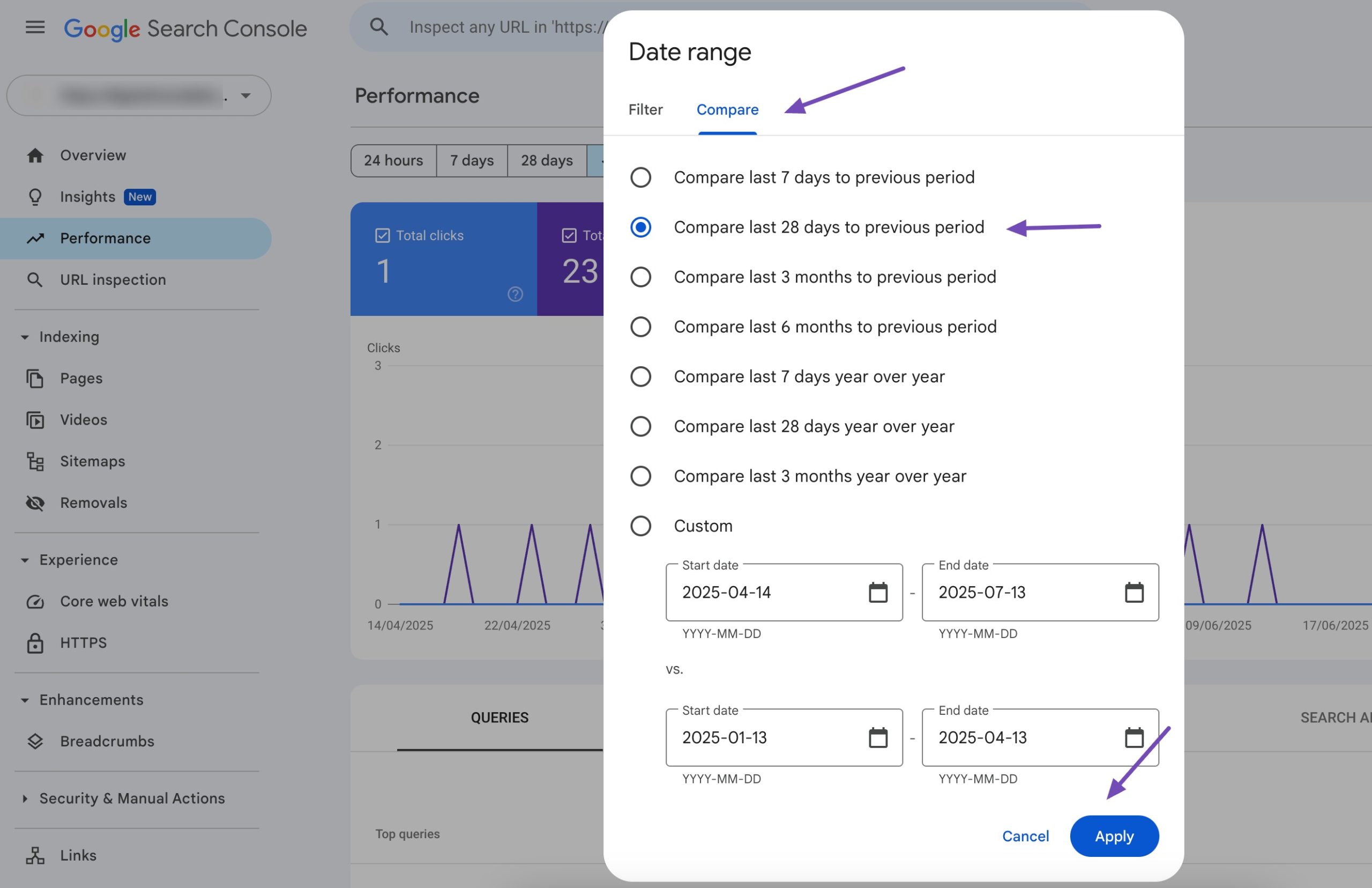
Another helpful part of Search Console is the Performance comparison. You can compare your clicks, impressions, and rankings over any period, week by week or month by month. This shows you if your updates actually improve performance. If numbers drop after a change, you know you need to adjust your content again.
Because the data comes straight from Google, you can make decisions with confidence instead of guessing.
Pricing: Google Search Console is freely available.
2.3 Google Analytics 4
Google Analytics helps you understand what visitors do after they land on your website. While Google Search Console shows how users find your pages, Analytics shows how they behave once they’re already on your site.
This makes it a powerful tool for analyzing your content and seeing how well it actually engages your audience.
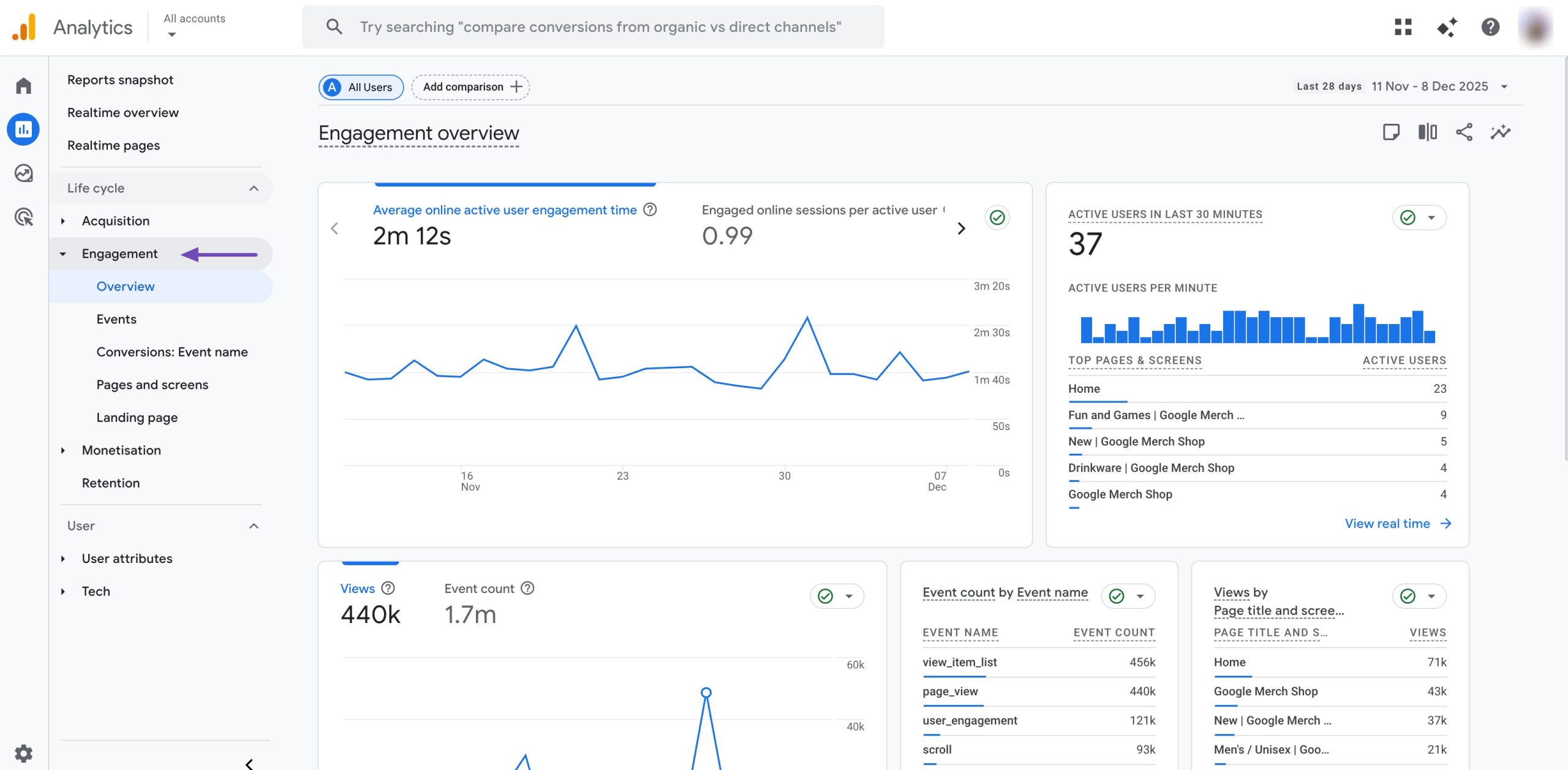
One of the most useful things you can track is engagement. To do so, navigate to Engagement → Overview from your Analytics dashboard. You can see how long visitors stay on a page, how far they scroll, and whether they interact with anything on the page.
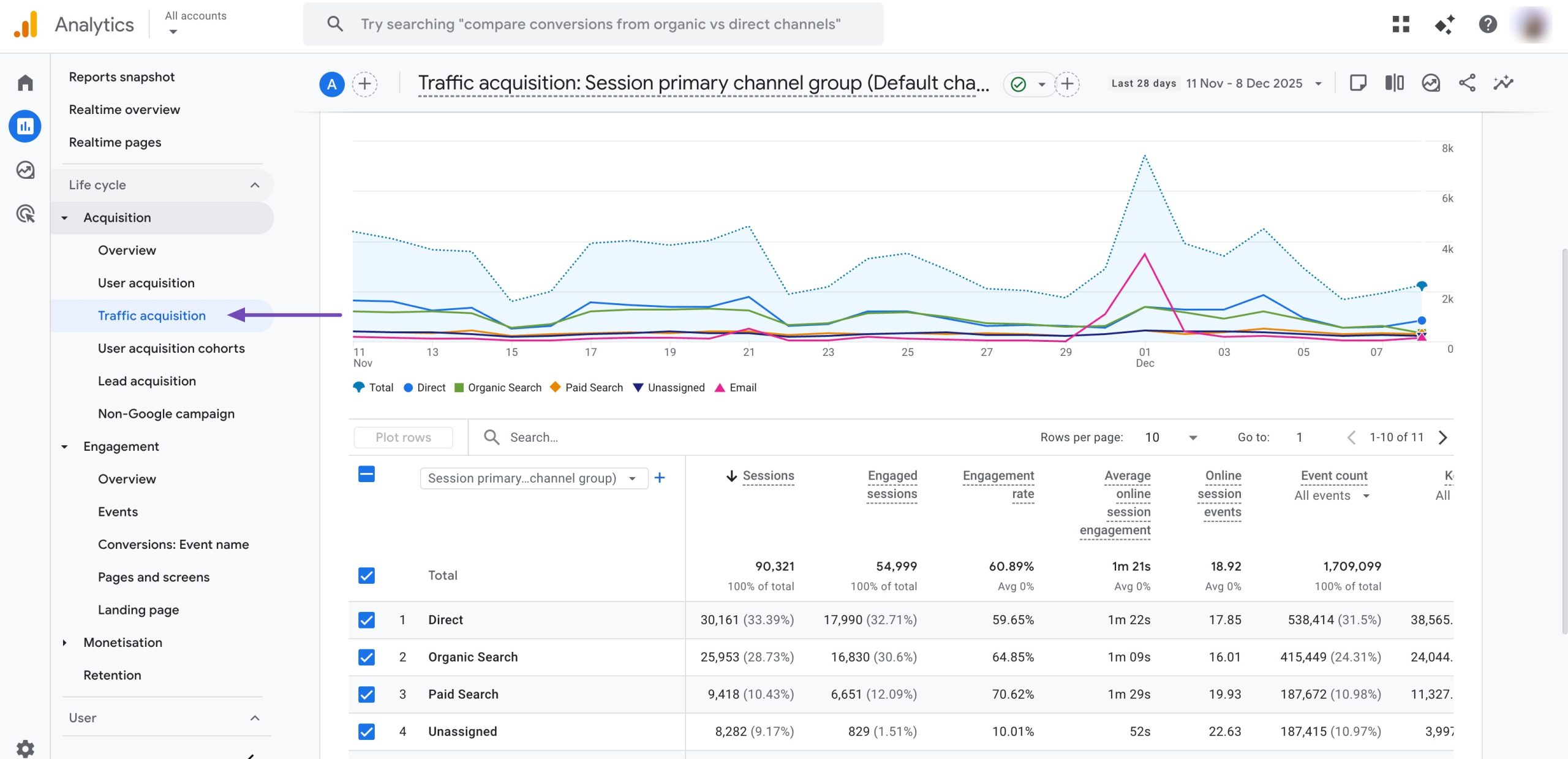
You can also track traffic sources in the Traffic acquisition report, as shown below.
This tells you where your readers come from: Google, social media, email, or referrals. When you know what’s bringing traffic, you can focus more on what’s working. For instance, if most of your visitors come from social media, you can share your content more often on social media platforms.
Analytics helps you identify problems, too. For example:
- If a page has high traffic but low engagement, the content may need improvement.
- If a page has good engagement but low traffic, it may need better SEO or links.
- If you see a sudden drop in traffic, you can check if it’s from a specific source.
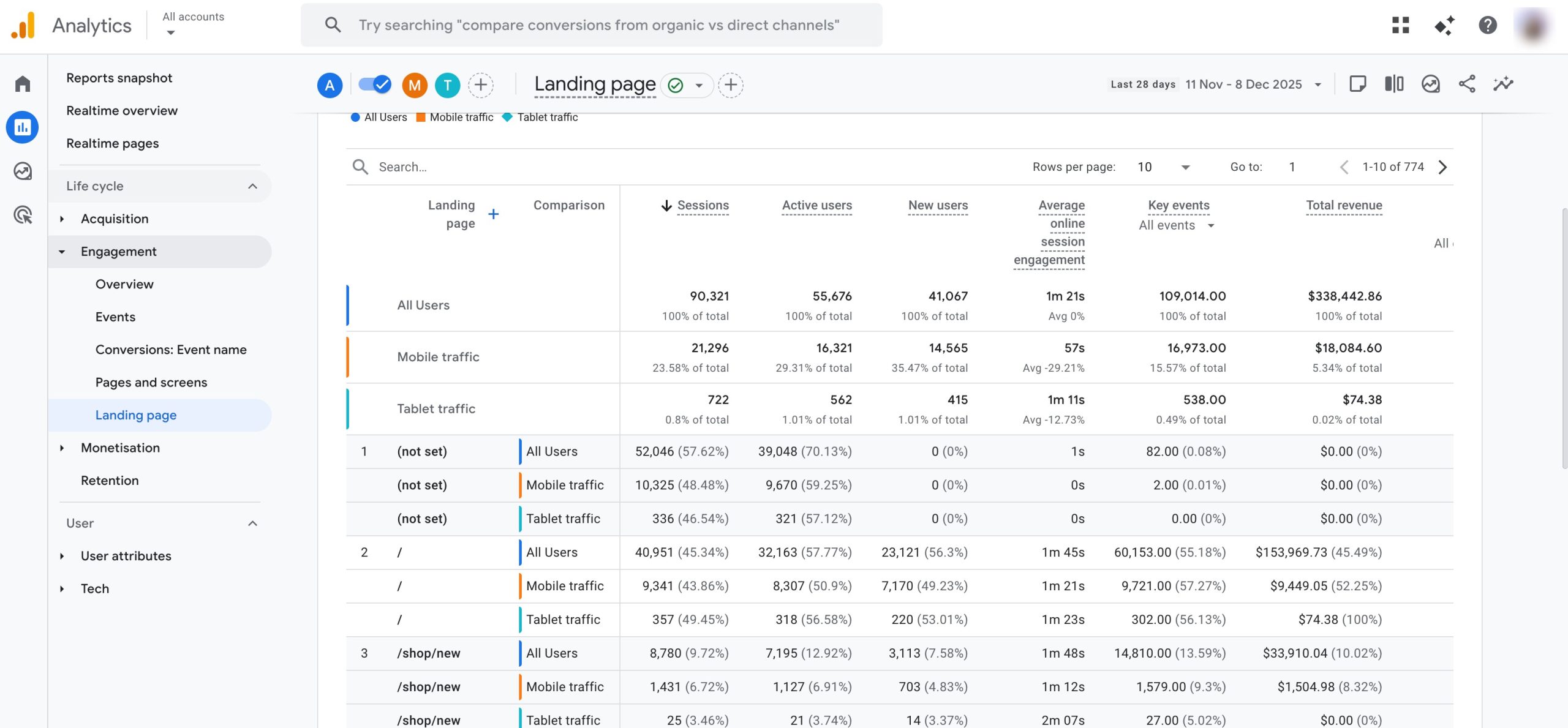
You can also track device and location data. To do so, you can add filters to your landing pages, as shown below.
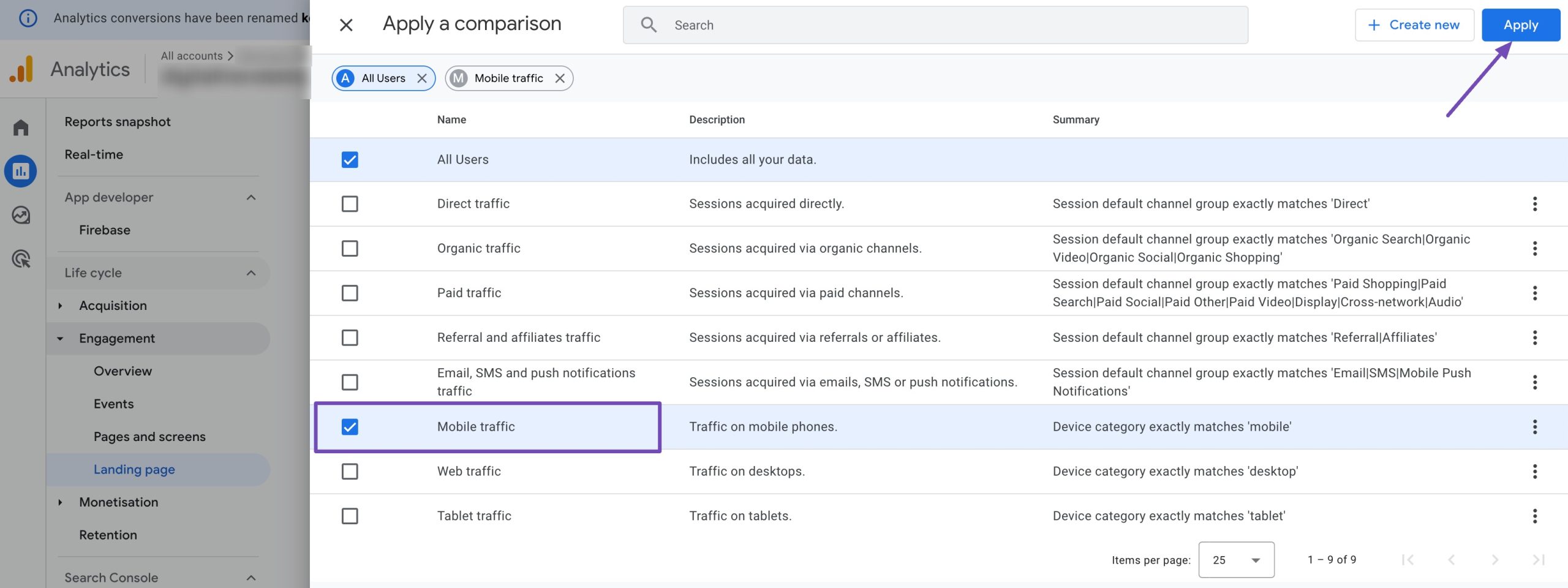
You can see whether most visitors use phones or desktops. If mobile users leave quickly, it may mean that your page isn’t easy to read on a small screen. This helps you fix formatting, spacing, or layout issues.
Pricing: Google Analytics is freely available.
2.4 Grammarly
Grammarly works as a simple content analysis tool that helps you clean up your writing.
When you paste or write your content inside Grammarly, it checks for grammar mistakes, unclear sentences, and tone issues. This makes it easier for you to create content that is easy to read and understand.
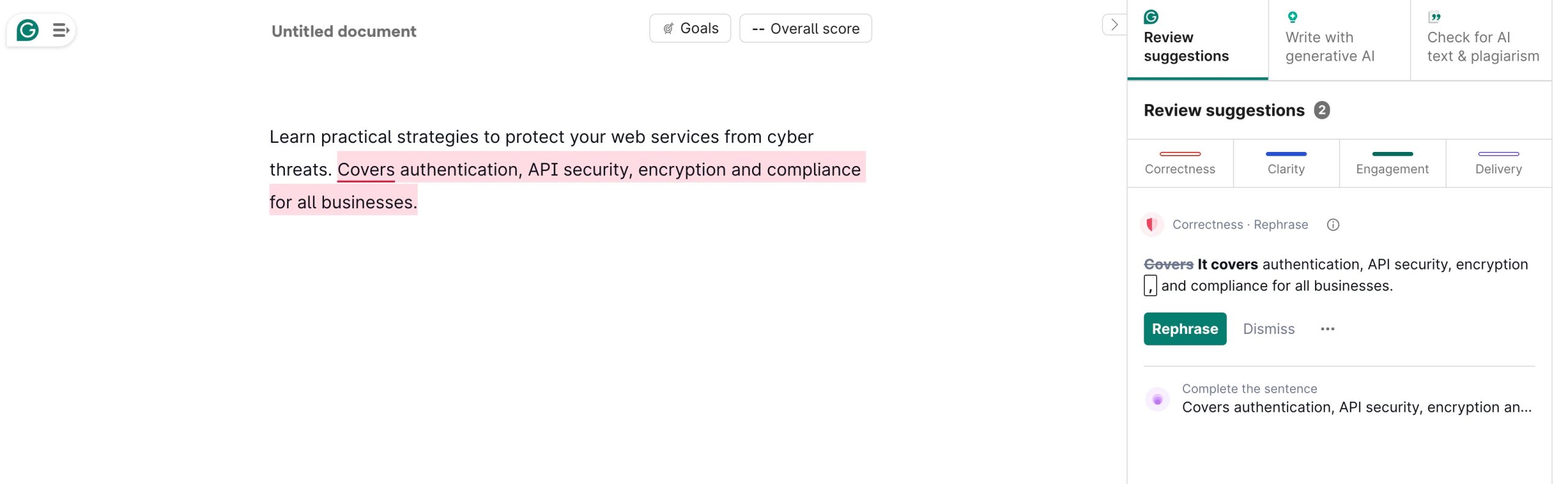
The tool gives you a readability score, which tells you how easy your text is to read. If your sentences are too long or complicated, Grammarly highlights them and suggests simpler options.
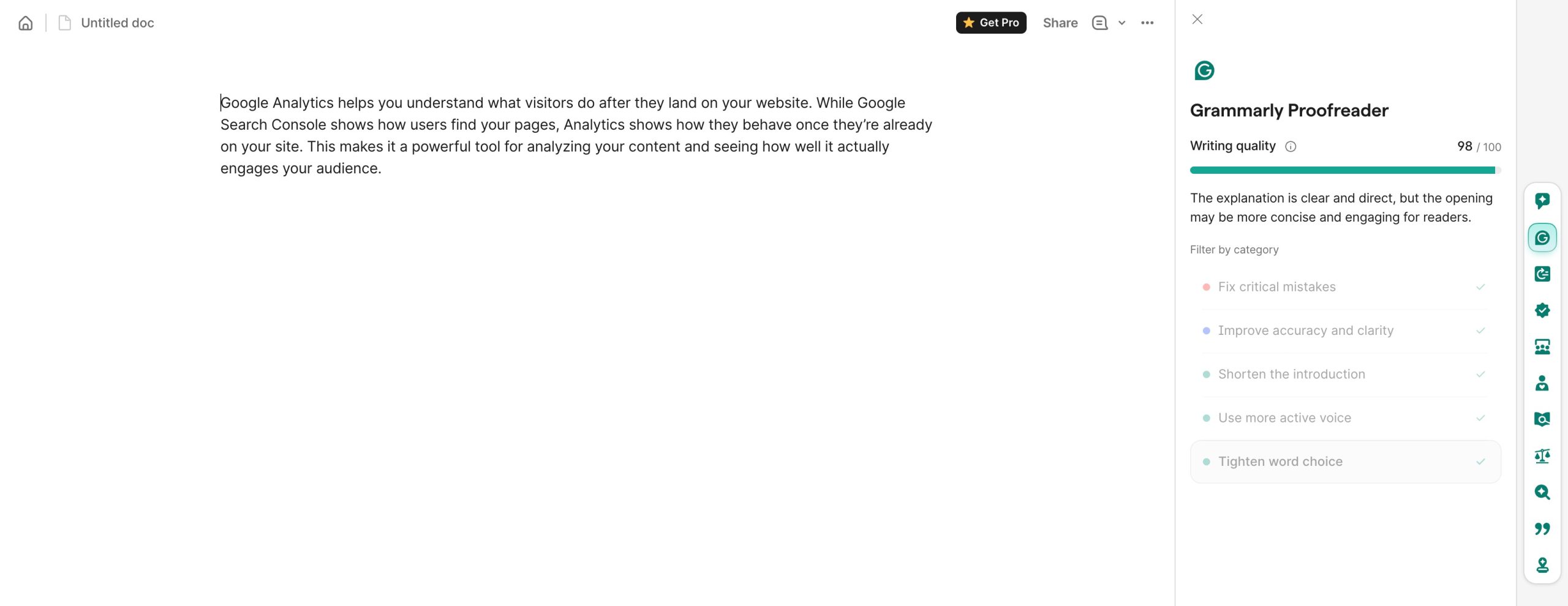
Plus, with browser extensions and integrations, you can use Grammarly across Google Docs, WordPress, emails, and other writing platforms.
Pricing
- Free Plan: Covers basic grammar and spelling corrections.
- Premium Plan: Starts at around $12/month and offers advanced tone, clarity, and style suggestions.
2.5 Ahrefs
Ahrefs helps to analyze your content and understand how it performs across search engines.
As a content analysis tool, it helps you see what topics you should cover, which pages are bringing traffic, and where you’re losing visibility. It gives you a full picture of how your content compares to others in your niche.
When you open the Site Explorer, you can see which pages on your site get the most organic traffic. This helps you identify your strongest content so you can update it or create similar pages.
You can also find the pages that used to perform well but are now dropping. These pages usually need fresh information, better structure, or stronger internal links.
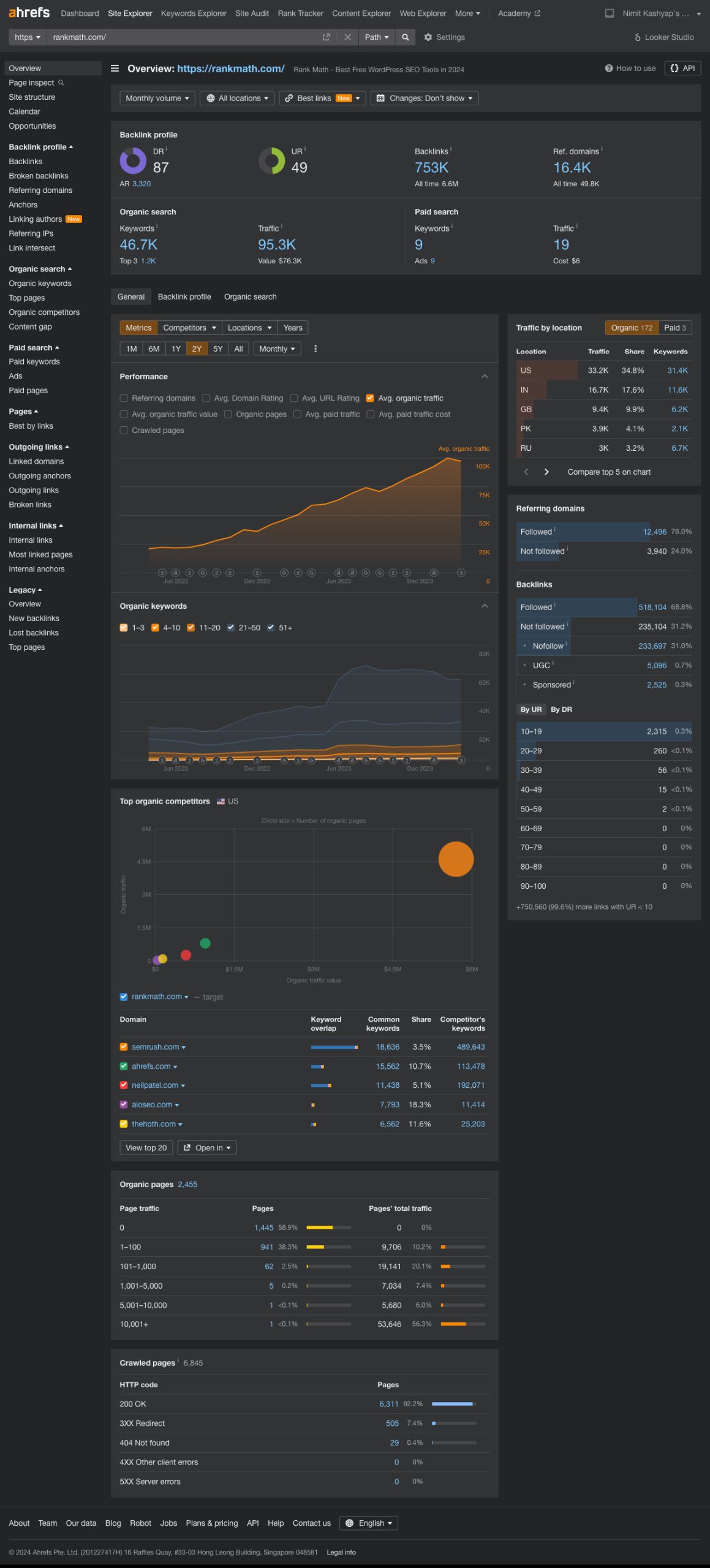
Ahrefs also checks backlinks, which are a major part of content performance. You can see who links to your content and why.
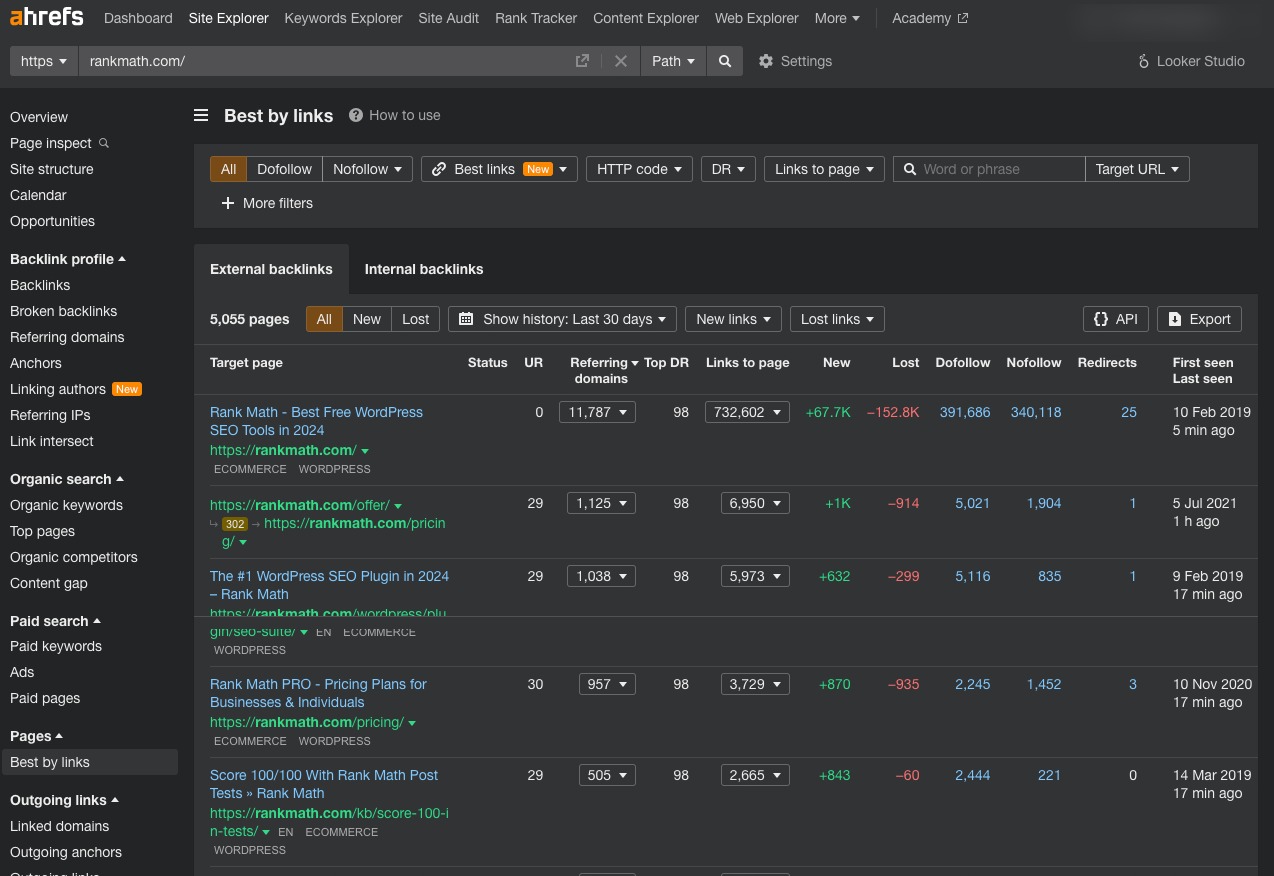
If your best pages have strong backlinks, you can use them as models for future content. If you see that competitors have backlinks you don’t, you can update your content or reach out to similar websites.
2.6 Frase
When you use Frase, you get an all-in-one content analysis tool that helps you research, outline, and optimize content faster using AI. It’s designed to reduce your manual research time and give you clear, SERP-based insights so you know exactly what your content needs to compete.
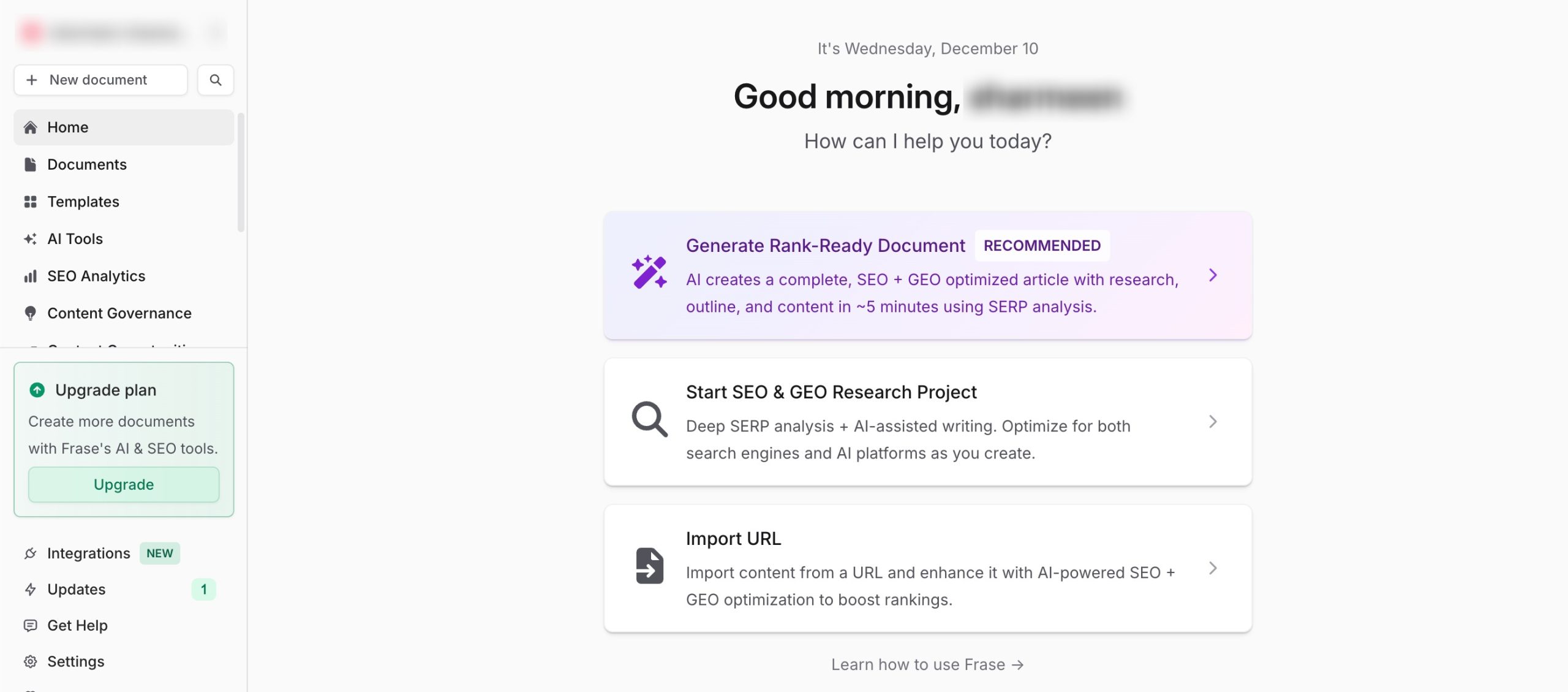
Frase automatically generates content briefs for you based on top-ranking pages.
You’ll get:
- Key headings and subtopics
- Important keywords and related terms
- Competitor outlines
- Statistics and facts pulled from search results
This saves you hours of manual research and helps you build strong, SEO-friendly outlines. Frase gives you a real-time score as you write or edit your content.
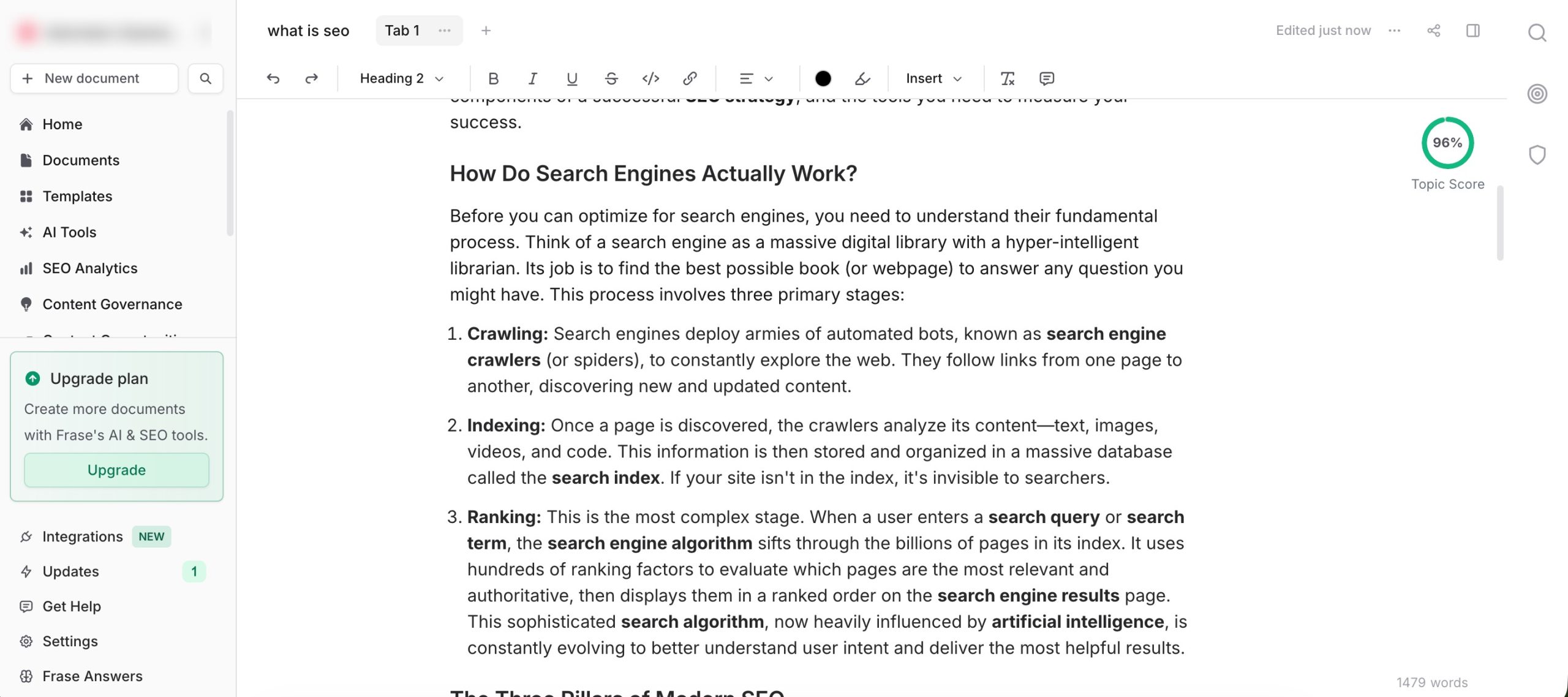
Pricing: Frase offers a free trial, and then the pricing begins at $98/month.
2.7 Hemingway Editor
When you use Hemingway Editor, you get a content analysis tool that helps you make your writing clear, direct, and easy to read.
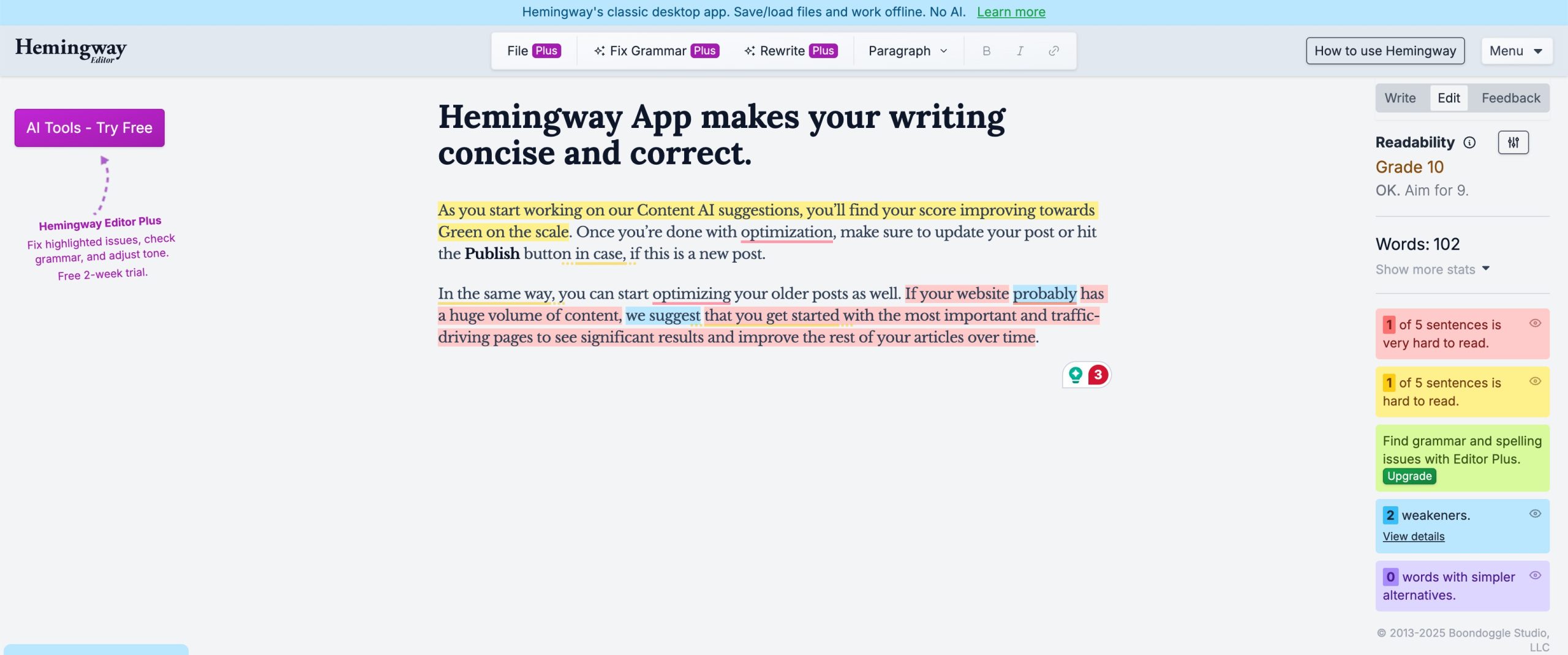
It highlights the parts of your text that may confuse readers and guides you toward writing in a simpler, tighter way. If your goal is to improve readability, this tool is one of the easiest to use.
Hemingway Editor shows you how easy or hard your content is to read. It highlights:
- Hard-to-read sentences
- Very hard-to-read sentences
- Unnecessary complexity
This makes it easier for you to adjust your writing so that more readers can understand it on the first read.
Pricing: Hemingway is free to use through its online editor. There’s also a paid desktop version available as a one-time purchase, but the free version is usually enough for everyday writing and editing.
3 Frequently Asked Questions
Do I need multiple tools to analyze my content?
Not always. A handful of versatile tools can cover most of the needs.
Can content analysis tools improve search rankings?
While tools don’t directly change rankings, they help you optimize content in ways that can lead to better search visibility and performance.
What is the difference between content analysis and content creation tools?
Content creation tools help you generate or draft content, while content analysis tools evaluate existing content so you can refine and update it for better results.
How often should I analyze my content?
It’s best to analyze regularly, during planning, before publishing, and as part of periodic SEO audits to ensure content stays relevant and optimized.
4 Wrapping Up: Improve Your Content With Right Tools
Choosing the right content analysis tool can completely change the way you plan, write, and improve your content.
You don’t need dozens of apps, just a small set of tools that help you understand what your audience wants, how your pages are performing, and what you can do to get better results.
When you rely on the right tools and use them regularly, you’ll write faster, optimize with confidence, and make smarter decisions that lead to better rankings and stronger engagement. Keep your toolkit simple, use the insights you gain, and let data guide your next piece of content.
If you like this post, let us know by tweeting @rankmathseo.