

Organic search drives 43% of ecommerce traffic. Almost half of your potential customers find products through Google, not ads or social media.
The difference between stores that dominate search and those that barely show up often comes down to the tools they use.
You can have amazing products and great photos, but if your site loads slowly, your product pages lack structured data, or Google cannot crawl your catalog, you will lose sales to competitors who handle these basics correctly.
This guide shares the 16 best ecommerce SEO tools for 2026, what each one does, why it matters, and when to use it.
Every tool here solves a real ecommerce problem: slow pages, missing rich snippets, broken redirects, duplicate content, or unexplained traffic drops. If you want more visibility, better rankings, and a store that converts consistently, these are the tools that make it happen.
Table Of Contents
- What Are Ecommerce SEO Tools?
- The Top 16 Ecommerce SEO Tools Every Online Store Needs In 2026
- Rank Math SEO
- Content AI
- Google Search Console
- Google Analytics (GA4)
- WP Rocket
- Ahrefs
- Semrush
- Moz Pro
- Screaming Frog SEO Spider
- Google PageSpeed Insights
- Google Trends
- Imagify
- GTmetrix
- Google’s Rich Results Test
- AnswerThePublic
- ChatGPT
- Conclusion
1 What Are Ecommerce SEO Tools?
Ecommerce SEO tools are software applications that help online stores improve visibility in search engines. They handle the tasks that affect how your products appear, how fast your pages load, and whether search engines can understand and crawl your site.
Instead of guessing what to fix, these tools show you exactly what needs attention and help you create pages that rank and convert.
They are not just for keyword research or writing content. The best ecommerce SEO tools cover technical SEO, product schema, performance, analytics, and user experience. Each tool plays a role in helping your store attract qualified traffic without depending entirely on ads.
Here are the reasons why ecommerce stores need SEO tools:
- Understand search demand: You need to know what customers are searching for before creating product pages or content.
- Optimize product and category pages: Titles, descriptions, keywords, images, and Schema must be structured correctly for search engines and shoppers.
- Fix technical issues: Broken links, duplicate content, and crawl errors stop search engines from indexing key pages.
- Improve Core Web Vitals and speed: Fast pages rank higher, cost less to advertise, and convert more visitors into buyers.
- Qualify for rich results: Schema provides Google with details like price, availability, and ratings, which help listings stand out in search results.
- Track performance and revenue: Analytics tools show which keywords and pages generate sales, not just traffic.
- Scale content production: AI tools help produce product descriptions, FAQs, and comparison content across large catalogs.
2 The Top 16 Ecommerce SEO Tools Every Online Store Needs in 2026
These are the essential ecommerce SEO tools that help online stores rank higher, load faster, and convert more customers in 2026.
2.1 Rank Math SEO
Rank Math SEO is the most advanced SEO plugin for WordPress, and it gives ecommerce sites the tools they need to optimize product pages with the same precision as top-ranking online stores.
Rank Math becomes a powerful ecommerce SEO solution the moment you connect it with WooCommerce.
You can enable WooCommerce support by going to Rank Math SEO → Dashboard and activating the WooCommerce module. This unlocks product-focused SEO features inside your WordPress editor, allowing you to optimize each product the same way you optimize high-performing landing pages.
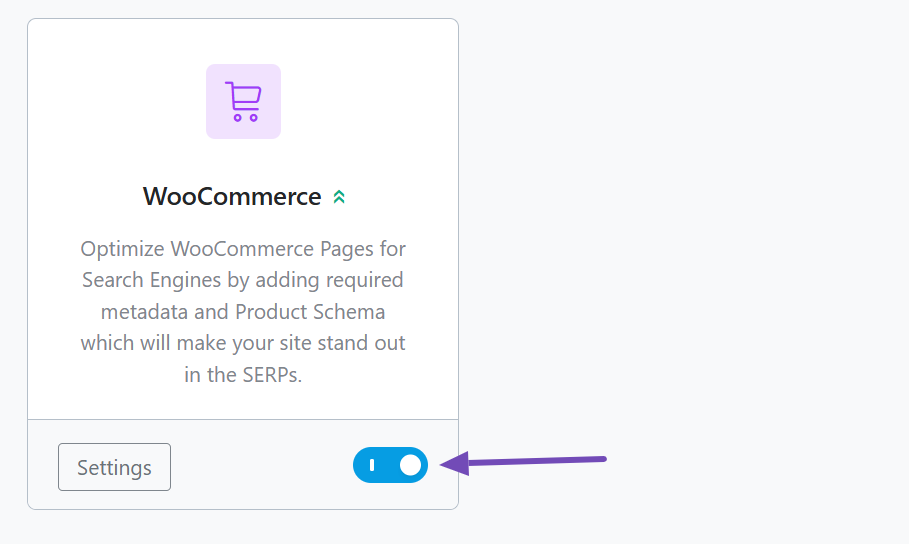
With the module active, Rank Math helps you shape product titles and descriptions around real search intent, refine keyword usage as you write, and automatically generate alt text for product images so your visuals can appear in Google Images and visual search tools.
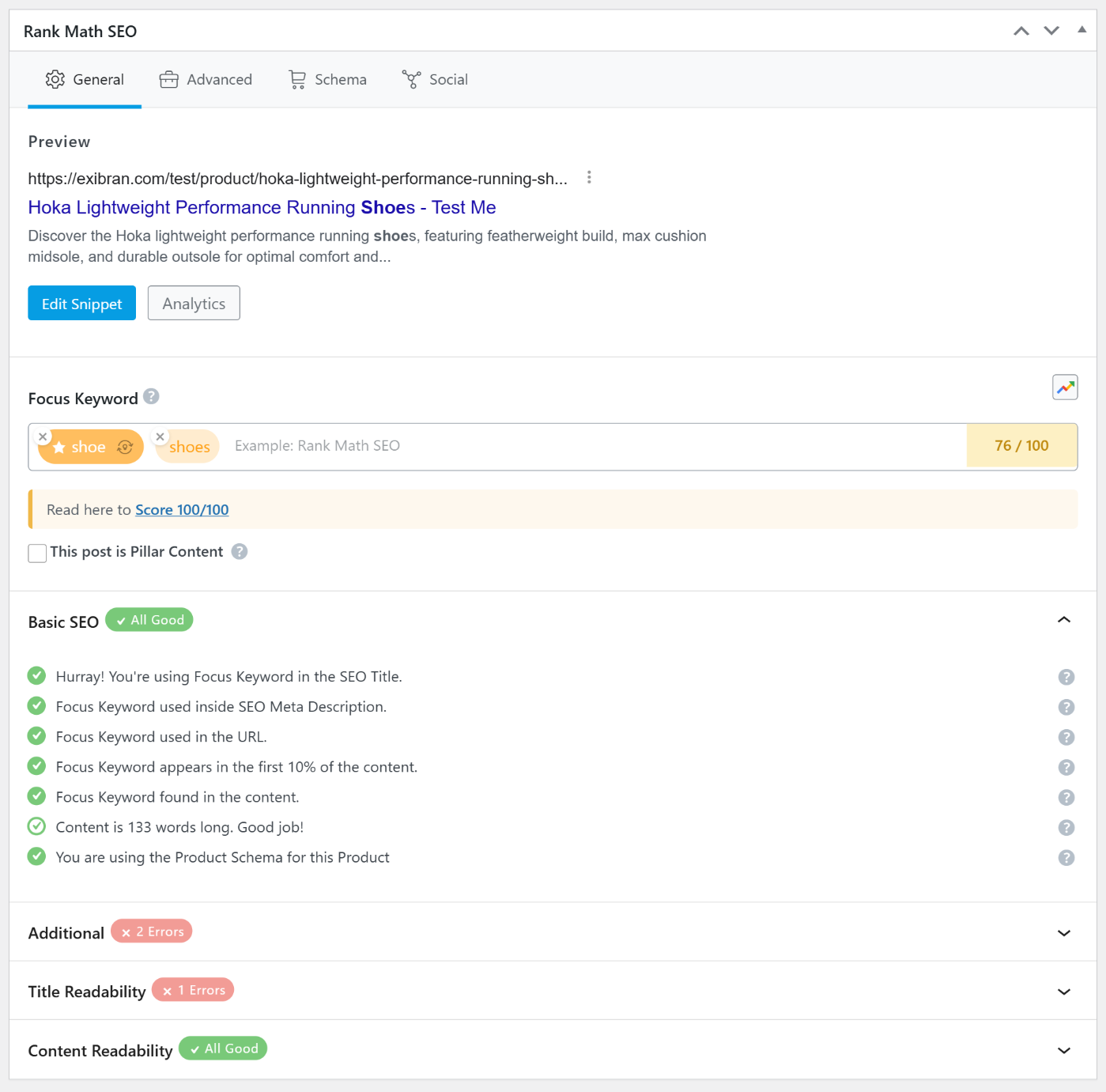
It also adds a complete product schema to your pages, which gives search engines clear information about price, availability, ratings, and other key details.
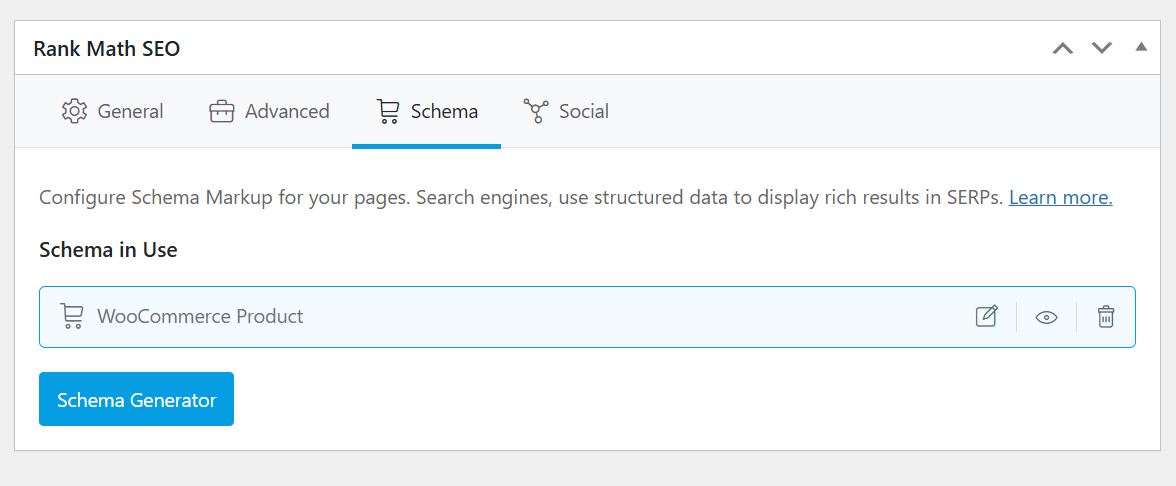
This level of structured clarity improves your chances of earning rich snippets that show star ratings, stock status, and pricing directly in search results. Stores that feature these enhancements often attract clicks, even in competitive niches.
Ecommerce catalogs constantly change, and Rank Math supports this reality. When products go out of stock or URLs change, you can manage redirects instantly without additional plugins. It’s 404 monitor alerts you when shoppers land on pages that no longer exist, making it easy to fix errors before they hurt rankings.
Automated sitemaps update as your catalog grows, ensuring search engines discover new products without delay.
Because Rank Math integrates with Google Search Console and Google Analytics, you can see how your products perform inside WordPress. Impressions, clicks, winning keywords, and page-level engagement data all appear where you work, making it easier to refine your SEO decisions.
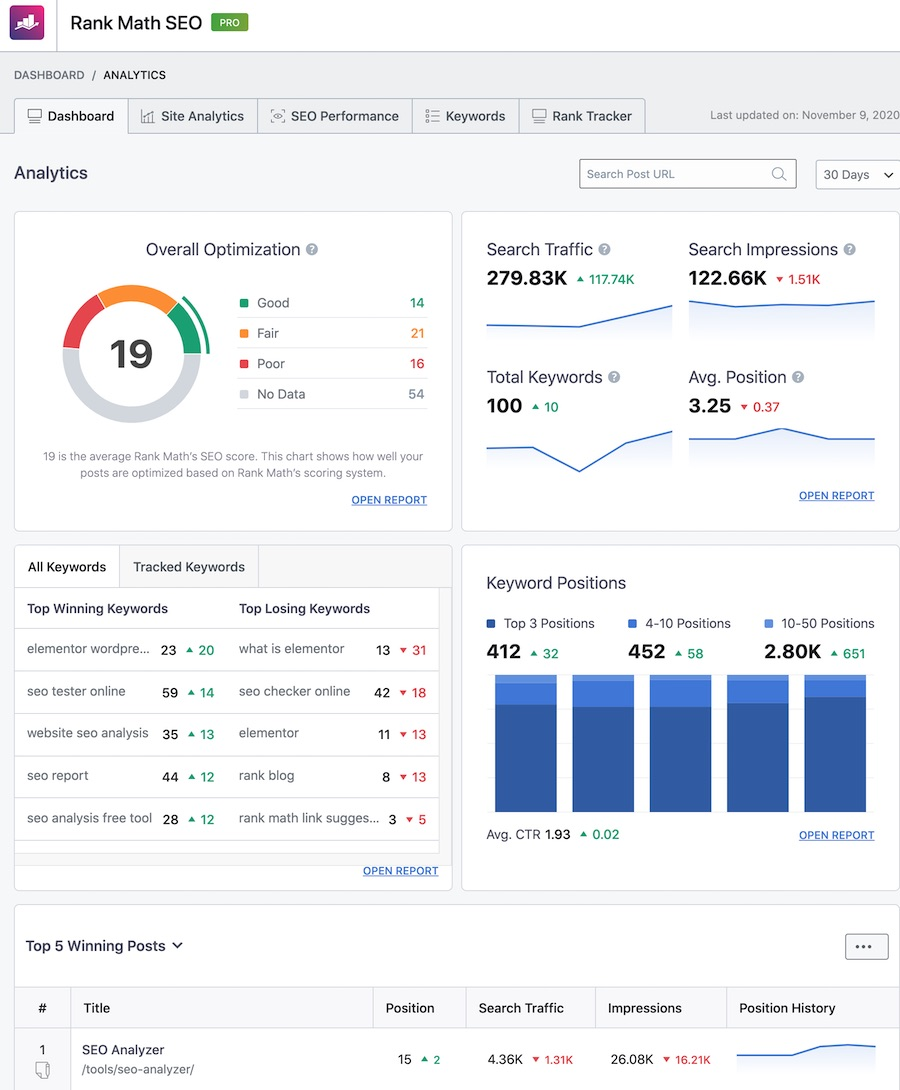
Rank Math fits naturally into the publishing workflow. You can research keywords, add Schema, set canonicals, and follow SEO suggestions before hitting publish.
Each product or page receives a score and recommendations to help you meet best practices.
If you want a strong SEO foundation for an online store without having to stack multiple plugins, Rank Math SEO is the best starting point. It supports your entire optimization process and works seamlessly with other tools in your stack.
Pricing: Rank Math is free. The PRO plan starts at $95.88/year.
2.2 Content AI
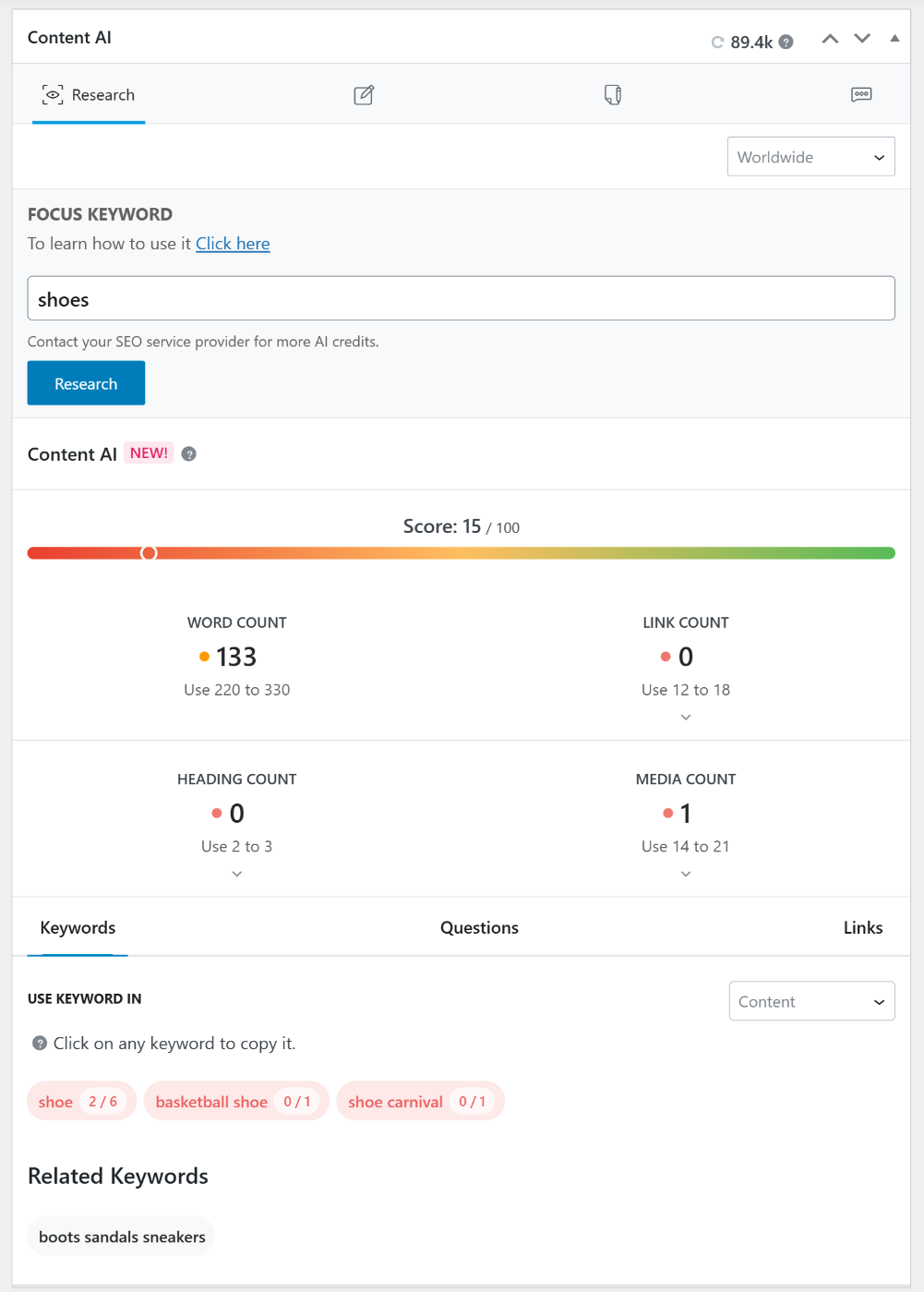
Content AI is Rank Math’s built-in writing assistant that helps ecommerce stores plan, write, and optimize content directly inside WordPress.
Instead of switching between multiple AI tools and SEO checklists, you can research keywords, create content, and improve it in one place.
Content AI includes more than 40 AI writing tools, with five explicitly designed for ecommerce. You can find them under Rank Math SEO → Content AI → eCommerce. These tools help you produce:
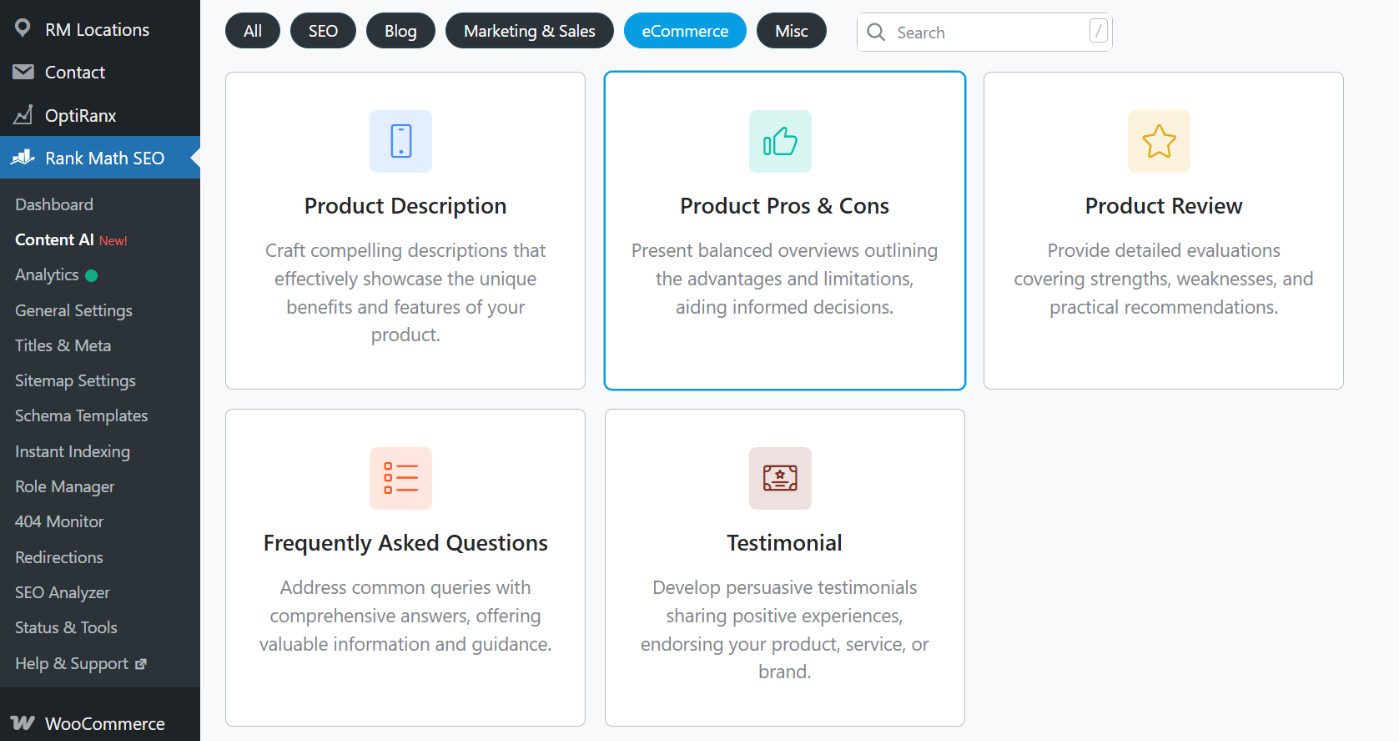
- Product Description: Creates clear, benefit-focused copy that highlights features and value, reducing guesswork and helping shoppers understand why they should buy.
- Product Pros & Cons: Breaks down strengths and limitations so customers can make faster decisions, a format that search engines often surface when users compare options.
- Product Review: Generates review-style content that adds social proof and helps pages rank for evaluation-based searches.
- Frequently Asked Questions: Produce relevant questions and answers that match real buyer intent, and enhance them further with FAQ schema.
- Testimonial: Creates persuasive social proof statements that increase trust and remove friction during checkout.
Beyond writing, Content AI includes features that improve ecommerce SEO. You can run SEO tests to identify weak spots and apply fixes instantly.
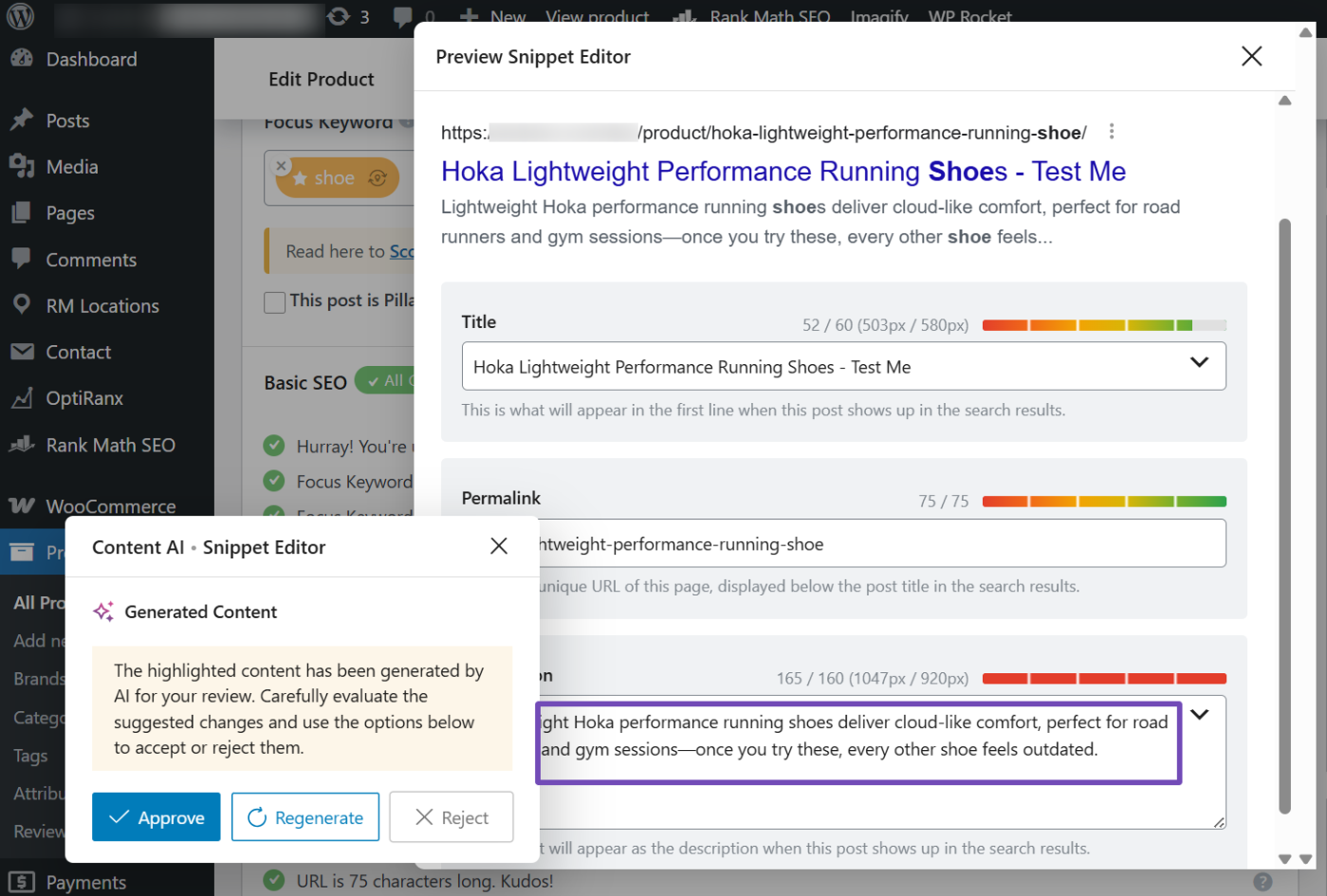
The tool also generates alt text for product images to improve accessibility and image search visibility. Its scoring system evaluates headings, keywords, and readability, so you publish only when a page meets optimization standards.
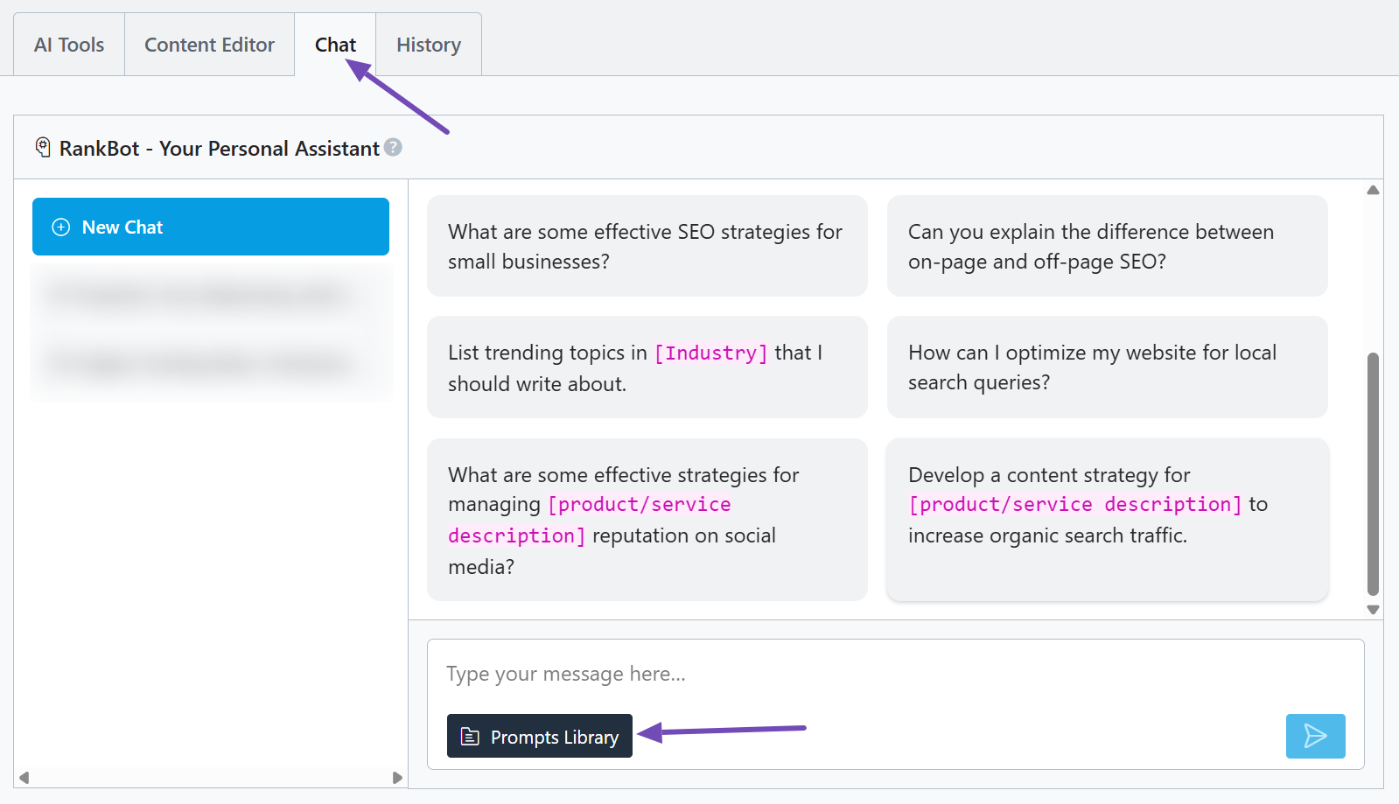
Content AI also includes RankBot, a chat-based AI assistant that lets you plan campaigns and use prompt templates. Navigate to Rank Math SEO → Content AI → Chat and click the Prompt Library button, as shown below.
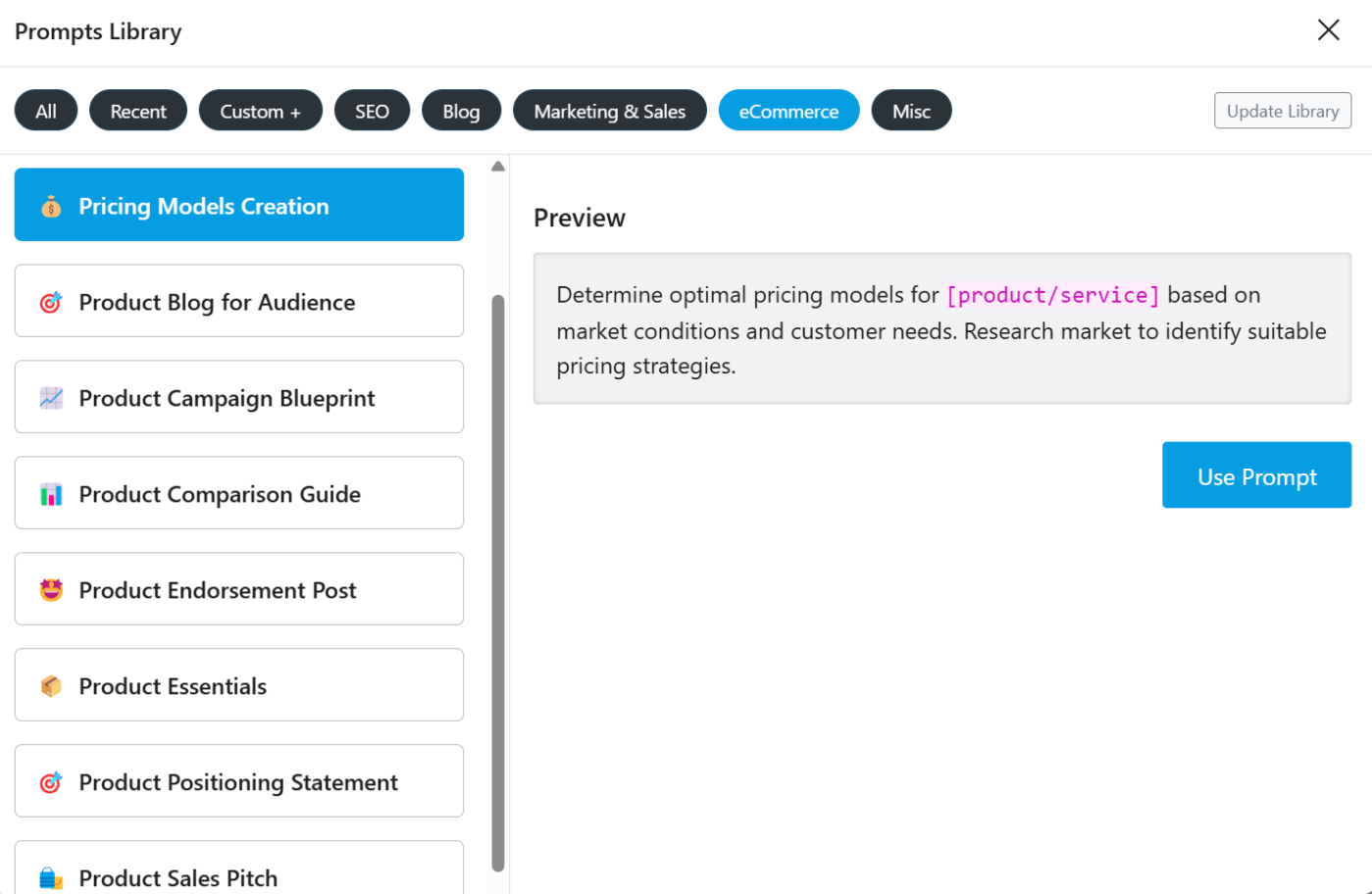
In the eCommerce section of the Prompt Library, you can find and generate sales pitches, endorsement posts, comparison articles, product blogs, and campaign blueprints tailored to your store.
Pricing: Rank Math free users get up to 750 credits/month. The Starter plan starts at $71.88/year.
2.3 Google Search Console
Google Search Console is a free tool from Google that shows how your ecommerce site performs in search. It reveals which pages are indexed, what keywords people use to find your products, and how often they click through.
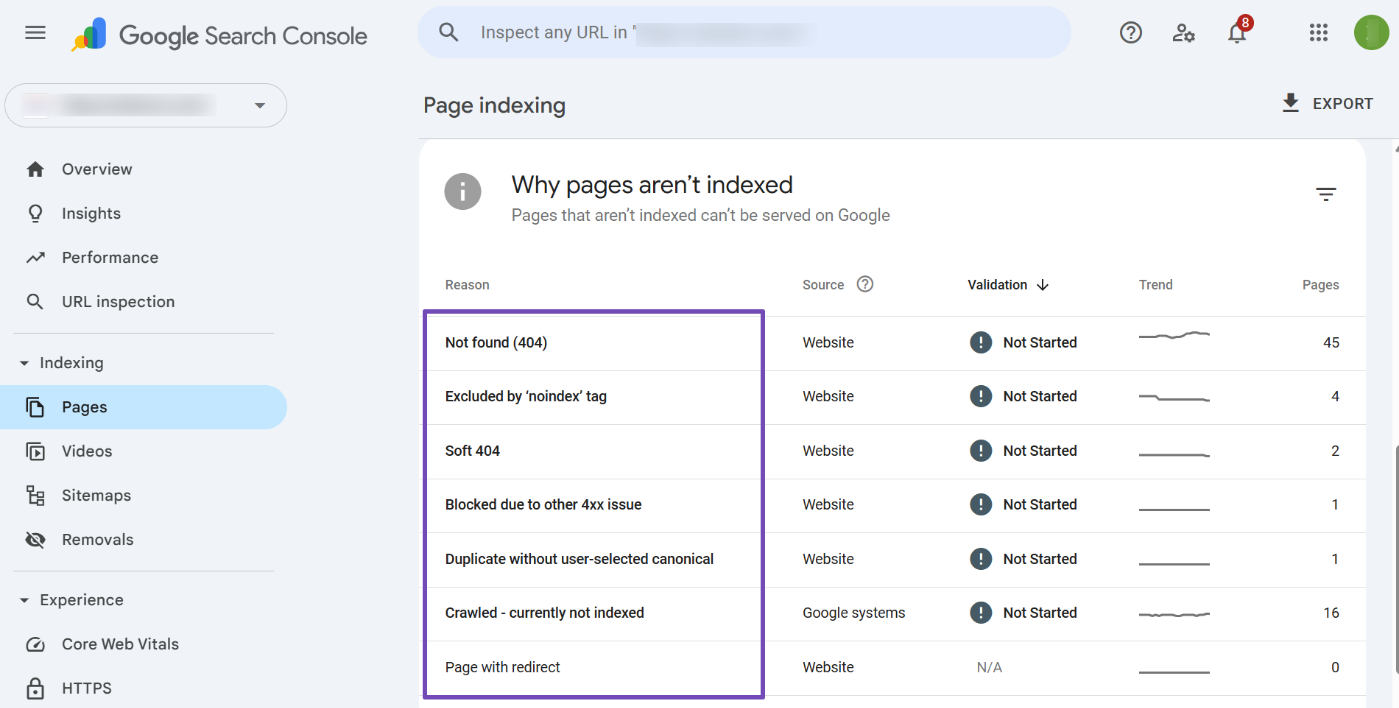
For ecommerce stores with many products, Search Console is vital. It highlights indexing issues, duplicate URLs, and pages that Google can’t access.
You can fix problems, submit updated URLs, and ensure your most important product and category pages are visible in search results.
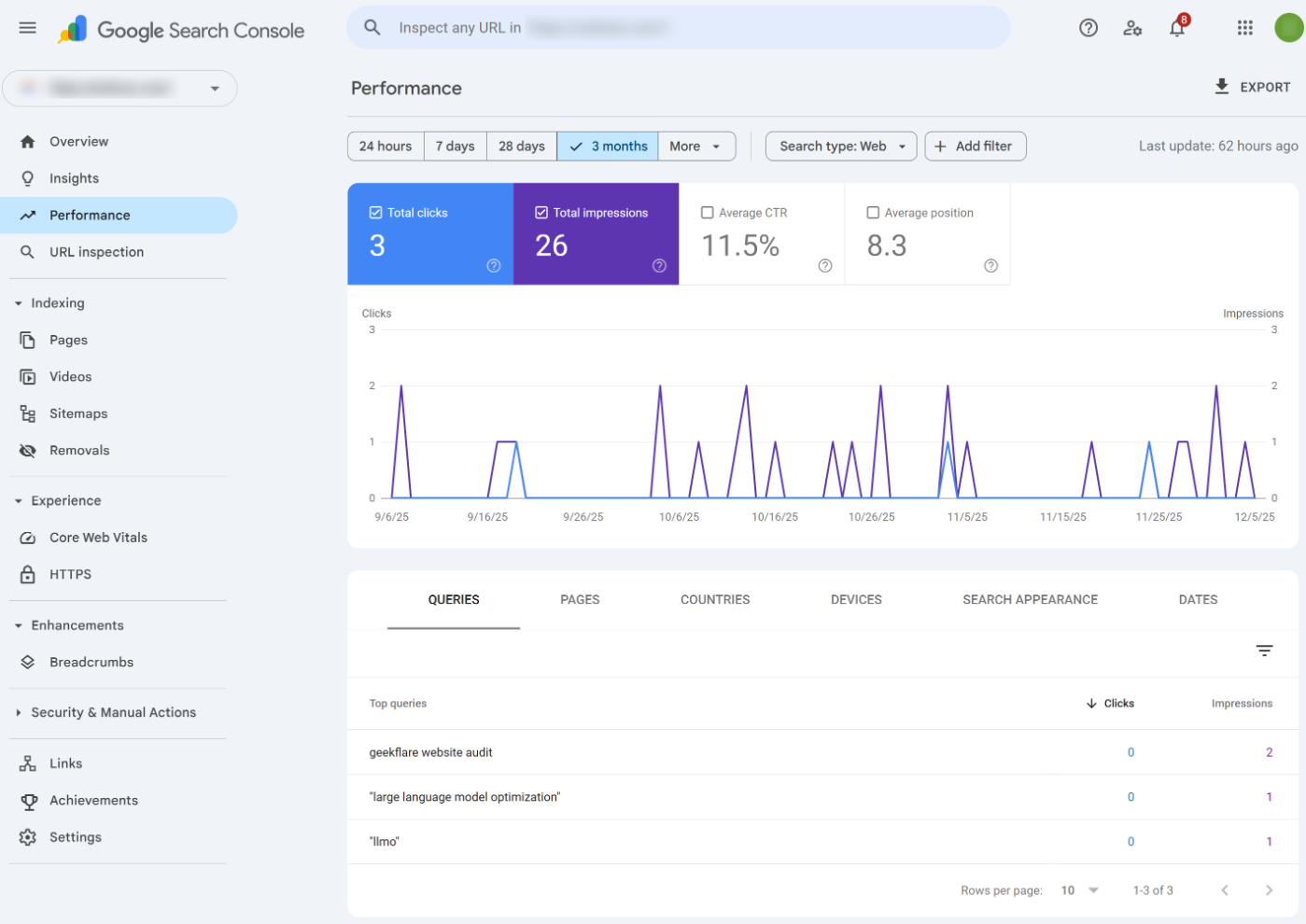
The Performance report shows impressions, clicks, positions, and CTR. If a product page gets views but no clicks, your title or meta description likely needs improvement.
If a category page ranks but does not get traffic, you can refine the content or user experience to increase conversions.
Search Console also monitors Core Web Vitals and mobile usability. Slow-loading images, layout shifts, or poor mobile behavior can hurt rankings and sales. These reports help you identify UX issues before they affect your store’s performance.
If you use product Schema, Search Console tells you whether your structured data is valid and eligible for rich results. That means shoppers can see ratings, prices, and availability directly in search, which improves trust and click-through rates.
In short, Google Search Console is your diagnostic dashboard. It shows how search engines see your store, what customers search for, and what you need to fix to grow organic traffic.
Pricing: Completely free
2.4 Google Analytics (GA4)
Google Analytics shows what happens after visitors reach your store. While SEO tools help you attract traffic, GA4 reveals which pages people view, how they behave, and what drives purchases.
Without this data, you might rank well but fail to convert. With it, you can make decisions that increase revenue, not just page views.
GA4 uses event-based tracking, which is ideal for ecommerce. When ecommerce tracking is enabled, you can see product views, add to cart actions, checkout steps, and completed purchases in Reports → Monetization → Ecommerce purchases.
This tells you where shoppers drop off and which products need better descriptions, pricing clarity, reviews, or trust signals.

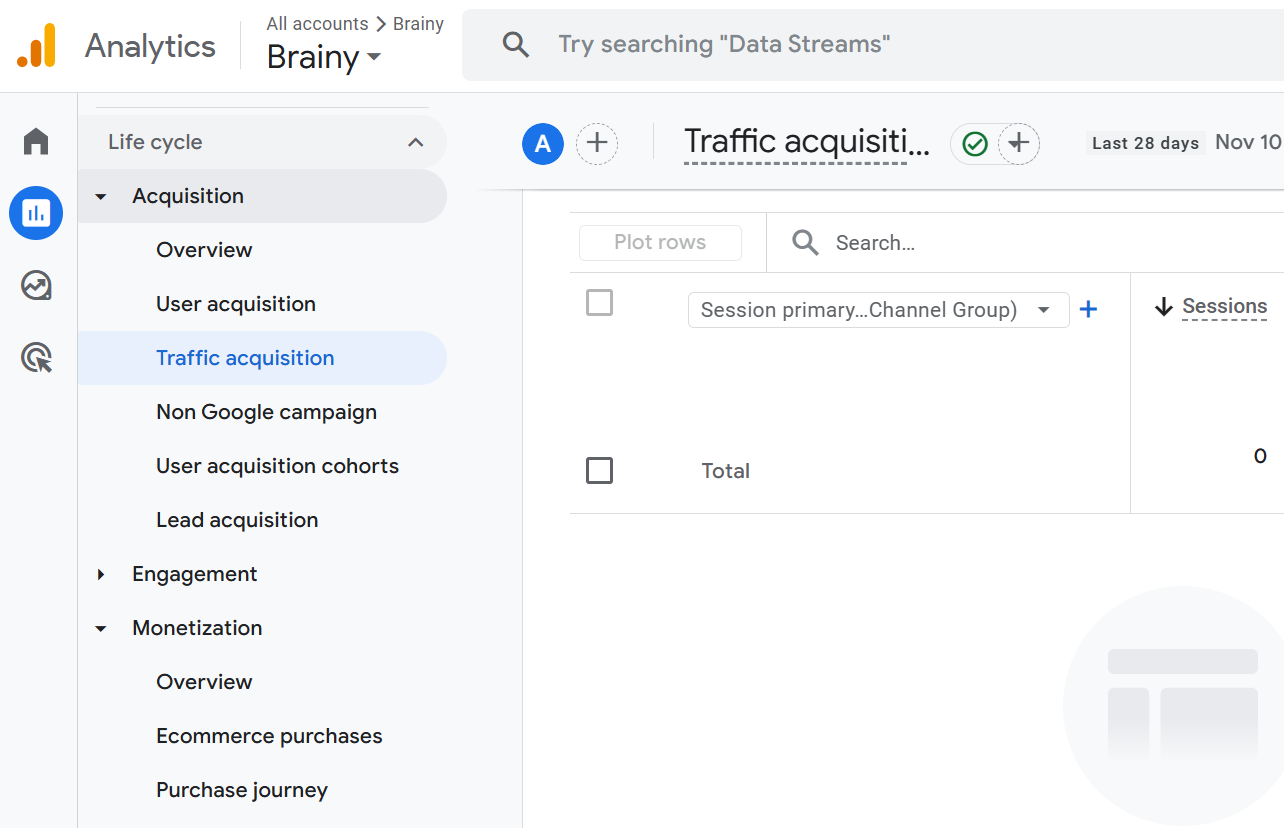
GA4 also shows where your traffic comes from. In Reports → Acquisition, you can compare channels like organic search, social, and ads to see which ones bring customers who actually buy.
This helps you prioritize SEO keywords and landing pages that generate revenue, not just traffic.
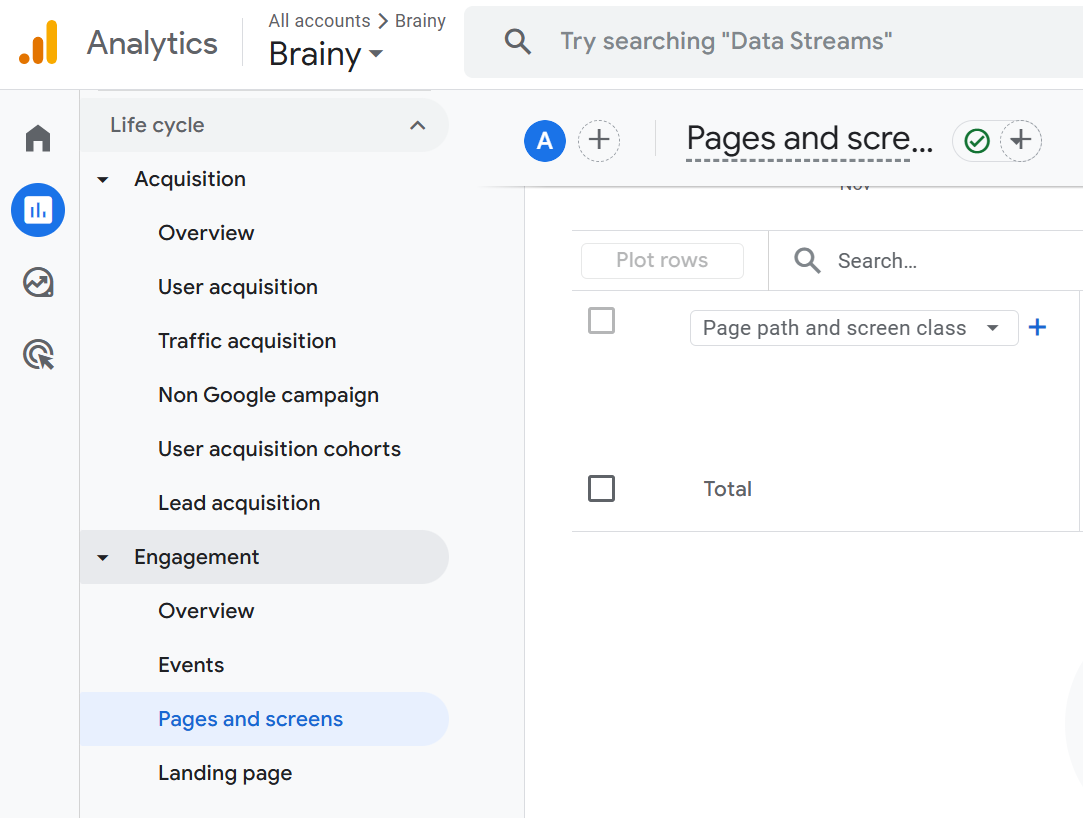
You can also review user behavior in Reports → Engagement → Pages and screens. If many visitors exit on a certain page, there’s likely a problem with content, design, or performance.
Fixing these issues leads to higher conversions without increasing traffic.
Google Analytics doesn’t optimize your site directly, but it tells you what to improve and why.
Pricing: Completely free
2.5 WP Rocket
WP Rocket is a premium performance plugin that makes WordPress sites load faster with almost no setup. For ecommerce stores, speed directly affects conversions. Slow product pages lead to abandoned carts and lower rankings.
WP Rocket fixes this by applying caching and speed optimizations as soon as it’s activated.
The plugin creates cached versions of your pages, so WordPress doesn’t rebuild them for each visit. This is especially useful for product and category pages that get frequent traffic.
WP Rocket also avoids caching cart and checkout pages, ensuring nothing breaks during the buying process.
Beyond caching, WP Rocket includes features that improve Core Web Vitals. It can minify CSS and JavaScript, delay scripts, remove unused code, and optimize CSS delivery.
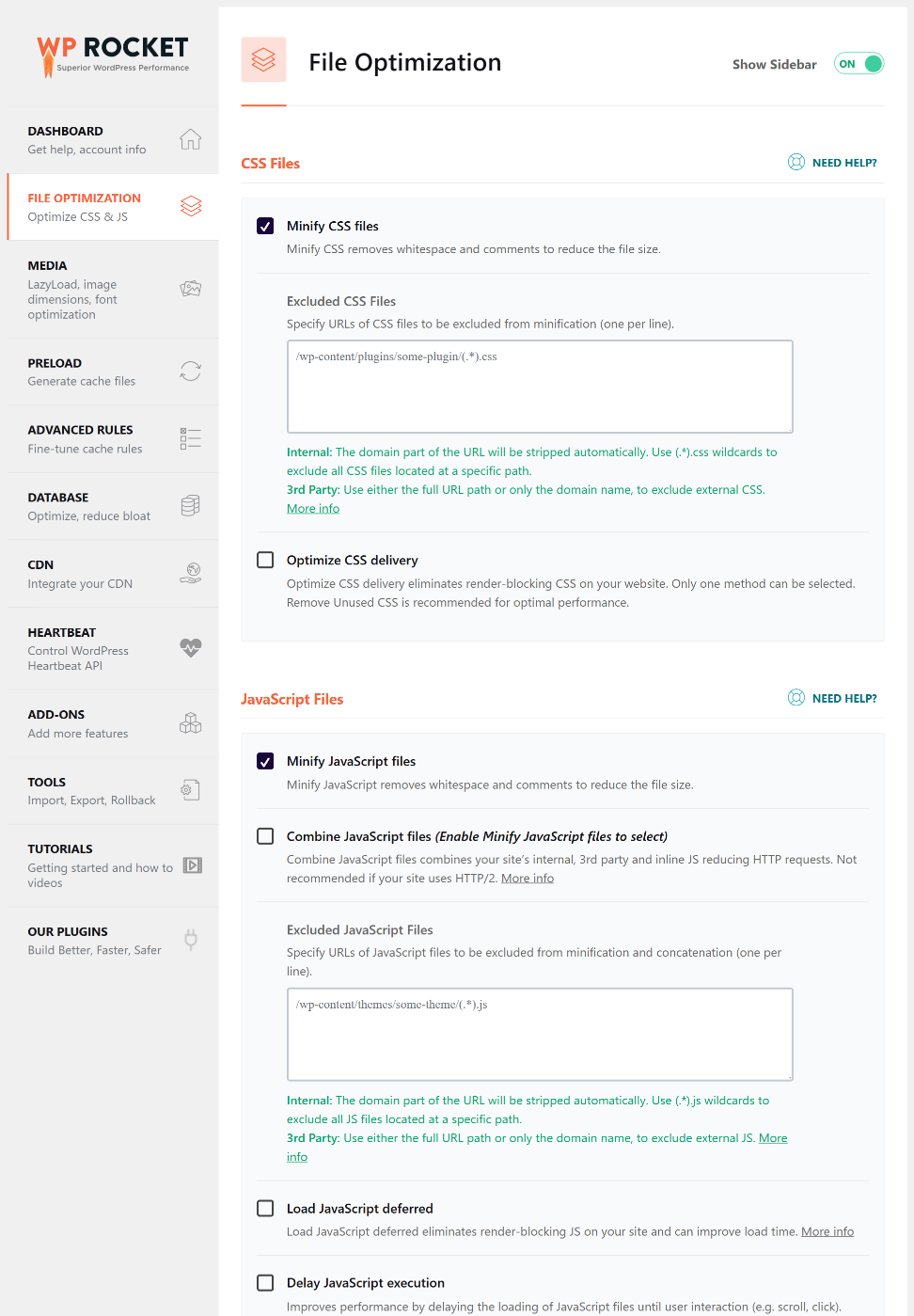
These changes reduce render-blocking files and improve loading times, especially on mobile devices. Lazy loading ensures images only load when needed, preventing long waits on media-heavy pages.
WP Rocket also offers database cleanup tools and integrates with CDNs to deliver content faster to visitors worldwide.
Pricing: Starts at $59/year.
2.6 Ahrefs
Ahrefs is an all-in-one SEO research platform that helps ecommerce stores understand what customers search for, how competitors rank, and where growth opportunities exist.
Instead of guessing which products or pages to optimize, Ahrefs shows you real search demand and competitor data so you can make smarter decisions.
Its Keywords Explorer tool lets you research product and category terms, revealing search volume, keyword difficulty, and related phrases buyers use. This helps you prioritize the pages that can drive the most traffic and revenue.
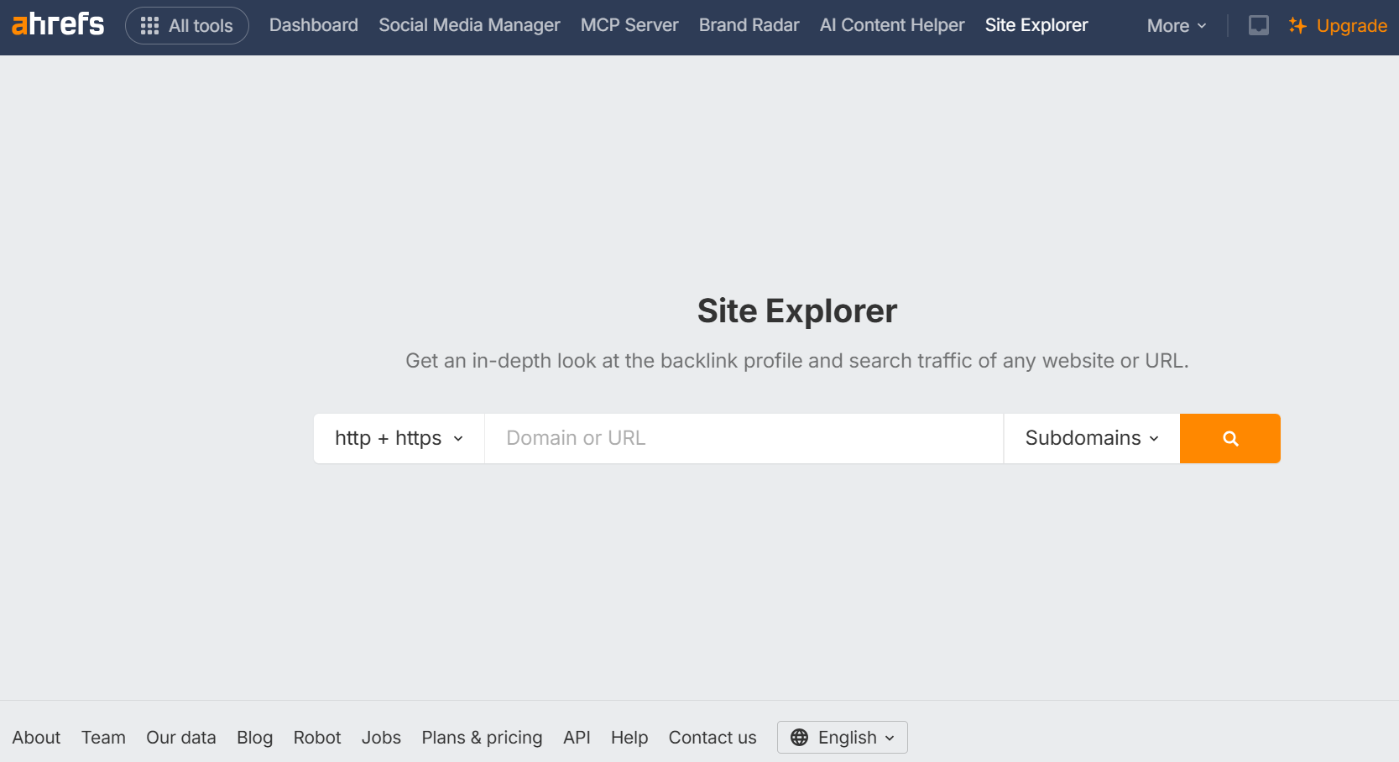
Site Explorer shows what keywords your competitors rank for, which pages attract their traffic, and what backlinks power their authority. You can reverse engineer competitor success and discover link opportunities to strengthen your store’s visibility.
Ahrefs also includes a Site Audit that scans for technical issues like duplicate content, broken links, and indexing errors. For stores with large catalogs, these insights prevent hidden problems from blocking rankings.
Pricing: Starts at $129/month.
2.7 Semrush
Semrush is an all-in-one SEO and competitor analysis platform that helps ecommerce stores uncover profitable keywords, track rankings, and find opportunities competitors are missing.
While your SEO plugin handles on-page optimization, Semrush shows you what to optimize and why, using real market data.
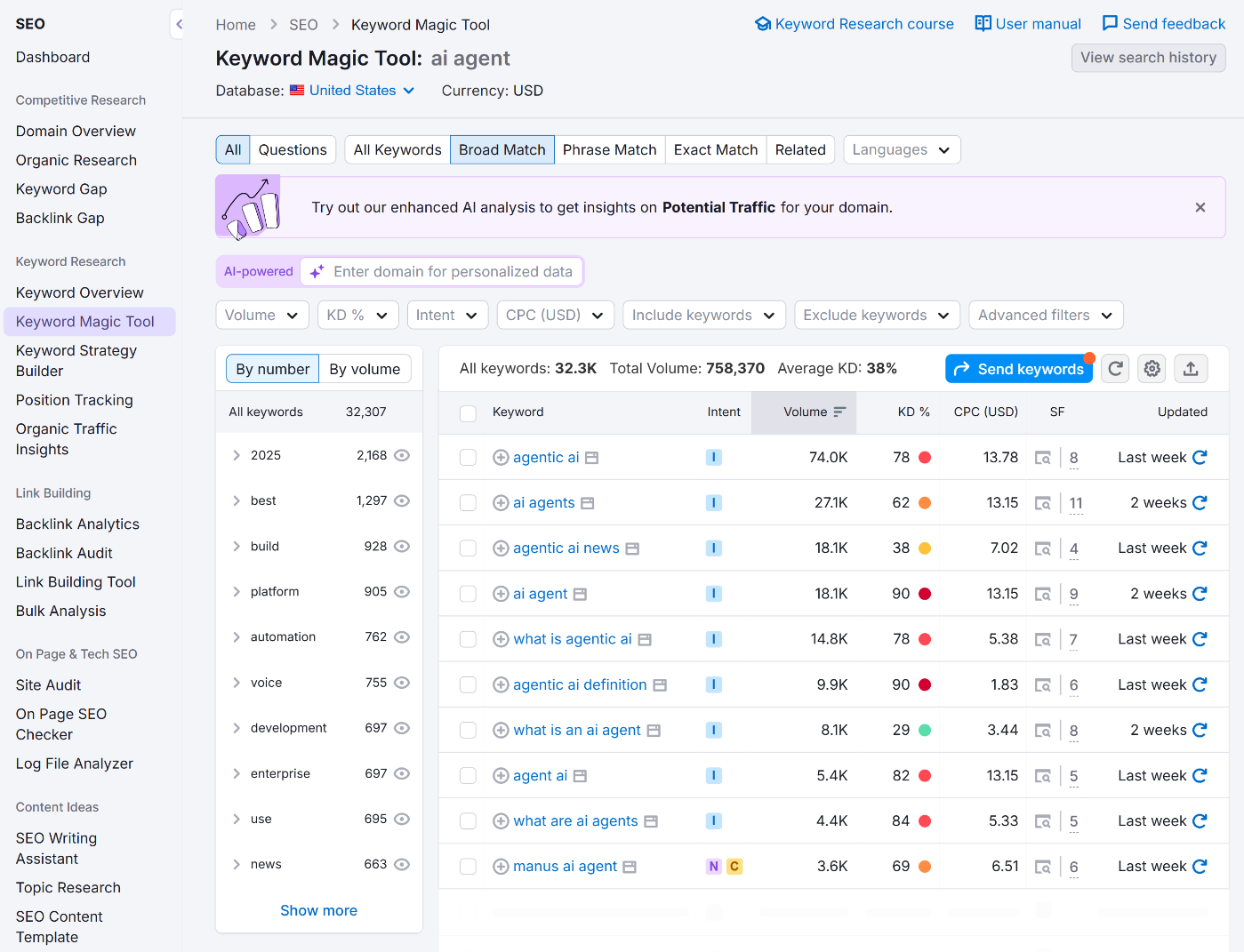
Its Keyword Magic Tool reveals search volume, difficulty, and intent for product and category terms. This makes it easy to spot high-purchase-intent keywords such as “best,” “buy,” or “discount,” and align product pages with how shoppers actually search.
Semrush’s Organic Research reports show which keywords and pages drive traffic for competitors. You can identify their winning products, content gaps, and backlink sources, then use that intelligence to outmaneuver them.
The platform also includes a Site Audit tool, which identifies technical issues such as duplicate content, thin pages, and indexation problems that often affect ecommerce stores with large catalogs.
Pricing: Starts at $199/month.
2.8 Moz Pro
Moz Pro is an SEO toolkit built for ecommerce users who want clear insights without being overwhelmed by data. It simplifies keyword research, site audits, backlink analysis, and rank tracking, making it easier for store owners to understand what matters and where to focus.
Its Keyword Explorer helps you find product and category keywords worth targeting by showing search volume, difficulty, and a Priority Score. This makes it easier to choose keywords your store can rank for, rather than wasting time on terms that are too competitive.
Moz Pro’s Site Audit scans your site for technical issues, including duplicate content, broken links, and missing metadata. Ecommerce sites often struggle with extensive inventories and similar URLs. Moz flags problems that could block rankings or hurt crawlability.
The Link Explorer tool gives you insights into your backlink profile and shows where competitors get theirs. Since backlinks influence authority and rankings, this helps you find new opportunities to strengthen your store’s visibility.

Moz Pro also includes rank tracking so you can monitor keyword performance over time and see which optimizations are paying off.
It may not offer as much data depth as some advanced platforms, but Moz Pro stands out for simplicity.
Pricing: Starts at $49/month.
2.9 Screaming Frog SEO Spider
Screaming Frog is a desktop crawler that scans your website the same way a search engine does. For ecommerce stores with many products and category pages, it quickly reveals issues you would never find manually.
Enter your URL, and the tool crawls your site, flagging broken links, 404 errors, redirect chains, and server issues. These problems are common when products change or get removed, and fixing them helps both search engines and shoppers reach the right pages.
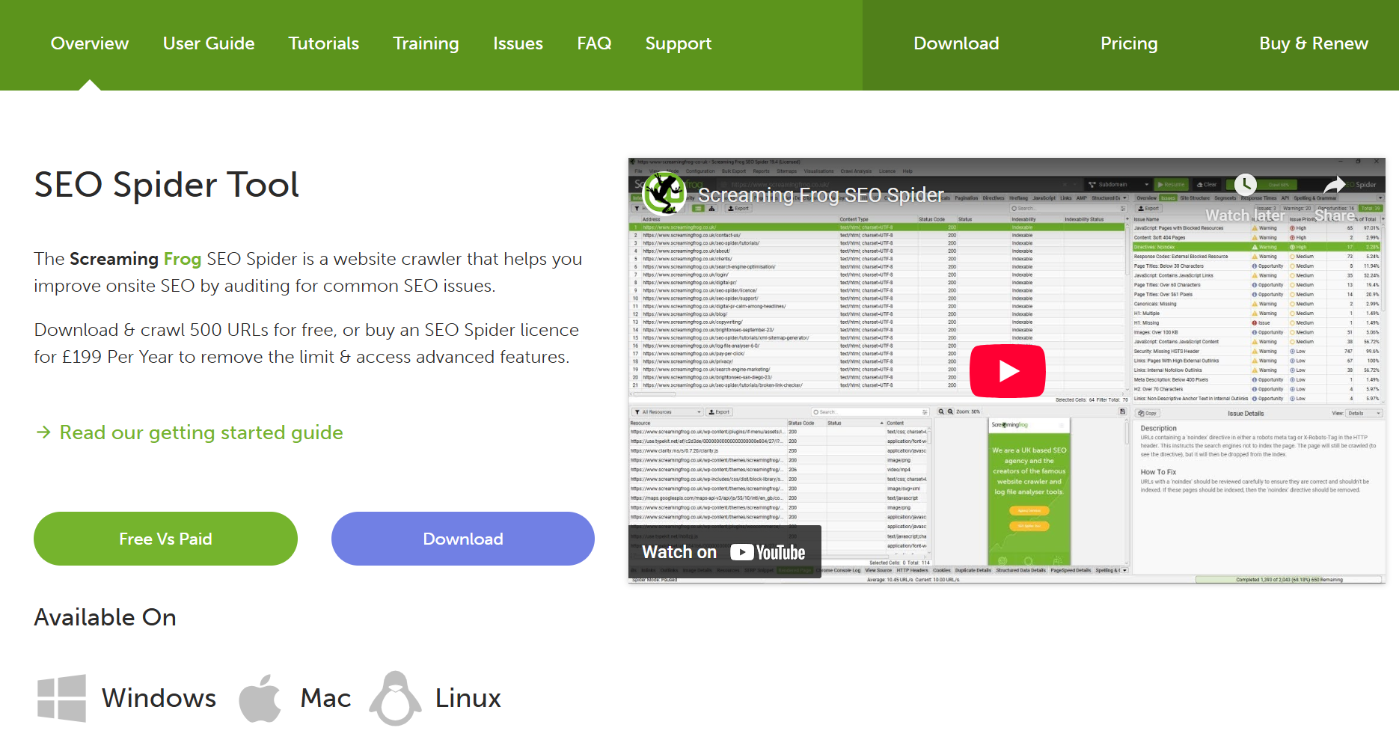
Screaming Frog also detects duplicate content, missing titles, repeated meta descriptions, and pages without canonical tags. Ecommerce sites often create duplicates due to filters, sorting options, and product variants. This tool makes it easy to identify those issues before they harm rankings.
It even shows orphan pages, URLs with no internal links pointing to them. If Google cannot reach a product page, it cannot rank it. With this insight, you can update menus, add links, or adjust navigation to improve discoverability.
You can also audit XML sitemaps to ensure important product pages are included and properly indexed.
Pricing: Starts at $279/year.
2.10 Google PageSpeed Insights
Google PageSpeed Insights is a free tool that analyzes how fast your website loads on mobile and desktop. For ecommerce stores, speed directly affects rankings and sales. Slow product or category pages lead to higher bounce rates and abandoned carts, while fast sites keep shoppers engaged.
Enter any URL, and PageSpeed Insights scores your page and highlights issues using Core Web Vitals. These metrics measure how quickly content loads, how stable the layout is, and how responsive the page feels.
If your product images take too long to appear or elements shift during loading, it will affect your score and conversions.

The tool provides clear recommendations in the Insights and Diagnostics sections. It might suggest compressing images, removing unused JavaScript, reducing CSS size, or improving server response time.
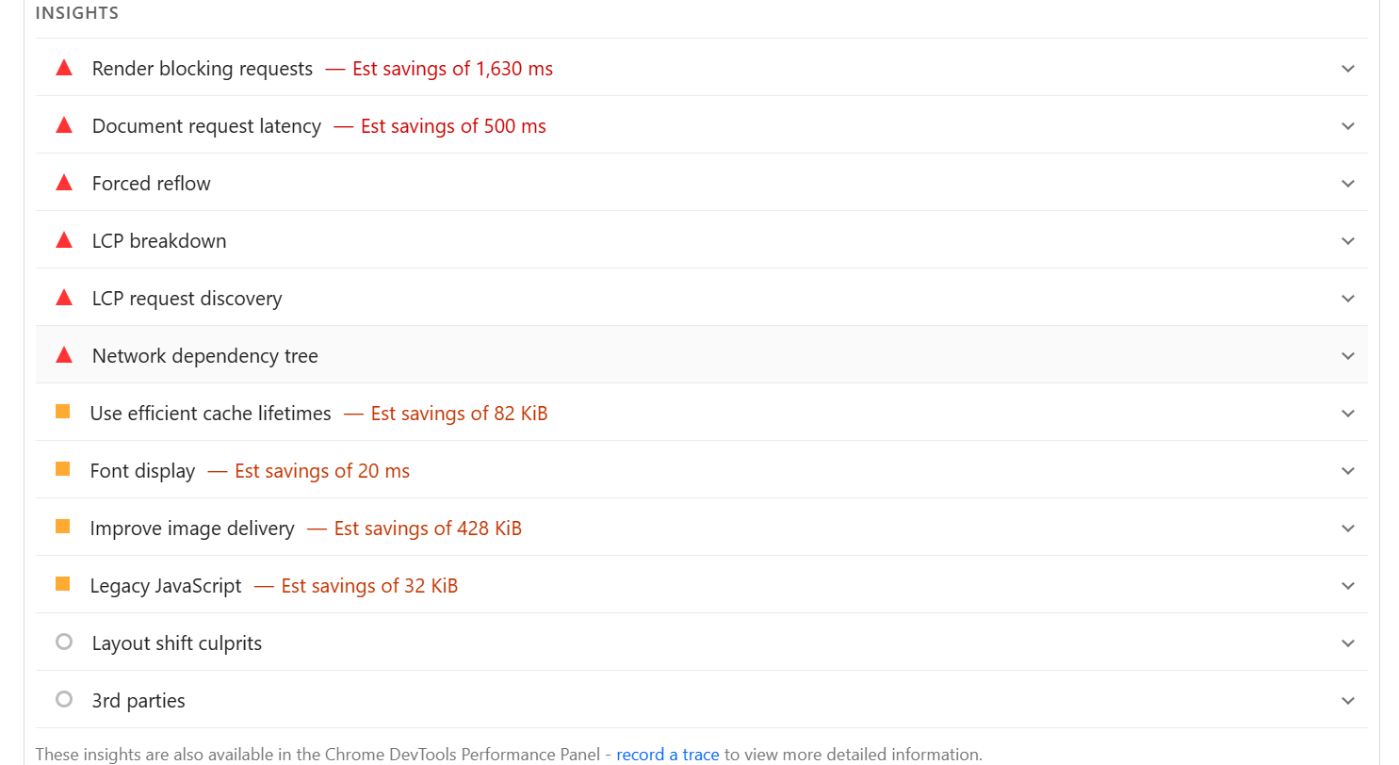
Each recommendation shows how much improvement you can expect, helping you prioritize changes that matter.
PageSpeed Insights does not fix issues itself, but it tells you precisely what slows your store down. When paired with tools like WP Rocket, Imagify, GTMetrix, and hosting level optimization, it becomes your benchmark for performance.
Pricing: Completely free
2.11 Google Trends
Google Trends is a free tool that shows how interest in keywords changes over time. For ecommerce stores, it helps you understand what products or topics people are searching for right now.
Enter a keyword, and Google Trends displays how search interest rises or falls. This makes it easy to spot seasonal products, emerging trends, and keywords losing popularity. If you sell fitness gear, for example, you can see when demand peaks for dumbbells or yoga mats and plan promotions accordingly.

You can also compare keywords to see which product or category attracts more interest. This helps you choose the right inventory, prioritize product pages, or create content based on what customers prefer. The tool also shows interest by region, which is useful if you target specific locations.
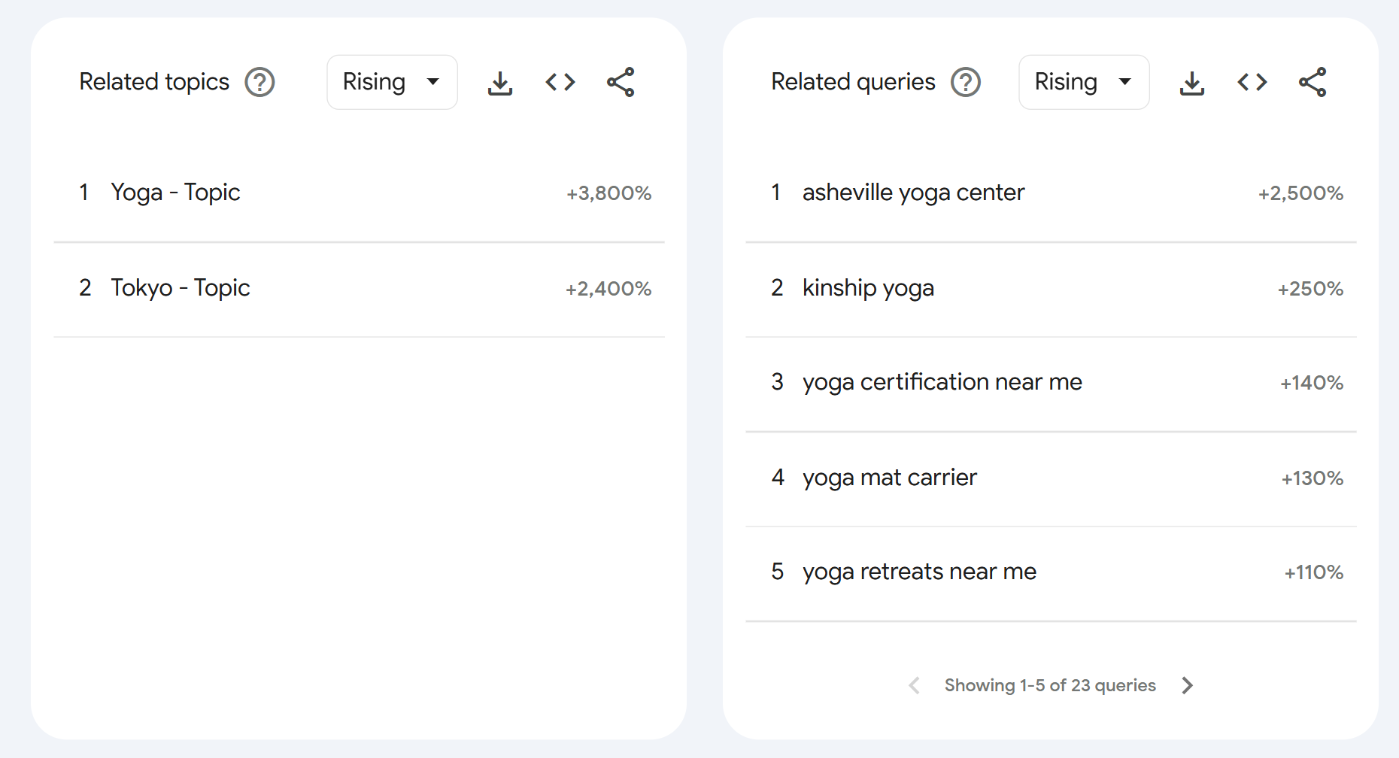
Google Trends does not replace full keyword research, but it adds context you cannot get from volume metrics alone. It tells you whether a keyword is growing, stable, or declining, so you avoid investing time in outdated products or topics.
For ecommerce SEO, Google Trends is a simple way to stay ahead of user intent. It helps you align product choices, content ideas, and marketing campaigns with what buyers are actively searching for.
Pricing: Completely free.
2.12 Imagify
Imagify is an image optimization plugin that helps WordPress stores load faster by reducing image size without losing quality.
Since ecommerce sites rely heavily on product photos, large images can slow pages down and hurt conversions. Imagify fixes this by automatically compressing and converting images to lighter formats.
Once activated, Imagify optimizes every image you upload to your media library. It also supports WebP and other modern formats that are smaller than traditional image files, which is helpful for stores with multiple product angles, zoom features, or extensive galleries.
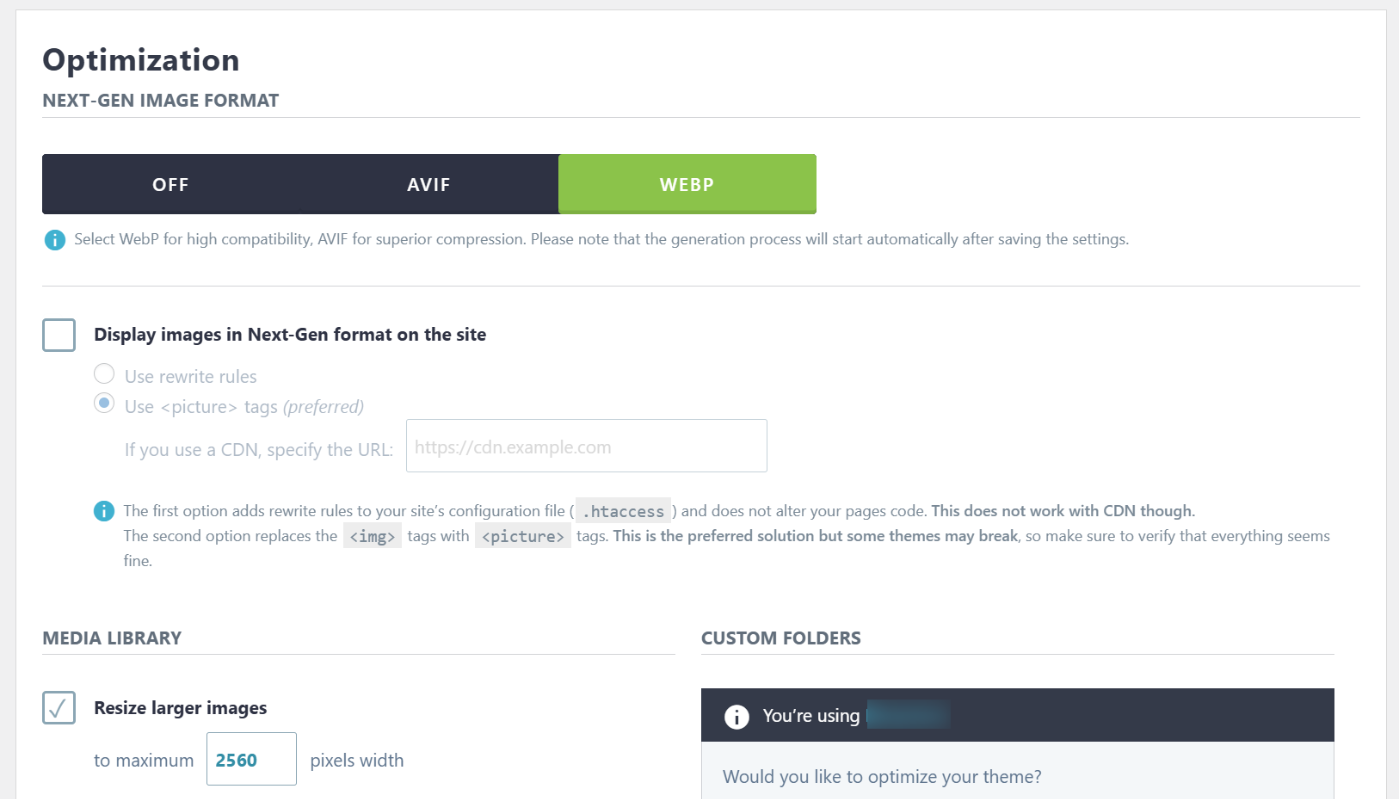
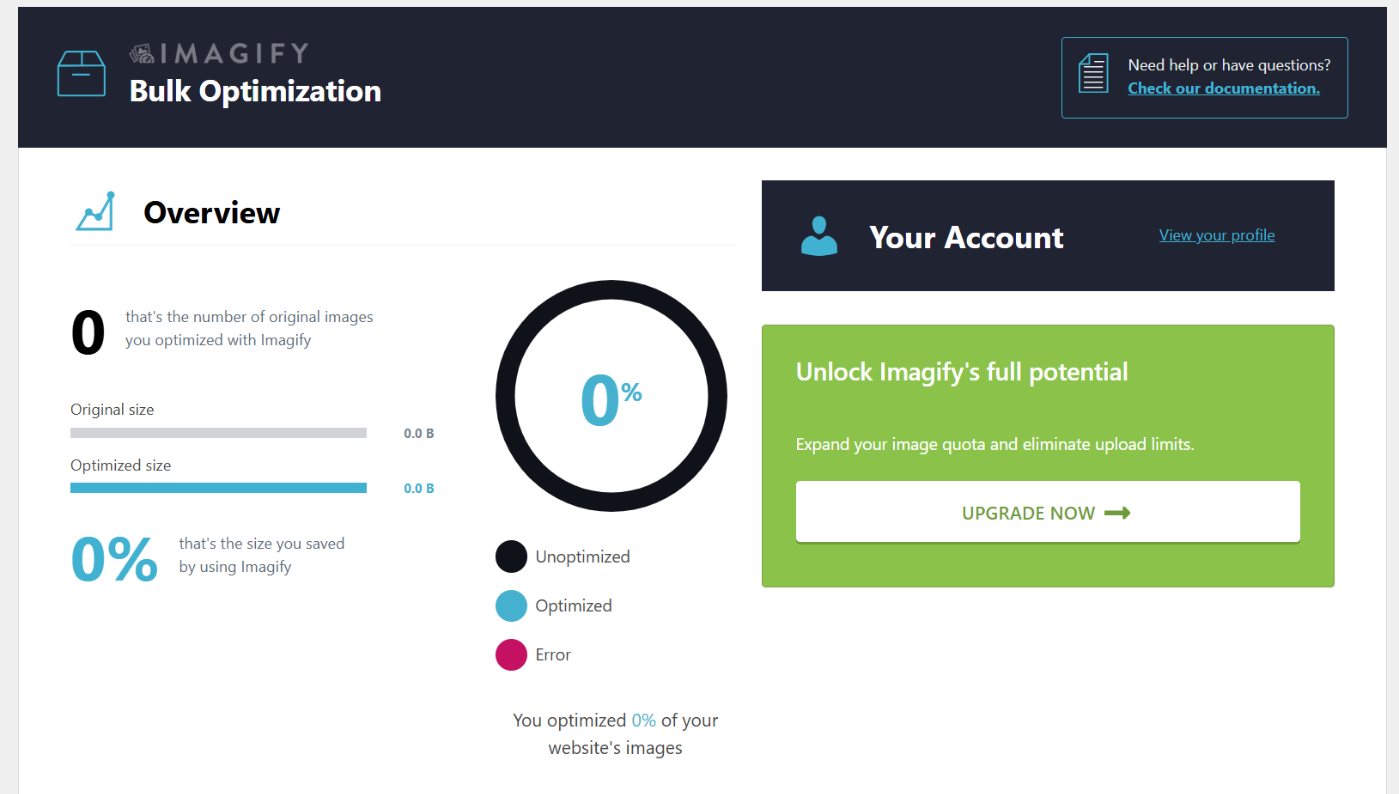
If you already have many images, the bulk optimization feature lets you compress your entire library at once. This can significantly speed up older stores that never optimized images.
Imagify offers different compression levels, allowing you to choose the right balance between image size and clarity. This is important because product visuals must remain sharp enough to build trust and help shoppers evaluate items.
While Imagify does not manage metadata or SEO content, it directly improves Core Web Vitals by speeding up page load times.
If product visuals are essential to your brand, Imagify ensures they look great without slowing your store down. It keeps your site fast, user-friendly, and ready to convert visitors into buyers.
Pricing: Free version available. Plans start at $11.99/month.
2.13 GTmetrix
GTmetrix is a performance testing tool that shows how fast your ecommerce site loads and what slows it down. Since speed affects rankings, user trust, and conversions, GTmetrix helps you identify bottlenecks before they harm sales.
Enter your URL, and GTmetrix generates a report with a Performance Score and metrics like Largest Contentful Paint, Cumulative Layout Shift, and Time to Interactive.
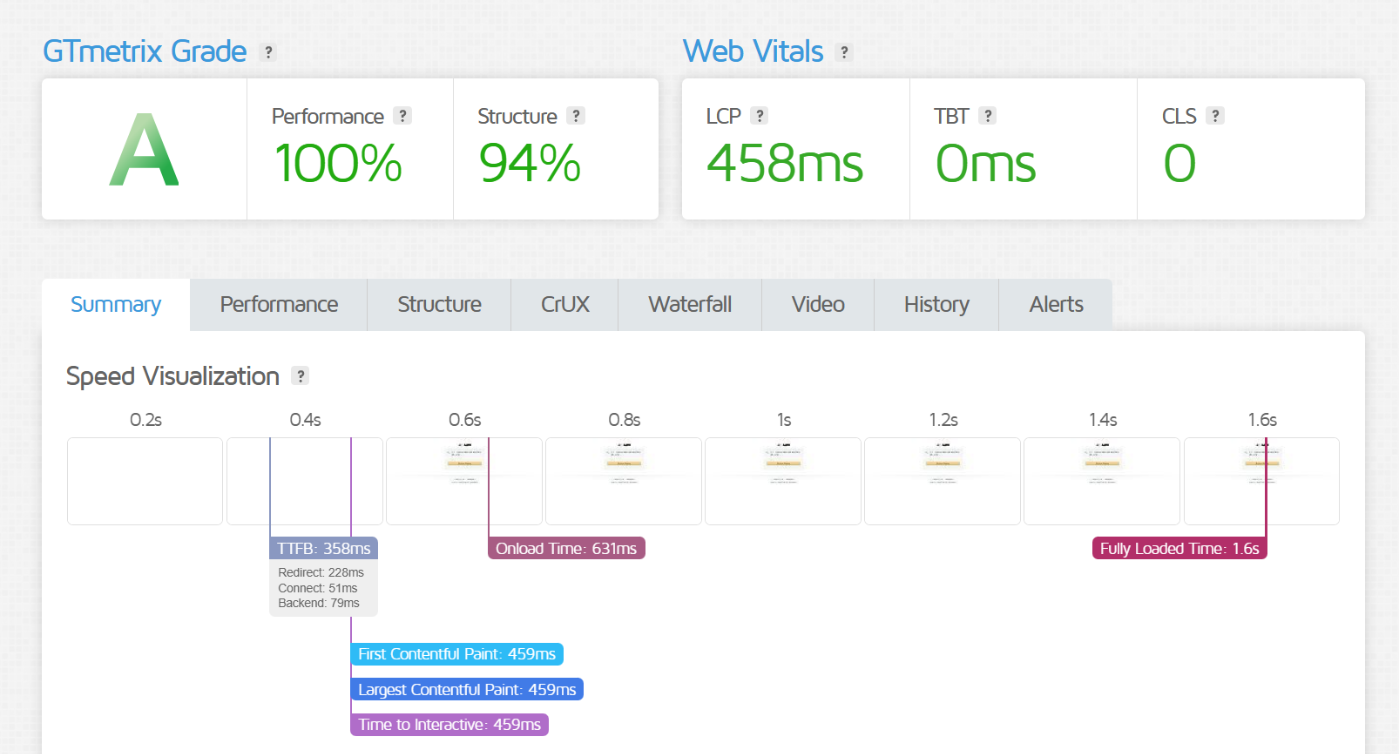
These reveal how quickly product images appear, how stable the layout is, and how soon shoppers can interact with your pages.
The waterfall chart is one of its most valuable features. It displays every resource loaded on your page, including scripts, images, and third-party elements, along with their load times. This makes it simple to spot large files or unnecessary scripts that slow your site.

GTMetrix also offers suggestions for improvement, such as compressing images, optimizing CSS delivery, or reducing JavaScript execution time. While it does not fix issues for you, it gives clear steps you or your developer can act on.
Pricing: Starts at $5.99/month.
2.14 Google’s Rich Results Test
Google’s Rich Results Test is a free tool that checks whether your structured data is set up correctly so your pages can qualify for enhanced search results.
For ecommerce stores, this is important because structured data helps Google understand key details such as product prices, availability, ratings, and reviews. These elements can appear directly in search results, helping your listings stand out.
Enter a URL or code snippet, and the tool shows which schema types it detects and whether anything is missing.
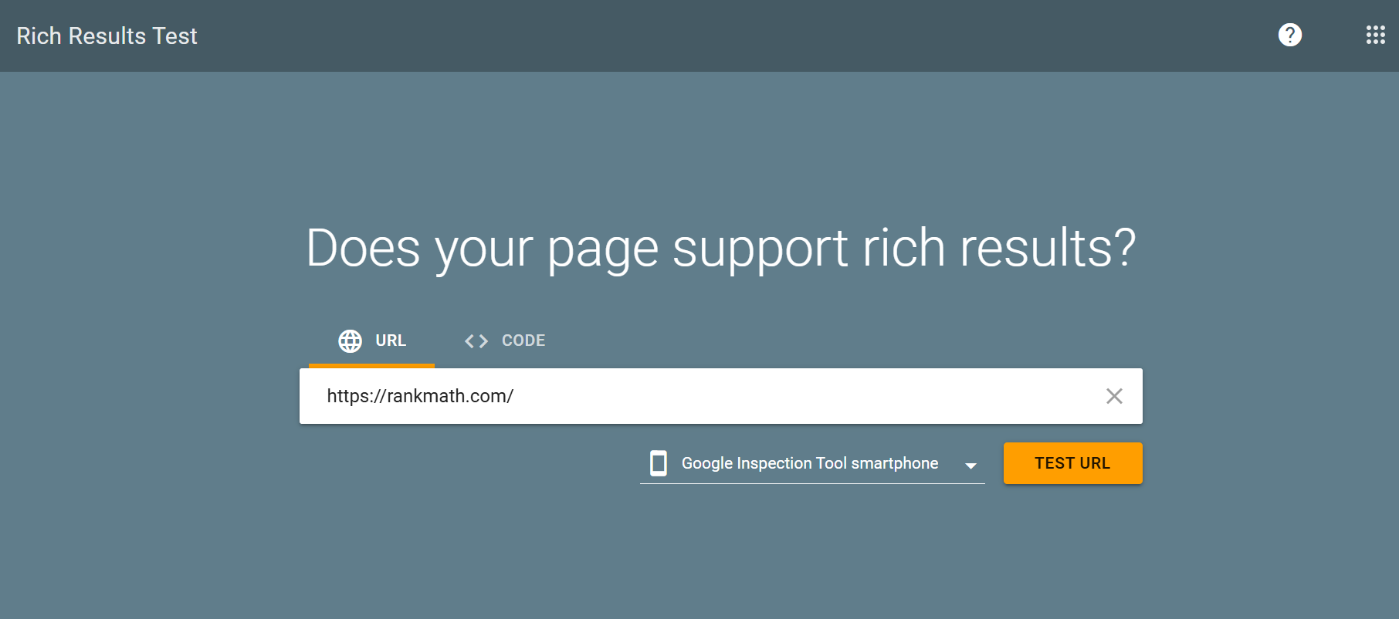
If there are errors, you can fix them before your pages go live. This prevents issues that could block eligibility for rich results.
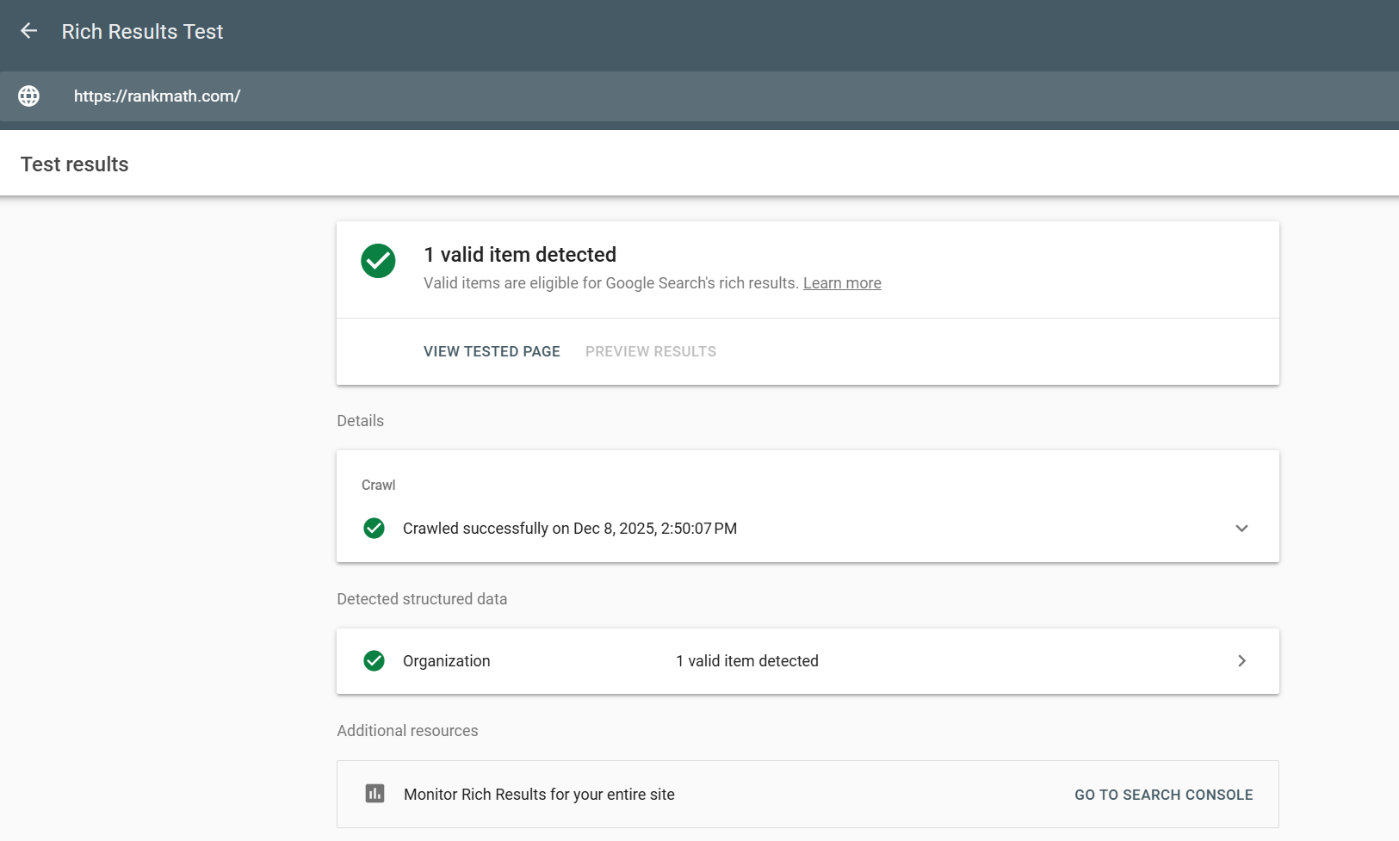
Rich results such as product ratings, pricing, and FAQs often increase click-through rates because shoppers see useful information before they click. The tool also supports breadcrumb and FAQ testing, which can enhance navigation and provide answers directly in the search results.
Pricing: Completely free.
2.15 AnswerThePublic
AnswerThePublic is a keyword and topic discovery tool that shows what real shoppers search for online. For ecommerce stores, this is valuable because it helps you understand what buyers want to know before they purchase.
Enter a keyword, and the tool generates related queries grouped by questions, prepositions, and comparisons.
These insights uncover intent. Queries like “best running shoes for flat feet” or “smartwatch vs fitness band” show exactly what shoppers are considering.
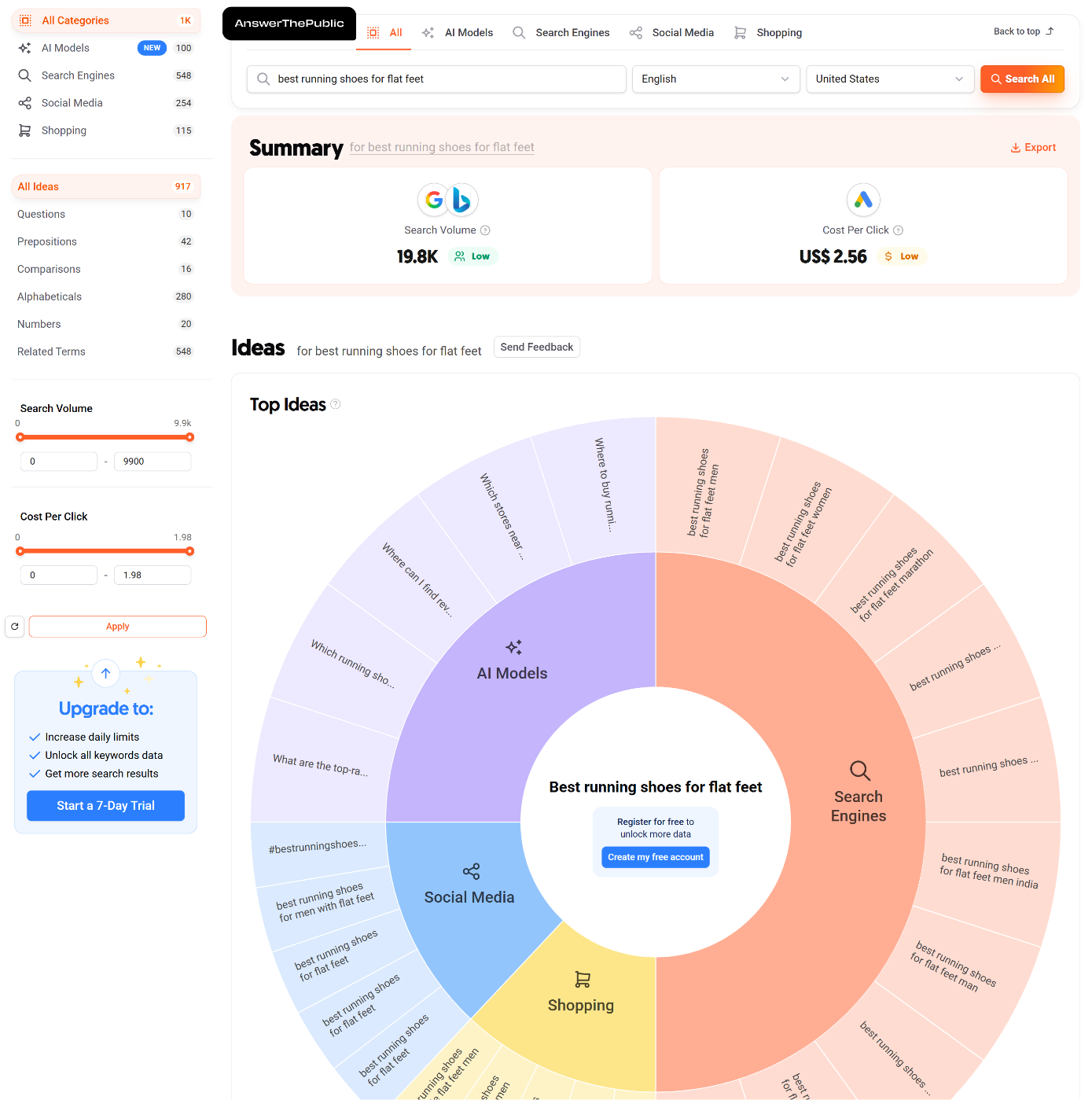
Creating content around these topics helps you address concerns and guide users toward a buying decision.
This tool is ideal for building FAQs, product descriptions, and blog posts that use customer language. It helps you target long tail searches, which are usually less competitive but highly motivated.
Answering these queries makes your content more relevant and increases organic traffic.
Pricing: 3 free searches per day. Plans start at $10/month.
2.16 ChatGPT
ChatGPT is an AI writing assistant that helps ecommerce stores create content faster. Instead of starting from scratch, you can use it to draft product descriptions, category copy, FAQs, blog posts, and marketing messages.
This is especially useful for stores with many products or that update content frequently.
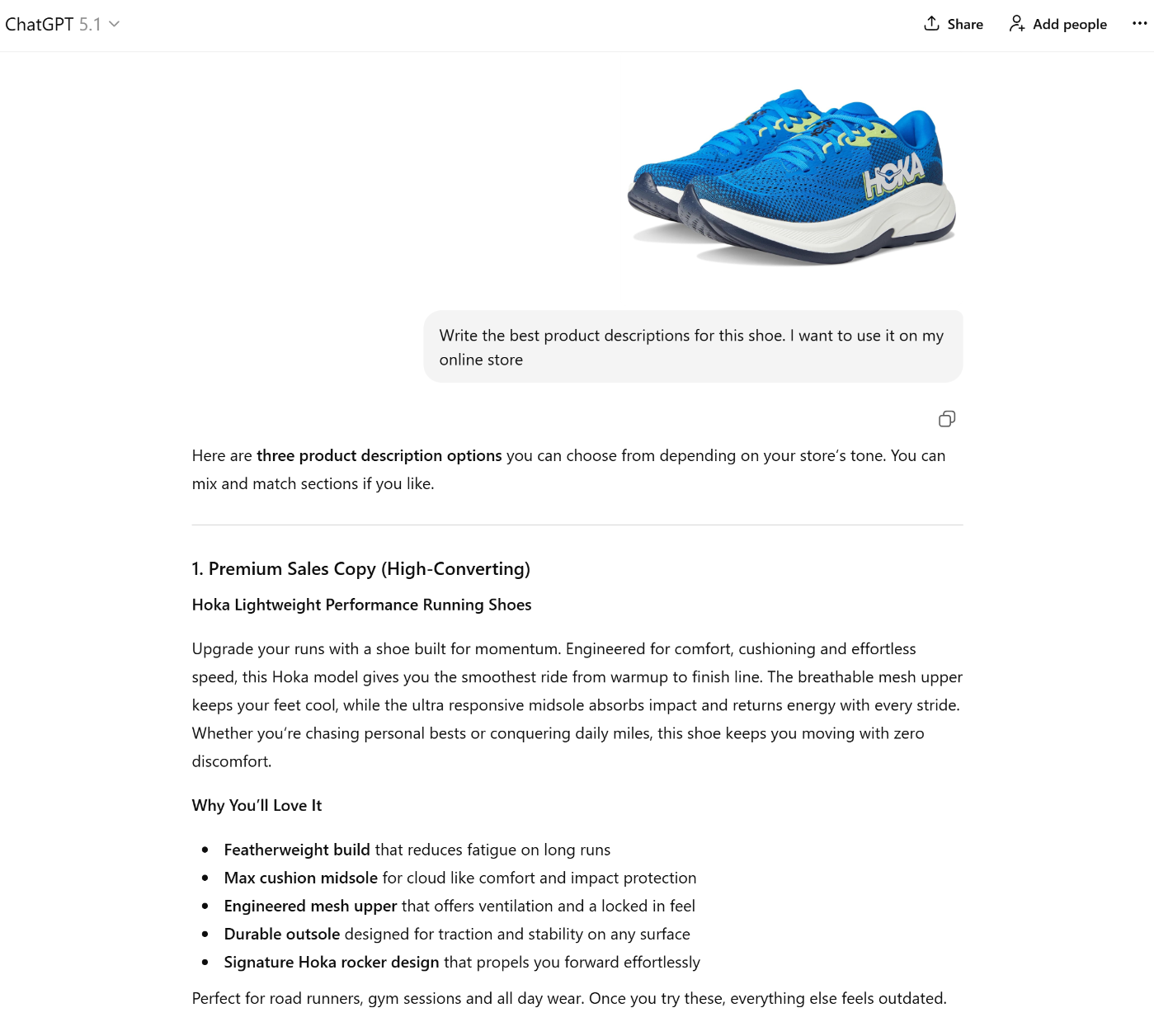
You can provide keywords or product details, and ChatGPT generates content aligned with user intent. It helps you produce SEO friendly copy that answers buyer questions and supports organic traffic, making it easier to publish content that converts.
ChatGPT is also great for brainstorming topic ideas, comparing content, and long-tail queries. These insights help you attract shoppers who are closer to making a purchase.
While ChatGPT speeds up writing, it is not a replacement for human review. You still need to refine tone, verify details, and include brand-specific information.
It lets ecommerce stores create optimized content quickly while maintaining relevance, clarity, and search visibility.
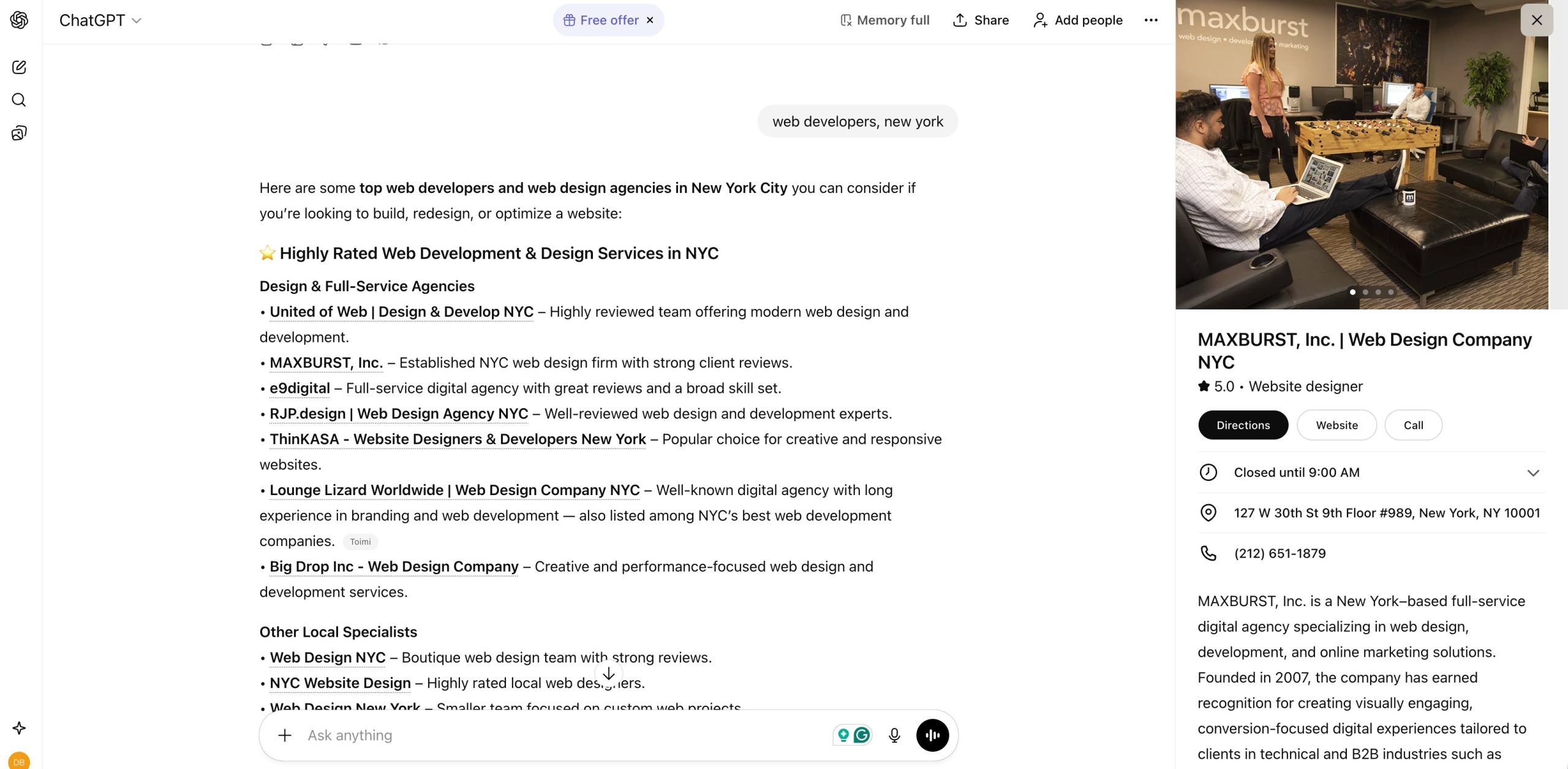
ChatGPT also shows Local Knowledge Panels for local searches, highlighting businesses with maps, photos, and essential details.
Pricing: Free version available. Plus starts at $20/month.
3 Conclusion
Ecommerce SEO success is not about collecting tools. It comes from using the right ones in the right order.
Each tool in your stack should solve a specific job: understanding demand, creating content, optimizing pages, fixing issues, improving speed, or measuring results.
Rank Math and Content AI sit at the center of this workflow. They connect your research, content, and technical insights into a practical system that makes every page ready to rank.
Start with a simple stack, focus on mastering the basics, and expand your toolkit as your store grows and revenue increases.
When you follow a structured workflow, these tools stop being expenses and become growth engines. That is how modern ecommerce brands achieve consistent visibility, organic traffic, and sales; one optimized page at a time.
If you like this guide, let us know by Tweeting @rankmathseo.