

AI writing tools have become essential for anyone creating content at scale. They help you move from idea to draft faster, maintain a consistent tone, and eliminate the stress of starting from scratch.
Instead of wrestling with every sentence, you focus on direction and let the tool do the heavy lifting.
They matter now because the content race isn’t slowing down. The brands publishing accurate, helpful content quickly are the ones winning traffic and attention.
AI gives you that advantage by speeding up brainstorming, structuring your ideas, and polishing your message so it’s easier to read and more useful to your audience.
In this guide, I’ll show you the best AI writing tools for 2026, what each one excels at, and which type of user they’re built for. By the end, you’ll know exactly which tool fits your workflow and why.
Table Of Contents
1 What to Look For in an AI Writing Tool
Choosing an AI writing tool isn’t about grabbing the one with the most features. It’s about finding the one that actually improves how you work. Here’s what you should pay attention to before committing to any platform.
1.1 Ease of Use
If a tool makes you wrestle with the interface before you can write, it’s not helping. You should be able to open it, provide context, and get useful output without watching a half-hour tutorial.
1.2 Quality of Output
Some tools are good at short copy, others shine with long-form content. Look at how natural the writing feels, how well it handles tone, and whether it stays on topic when you give clear instructions.
1.3 Content Types Supported
Your needs might go beyond blog posts. Maybe you write emails, product descriptions, ads, landing pages, or social posts. Pick a tool that fits your real workflow, not one that only looks impressive on paper.
1.4 SEO Awareness
If your content has to rank, choose a tool that understands keywords, meta descriptions, internal linking ideas, and search intent. Otherwise, you’ll end up rewriting everything later.
1.5 Tone and Voice Control
You want a tool that adapts to your style, not one that forces everything to sound the same. The best AI writers let you set tone, audience, and brand voice so your content still feels like you wrote it.
1.6 Integrations
If the tool works where you already write, you’ll actually use it. Check whether it connects to WordPress, Google Docs, your browser, or your CRM. A great AI tool inside the wrong workflow becomes dead weight.
1.7 Pricing and Limits
Some tools look cheap until you hit usage caps. Others cost more but replace multiple apps. Think in terms of value, not price, and choose something that scales with your content needs.
If you evaluate tools using these criteria, you’ll avoid hype and pick an AI assistant that fits the way you work, helps you produce better content, and doesn’t get in your way.
2 Best AI Writing Tools for 2026: A Quick Comparison
Here’s a quick look at how these AI writing tools stack up so you can choose based on what you actually need:
| Tool | Best For | Pricing | Standout Features |
| Content AI | WordPress, SEO-focused blog creation and marketing | Offers between one and five monthly limit for most AI-powered features at no cost. | Blog Post Wizard, 40+ AI tools, on-page SEO tools, RankBot |
| ChatGPT | Brainstorming, reasoning, and structured drafts | Free / $20/month | Adaptable tone, strong ideation, multi-format output, Canvas mode |
| Claude | Long-form writing that feels human | Free / $20/month | Natural tone, context retention, Projects for organization |
| Gemini | Research-backed content and multimodal tasks | Free / $19.99/month | Works in the Google ecosystem, handles text+media |
| DeepSeek | Low-cost writing, coding, and long-context tasks | Free | Open model flexibility, long context window, deep thinking |
| Jasper | Marketing copy and brand-consistent messaging | Starts at $69/month | Templates, brand voice, multi-channel workflows |
| Writesonic | Fast drafts across blogs, ads, and ecommerce | Free / $49/month | Many templates, quick output, keyword research tools |
| Copy AI | Quick marketing copy and idea variations | Free / $29/month | Multiple versions, tone options, easy templates |
| Rytr | Affordable short-form content for beginners | Free / $9/month | Lightweight, simple content generation |
| Grammarly AI | Editing, tone improvement, and clarity checks | Free / $30/month | Grammar, tone rewrite, readability upgrades |
3 Top 10 AI Writing Tools to Write Faster and Smarter in 2026
Let’s break down each tool, what makes it different, and who gets the most value from it.
3.1 Content AI (Best for WordPress & SEO Optimization)
Content AI feels different from the typical AI writing tools on this list because it’s not an external app. It lives inside Rank Math, right in your WordPress dashboard, so you don’t have to jump between tabs to write, research, and optimize content.
You get everything in one place: content generation, SEO meta, alt text, internal link suggestions, and more.
When you enable the Content AI module on your site and navigate to its section, you’ll find over 40 AI tools for different purposes.
This includes blog post creation, product descriptions, meta tags, FAQs, email and social media content, and even persuasive frameworks such as AIDA and PAS.
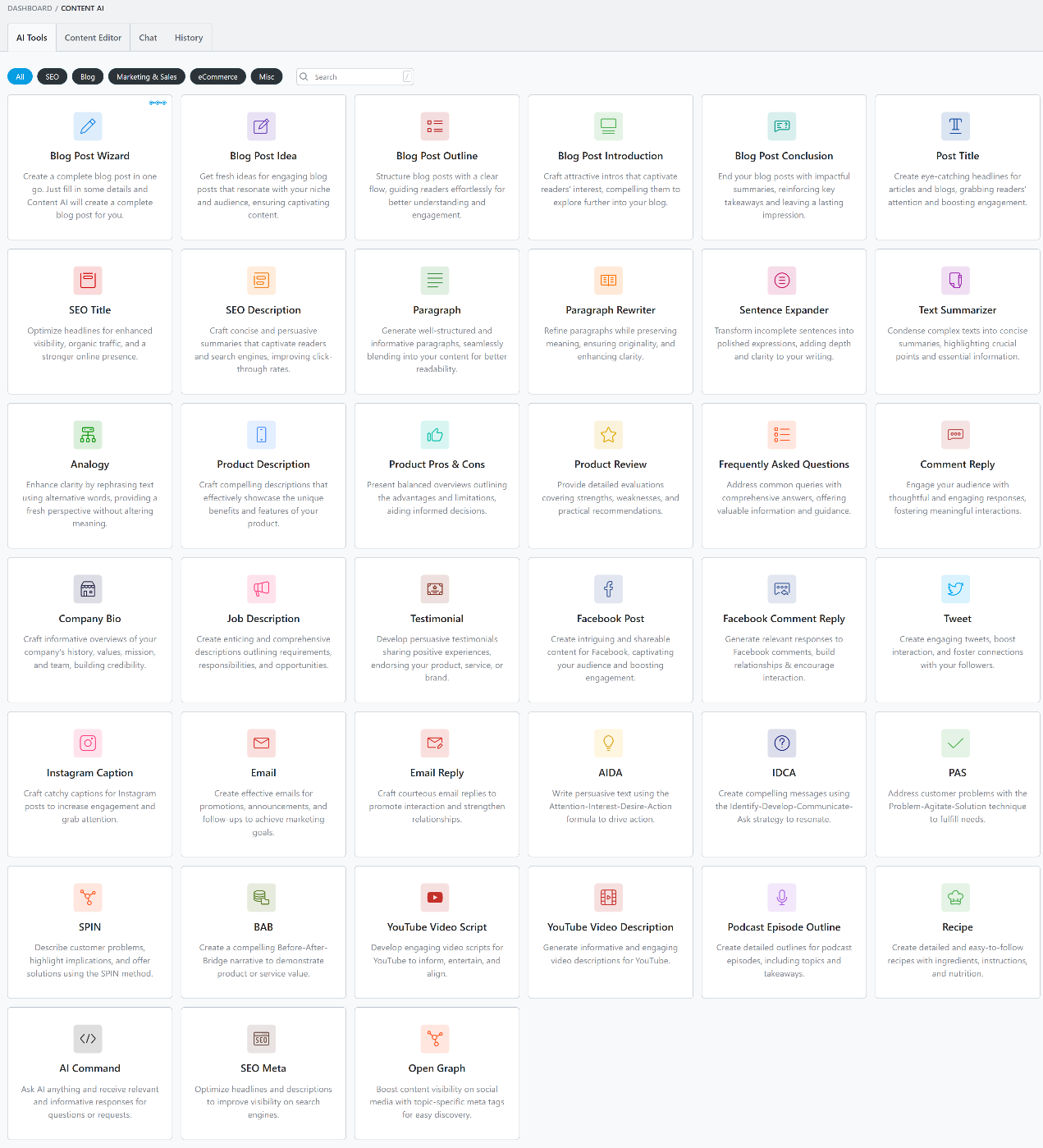
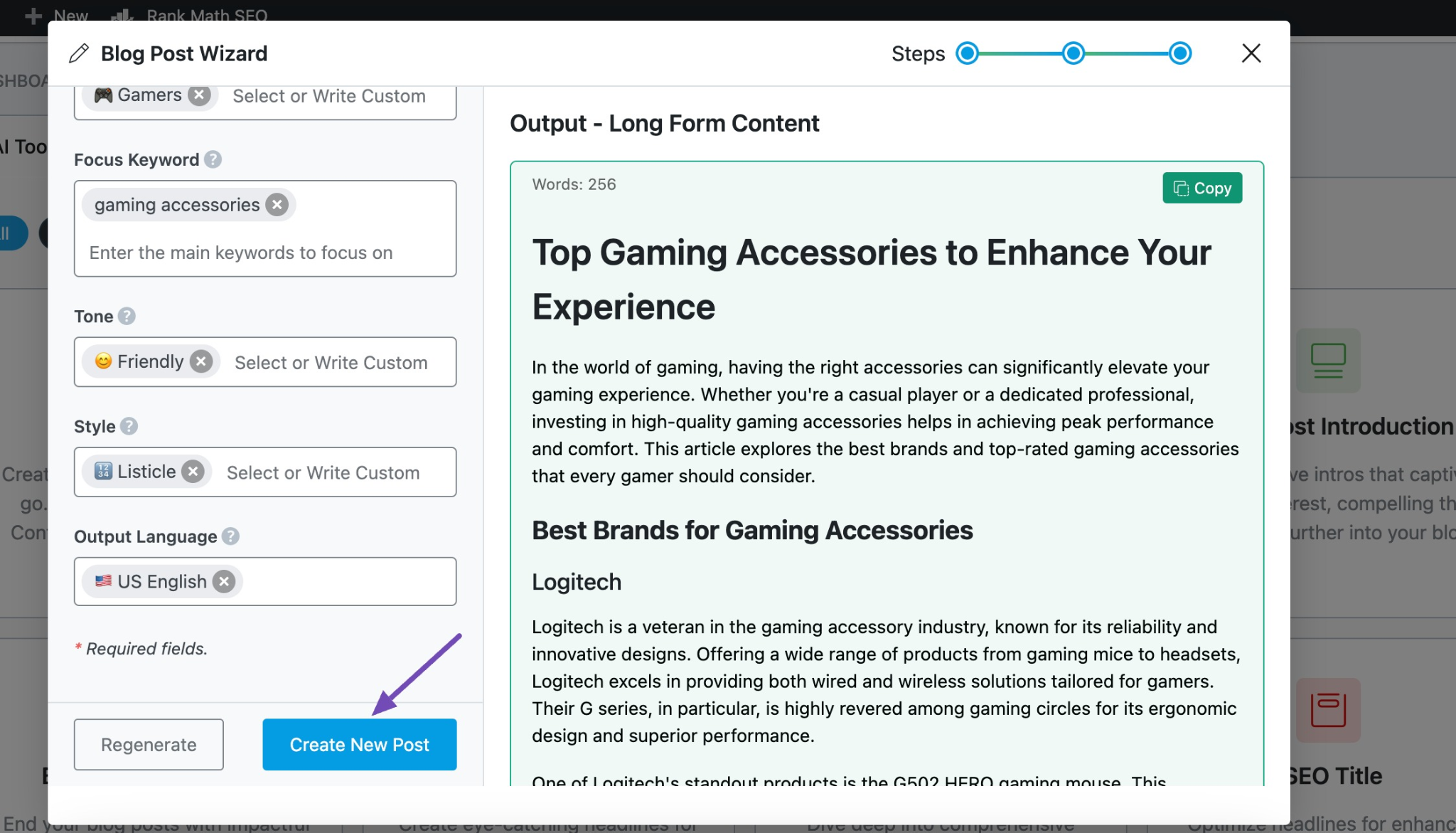
My favourite is the Blog Post Wizard tool. Just give it a topic, audience, tone, and a few details, and it builds a full article structure with headings, intro, and content you can refine.
If you’ve ever spent hours figuring out how to start a post or what subheadings to use, this alone feels unfair in the best way. You move from idea to draft without fighting a blank page.
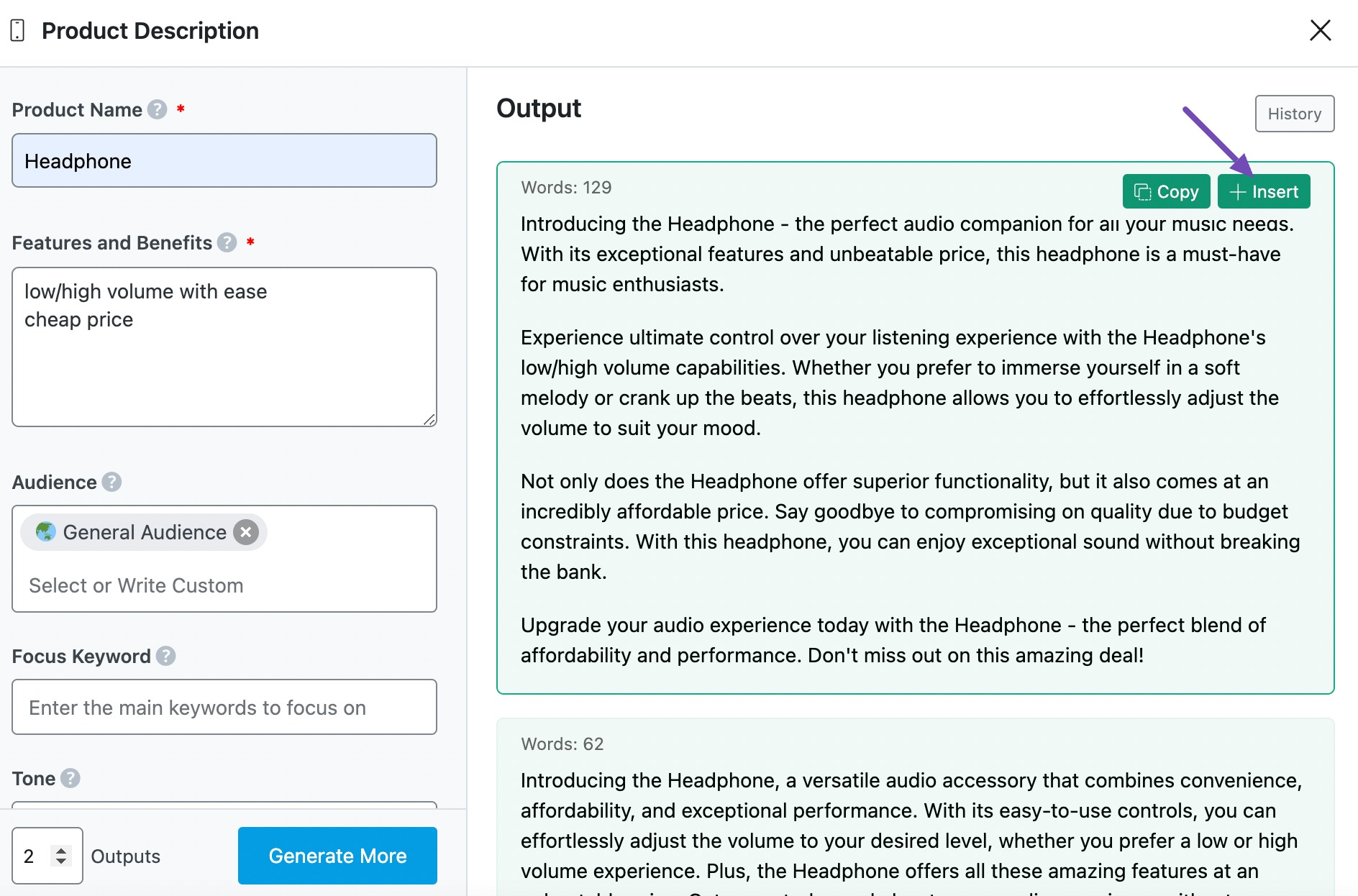
If you manage an ecommerce site, the Product Description tool is a time saver. Feed it basic product info, and it outputs readable, persuasive copy that fits directly on your product page.
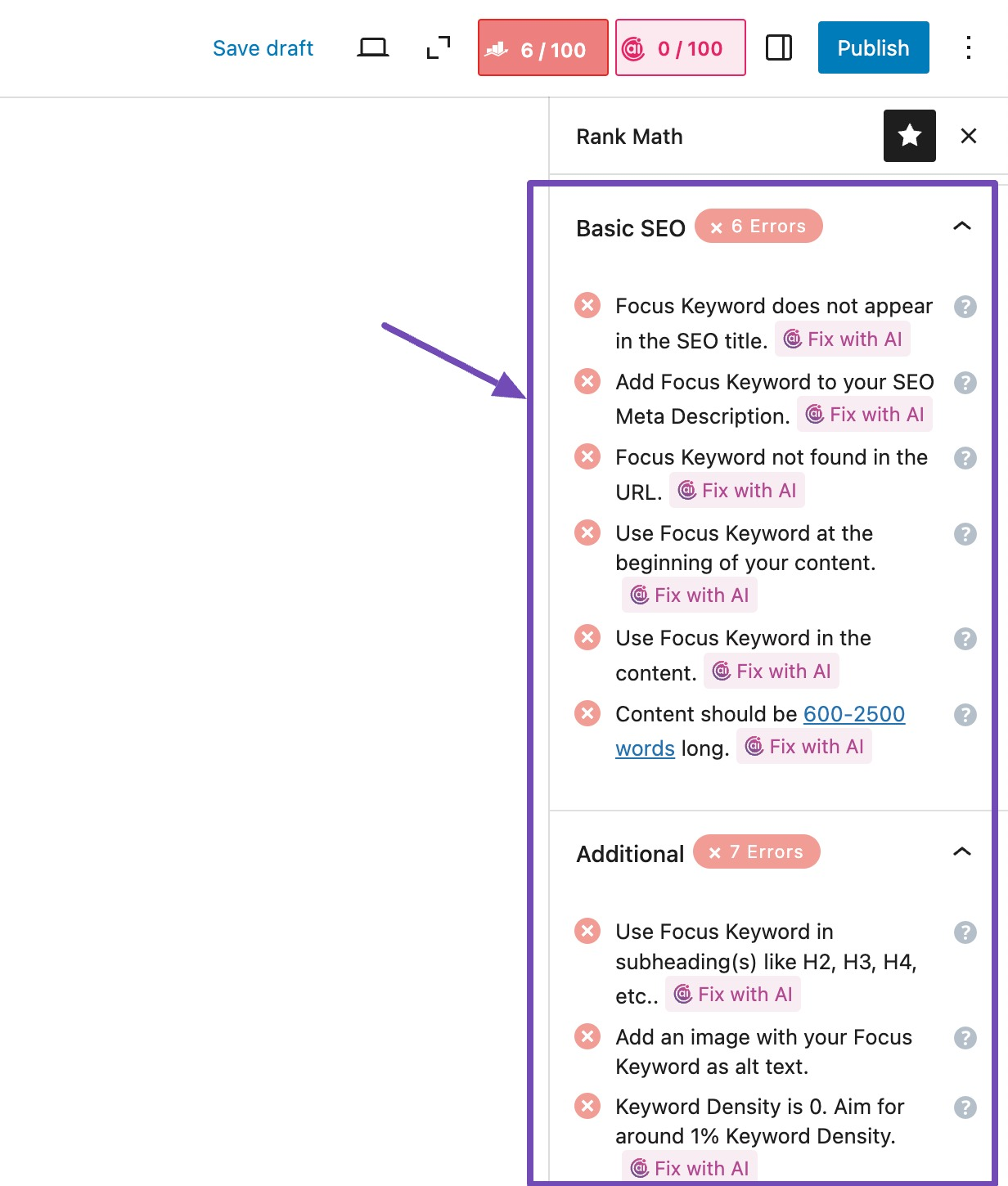
When I’m optimizing my page for SEO with Rank Math, I use Content AI to fix SEO suggestions like meta descriptions, titles, keyword density, and keyword optimization.
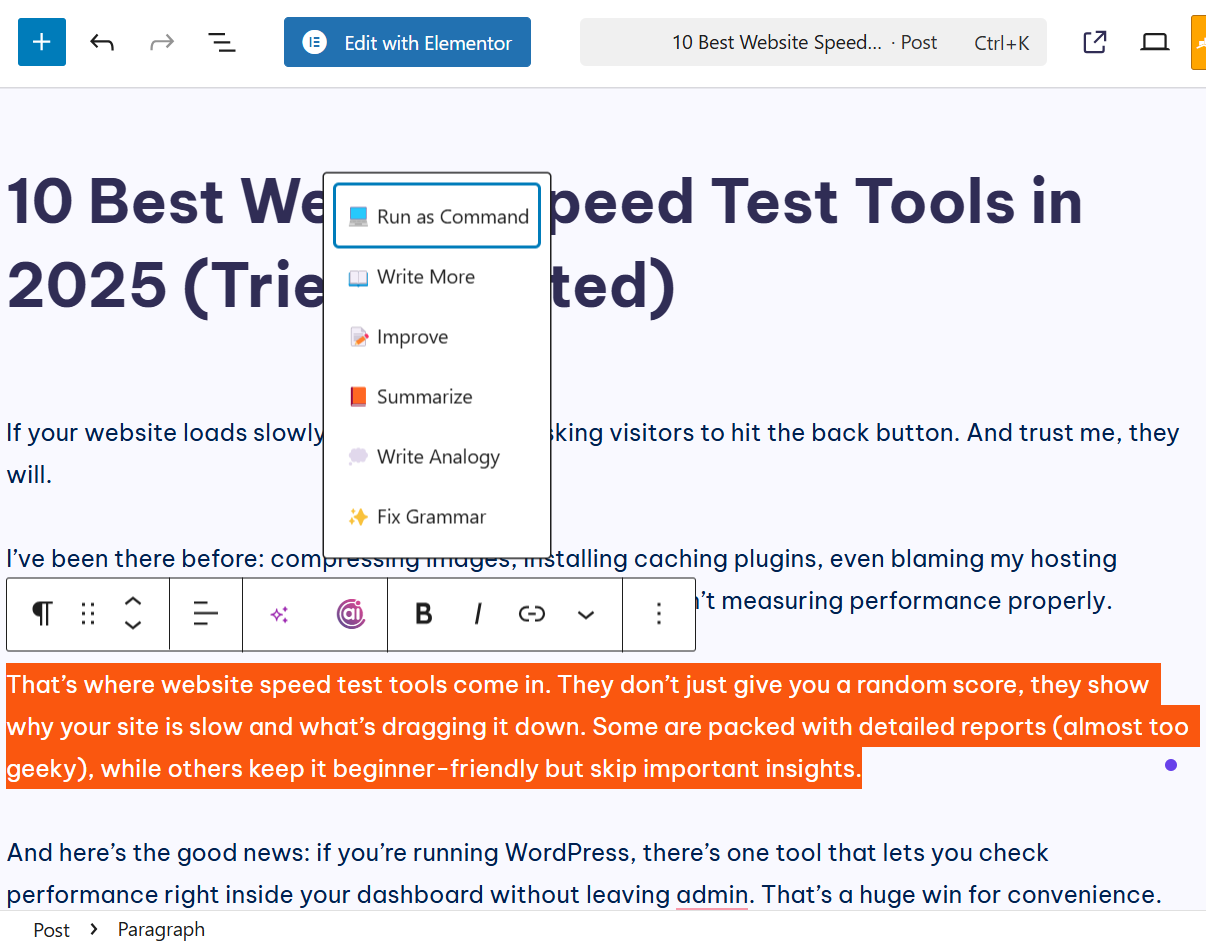
You can also use its AI commands directly in the editor while writing to expand, improve, summarize, and even fix grammar errors.
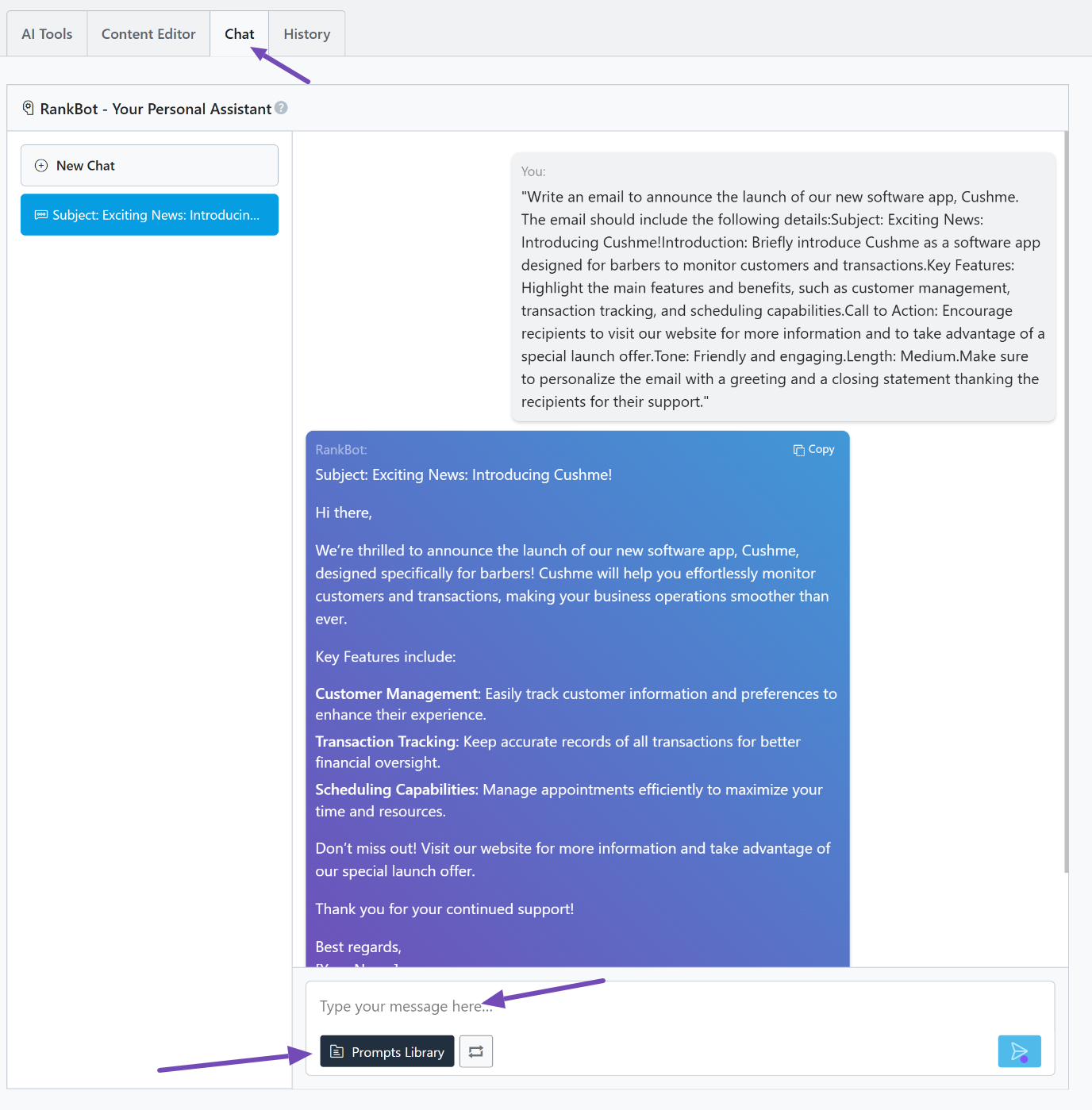
There’s also RankBot, which acts like your personal AI assistant. You can chat with it, ask questions, rewrite content, brainstorm ideas, and more. It also comes with over 125 templates in the library, which you can use for different purposes.
Pros
- Integrated directly into WordPress and Rank Math
- 40+ tools for writing, SEO, email, and social content
- RankBot allows chat-style brainstorming in the editor
- Over 125 pre-made writing templates available
Cons
- A feature use limit system means heavy users must monitor usage
- Features are tied to WordPress
- Works best with clear, specific instructions
Best For
Site owners, bloggers, ecommerce stores, and agencies using WordPress who want one tool to write and optimize content without leaving their dashboard.
Pricing
Rank Math offers flexible Content AI plans designed for different levels of content creation. Refer to our dedicated tutorial to have a closer look at the various Content AI plans.
3.2 ChatGPT (Best for Ideas, Reasoning, and Drafts)
ChatGPT is the kind of tool you use when you want to move from zero to something tangible in minutes. You give it context, and it gives you structure, ideas, and writing that feels usable, not robotic.
It handles blog posts, emails, landing pages, product copy, and even brainstorming sessions with ease.
I use it a lot when planning articles or testing angles because it helps me avoid the slow part of writing: figuring out where to start.
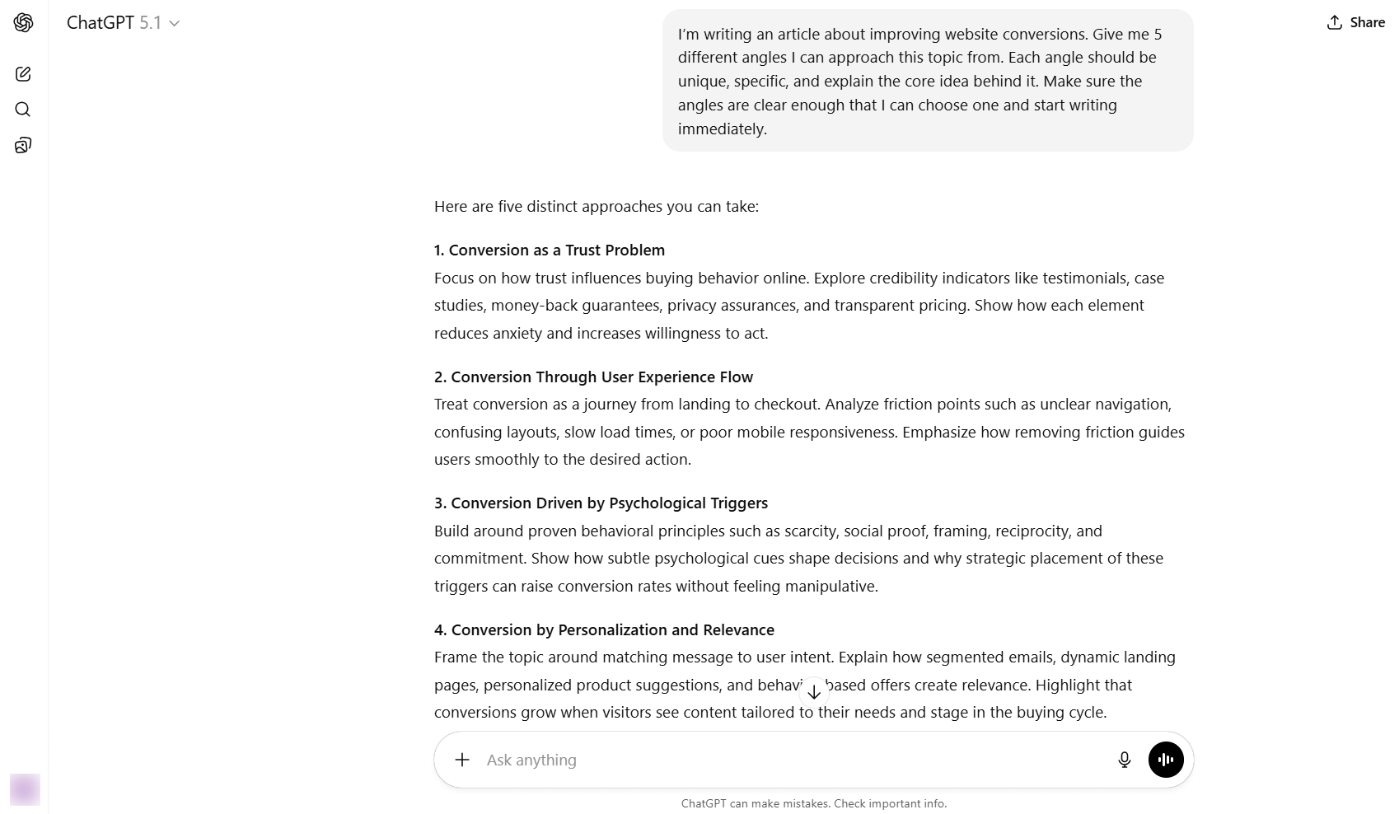
You’ll still need to guide it and edit the final output, but it takes the heavy lifting off your hands so you can focus on the parts that actually require your judgment.
ChatGPT stands out because it understands instructions in a way most tools don’t. You can give it a tone, an audience type, and a strategic direction, and it adjusts its writing style accordingly.
It can turn raw ideas into outlines, expand bullet points into paragraphs, summarize long texts into digestible information, and rewrite existing content to make it smoother and more readable.
It also includes features such as Canvas (a dedicated workspace for writing and coding projects), deep research, web search, and voice mode, which help ensure content accuracy and speed.
Pros
- Easy to use and adapts to different tones
- Helps overcome writer’s block quickly
- Produces natural, readable content
- Works on almost any content format
- Projects feature helps organize content workflows
Cons
- Can produce incorrect facts if not verified
- Output gets generic if you give vague prompts
- Free plan has usage limitations
Best For
Bloggers, content creators, marketers, and business owners who need consistent output without spending hours drafting from scratch.
Pricing
Free plan available. Paid starts at $20/month.
3.3 Claude (Best for Human-Like Long-Form Writing)
Claude is the tool you open when clarity matters. While some AI tools throw ideas around loosely, Claude behaves like a writer who’s already mapped out your thoughts before typing a word.
It pays attention to tone, understands instructions clearly, and produces content that feels tidy rather than scattered.
I noticed this the first time I asked it to rewrite a long section of text. Instead of simply rephrasing, it reorganized the entire piece to improve the message flow. If you create content that needs to sound informed, confident, and not rushed, Claude shines.
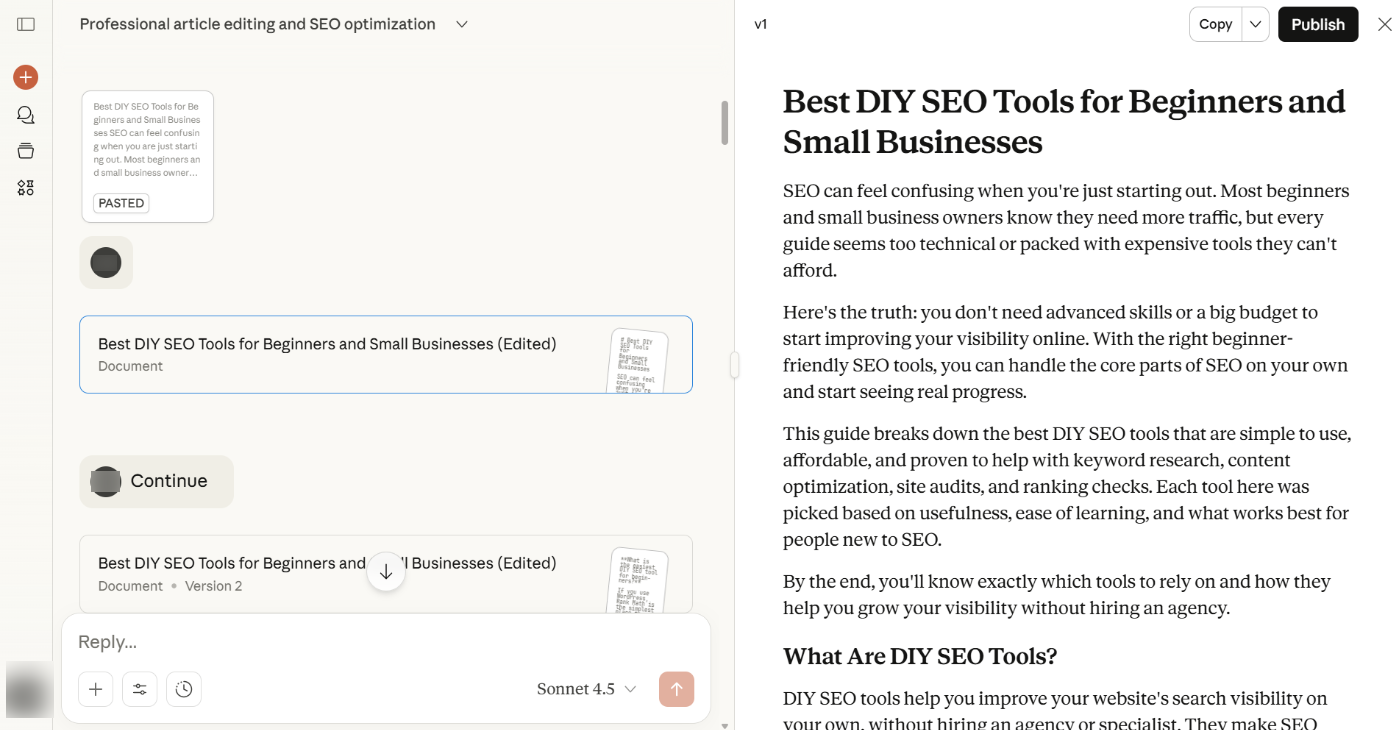
The interesting part is how it handles direction. Give it a target audience, a voice, and the angle you want, and it sticks to it.
Ask it to simplify a technical topic for beginners or expand an idea for professionals, and it adjusts naturally. It’s helpful for writers and teams that care about structure because it rarely drifts off topic.
Claude also works well for creative exploration, brainstorming, summaries, and professional communication.
It can think deeply, access the web, speak via voice mode, and let you choose or create a custom writing style. It also has Projects, which lets you organize multiple documents and conversations in one workspace.
Pros
- Stays coherent on long-form writing
- Handles instructions and tone changes effectively
- Produces human-like writing with strong structure
- Projects feature helps organize content workflows
Cons
- Sometimes overthinks simple tasks
- Free version has message limits
Best For
Writers, agencies, and businesses that prioritize clarity, structure, and consistency across their content.
Pricing
Free tier available. Pro plans start from $20.
3.4 Gemini (Best for Research-Backed Content)
Gemini feels less like a regular AI writer and more like a creative engine sitting inside your browser. Built by Google, it works with text, code, and images, which means you can use it to brainstorm ideas, draft blog sections, summarize research, create email copy, or even debug code without switching between tools.
I tested it inside Chrome and Google Docs, and the flow is surprisingly natural. Instead of copying prompts back and forth, you can summon Gemini, give it instructions, and watch it adapt the output to your tone or audience.
It’s particularly good when you need a content assistant that understands context, retrieves information, and generates structured writing that doesn’t feel rushed.
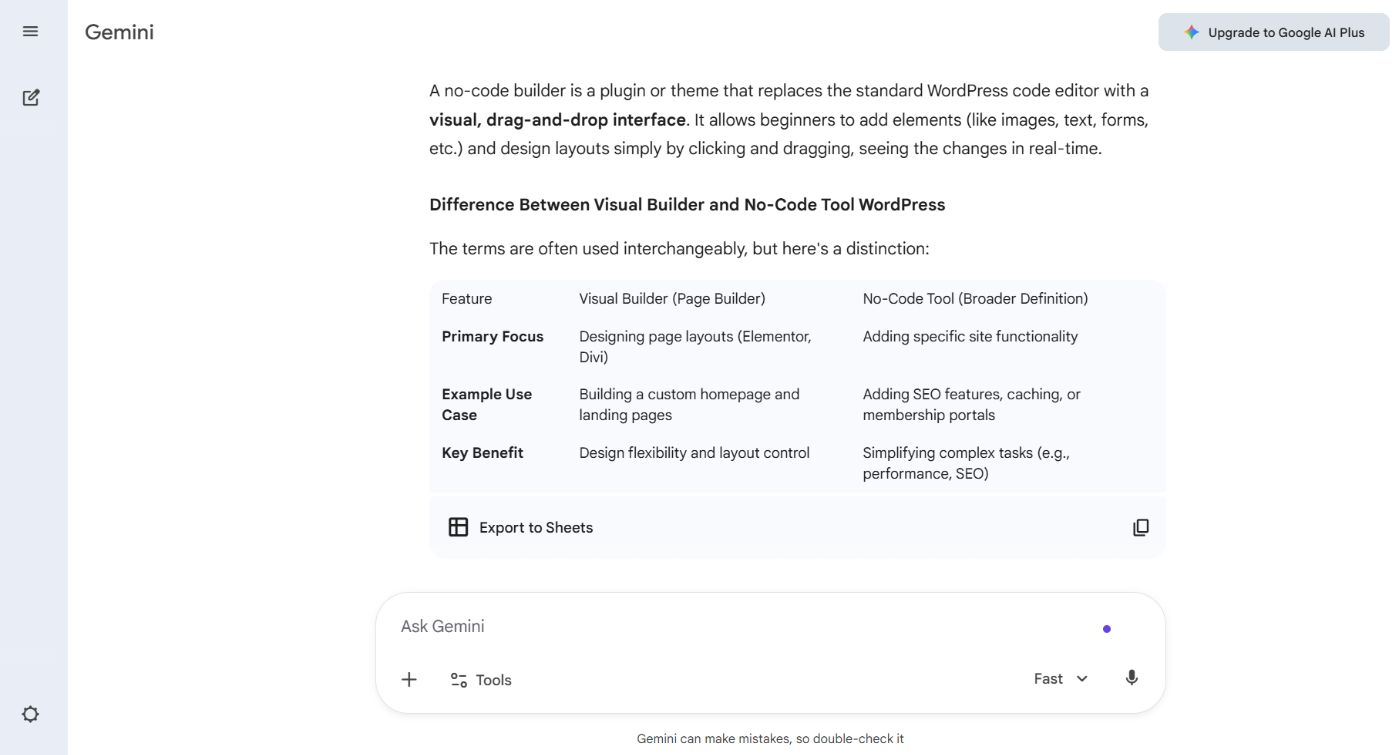
The standout feature is its multimodal capability. Unlike most AI writers that only respond to text, Gemini can process visual references, code, and multiple content formats.
That gives you more ways to ideate and refine your content, especially if your projects go beyond plain writing.
I love using its deep research feature. It takes its time, researches the whole internet, and gets you the information you’re looking for without having to do it manually by visiting these sites or sources separately.
The integration with Google Workspace also means Gemini can summarize emails, help with event descriptions, or draft meeting notes.
Pros
- Works across multiple formats, including text, code, and images
- Deep integration with Google products like Gmail and Docs
- Helpful for brainstorming, research, and structured writing
- Strong performance on complex prompts
Cons
- Some features require higher-tier access
- Content still needs human refinement before usage
- Still requires fact-checking for accuracy
Best For
Writers, marketers, and developers who already use Google products and want an AI that handles multiple types of content.
Pricing
Free tier available. Plus plan starts at $19.99/month.
3.5 Deepseek (Best for Low-Cost Long-Context Writing)
DeepSeek is one of the more interesting AI writing tools to show up because it’s built on open-source models.
That means you’re not stuck with a single subscription or platform. You can use it through its official interface, integrate it into workflows, or even self-host if your team needs control.
When I tested it on long outlines and technical content, what stood out was how well it handled large chunks of input. You can paste extensive research notes or an entire brief, and it maintains context without losing structure.
Most AI tools start drifting once you go beyond a few paragraphs, but DeepSeek keeps ideas aligned with your original direction.
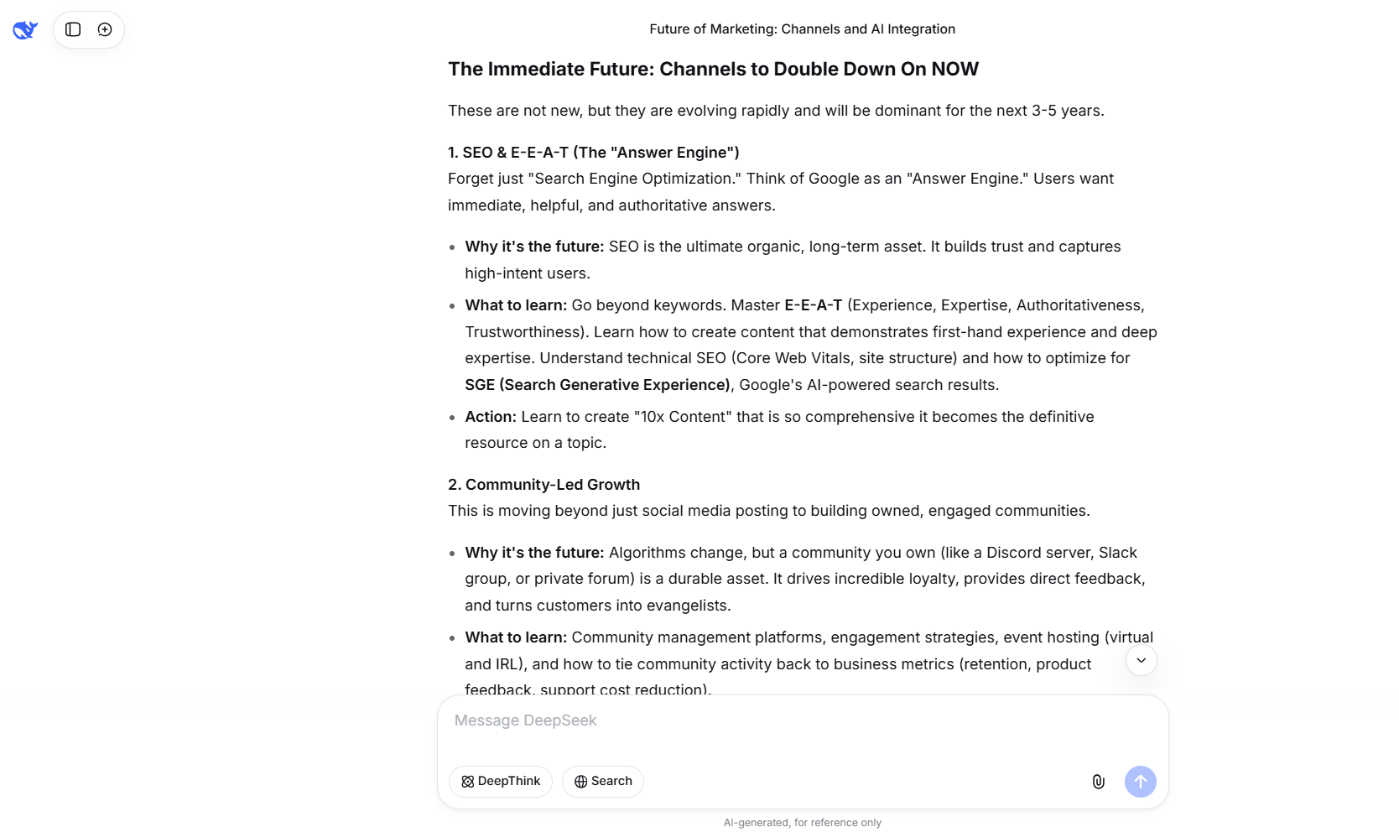
It also supports writing, summarizing, code generation, and structured tasks like rewriting existing content or answering data-driven questions.
This makes it feel more like a multipurpose assistant than a pure writing bot. You can switch from drafting a blog post to troubleshooting a piece of code without jumping to another tool.
Its deep thinking feature is top-notch, and its web search feature ensures your information is accurate.
Pros
- Free to use with open-source model options
- Handles long-form content and context-heavy tasks well
- Works for writing, coding, summaries, and structured content
- More affordable than most premium AI tools
Cons
- Interface feels less polished than premium tools
- Requires human review for factual content
Best For
Writers, developers, and teams that want a versatile AI without vendor lock in and need a tool that handles large documents or mixed content tasks.
Pricing
Free
3.6 Jasper (Best for Brand-Based Marketing Content)
Jasper feels like a content production studio built into one tool. While many AI writers focus on generic text output, Jasper is built around marketing workflows, templates, and brand voice.
You pick the type of content you want, add a bit of context, and Jasper generates drafts that already lean toward persuasion, clarity, and conversion.
If you use it for social posts and email copy, you’ll notice it maintains a consistent tone and audience focus without constant prompts. It doesn’t try to be everything. Instead, it focuses on marketing content and does it well.
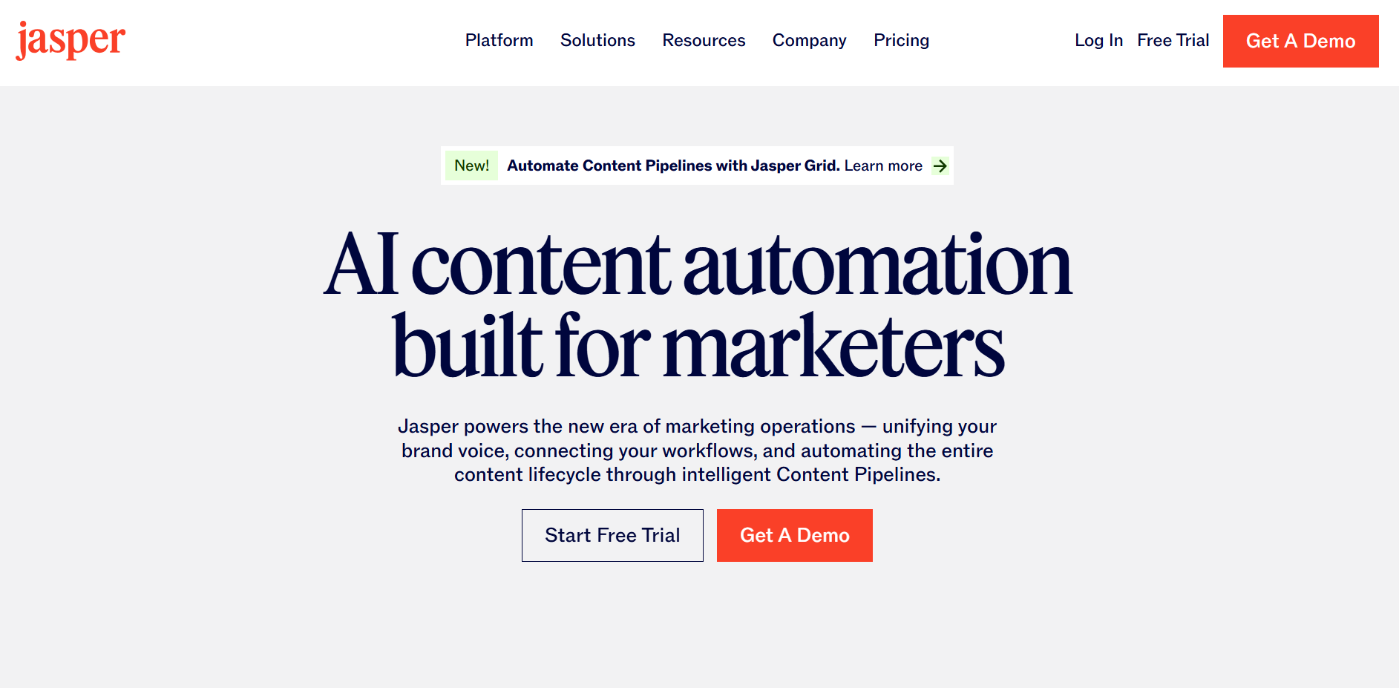
One of Jasper’s biggest strengths is speed. If you manage a blog, a product catalog, or multiple social platforms, it can generate titles, intros, hooks, product descriptions, and ad variations in minutes.
The templates do most of the heavy lifting. Instead of staring at a blank page, you begin with a structure that feels like a real marketing asset.
It also remembers brand rules and voice characteristics, which is a lifesaver if you create a lot of content for the same brand and want a consistent tone across posts, emails, and landing pages.
Pros
- Strong marketing and copywriting templates
- Helps maintain a consistent brand voice
- Works well for ads, social content, and product pages
- Reduces production time for multi-channel teams
Cons
- Pricing can feel high for solo users
- Outputs still need human quality control
- No free version available
Best For
Agencies, marketers, and ecommerce teams that publish content frequently and need brand consistency across different formats.
Pricing
Paid plans start at $69/month.
3.7 Writesonic (Best for Fast Ecommerce and Ad Copy)
Writesonic is built for speed and flexibility. If you handle different content types in your workflow, this tool lets you jump from a blog intro to a product description to a social caption without changing platforms. What stands out is how it gives you ready-to-use drafts rather than vague suggestions.
It also supports multiple underlying AI models so that you can switch styles based on the task, unlike most tools.
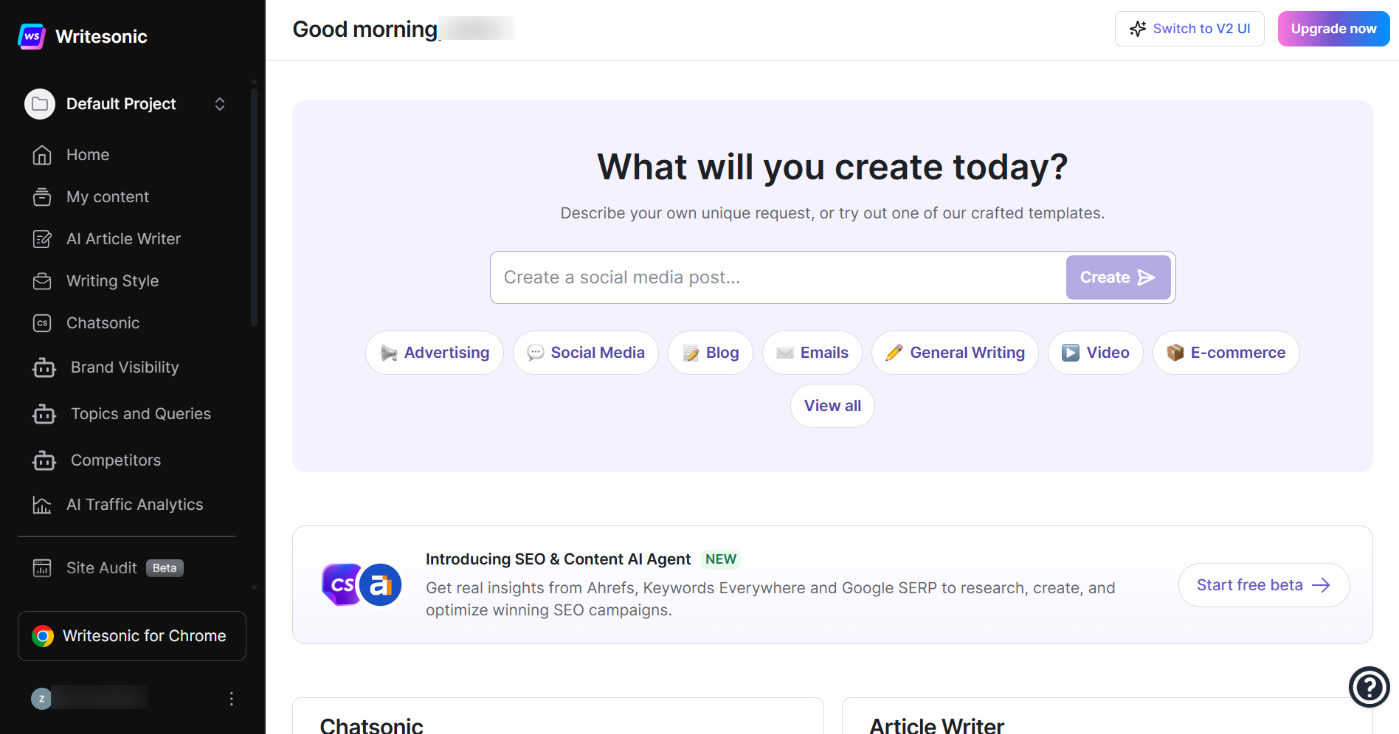
Combine that with basic SEO support and a library of templates, and Writesonic becomes useful if you’re producing many assets for ecommerce or marketing, not just long blog posts.
The best way to think about Writesonic is as a shortcut for repetitive copy. You tell it what you’re selling, who it’s for, and the tone you want. It gives you structured content that fits the format, whether it’s a product page, ad copy, or a blog opener.
It’s not designed to deliver deep, research-heavy articles, but if your goal is to remove grunt work and get publishable drafts quickly, it does that well.
Pros
- Large template library suited for blogs, ads, and ecommerce
- Fast, usable output without heavy prompt engineering
- Helpful rewriting and tone adjustment tools
- Good for multi-channel content creation
Cons
- Better for short-to-mid form than deep technical content
- Lower plans limit how much you can produce
- Requires fact-checking for accuracy
Best For
Bloggers, marketers, and ecommerce businesses that publish regularly want a tool that generates usable drafts without slowing them down.
Pricing
Free plan available with limited features. Paid plans start at $49/month
3.8 Copy AI (Best for Quick Variations and Angles)
Copy.ai is one of those tools you open when you don’t want to overthink your messaging.
It focuses on short and mid-form marketing content, which means you can produce social captions, emails, product descriptions, landing page copy, or ad variations without wrestling with prompts.
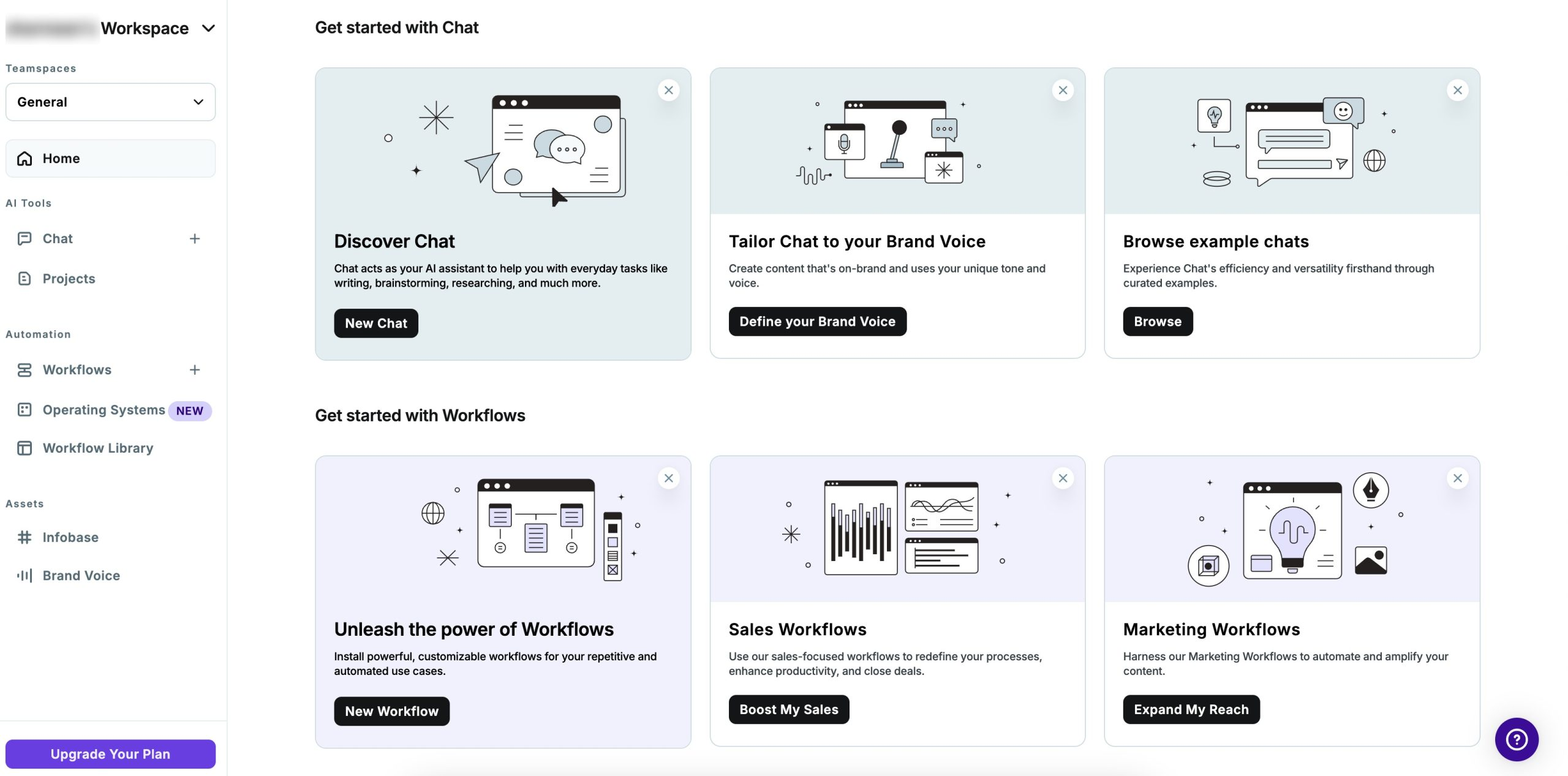
The interface is simple: choose what you want to create, describe your angle, pick a tone, and Copy.ai turns those inputs into something usable.
When building product pages and social campaigns, the real advantage is how it helps you explore different versions of the same idea quickly. You can compare tone, hook, and message direction without starting from scratch.
It also helps with consistency. If you run multiple campaigns or manage content for a brand, Copy.ai can mirror your preferred tone once you guide it. That makes it particularly effective for ecommerce stores, personal brands, and freelance marketers who don’t have time to draft every line manually.
Pros
- Excellent for ads, emails, product pages, and social content
- Easy to use, even for beginners
- Multiple variations help refine messaging quickly
- Good tone control once you set the direction
Cons
- Long-form content needs more editing
- Can feel generic without clear instructions
- Requires fact-checking for accuracy
Best For
Freelancers, ecommerce sellers, brand owners, and social media marketers who need regular, polished copy without spending hours drafting.
Pricing
Free plan available. Paid plans start at $29/month.
3.9 Rytr (Best for Beginners on a Budget)
Rytr is the kind of tool you use when you want quick content without needing a full marketing suite. It focuses on simplicity: pick a use case, describe your idea, choose a tone, and Rytr generates a draft you can refine.
I’ve used it for product descriptions and short blog intros, and the biggest advantage is how it removes the blank-page struggle.
It’s not trying to be a complex research assistant or a high-level reasoning model. Rytr works best when you need straightforward, lightweight content that gets the job done without breaking the bank.
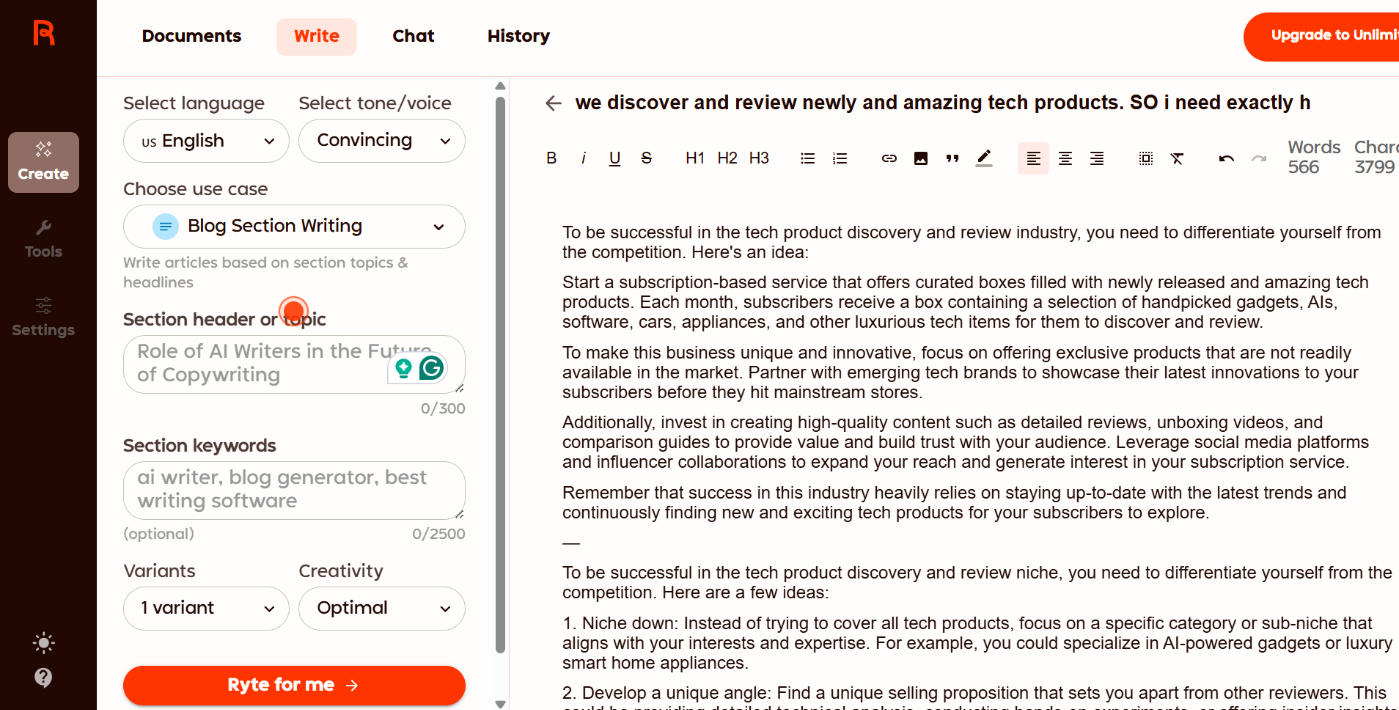
Because it’s budget-friendly, Rytr is popular among freelancers, small businesses, and new creators who don’t want to commit to expensive plans.
The output is usually clean enough to work with, especially for short content, social captions, and online copy. For more detailed writing or technical topics, you’ll need to edit it more heavily.
Pros
- Very affordable compared to most AI writing tools
- Simple and beginner-friendly interface
- Suitable for short and mid-form content
- Quick idea generation for blogs, ads, and social posts
Cons
- Not ideal for complex or technical content
- Long-form output can feel shallow without edits
Best For
Freelancers, small business owners, and content beginners who need frequent but simple pieces of copy without paying premium prices.
Pricing
Free plan available with limits. Paid plans start from $9/month.
3.10 Grammarly AI (Best for Editing and Grammar Fixes)
Grammarly AI started as a grammar checker, but it’s grown into a writing assistant that helps you draft, refine, and improve your content in one place.
When I tried it for emails and short content pieces, what impressed me wasn’t the generation itself, but how it guides you into a cleaner, more polished version of what you already wrote.
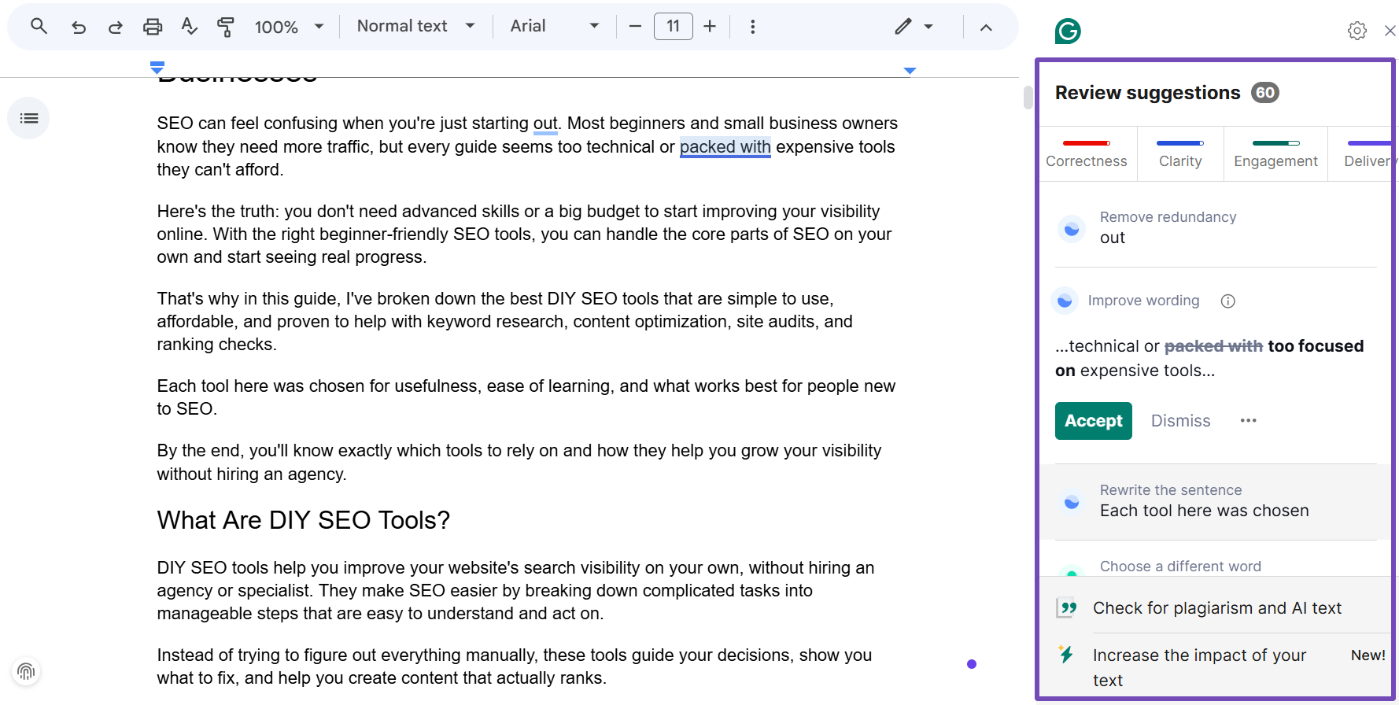
It can produce drafts if you’re stuck, but its real strength shows up when you run your own writing through it. Grammarly highlights unclear sentences, suggests tone adjustments, and points out opportunities to tighten your message.
That alone makes it feel more like a writing tutor than just a proofreading tool.
If your writing needs to sound confident, friendly, or formal, Grammarly handles that well. It can rephrase sentences to match tone, shorten bloated paragraphs, fix awkward phrasing, and make your message easier to understand.
It’s especially useful for business communication or blog edits, where tone and clarity matter as much as grammar.
Pros
- Excellent grammar, clarity, tone, and readability improvements
- Generates drafts for emails, posts, and short content
- Works directly inside browsers, email apps, and docs
- Great tool for non native English writers or busy professionals
Cons
- Not ideal for generating in-depth, long-form articles
- Can oversimplify complex ideas if you accept every suggestion
Best For
Professionals, bloggers, and anyone who writes frequently and wants to improve tone, clarity, and correctness without hiring an editor.
Pricing
Free plan covers grammar and basic checks. Paid plans start at $30/month.
4 Tips for Getting the Most Out of AI Writing Tools
You’ll get far better results from AI when you treat it like a partner, not a magic button. Here’s how to make the most of any tool you choose.
- Provide clear prompts. AI follows direction. The more specific you are with tone, audience, goal, and context, the closer the output will be to what you want. A vague prompt leads to vague results.
- Always edit and humanize the output. AI gives you a starting point, not a finished draft. Add your examples, insights, and personality. That’s what turns generic text into something readers trust.
- Integrate it into your workflow. Use AI where you already write. If your tool connects to WordPress, Google Docs, or your CMS, you’ll actually use it. Jumping between tabs slows you down and breaks your creative flow.
- Consider localized tone and context. If your audience is regional or niche, tell the tool. Voice, phrasing, and examples should match your readers’ world, not generic internet speak.
- Track cost and usage. Many AI platforms charge by credits, tokens, or words. Keep an eye on limits so you don’t get a surprise bill. Use AI intentionally, not for every tiny paragraph.
5 Frequently Asked Questions
What’s the best AI writing tool you have used so far?
It depends on what you need. Content AI is my top choice for WordPress users and anyone creating blog posts. ChatGPT is best for ideation, reasoning, and getting solid drafts. Claude produces long-form content that reads the most human. Gemini is great for accurate research and multi-format tasks. Grammarly AI is the finisher that ensures everything is clean, readable, and grammatically correct.
Which AI writing tool produces the most human-like writing?
Claude is typically the closest to a natural human tone. DeepSeek and ChatGPT also do well when you give strong prompts. Content AI feels human when writing for WordPress or SEO-driven content, but shines more in workflow than pure tone.
What’s the best AI writing tool for long-form posts or articles?
Claude handles long context and narrative flow exceptionally well. If you’re using WordPress, Content AI’s Blog Post Wizard gives you a complete article structure faster than any other tool.
Which tools are best for SEO-optimized content creation?
Content AI leads here because it works inside WordPress and integrates SEO suggestions. ChatGPT and Gemini are strong options for keyword-driven drafts and research-backed sections.
How can I avoid AI content sounding robotic or generic?
Give clear prompts with tone and intention, add your own examples or opinions, and always edit the final draft. AI creates structure, but your voice creates connection.
What key features should I consider when choosing an AI writing tool?
Look for tone control, ease of use, supported content types, SEO features, integrations with your writing environment, and pricing that fits your publishing volume.
Which tools work well for marketing copy, ads, or social media content?
Content AI, Jasper, Writesonic, Copy.ai, and Rytr are strong picks for short, punchy marketing copy and social-friendly content variations.
6 Conclusion
AI writing tools make content creation faster and more strategic. You no longer start from scratch. You start with structure, ideas, and drafts you can shape into something valuable.
Each tool has a clear role. Content AI is the best choice if you work in WordPress. ChatGPT is perfect for brainstorming and refining ideas.
Claude handles long-form writing that feels human. Gemini helps with research-heavy content. Grammarly AI makes everything read more clearly and professionally.
Pick the tool that solves your biggest bottleneck. Use AI to speed up your process, not replace your voice. When you combine AI assistance with your own insight, producing quality content becomes easier than ever.
And remember, the real advantage isn’t using AI. It’s knowing which AI to use at the right time.
So, which AI writing tool have you used so far? Which one is your favorite? Let us know by Tweeting @rankmathseo.