

SEO management tools are software solutions that help you plan, execute, monitor, and optimize your search engine optimization efforts from one place.
In 2026, SEO is no longer just about keywords and backlinks; you’re dealing with AI-driven search results, constantly changing algorithms, user experience signals, and growing competition.
Without the right SEO management tools, it becomes extremely difficult to stay visible, track performance accurately, and adapt your strategy fast enough.
In this post, I’ll discuss the best SEO management tools that can help you work smarter, save time, and achieve more consistent results from search.
So, without any further ado, let’s get started.
Table Of Contents
1 What Are SEO Management Tools & How to Select Them
SEO management tools help you plan, manage, and track your SEO efforts in an organized way. They reduce manual work by bringing key SEO tasks into one workflow, making it easier for you to monitor performance and fix issues as they arise.
How to Select the Right SEO Management Tools
- Define your SEO goals, such as content optimization, technical audits, or competitor research
- Choose tools that support your main tasks instead of paying for features you won’t use
- Make sure the tools are easy to use, and the data is simple to understand
- Check for integrations with platforms you already use, like WordPress
- Evaluate pricing, scalability, and customer support before committing
By selecting tools that align with your goals and workflow, you make SEO easier to manage and more consistent over time.
2 Top SEO Management Tools
Top SEO management tools bring all your optimization tasks: research, content, audits, and reporting, into one place so you can manage SEO with clarity and control. I’ve shortlisted the top picks for you.
2.1 Rank Math SEO
Rank Math SEO is one of the most powerful and flexible SEO plugins.
One of its biggest strengths is the built-in SEO analysis and audit system, which runs automated tests on your site and provides clear, actionable recommendations.
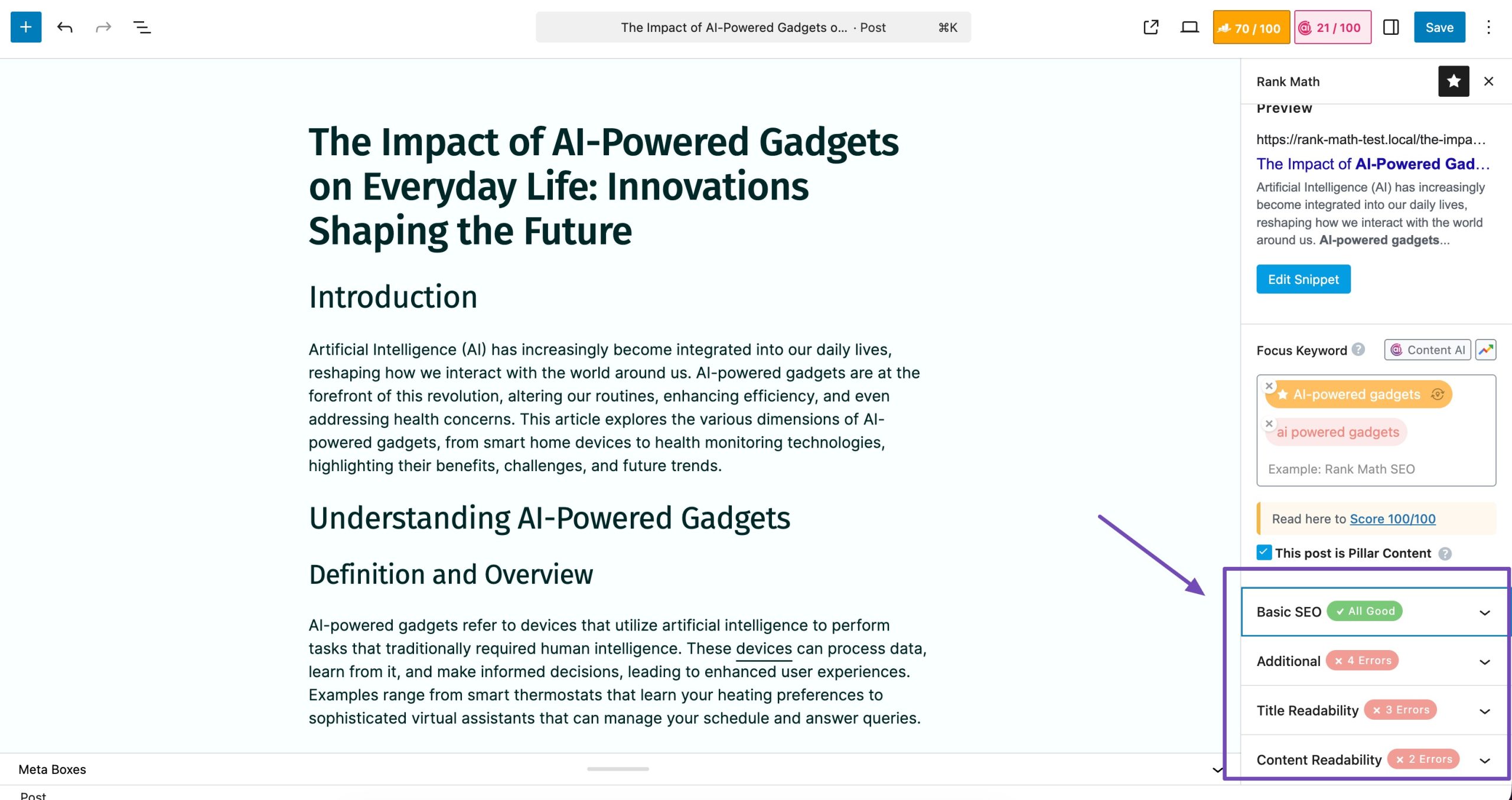
For content optimization, Rank Math excels with deep on-page SEO features, offering smart suggestions for titles, meta descriptions, internal links, and Schema markup directly within the WordPress editor. This makes it easier to optimize content correctly as you write.
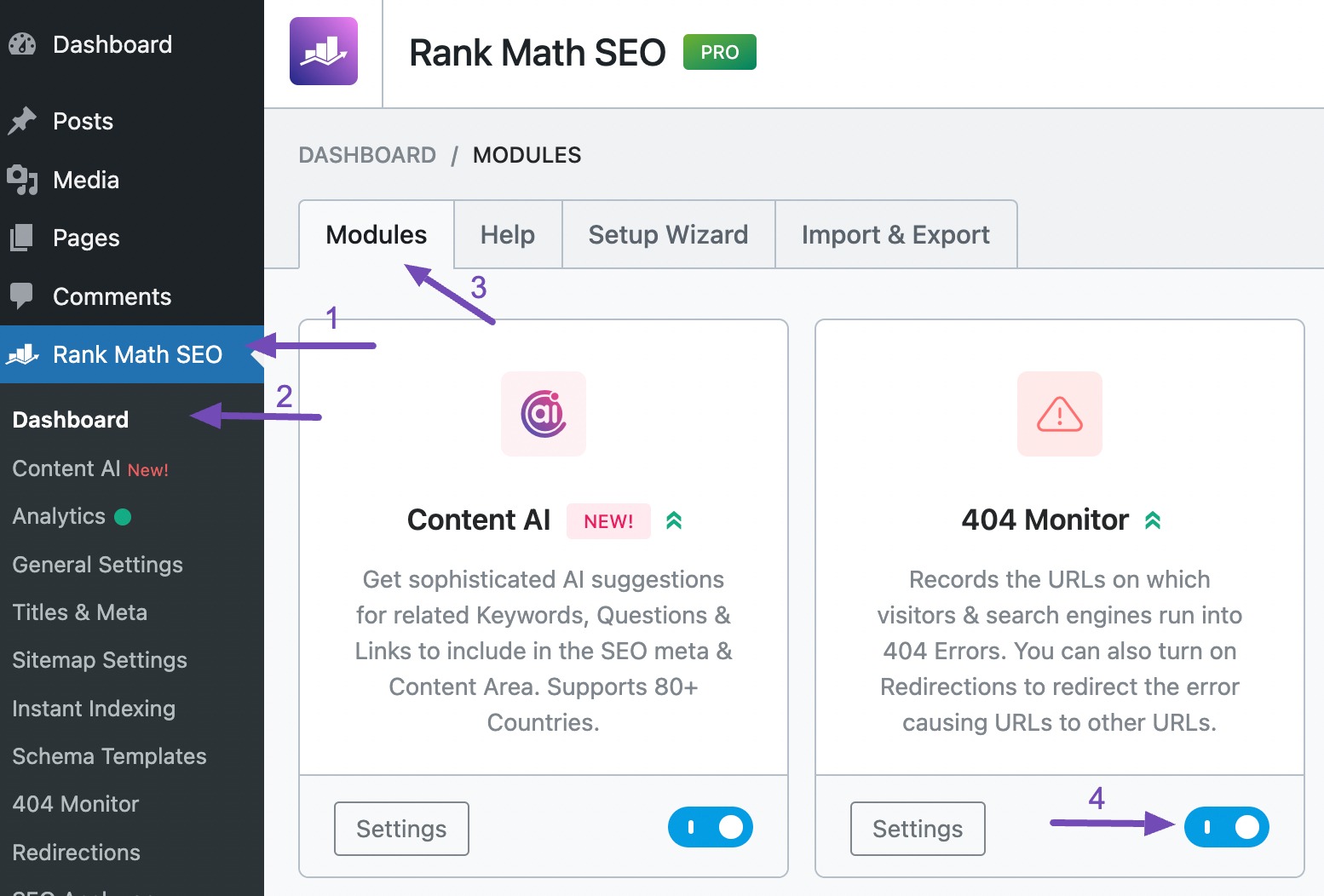
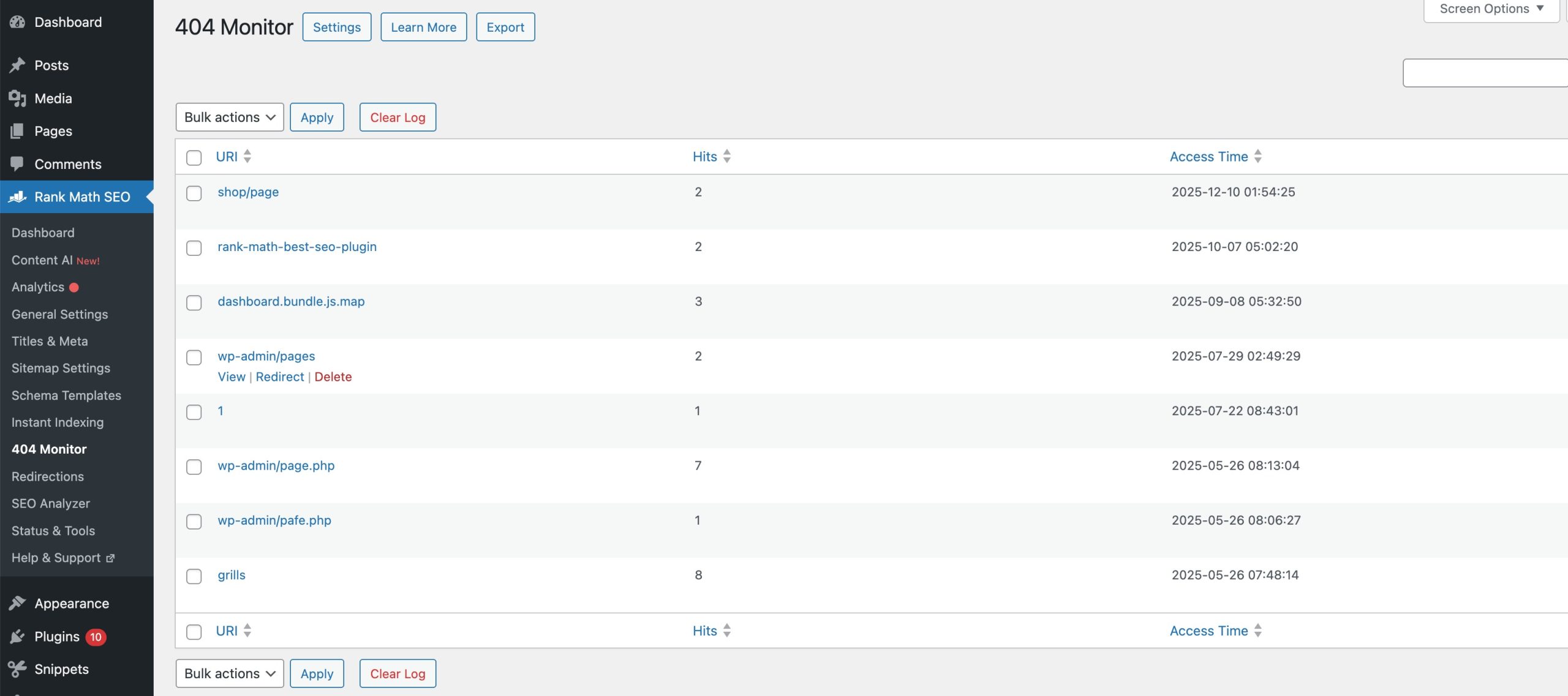
Rank Math also includes a 404 monitor and redirect manager, helping you quickly identify broken links and set up redirects without relying on extra plugins. To do so, navigate to Rank Math SEO → Dashboard and enable the 404 Monitor module, as shown below.
You will be presented with your 404 Monitor.
Thanks to its modular system and lightweight code, you can enable only the features you need, keeping the site fast and clutter-free.
For businesses targeting local customers, Rank Math’s local SEO and breadcrumb features help improve visibility in local search results.
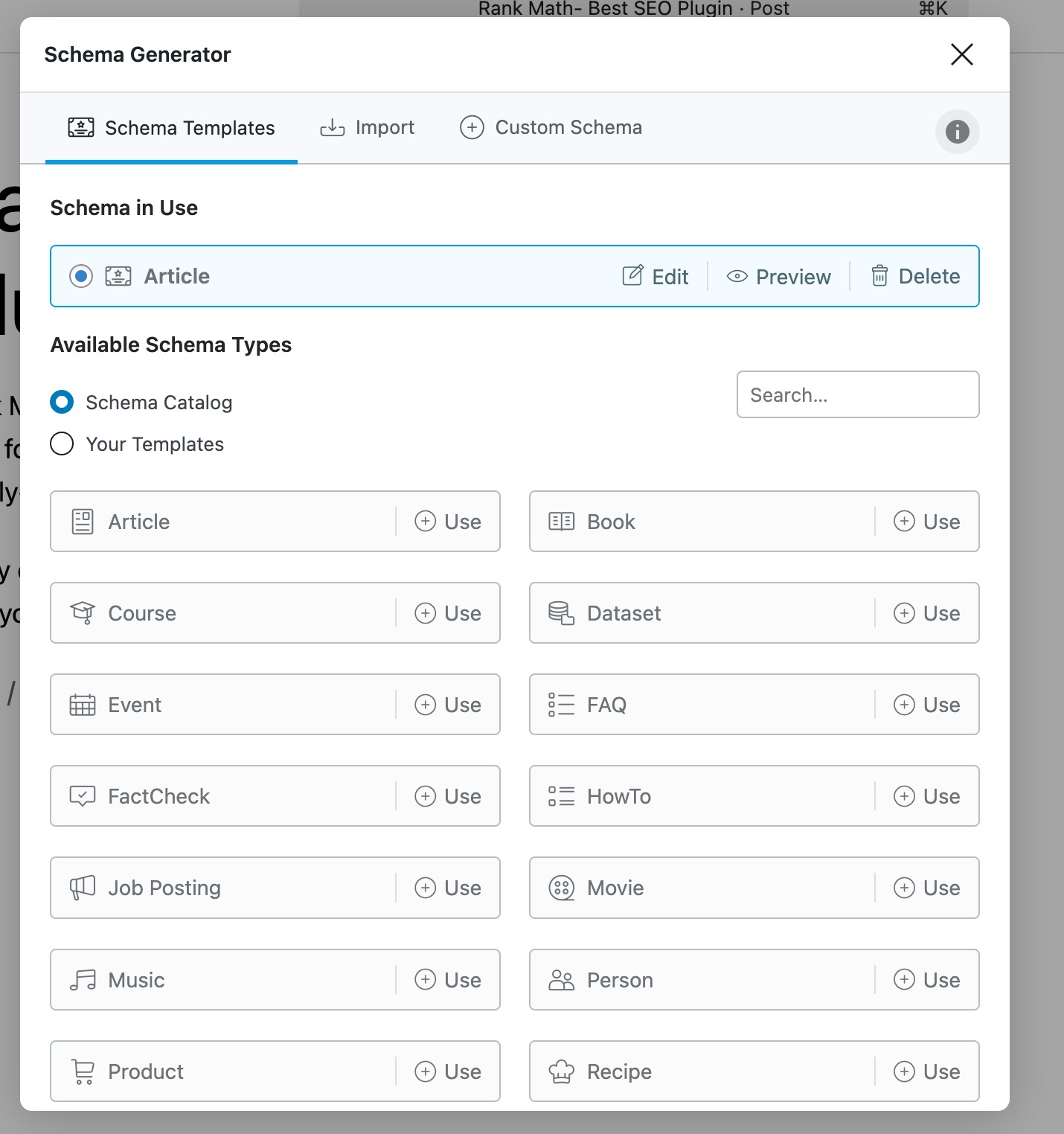
It also supports multiple Schema types and advanced structured data, making it easy to qualify for rich snippets, such as FAQs, products, reviews, articles, etc.
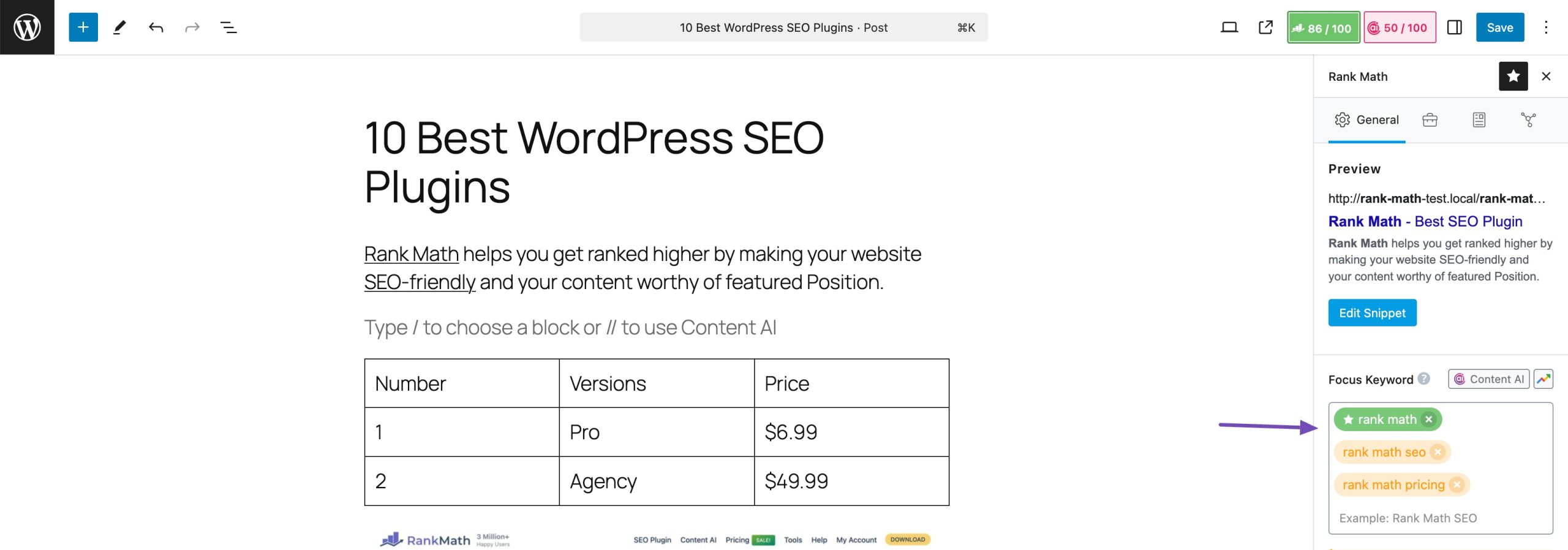
Another standout feature is multiple keyword optimization, which allows targeting more than one keyword per post, even in the free version.
Pricing: Rank Math is freely available. The PRO plan starts at $95.88/year.
2.2 Content AI
Content AI is Rank Math’s built-in AI assistant that works as a complete SEO management tool for content creation and optimization.
It allows you to research keywords, plan content, write optimized copy, and improve existing pages directly inside WordPress, so you don’t have to rely on multiple AI tools, SEO checklists, or external platforms.
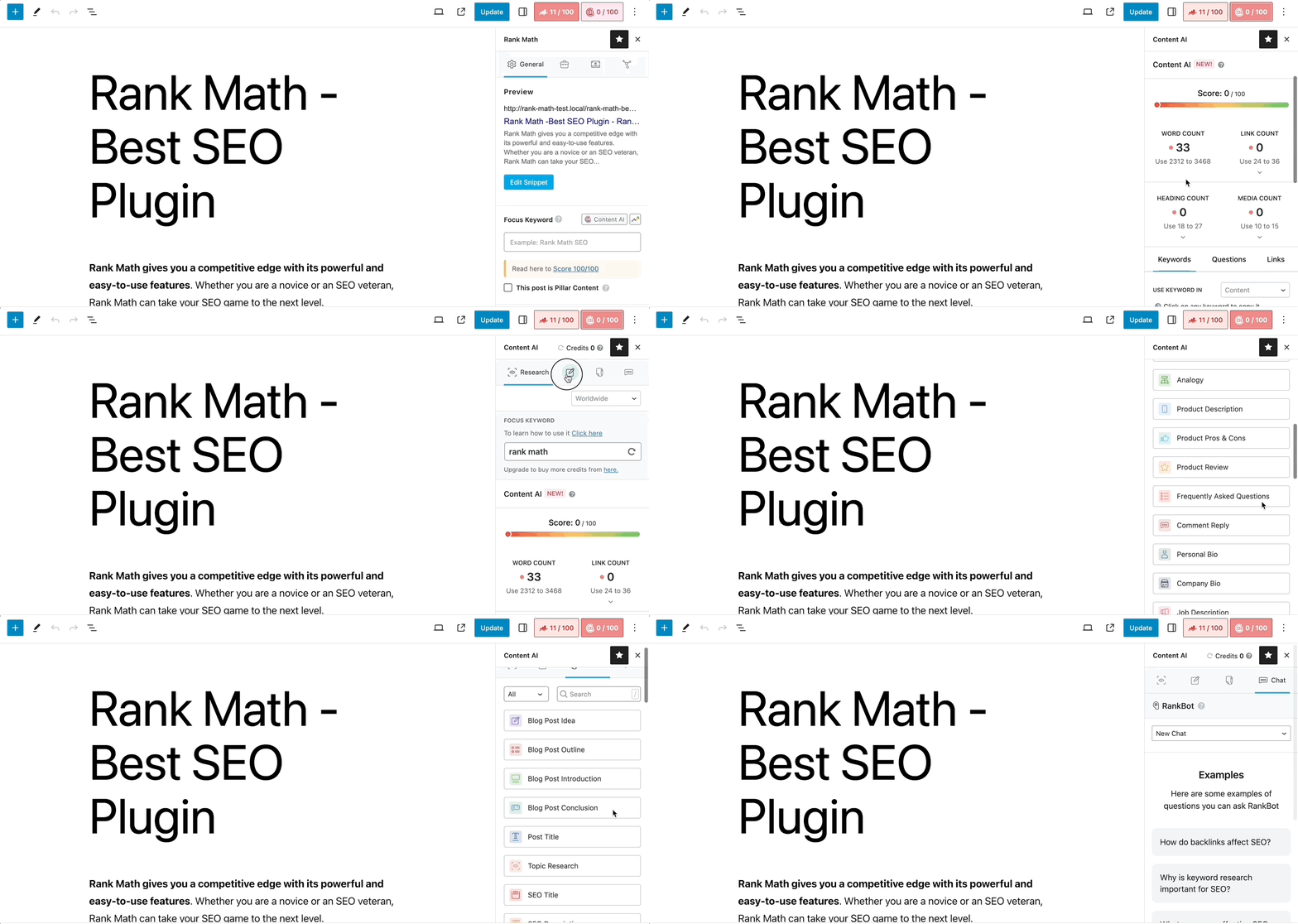
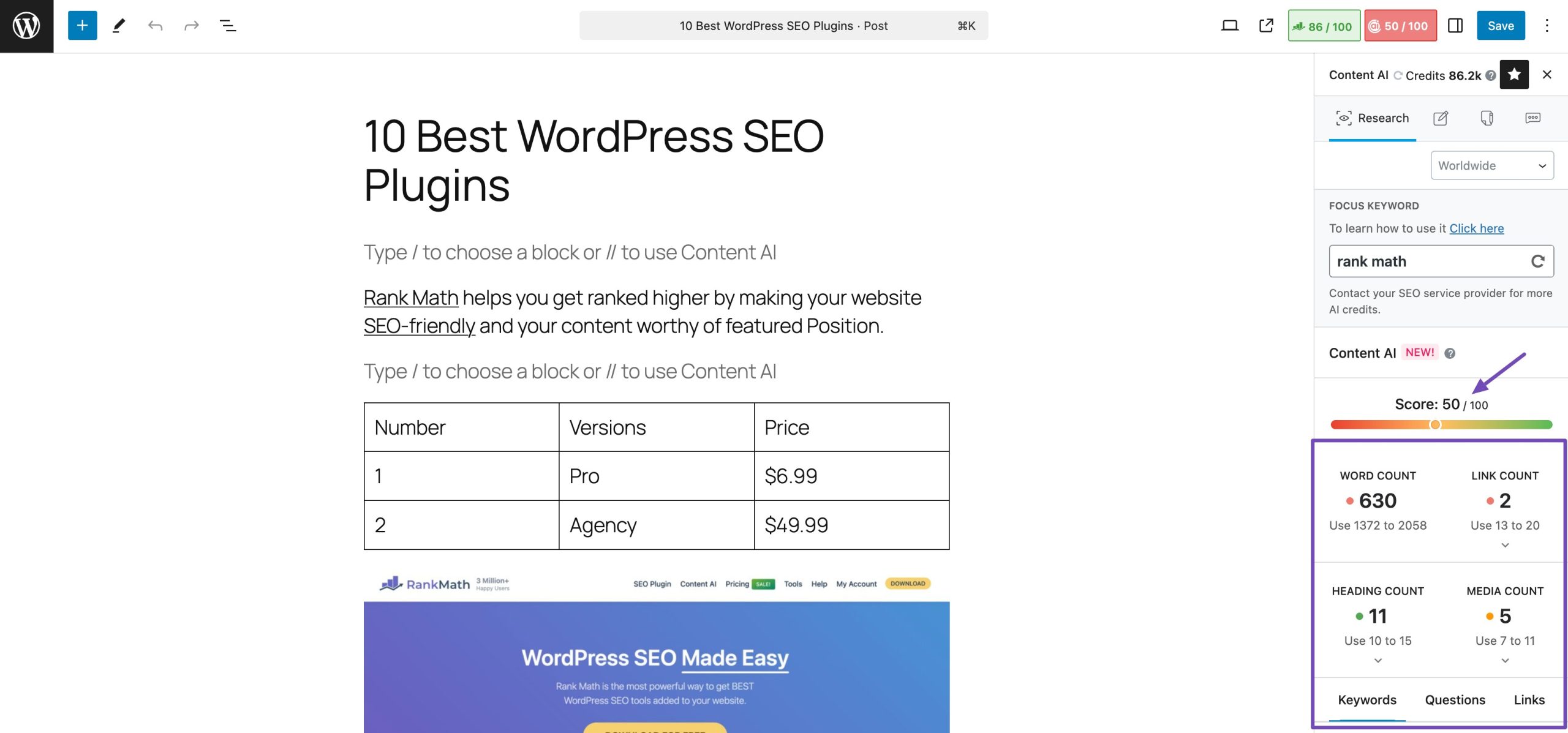
As you create or edit content, it evaluates your page and provides actionable recommendations for titles, headings, keyword usage, internal links, and readability. This ensures every page aligns with SEO best practices before it goes live.
With built-in scoring and optimization checks, Content AI acts as a quality control system, allowing you to publish only when your content meets clear SEO standards.
Pricing: Rank Math free users receive between one and five free uses for each AI tool per month, while paid users get access to higher usage limits. Paid plans start at $71.88 per year.
2.3 AI Visibility
AI Visibility is a brand monitoring tool that lets you track your brand or product’s rankings, mentions, citations, and sentiment across ChatGPT and other AI platforms.
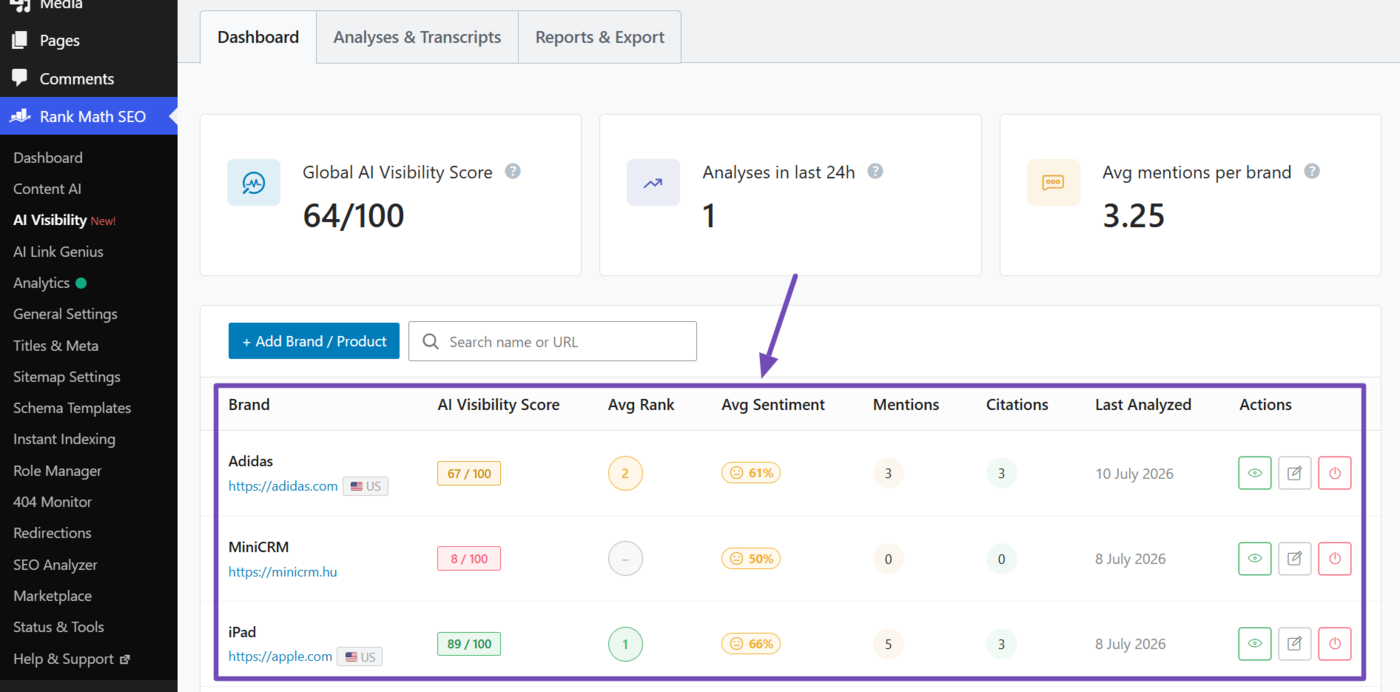
AI tracking is important as more users rely on AI platforms to discover brands and find answers. This ensures you know where you show up and how your brand is being presented to users.
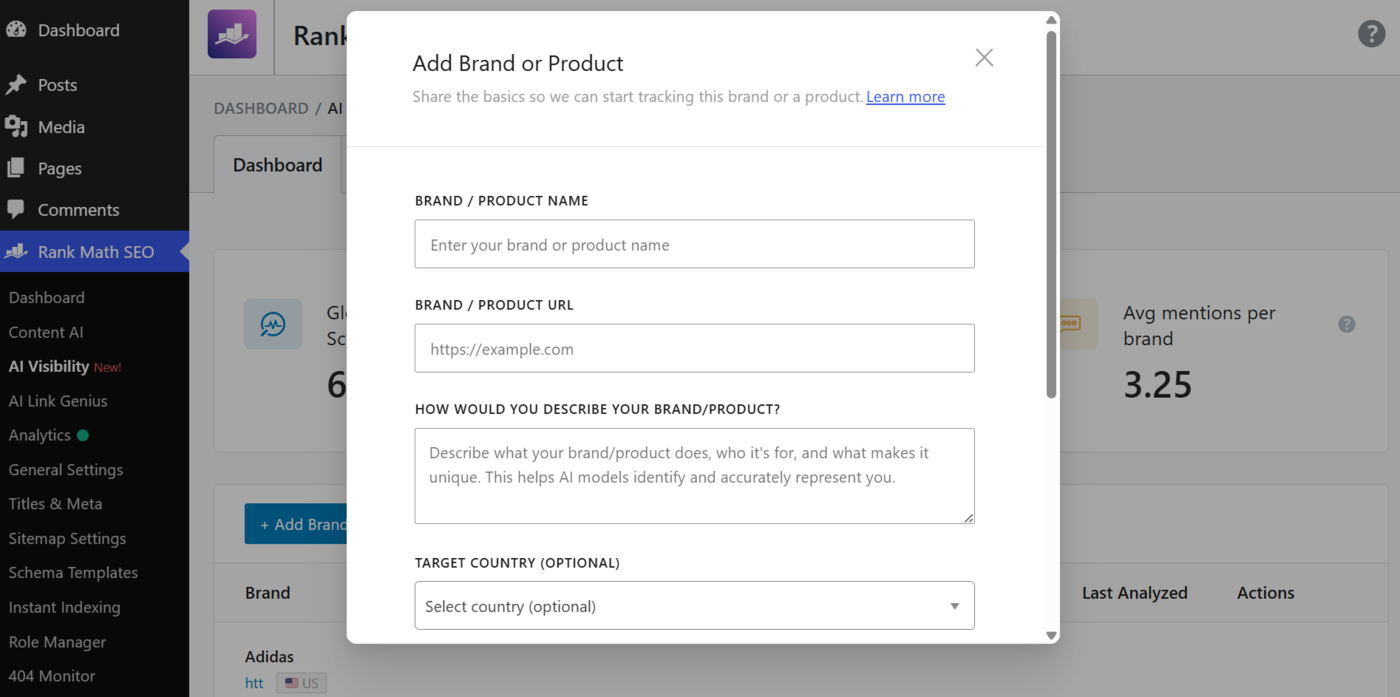
To get started with AI Visibility, enter the brand or product you want to monitor, and AI Visibility automatically tracks where and how it appears in AI-generated responses.
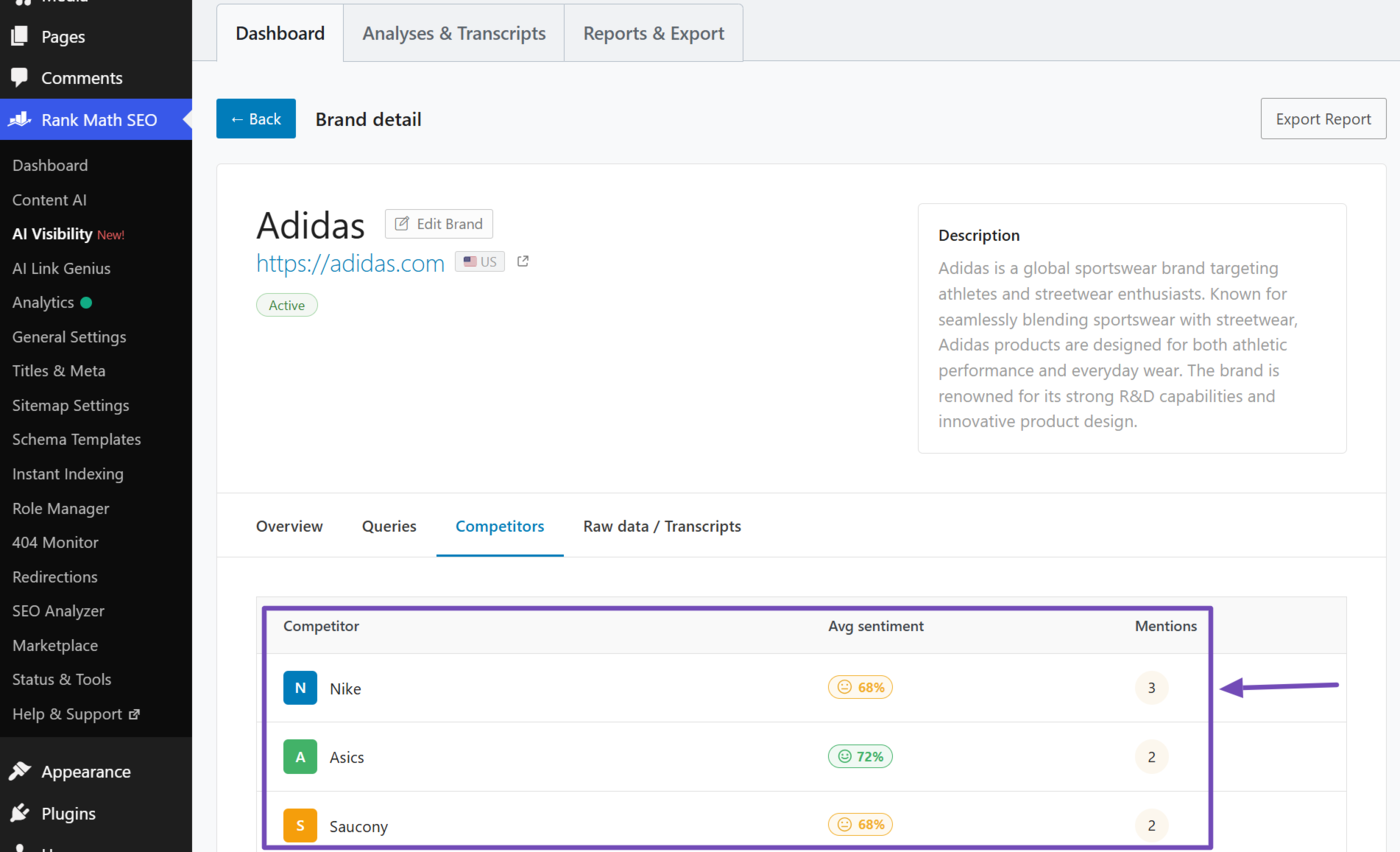
In addition to tracking your own brands, AI Visibility also monitors your competitors, allowing you to compare rankings, mentions, and sentiment across AI platforms. This helps you identify where competitors are outperforming you and uncover opportunities to improve your AI visibility.
Pricing: AI Visibility is part of Rank Math AI. Starter plans begin at € 5.99/month.
2.4 Semrush
Semrush is a comprehensive SEO management platform designed to handle nearly every aspect of search optimization from a single dashboard.
It excels at keyword research, helping you discover high-value keywords, analyze search intent, and track rankings across multiple locations and devices.
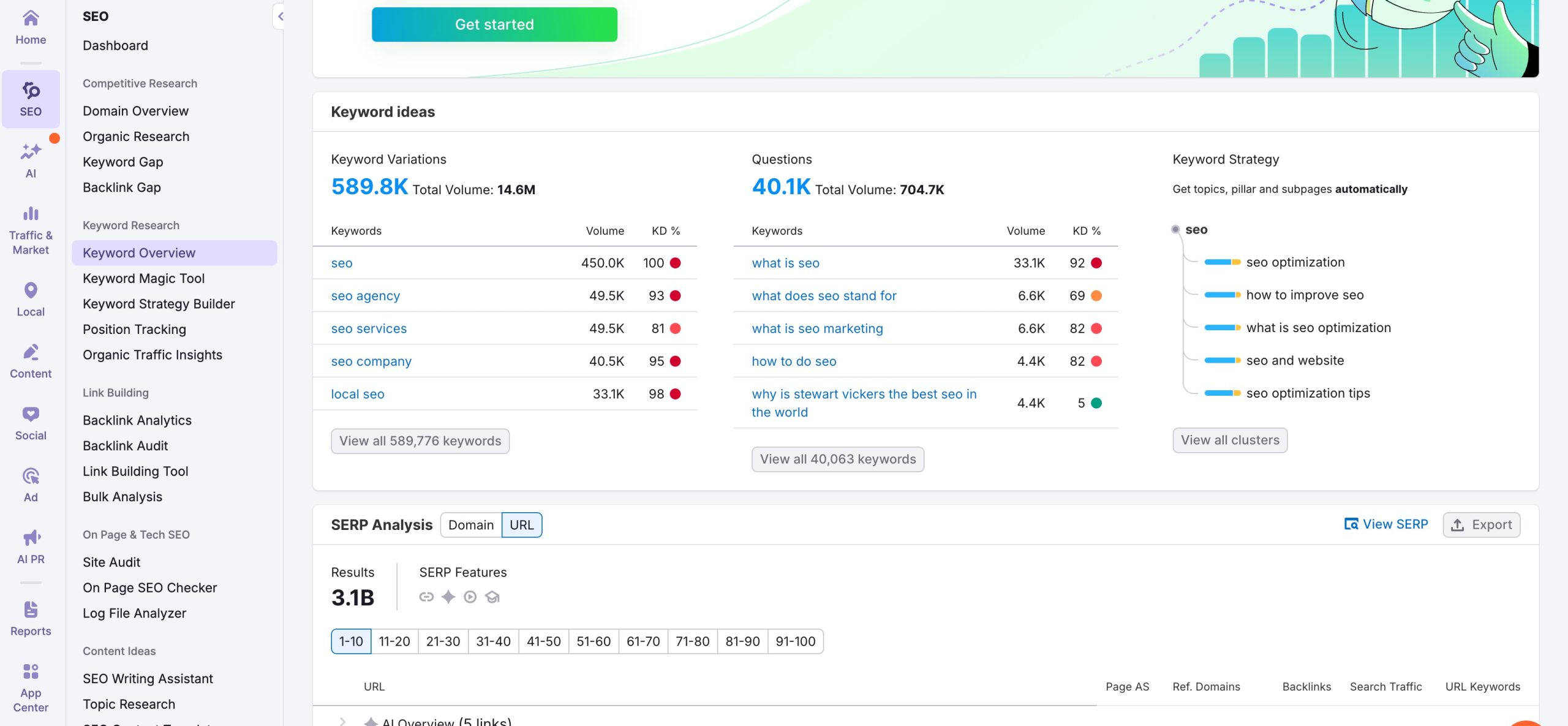
Alongside this, Semrush provides strong competitive intelligence, allowing you to see which keywords your competitors rank for, where their traffic comes from, and how their SEO strategies change over time.
Another major strength of Semrush is its backlink analysis, which helps you evaluate link quality, identify toxic links, and find new link-building opportunities.
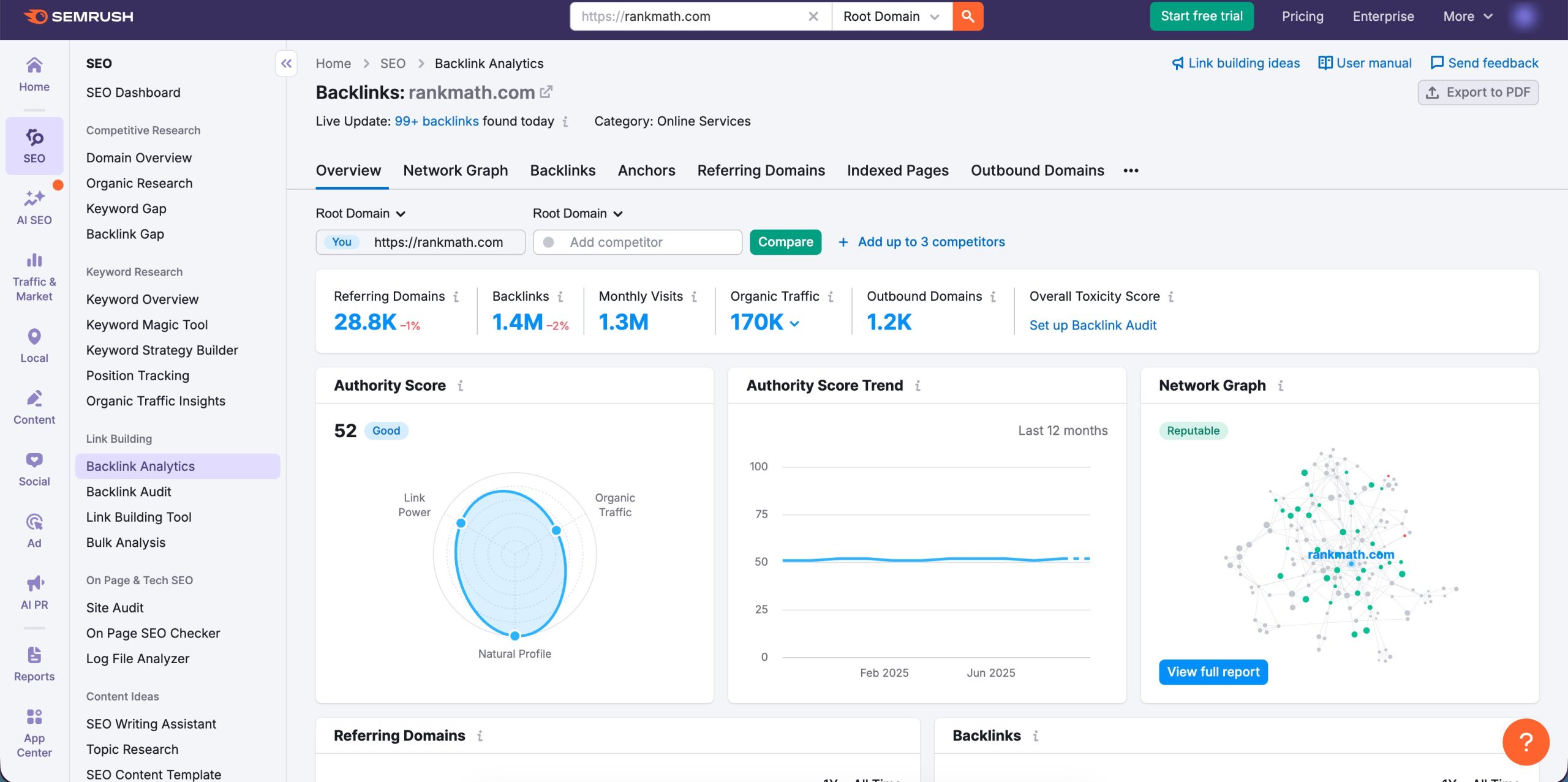
Pricing: Semrush offers a variety of pricing plans according to different business needs, ranging from $129 per month.
2.5 Ahrefs
Ahrefs is best known for having one of the largest and most accurate backlink indexes in the SEO industry. Its clean interface and data depth make it especially valuable for advanced SEO work.
It allows you to analyze backlink profiles in detail, monitor new and lost links, and evaluate link quality with precision. This makes Ahrefs an essential tool for understanding authority, trust, and link-building opportunities.
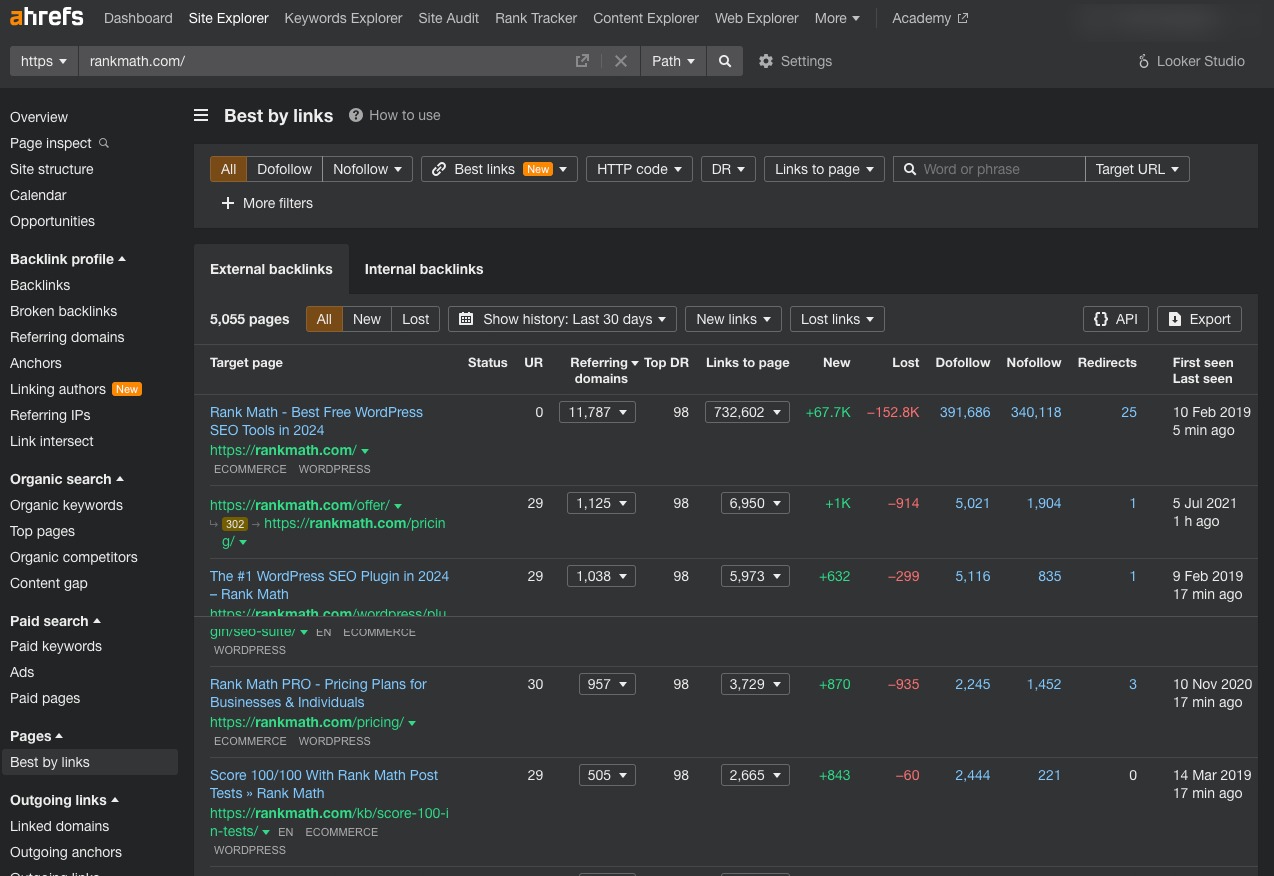
In Ahrefs, enter your domain in Site Explorer, and you can find your top organic competition. This will show you a list of websites that rank for the same keywords as you, helping you identify other potential competitors.
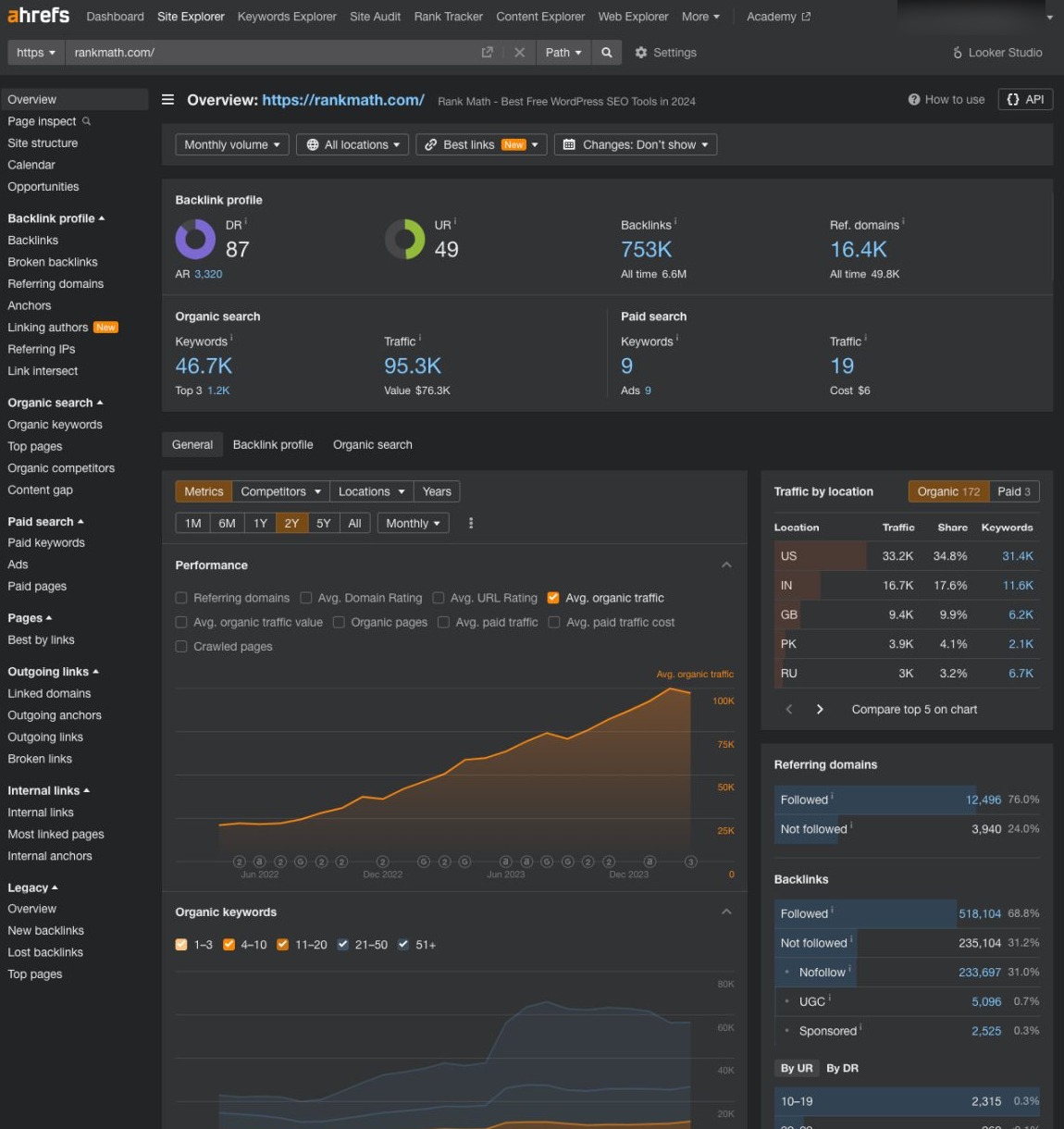
Pricing: Ahrefs offers various plans starting at $29 per month.
2.6 Google Search Console
Google Search Console helps you understand how your website appears and performs in Google Search. You can see which queries bring traffic to your site, how often your pages are shown, and how many users click through in the Performance report.
This data helps you decide which pages need improvement and which topics are already working well.
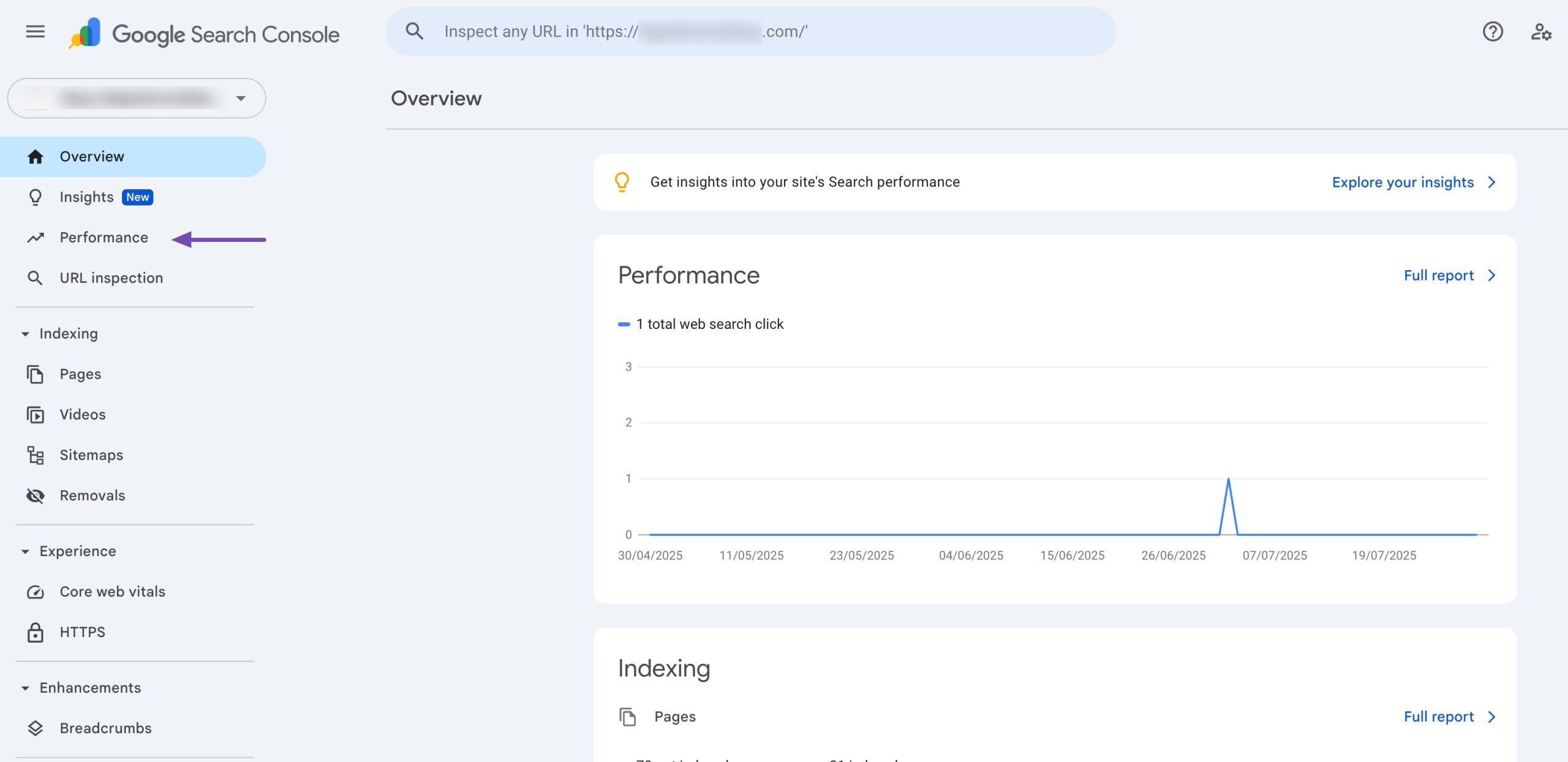
You can also use Search Console to manage technical SEO issues. It shows which pages are indexed, flags crawl errors, and reports problems like broken pages or indexing blocks.
When you update content or fix issues, you can request reindexing to help Google discover changes faster.
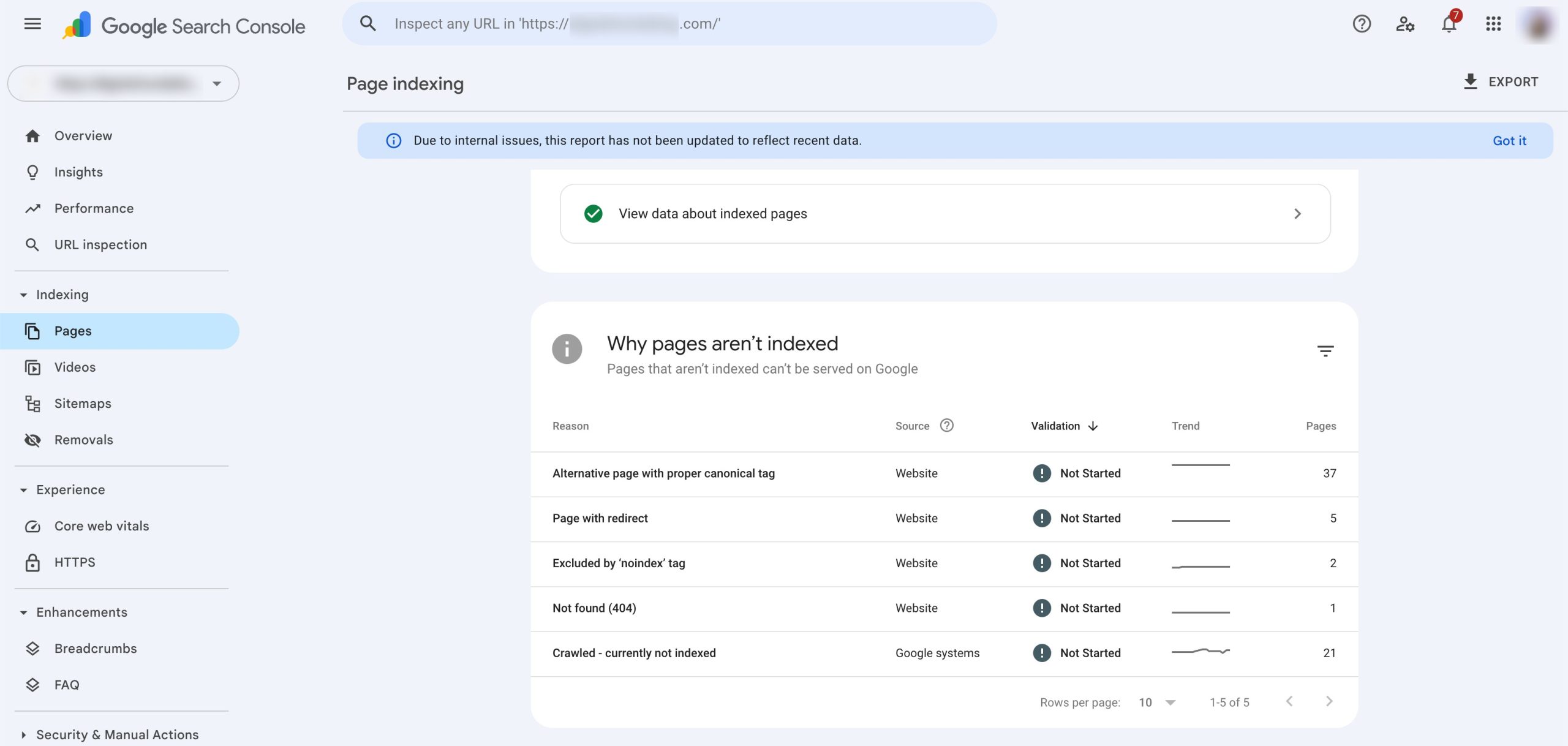
By regularly reviewing these reports, you can make informed SEO decisions and keep your site accessible and easy for search engines to understand.
Pricing: Google Search Console is freely available.
2.7 Screaming Frog SEO Spider
Screaming Frog SEO Spider is a powerful desktop-based technical SEO tool designed to crawl websites the same way search engines do.
It gives you a deep, page-by-page view of your site, making it ideal for conducting detailed technical SEO audits and discovering issues that may affect crawlability and rankings.
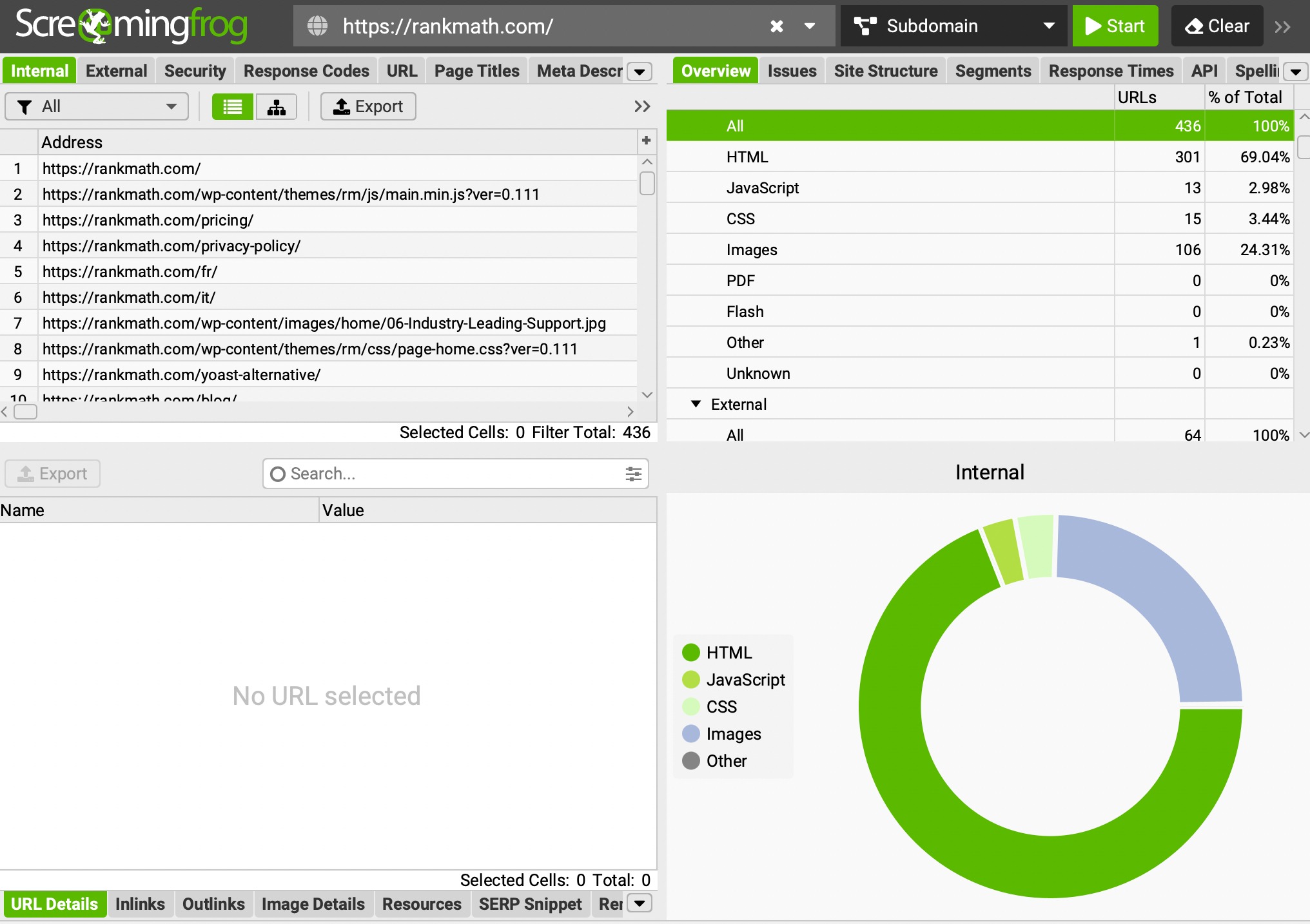
With Screaming Frog, you can quickly identify broken links (404 errors), duplicate content, missing or poorly optimized title tags and meta descriptions, incorrect redirects, and indexability issues. It also helps analyze site structure, internal linking, canonicals, and XML sitemaps.
Pricing: The basic version is free. If you want advanced features like crawling larger sites or integrating with tools like Google Analytics, there’s a paid version too.
2.8 Notion
You can use Notion as a practical SEO management tool to organize and manage your SEO work in one place. While it doesn’t replace dedicated SEO software, it helps you keep strategies, tasks, and documentation structured so nothing gets lost.
You can create pages for keyword research, content ideas, publishing calendars, and optimization checklists that are easy to update and share.
Notion works well for managing content planning and execution. You can track articles from idea to publication, note target keywords, search intent, internal links, and optimization status.
For ongoing SEO work, you can log site audits, document fixes, and keep records of changes made, which helps you understand what impacted rankings over time.
Pricing:
- Free plan: For individuals or small teams.
- Plus plan: Around $10/month per user (billed annually).
- Business plan: Around $20/month per user (billed annually).
3 Frequently Asked Questions
What are SEO management tools?
SEO management tools help you plan, execute, and track SEO tasks such as keyword research, content optimization, technical audits, and performance monitoring.
Do I need multiple SEO tools or just one?
You don’t need just one tool. Many users combine an all-in-one platform with a WordPress plugin and performance tracking tools.
Are free SEO management tools enough?
Free tools can work for basic needs, but paid tools offer deeper data, automation, and better scalability for long-term SEO growth.
What should I look for when choosing SEO tools?
Focus on features, ease of use, accuracy, integrations, pricing, and whether the tool fits your workflow.
Do SEO tools guarantee higher rankings?
No tool guarantees rankings, but they help you make better decisions and fix issues that affect visibility.
4 Final Thoughts: Making the Most of SEO Management Tools
Choosing the best SEO management tools comes down to how well they support your goals, workflow, and level of experience.
You don’t need to rely on a single platform to manage everything. By combining tools like an SEO plugin and performance tracking tools, you can build an SEO system that fits your needs.
When you focus on tools that save time, provide clear data, and integrate smoothly into your workflow, you put yourself in a stronger position to improve search visibility and maintain long-term growth.
If you like this post, let us know by tweeting @rankmathseo.