


Most small businesses don’t fail at marketing because they lack tools. They fail because they’re overwhelmed.
There are thousands of small business marketing tools, limited time, and tight budgets. What business owners really want is more visibility, more customers, and systems that work without hiring a whole marketing team.
This guide cuts through the noise. It breaks small business marketing into a lean, modern stack of seven core categories and 24 proven tools that actually help businesses grow.
If you’re a small business owner looking for the best small business marketing tools, you won’t want to miss this. Let’s get started.
Table Of Contents
- SEO & Content Marketing Tools
- Email Marketing & Automation Tools
- Customer Relationship Management (CRM) Tools
- Content Creation & Design Tools
- Social Media Management Tools
- Advertising and Paid Media Tools
- Analytics and Performance Tracking Tools
1 SEO & Content Marketing Tools
These tools help people find your business on Google and understand what you offer. They focus on visibility, trust, and content that answers fundamental questions customers are searching for.
1.1 Rank Math SEO
If you’re a small business owner using WordPress, Rank Math is one of the best marketing tools you’ll need, especially for SEO.
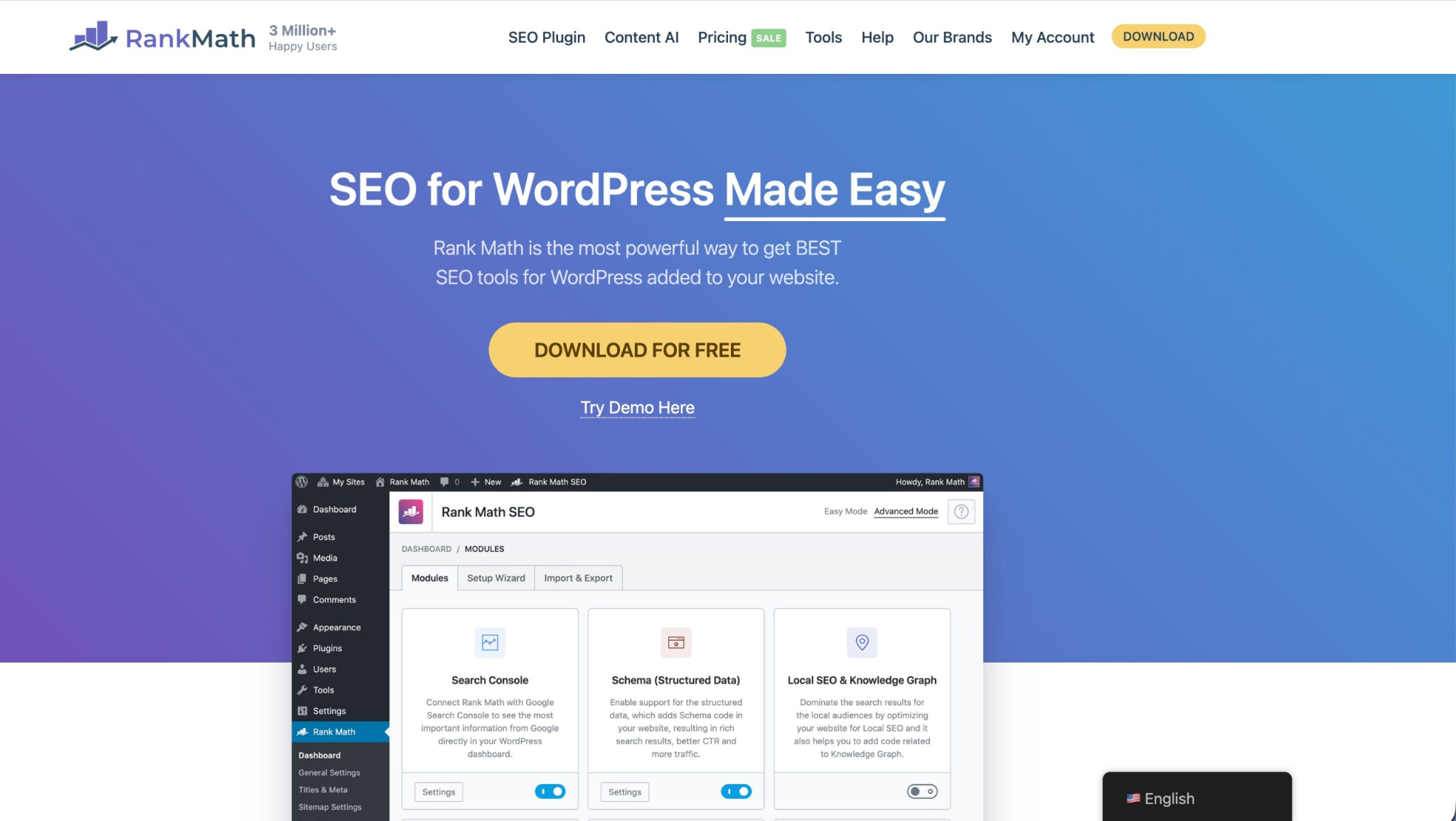
It helps you optimize your website pages so Google can better understand and rank them. It works inside WordPress and guides you step by step as you create content, not after you’ve made mistakes.
Best for: Small business owners, bloggers, service businesses, and ecommerce sites using WordPress who want SEO guidance without hiring an agency.
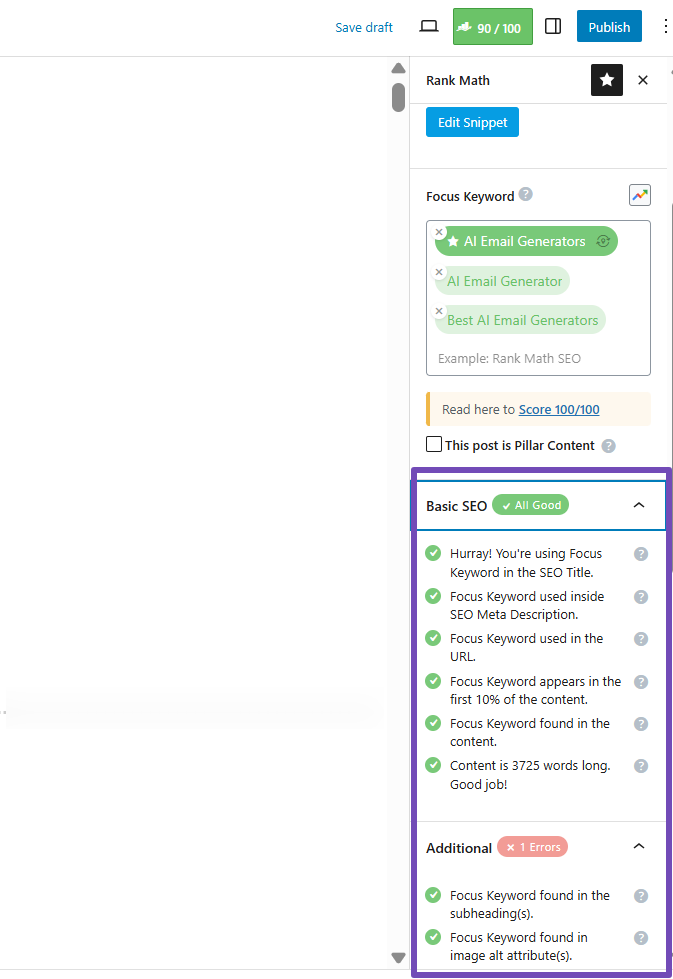
When you set up Rank Math on your site, you’ll see the Rank Math SEO panel added to your editor while writing or editing a page in WordPress.
This helps you optimize your content with your focus keyword, meta description, titles, and media to ensure it’s ready for ranking.
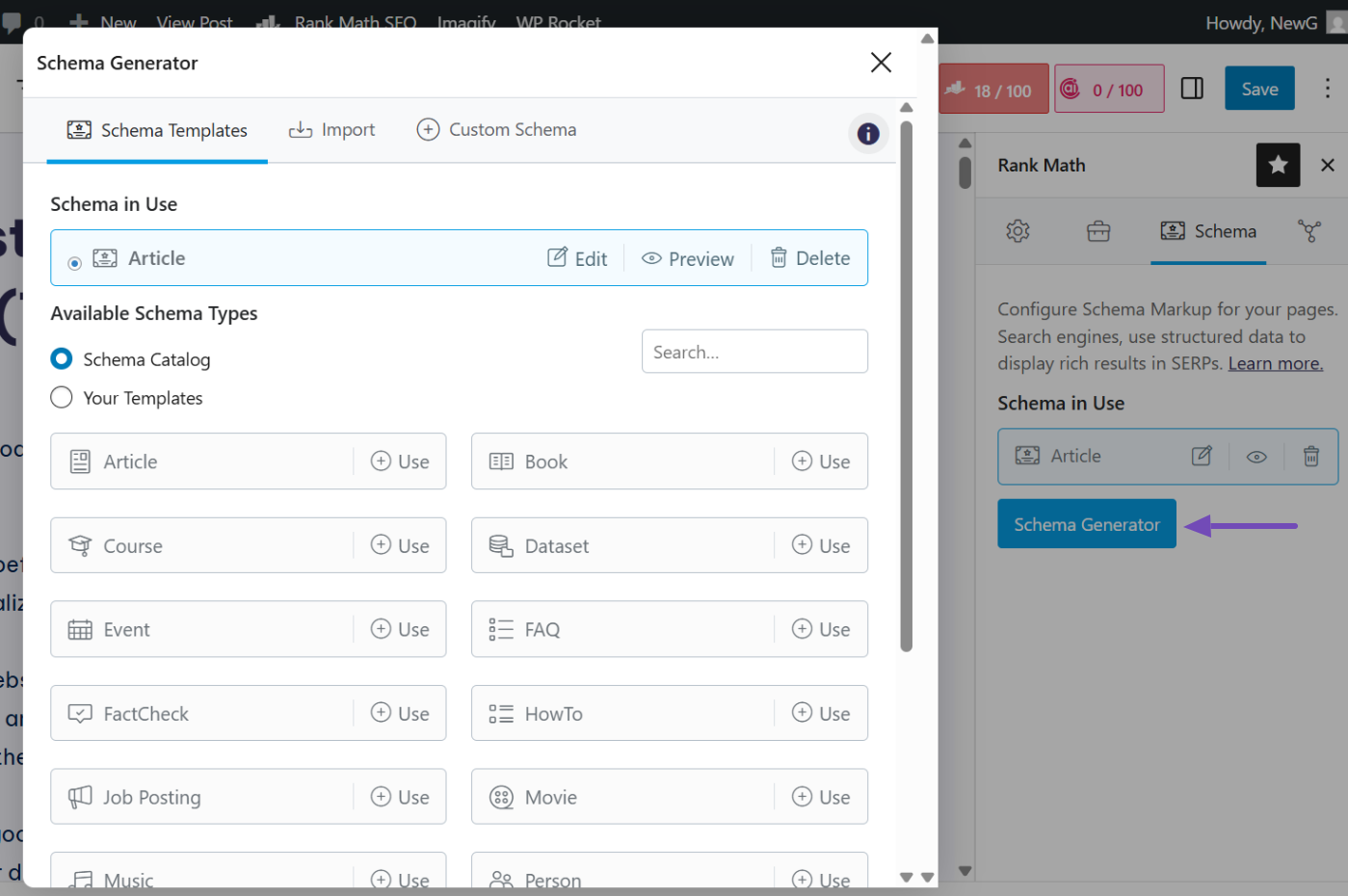
Inside the page editor, you can find the Schema tab. This helps Google understand what your page is about, like a service, product, article, or FAQ. Use this when you want enhanced search results that look more trustworthy.
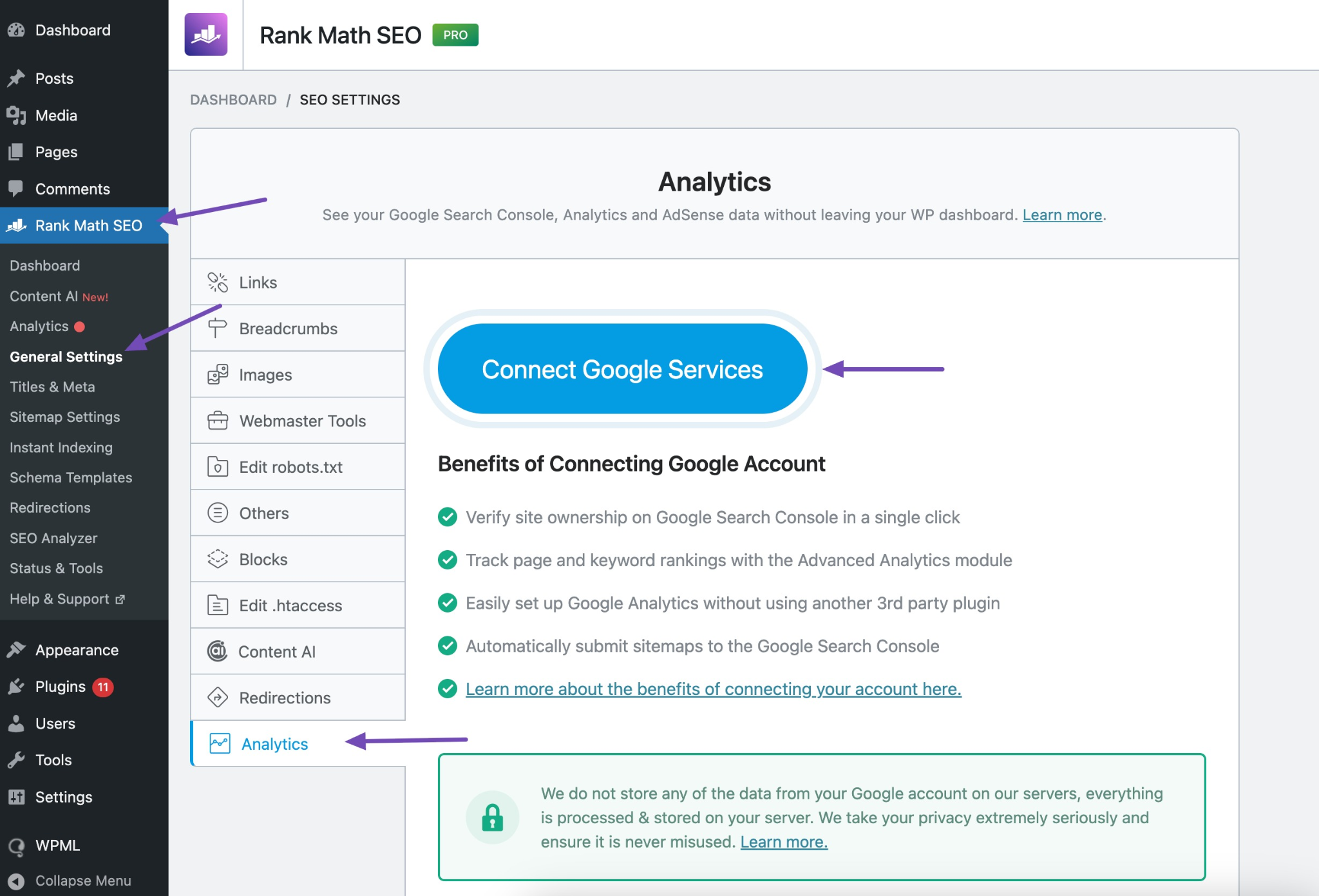
With Google integrations, you can connect your site to Google Search Console and Google Analytics to track keyword rankings and traffic performance without leaving your dashboard.
Rank Math doesn’t just tell you what’s wrong. It tells you what to fix first, which matters when time and budget are tight.
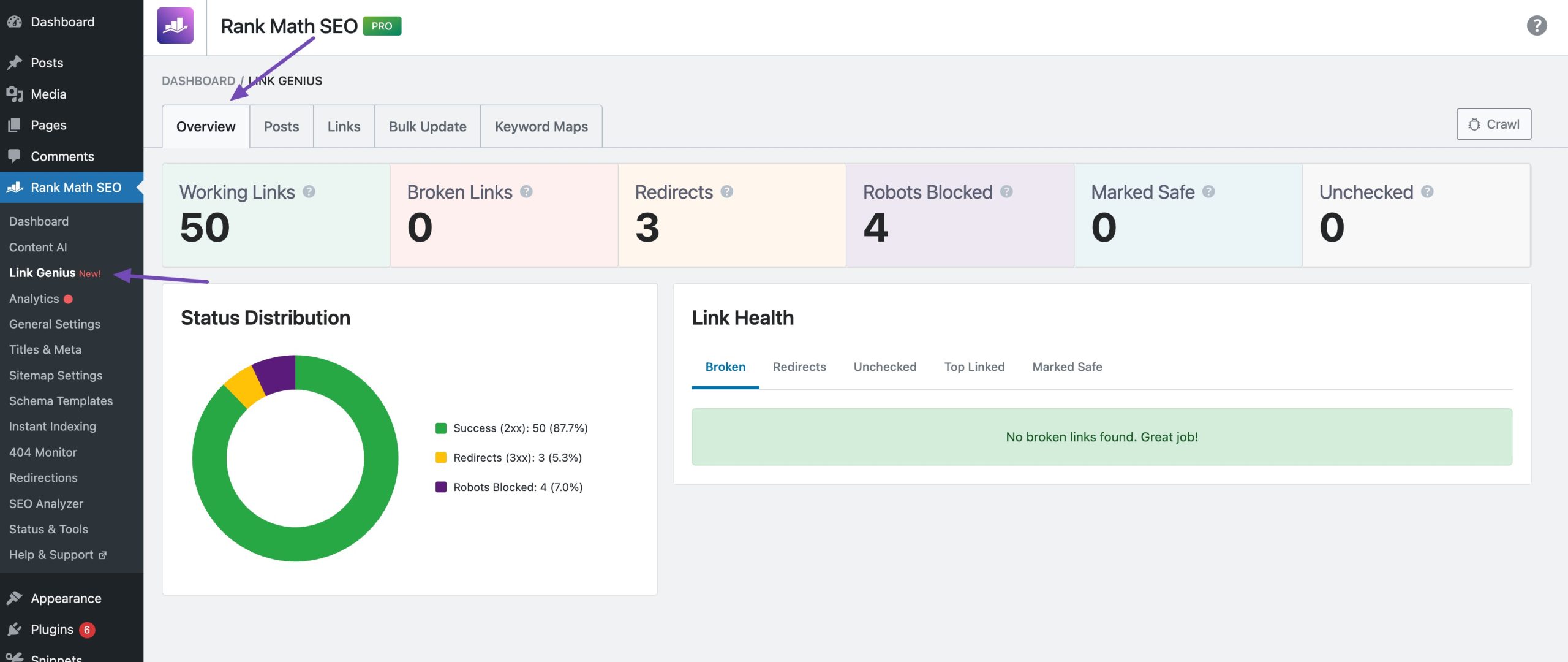
With Rank Math’s AI Link Genius, you can mend broken links, clean up your internal links, and maintain your linking strategy aligned with SEO best practices for improved indexation and higher rankings. AI Link Genius is directly built into Rank Math PRO.
To do so, enable the Link Genius module from your WordPress dashboard. Once you enable the AI Link Genius module from the Rank Math dashboard, you’ll have a powerful centralized interface that gives you complete control over your link structure.
Other key features:
- Automated internal linking suggestions: As you write, Rank Math recommends relevant older posts to link to, helping visitors stay longer on your site.
- Redirection manager: When you change a page URL, Rank Math helps redirect the old link to prevent traffic or rankings loss.
- 404 Monitor: Tracks broken pages on your site so you can fix them before visitors hit dead ends.
- XML sitemap: Automatically creates and updates a sitemap to help Google better understand and crawl your site.
- SEO Analysis: Scans your entire site and shows precisely what’s holding your SEO back, with clear fix suggestions.
- Local SEO: Adds local business and location data to help search engines understand where your business operates.
Pricing: The free version covers most small business needs. PRO plan starts at $95.88/year ($7.99/month).
Why small businesses use it: Small businesses love Rank Math because it’s effective and so easy to use. They don’t need to hire an agency or become SEO experts before using this plugin. You see clear actions, apply them, and move on with your business.
1.2 Ahrefs
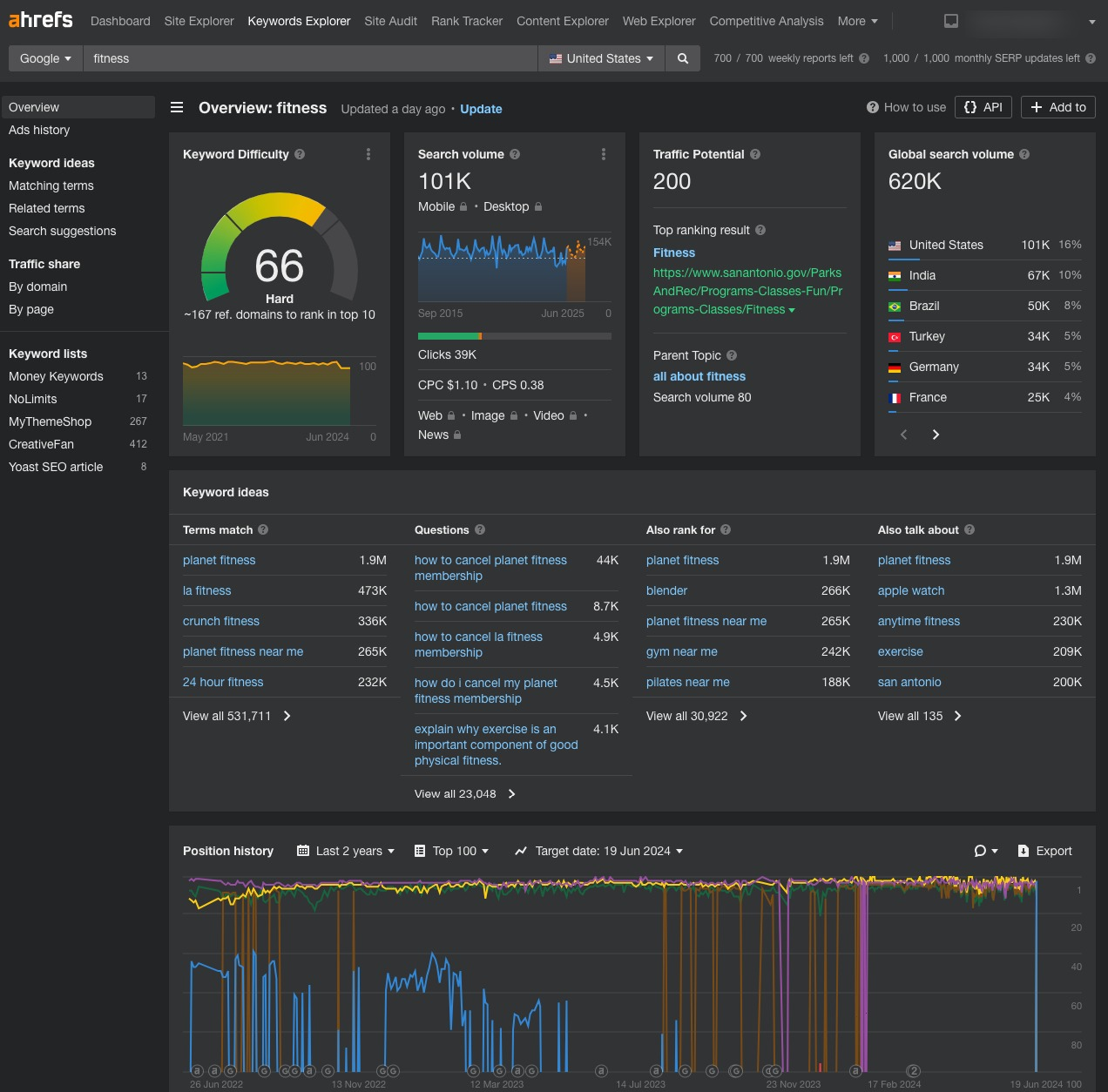
Ahrefs shows you exactly what your competitors are ranking for and which websites are linking to them. Then you can go after the same opportunities.
Best for: Small businesses ready to invest in serious keyword research and competitor analysis.
Key features:
- Site Explorer: Type in any competitor’s website and see every keyword they rank for, how much traffic each page gets, and who’s linking to them.
- Keywords Explorer: Tells you if a keyword is actually worth going after. You’ll see how many people search for it monthly, how hard it is to rank, and what kind of content is currently winning.
- Content Gap tool: Compares your site to competitors and shows keywords they rank for that you don’t.
- Backlink checker: Shows who’s linking to your competitors so you can reach out to those same sites.
Pricing: Starts at $129/month for the Lite plan.
Why small businesses use it: Ahrefs takes the mystery out of SEO. Instead of wondering why competitors outrank you, you see their strategy in black and white. If you’re investing real money into content and want to make sure it brings customers, this is where you get your answers.
1.3 Semrush
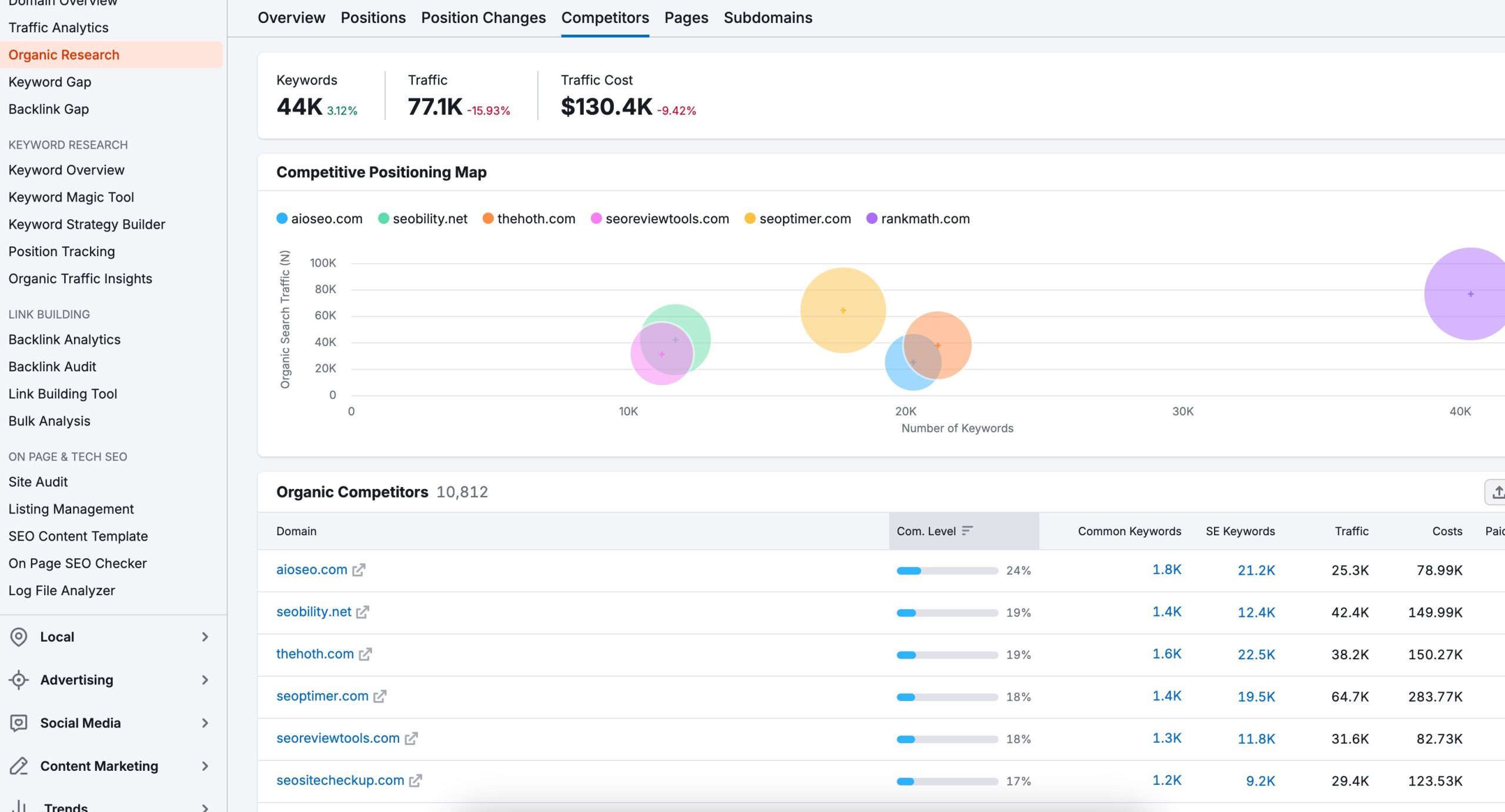
Semrush is an all-in-one digital marketing tool. It handles SEO and gives you insights into paid ads, content planning, and even social media.
Best for: Small businesses scaling up that need more than just basic SEO. Also great if you’re running Google Ads or want to track how you’re showing up in AI search results, such as ChatGPT and Perplexity.
Key features:
- Keyword Magic Tool: Access to over 26 billion keywords. Type in a seed keyword and you’ll get hundreds of related terms, questions people ask, and variations you never thought of.
- Organic Research: Spy on competitors, and view traffic estimates so you can see not just what keywords they rank for, but roughly how many visitors each page gets.
- Site Audit: Crawls your entire website and flags technical issues that hurt your rankings. Broken links, slow pages, missing meta tags, duplicate content.
- AI Visibility Toolkit: Tracks how often your business shows up in AI-generated answers from tools like ChatGPT, Perplexity, and Google’s AI features.
- Local SEO tools: Help brick-and-mortar businesses manage their Google Business Profile, track map rankings, and monitor reviews.
Pricing: Pro plan starts at $199/month for 5 websites and 500 keywords.
Why small businesses use it: Semrush does a lot, which can feel overwhelming at first. But once you get the hang of it, you no longer need three different tools. One platform covers your keyword research, site health checks, competitor tracking, and content planning.
1.4 Ubersuggest
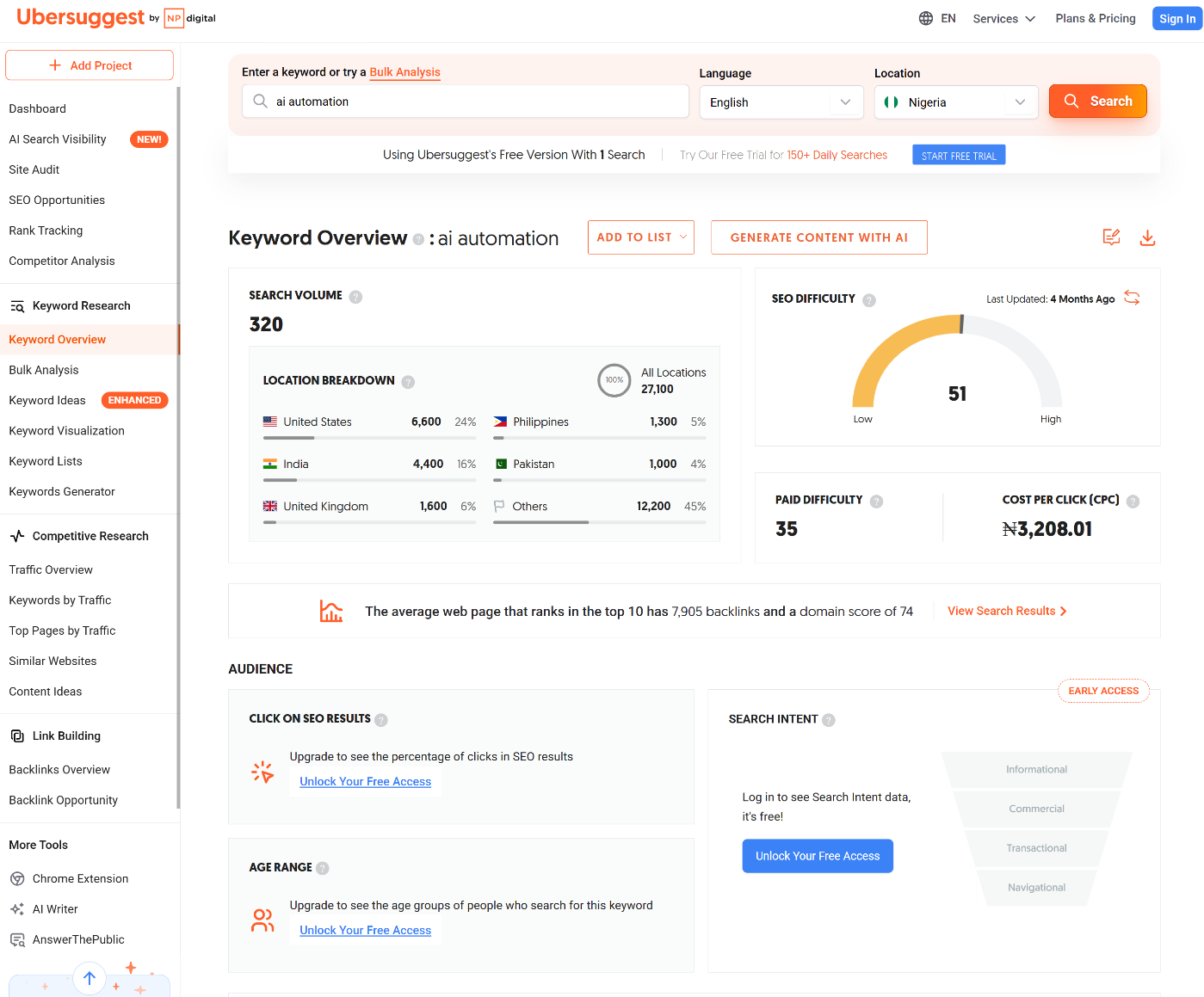
Ubersuggest makes SEO affordable. It covers keyword research, competitor analysis, and site audits without the premium price tag of Ahrefs or Semrush.
Best for: Budget-conscious small businesses, beginners learning SEO, and solo entrepreneurs who need solid keyword data without breaking the bank.
Key features:
- Keyword Ideas: Type in a term and you’ll get hundreds of related keywords with search volume, difficulty scores, and CPC data. Groups keywords into categories like “related,” “questions,” and “comparisons.”
- Domain Overview: Plug in any competitor’s URL and see their estimated monthly traffic, top-performing pages, and what keywords they rank for.
- Site Audit: Scans your website for technical SEO issues and prioritizes what to fix first.
- AI Search Optimization: Tracks how often your business shows up in AI-generated answers from ChatGPT, Perplexity, and other conversational search engines.
- Chrome Extension: Get instant SEO data while browsing any website.
Pricing: Monthly plans start at $12 per site.
Why small businesses use it: Price. That’s the honest answer. The lifetime option is especially appealing if you’re committed to content marketing but don’t have a recurring budget for expensive tools. You pay once and never think about it again.
2 Email Marketing & Automation Tools
Email helps you stay in touch with people who already shown interest in your business. These tools turn one-time visitors into repeat customers through follow-ups and automated communication.
2.1 Mailchimp
Mailchimp is where many small businesses start with email marketing. It focuses on simplicity and helps you send campaigns quickly without needing technical knowledge.
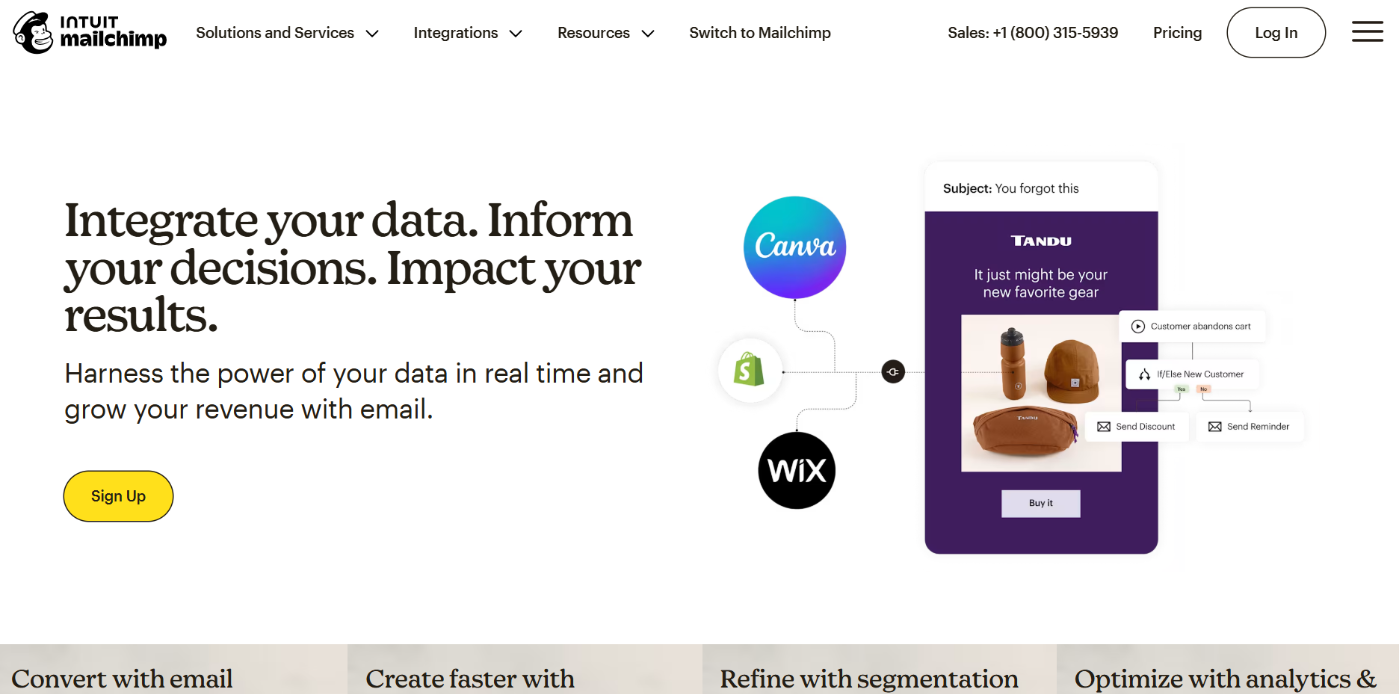
Best for: Beginners and small teams that want to send newsletters, announcements, and basic automated emails without a learning curve.
Key features:
- Email builder: Create clean, professional emails using drag-and-drop blocks.
- Basic automations: Set up welcome emails, simple follow-ups, and abandoned cart messages.
- Audience segmentation: Group subscribers based on activity like opens, clicks, or signup source.
- Reports and performance tracking: See open rates, click rates, and engagement.
Pricing: Free plan for up to 250 contacts. Paid plans begin around $6.50/month for a year.
Why small businesses use it: Mailchimp makes email marketing feel approachable. You can launch fast, learn as you go, and get results without feeling overwhelmed.
2.2 Brevo
Brevo (formerly Sendinblue) is an all-in-one email and SMS marketing platform designed for more than basic newsletters.
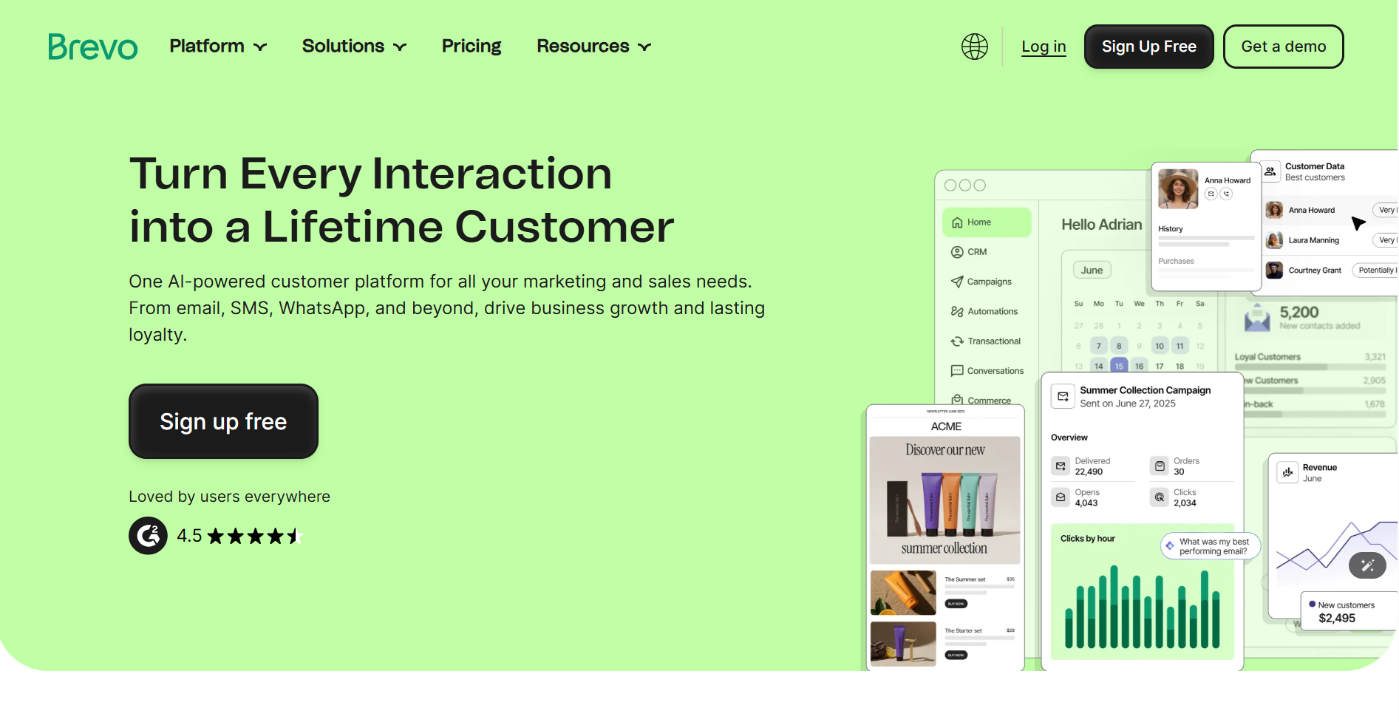
Best for: Small businesses that want email and text message marketing in the same tool, with automation that feels powerful without being overwhelming.
Key features:
- Multi-channel campaigns: Send both email and SMS to your contacts from the same dashboard.
- Drag-and-drop email builder: Create clean, professional emails using customizable templates.
- Automation workflows: Set up sequences that trigger based on behavior like signups, purchases, or other actions.
- Segmentation and personalization: Group your audience by criteria such as location or past interactions.
- Transactional messaging: Send order confirmations, delivery updates, and other transactional emails or SMS.
Pricing: Free forever plan that lets you send up to 300 emails per day. Paid plans start around $9/month.
Why small businesses use it: Brevo gives you more communication power for your budget. The combination of email and SMS in the same tool means you don’t have to pay for two systems. Its automation is flexible enough to handle real follow-up sequences without complicated setups.
2.3 MailerLite
MailerLite is an email marketing platform built for simplicity and growth. It gives small businesses everything they need to create and send email campaigns, automate follow-ups, build signup forms and landing pages, and manage audiences.
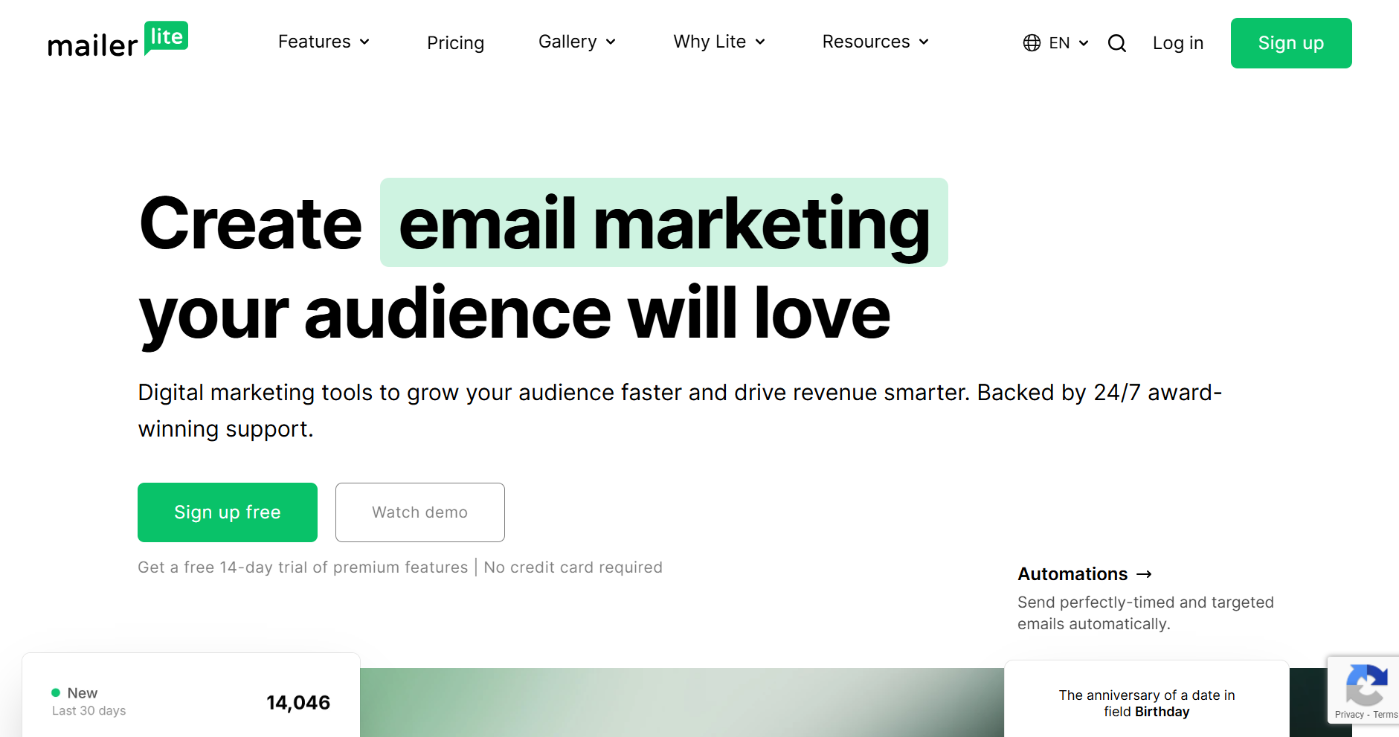
Best for: Small teams, solo founders, and budget-conscious businesses that want powerful email marketing and automation without complexity.
Key features:
- Drag-and-drop email builder: Build beautiful newsletters quickly using templates.
- Email automation: Create automated email sequences triggered by events such as someone joining your list, clicking a link, or visiting your site.
- Signup forms and pop-ups: Grow your list with embedded forms, pop-ups, and landing pages built right inside MailerLite.
- Landing pages: Create standalone landing pages to promote offers or collect leads.
- Segmentation and dynamic content: Tags and dynamic email blocks let you send more personalized messages to different segments.
- Integrations: Works with CRMs like HubSpot and other business tools.
Pricing: Free forever plan lets you send up to 12,000 emails per month and manage up to 500 subscribers. Paid plans start at $10/month.
Why small businesses use it: MailerLite feels straightforward and friendly while still offering the tools you need to grow. You can start on the free plan, use automation and landing pages early on, and scale up without getting confused by pricing tiers.
2.4 ActiveCampaign
ActiveCampaign is one of the most powerful email marketing and automation platforms out there. It goes beyond simple newsletters and lets you build smart automated communication that feels personal based on how people interact with your business.

Best for: Small businesses that want email to do more than broadcast. They want it to nurture leads, drive sales, and automate follow-ups without constantly babysitting campaigns.
Key features:
- Advanced automation builder: Visual workflow creator where you can set up automated sequences based on triggers like email opens, clicks, purchases, or page visits.
- Behavior-based messaging: Send messages based on how people behave, like clicking on a specific link or visiting a pricing page.
- Built-in CRM and lead scoring: Track where a lead is in your sales process, score them based on interactions, and automate what happens when they reach certain scores.
- Segmentation and personalization: Group contacts by behavior, tags, or past interactions so you can send highly targeted campaigns.
- Landing pages and forms: Build signup forms and landing pages that feed directly into your automations.
Pricing: No free plan, but a 14-day free trial is available. Starter plan begins at $15/month billed annually.
Why small businesses use it: ActiveCampaign turns email into a workflow engine instead of a manual task. Once set up, your messages are sent based on how people interact with your business, keeping engagement high and reducing manual work.
3 Customer Relationship Management (CRM) Tools
A CRM is where all your leads and customers live. These tools help you track conversations, follow up on time, and make sure no opportunity slips through the cracks.
3.1 HubSpot CRM
HubSpot CRM is often the first CRM small businesses adopt because it removes friction. You can start using it without paying and still get real value immediately.

Best for: Small businesses that want a clean, easy CRM to track leads, conversations, and deals without heavy setup.
Key features:
- Centralized contacts: Every lead, customer, and conversation lives in one dashboard. You can see emails, form submissions, notes, and deal history tied to each contact.
- Track deals and pipelines: Visualize where each lead is in your sales process: new lead, contacted, proposal sent, won, or lost.
- Email tracking and logging: When you connect your email, HubSpot shows when someone opens or clicks your emails.
- Forms and lead capture: Create website forms that automatically push new leads into your CRM.
- Basic automation: Assign leads, move deals, or send simple follow-ups automatically based on actions.
Pricing: Free plan that works for many small businesses. Paid plans start at $50/month.
Why small businesses use it: HubSpot feels friendly. You can start simple and grow into it. It’s especially popular with service businesses and small teams that want structure without complexity.
3.2 Zoho CRM
Zoho CRM is more customizable and flexible than HubSpot. It gives small businesses deeper control over how leads are managed, scored, and followed up.
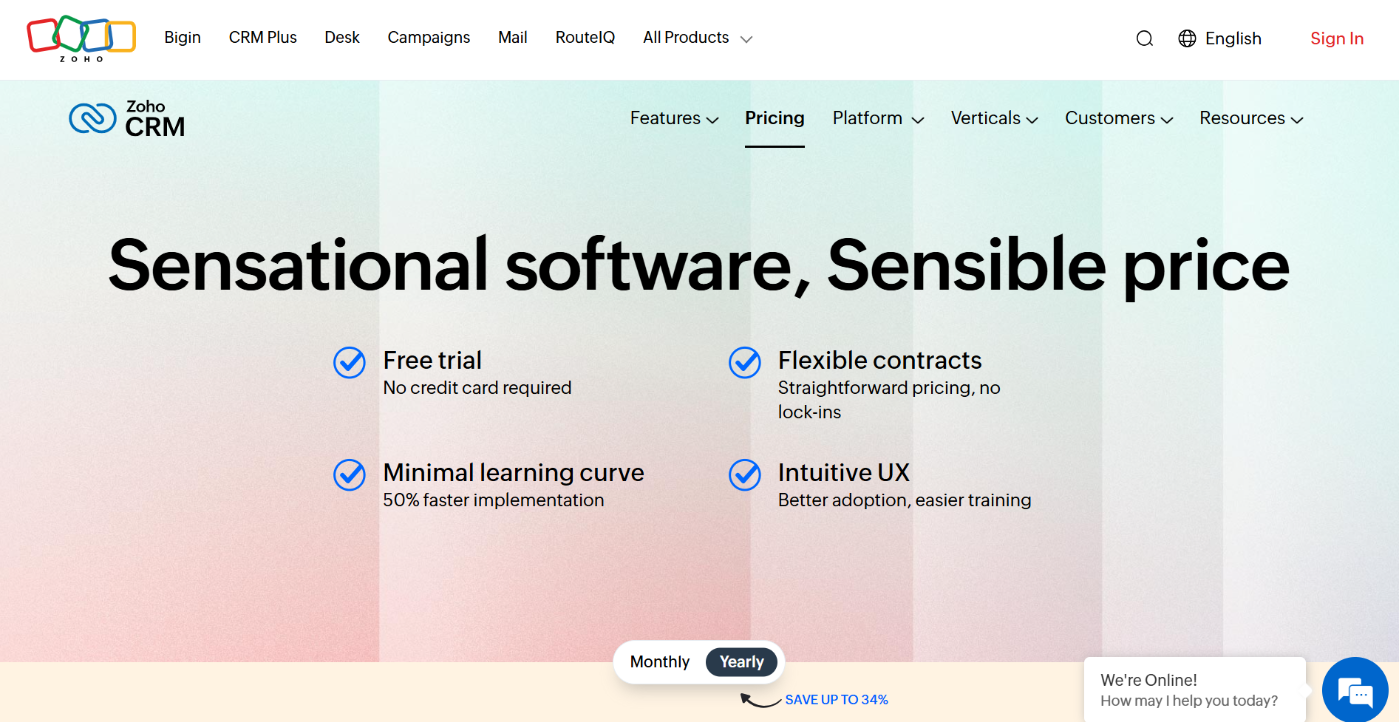
Best for: Small businesses that want more control over their sales process and are willing to spend a little time setting things up properly.
Key features:
- Lead and contact management: Track leads from multiple sources, including email, web forms, and social channels, all in one system.
- Custom sales pipelines: Design your pipeline to match how your business actually sells.
- Automation and workflows: Automate tasks like assigning leads, sending follow-up emails, and updating deal stages.
- Reporting and forecasting: Detailed reports that help you understand where leads drop off and what activities drive conversions.
- Integration with Zoho ecosystem: If you use other Zoho tools like email, accounting, or support, everything connects seamlessly.
Pricing: Free plan for very small teams. Paid plans start at $40/user/month.
Why small businesses use it: Zoho gives you control. It’s powerful without forcing you into an enterprise setup. Businesses that want flexibility and long-term scalability often prefer it over simpler CRMs.
4 Content Creation & Design Tools
Small businesses create content every day, from social posts to ads to product descriptions. These tools help you do the work of a full content team without hiring one.
4.1 Content AI
Content AI is Rank Math’s built-in writing assistant that helps you create SEO-optimized content without staring at a blank page.
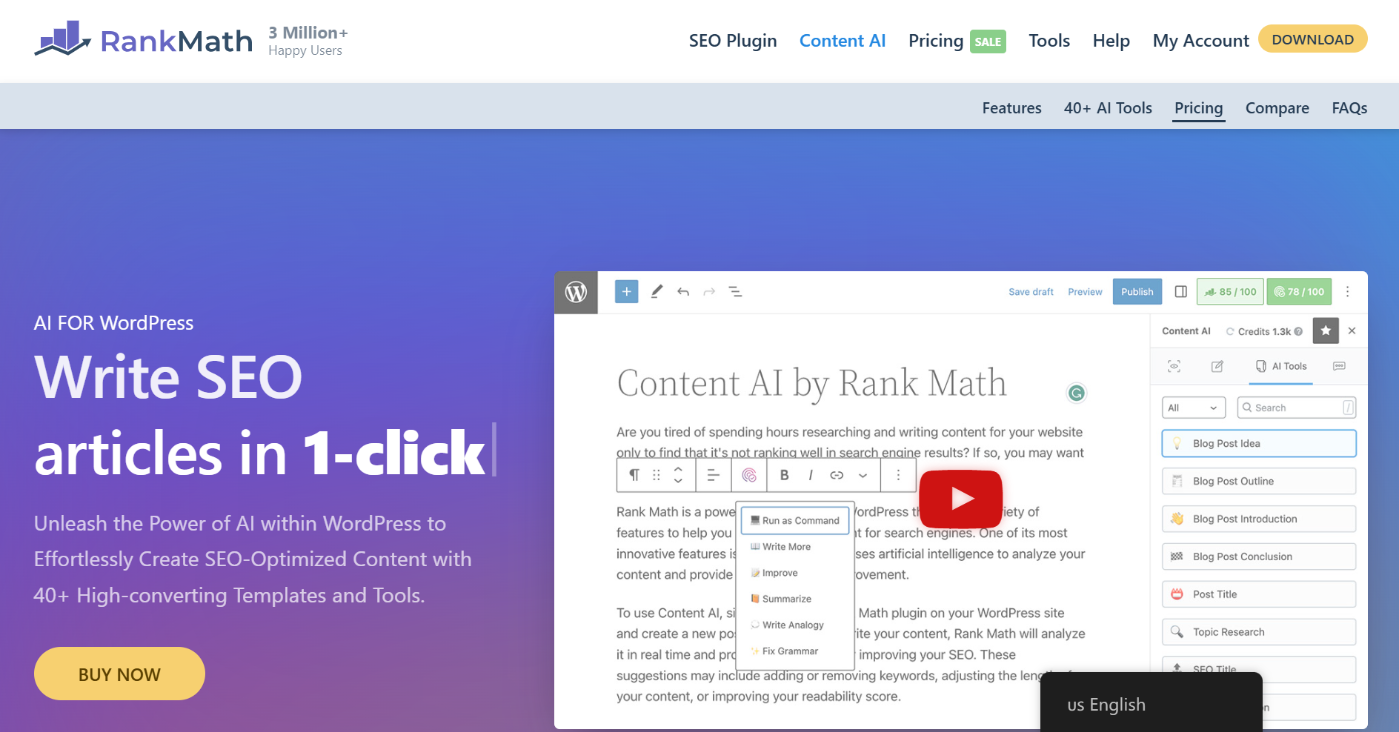
It lives right inside your WordPress editor and can write entire blog posts, generate headlines, improve existing content, and even create image alt text.
Best for: Small businesses that publish blog posts, service pages, product descriptions, or landing pages and want them to perform better on Google without spending hours on research.
Once you enable Content AI in Rank Math, you will see that it comes with over 40 AI tools, which you can utilize for several purposes.
One standout tool is the Blog Post Wizard. You will find it when you navigate to Rank Math SEO → Content AI.
Once you select this tool, enter a few words that describe your niche or industry.
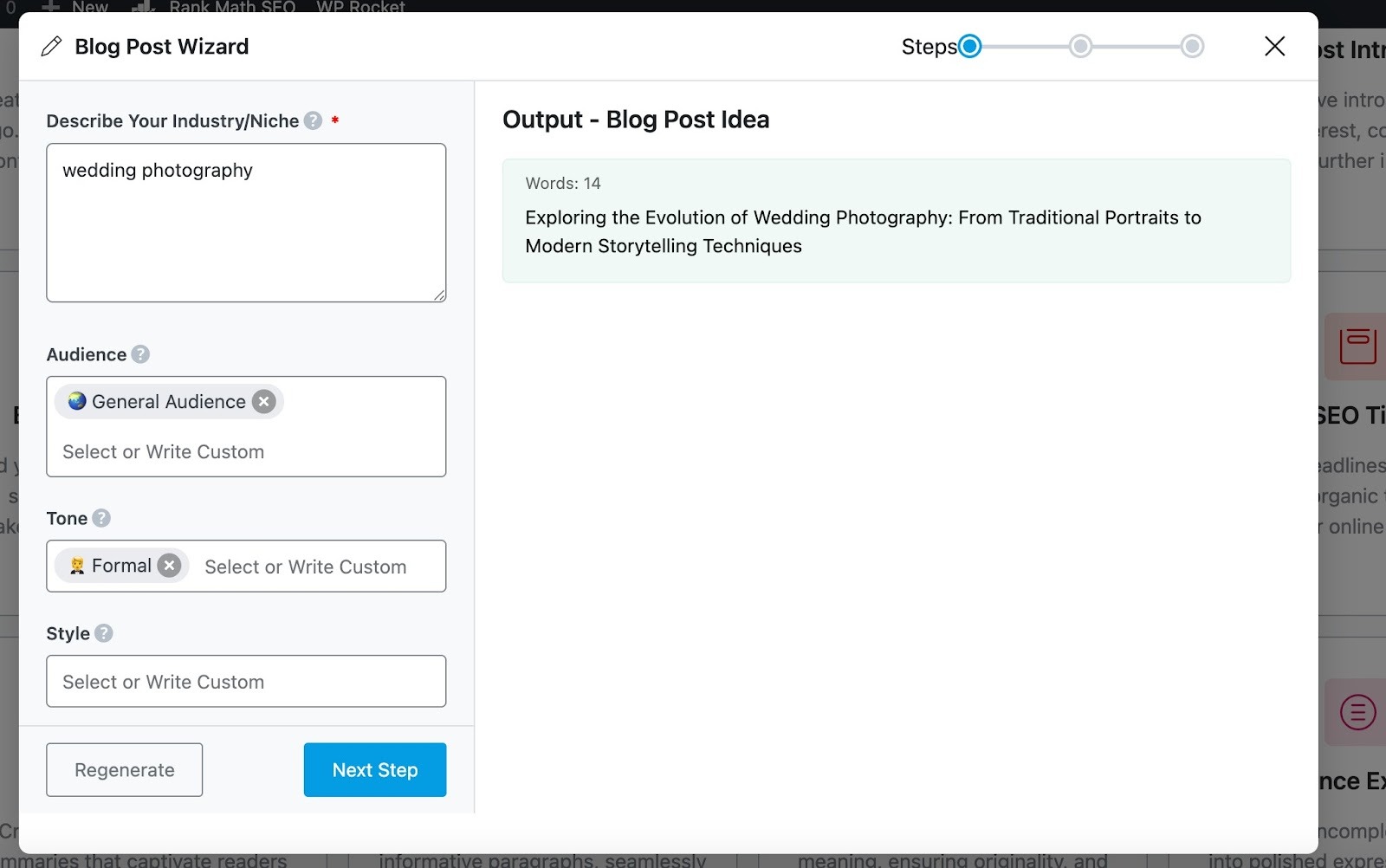
It will then suggest a relevant blog post idea for you. If you already have a topic in mind, you can skip this step and move straight to the next phase.
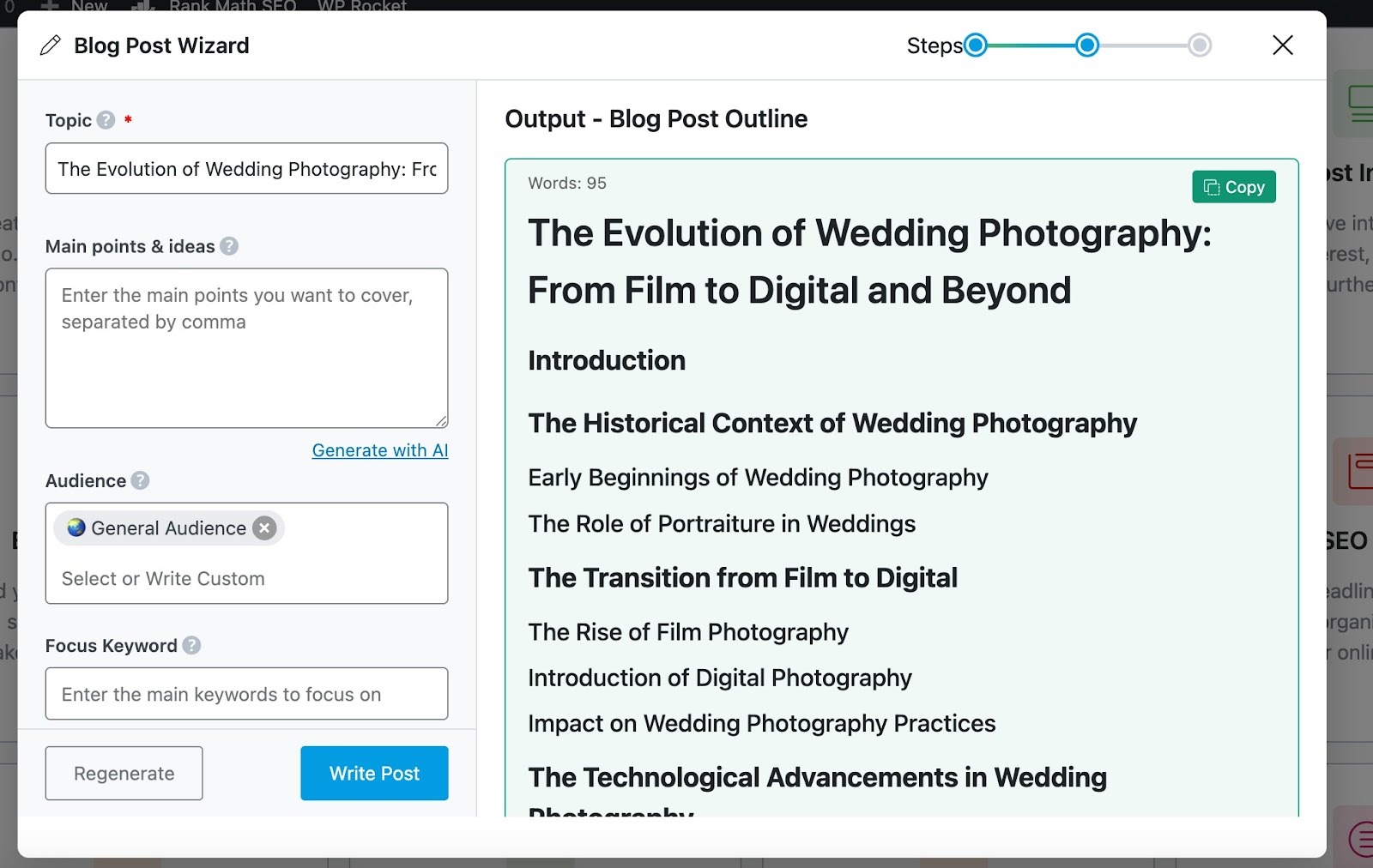
Once your topic is selected, the Blog Post Wizard automatically generates a well-structured outline for your article.
After reviewing the outline, simply click Write Post, and the AI will instantly create a full, SEO-friendly blog post for you.
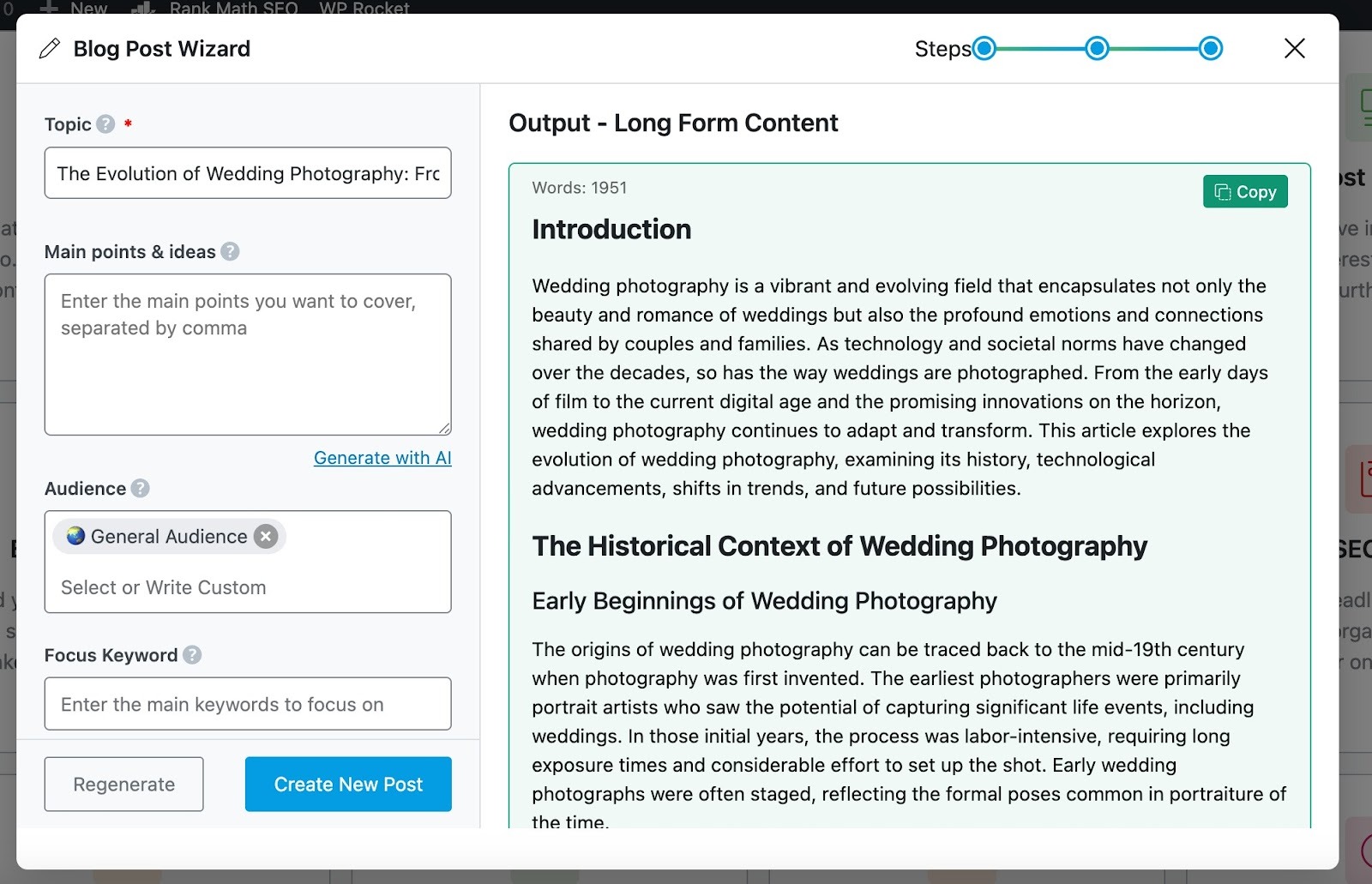
There’s also RankBot, which is your personal AI SEO assistant within Rank Math. You can ask anything related to SEO, keyword strategy, or content optimization directly inside WordPress.
Navigate to Rank Math SEO → Content AI → Chat from your WordPress dashboard.
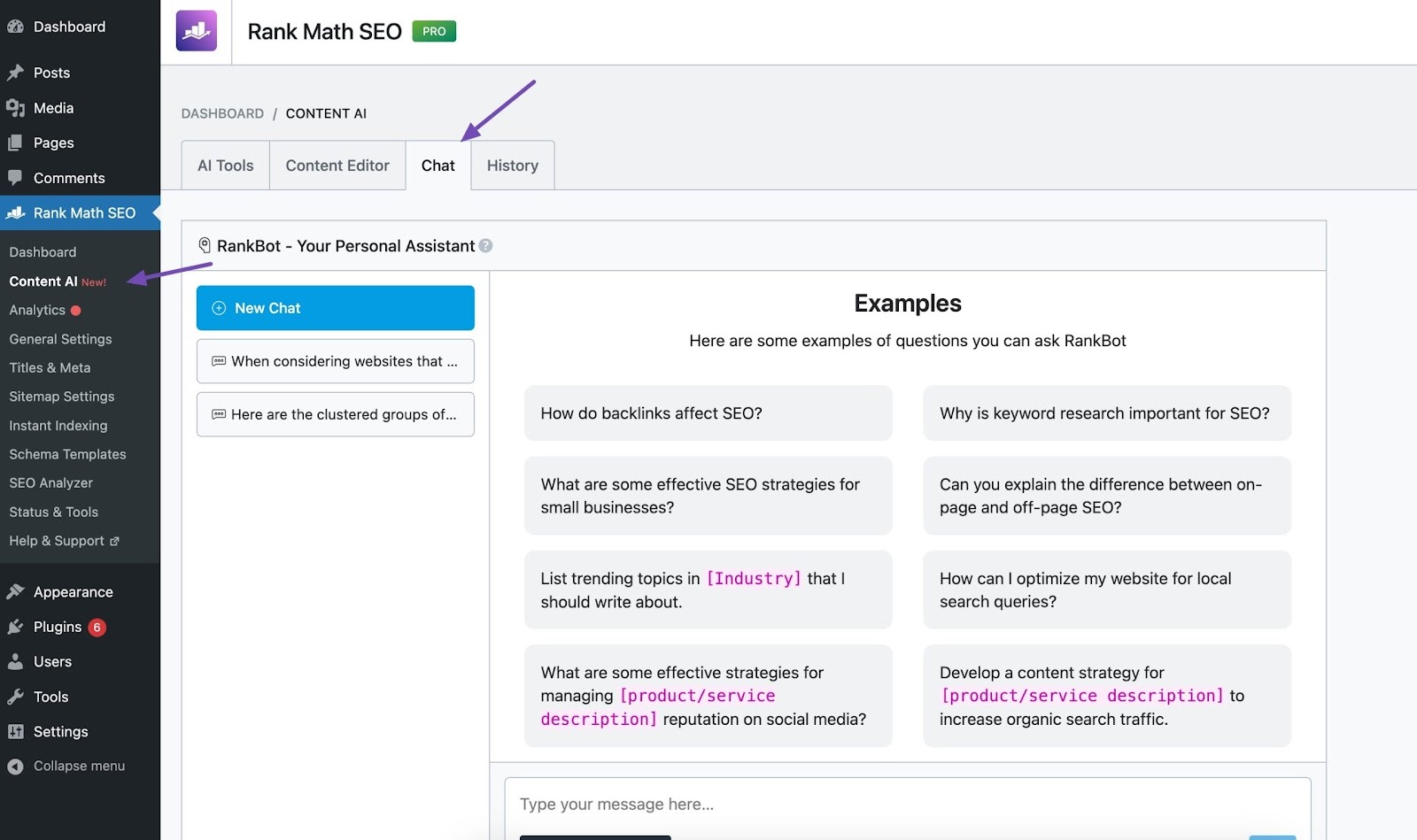
It helps you generate post ideas, outlines, meta descriptions, and titles. You can also use it to write your emails, social media bios for your business, and more.
Other key features:
- Content AI research: Analyzes your content against top-ranking competitors and tells you exactly what needs improvement.
- Topic Research tool: Helps you discover trending and relevant topics for your blog or website.
- Fix with AI: Helps you address any SEO suggestions from Rank Math.
- Image Alt Text generation: Helps generate suitable alt texts for your images.
Pricing: Free users get 750 credits per month. Paid plans start from $71.88/year.
Why small businesses use it: Content AI replaces multiple roles at once. It acts like a researcher, content planner, and SEO assistant working alongside you.
Instead of outsourcing every blog post or guessing what to write, small businesses use Content AI to publish content faster, cover the right topics, improve ranking potential, and save money on writers and SEO consultants.
4.2 Canva
Canva helps small businesses create visual content without hiring a designer. Social posts, ad creatives, flyers, thumbnails, presentations, and even simple videos are all created in one place. Instead of starting from a blank design, you work from templates and customize them to fit your brand.

Best for: Small businesses that need to create social media posts, ads, banners, and basic videos consistently without a design team.
Key features:
- Templates: You search for what you want to create, like an Instagram post or Facebook ad, and Canva gives you ready-made designs. You change the text, images, and colors, then export.
- Brand Kit: Found inside Canva under Brand settings. You upload your logo, brand colors, and fonts once. From then on, every design stays consistent.
- Stock photos and elements: Canva includes photos, icons, illustrations, and shapes inside the editor. You drag and drop instead of searching stock photo websites.
- Resize and repurpose designs: Once you design something, you can resize it for different platforms. One post can become an Instagram post, a Facebook post, and a story without redesigning everything.
- Basic video and animation tools: Canva lets you create simple animated posts, short videos, and reels by combining text, images, and clips.
Pricing: Free plan covers basic templates and design needs. The Pro plan is $15/month.
Why small businesses use it: Canva replaces everyday design work. Instead of hiring a designer or waiting for revisions, you create what you need yourself. It saves time, lowers costs, and keeps content moving without bottlenecks.
4.3 ChatGPT
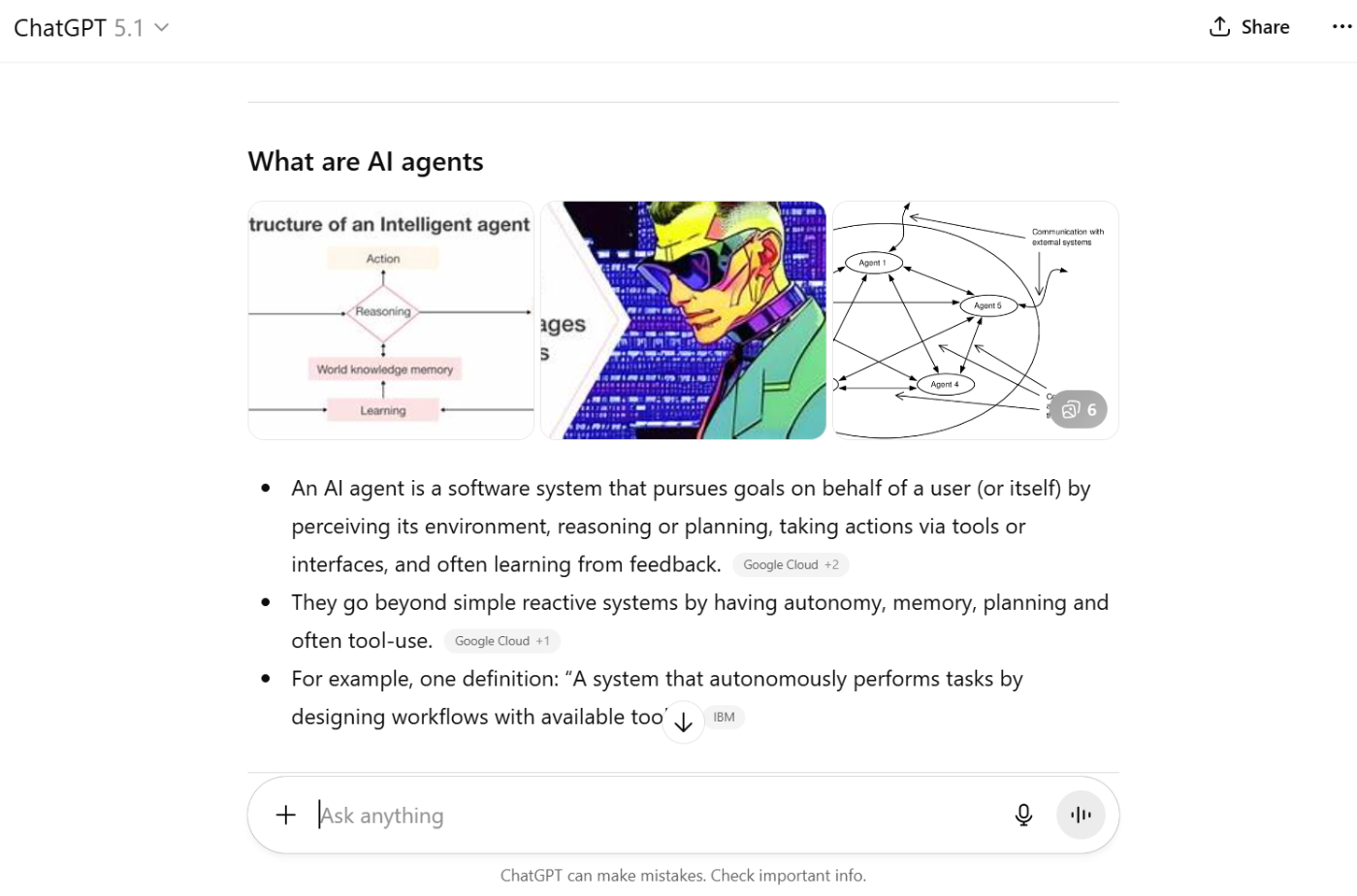
ChatGPT helps small businesses write faster. It turns ideas into drafts, rough thoughts into clear copy, and saves time on everyday content tasks. It does not replace strategy or publishing tools. It replaces the blank page and the time it takes to get started.
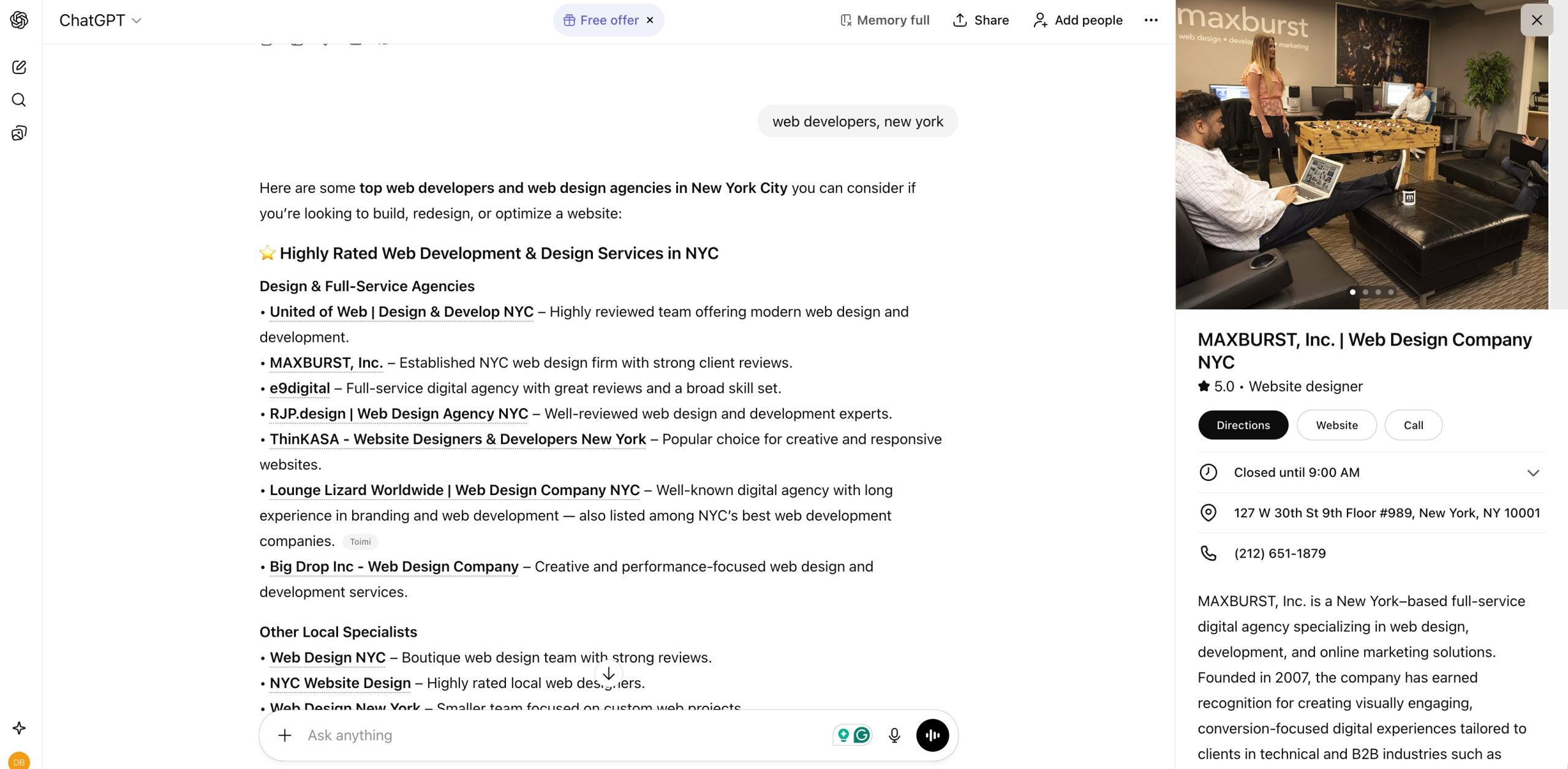
ChatGPT also shows Local Knowledge Panels for local searches, highlighting businesses with maps, photos, and essential details. This creates new opportunities for local visibility, making accurate listings and optimized content essential for brands.
Best for: Small businesses that write their own content and want to move faster without hiring a writer for every task.
Key features:
- Draft writing: Ask ChatGPT to write first drafts of blog posts, ads, emails, product descriptions, or service pages. Instead of starting from zero, you start with something you can edit and refine.
- Rewrite and improve: Paste existing copy and ask it to make it clearer, shorter, more persuasive, or more conversational.
- Idea generation: ChatGPT is often used to generate headlines, hooks, CTAs, and content ideas when you feel stuck.
- Content repurposing: Turn a blog post into social captions, ad copy, or email snippets by asking ChatGPT to rewrite it for different platforms.
- Image generation: ChatGPT can generate images for social posts, blog illustrations, thumbnails, and ad creatives.
Pricing: Free version works well for basic writing tasks. Paid plans start from $20/month.
Why small businesses use it: ChatGPT replaces early draft writing and brainstorming. It saves time, reduces dependence on freelancers for simple tasks, and helps businesses publish content more consistently without expanding their team.
4.4 Grammarly
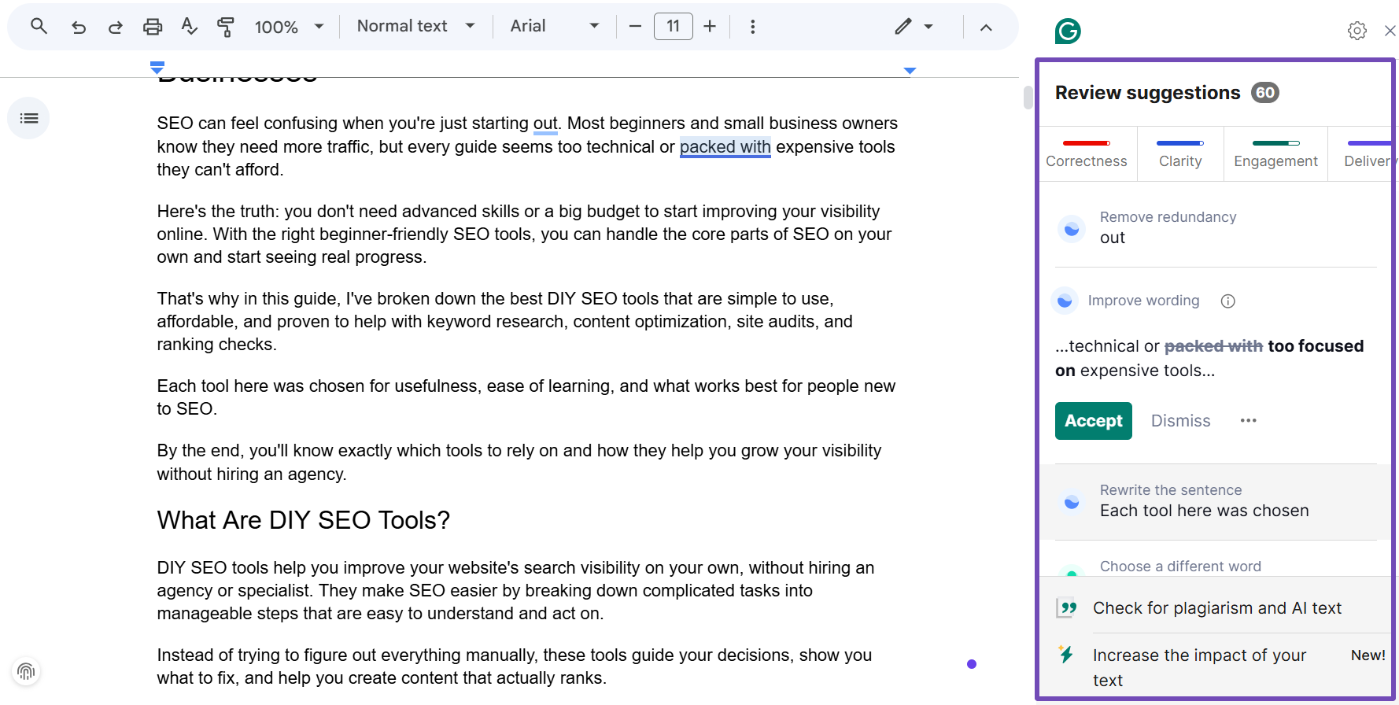
Grammarly helps small businesses sound professional without hiring an editor. It checks your writing in real time and improves clarity, tone, and correctness across emails, website copy, social posts, and documents.
Best for: Small businesses that write their own content and want it to look professional everywhere it appears.
Key features:
- Real-time writing corrections: Grammarly fixes grammar, spelling, and punctuation as you type. This helps you publish faster without second-guessing or rechecking everything manually.
- Clarity and readability suggestions: It highlights overly long or confusing sentences and suggests clearer alternatives.
- Tone detection and adjustment: Grammarly shows how your message sounds and helps you adjust it to be friendlier, more confident, or more professional, depending on the context.
- Works across your tools: It runs inside browsers, email clients, documents, and text fields. You do not need to copy content into a separate editor.
- Brand tone and consistency: For teams, Grammarly helps keep everyone writing in the same style.
Pricing: Free plan for basic corrections. Pro plan starts at $30/month.
Why small businesses use it: Grammarly replaces basic editing. It reduces embarrassing mistakes, improves clarity, and helps small businesses communicate professionally without hiring an editor or reviewer.
4.5 CapCut
CapCut helps small businesses create short-form videos without hiring a video editor. It’s designed for social content first, which makes it ideal for reels, ads, product clips, and quick explainers.
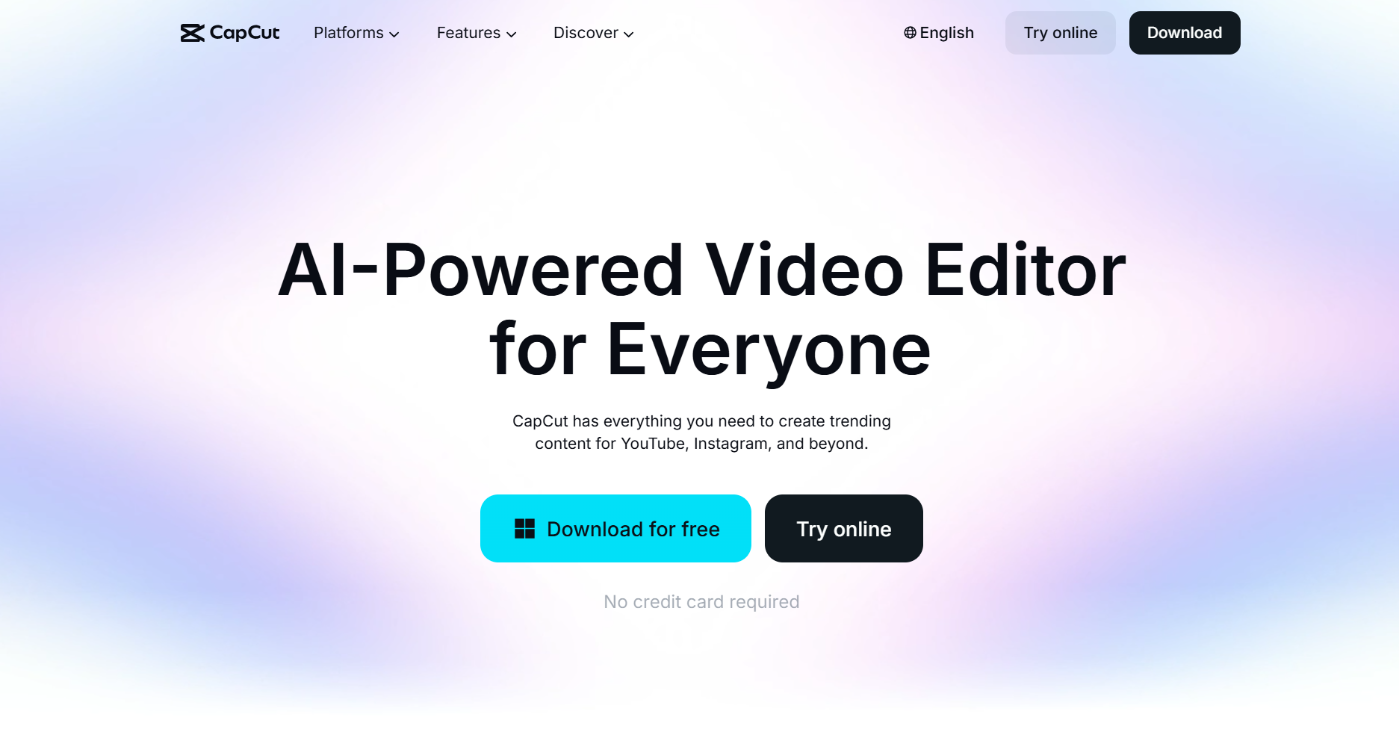
Best for: Small businesses creating short videos for Instagram Reels, TikTok, YouTube Shorts, and paid social ads.
Key features:
- Drag-and-drop video editing: CapCut uses a simple timeline to easily trim clips, cut mistakes, and rearrange scenes.
- Templates: Start from ready-made templates for reels and ads. Drop in your clips, adjust text, and export.
- Auto captions: CapCut can generate captions automatically. This matters because many people watch videos without sound.
- Text and effects: Add on-screen text, basic animations, transitions, and filters to keep videos engaging without over-editing.
- Music and sound tools: CapCut includes music and sound effects you can use without searching external libraries.
- Export for social platforms: Videos export in formats optimized for vertical platforms like TikTok, Instagram, and YouTube Shorts.
Pricing: Free plan covers basic video editing and templates. Pro plan starts at $9.99/month or $89.99/year.
Why small businesses use it: CapCut replaces basic video editing work. Instead of outsourcing simple videos or struggling with professional software, businesses use CapCut to publish consistent video content quickly and affordably.
5 Social Media Management Tools
Posting consistently matters, but doing it manually wastes time. Social media management tools help small businesses plan, schedule, and publish content across platforms without being online all day.
5.1 SocialPilot
SocialPilot helps small businesses and agencies plan, schedule, and publish social media posts from one place. It supports platforms such as Facebook, Instagram, LinkedIn, X (formerly Twitter), Pinterest, and TikTok.
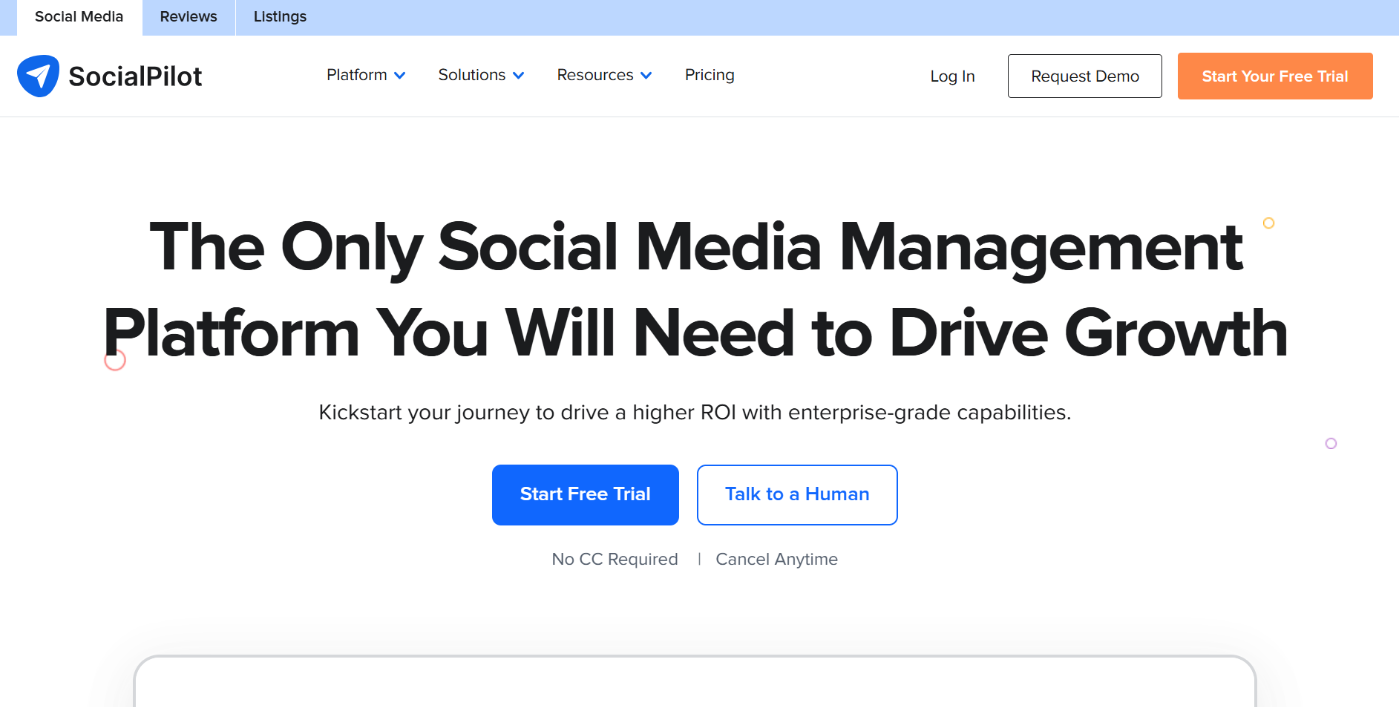
Best for: Small businesses managing several social profiles, and agencies handling multiple clients or brands.
Key features:
- Unified scheduling: Schedule posts across all supported platforms from a single dashboard.
- Bulk scheduling: Upload many posts at once using a simple file. Useful when you want to plan content for a week or month in one sitting.
- Content calendar: Visual calendar shows what’s going out and when.
- Team collaboration: Add team members, assign roles, and manage approvals.
- Analytics and reports: Shows engagement and performance data so you can see which posts work.
Pricing: Affordable plans that scale based on the number of accounts and users.
Why small businesses use it: SocialPilot saves time when managing multiple platforms. Instead of posting manually or juggling multiple tools, everything runs from a single dashboard, making consistent posting realistic even with a small team.
5.2 Buffer
Buffer helps small businesses stay consistent on social media without turning it into a full-time job. It supports platforms such as Instagram, Facebook, LinkedIn, X (formerly Twitter), Pinterest, and TikTok, and focuses on simple scheduling rather than complex workflows.

Best for: Small businesses, solo founders, and creators who want an easy way to schedule posts and stay active on social media.
Key features:
- Post scheduling and queue: Add posts to a queue, and Buffer publishes them automatically at the times you choose.
- Clean content calendar: Buffer shows your scheduled posts in a simple calendar view.
- Basic analytics: Track likes, comments, and engagement trends to understand what content works.
- Browser extension and mobile app: Schedule content quickly while browsing the web or from your phone.
- Start Page: Buffer includes a simple link-in-bio style page so you can share multiple links from your social profiles.
Pricing: Free plan for basic scheduling. Paid plans start at $6/month.
Why small businesses use it: Buffer is easy to learn and easy to stick with. It helps small businesses post consistently without needing advanced features, teams, or training.
5.3 Hootsuite
Hootsuite is a full social media management platform built to handle multiple platforms from one dashboard. It supports Facebook, Instagram, LinkedIn, X (Twitter), TikTok, Pinterest, and YouTube.
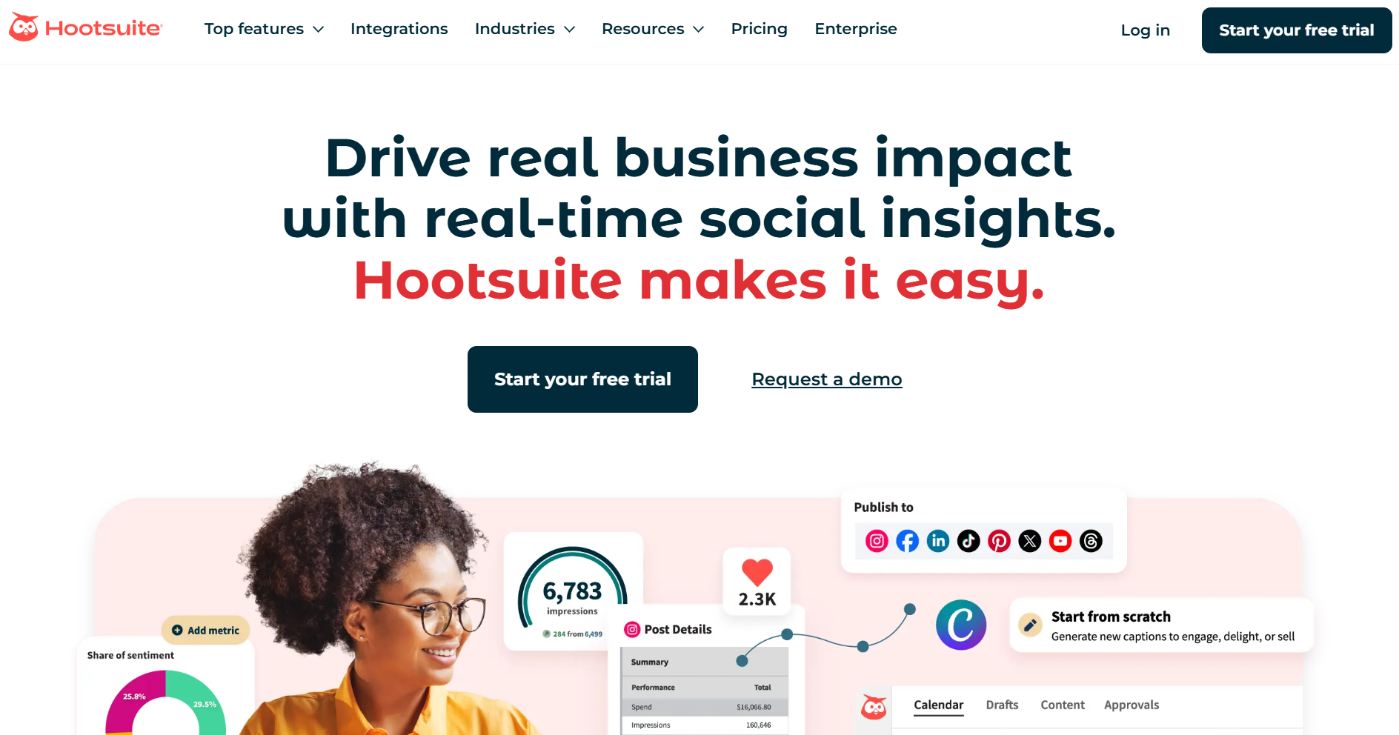
Best for: Small businesses with active social channels, teams managing comments and messages, and businesses planning to scale their social presence.
Key features:
- Post scheduling and calendar: Plan and schedule posts weeks ahead across multiple platforms, and view everything in a calendar.
- Bulk scheduling: Upload and schedule many posts at once.
- Unified inbox and engagement: View and reply to comments and messages from different platforms in one place.
- Analytics and reporting: Performance reports across platforms so you can see what content is working.
- Social listening: Monitor brand mentions, keywords, and trends.
Pricing: No free plan. Paid plans start at $149/ month.
Why small businesses use it: Hootsuite consolidates multiple social media tasks into a single system. Businesses choose it when social media becomes a serious channel that needs structure, collaboration, and visibility across platforms, not just basic scheduling.
6 Advertising and Paid Media Tools
Paid ads help small businesses get visibility fast. These tools let you put your offer in front of people already searching, scrolling, or ready to buy, while giving you control over budget and results.
6.1 Google Ads
Google Ads helps small businesses show up when people are actively searching for what they offer. Your ads appear on Google Search, Google Maps, YouTube, and partner sites.
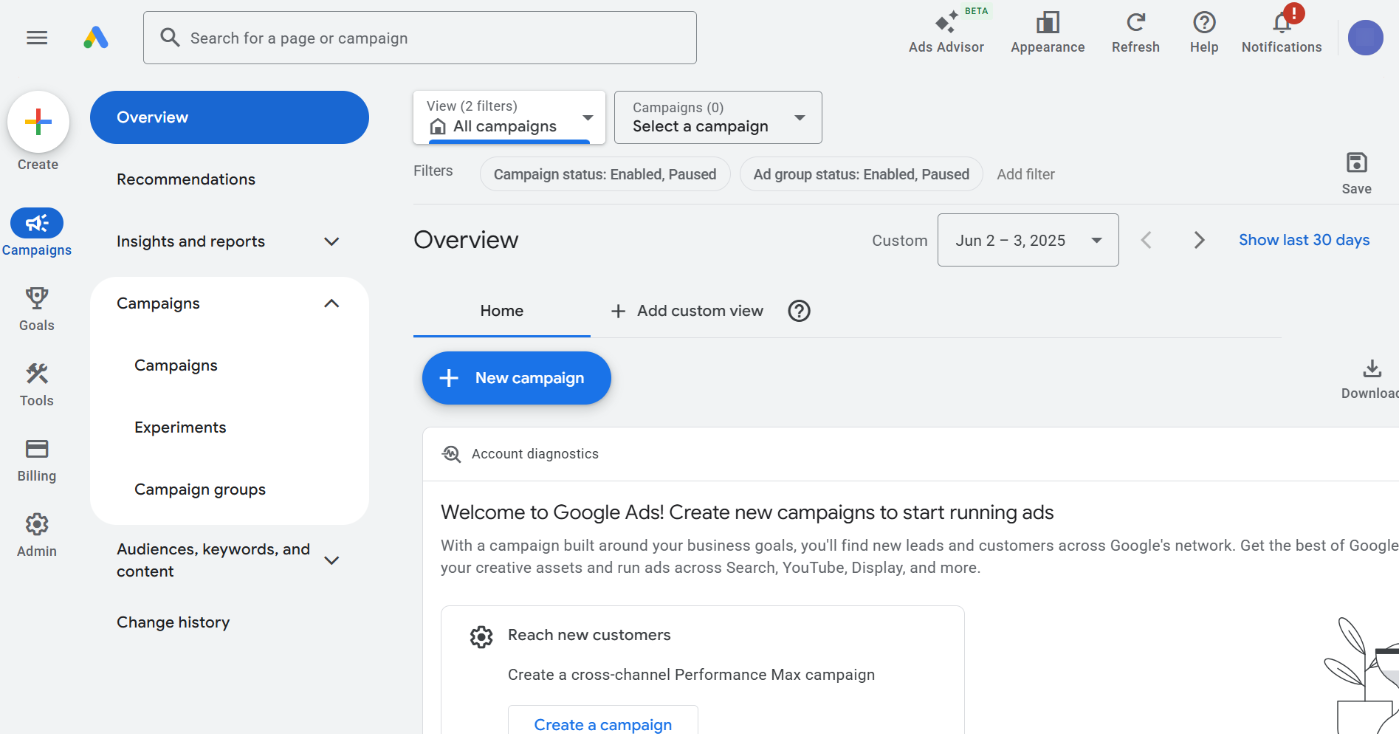
Best for: Search intent and local services, ecommerce with clear demand, and businesses that need leads or sales now.
Key features:
- Search ads: Target keywords people type into Google. When someone searches for a service or product you offer, your ad can appear at the top of the results.
- Location targeting: Show ads only to people in specific cities or within a set radius. Critical for local services.
- Conversion tracking: Track phone calls, form submissions, purchases, and other actions. Shows you which ads make money, not just get clicks.
- Smart bidding: Let Google optimize bids automatically to focus on conversions instead of traffic.
- Remarketing: Show ads again to people who already visited your site or interacted with your business.
Pricing: Pay-per-click or pay-per-conversion model. You set a daily budget, and there is no fixed minimum spend. Costs depend on competition in your industry.
Why small businesses use it: Google Ads delivers immediate visibility and high-intent traffic. When set up properly, it brings leads and sales faster than most channels.
6.2 Meta Ads Manager
Meta Ads Manager lets small businesses run paid ads across Facebook, Instagram, Messenger, and the Audience Network. Instead of targeting search queries, it targets people based on interests, behavior, and past interactions.
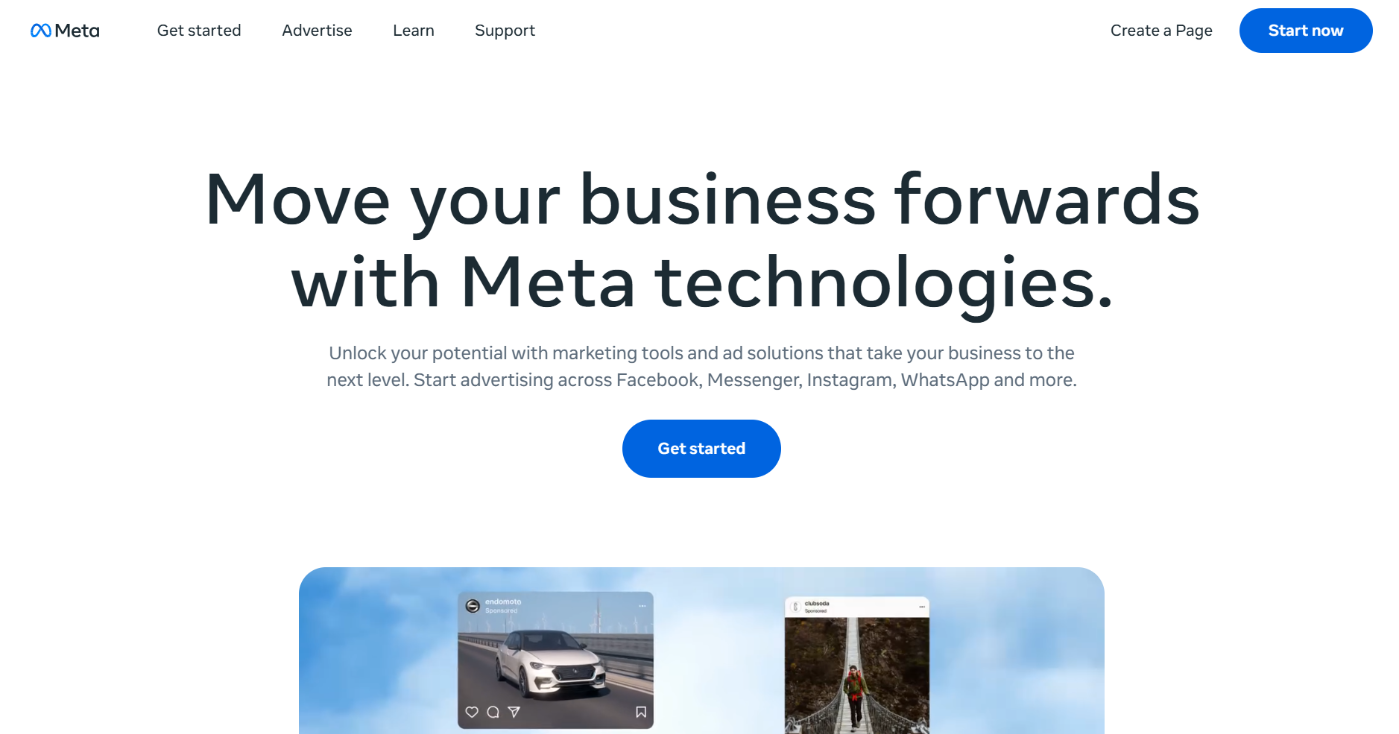
Best for: Broad awareness, remarketing, ecommerce products, and service businesses that rely on visuals and storytelling.
Key features:
- Audience targeting: Target people based on location, age, interests, behaviors, and demographics.
- Custom audiences and remarketing: Retarget people who visited your website, engaged with your social pages, or are already customers.
- Lookalike audiences: Create new audiences that behave like your existing customers.
- Creative-focused ad formats: Run image, video, carousel, story, and reel ads.
- Conversion tracking (Meta Pixel): Track purchases, leads, and other actions to see which ads drive results.
Pricing: Auction system. You control daily or lifetime budgets and can pay per click, impression, or conversion. No fixed minimum spend.
Why small businesses use it: Meta Ads Manager is powerful for staying visible and driving repeat visits. It helps companies build awareness, retarget interested users, and turn attention into conversions when combined with strong creatives.
6.3 TikTok Ads Manager
TikTok Ads Manager helps small businesses reach new audiences through short-form video. Ads appear directly inside the TikTok feed and blend into the content people already consume.
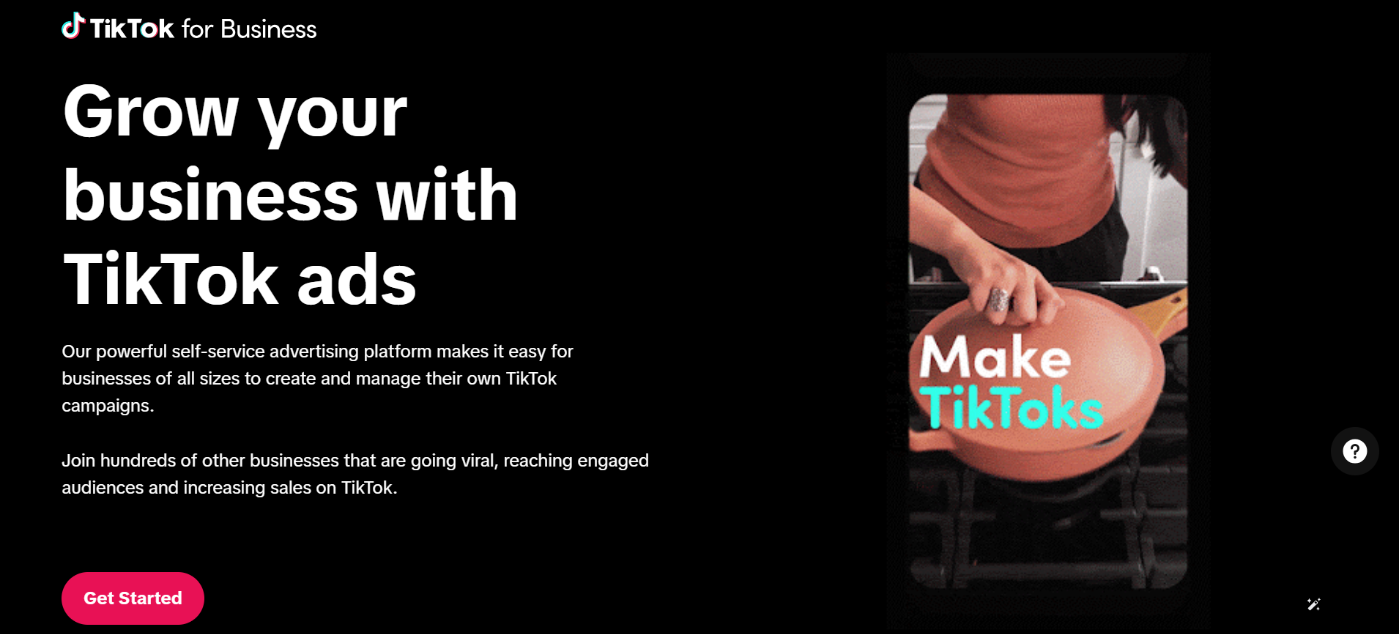
Best for: Short-form creative, younger audiences, ecommerce products, and businesses willing to test content quickly.
Key features:
- In-feed video ads: These ads appear like normal TikTok videos. When done right, they don’t feel like ads at all.
- Spark Ads: Boost organic TikTok posts as ads. Lets you turn content that already performs well into paid campaigns.
- Creative testing: TikTok makes it easy to test multiple video variations.
- Interest and behavior targeting: Target users based on interests, behaviors, and location.
- Conversion tracking (TikTok Pixel): Track purchases, signups, and other actions to see which videos drive results.
Pricing: Auction system with daily and lifetime budgets. No fixed minimum spend.
Why small businesses use it: TikTok Ads Manager is powerful for discovery. It helps companies to get attention fast and scale what works, especially when combined with simple, authentic video content.
6.4 LinkedIn Campaign Manager
LinkedIn Campaign Manager helps small businesses advertise directly to professionals and decision makers.
Your ads appear in the LinkedIn feed, inbox messages, and other placements, which makes it very different from consumer platforms.
Its real strength is precision, not volume.

Best for: B2B businesses and high-ticket services that need to reach professionals, founders, managers, and decision makers.
Key features that matter:
- Professional targeting: You can target people by job title, industry, company size, seniority, and location. This allows you to reach the exact type of buyer you want, not just broad interests.
- LinkedIn lets you collect leads directly on the platform. Users submit their details without leaving LinkedIn, which often results in higher-quality leads.
- Account-based targeting: You can target specific companies. This is useful for B2B outreach, enterprise sales, and high-value contracts.
- Ad formats for authority building: Single image ads, video ads, and document ads work well for promoting guides, case studies, webinars, and services that require trust.
- Conversion tracking and retargeting: You can track form submissions and site actions, then retarget people who engaged with your ads or visited your site.
Pricing: LinkedIn Ads operates on an auction system with higher costs per click compared to other platforms. Budgets are flexible, but they’re most effective when a single customer is worth a significant amount.
Why small businesses use it: LinkedIn Campaign Manager gives access to buyers that are hard to reach elsewhere. When the offer is right, fewer leads can still generate substantial revenue, which makes it ideal for B2B and high-value services.
7 Analytics and Performance Tracking Tools
Marketing only works if you can measure it. These tools show small businesses what’s bringing traffic, leads, and sales, so decisions are based on data, not guesses.
7.1 Google Analytics 4 (GA4)
Google Analytics 4 shows what people actually do on your website. Instead of guessing which marketing efforts work, GA4 connects traffic to real actions like signups, purchases, and leads.
It answers a straightforward question: Is this producing results?
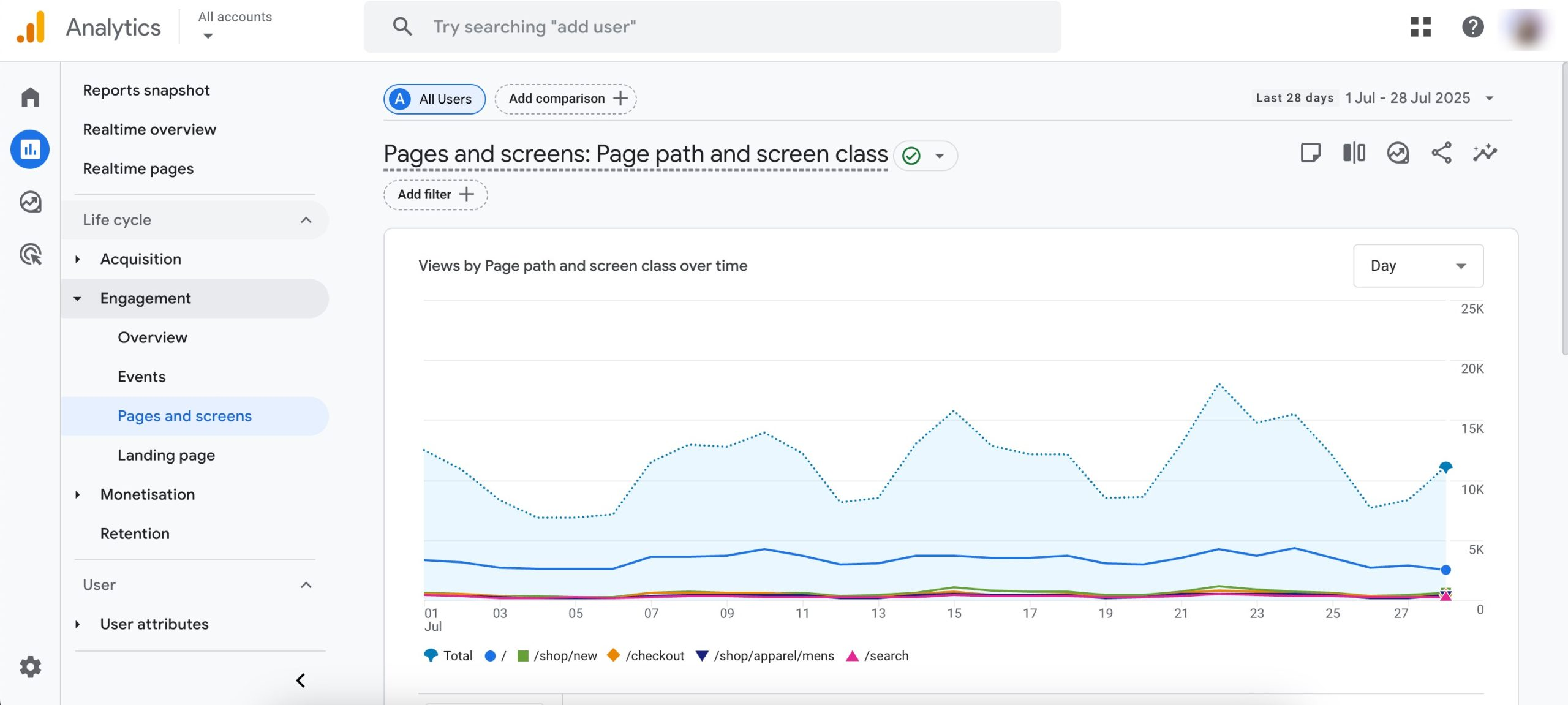
Best for: Tracking website traffic, signups, purchases, and understanding which channels drive tangible outcomes.
Key features that matter:
- Event-based tracking: GA4 tracks actions as events. Page views, button clicks, form submissions, signups, and purchases are all events. This makes it easier to measure what matters to your business.
- Conversion tracking: You can mark important events as conversions, such as newsletter signups, contact form submissions, bookings, or completed purchases. This shows which traffic sources actually lead to results.
- Traffic source reporting: GA4 shows where visitors come from, like Google search, social media, ads, email, or referrals. This helps you decide where to focus your marketing budget and effort.
- Ecommerce tracking: For online stores, GA4 tracks purchases, revenue, products viewed, and checkout behavior. You can see which products sell and which channels bring buyers.
- Engagement insights: GA4 shows how long users stay, which pages they interact with, and where they drop off. This helps you improve pages that get traffic but do not convert.
Pricing: GA4 is entirely free.
Why small businesses use it: Google Analytics 4 enables data-driven marketing decisions. Instead of focusing solely on vanity metrics like page views, businesses use GA4 to see what actually drives leads, sales, and growth.
7.2 Google Search Console
Google Search Console shows how your website performs in Google Search before anyone clicks. It tells you what keywords you appear for, how often your pages are seen, and what SEO issues Google finds.
It answers a straightforward question: how visible is my site in search?
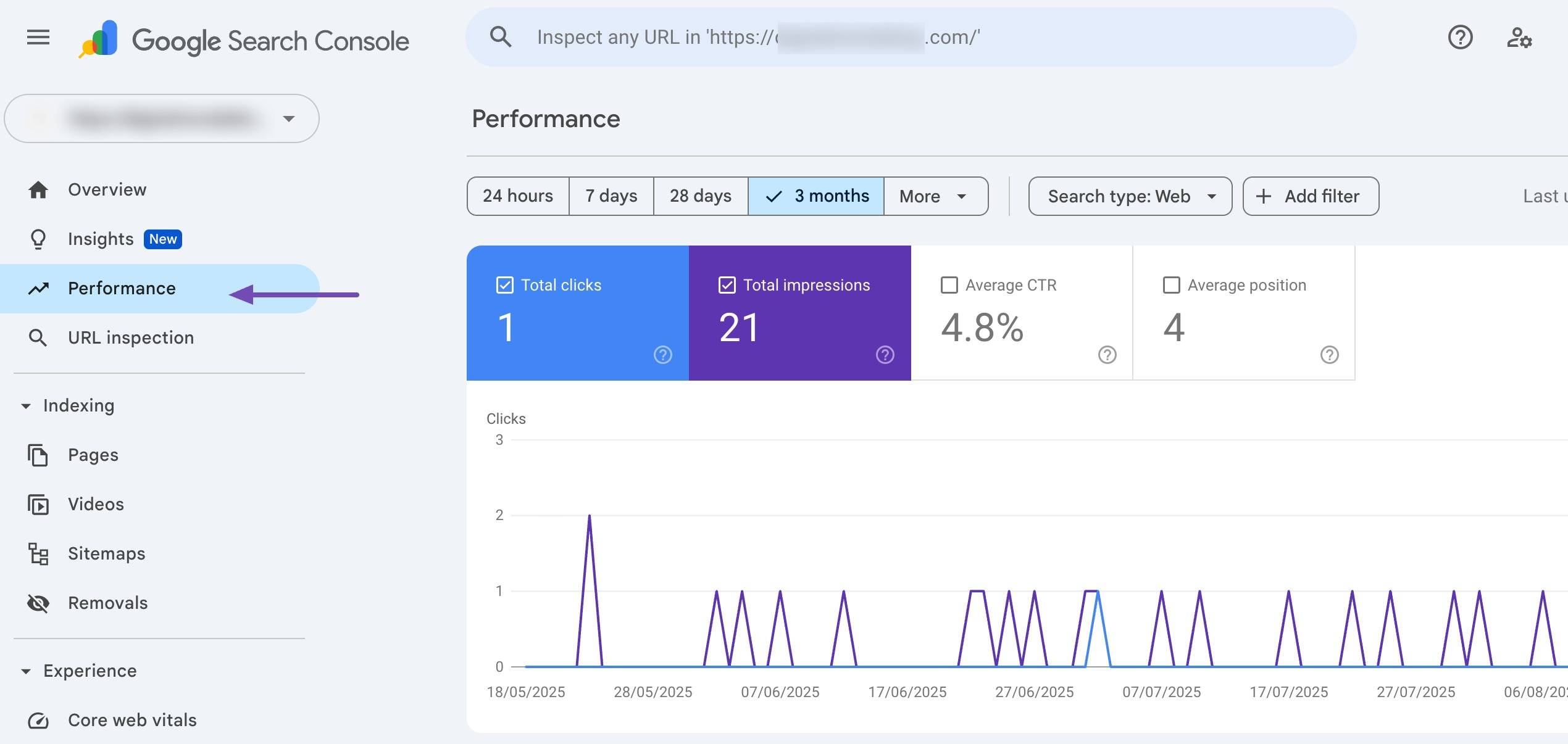
Best for: Understanding search visibility, finding keyword opportunities, and fixing SEO issues that block growth.
Key features:
- Search performance and keywords: You can see the exact search queries people use to find your site, along with impressions, clicks, and average position. This helps you identify quick wins and content opportunities.
- Page-level insights: You can see which pages appear in search and how they perform. Pages with high impressions but low clicks often need better titles or descriptions, not new content.
- Indexing reports: Search Console shows which pages are indexed and which are not, including reasons. This helps fix issues that prevent important pages from appearing in search results.
- URL inspection: You can inspect individual pages and request indexing when you publish or update content. This helps new or updated pages get discovered faster.
- SEO health and experience reports: Search Console highlights mobile usability issues, page experience problems, and manual actions that can hurt rankings if ignored.
Pricing: Google Search Console is completely free.
Why small businesses use it: Search Console gives direct feedback from Google. Instead of guessing what works, businesses use it to improve existing content, fix visibility issues, and grow search traffic with clarity.
8 Frequently Asked Questions
What is the best marketing tool for a small business if I can only pick one?
If you can only choose one tool, start with Rank Math. It helps your website show up on Google and guides you on what to improve without deep SEO knowledge. For most small businesses, consistent search visibility beats using many tools poorly.
Do I need Google Ads to show up on Google?
No. Google Ads gives immediate visibility, but only as long as you pay. SEO tools like Rank Math help you appear organically over time. Ads are useful for speed, but SEO is what keeps you visible long term. Most businesses eventually use both.
What are affordable marketing tools for a small business on a tight budget?
A simple setup works well. Rank Math for SEO, Google Search Console and GA4 for tracking, Canva for visuals, and ChatGPT for writing. This stack is affordable and enough for steady growth.
How do I know if my marketing tools are actually working?
If more people are finding your site, your pages are ranking better, and you are getting more leads or sales, the tools are working. If nothing is improving, the issue is usually how the tools are used, not how many you have.
9 Final Thoughts
Small business marketing is not about using every tool available. It is about using the right tools for the right job and staying consistent.
When your website is structured well, your content answers real questions, and your efforts are measured, growth becomes predictable.
Tools like Rank Math, analytics platforms, and simple content and ad tools exist to reduce guesswork, not add complexity.
Start small. Focus on visibility and trust. Measure what matters. Build from there. The goal is not more tools. It is a better result.
If you like this post, let us know by Tweeting @rankmathseo.