
Rank Math provides AI-ready SEO abilities that let you optimize content, perform SEO tasks, and access Rank Math data directly from your AI assistant. These abilities can be accessed through compatible AI integrations, including the WordPress MCP adapter.
In this knowledgebase article, we will show you how to complete SEO tasks using the tools available in Rank Math MCP.

In this article, we’ll cover:
- Available Rank Math MCP Tools
- How to Setup Rank Math Using MCP
- Retrieve Site’s Settings
- Retrieve Site’s Health Report
- Retrieve Your robots.txt File
- Retrieve Your llms.txt File
- Update Site Identity
- Update Site’s SEO Defaults
- Update Homepage SEO
- Update Site’s Link Settings
- Enable or Disable Rank Math Modules
- Update XML Sitemap Settings
- Set Rank Math Auto-Update Preferences
- Update Post Type SEO Defaults
- Update Breadcrumb Settings
- How to Complete SEO Tasks With Rank Math MCP
- Run a Site-Wide SEO Audit
- Fix Failed SEO Tests From the Audit
- Run an SEO Audit of a Competitor’s Site PRO
- Run a Full SEO Analysis on a Post
- Retrieve Schema Markup From Posts
- Retrieve Post’s SEO Metadata
- Retrieve SEO Scores of Posts
- Retrieve Links From Post
- Retrieve Your Redirections
- Check the Status of Links Across a Site
- How to Retrieve Search Console Data Using Rank Math MCP
- How to Track and Update AI Mentions Using Rank Math MCP
1 Available Rank Math MCP Tools
An MCP tool is a command that lets your AI assistant interact with specific features and capabilities in Rank Math. Depending on the available MCP tools, you can ask your AI assistant to retrieve reports and metrics or perform SEO tasks.
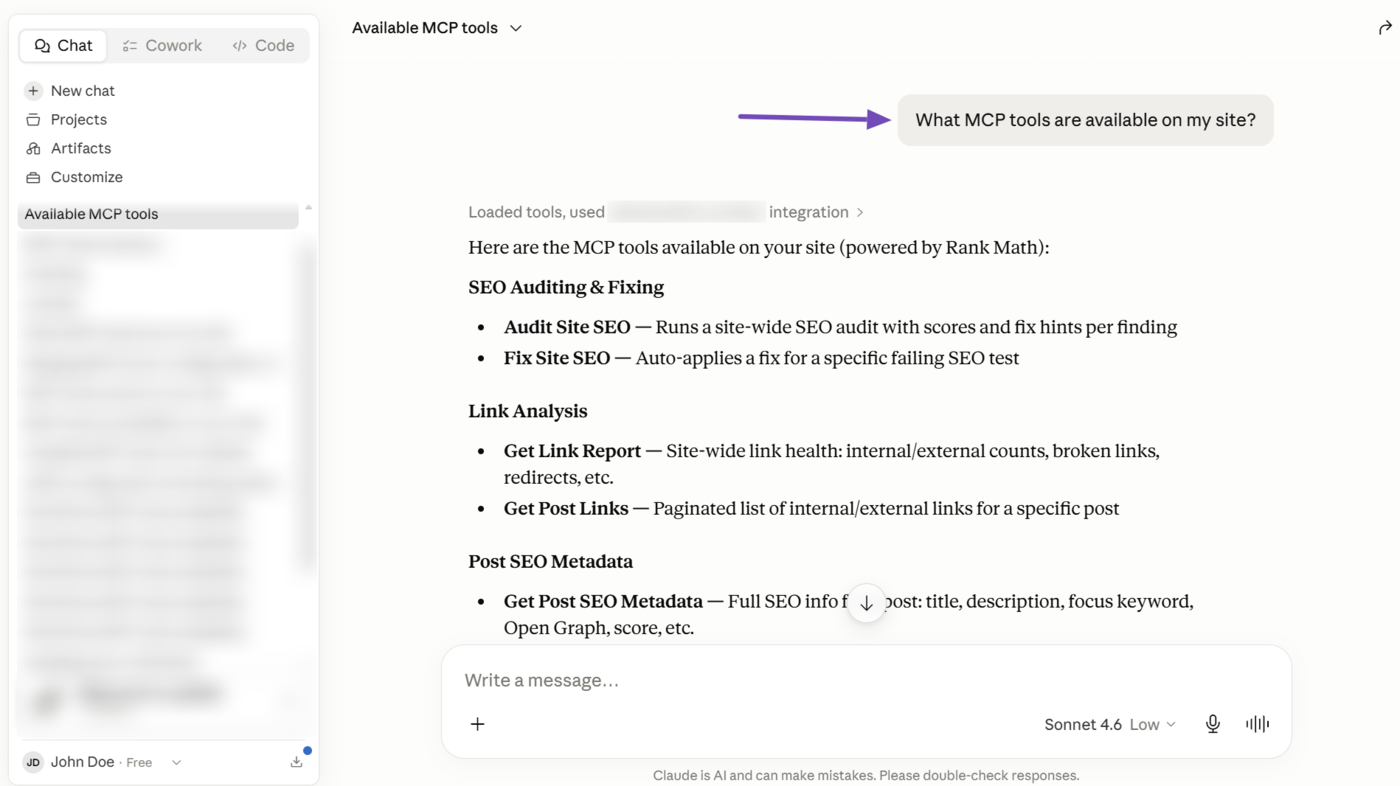
Rank Math has multiple MCP tools for various tasks. To see which MCP tools are available, simply ask your AI assistant a question such as, “What MCP tools are available on my site?”
2 How to Setup Rank Math Using MCP
Rank Math also offers MCP tools that let you set up and optimize your Rank Math installation. This is helpful if you’re a new user who just installed Rank Math, or an existing user who wants to review and optimize their configuration.
Here are the setup tasks you can complete using Rank Math MCP.
- Retrieve site’s settings
- Retrieve site’s health report
- Retrieve your robots.txt file
- Retrieve your llms.txt file
- Update site identity
- Update site’s SEO defaults
- Update homepage SEO
- Update site’s link settings
- Enable or disable Rank Math modules
- Update XML sitemap settings
- Set Rank Math auto-update preferences
- Update post type SEO defaults
- Update breadcrumb settings
2.1 Retrieve Site’s Settings
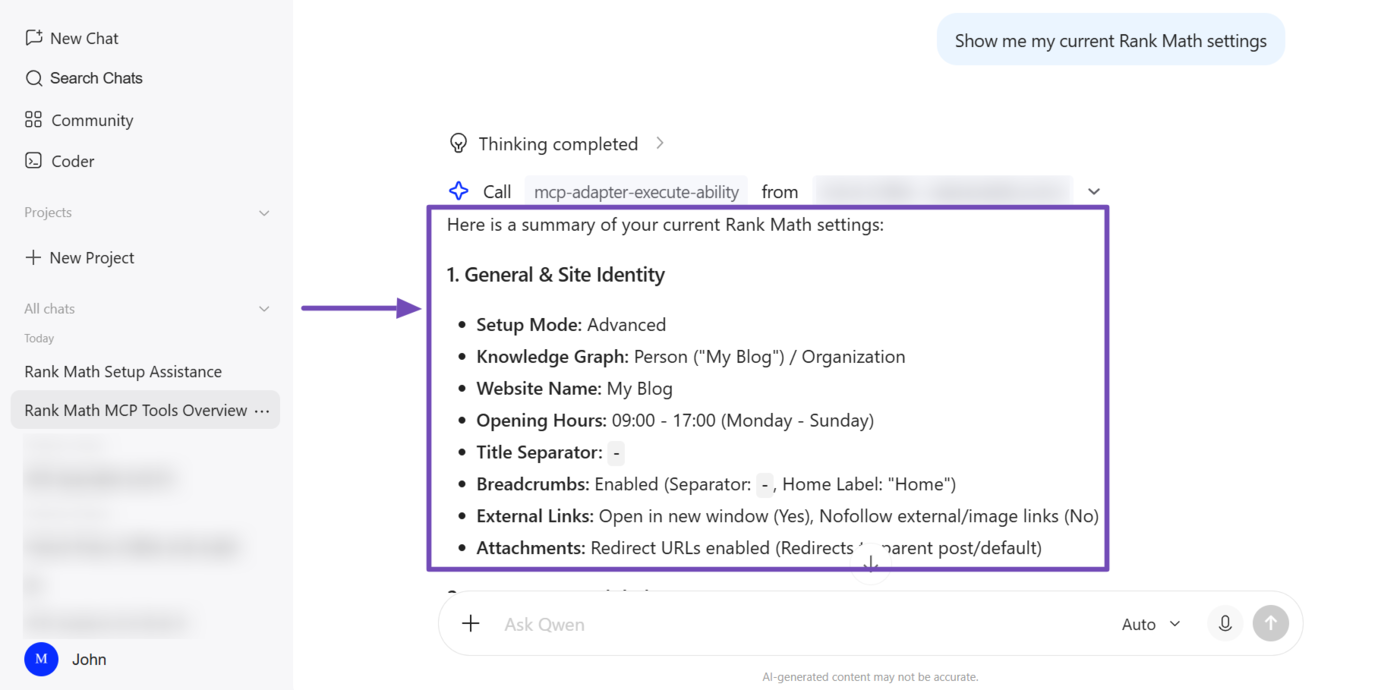
The Get Settings MCP tool (rank-math/get-settings) lets your AI assistant retrieve the details of your Rank Math settings. This includes your site identity, active modules, and homepage, global SEO, post type, taxonomy, sitemap, instant indexing, and auto-update settings.
This gives your AI assistant complete visibility into how Rank Math is currently configured, so it can identify gaps, recommend changes, or confirm a setting before updating it.
2.2 Retrieve Site’s Health Report
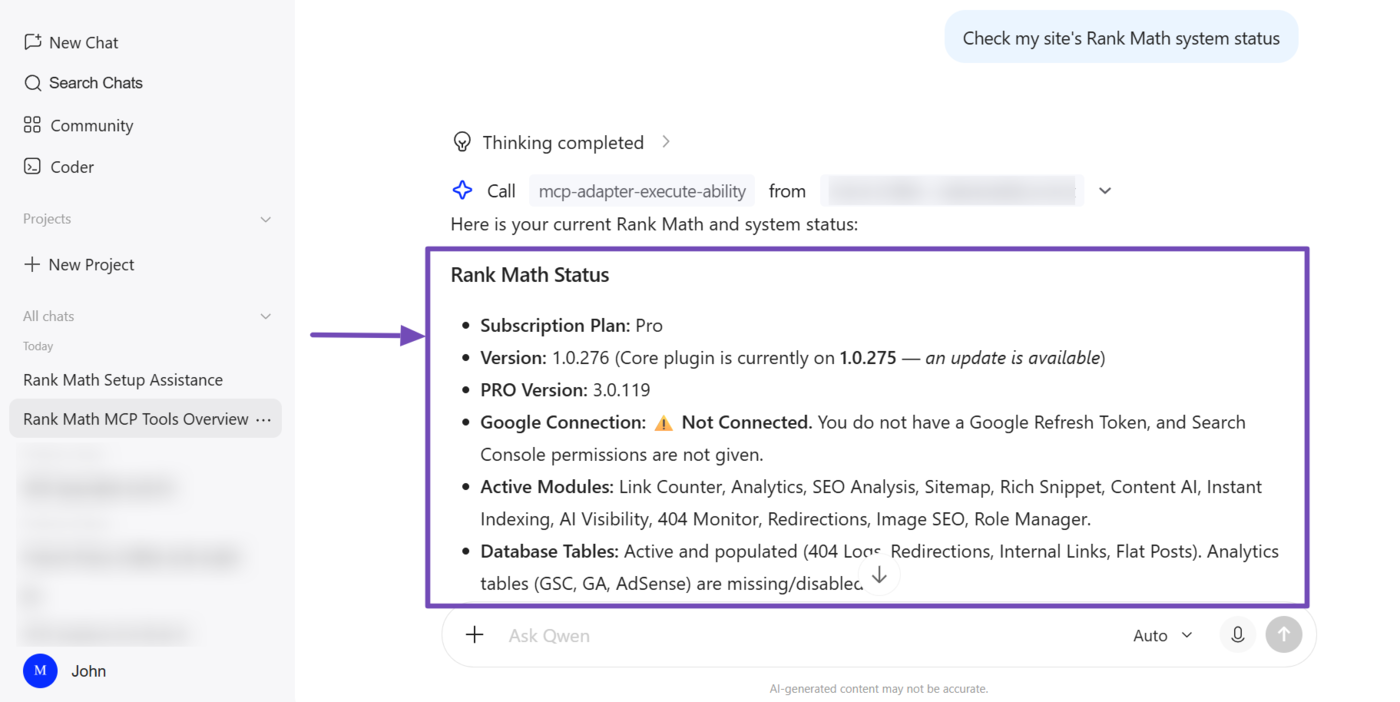
The Get System Status MCP tool (rank-math/get-system-status) lets your AI assistant retrieve a detailed health report of your site’s health and Rank Math installations. This is useful when troubleshooting an issue or confirming that your site is ready for a new feature.
For Rank Math, this includes the version, Rank Math PRO plan, active modules, subscription status, and connections to Google Search Console, Analytics, and AdSense.
For your site, it covers WordPress core information, active theme and plugins, server environment, database table health, and filesystem permission status.
2.3 Retrieve Your robots.txt File
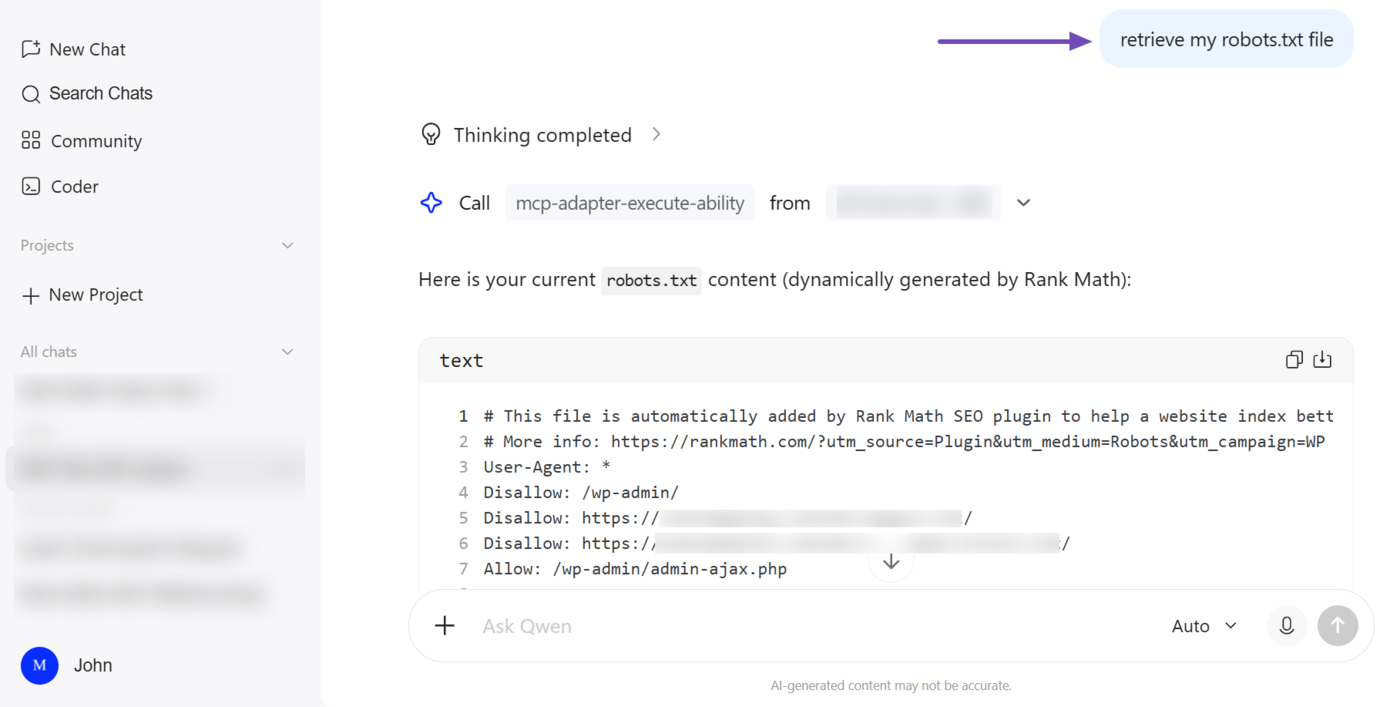
The Get robots.txt MCP tool (rank-math/get-robots-txt) lets your AI assistant retrieve the robots.txt file currently applied to your site. This file is generated by Rank Math.
2.4 Retrieve Your llms.txt File
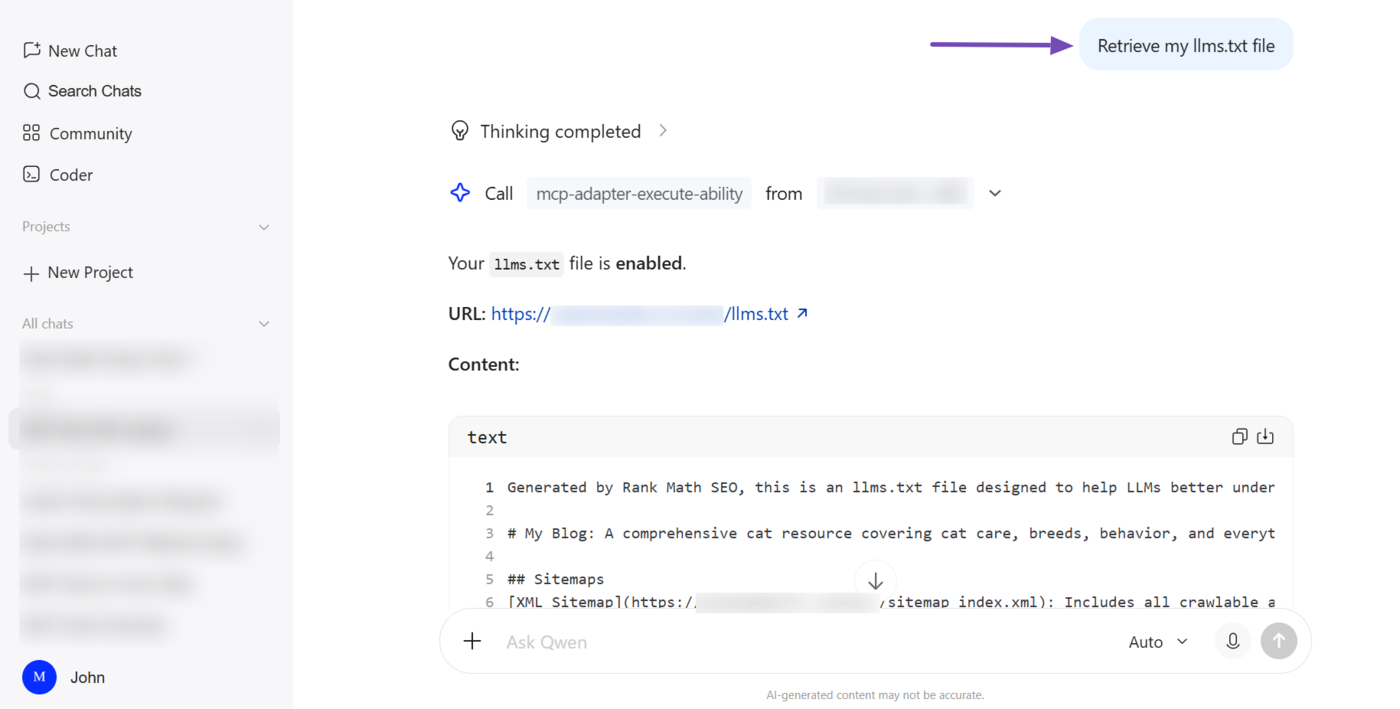
The Get llms.txt MCP tool (rank-math/get-llms-txt) lets your AI assistant retrieve the llms.txt file on your site. It checks whether llms.txt is enabled or disabled, and when enabled, returns its URL and content. This gives you insight into how your site describes itself to AI crawlers.
2.5 Update Site Identity
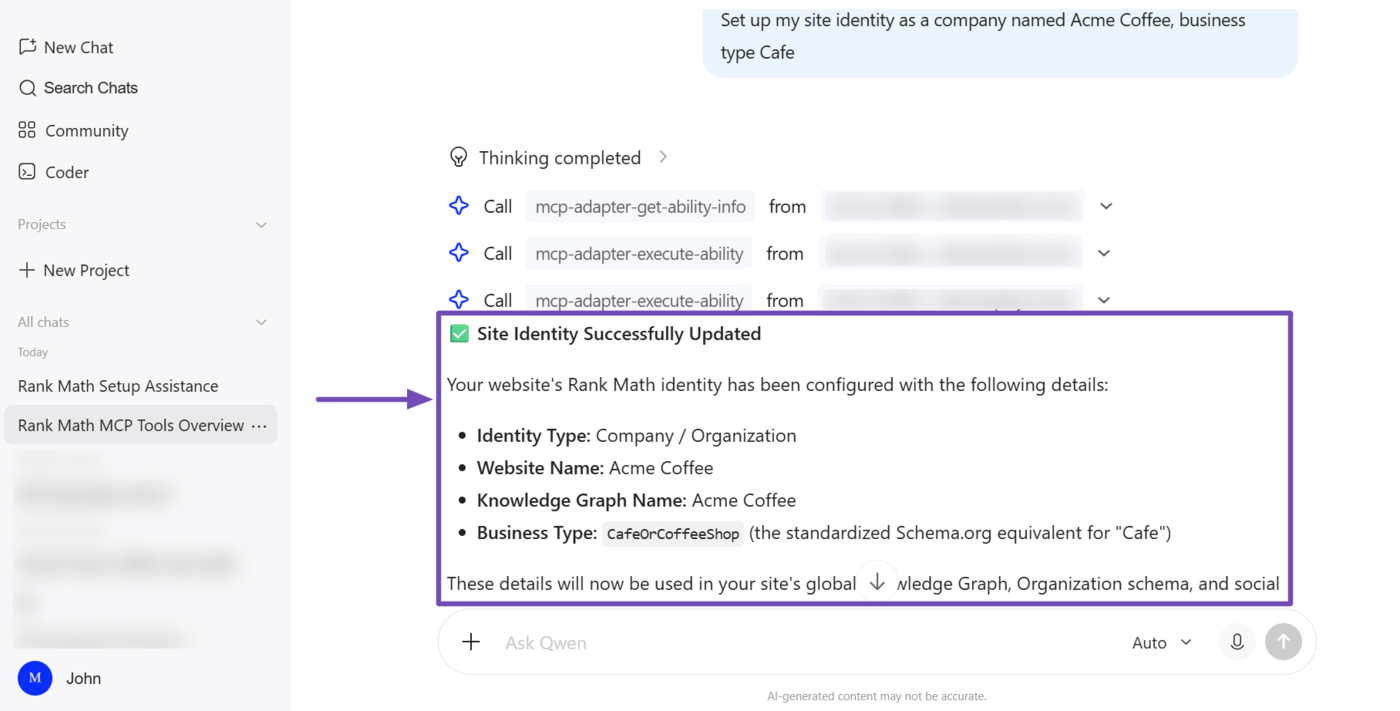
The Set Website Identity MCP tool (rank-math/set-website-identity) lets your AI assistant update the details of your site’s knowledge graph. This includes your website name, alternate name, knowledge graph name, description, URL, and type (person or organization).
Rank Math uses these details to configure your Schema markup, Open Graph meta, and Twitter cards.
2.6 Update Site’s SEO Defaults
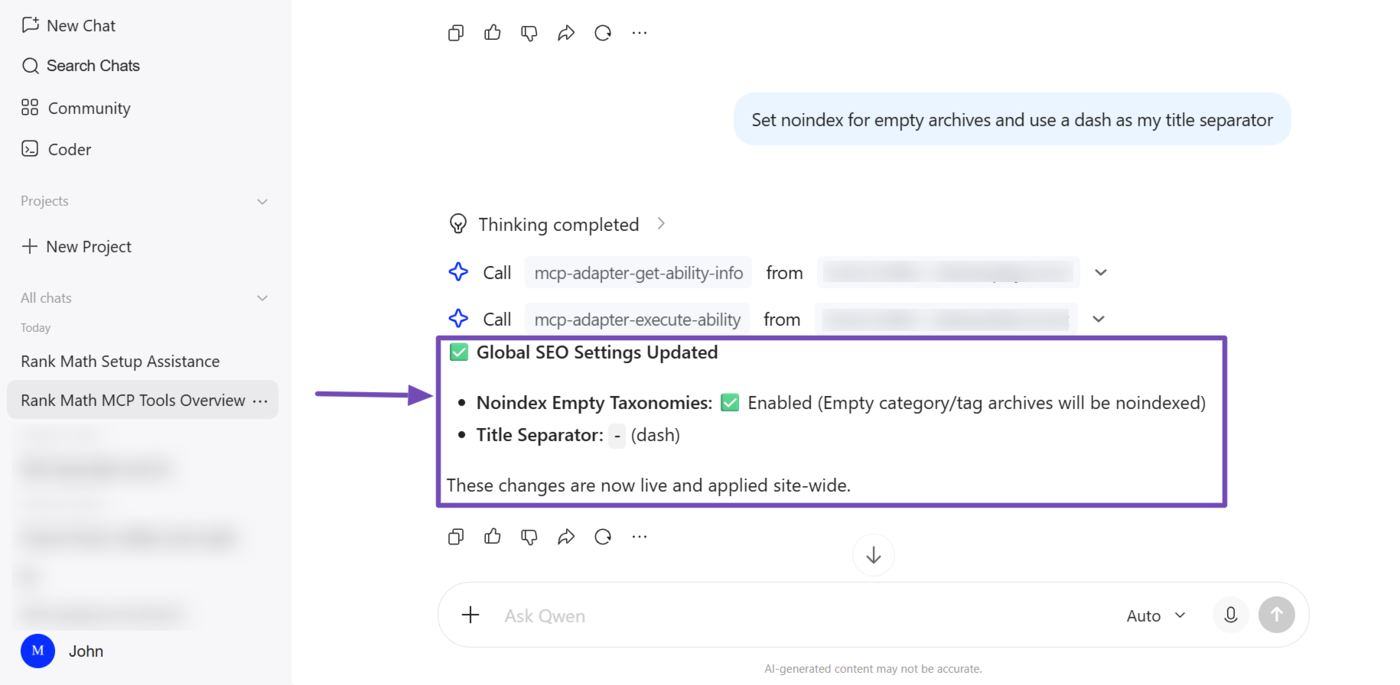
The Set Global SEO Settings MCP tool (rank-math/set-global-seo-settings) lets your AI assistant update your site-wide SEO defaults. This includes your robots meta settings, default Twitter card type, title separator, capitalization preferences, and whether empty taxonomy archives are set to noindex,
2.7 Update Homepage SEO
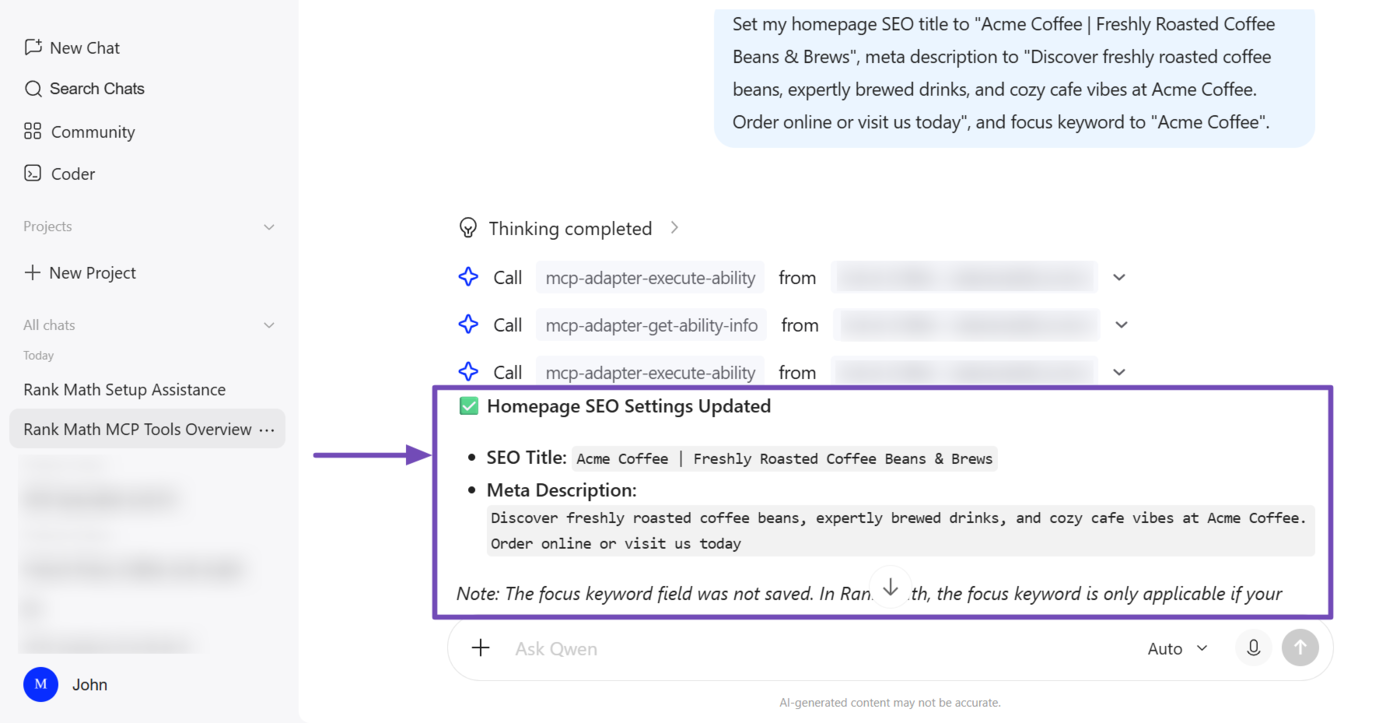
The Set Homepage SEO MCP tool (rank-math/set-homepage-seo) lets your AI assistant update the SEO title, meta description, and focus keyword for your site’s homepage.
Note: A focus keyword can only be saved for a static homepage. If the homepage is set to show your latest posts, the focus keyword cannot be set.
To get started, provide your AI assistant with the title, description, and focus keyword you want for your homepage. It will then update those fields using MCP.
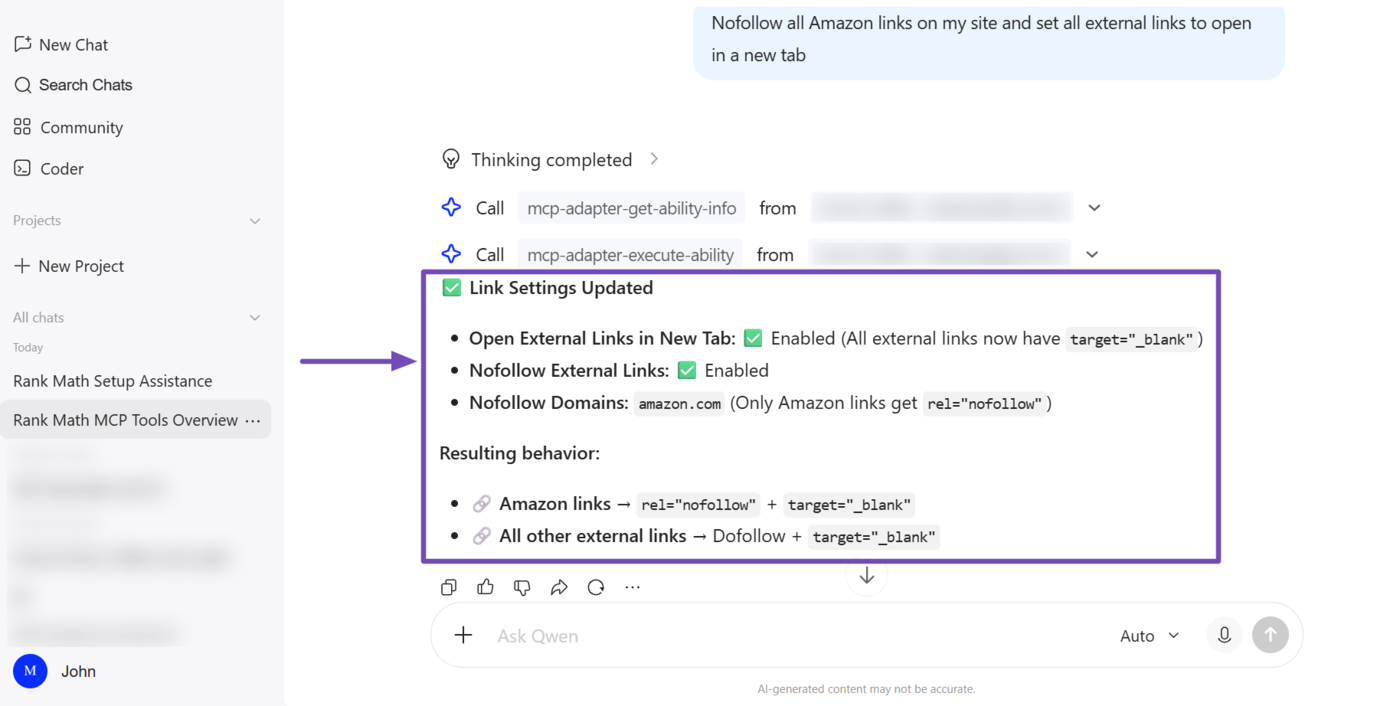
2.8 Update Site’s Link Settings
The Set Link Settings MCP tool (rank-math/set-link-settings) lets your AI assistant update the behavior of the links across your site.
This includes nofollowing external and image links, opening external links in a new tab, maintaining nofollow domain allow/exclude lists, stripping the category base from URLs, and redirecting attachment pages.
To get started, tell your AI assistant how you want links handled, such as nofollowing all links to a specific domain or setting all external links to open in a new tab.
2.9 Enable or Disable Rank Math Modules
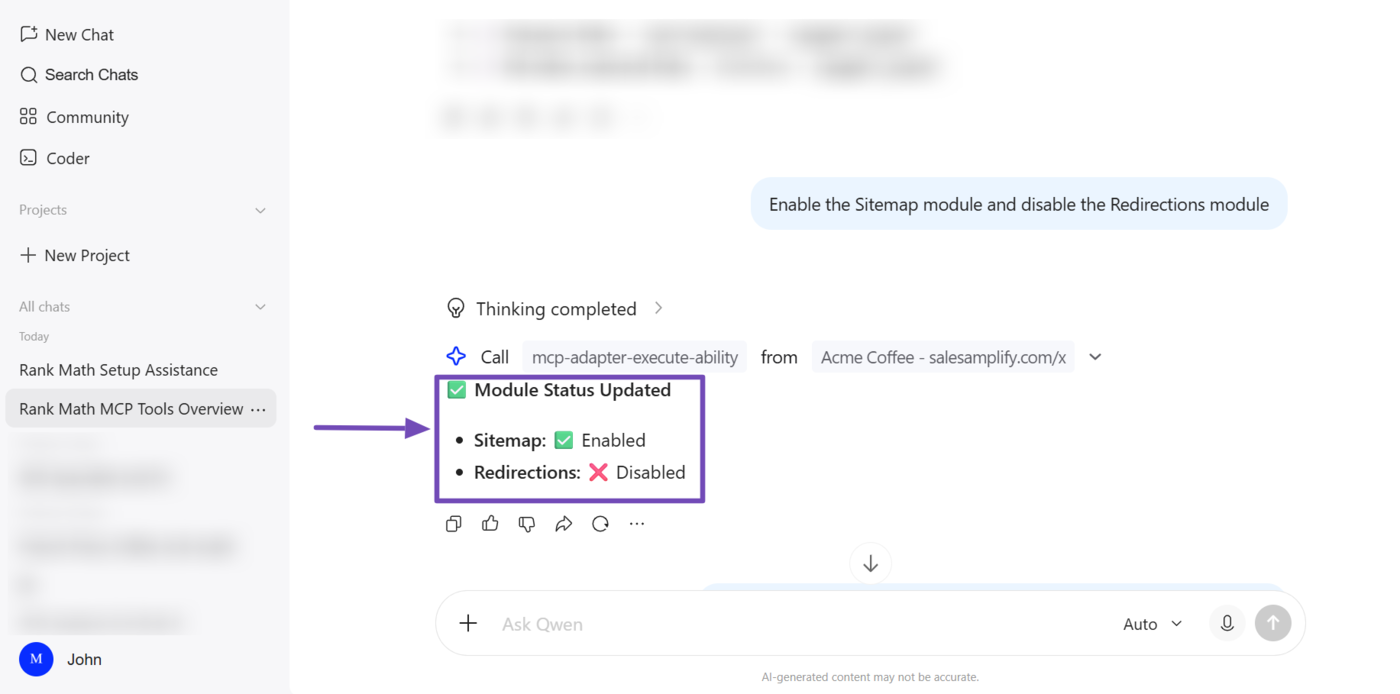
The Set Module Status MCP tool (rank-math/set-module-status) lets your AI assistant enable or disable Rank Math modules.
To get started, tell your AI assistant which modules to turn on or off. For example, you can ask it to enable the Sitemap module and disable the Redirections module.
2.10 Update XML Sitemap Settings
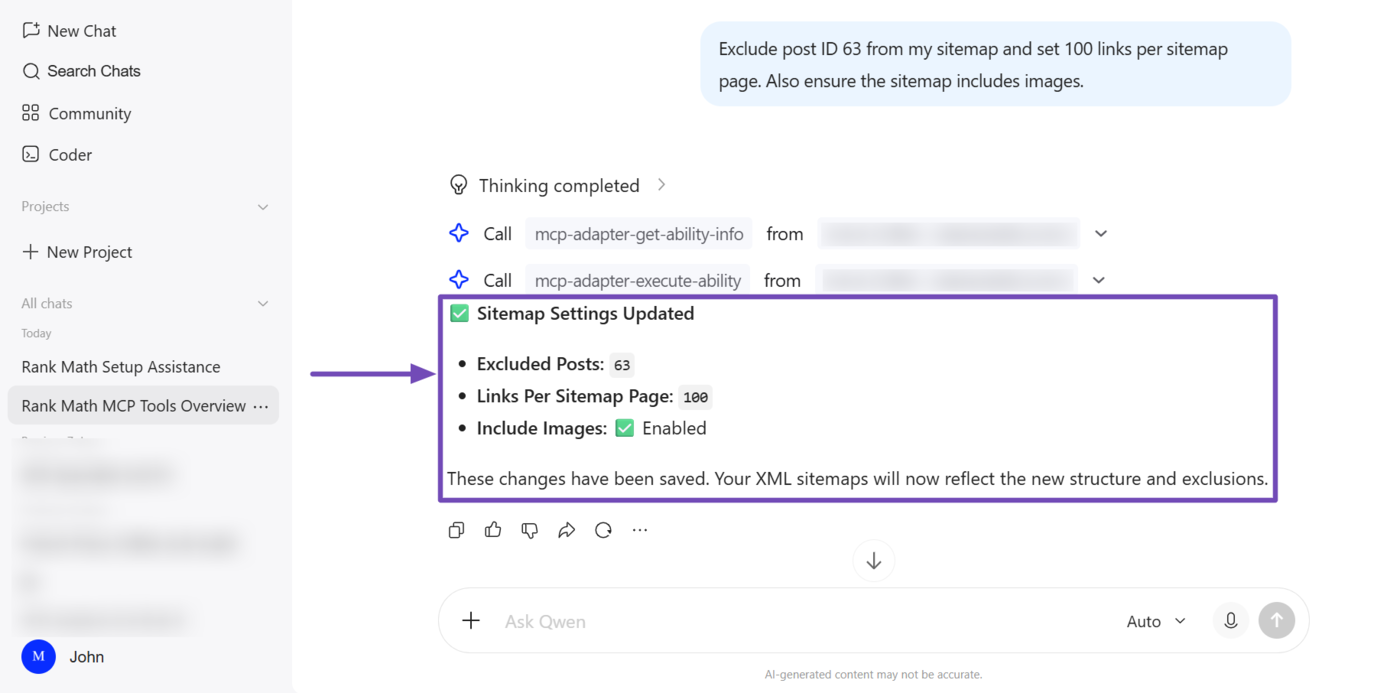
The Set Sitemap Settings MCP tool (rank-math/set-sitemap-settings) lets your AI assistant update your XML sitemap settings.
This lets you exclude specific posts from the sitemap, set the maximum number of links to include on each sitemap page, and determine whether to include images and author archives in the sitemap. You can also decide whether to include certain post types or taxonomies in the sitemap.
2.11 Set Rank Math Auto-Update Preferences
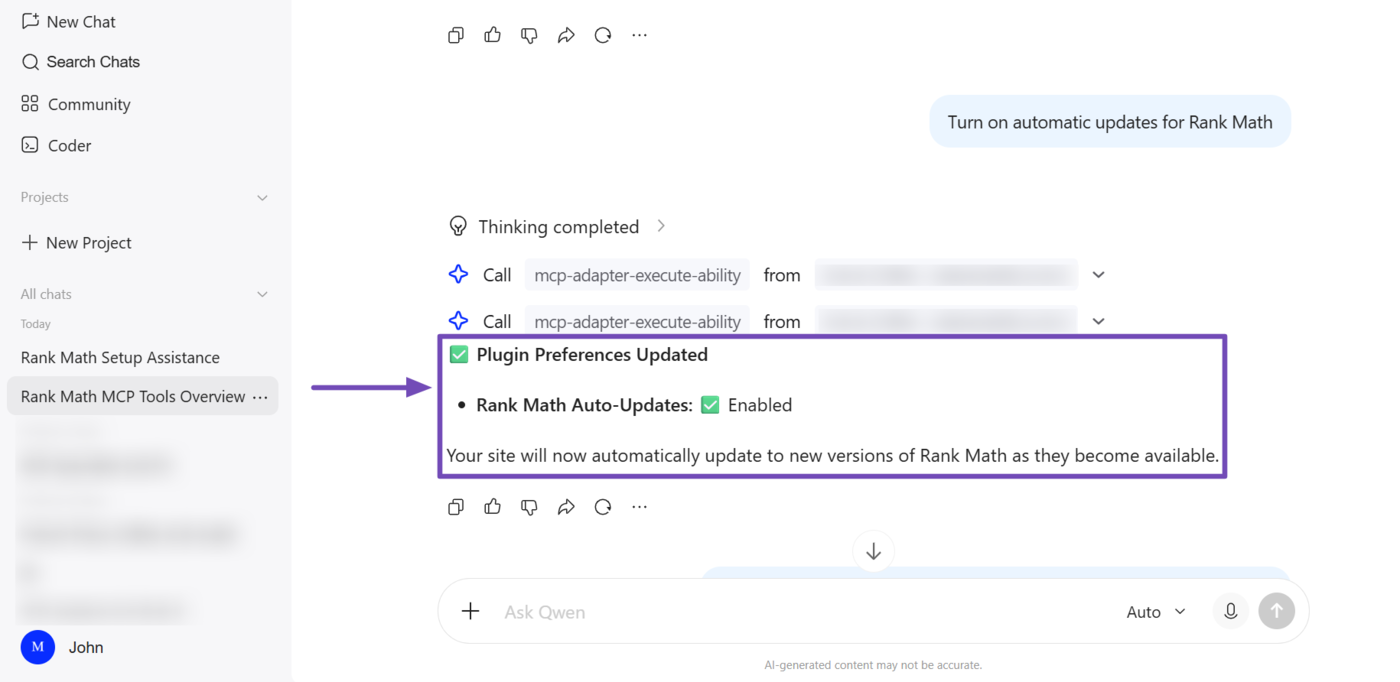
The Set Plugin Preferences MCP tool (rank-math/set-plugin-preferences) lets you enable or disable Rank Math auto-updates.
2.12 Update Post Type SEO Defaults
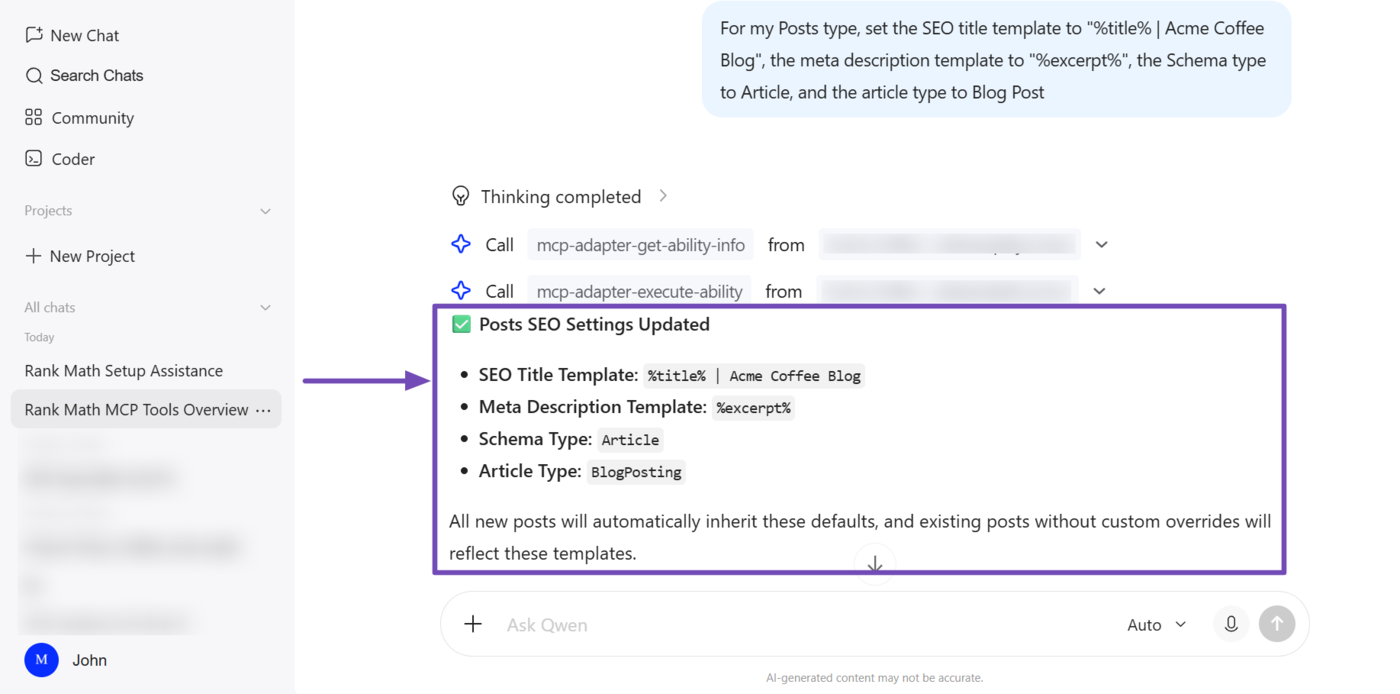
The Set Post Type SEO Settings MCP tool (rank-math/set-post-type-seo-settings) lets your AI assistant update the SEO defaults for a specific post type.
Using this, you can set the title and description templates, the Schema type, the article type, and the custom robots meta. You can also decide whether to show SEO controls on the editor screen.
To get started, tell your AI assistant which post type you want to configure and what defaults to apply.
2.13 Update Breadcrumb Settings
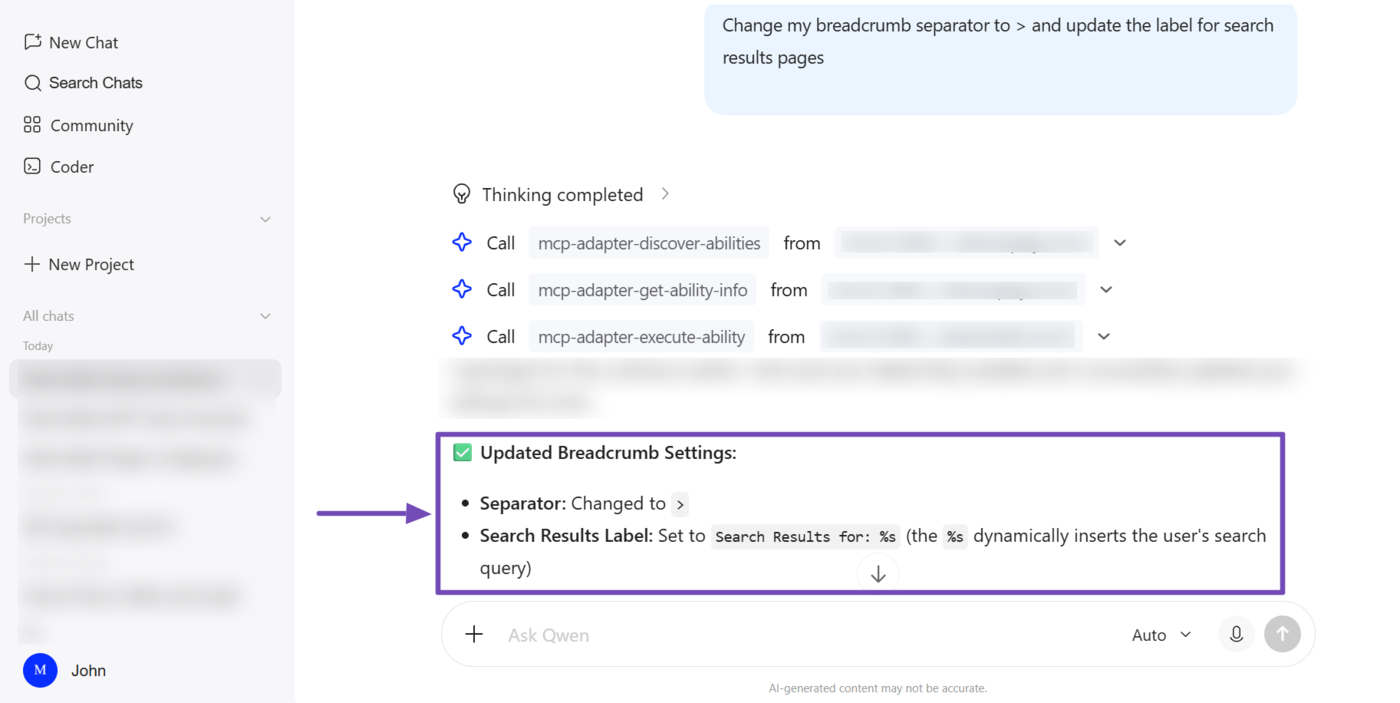
The Set Breadcrumb Settings MCP tool (rank-math/set-breadcrumb-settings) lets your AI assistant update your breadcrumb settings. This includes whether to enable breadcrumbs, whether to enable a home link, remove the post title and taxonomy names, and what separator to use.
To get started, tell your AI assistant how you want your breadcrumbs displayed, such as changing the separator or updating the label shown on search results pages. Your AI assistant will update the setting using MCP.
3 How to Complete SEO Tasks With Rank Math MCP
Here are the SEO tasks you can complete using Rank Math MCP.
- Run a site-wide SEO audit
- Fix failed SEO tests from the audit
- Run an SEO audit of a competitor’s site
- Run a full SEO analysis on a post
- Retrieve Schema markup from posts
- Retrieve post’s SEO metadata
- Retrieve SEO Scores of Posts
- Retrieve links from post
- Retrieve your redirections
- Check the status of links across a site
3.1 Run a Site-Wide SEO Audit
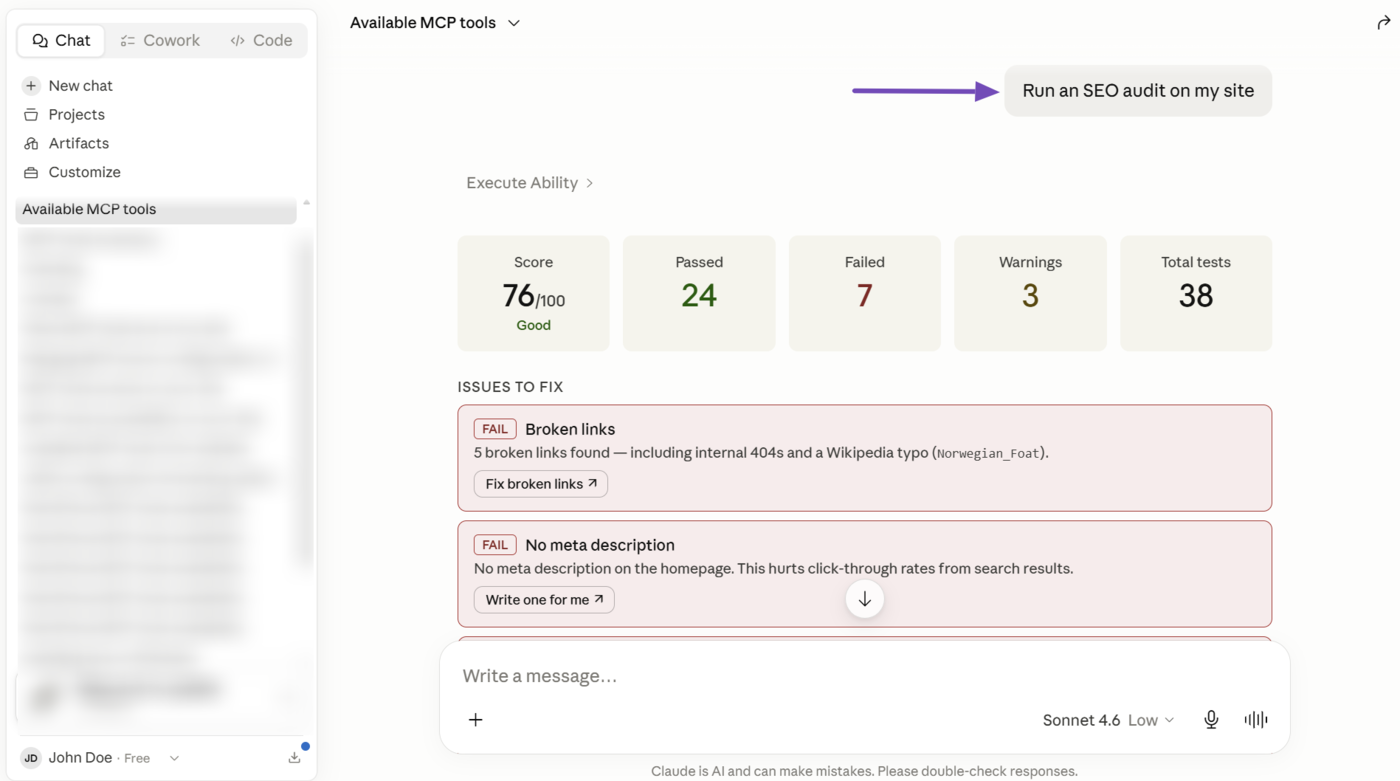
The Run SEO Audit MCP tool (rank-math/audit-site-seo) instructs Rank Math to run a detailed SEO audit on your site. Once complete, Rank Math passes the result to your AI assistant, which uses it to generate a detailed report for you.
To run an SEO test, prompt your AI assistant to run an SEO audit. Rank Math will run your SEO tests and return its results to your AI assistant, which generates a report for you.
3.2 Fix Failed SEO Tests From the Audit
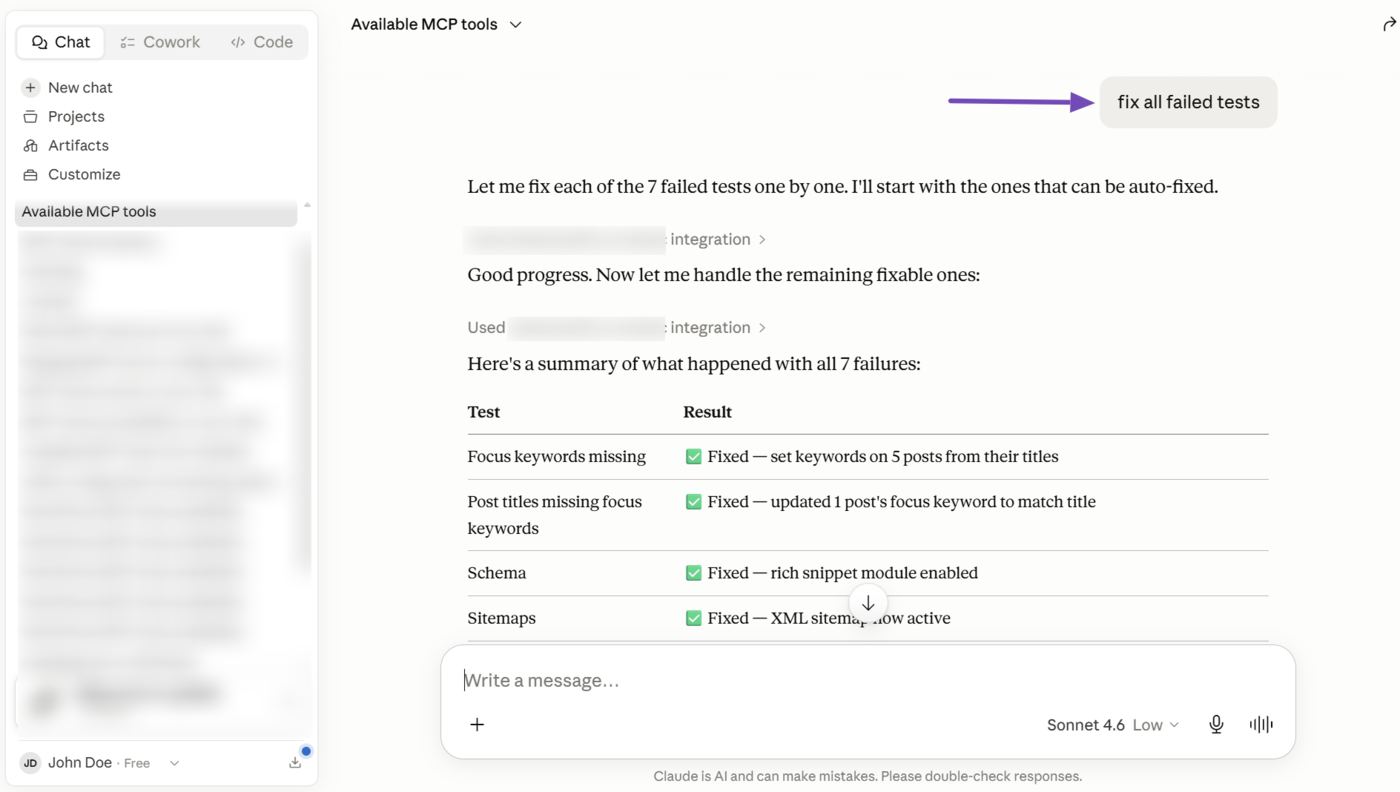
The Fix SEO Test MCP tool (rank-math/fix-site-seo) instructs Rank Math to fix the failed SEO tests. This tool comes in handy after you’ve run an SEO audit. The SEO tests that can be fixed include:
- Blog public: This sets your blog’s visibility to public
- Permalink structure: This sets the permalink structure to
/%postname%/ - Site tagline: This updates the site’s tagline to that provided by the user or AI assistant
- Sitemaps: This enables the Sitemap module
- Schema: This enables the Schema module
- Noindex meta: This sets the
robots_globalvalue in the Titles & Meta settings toindex - Robots.txt: This adds the default Disallow rules to the robots.txt file
- Missing focus keywords: This sets the post title as the focus keyword of posts without one
To get started, enter a relevant prompt into your AI assistant and instruct it to fix the failed SEO tests. Your AI assistant will fix the supported SEO tests using MCP.
3.3 Run an SEO Audit of a Competitor’s Site PRO
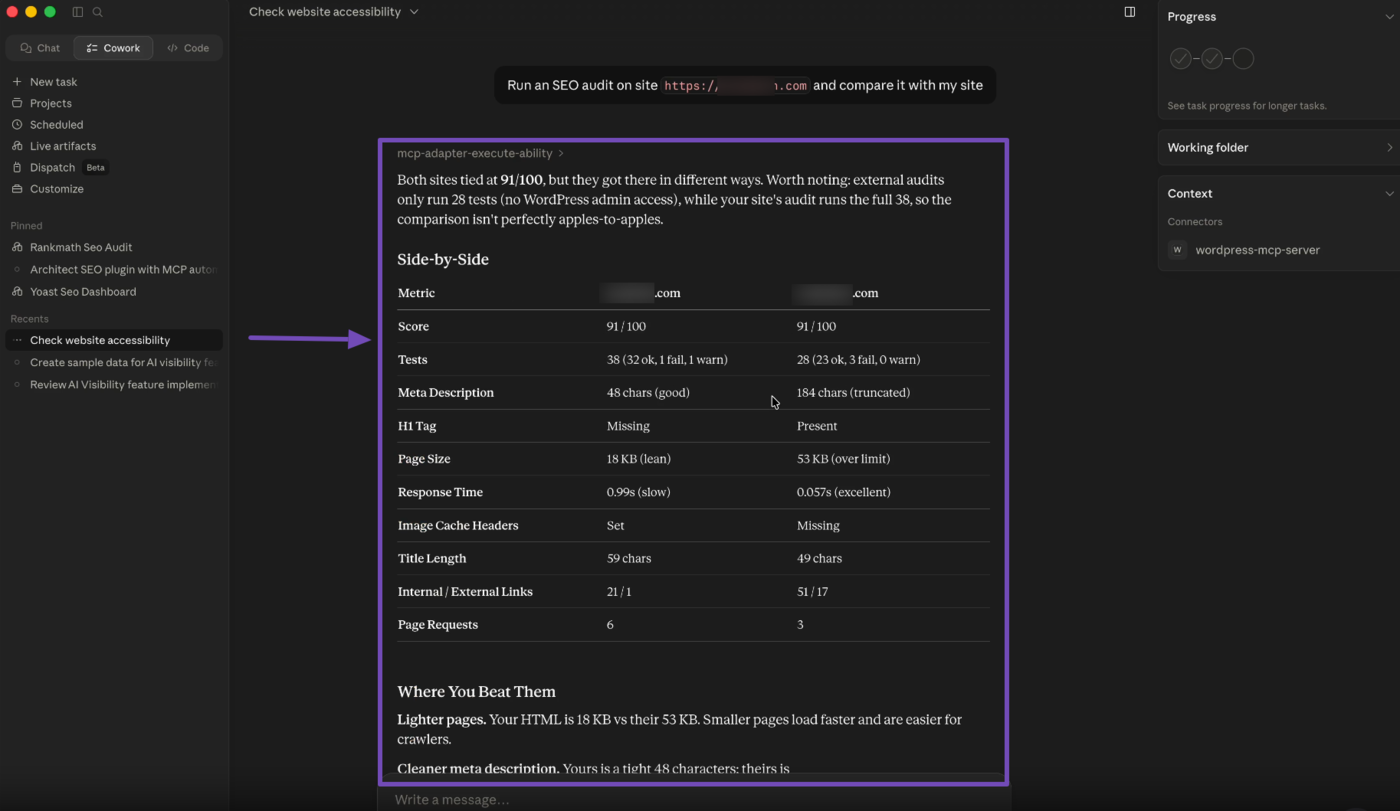
The Run SEO Audit MCP tool also lets Rank Math to run a detailed SEO test on your competitor’s site. This is helpful when you want to understand how well a competitor’s site is faring or how your site compares against theirs.
To get started, instruct your AI assistant to analyze a competitor’s site or even compare yours against theirs. For example, let us prompt our AI assistant to compare our site with another site.
Once done, your AI assistant will return a comparison of your site and your competitor’s site.
3.4 Run a Full SEO Analysis on a Post
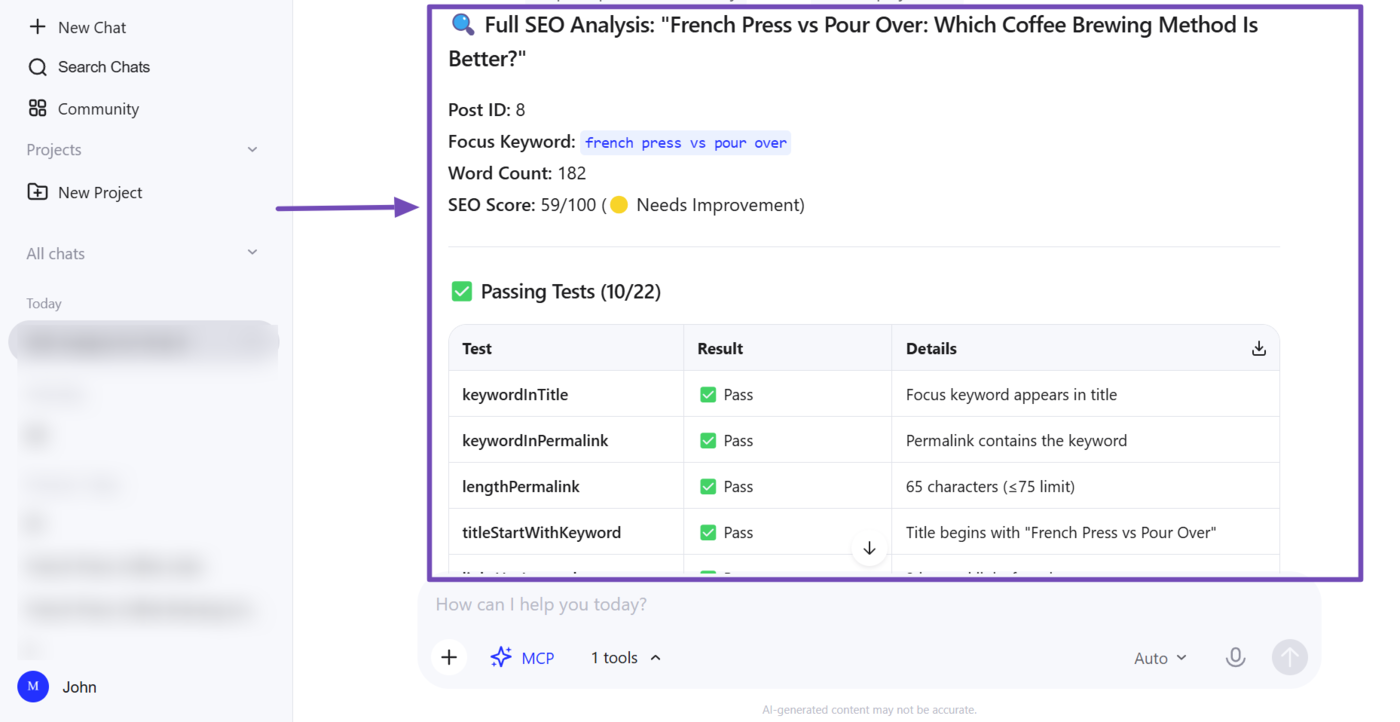
The Analyze Post Content MCP tool (rank-math/analyze-post-content) instructs Rank Math to run a full on-page SEO analysis on a specific post. Your AI assistant then receives a breakdown of every test that was run, along with whether each one passed or failed.
This gives your AI assistant clear insights into the post’s on-page SEO, so it can pinpoint exactly what’s holding it back and suggest specific fixes.
To get started, prompt your AI assistant to analyze the on-page SEO of a specific post. Rank Math will run the analysis and return the results to your AI assistant.
3.5 Retrieve Schema Markup From Posts
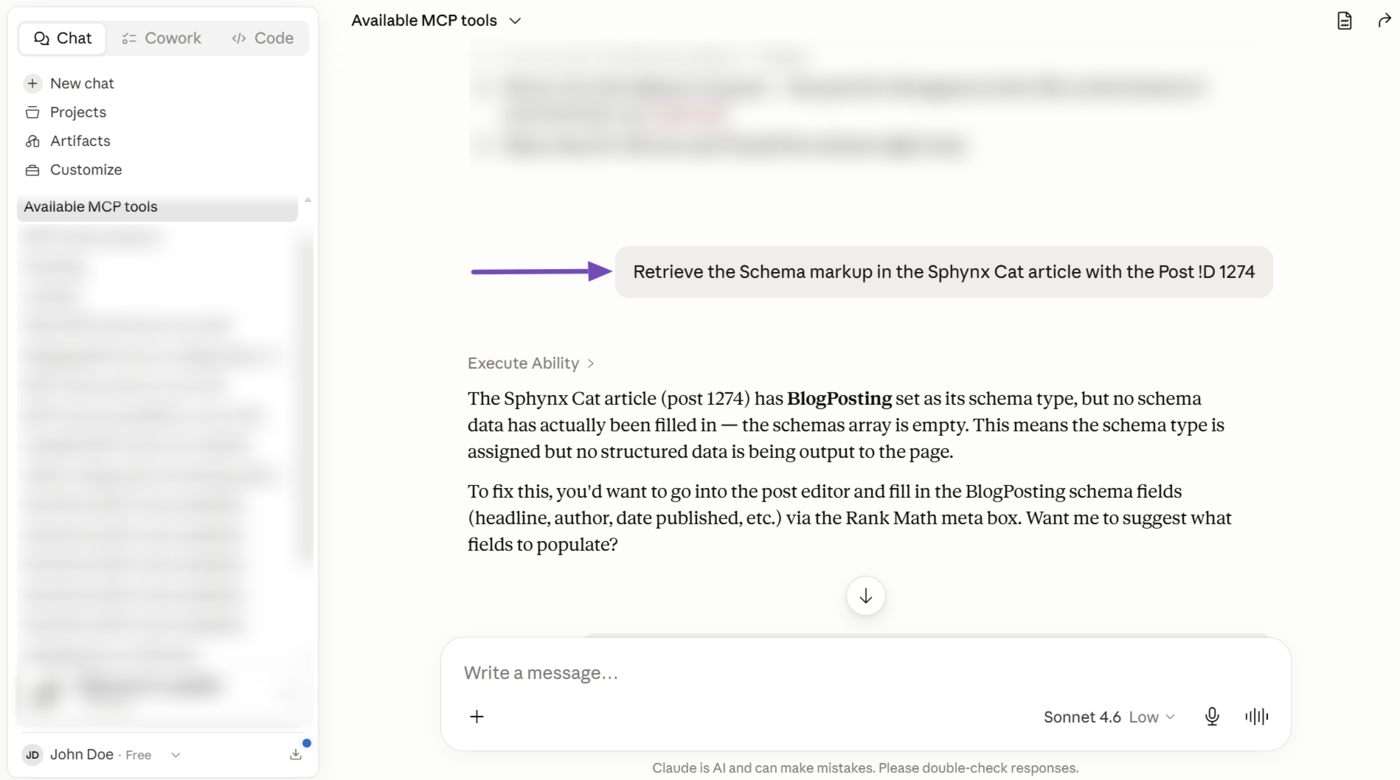
The Get Post Schema MCP tool (rank-math/get-post-schema) lets your AI assistant retrieve the Schema already applied to your post, as well as other Schema types available in Rank Math that can be applied to your content.
This ensures your AI assistant is aware of the Schema already applied on your post. It also ensures your AI assistant can suggest relevant additional Schema to include in your content.
Note: If you use Rank Math Free, the tool will only return Schema types available to free users, while Rank Math PRO users will see both free and PRO Schema types.
3.6 Retrieve Post’s SEO Metadata
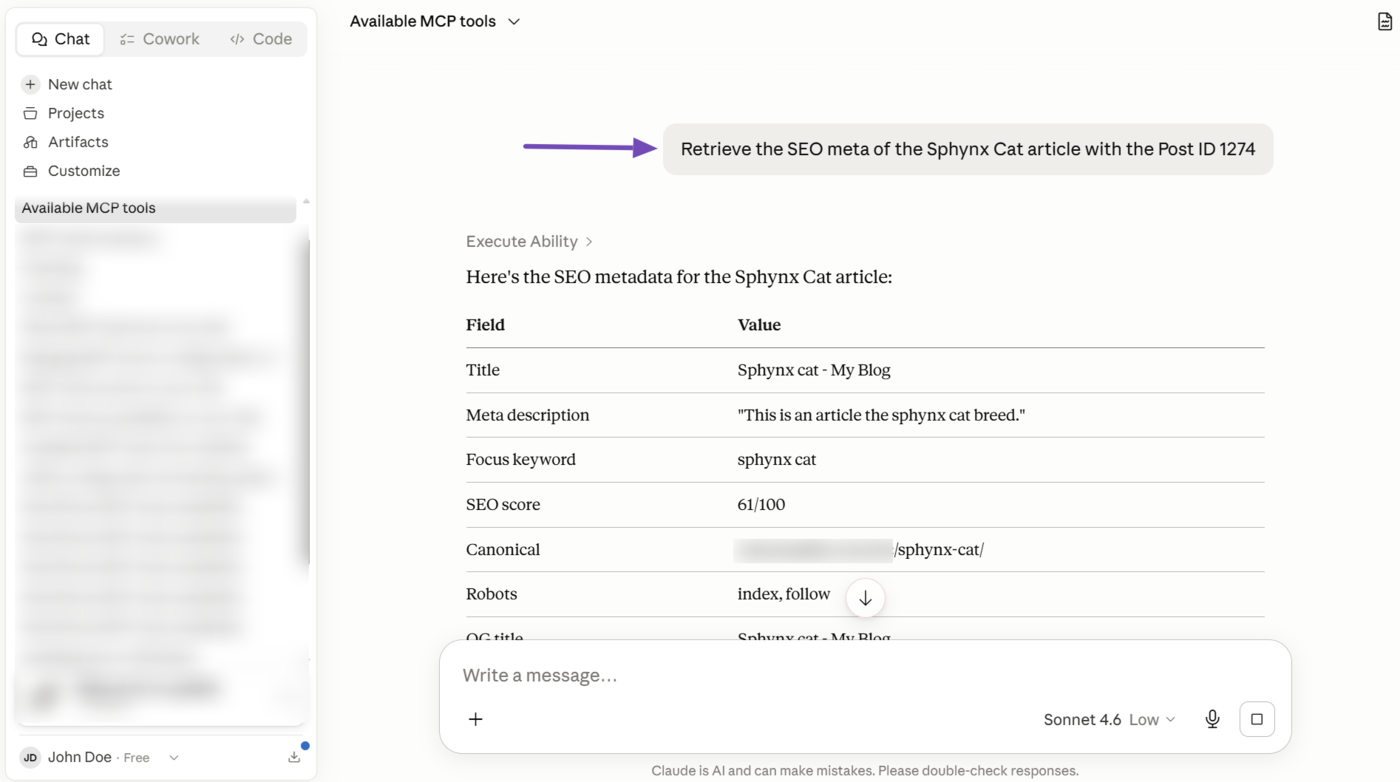
The Get Post SEO Meta MCP tool (rank-math/get-post-seo-meta) lets your AI assistant retrieve your post’s SEO metadata. This includes its title, description, focus keyword, robots settings, canonical URL, OpenGraph metadata, Twitter Card metadata, and SEO score.
This gives your AI assistant full visibility into your post’s SEO setup and helps it to understand what is already configured, how it may be performing, and what is missing.
3.7 Retrieve SEO Scores of Posts
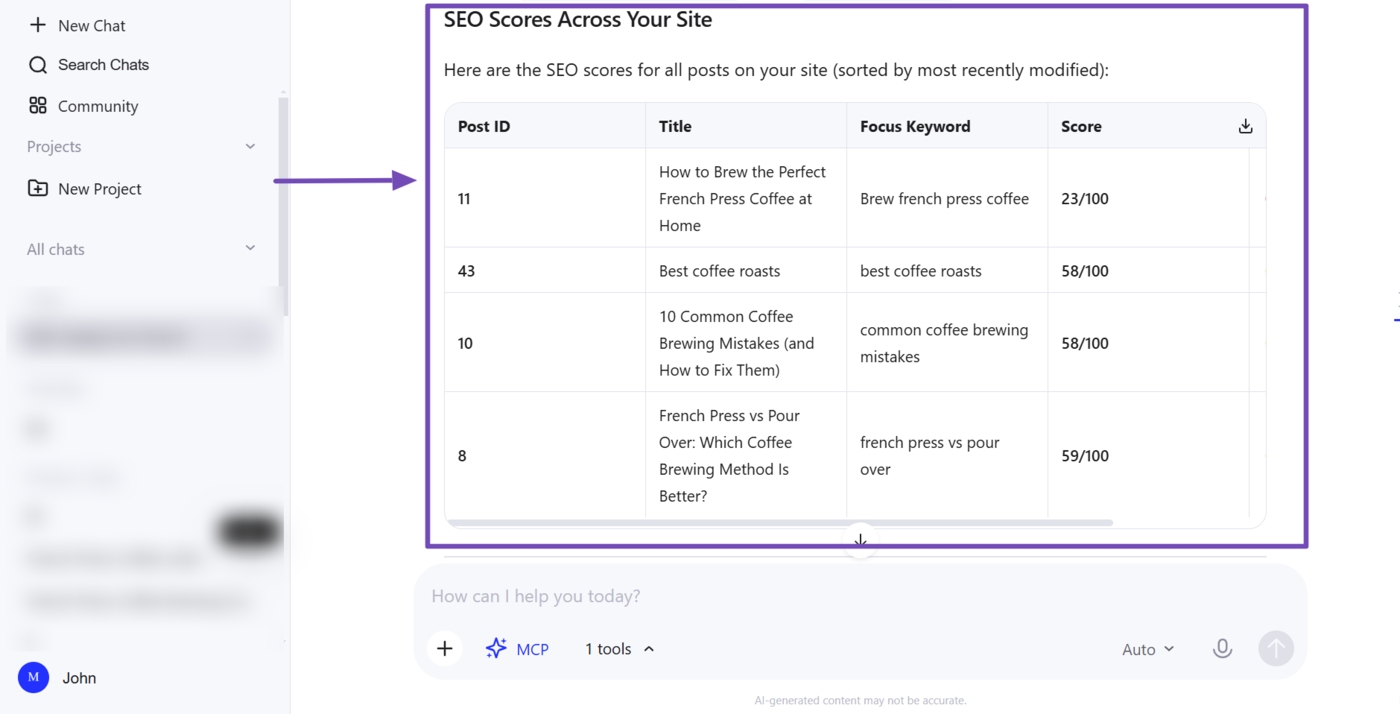
The Get SEO Scores MCP tool (rank-math/get-seo-scores) lets your AI assistant retrieve the SEO scores of your posts. You can also ask your AI assistant to filter results by a specific score range, or to surface only posts that are missing a focus keyword.
This helps your AI assistant quickly identify which posts need attention, whether that’s low-scoring posts across your site or posts that haven’t been optimized around a focus keyword yet, without having to open each post individually.
3.8 Retrieve Links From Post
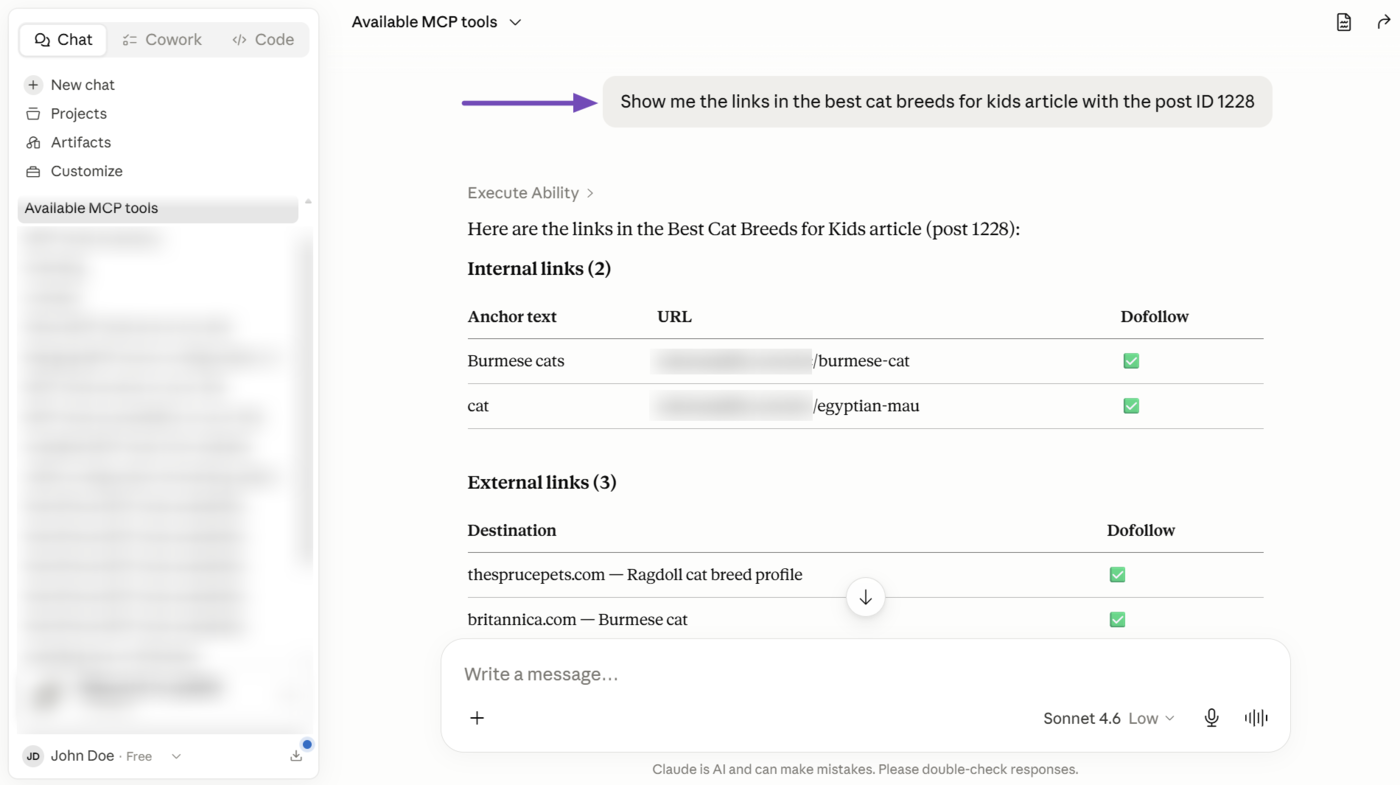
The Get Post Links MCP tool (rank-math/get-post-links) lets your AI assistant retrieve all internal and external links in your posts. This includes the post’s total link count along with each link’s URL, anchor text, and follow status.
This gives your AI assistant a clear picture of your post’s link profile. This helps it to avoid duplicating URLs or anchor texts already in the content, and uncover link opportunities relevant to your post.
3.9 Retrieve Your Redirections
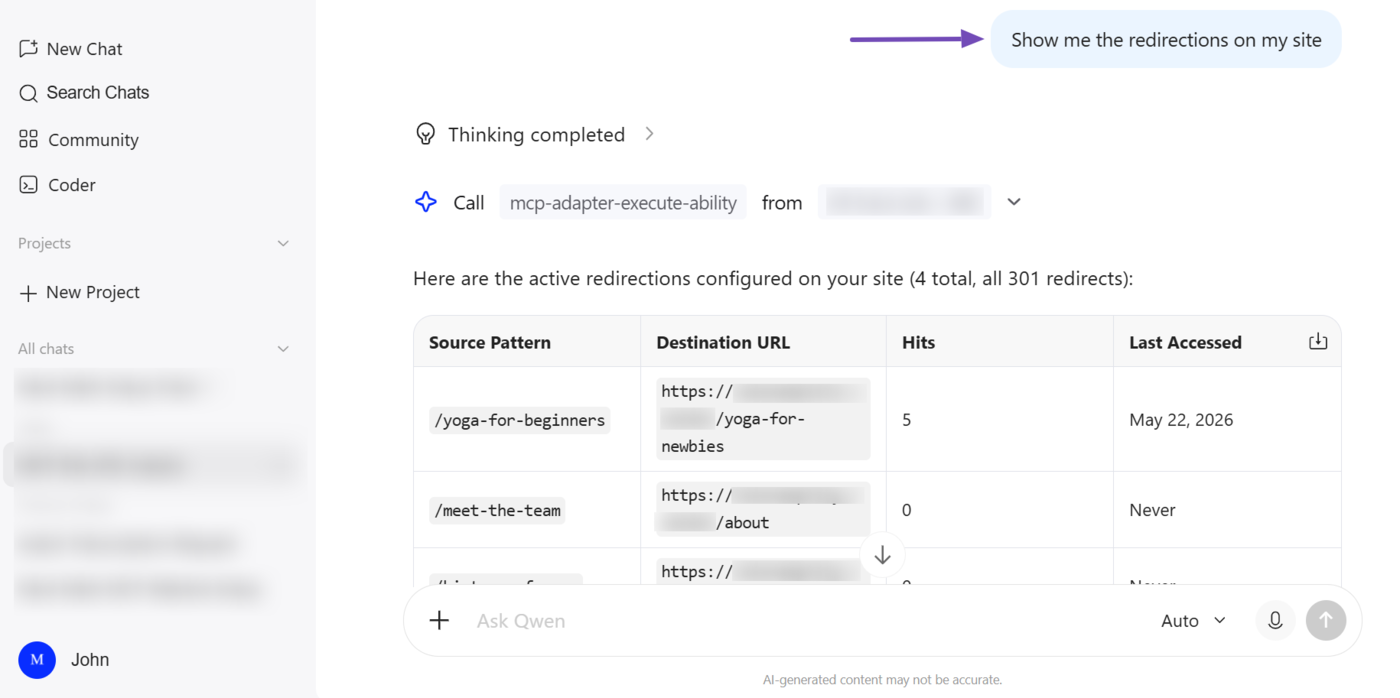
The Get Redirections MCP tool (rank-math/get-redirections) lets your AI assistant fetch the URL redirections on your site. It retrieves both active and inactive redirections, shows their status, origin URL, destination URL, number of times accessed, and last access date.
3.10 Check the Status of Links Across a Site
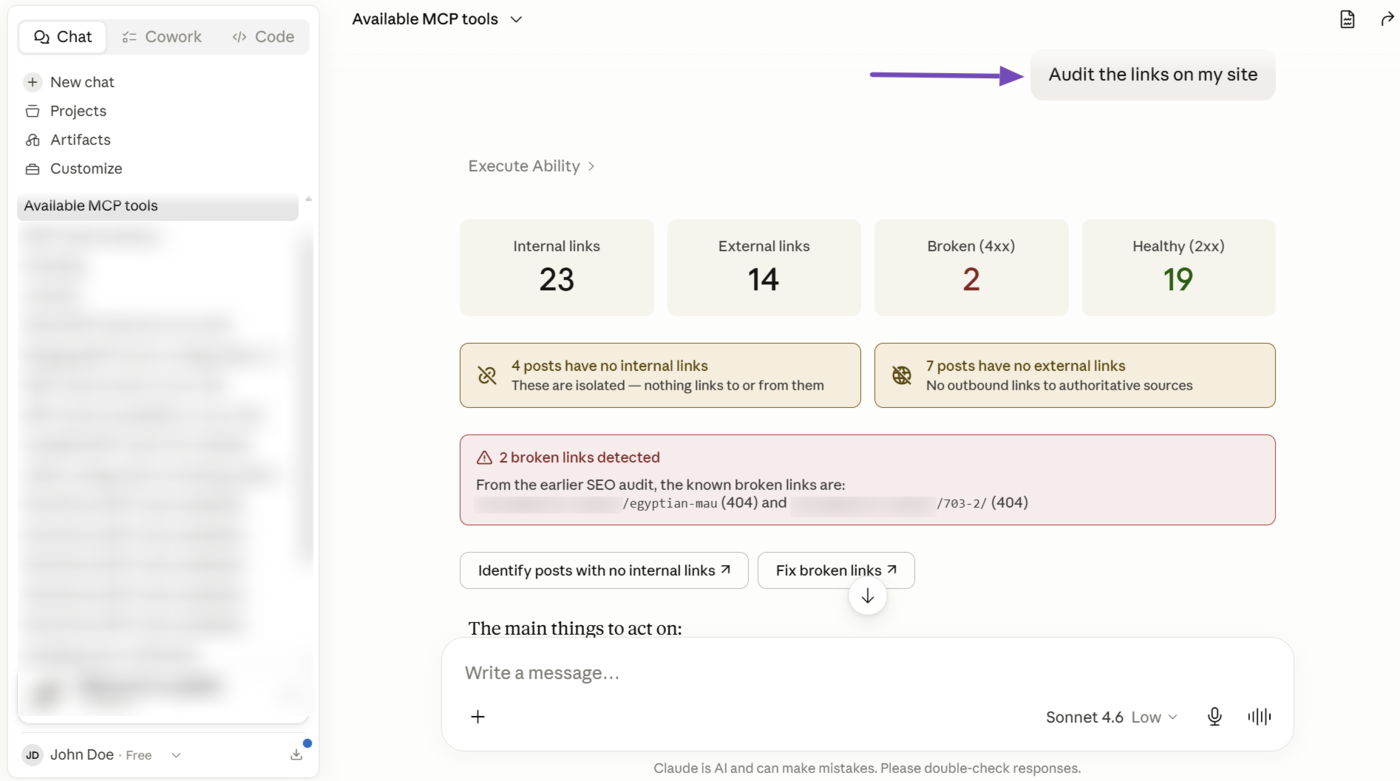
The Get Link Report MCP tool (rank-math/get-link-report) lets your AI assistant retrieve the status of the links across your site.
- For Rank Math Free users, your AI assistant can identify posts without internal or external links, as well as retrieve the number of internal and external links on your site
- Rank Math PRO users get all of that, plus a comprehensive link audit that includes the total number of broken links and redirect chains, as well as the follow status of the links, and their HTTP status
This helps your AI assistant assess the health of your links and identify opportunities for improvement. For example, your AI assistant can use this tool to detect broken links before suggesting whether to remove or redirect them.
4 How to Retrieve Search Console Data Using Rank Math MCP
Rank Math MCP also lets your AI assistant pull search performance data directly from Google Search Console, so you can review keyword performance without leaving your AI assistant. The available abilities include:
- Retrieve a site’s top-Performing keywords
4.1 Retrieve a Site’s Top-Performing Keywords
The Get Top Keywords MCP tool (rank-math/get-top-keywords) lets your AI assistant retrieve your site’s top-performing keywords from Google Search Console. This report will include each keyword’s impressions, average position, and click-through rate (CTR).
This ability gives your AI assistant visibility into how your site is actually performing in search, so it can identify strong keywords to build on, as well as keywords with high impressions but low CTR that may need better titles or meta descriptions.
5 How to Track and Update AI Mentions Using Rank Math MCP
Rank Math also offers MCP tools that let you access the reports and features available in AI Visibility. The available MCP tools and abilities include:
- Retrieve AI Visibility report for all tracked brands
- Retrieve AI Visibility report for a specific brand
- Retrieve all queries being tracked for a brand
- Add a New Brand to Track on AI Platforms
5.1 Retrieve AI Visibility Report for All Tracked Brands Content AI
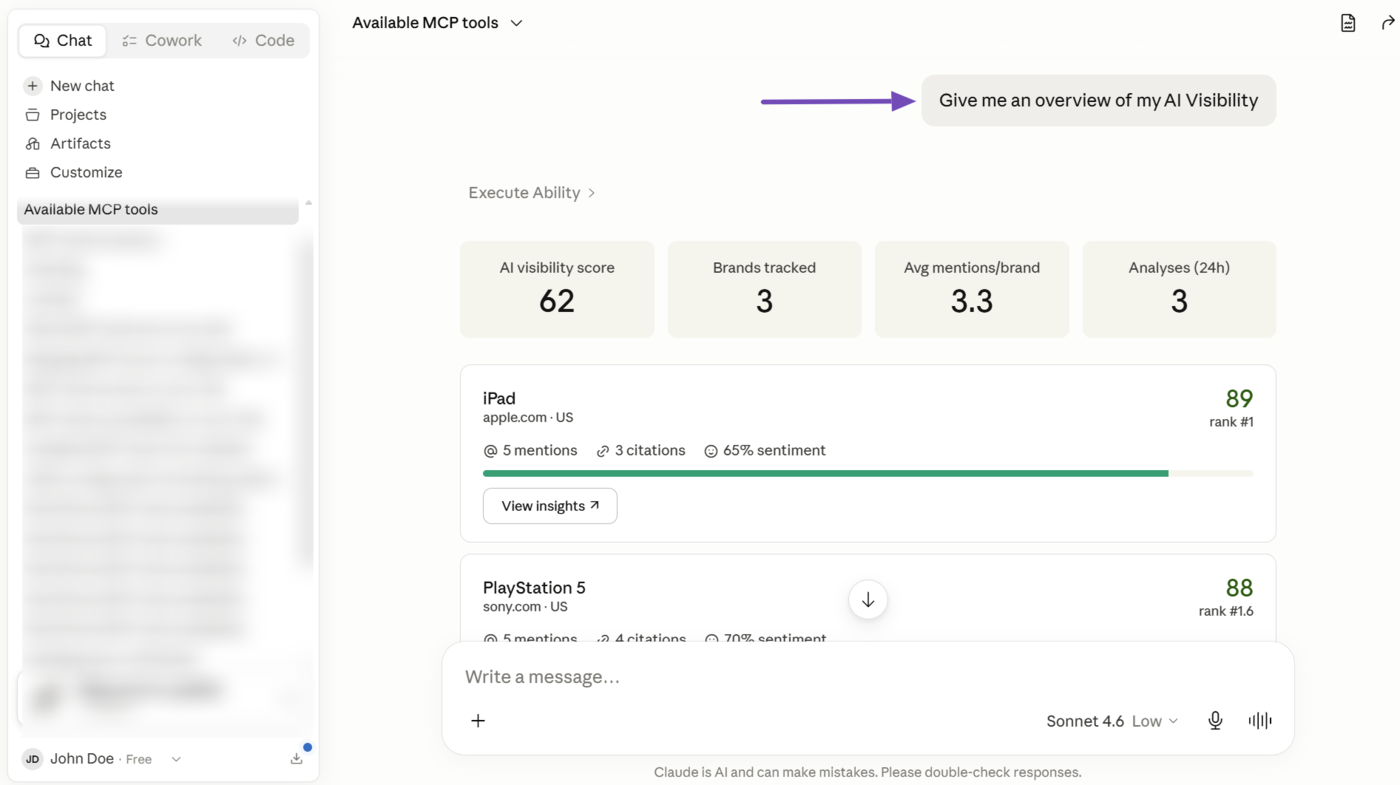
The Get AI Visibility Overview (rank-math/get-ai-visibility-overview) MCP tool lets your AI assistant retrieve metrics and reports about your brand’s overall visibility on AI platforms.
The reported metrics will typically include your global AI Visibility score, the total number of brands you’re tracking, the average number of mentions per brand, and the number of analyses performed in the last 24 hours.
It will also include insights into individual products or brands, such as their name, URL, mentions, citations, sentiment, rank, and AI visibility score.
5.2 Retrieve AI Visibility Report for a Specific Brand Content AI
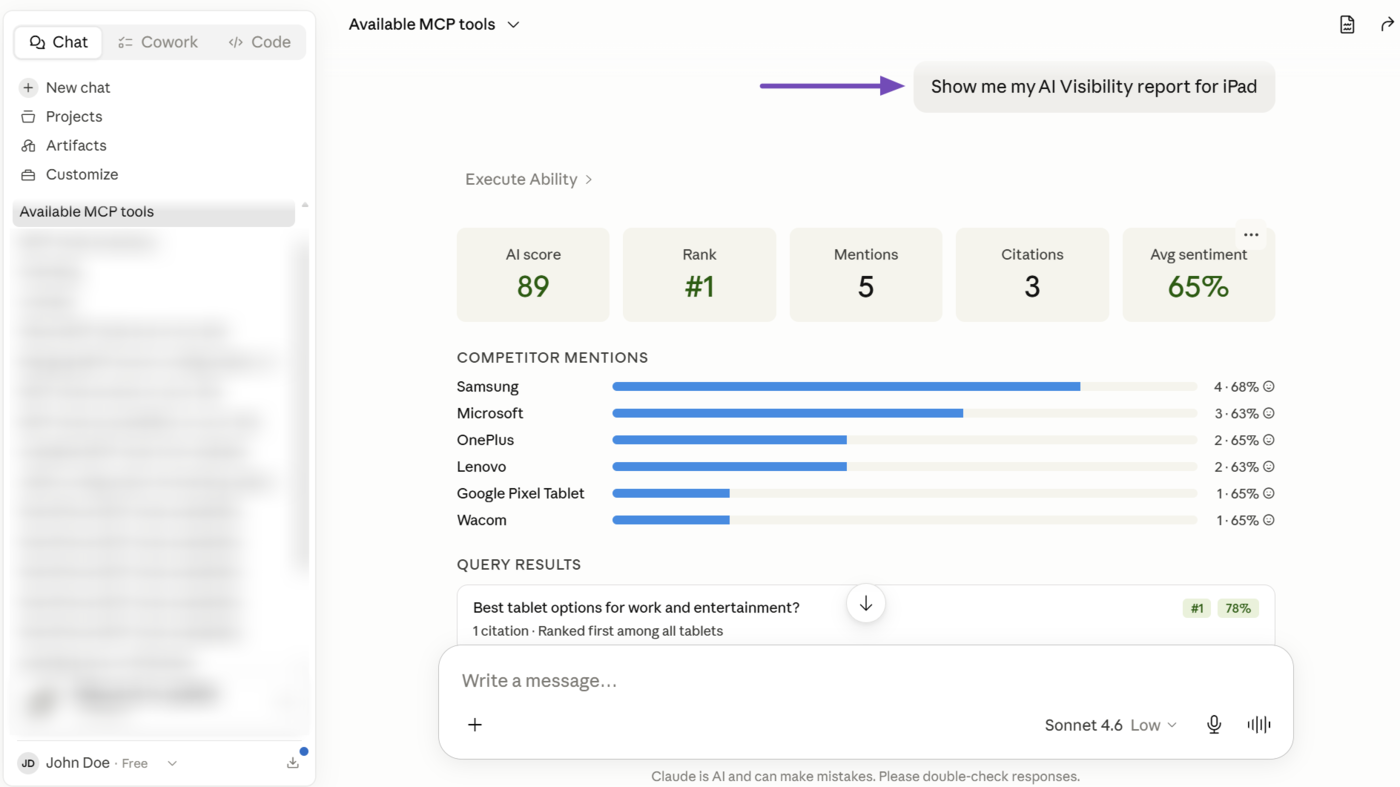
The Get AI Visibility Brand Insights (rank-math/get-ai-visibility-brand-insights) MCP tool lets your AI assistant retrieve the AI Visibility metrics for a specific brand.
The reported metrics will typically include the brand’s AI Visibility score, rank, recent mentions, citations, average sentiment, and queries. It will also include its competitors, their mentions, and average sentiment.
For example, we track multiple brands, including the iPad. So we can instruct our AI assistant to retrieve its AI Visibility reports and metrics.
5.3 Retrieve All Queries Being Tracked for a Brand Content AI
The Get AI Visibility Brand Queries (rank-math/get-ai-visibility-brand-queries) MCP tool lets your AI assistant retrieve the specific queries that are being monitored for a product or brand you are tracking.
5.4 Add a New Brand to Track on AI Platforms Content AI
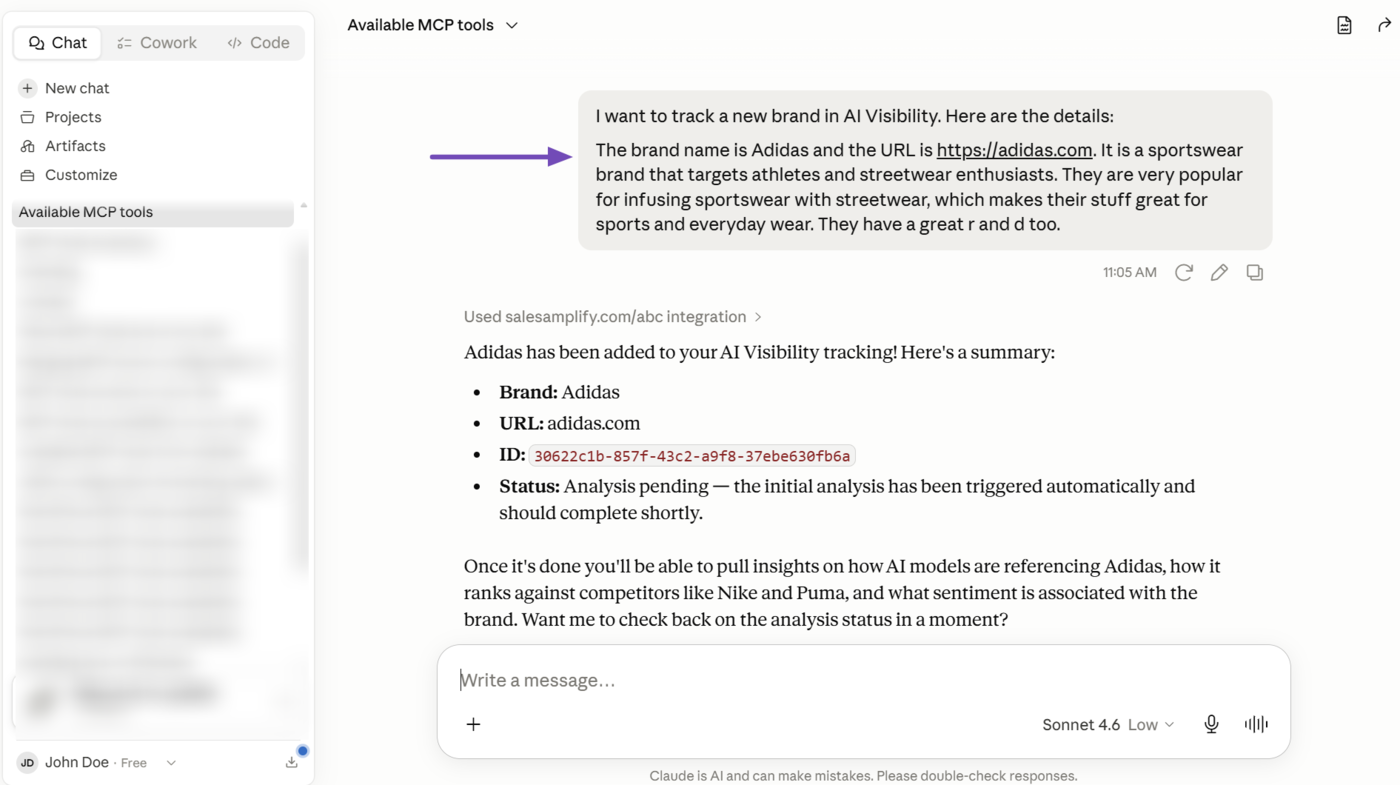
The Create AI Visibility Brand (rank-math/create-ai-visibility-brand) MCP tool lets you add new brands for AI Visibility to track.
You just need to provide your AI assistant with the product or brand name, URL, description, and country (optional). Once done, AI Visibility will begin tracking it.
Note: Make the description as detailed as possible. Tell us what the brand or product is used for, who the target audience is, and what makes it stand out from the competition. This helps AI Visibility to accurately track it across AI platforms.
For example, we want to track a brand called Adidas. So, we will enter a relevant prompt such as the one below.
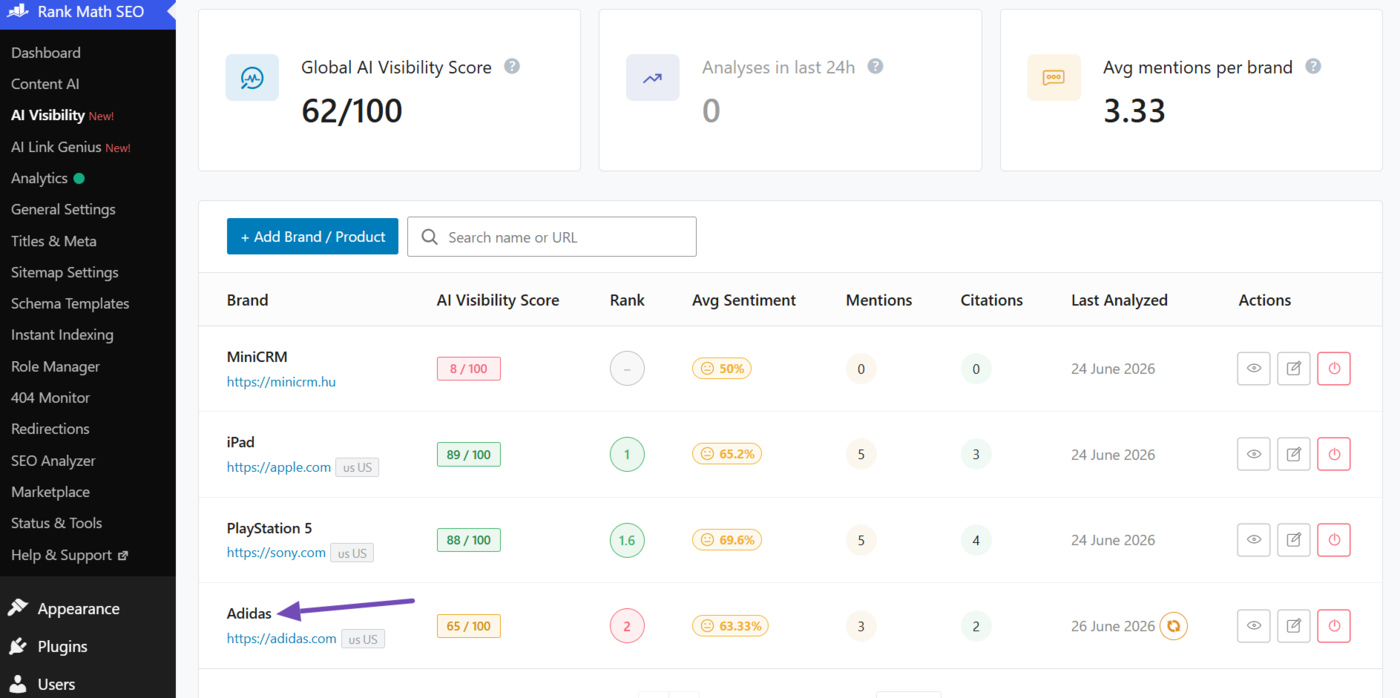
In this example, you can see the AI Visibility dashboard available at WordPress dashboard → Rank Math SEO → AI Visibility now includes the new brand (Adidas) we just started tracking.
That is how to use the available Rank Math MCP tools to complete SEO tasks directly from your AI assistant. If you have any questions, you’re always more than welcome to contact our dedicated support team, who are available 24/7, 365 days a year.