
Setting up Rank Math has always been a guided, step-by-step process. But now, you can skip the manual clicks and configure Rank Math using your own MCP-enabled AI Assistant, all without logging into WordPress.
Just tell your AI assistant what you want, and it will fetch the details it can, ask you for anything that is missing, and configure your settings accordingly. Even better, this works for both new and existing installations.
In this knowledgebase article, we will show you how to set up Rank Math using an AI assistant connected to your WordPress site via MCP (Model Context Protocol).
Table of Contents:
1 Getting Started With Rank Math MCP
To get started, make sure you have connected your AI assistant to your WordPress site using MCP. You can refer to the guides below to connect some popular AI assistants to your site:
- ChatGPT: How to Connect Rank Math With ChatGPT via MCP
- Claude: How to Connect Rank Math With Claude Desktop via MCP
- GitHub Copilot: How to Connect Rank Math With GitHub Copilot via MCP
2 Instruct the AI Assistant to Review Your Setup
Now, open your AI assistant and prompt it to configure your Rank Math setup. Make sure to instruct it to do so using MCP. For this example, we used this prompt:
I want to set up Rank Math. Inspect the available Rank Math MCP tools and let me know the details you need from me
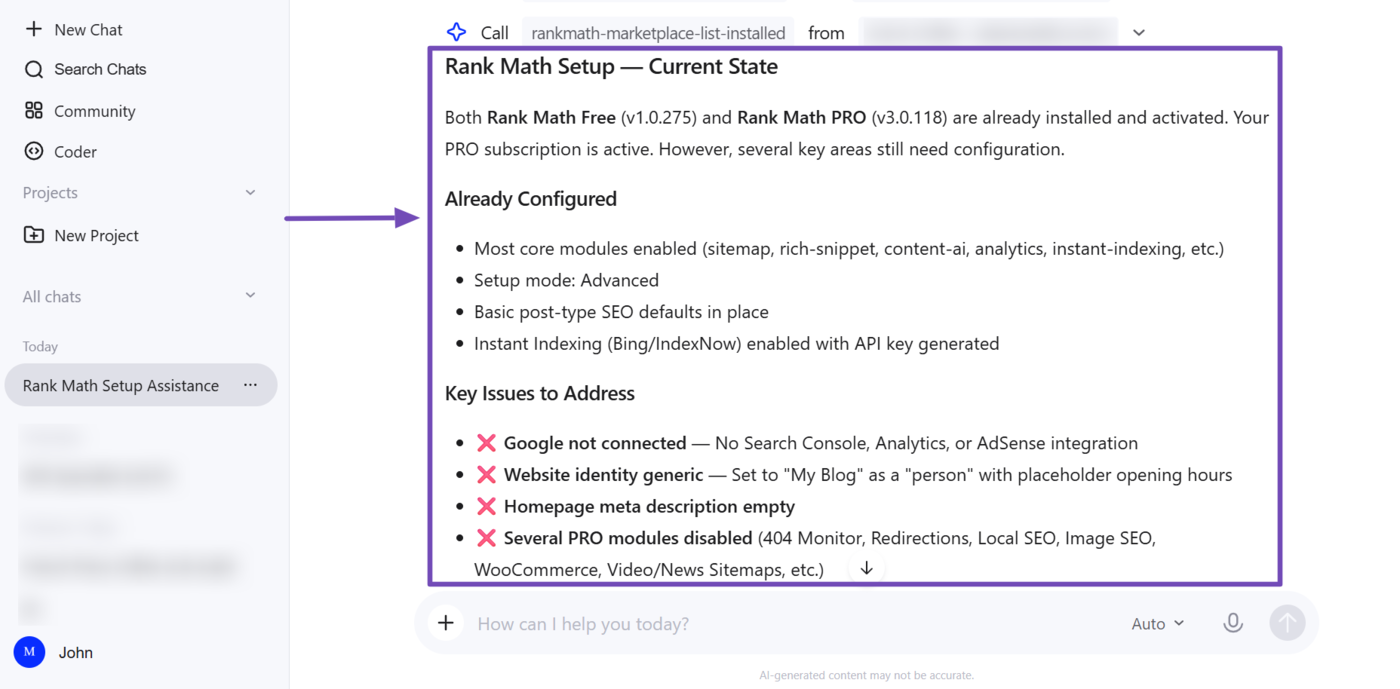
Your AI assistant will inspect your site using Rank Math MCP. Once done, it will report back with your setup details and ask for any additional information it needs.
In this example, our AI assistant returned the Rank Math plugins installed on our site, along with what’s already configured and what needs to be configured.
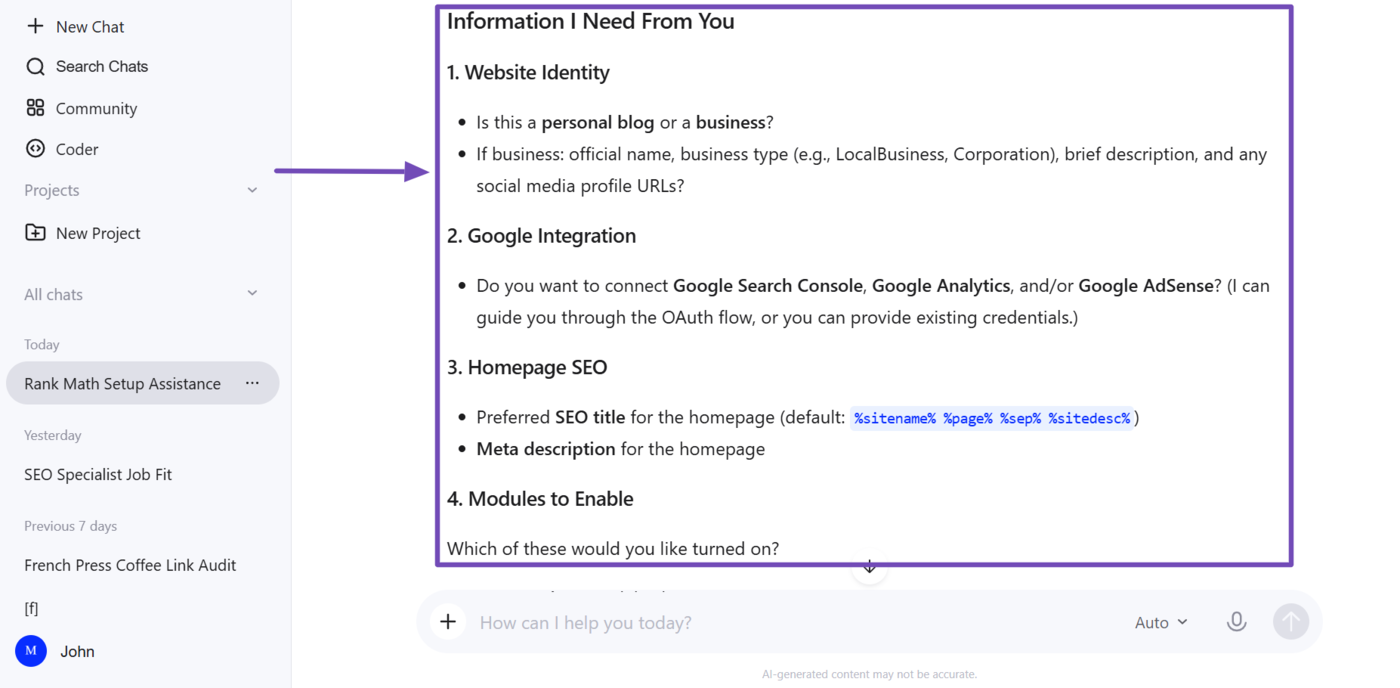
Our AI assistant also included several questions to help finalize the setup. However, the questions are extensive and will take some time to complete. In the next section, we will show you how to quickly answer them.
3 Answer Questions Quickly Using Best Practices
Instead of answering every question, respond only to the questions where you want a specific answer applied. Then instruct your AI assistant to use best practices and recommended defaults for the rest.
Here are my answers. Use best practices and recommended defaults for everything else. [Insert Answers]
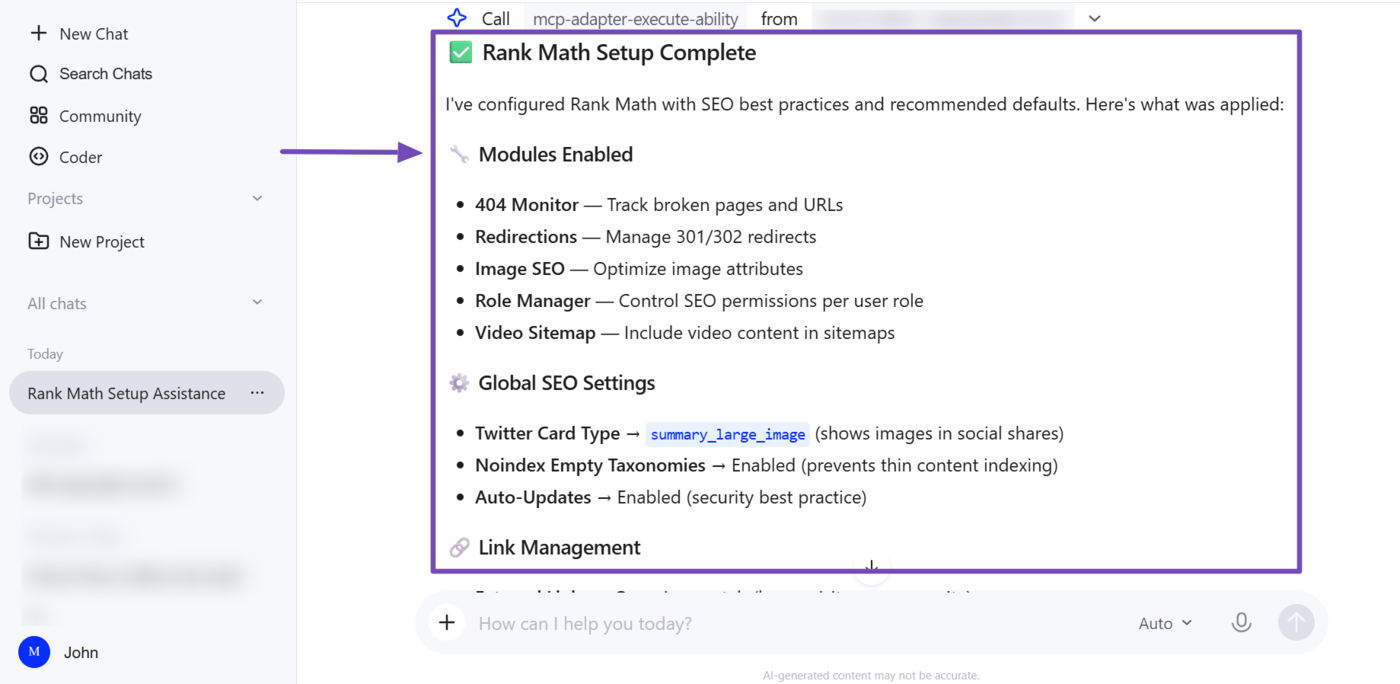
Your AI assistant will configure your setup and report back on what it did. For our example, you can see our setup has been completed.
4 Available MCP Tools for Setup
This setup is powered by MCP tools built by Rank Math. Any MCP-capable AI assistant can use them to inspect your site, review your configuration, and apply your preferred settings.
Here’s a list of the available Rank Math MCP setup tools and what they do:
| MCP Tool | What It Does |
rank-math/get-settings | Retrieves your current Rank Math settings, including your site identity, active modules, instant indexing, homepage and global SEO, post type and taxonomy, and auto-update settings |
rank-math/get-system-status | Retrieves a health report of your Rank Math, WordPress, and Google Search Console installations |
rank-math/set-website-identity | Updates your site identity, including site name, alternate name, knowledge graph name, description, URL, and site type (person or organization) |
rank-math/set-global-seo-settings | Updates your site-wide SEO defaults, including your robots meta settings, title separator, capitalization preferences, and whether empty taxonomy archives are set to noindex |
rank-math/set-homepage-seo | Updates the SEO title, meta description, and focus keyword of your website |
rank-math/set-plugin-preferences | Enables or disables Rank Math auto-updates |
rank-math/set-module-status | Enables or disables the available Rank Math modules |
rank-math/set-sitemap-settings | Updates your XML sitemap settings, including which posts to exclude, the maximum links per sitemap page, and whether to include images, author archives, specific post types, and taxonomies in the sitemap |
rank-math/set-breadcrumb-settings | Updates your breadcrumb settings, including whether to enable breadcrumbs, add a home link, or remove the post title and taxonomy names, plus which separator to use |
rank-math/set-post-type-seo-settings | Updates your post type SEO defaults, including title and description templates, Schema type, article type, custom robots meta, and whether to show SEO controls on the editor screen |
rank-math/set-link-settings | Updates your site’s link behavior, including opening external links in new tabs, managing nofollow domain allow/exclude lists, nofollowing external and image links, stripping the category base from URLs, and redirecting attachment pages |
Rank Math also offers other MCP tools to help you audit and fix on-page and technical SEO, and understand how your site appears on AI platforms. You can refer to this article for the full list of the MCP tools available in Rank Math.
If you have any questions, you’re always more than welcome to contact our dedicated support team, who are available 24/7, 365 days a year.