
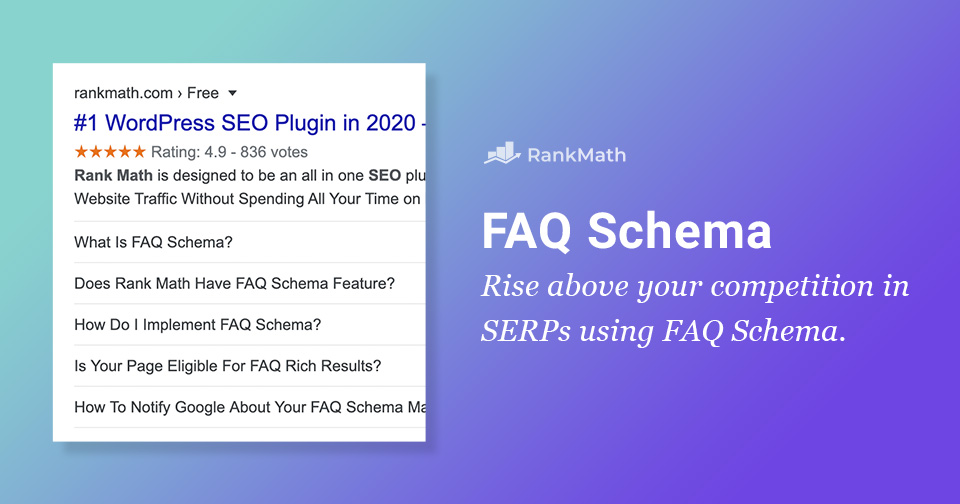

Talented SEOs all over the world are now using FAQ Schema to their advantage because it’s proven to be extremely effective.
But are you making the most of it? Well, you’ve come to the right place – because, in this post, we’re going to dive deep, look at why this matters, and how you can get started…
In this FAQ Page Schema guide, we’ll take a look at:

1 What is FAQ Schema Markup?
An FAQ page (a frequently asked questions page) is a page that contains a list of questions and their respective answers with regard to a particular topic.
Google used to display such content as a rich result. Here’s an example of what it used to look like:
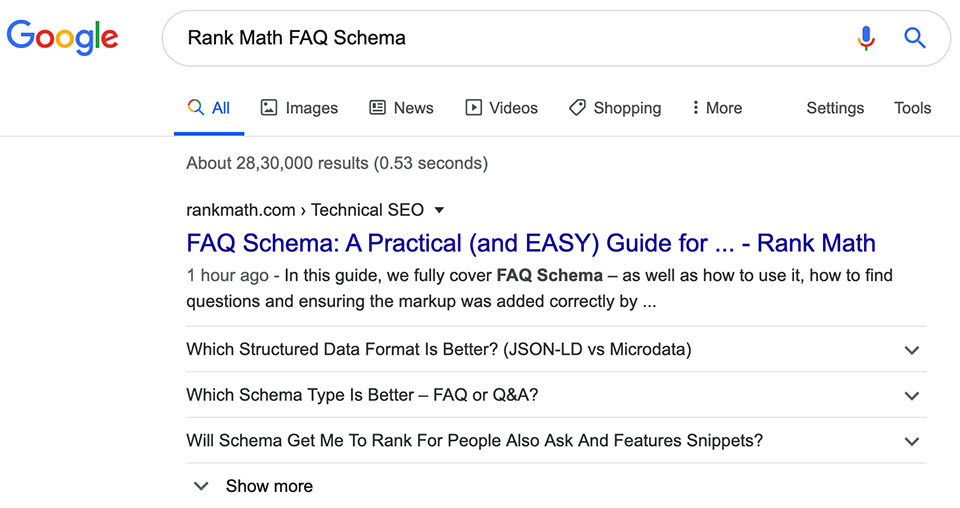
However, Google ended support of the FAQ Schema in 2026, and no longer displays rich snippets for it. Nevertheless, you can still add it to your content to improve user experience and help AI platforms to better understand your content.
Now that you know what FAQPage Schema is, let’s dive deeper into how this is useful to you and what the benefits of using structured data actually are.
2 The Benefits of Adding FAQ Schema
The FAQ Schema provides you with a series of benefits, including:
- Eligibility for Voice Search Actions – Making use of the FAQPage Schema can also make your site eligible for an action that is made available in the Google Assistant. This can help your site become a source of answers for people using voice search to ask questions.
- Improves user experience – The FAQPage Schema makes it easier for visitors to find answers to common questions without having to dig through your content.
- Helps AI platforms understand and surface your content – The FAQPage Schema provides AI platforms a structured way to read and pull accurate answers directly from your page.
- Provides quick answers to common questions – The Schema lets users get immediate answers to their most pressing questions, saving them time and effort.
- Increases page visibility – The FAQPage Schema helps search engines better understand your content, which can contribute to improved rankings over time.
- Establishes your page as an authoritative source – Consistently answering relevant questions signals to both users and search engines that your page is a reliable and knowledgeable resource on the topic.
3 How Do I Add FAQ Schema in WordPress?
So, now that we know why structured data is important – let’s answer the next burning question: how can people like me and you make use of this?
3.1 Install Rank Math
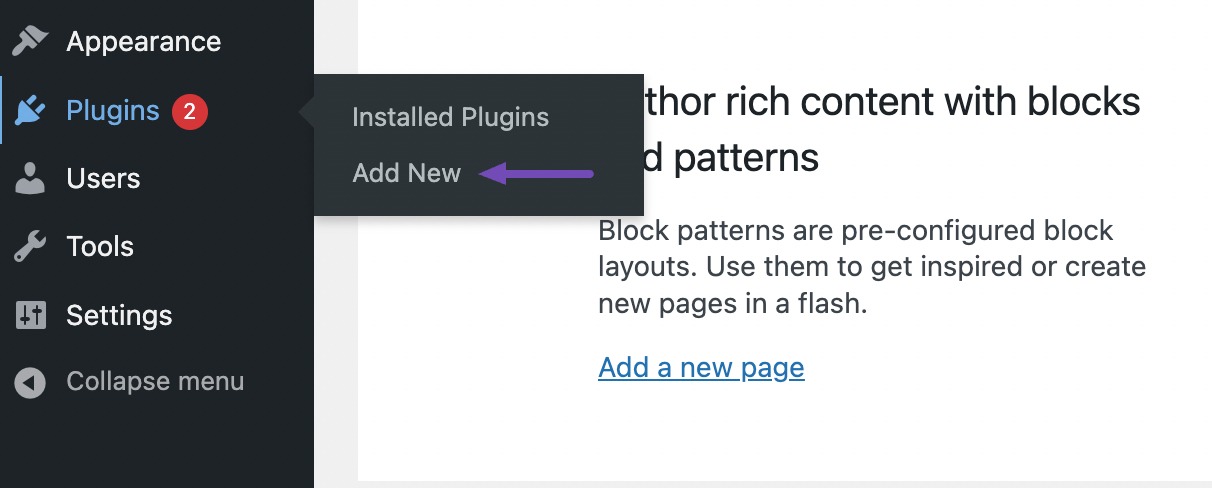
Once you’ve logged into your WordPress website, hover over the plugins menu and proceed to click Add New. This will take you to the page where you can install new plugins – now, search for Rank Math.
And then you’ll see the following – so, as you might’ve guessed, click Install Now.
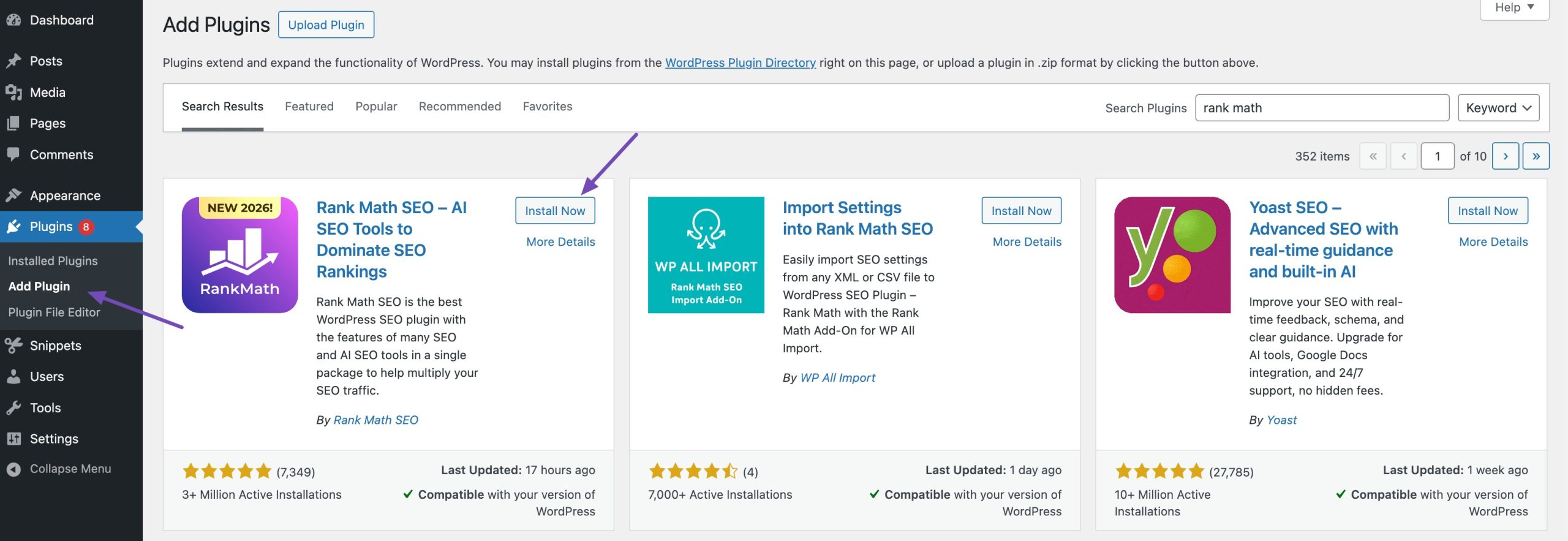
Once you’ve installed Rank Math, you’ll be greeted by the setup wizard which we’ve designed to make it as easy as possible to fine-tune your site’s settings. However, if you’re already using some other SEO plugin on your site, migrating all of the existing options is extremely easy.
If you’d like a more in-depth explanation of how to set up and migrate to Rank Math, we recommend reading our getting started guide here.
3.2 Add an FAQ Using the WordPress Block Editor
Now that you’ve installed and activated Rank Math, adding an FAQ Block using the WordPress Gutenberg Block editor couldn’t be easier.
While writing a post or editing a page, simply click the plus icon that is present on the right of the content area to add a block.
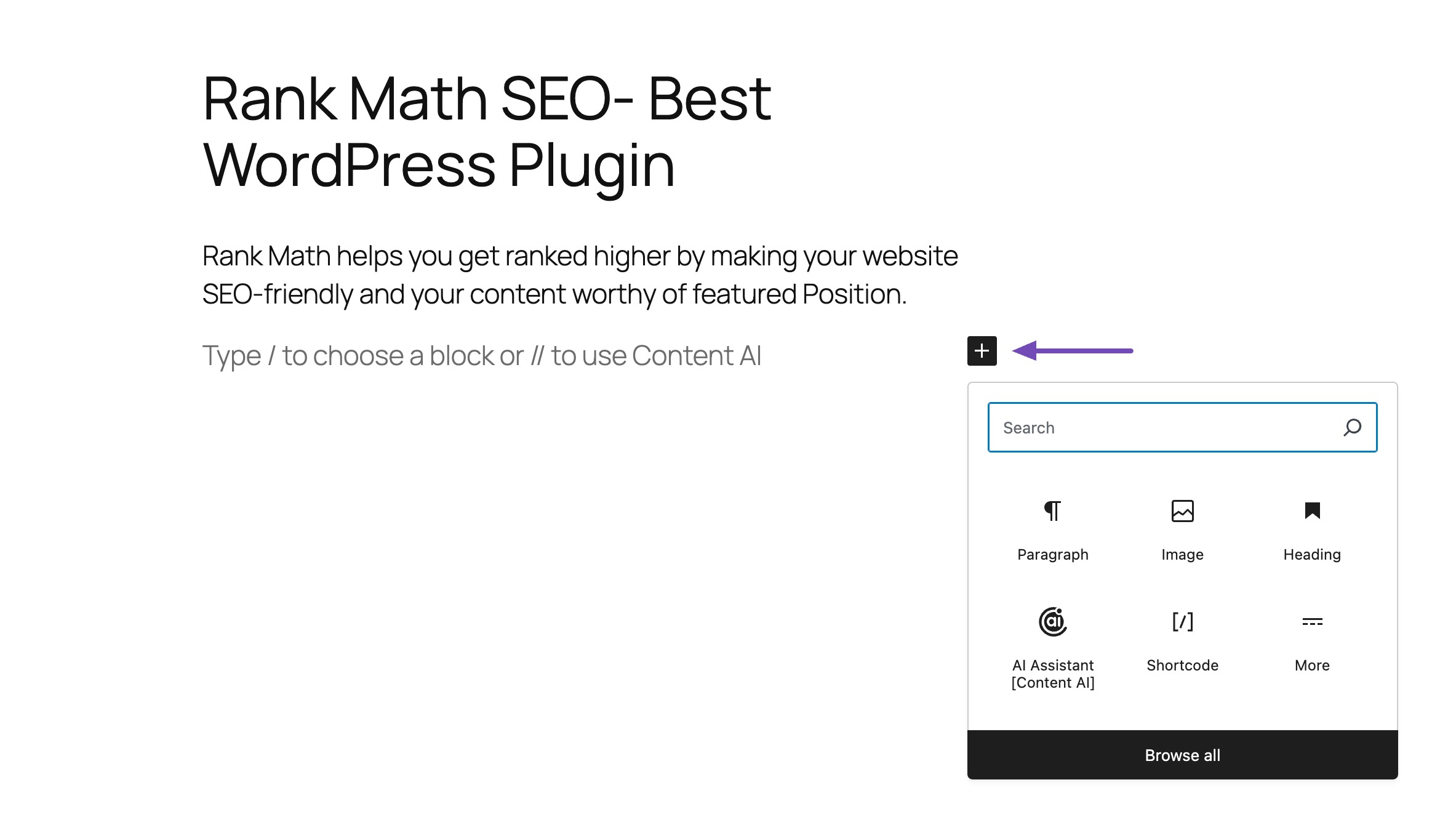
Clicking this will allow you to select from a list of available blocks that will depend on the plugins installed on your site. If you’ve installed Rank Math, you’ll be able to choose the FAQ Block.
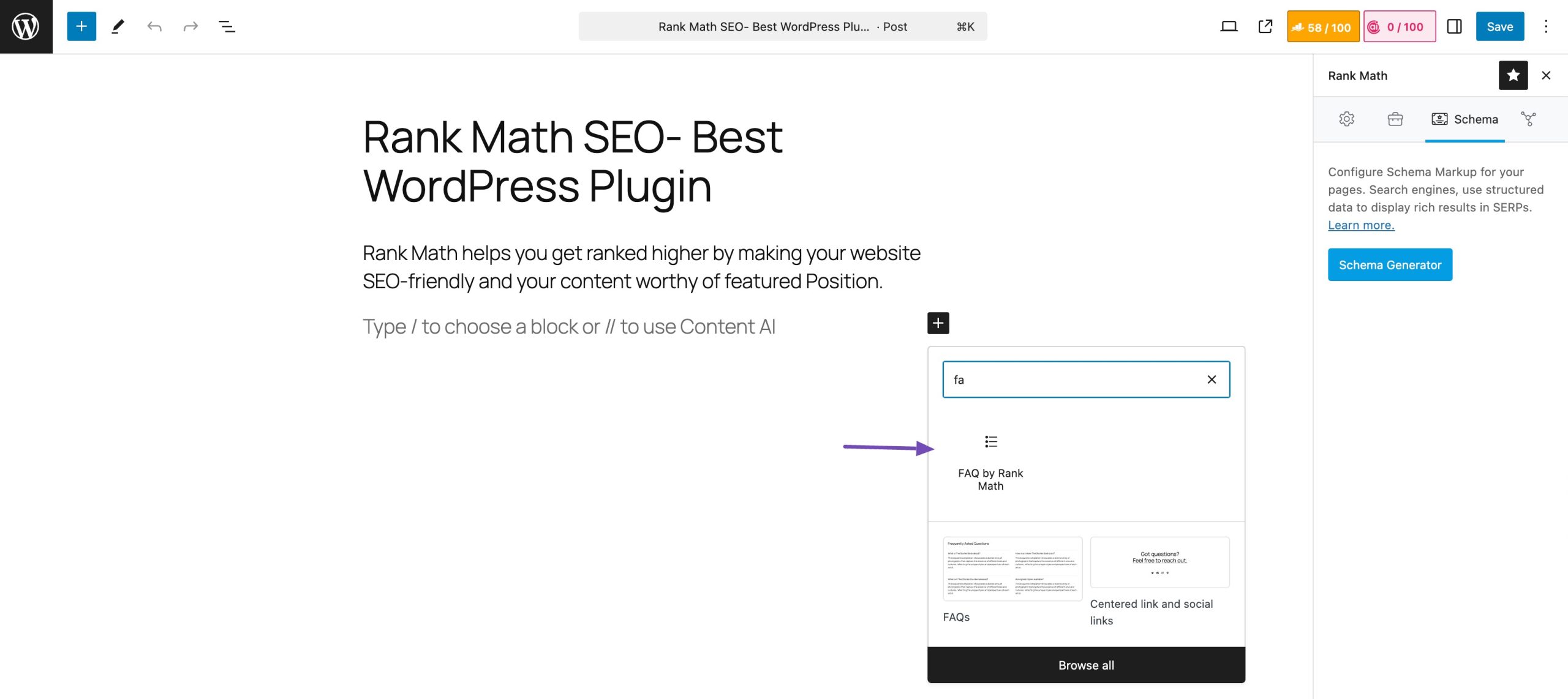
Now that you’ve inserted the block, this is what you’ll see:
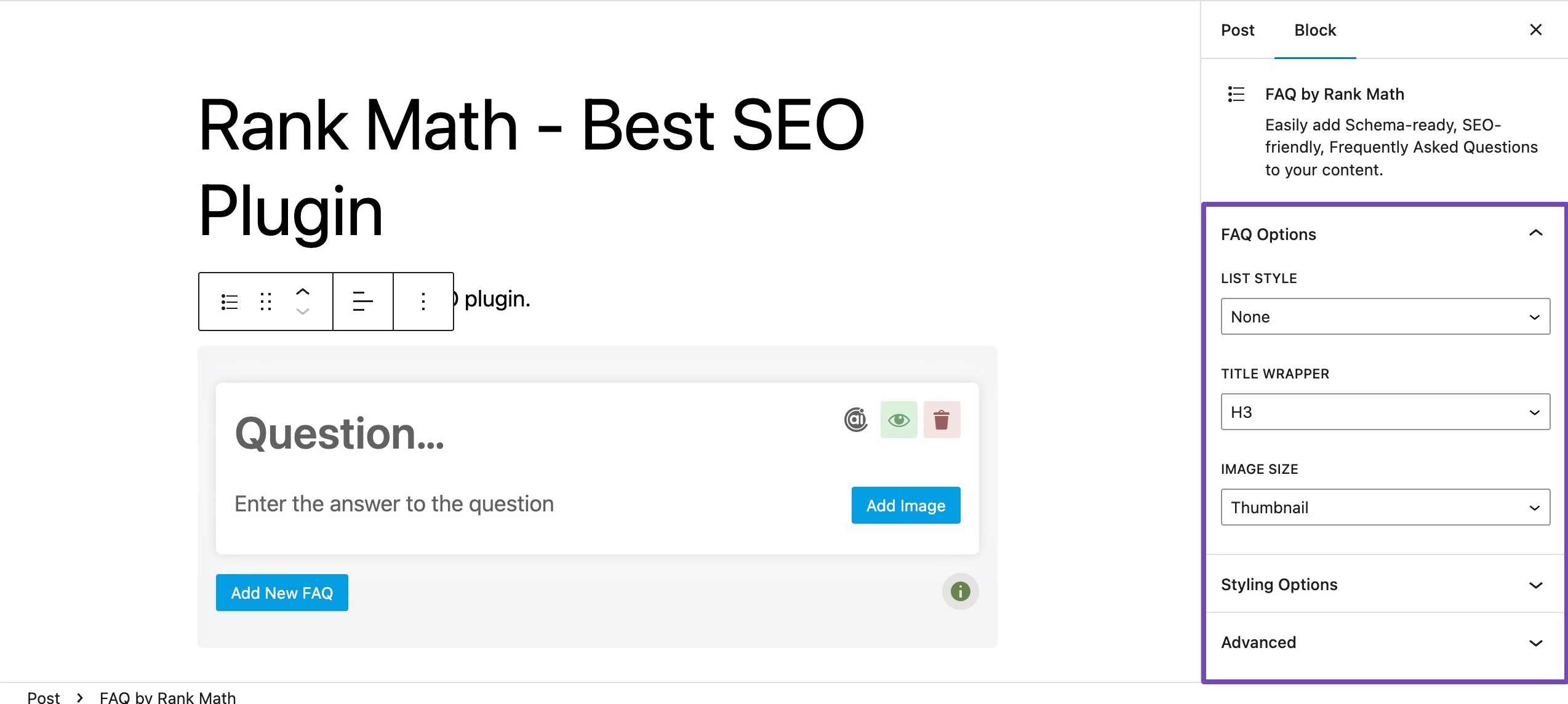
As expected, initially and most importantly, you’ll be able to easily insert the question text and the answer content to that question respectively as well as an image.
Rank Math’s Content AI tool offers a convenient way to add frequently asked questions (FAQs) to your website. Click on the AI icon in the FAQ block, and let Content AI generate the answers for you.
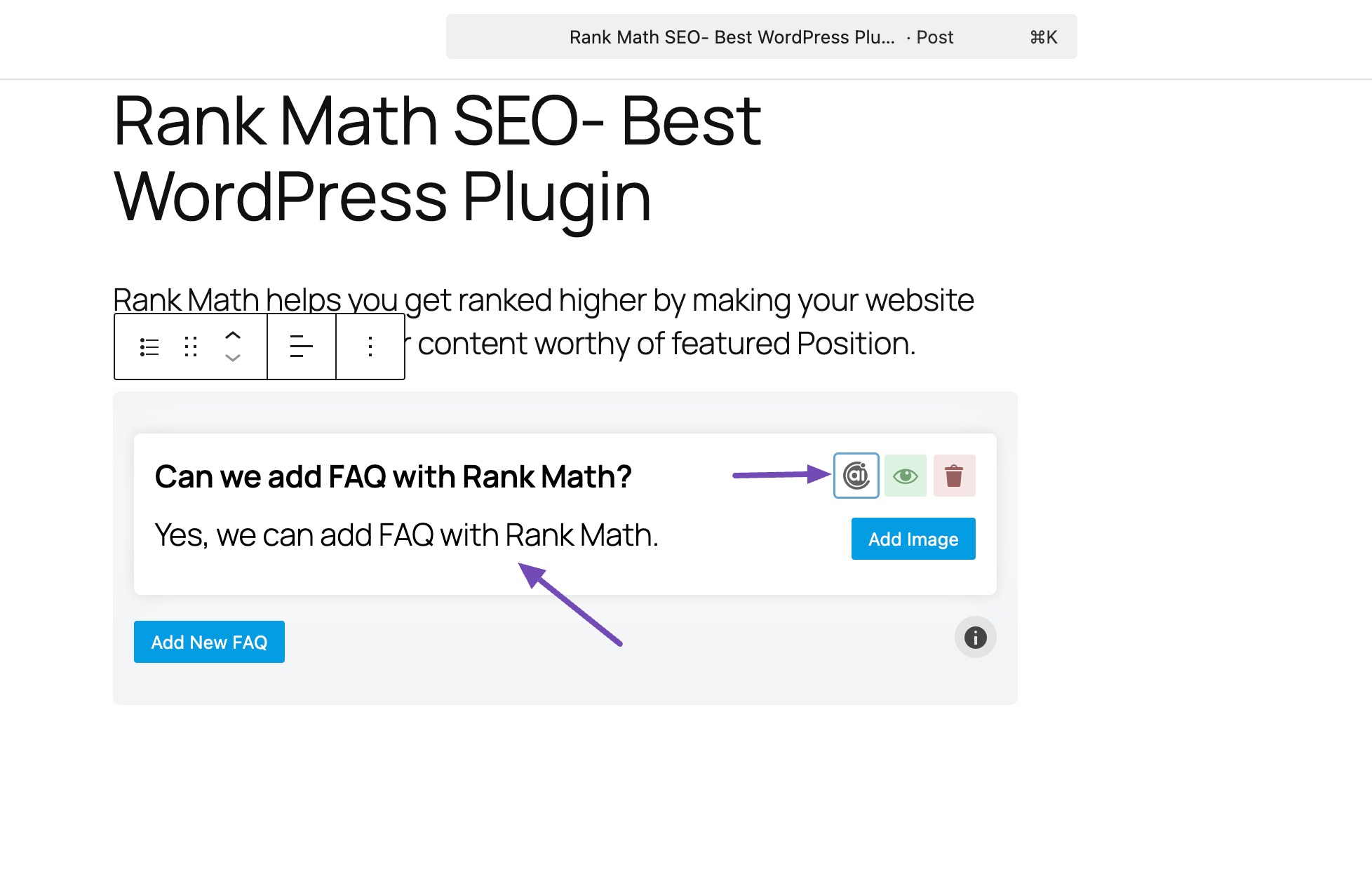
In addition to this, there is also a range of block options available to you, such as the ability to change the list style, title wrapper, image sizing, and more…
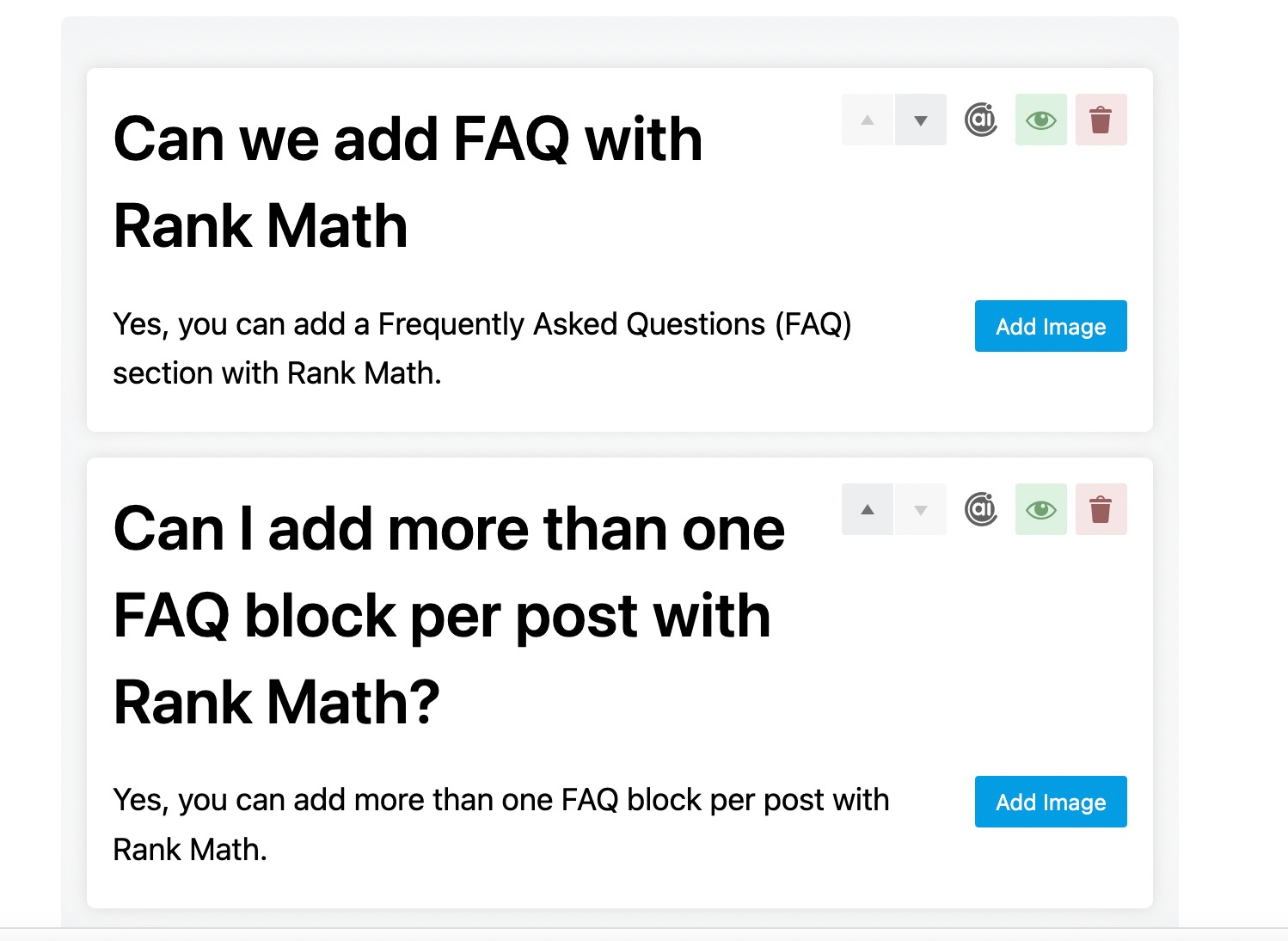
Once you’ve added the questions, it is even easier to rearrange them, with the up and down buttons (available only in Rank Math PRO), to make your FAQPage look more coherent.
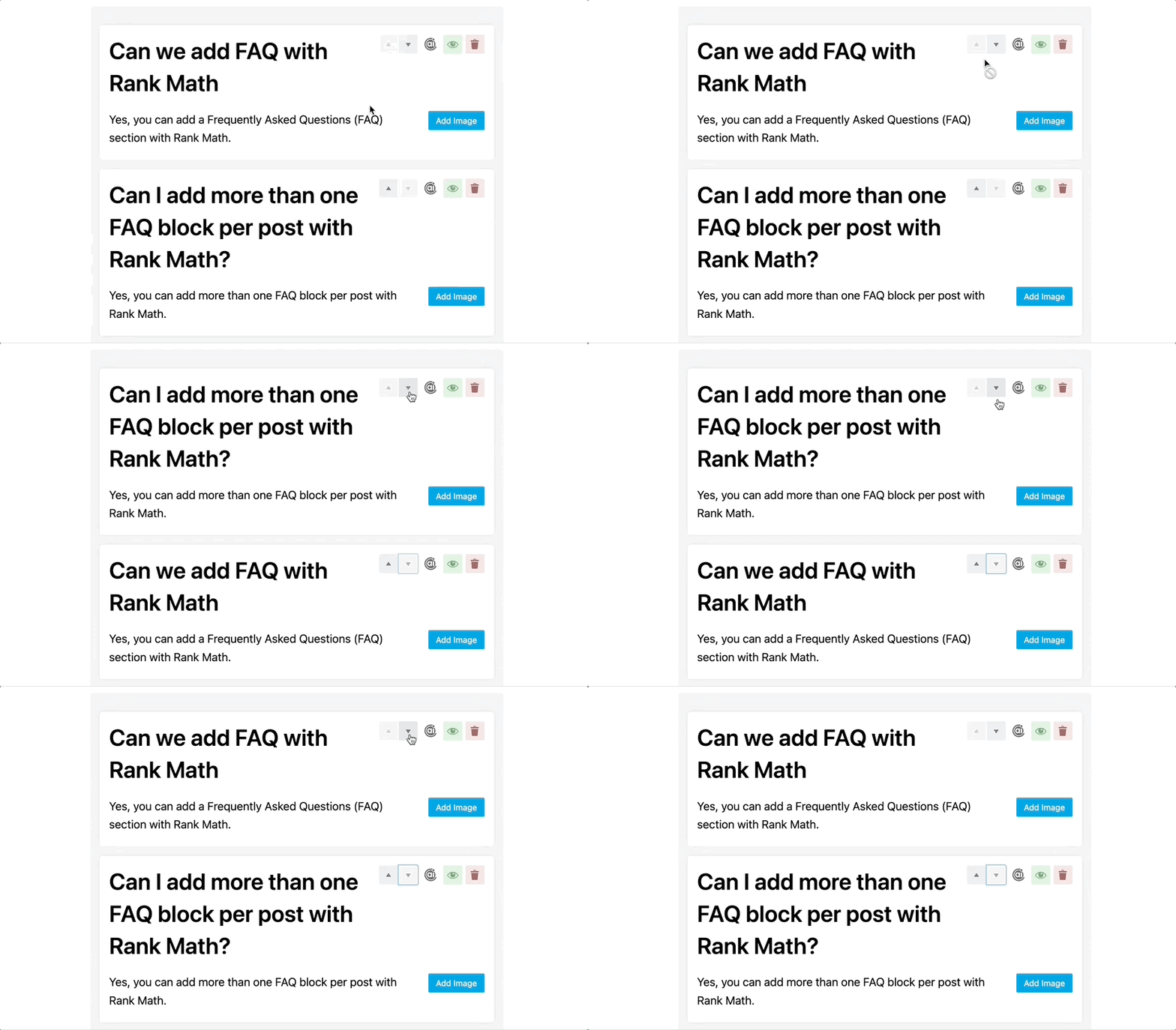
Unlike other plugins that have made attempts to implement FAQ Blocks, with Rank Math you thankfully aren’t limited to just one block per page, you can add as many as your content requires (or heart desires 😉).
You can learn about how to use the FAQ Block by Rank Math in more detail on our Knowledge Base.
3.3 Adding FAQ Schema Using the WordPress Classic Editor
If you prefer to use the Classic Editor, it is important to note that the process of adding FAQ Schema will be slightly different. You can use Rank Math PRO’s Advanced Schema Generator to generate a custom Schema and add it to any page in just a few clicks.
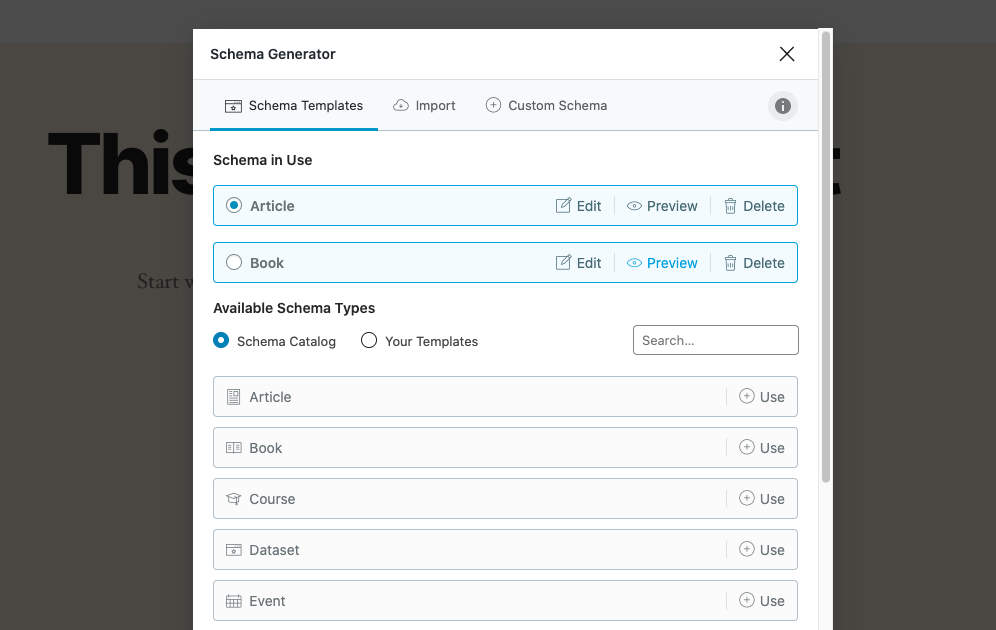
For individual posts or pages, you can either select the FAQ Schema markup type from the available options and then simply fill in each of the required fields – here’s how:
- Open the single post editor & scroll down to Rank Math’s meta box
- Navigate to the Schema tab as shown above.
- Choose the Schema types that you want to add to your post & fill out any of the fields Rank Math’s Schema Generator prompts you to complete.
- And, that’s it!
Further Rank Math makes it extremely easy to display the FAQ on frontend with shortcodes. The Schema Generator gives you a unique shortcode for each FAQ schema you create, and you can use the shortcode anywhere to display your Frequently Asked Questions.
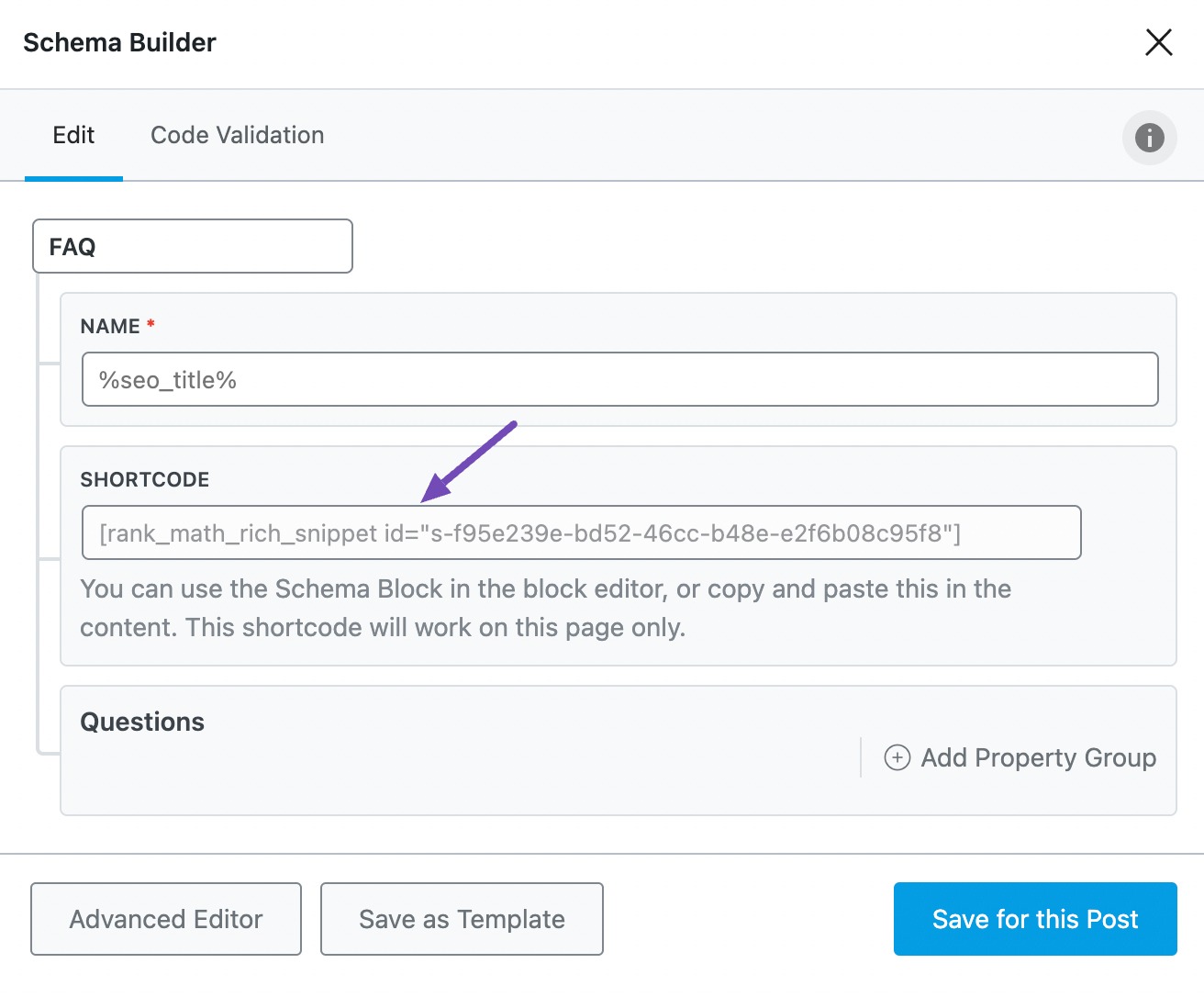
Learn more about how easy Rank Math makes it to add Schema Markup to your website here.
Using the built-in Schema Generator, you can also add multiple Schema types to a page – and this is still very easy – as easy as dropping in the URL of another page (perhaps a competitor’s) that uses certain structured data on their pages and then proceeding to change all of the field’s values to match the contents of your page.
When adding multiple Schema types you’ll be able to select the one you wish to be considered as the primary Schema type (as has been done for Article Schema in the example above).
3.4 Adding FAQ Schema to Non-WordPress Websites
If your site isn’t powered by WordPress – using Saijo George’s JSON-LD FAQ Schema Generator, you can manually generate the markup required as shown below. Then, simply click the Copy FAQ Schema button to copy the generated code. And then paste this generated code into your site’s HTML.
The limitation with this method is that adding FAQ Schema (or any other Schema Markup) for that matter is time-consuming and tedious, which is why we’d recommend making arrangements to switch to WordPress Rank Math. Is that you are limited to adding the FAQ section just once, we personally recommend that you make the necessary plans and arrangements to switch to the Block Editor.
It is also important to note that if you use this method, you not only have to add the JSON-LD markup, as shown above, but you also need to add the exact same questions and answers to the webpage’s visual HTML as well, since it is good practice to ensure the FAQs are visible to the visitors.
4 Validating FAQ Schema
Mistakes or minor discrepancies will cause your FAQPage Schema to not display or function properly, so it is important to ensure the structured data you added is correct.
Note: Using a plugin like Rank Math significantly reduces the likelihood of your FAQPage Schema displaying or functioning improperly since it takes the guesswork out of the process.
That being said, validating the Schema is still important, and you can do that using the Schema Markup Validator tool. Here’s how to do it:
To get started, head to the Schema Markup Validator tool.
There are two ways to test the FAQPage Schema on a page. You can either paste the URL of the page you would like to test or paste the code snippet of the Schema.
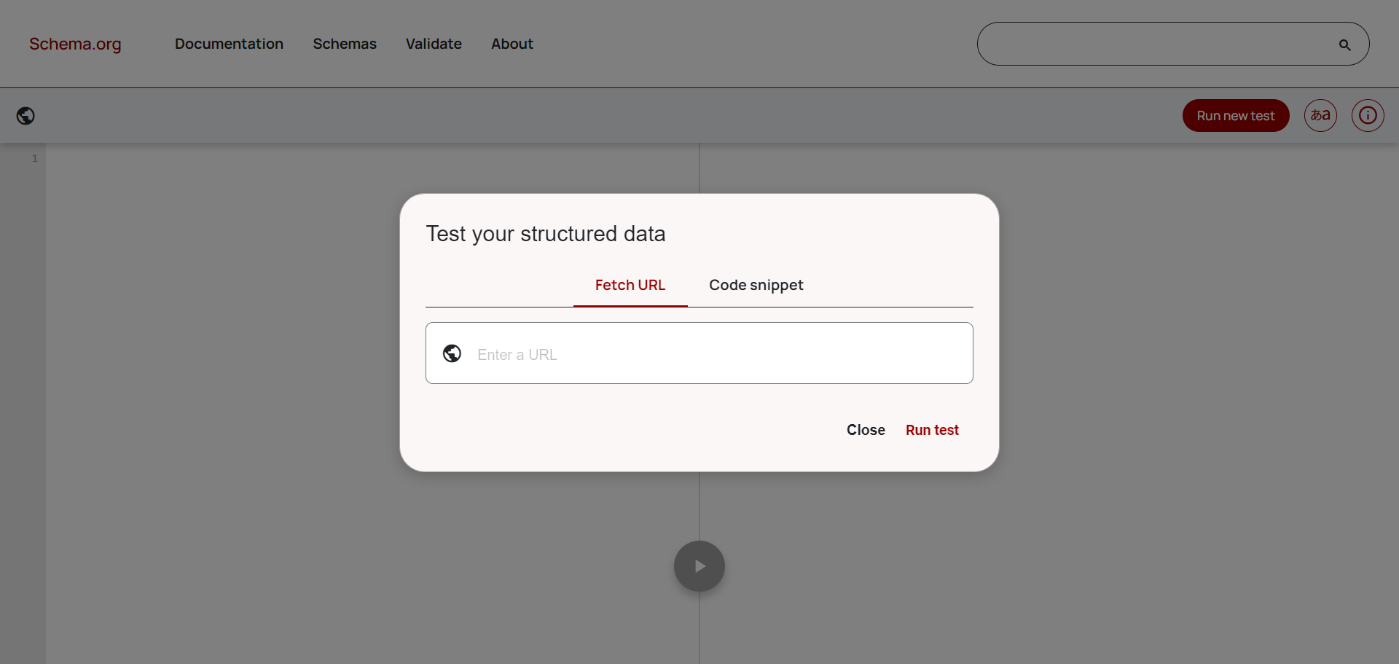
In this case, we’ve used the Fetch URL method by pasting a URL, as shown above, and then clicking Run test. Shortly after clicking “Run test,” if you entered a valid URL, you’ll be greeted by a page much like the one shown below:
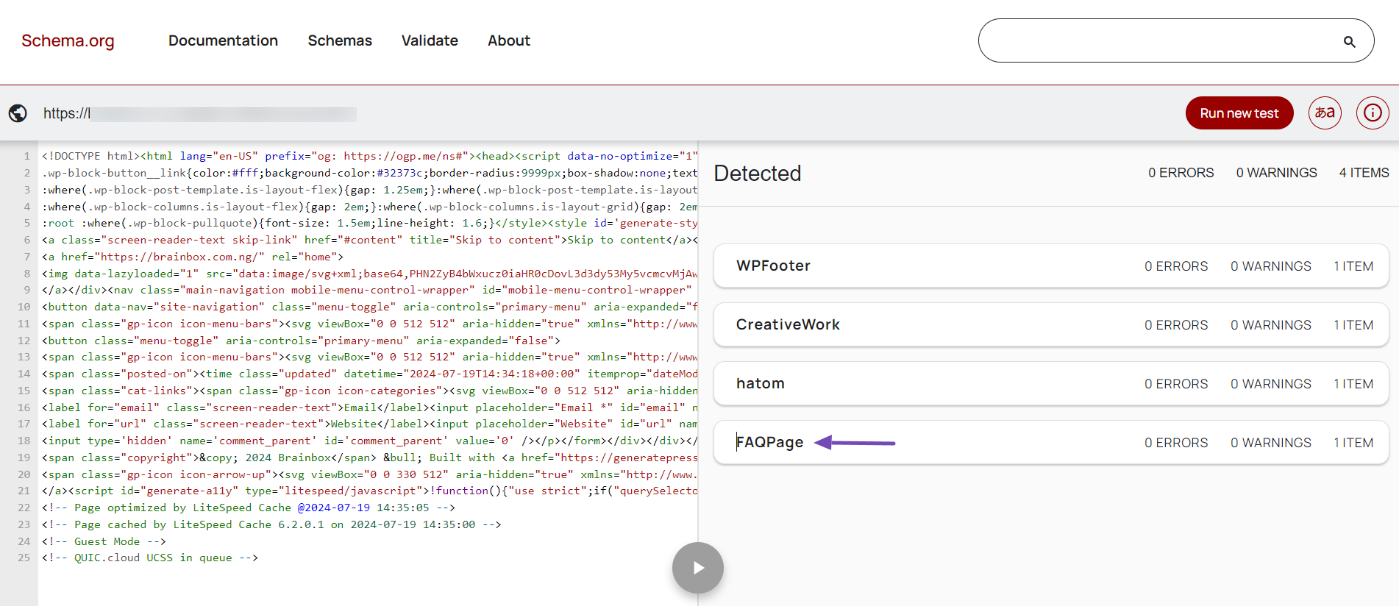
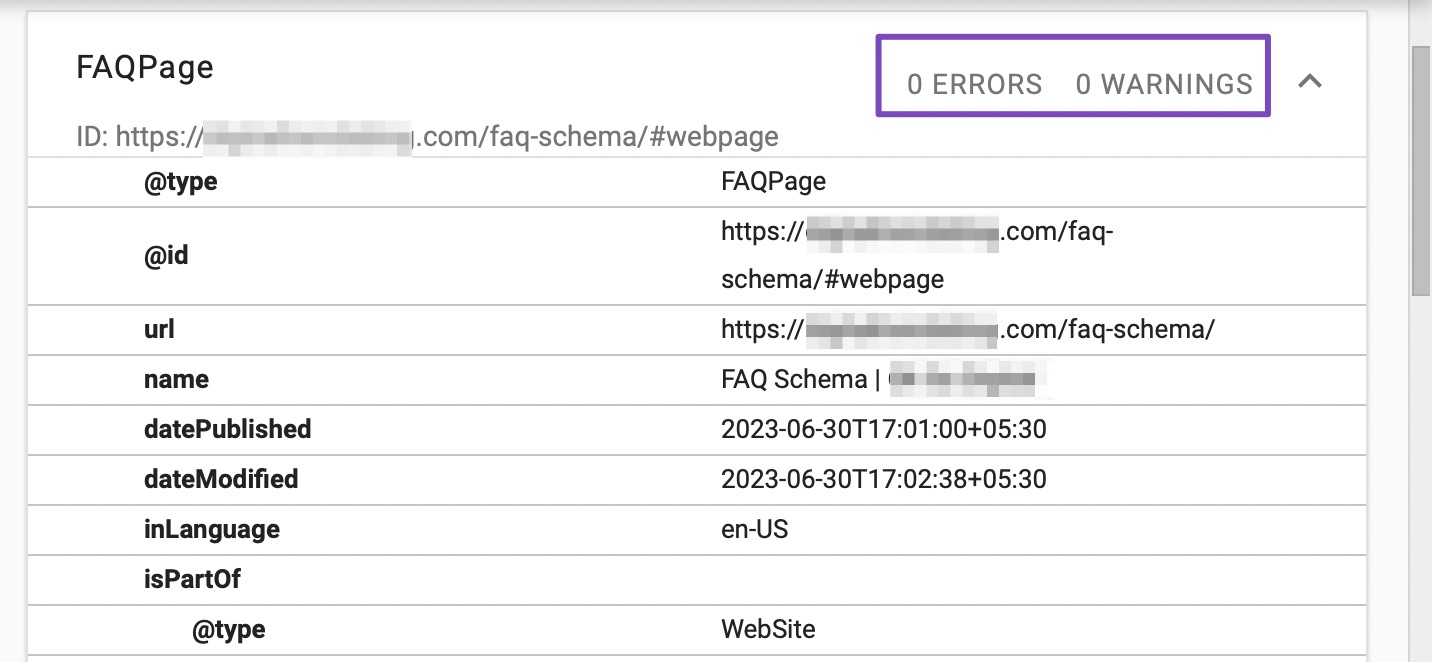
In the above case, you can see an example of what the results of the test would look like if there is an FAQPage Schema present on the page with zero errors and zero warnings – as shown more closely below:
5 Notify Google to Crawl It
Next, since you’ve gone through all of this effort – you’ll want to make sure that Google actually picks up the changes.
Once you’ve validated the FAQ schema of your page, head to the Google Search Console.
Then, enter your URL, as shown below, to inspect it.
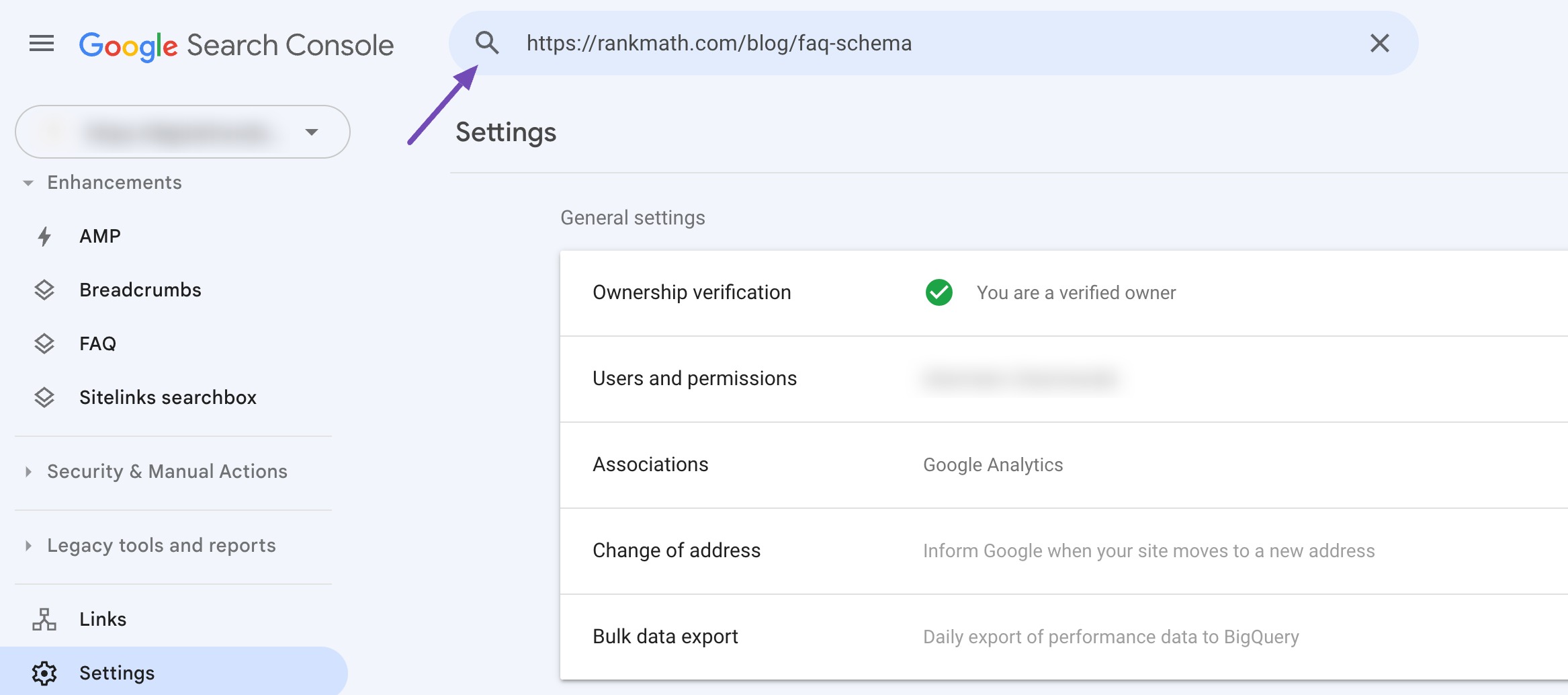
This will then take you to a page that looks like this. Evidently, it will vary based on the state of the page and whether or not the URL is already in Google’s index. Regardless, once you’ve added your FAQ schema, click Request Indexing as highlighted below:
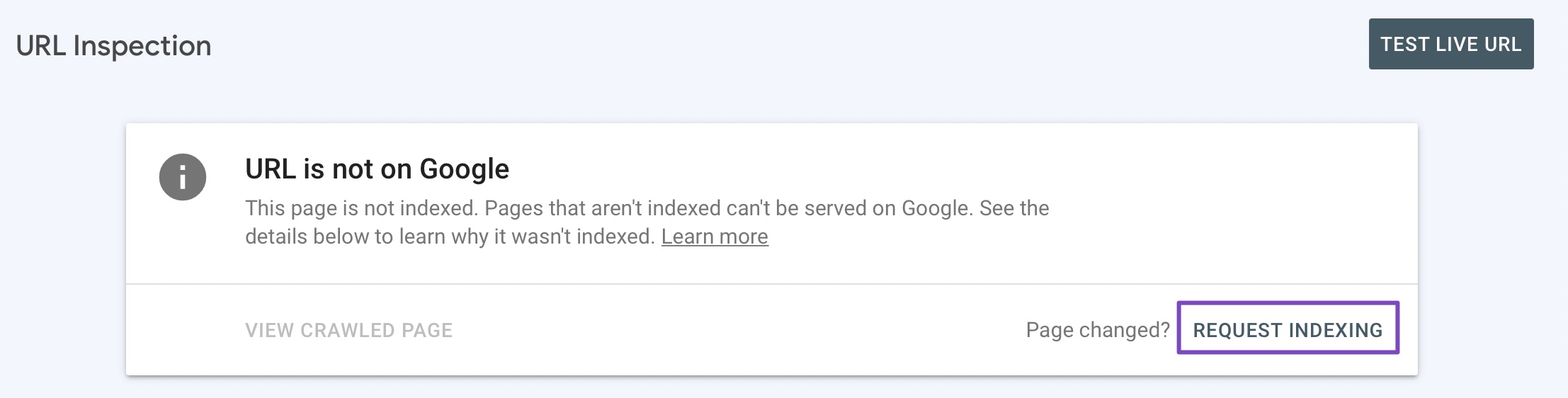
This will ping Google to update and recognize changes made to your page, or if it isn’t already in the index, it will signal to Google that – if possible – the page should be queued for indexing.
If your posts or pages with FAQ Schema also contain LiveStreaming or JobPosting markup, you should consider using Google’s Indexing API to speed this process up.
6 Finding Questions for FAQ Schema
Now that we’ve gone through the technicalities of the process and how you can use the Rank Math plugin to make it even easier, let’s take a look at how to actually find questions you can use in your content.
There are a number of ways you can do this – we’ll take a look at our favorites and the ones we consider the best:
- Rank Math’s Content AI
- Google’s People Also Ask section
- Quora
- Answer The Public
- Internal site search
- Sistrix Keyword Tool
6.1 Google Autocomplete & People Also Ask Section
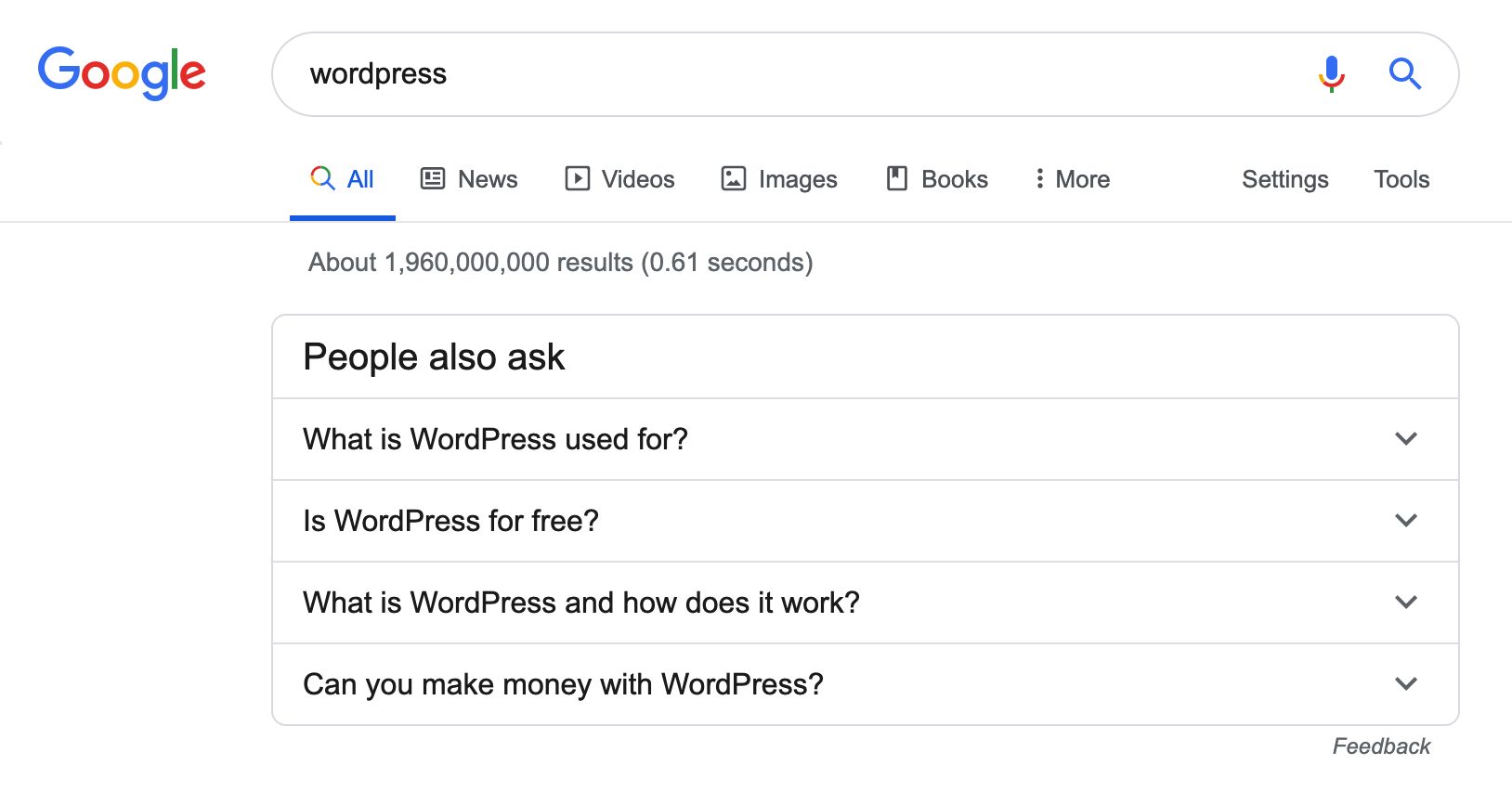
Google’s People Also Ask section is as close to the source of information as we could possibly get. This is an area that Google uses to suggest things that people commonly also ask after searching for a specific search term.
When present in the search engine results page for the keyword you’re trying to rank for, this is the best way to find out how to craft your content and make it as helpful to readers as possible.
Similarly, autocomplete in search can be used to find questions, as shown below.
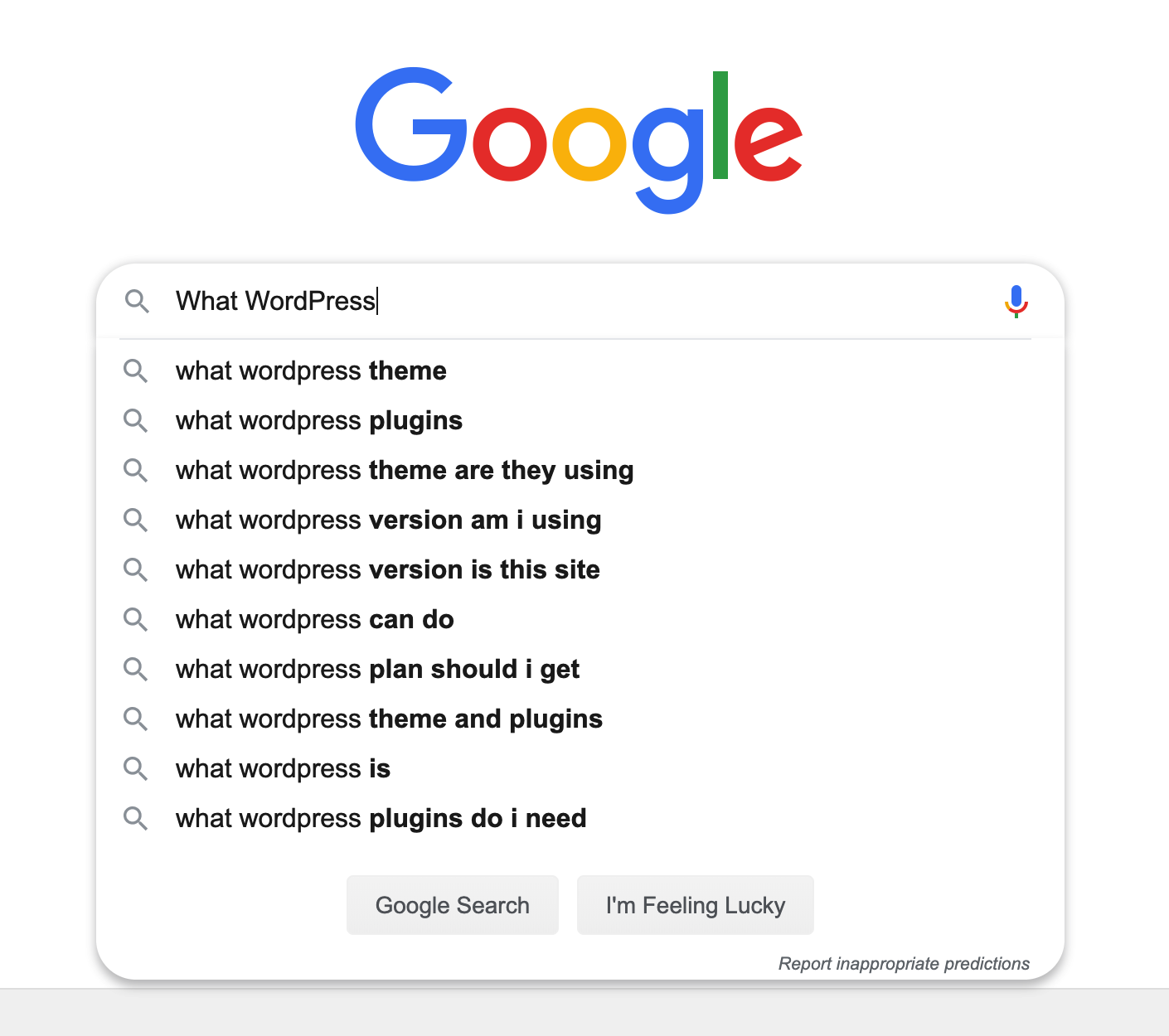
To find the best type of questions, depending on the keyword you’re targeting, using different question modifiers such as “how, what, when, why, where, who, which, will, are” will help you find more suitable questions…
6.2 Quora
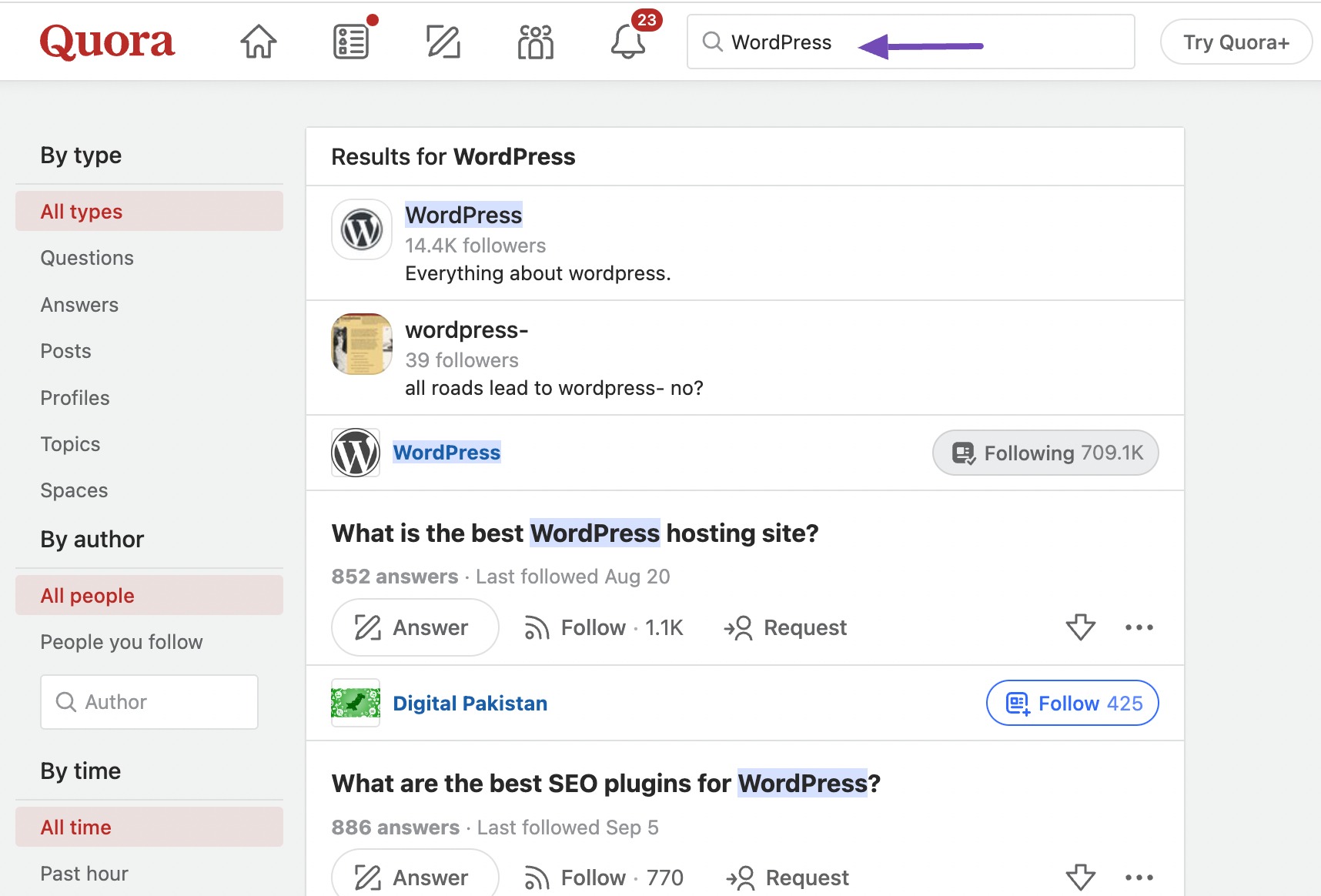
An alternative to using Google’s search functionality and related questions directly is browsing Quora.
If we continue with the WordPress example, you’ll see that when we search for the keyword, we’re met by questions that people have posted.
Using the questions here, we’d recommend focusing on the more popular ones (i.e. the ones with more answers and views) since those are more commonly asked and searched for and then you can work your way through other questions that would make sense addressing in your content.
6.3 Answer The Public
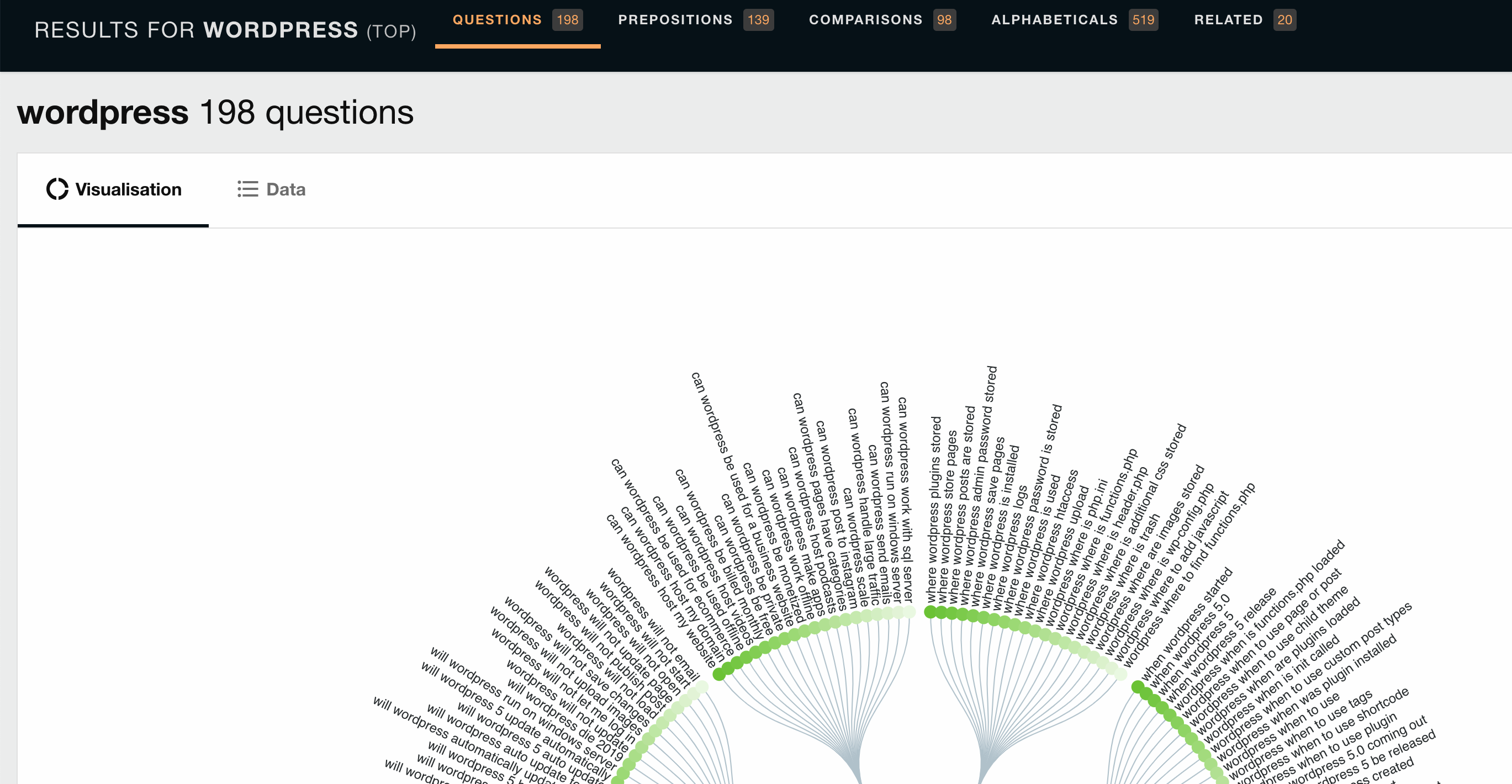
The next one in our list is Answer The Public. Similarly, entering a keyword such as WordPress which we used in the above two examples, you’ll be presented with 100s of questions suitable for your content.
6.4 Internal Site Search

If your site allows visitors to search for content, and you have Google Analytics installed, you may be able to find suitable questions by using the method described in this post by Ahrefs on how to find keyword opportunities from site search.
6.5 Sistrix Keyword Tool
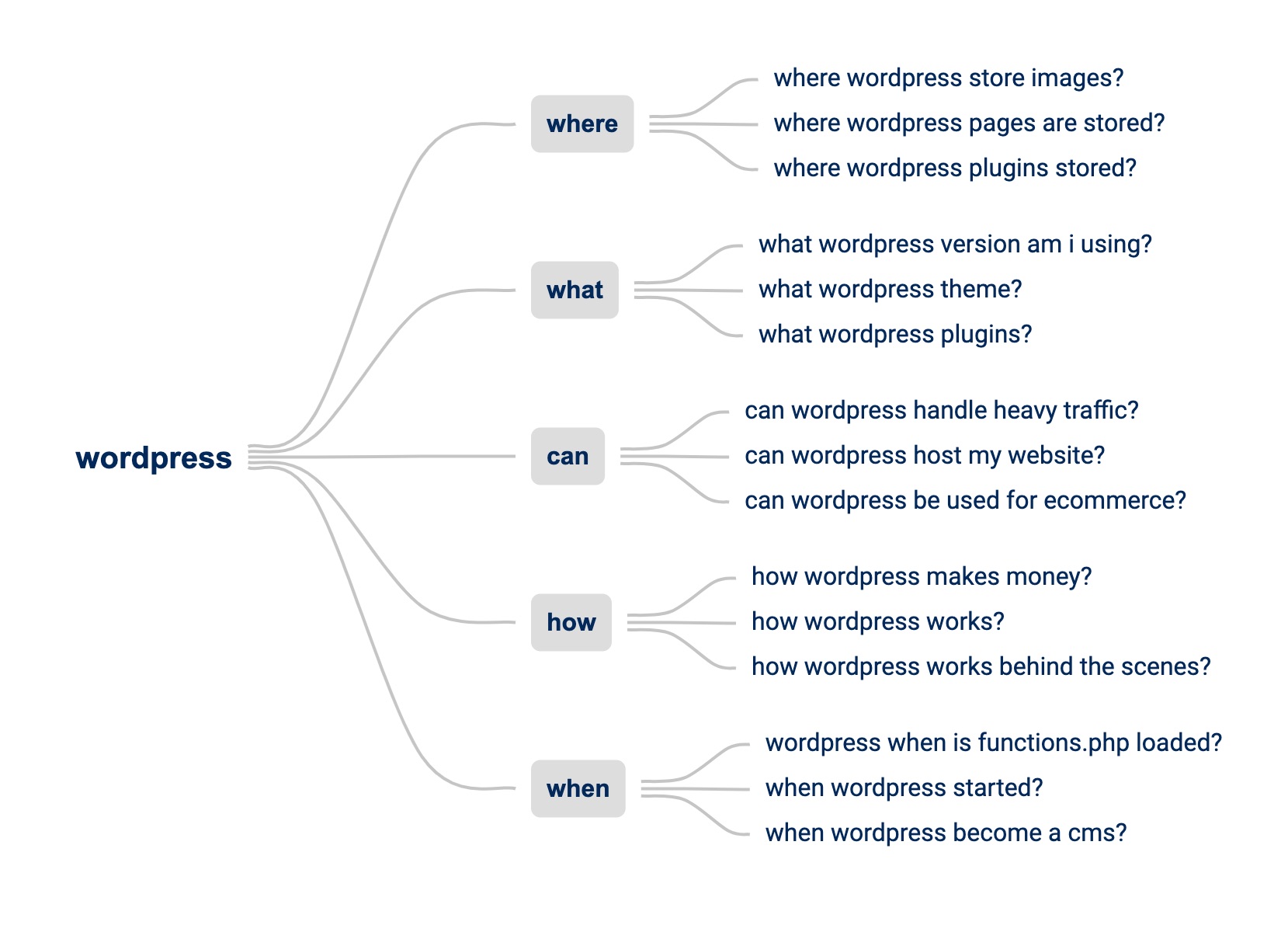
And last but not the least is Sistrix Keyword Tool. Similar to the other tools, choosing the language and entering a keyword like WordPress, presents a whole bunch of real world user questions, classified on the basis of user intent.
7 FAQ Schema – Best Practices & Tips
We will now walk you through some FAQPage schema best practices, including tips to ensure your markup is valid and common issues that can make it invalid.
7.1 FAQ Schema Invalid Use Cases
Here are some issues that may invalidate your FAQ Schema or cause it to not display properly.
- A forum where answers consist of user-generated content all of which answer a single question. (we recommend using Q&A Page Schema instead)
- Any page where users can submit multiple answers to a single question.
- Making use of an FAQ Page for advertising purposes.
- Truncating questions and answers so that they cannot be displayed in full (i.e. display full text of the question).
- Usage with FAQs where either questions or answers contain anything that may be construed as sexually explicit, graphically violent, dangerous or illegal content and so forth.
- The questions themselves aren’t visible to the user on the source page.
7.2 FAQ Schema Valid Use Cases
Here are some tips that will ensure your FAQ Schema is valid and displays properly.
- A Frequently Asked Questions page that was written by an author that does not allow for users to submit their own answers.
- A product support page that lists commonly asked questions and their exact answers (also while not allowing users to submit their own answers).
- FAQs that follow Google’s FAQ content guidelines.
7.3 FAQPage Schema Best Practices
Here are some best practices to keep in mind when creating your FAQPage Schema.
- Only add relevant FAQs.
- Keep it simple, short, and accurate: for the best results, answers to FAQs tend to fall in the range of 160-200 characters.
- Answers must fully answer questions and try to answer the question fully as early on as possible (i.e. No … [explanation]).
- Write FAQs to convince users to click links (only when relevant, not in a spammy way).
- Ensure the links in the FAQ section are contextually relevant and provide value to searchers.
- Ensure the visible content on the page matches the Schema code exactly.
Recommended: Writing The Perfect Answers to Frequently Asked Questions
8 Frequently Asked Questions
Which Structured Data Format is Better? (JSON-LD vs Microdata)
When John Mueller – Webmaster Trends Analyst at Google – was asked what type of Schema markup Google prefers, he answered stating, “We currently prefer JSON-LD Markup. I think most of the new structured data that are kind of come out for JSON-LD first. So that’s what we prefer.”
Which Schema Type is Better – FAQ or Q&A?
FAQ and Q&A Schema are two different types of structured data. However, they do have slightly different use cases.
If you have a page where multiple users can submit alternative answers to questions (such as a forum) then you would use Q&A Schema.
However, if you have a page with questions and specific answers to those questions all around the same topic, it would make sense to use FAQ Schema (as you might’ve guessed, this page uses FAQ Schema).
Will Schema Get Me to Rank for People Also Ask And Features Snippets?
Unfortunately, Google has deprecated the FAQPage Schema. This means it will not display it as a rich snippet or in the People Also Ask section when you add it to your site.
Will Structured Data Make My Site Accessible to Voice Search?
Structured data, specifically FAQ Schema, is extremely helpful in making your site more accessible to voice search. It is not only a good SEO practice overall, but it actually helps to prepare your content for voice search. This is because the majority of answers to voice-search queries currently come from featured snippets.
What is FAQPage Schema?
FAQPage Schema is structured data/markup that indicates to search engines and AI platforms that the page has a section with Frequently Asked Questions (FAQs) and the respective answers to the questions.
How Can I Get FAQ Rich Results in Google?
Google has deprecated FAQPage Schema and no longer displays it as a rich result. This means there is no way to get it in Google. However, you can still add the FAQ Schema to your content to improve the user experience and let AI platforms to better understand your content.
Will Emojis and HTML Tags Work With FAQPage Schema?
Yes, Google officially states that they accept HTML tags and emojis, as well as other Unicode characters, seem to be accepted.
Do FAQ Snippets Work on Mobile and Desktop?
Yes, FAQs appear to users on both desktop and mobile devices.
What is the Risk Involved With FAQ Schema?
It is important to note that when implementing Schema, you may end up creating a situation where searchers get the answers they need from within the search results and never end up clicking through to your website. Obviously, this would be less-than-ideal and is something that should be considered.
Can FAQ Markup Be Added to Non-FAQ Pages Like My Homepage?
Technically, no. While you can add the markup to your homepage, we wouldn’t recommend taking the time to do so. This is evidently quite unfortunate for single-page applications.
Should I Markup the Entire Question and Answer, Even if It’s Really Long?
Google officially suggests that the structured data markup wholly includes the entire text of each question and answer. However, some webmasters have reported that for extremely long-form answers, they chose to limit their answers to the most important information and found during testing that it still works.
Can I Use FAQ Schema for FAQ Pages That Link Out to Separate Pages for Each Question?
No, this simply wouldn’t work. All of the questions (and their respective answers) must be listed on the page that contains the structured data. This means that the content itself must actually present in the page’s HTML so it is visible by users and can also be rendered by search engines.
Can I Use FAQ Schema with Other Schema Types?
Yes, you can — when you use FAQ Block/Schema with other Schema types, Rank Math will automatically nest the Schemas to abide by the structured data guidelines.
Can I Make the FAQ Schema Speakable?
As per Schema.org’s documentation, the Speakable Schema is expected to be used only on Article and WebPage Schemas. So Rank Math will not make the FAQ Schema speakable as the Speakable Schema is only applicable for said schema types.
We suggest adding the FAQ page via blocks and Article Schema for the single post type where you can add the Speakable Schema. Also, note that the Speakable Schema feature is only available in our PRO version.
We hope you understand what the FAQPage Schema is and how to use it. If you have any questions, you’re more than welcome to contact our dedicated support team. We’re available 24/7, 365 days a year…