

Do you want to improve your website’s visibility and climb up the Google rankings?
An SEO checker can make that process easier, faster, and more accurate. These tools analyze your website and offer actionable insights, from keyword optimization and on-page SEO to backlinks and technical performance.
In this post, we’ll explore the best SEO checkers that can help you optimize your site and boost your rankings.
Table Of Contents
1 What are SEO Checkers?
SEO checkers are tools that help you find problems on your website that may stop it from ranking well on search engines. They scan your pages and show you what needs to be fixed so Google can understand your content better.
It checks:
- If your title and meta description are clear
- If your keywords are used properly
- If your images have alt text
- If your links are working
- If your page loads fast
So in simple terms, SEO checkers help you see what’s wrong with your website and guide you step-by-step to make it better. They save you time, reduce guesswork, and make it easier for you to improve your rankings.
2 Best SEO Checkers to Boost Your Rankings
I’ll now list the SEO checkers that’ll help you boost your rankings.
2.1 Rank Math SEO
Rank Math SEO works as a detailed SEO checker inside WordPress. When you open a page or post, it analyzes specific parts of your content and tells you exactly what needs attention.
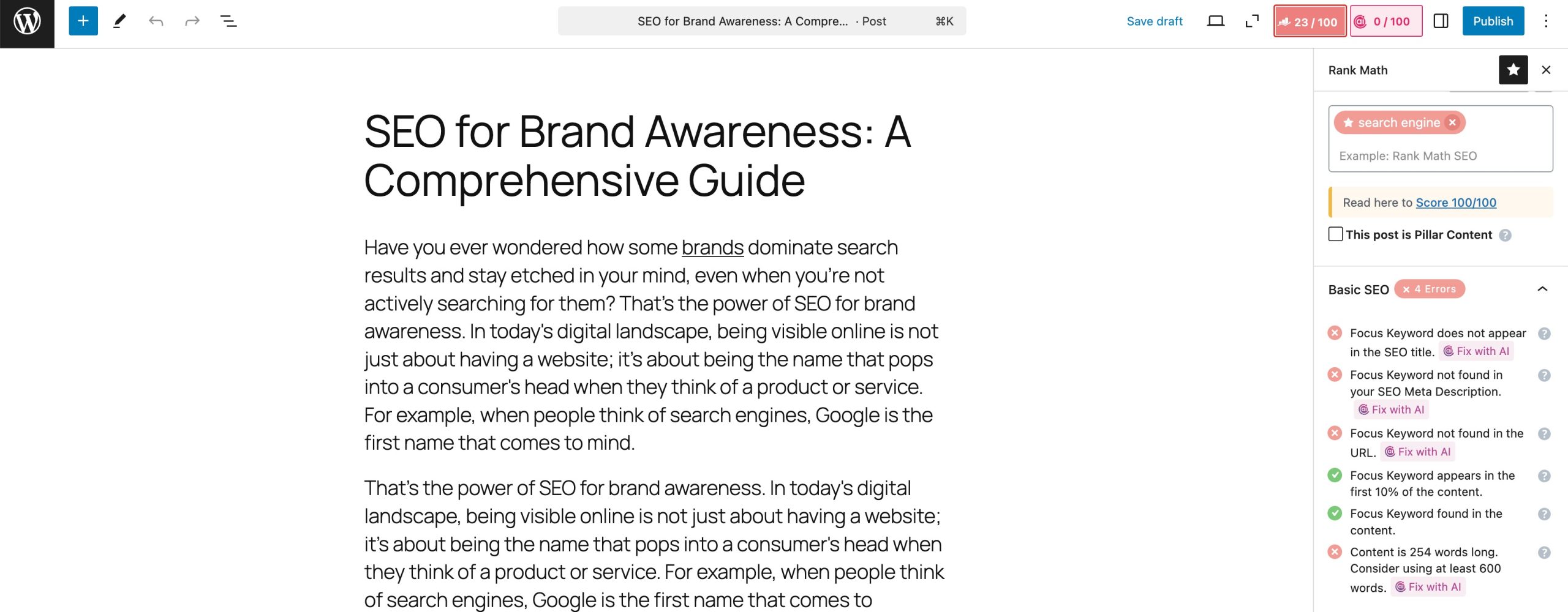
For example, it checks:
- Whether your main keyword is in the title
- Whether your meta description is written and includes the keyword
- If your headings are structured correctly
- Whether your images have alt text
- If your internal and external links are added
- Whether your keyword appears in the URL
- If your content is long and helpful enough
- How easy is your content to read
Rank Math shows you a clear score and lists each issue separately. You can fix them one by one, and your score updates instantly. This helps you understand what you need to improve and gives you a straightforward way to optimize every page on your website.
Pricing:
- Free Plan: Includes all essential SEO features.
- Pro Plans: Start at an affordable rate beginning at $95.88 for the first year.
2.2 SEO Analyzer
The SEO Analyzer helps you review your webpages and improve your website.
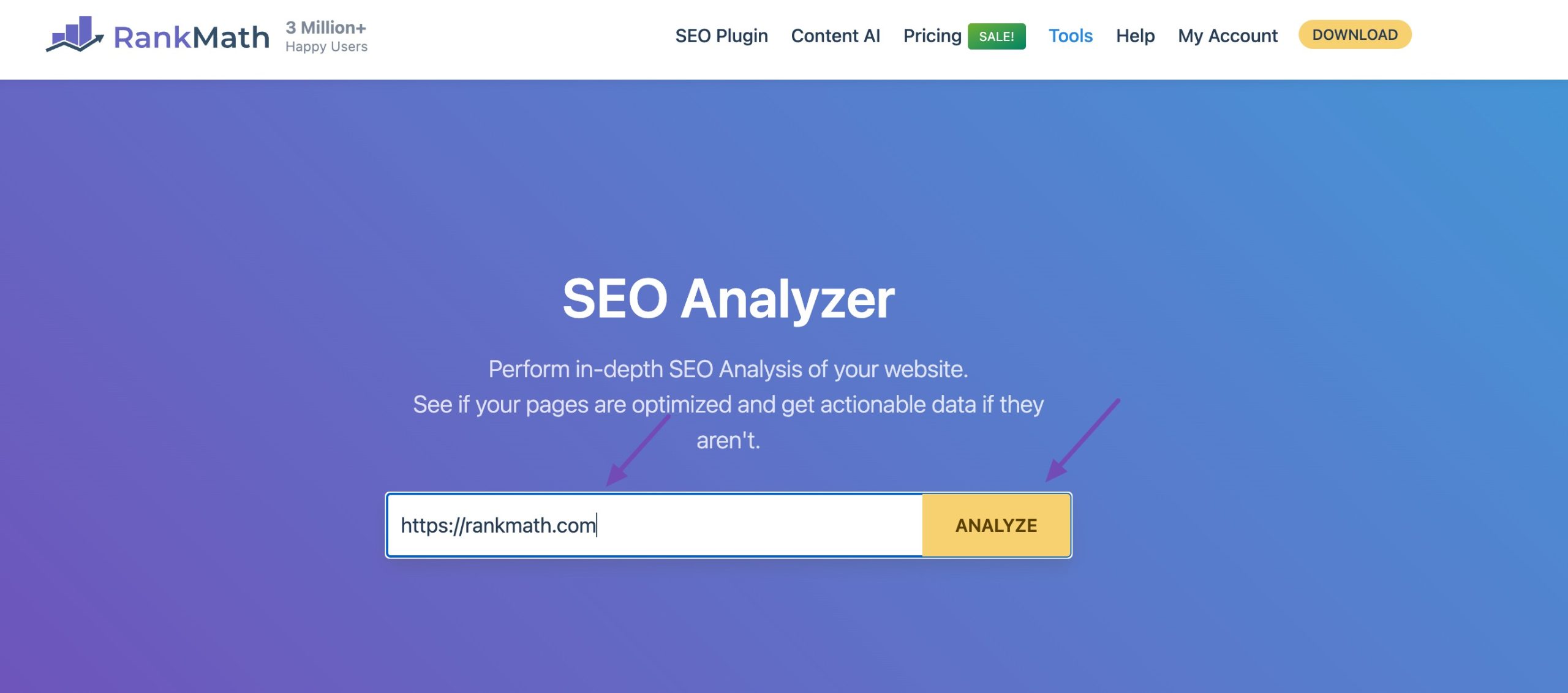
If you’re a Rank Math PRO user, you can access the SEO Analyzer directly from your WordPress dashboard. If you’re not using PRO, you can still use our free online SEO Analyzer tool. Simply enter your competitor’s URL in the field provided and click ANALYZE.
For Rank Math PRO users, navigate to WordPress Dashboard → Rank Math SEO → SEO Analyzer. Enter your URL and click Start SEO Analyzer, as shown below.
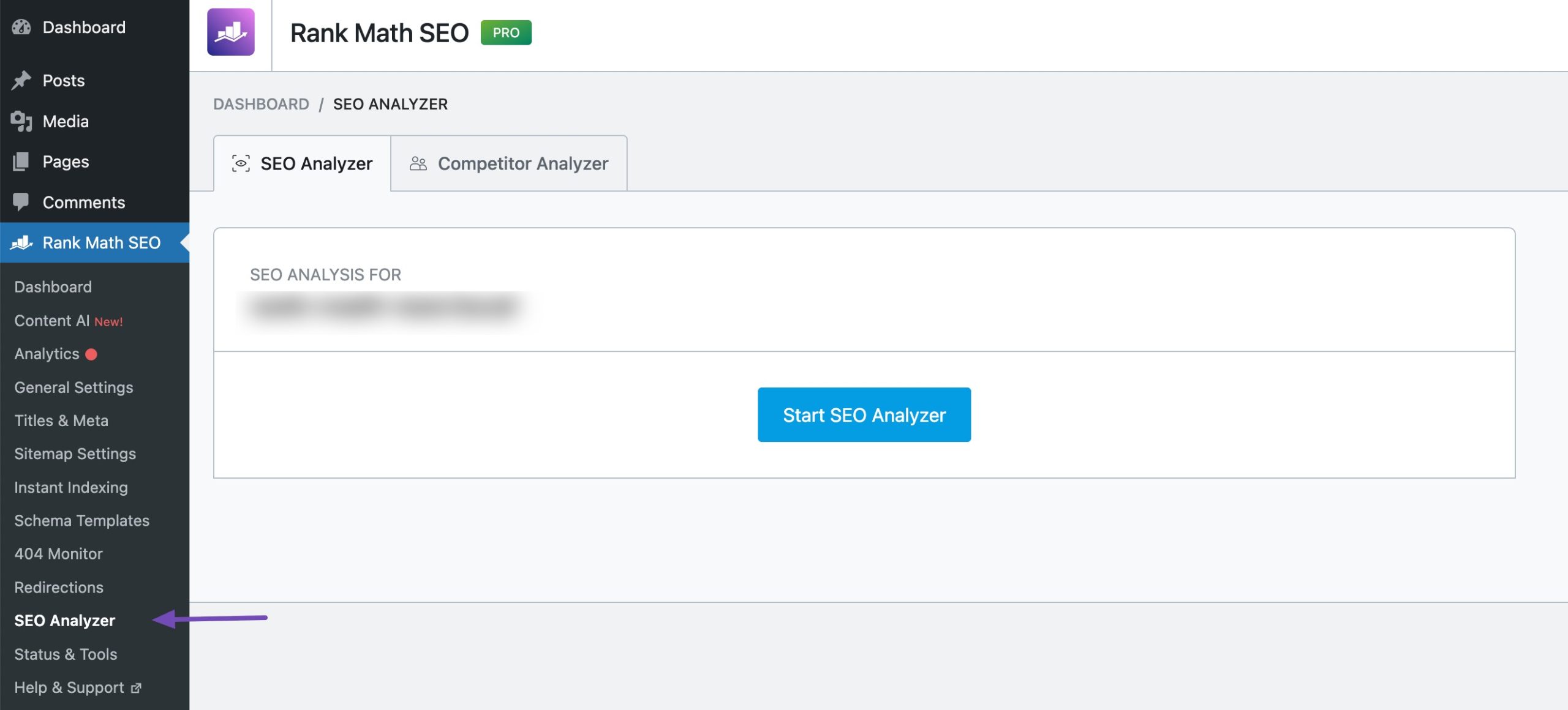
Note: If you don’t see the SEO Analyzer option, navigate to WordPress Dashboard → Rank Math SEO and enable the SEO Analyzer module.
Once you start the audit, Rank Math will run a series of tests on your URL and display the detailed SEO analysis.
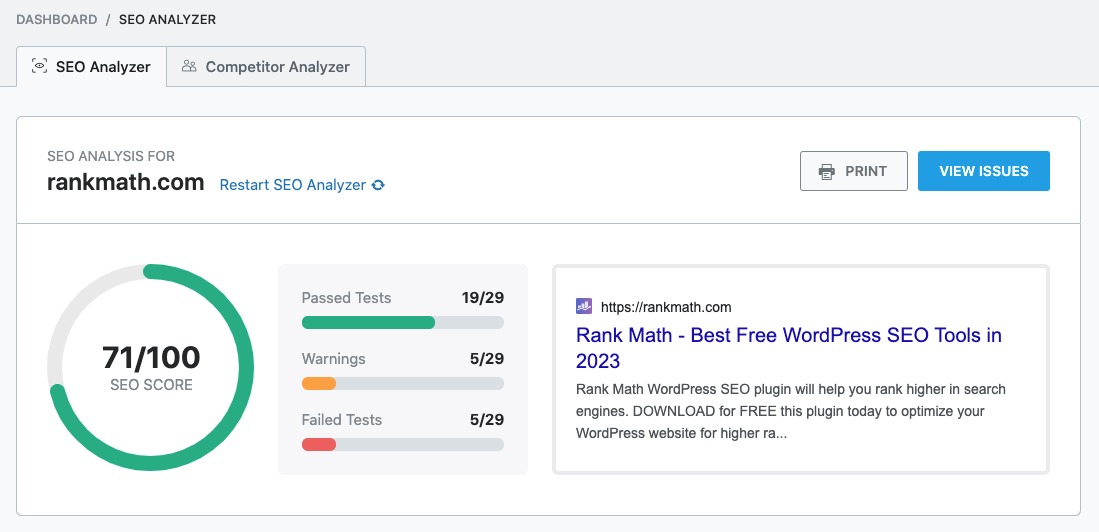
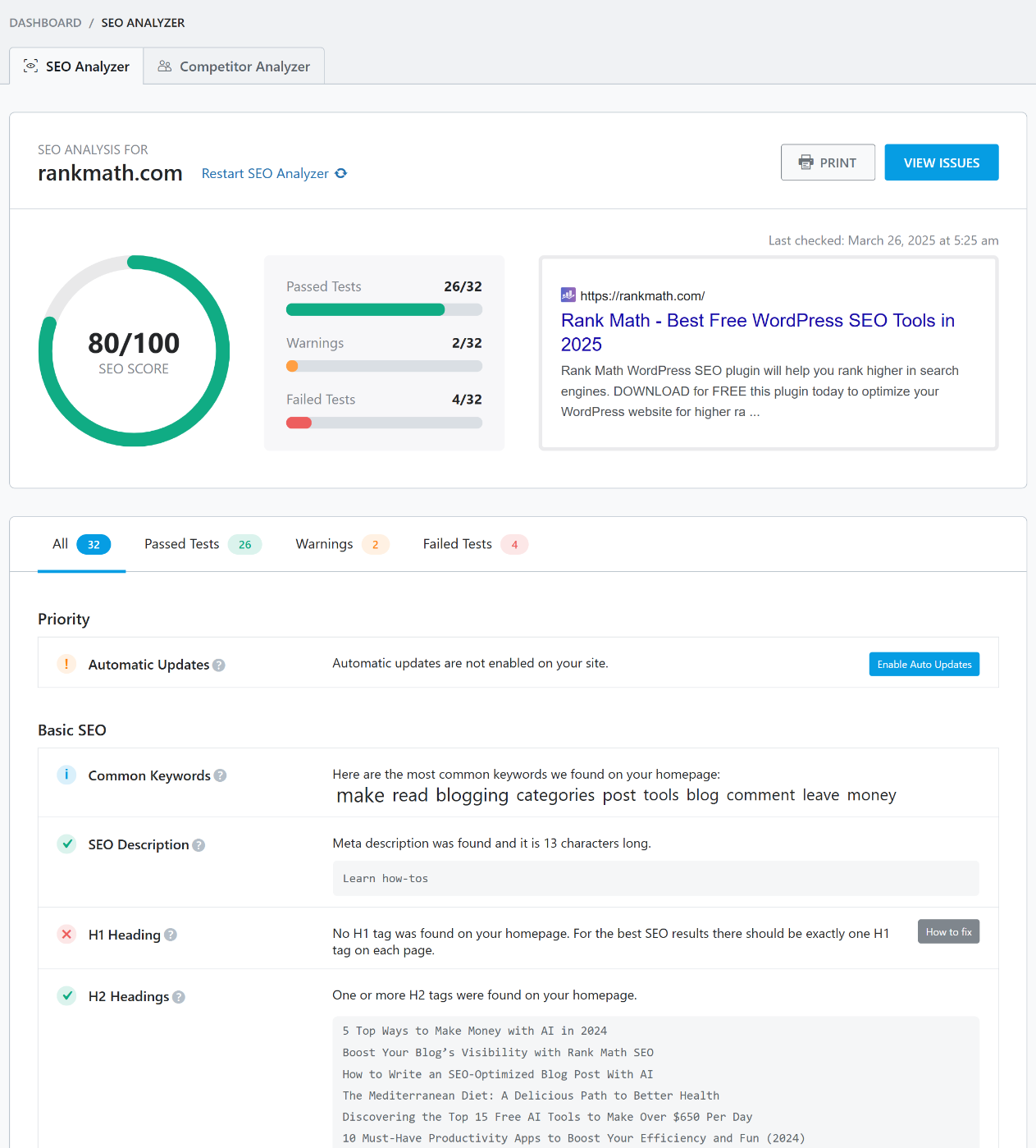
You can click on the VIEW ISSUES button to get a checklist of all the issues, further classified as All tests, Passed Tests, Warnings & Failed Tests, as shown below.
2.3 Ahrefs
Ahrefs works as a powerful SEO checker by scanning your website and giving you detailed information about issues that affect your rankings.
Unlike tools that only check basic items, Ahrefs looks deeper into your site’s structure, links, content, and technical setup.
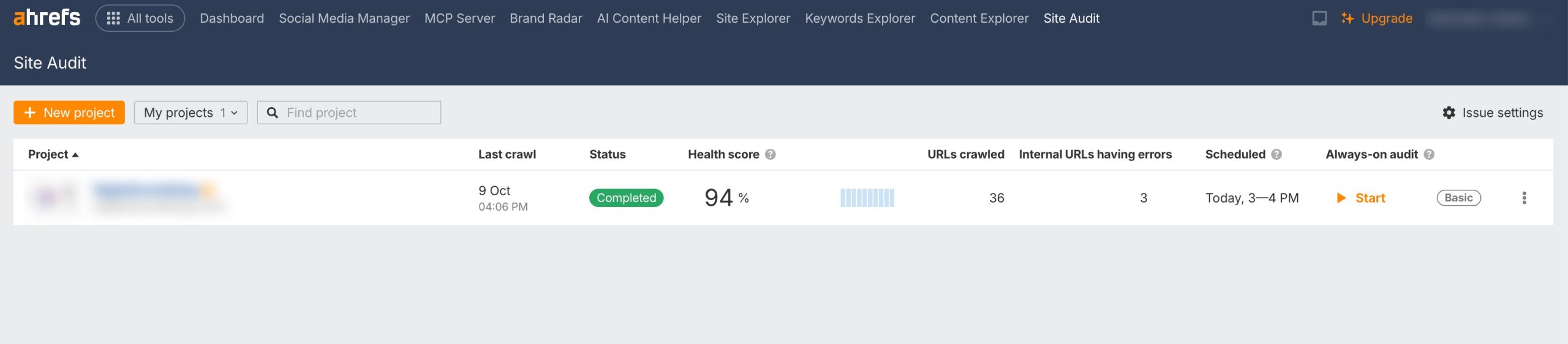
When you run Ahrefs’ Site Audit, you get a complete report that shows you exactly where your site has problems and how serious each issue is. This helps you focus on the areas that matter most.
Pricing: Starts around $99/month, with higher plans for teams and agencies.
2.4 Semrush
Semrush works as a complete SEO checker by giving you a detailed view of how your website performs and where it needs improvement.
When you run a site audit, Semrush scans your pages and reports issues that can affect your rankings.
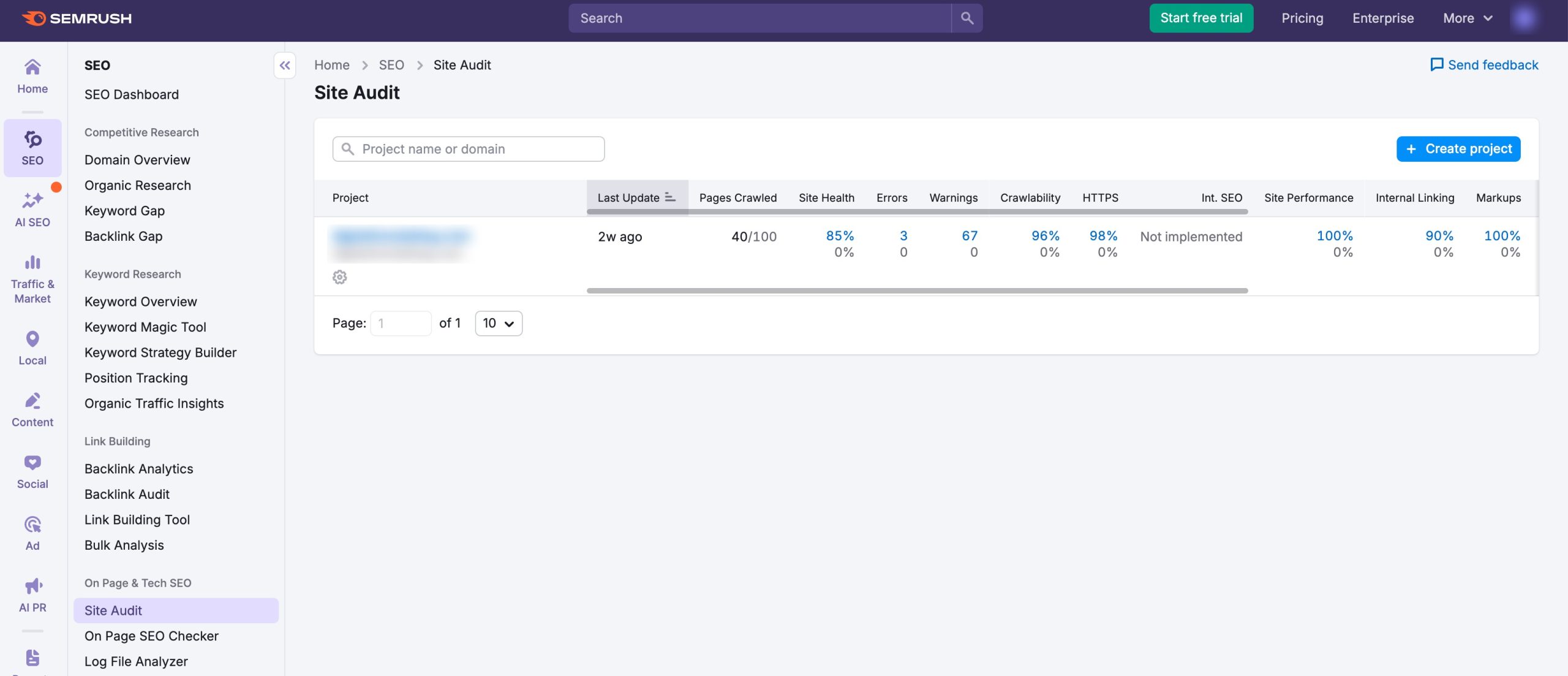
You see problems related to crawling, indexing, internal linking, on-page SEO, Core Web Vitals, structured data, and content quality. Every issue is explained clearly so you understand what it means and how to fix it.
Pricing: Starts around $130/month, with plans for individuals, agencies, and enterprises.
2.5 Google Search Console
Google Search Console works as an SEO checker by showing you how Google views your website and what you need to fix to improve your visibility.
When you use it, you get direct insights into how your pages appear in search, which keywords bring traffic, and which pages receive the most impressions and clicks. This helps you understand whether your content matches what users are searching for and where you may need to improve.
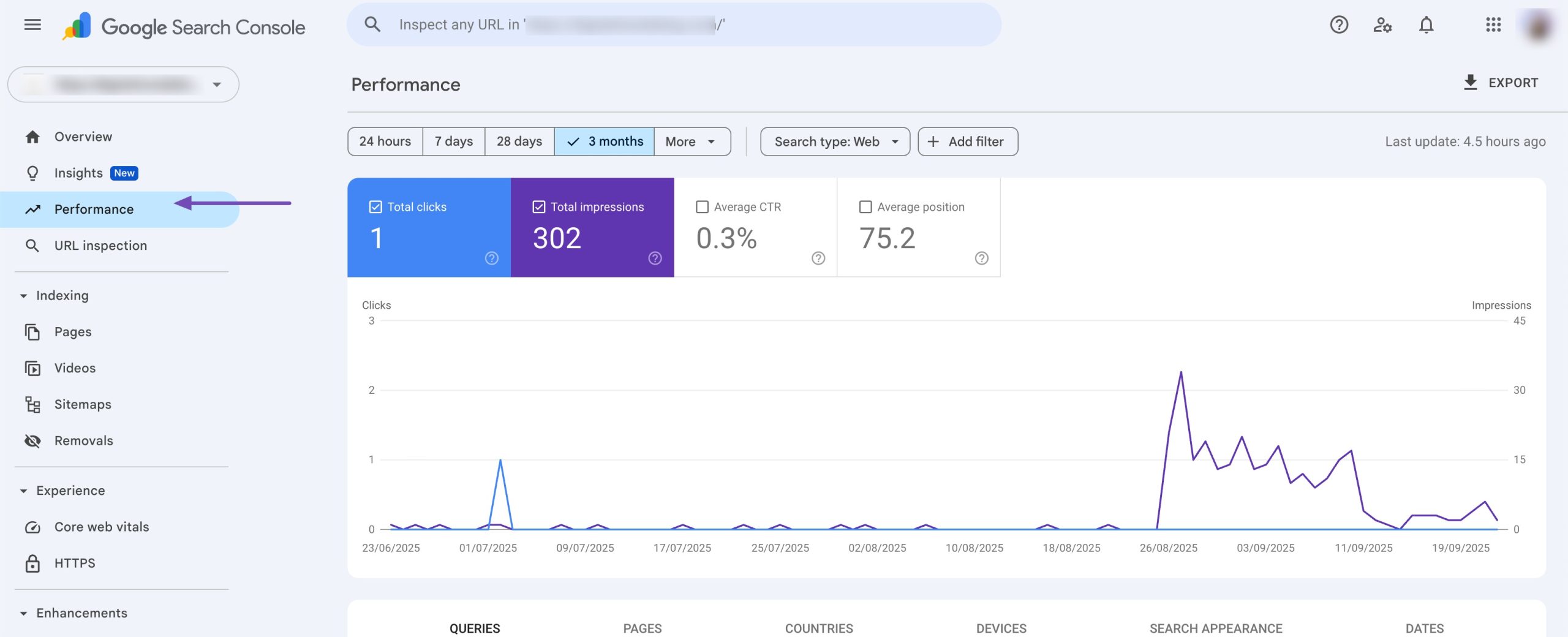
As an SEO checker, Google Search Console also alerts you to technical issues that prevent your pages from being indexed.
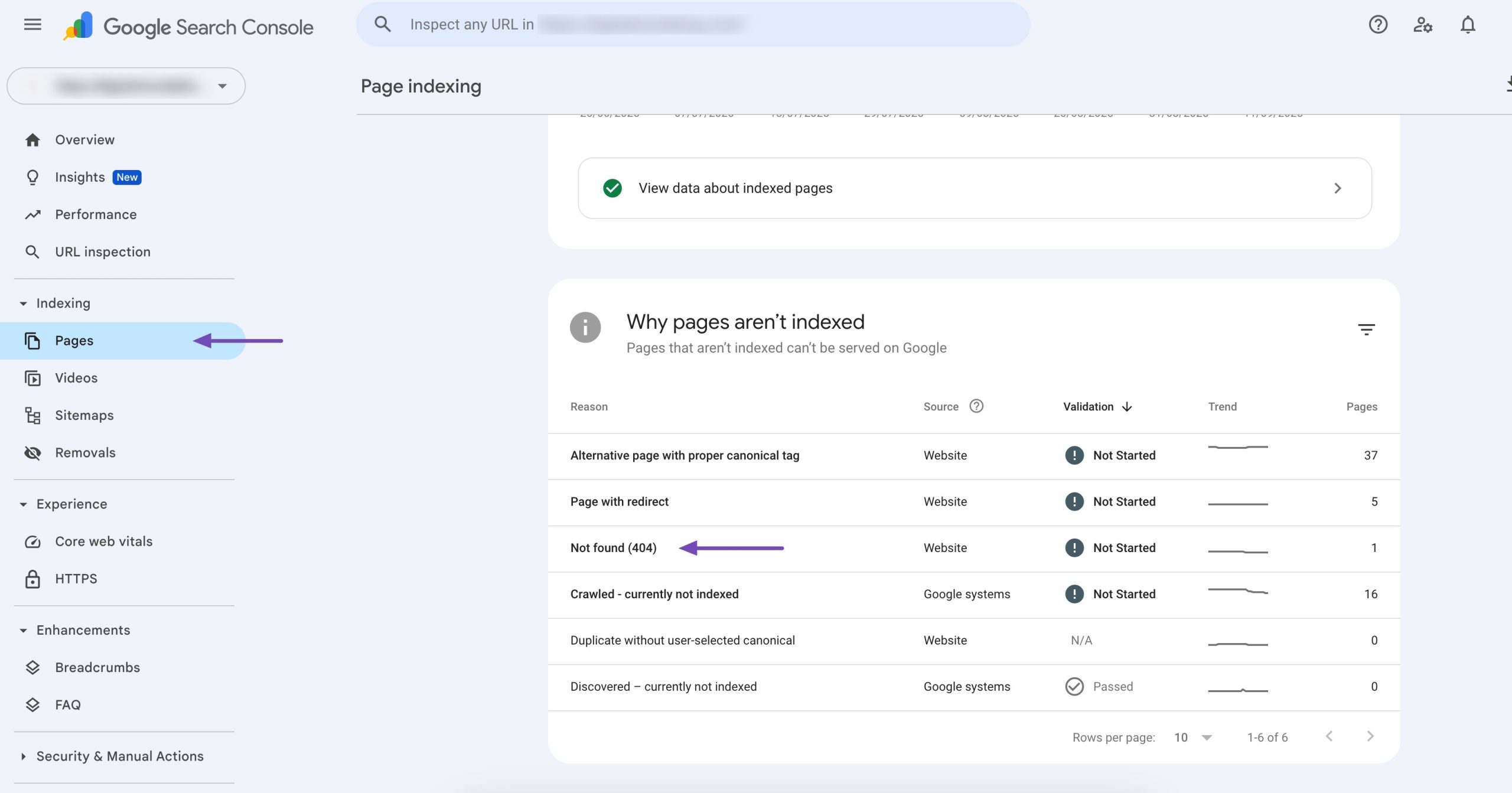
You can see errors such as crawling problems, blocked pages, server issues, and URL inspection warnings. The tool clearly shows which pages Google is not indexing and explains why, so you can fix the problem and request indexing again.
Pricing: Google Search Console is freely available.
2.6 Google Analytics
Google Analytics also helps you measure the quality of your traffic. You can see how many users come from Google Search, which locations they come from, what devices they use, and whether they take important actions on your website.
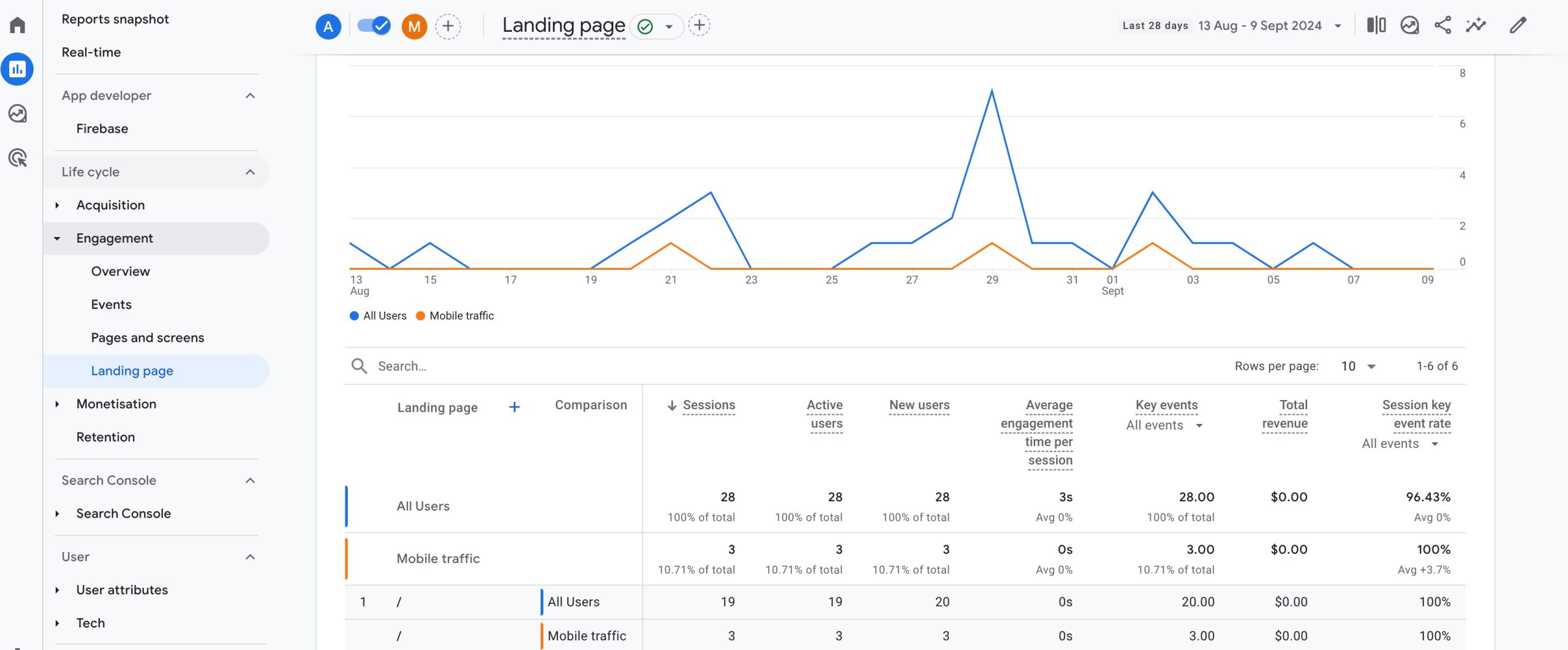
If you notice that users leave quickly or do not interact with your content, it may mean your page is not matching the search intent or needs optimization.
Google Analytics also helps you compare the performance of different pages. When you track engagement metrics like time on page, session duration, etc., you can find pages that perform well and use them as a reference to improve weaker pages.
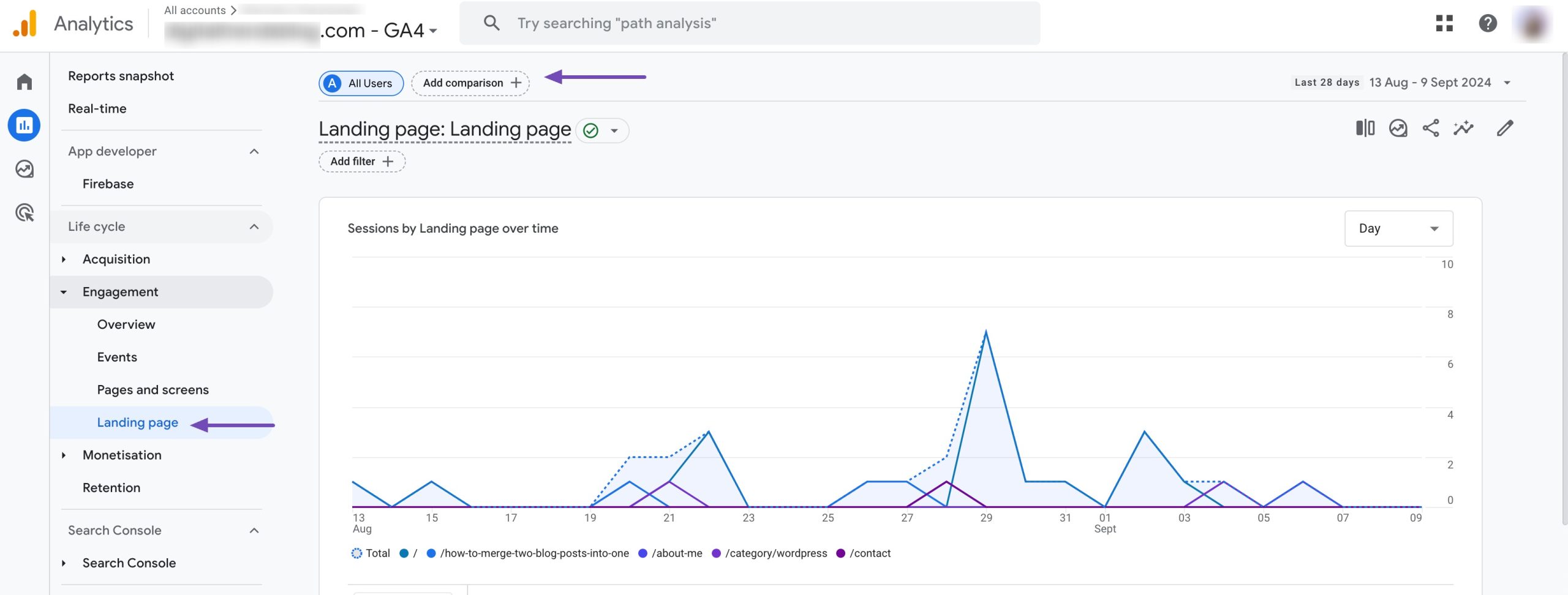
This gives you a practical way to make data-based decisions instead of guessing what needs to change.
Pricing: Google Analytics is freely available.
2.7 PageSpeed Insights
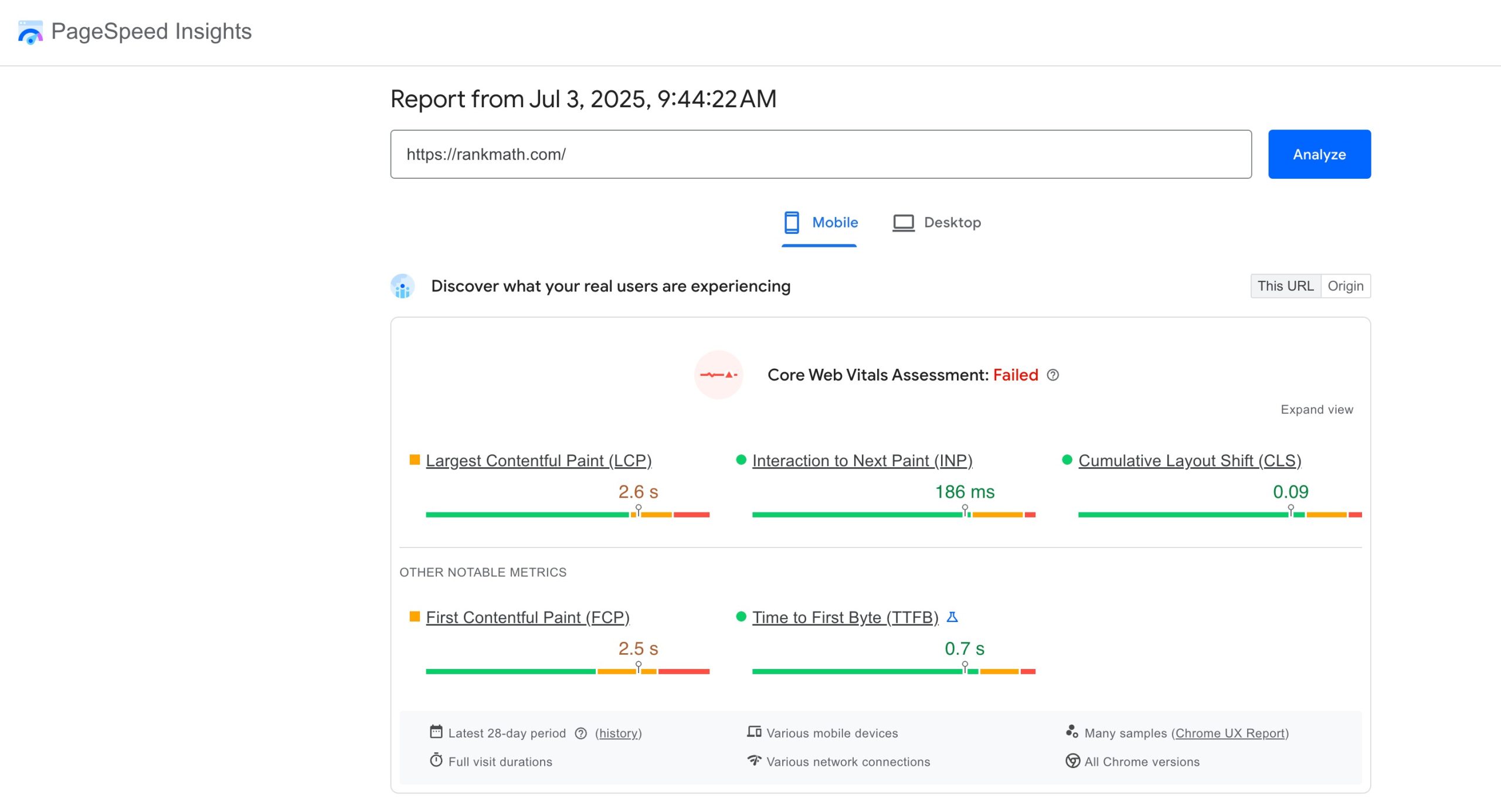
PageSpeed Insights measures how fast your pages load and how smoothly they perform for users. When you enter a URL, the tool tests your page on both mobile and desktop and gives you a performance score based on real user data and lab testing.
This score helps you understand whether your page loads quickly enough to meet Google’s standards, since page speed is an important ranking factor.
The tool also evaluates your Core Web Vitals, Largest Contentful Paint, Interaction to Next Paint, and Cumulative Layout Shift. These metrics reflect how fast your page loads, how quickly it becomes interactive, and how stable the layout is during loading.
If any of these areas are weak, PageSpeed Insights shows you which part of the page is causing the issue.
Another helpful part of this tool is that it highlights opportunities and diagnostics. Opportunities show you improvements that can directly increase your performance score, while diagnostics give you deeper technical insights for long-term optimization.
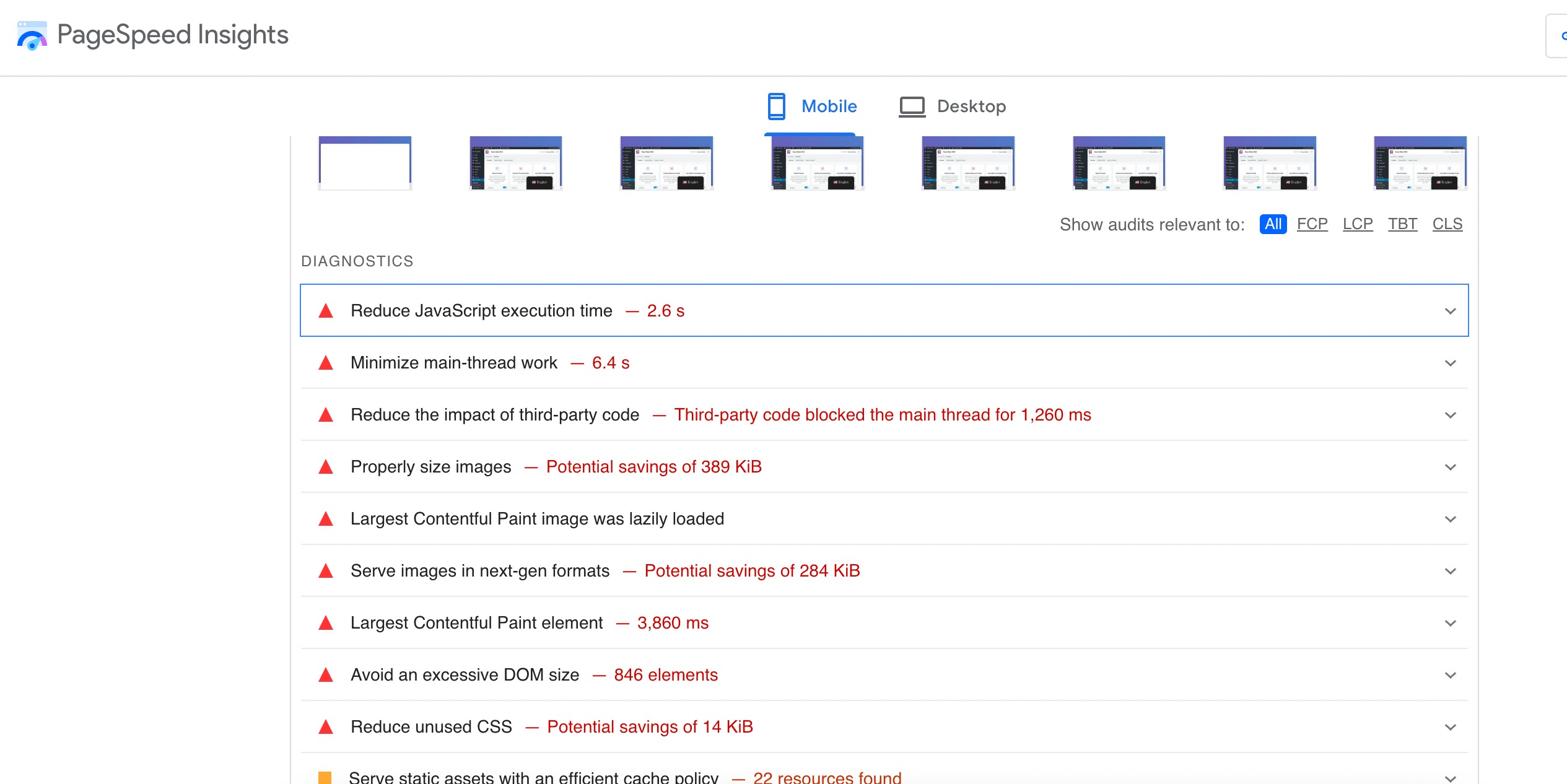
Even if you are not highly technical, you can follow the recommendations to make practical updates.
Pricing: PageSpeed Insights is freely available.
3 Frequently Asked Questions
Do I need more than one SEO checker tool?
Using a mix of tools gives you the broadest insight: some focus on content and on-page SEO, others analyze technical performance or user behavior. Combining them helps you cover all aspects of optimization.
Are SEO checkers only for technical experts?
No. Many SEO checkers are designed with beginners in mind and provide clear explanations and prioritized action lists so you can make improvements even without deep technical knowledge.
Can SEO checkers improve my search rankings?
SEO checkers don’t directly change rankings, but by highlighting issues and optimization opportunities, they help you improve your site’s structure, content, and performance, which can lead to better rankings over time.
4 Wrapping Up: Boost SEO with the Right Tools
Using SEO checkers helps you understand what is working on your website and what needs attention.
Each tool gives you a different kind of insight, whether it is technical issues, content gaps, slow pages, or user behaviour.
When you review these reports regularly, you can make steady improvements that help your pages perform better in search.
No tool replaces your own judgment, but they give you clear data so you can make informed decisions. By choosing the right tools that fit your needs and checking your site often, you keep your website healthy, reliable, and ready to grow.
If you like this post, let us know by tweeting @rankmathseo.