
Understanding how AI platforms portray your brand is just as important as knowing whether they mention you at all. Sentiment tells you the story behind the mention, whether your brand is being recommended positively, described neutrally, or framed in a way that could be hurting it.
In this knowledgebase article, we’ll show you how to track sentiment across your brand, individual queries, and competitors using AI Visibility in Rank Math.
In this article, we’ll show you how to:
1 Track Sentiment for a Specific Brand
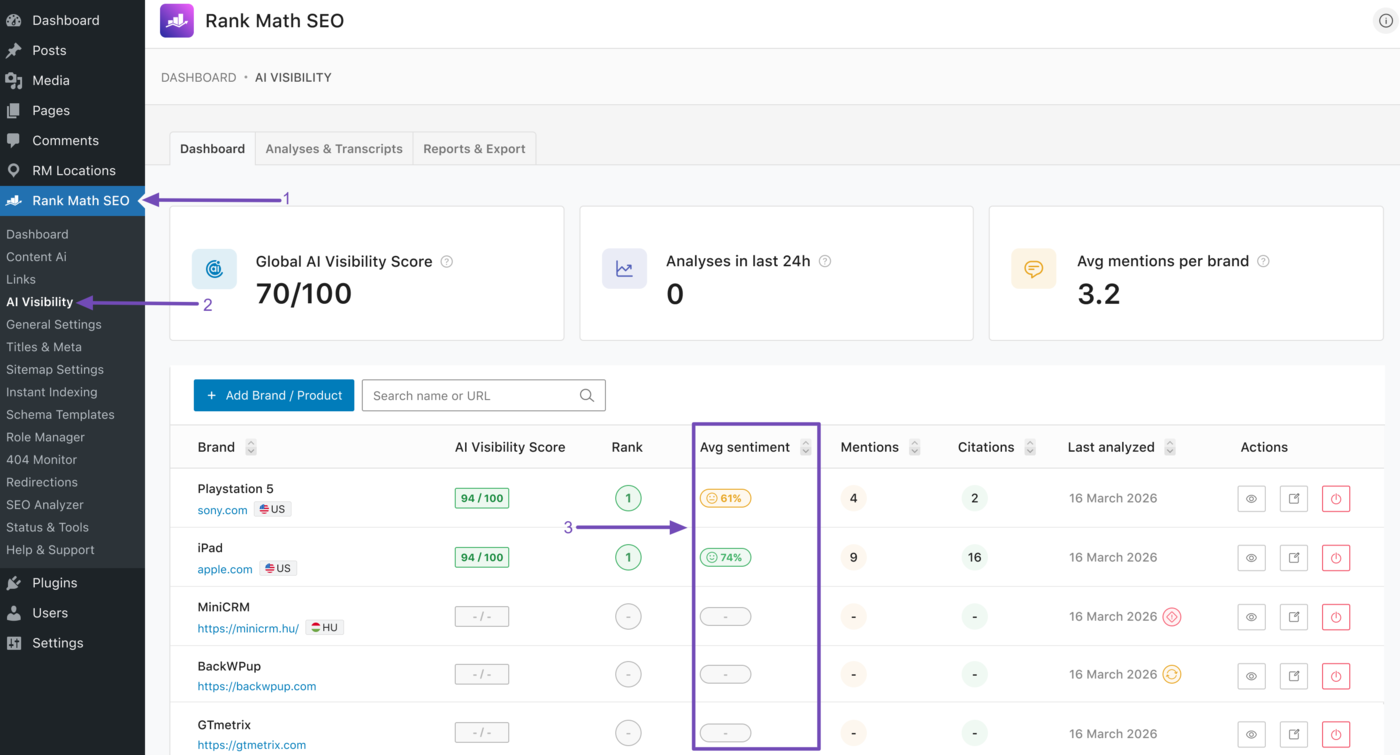
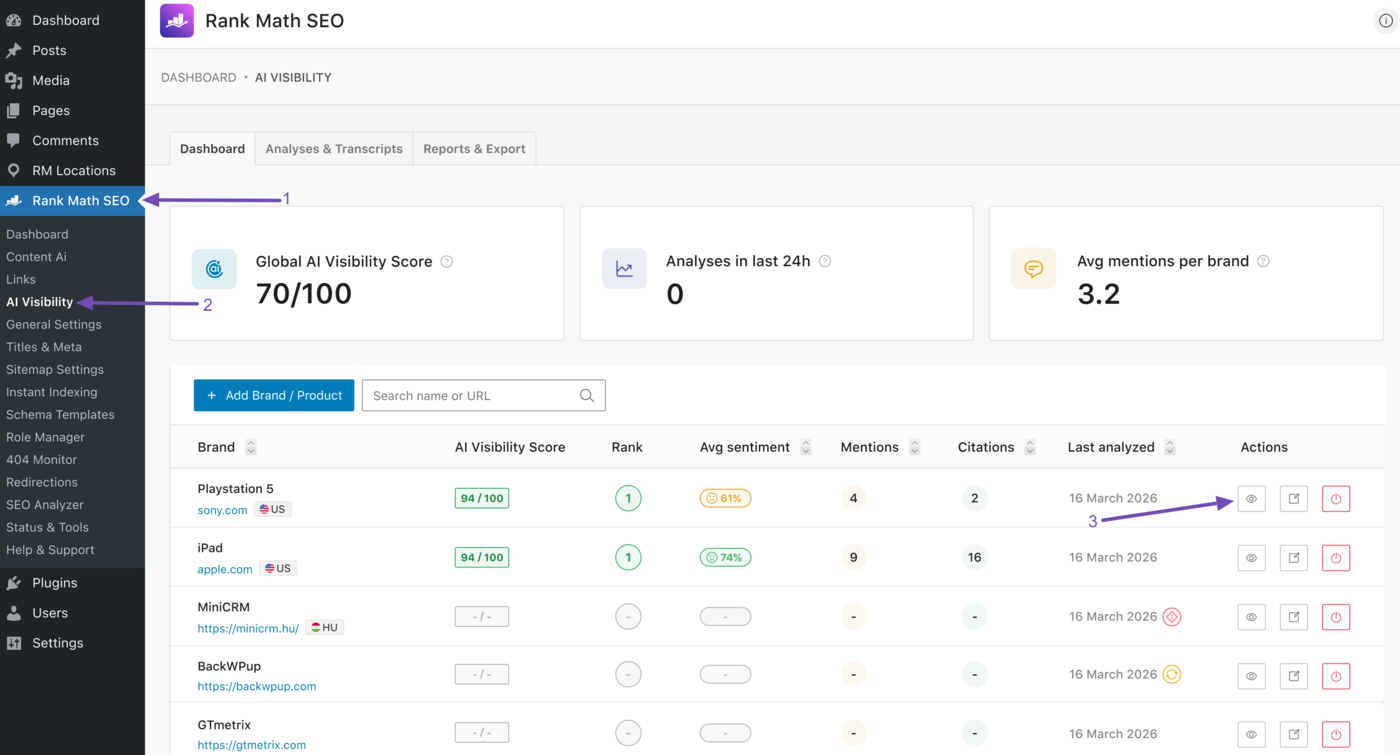
Head to Rank Math SEO → AI Visibility from your WordPress dashboard. Once done, navigate to the brand you wish to review. The average sentiment will be visible to you.
In the example below, we can see the average sentiment for two of the brands we are tracking. PlayStation 5 has an average sentiment of 61%, while iPad has an average sentiment of 74%.
Note: AI Visibility is a Rank Math AI feature and requires an active Rank Math AI subscription. You can view the available plans here.
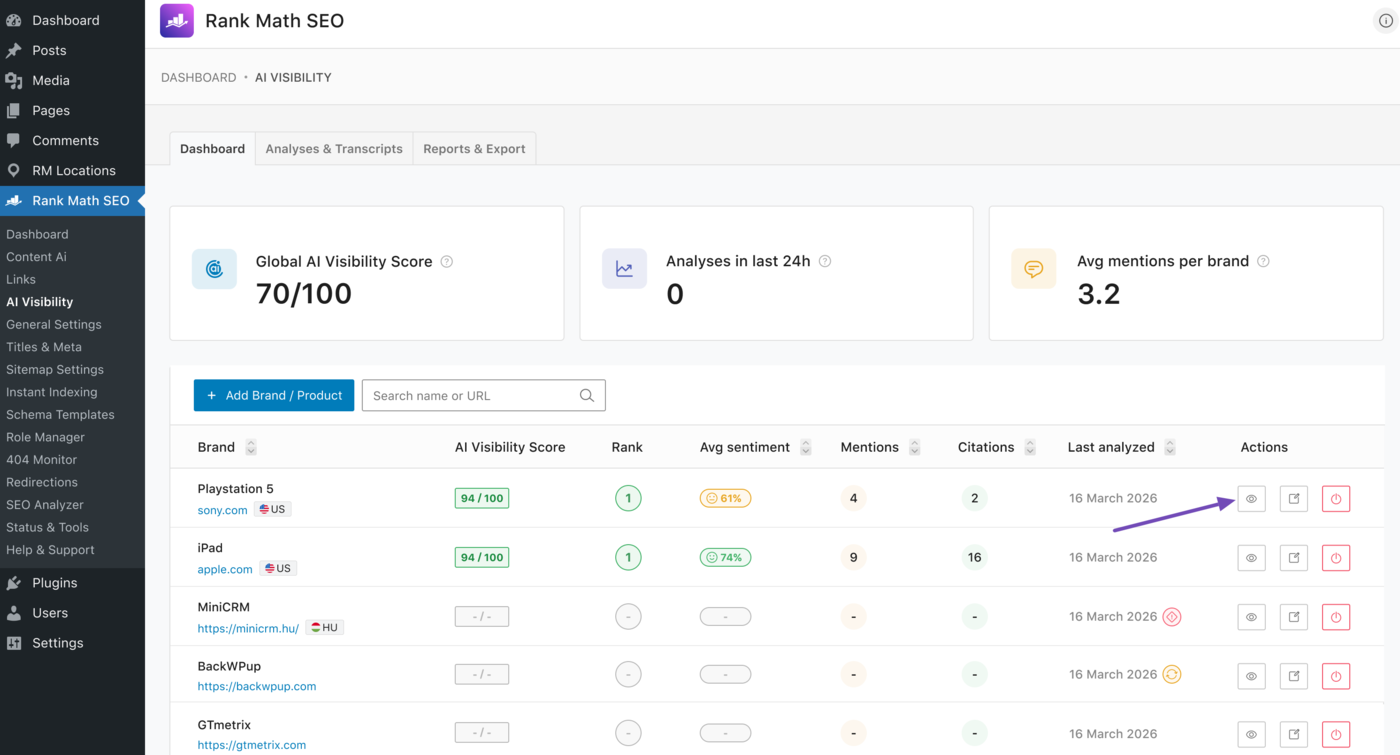
For additional insights, click the View icon of the specific brand you want to inspect. For this example, we want to further inspect the PlayStation 5 brand. So, we will click on its View icon, as shown below.
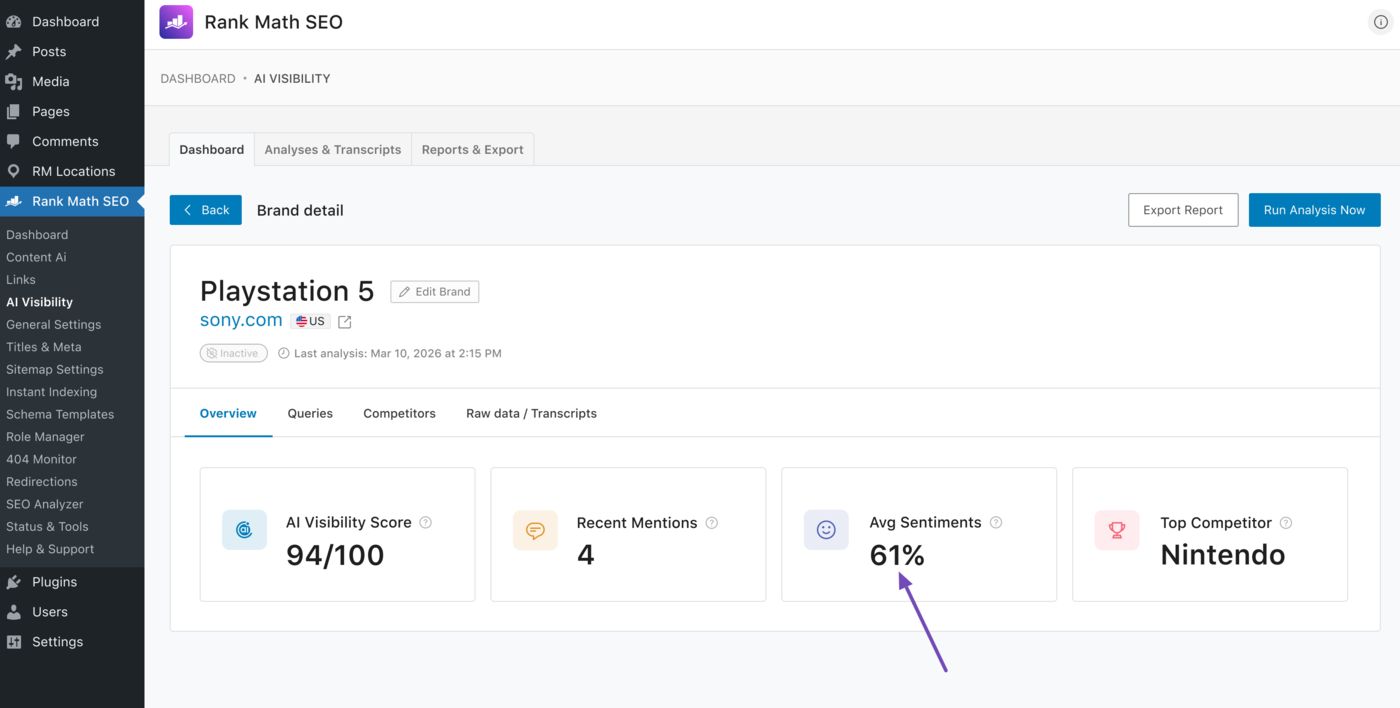
You will see several metrics for the brand, including its average sentiment, as shown below.
2 Track Sentiment for a Specific Query
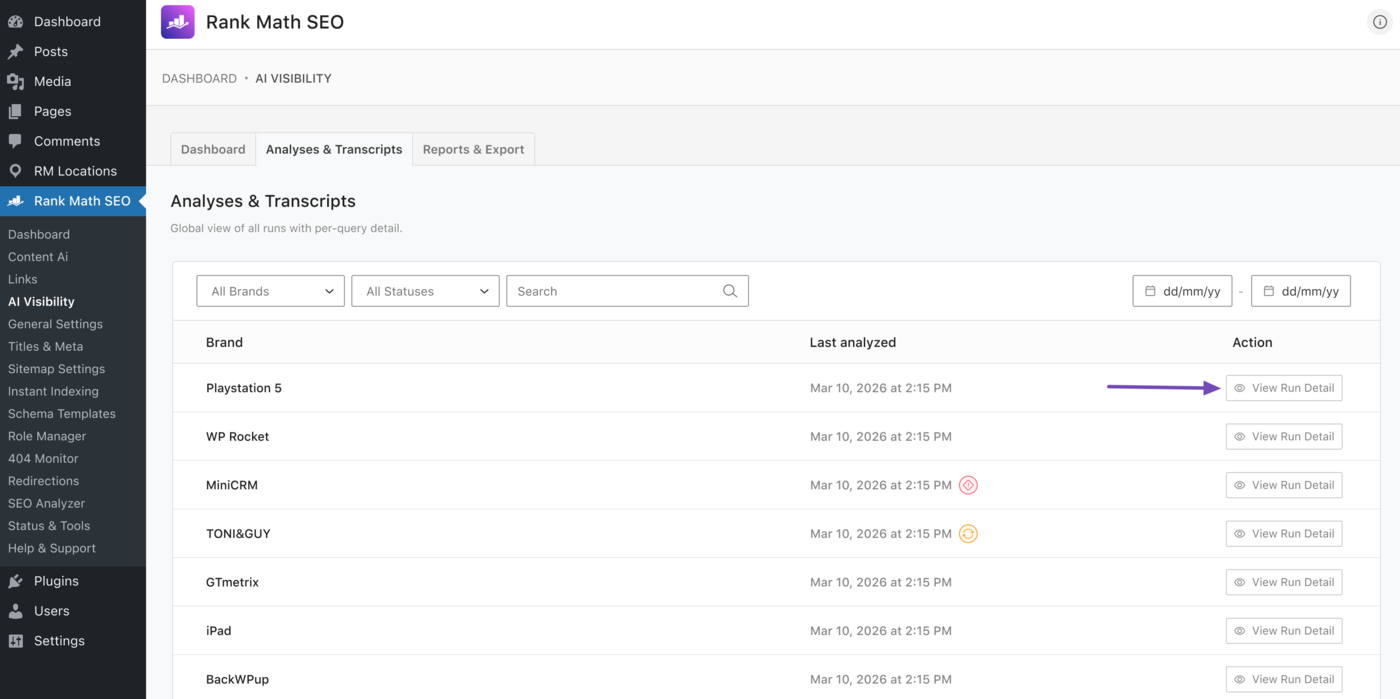
AI Visibility also displays the average sentiment for queries related to the brands you are tracking. To view this, head to Rank Math SEO → AI Visibility → Analyses & Transcripts from your WordPress dashboard.
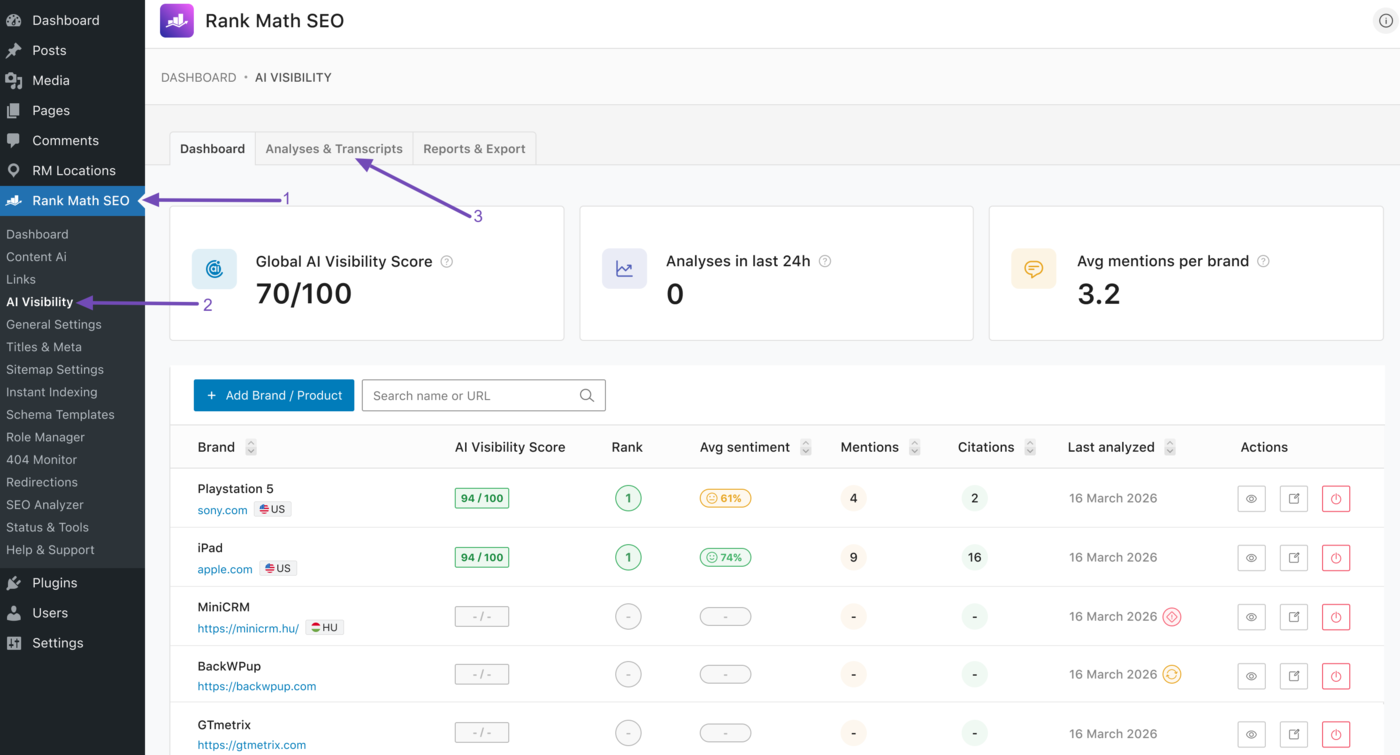
The queries you are tracking will be displayed. Locate the query for which you want to view the brand sentiment and click View Run Detail.
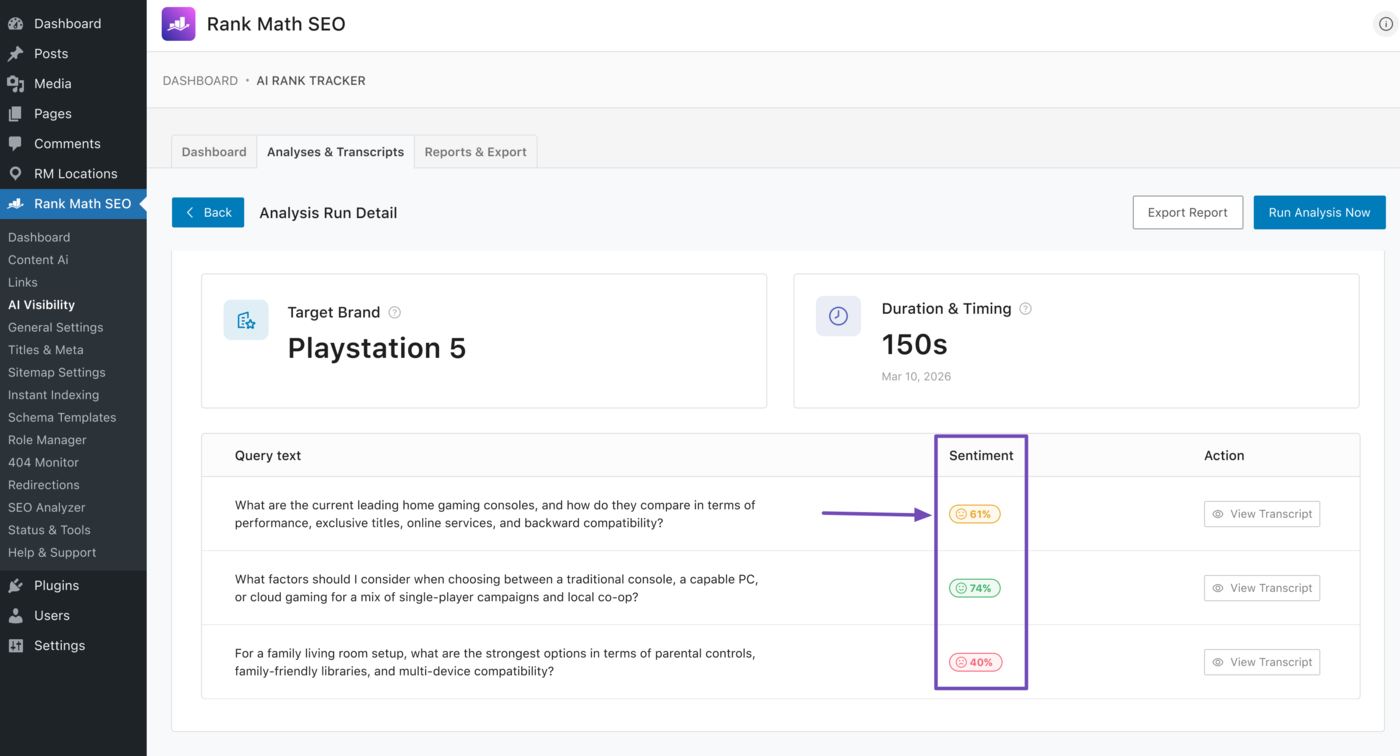
For this example, let’s review the average sentiment of the queries for which PlayStation 5 was mentioned.
The queries for which the brand showed up will be displayed along with their sentiment scores.
3 Track Sentiment for a Competing Brand
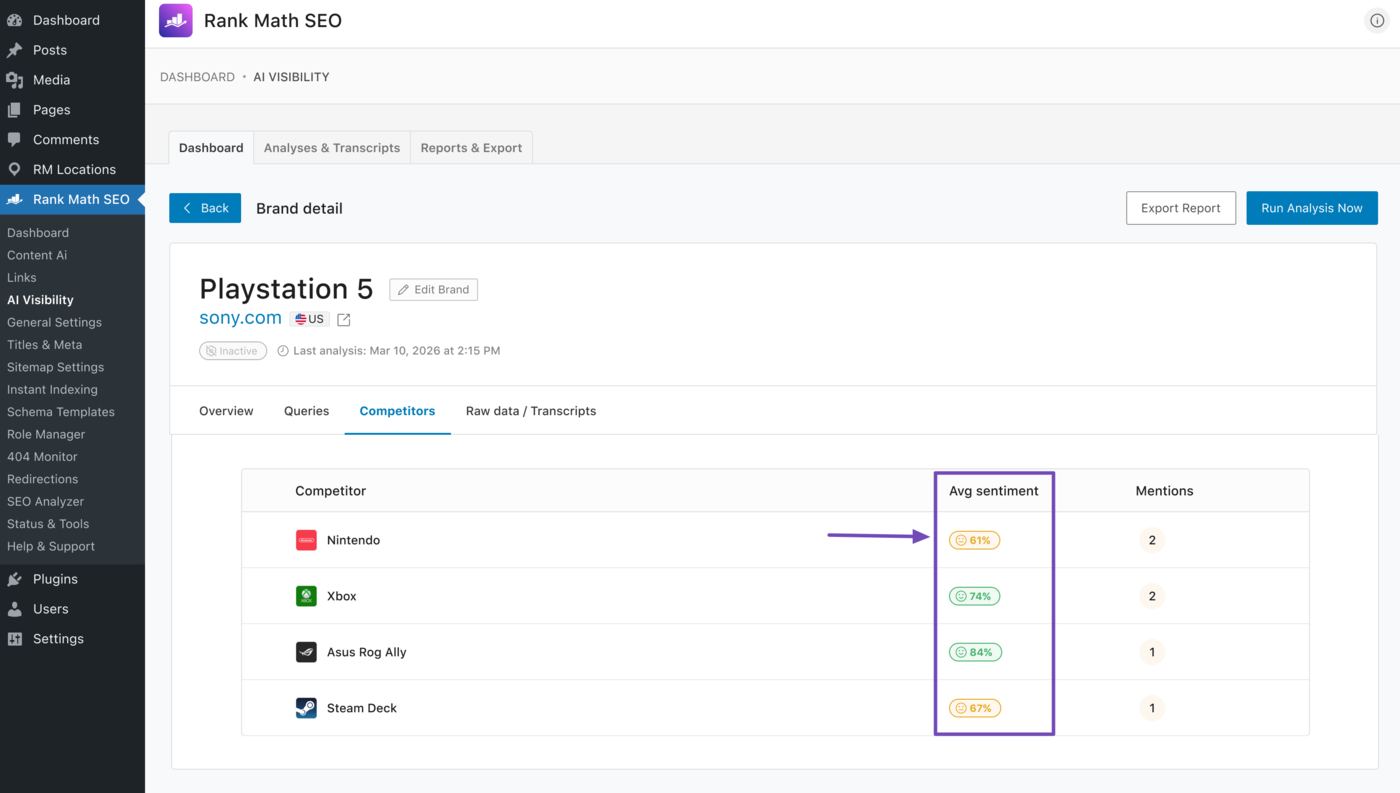
AI Visibility lets you track the average sentiment of competing brands. To get started, go to Rank Math SEO → AI Visibility from your WordPress dashboard. Then head to the brand whose competitors’ sentiment you want to analyze and click the View icon.
For this example, we want to check the average sentiment of PlayStation 5 competitors. So, we will head to it and click the View icon, as shown below.
Next, click Competitors.
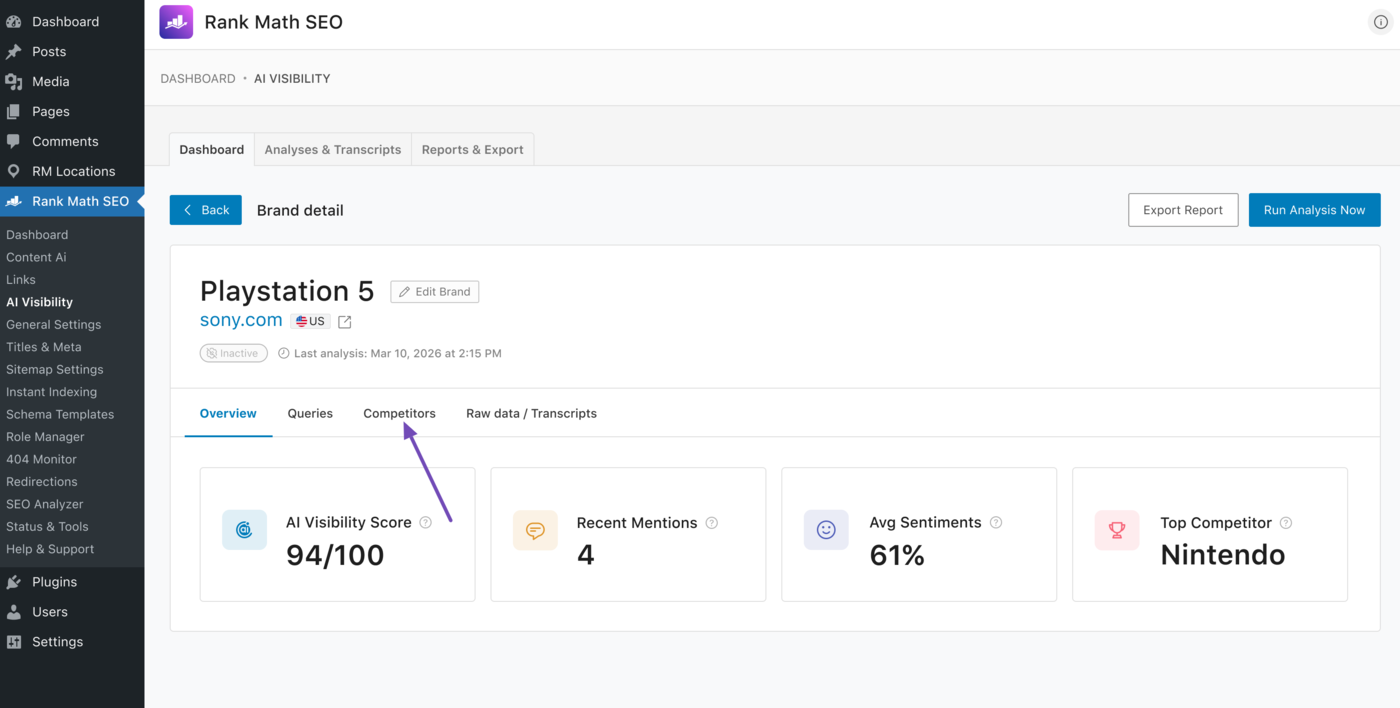
The competing brands will be displayed, along with their average sentiment.
That’s all you need to know about tracking brand sentiment in AI search using AI Visibility in Rank Math. If you have any questions, you’re always more than welcome to contact our dedicated support team. They are available 24/7, 365 days a year.