
Tracking your brand mentions has become more important than ever as AI search platforms become a common way for users to discover products and services. Every time an AI search platform recommends, cites, or references your brand, it creates an opportunity to increase awareness, trust, traffic, and sales.
It is equally important to monitor your competitor’s mentions, as understanding when and why they are being recommended can help you identify gaps in your visibility and uncover opportunities to improve your presence in AI responses.
In this guide, we’ll show you how to use Rank Math’s AI Visibility tool to track mentions of your brand and competitors across AI platforms.
In this article, we’ll show you how to:
1 Track Mentions for a Single Brand
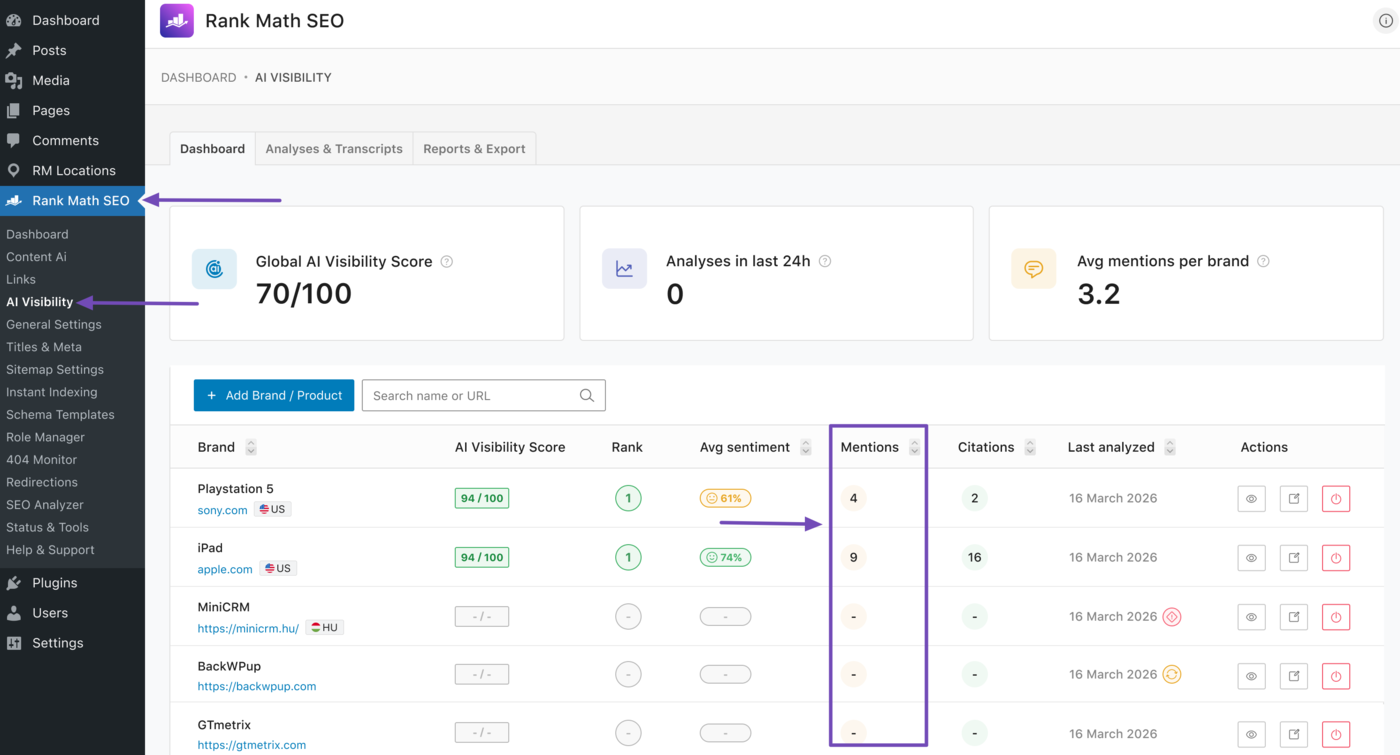
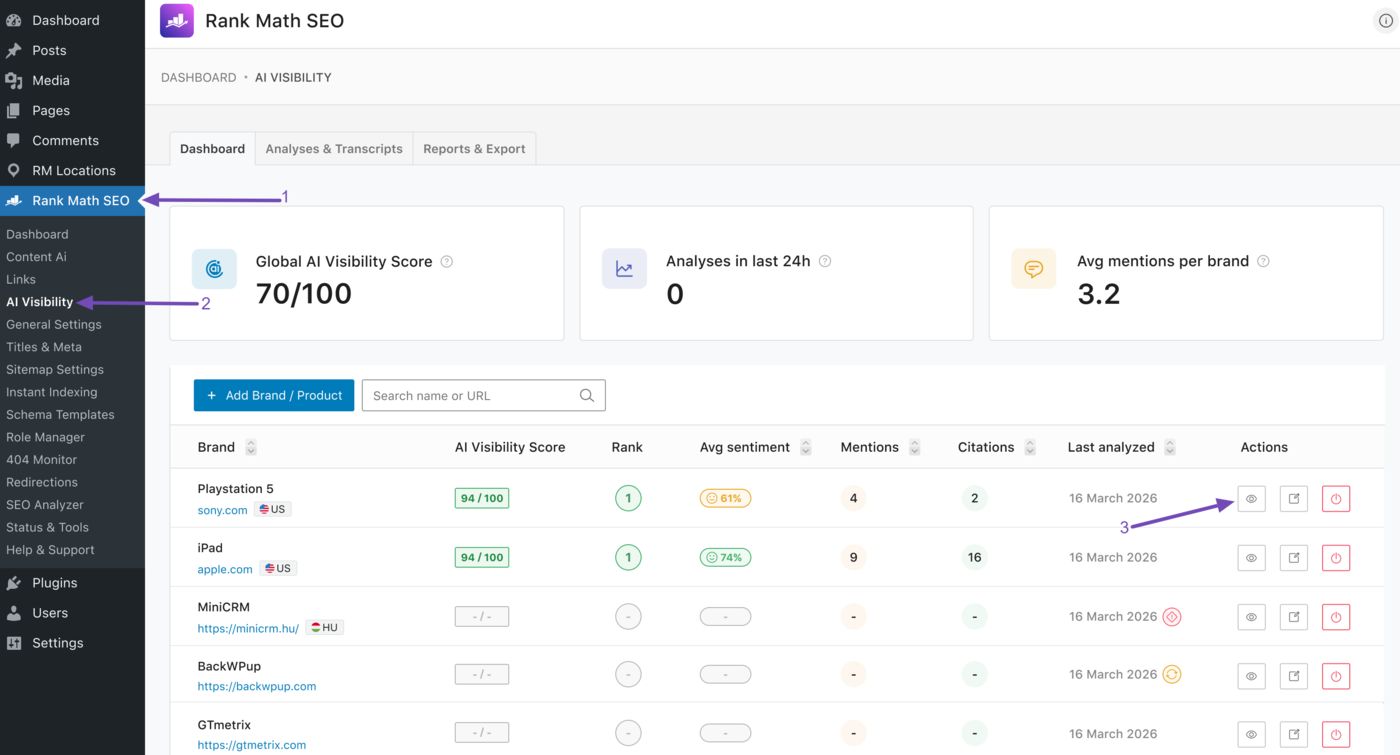
To get started, head to Rank Math SEO → AI Visibility from your WordPress dashboard. Your AI Visibility dashboard will display multiple metrics, including your brand mentions, as shown below.
Note: AI Visibility is a Rank Math AI feature and requires an active Rank Math AI subscription. You can view the available plans here.
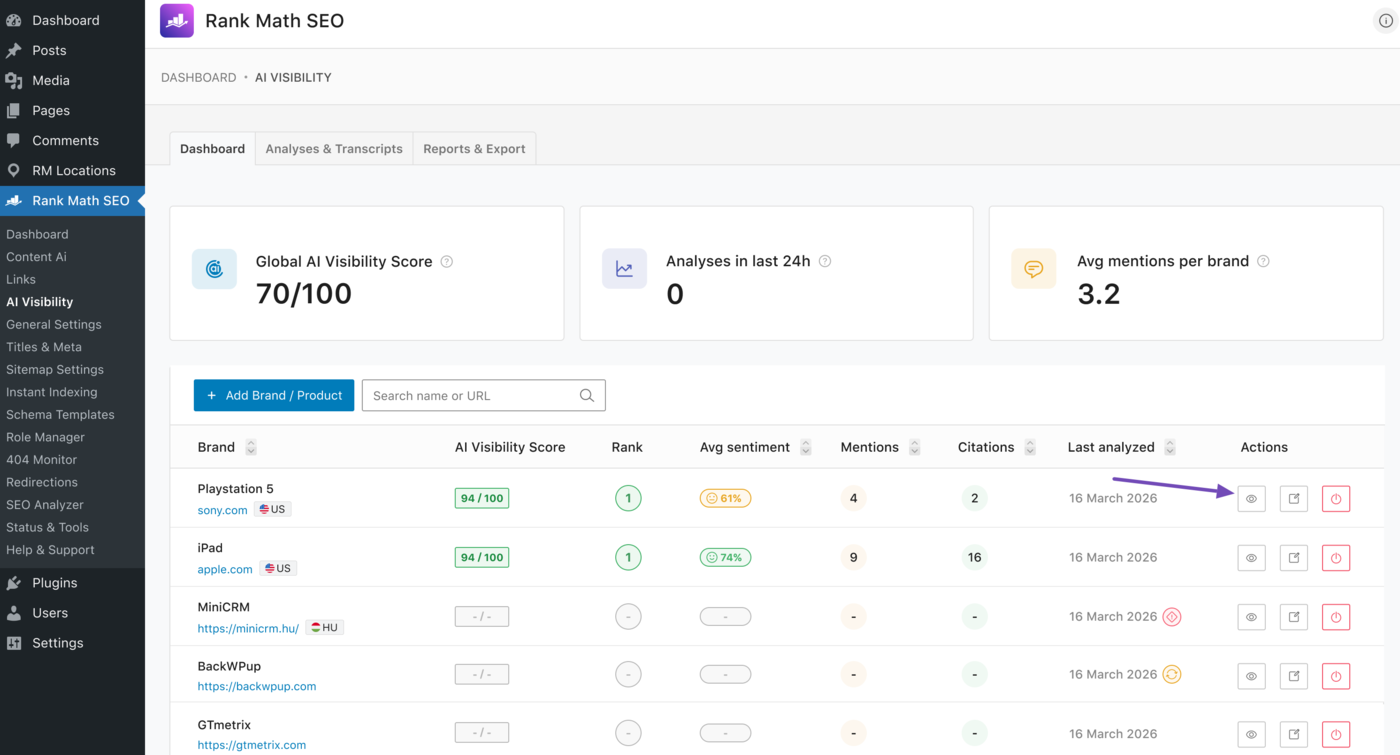
For additional insights into your mentions, head to the specific brand you want to review and click on the View icon. For this example, we want to review the PlayStation 5 brand. So, we click on the View icon, as shown below.
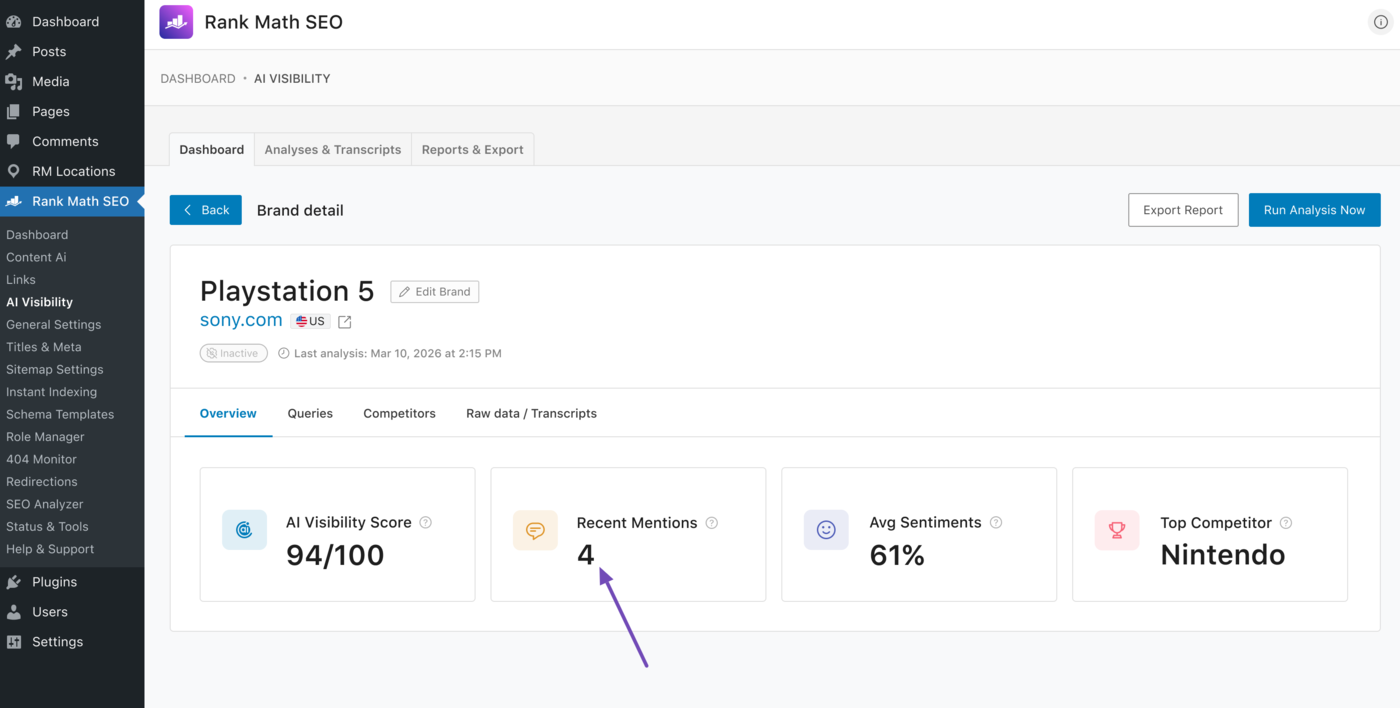
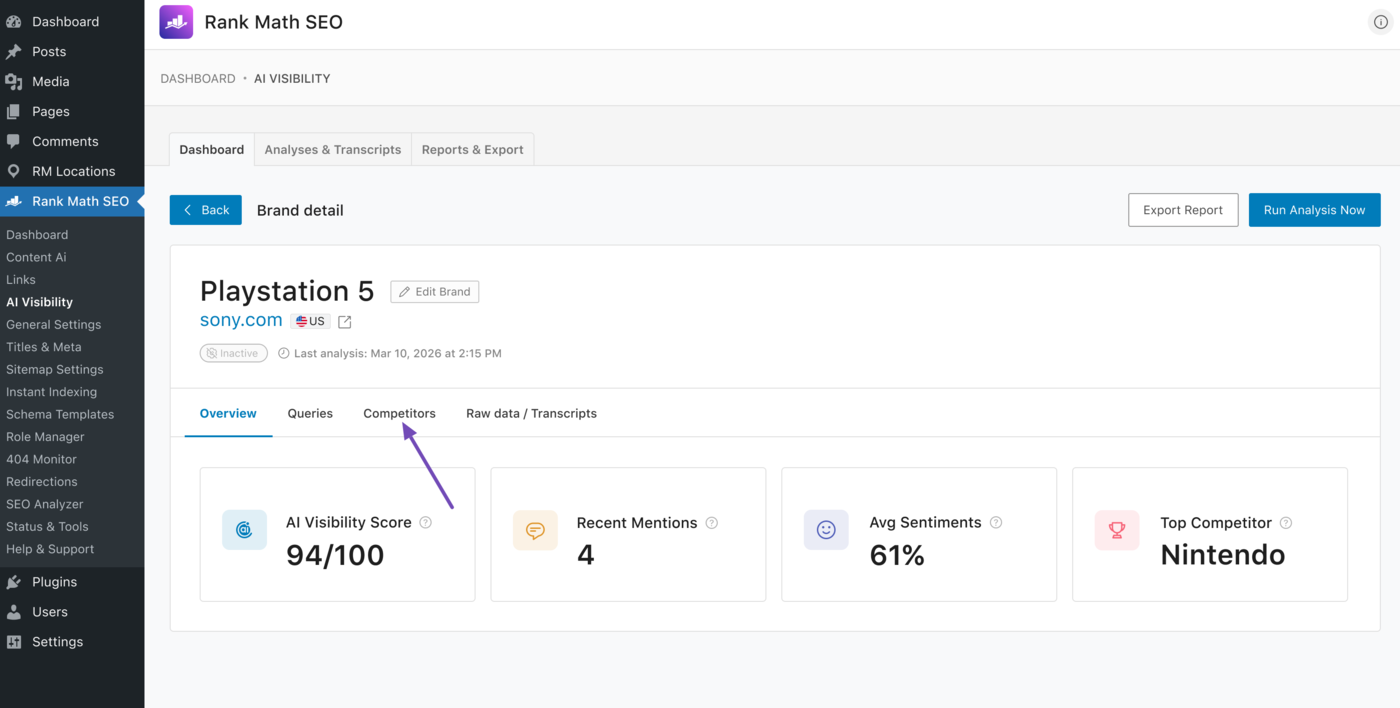
Additional insights into your brand and mentions will be shown to you. One crucial metric to pay attention to is your recent mentions, as shown below.
2 Track Average Mentions for Multiple Brands
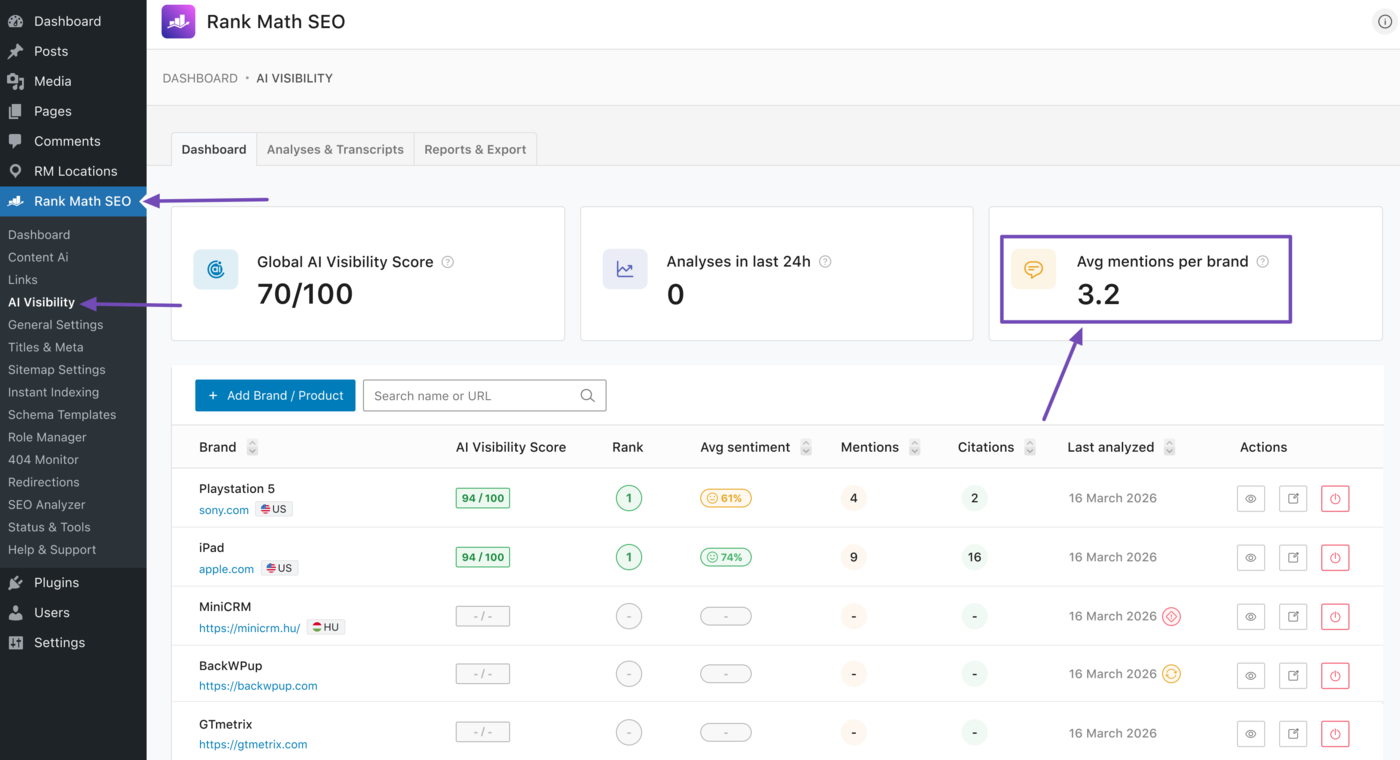
The average mentions per brand metric shows the average number of times each brand is mentioned in AI-generated responses. This gives you a quick overview of how your entire brand portfolio is performing on AI platforms.
To view your average mentions per brand, head to Rank Math SEO → AI Visibility from your WordPress dashboard. Your average mentions per brand will be displayed to you, as shown below.
3 Track Mentions for Competing Brands
AI Visibility also tracks your competitors’ mentions. This makes it easy to compare your brand’s visibility against competing brands.
To get started, head to Rank Math SEO → AI Visibility from your WordPress dashboard. Then scroll to the brand you want to monitor for competitor mentions and click the View icon.
For this example, we are tracking a brand called PlayStation 5 and want to view the AI mentions of the brands that compete with PlayStation 5. To do that, we will head to PlayStation 5 and click the View icon.
Next, click the Competitors tab.
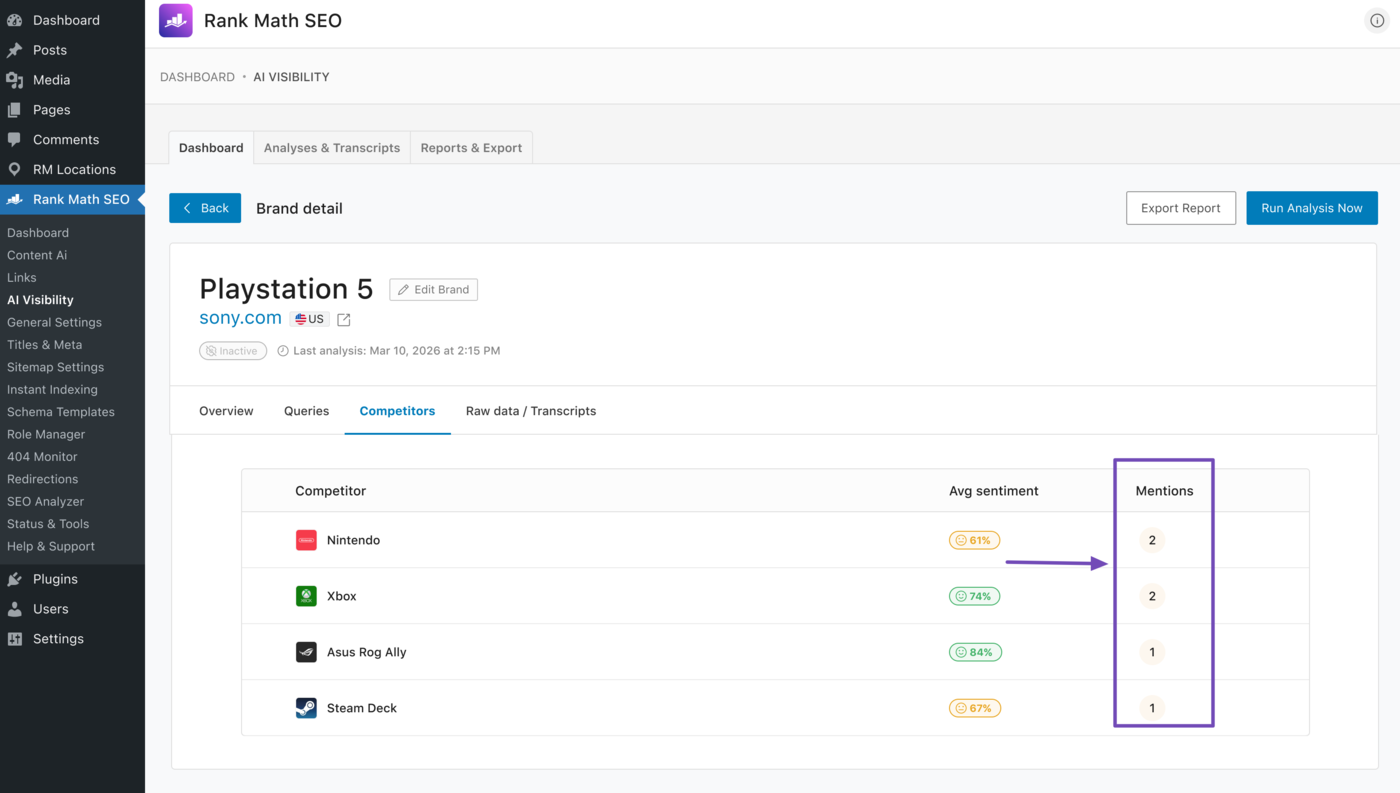
The brand’s top competitors will be displayed to you along with their total mentions and average sentiment.
In this example, you can see our top two competitors are Nintendo and Xbox. Their mentions are included in the dashboard, as shown below.
That is how to track mentions of your brand and competitors using AI Visibility. If you have any questions, you’re always more than welcome to contact our dedicated support team. They are available 24/7, 365 days a year.