
Search has changed. Millions of people are no longer just scrolling through pages of blue links. Instead, they are asking AI platforms like ChatGPT and Google AI Overviews questions and are receiving answers without a single search results page in sight.
But here is the problem: Your traditional rank tracker has no idea this is happening. They only show you your search engine rankings, without giving you any insights into your AI visibility rankings.
If you are not mentioned on these AI platforms, you are losing out on the audience your competitors can reach. If you are being mentioned, then you better know how you rank so you can adjust your content marketing strategy accordingly.
In this knowledge base article, we’ll walk you through how to use Rank Math’s AI Visibility to start monitoring your brand’s AI footprint.
In this article, we’ll cover:
1 What Is AI Visibility?
AI Visibility is a tool that monitors how often your brand, product, or service is mentioned in AI-generated answers across platforms such as ChatGPT and other AI platforms.
Think of it as rank tracking, but for AI. Instead of showing you where your webpages appear in search results, AI Visibility shows you whether your brand is mentioned when AI tools answer questions your potential customers are asking.
Beyond tracking mentions, AI Visibility also measures key metrics such as citations, sentiment, and your position within AI-generated responses.
In all, AI Visibility gives you a clear picture of your brand’s share of voice across AI platforms, helping you identify where you are gaining visibility and where your competitors are being recommended instead.
2 How to Add a Brand or Product to Track
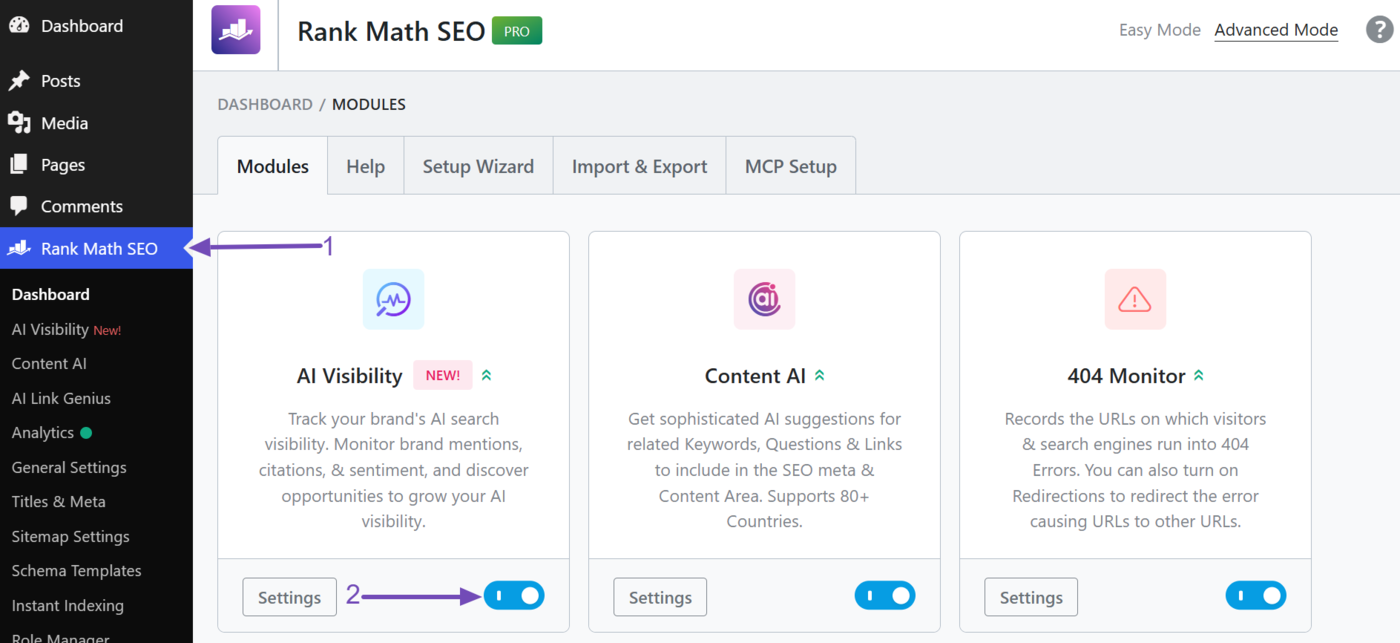
Before you get started, make sure you have enabled the AI Visibility module. To do this, click Rank Math SEO in your WordPress dashboard and ensure the AI Visibility module is enabled, as shown below.
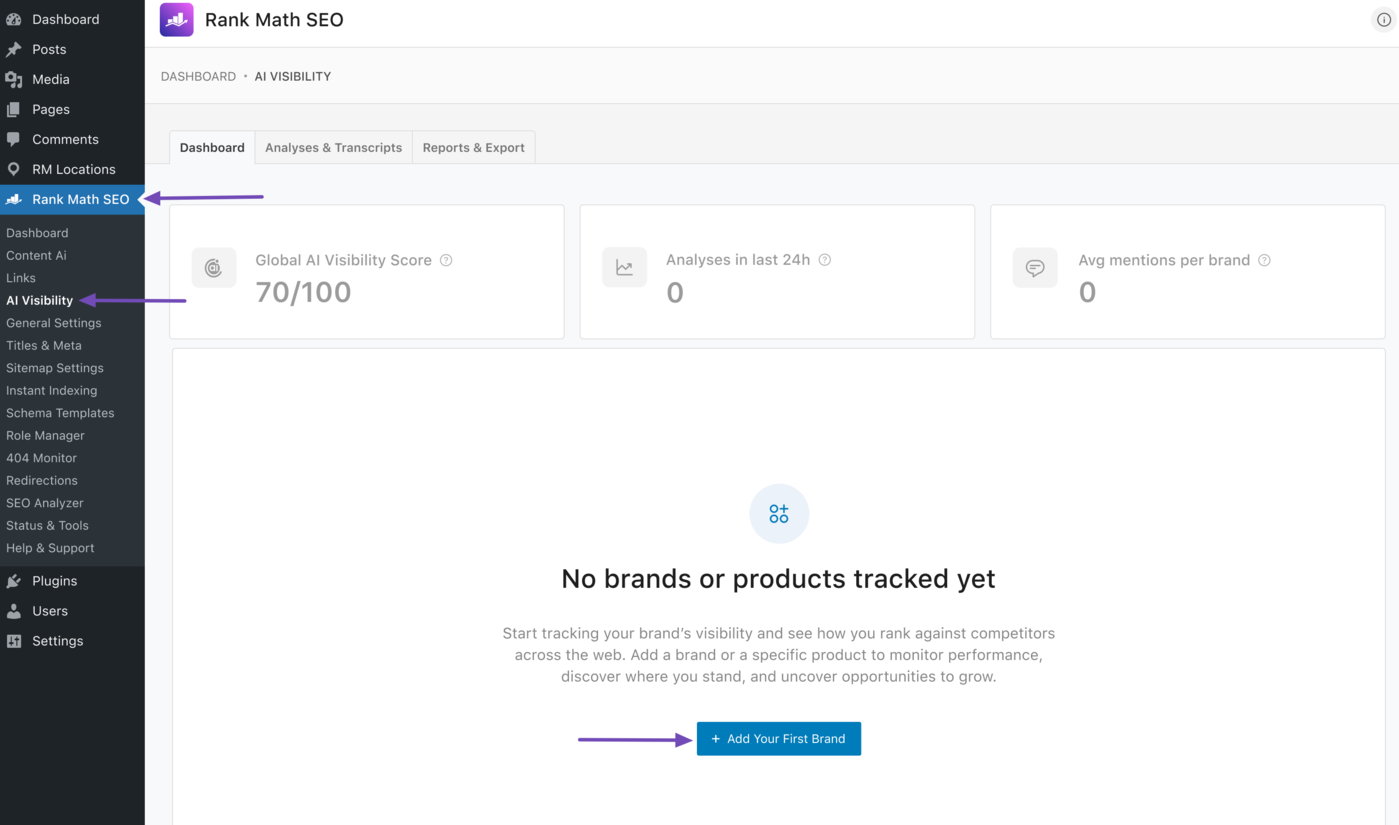
Once done, head to Rank Math SEO → AI Visibility. If you are adding a brand or product for the first time, click Add Your First Brand, as shown below.
Note: AI Visibility is a Rank Math AI feature and requires an active Rank Math AI subscription. You can view the available plans here.
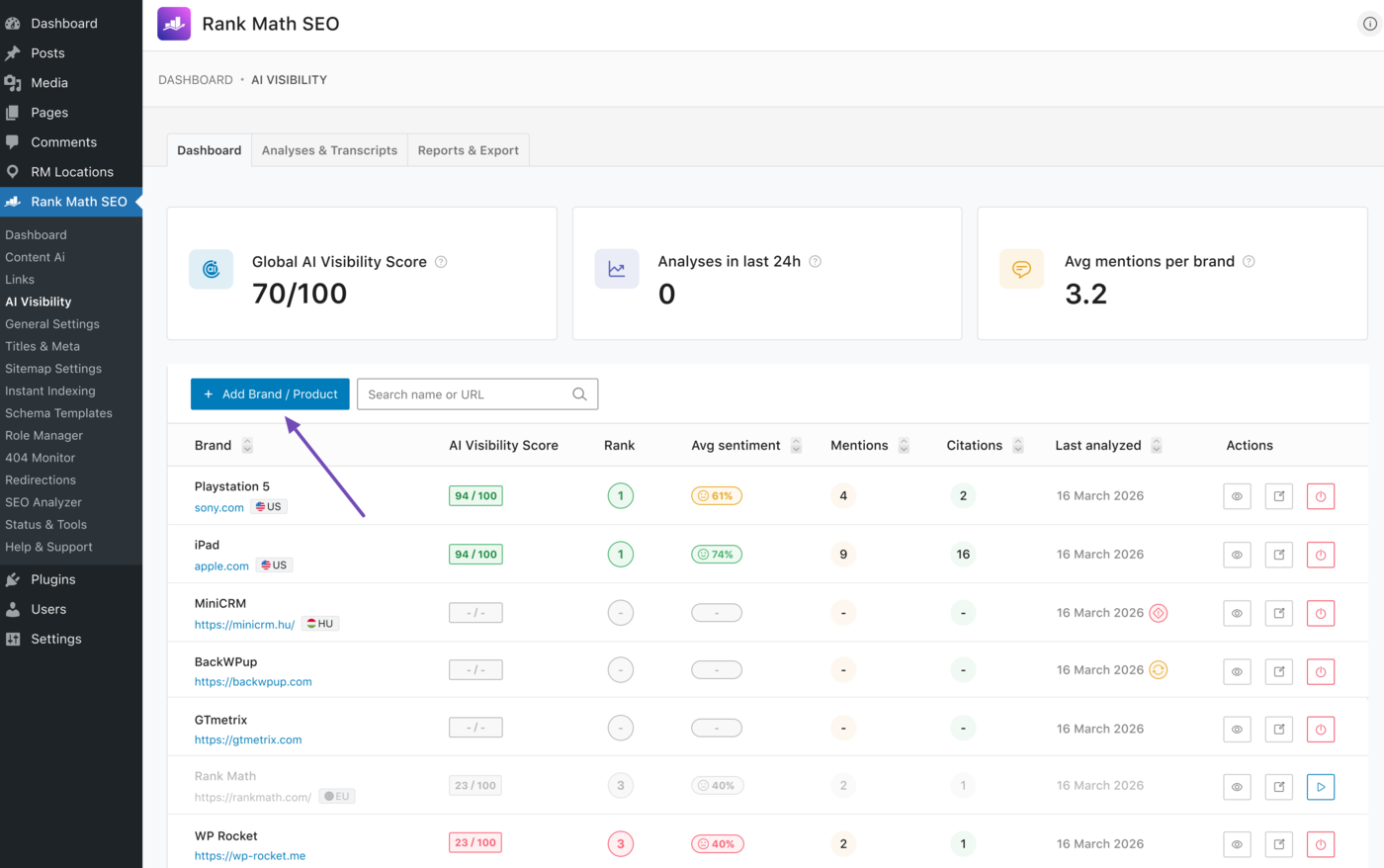
If you have previously added a brand or product, click Add Brand/Product.
3 How to Fill in the AI Visibility Settings
Next, fill in the required fields. We will show you how to do that below.
- Brand/product name
- Brand/product URL
- How would you describe your brand or product?
- Target country
- Output language
- Frequency of analyses
- AI platforms
3.1 Brand/Product Name
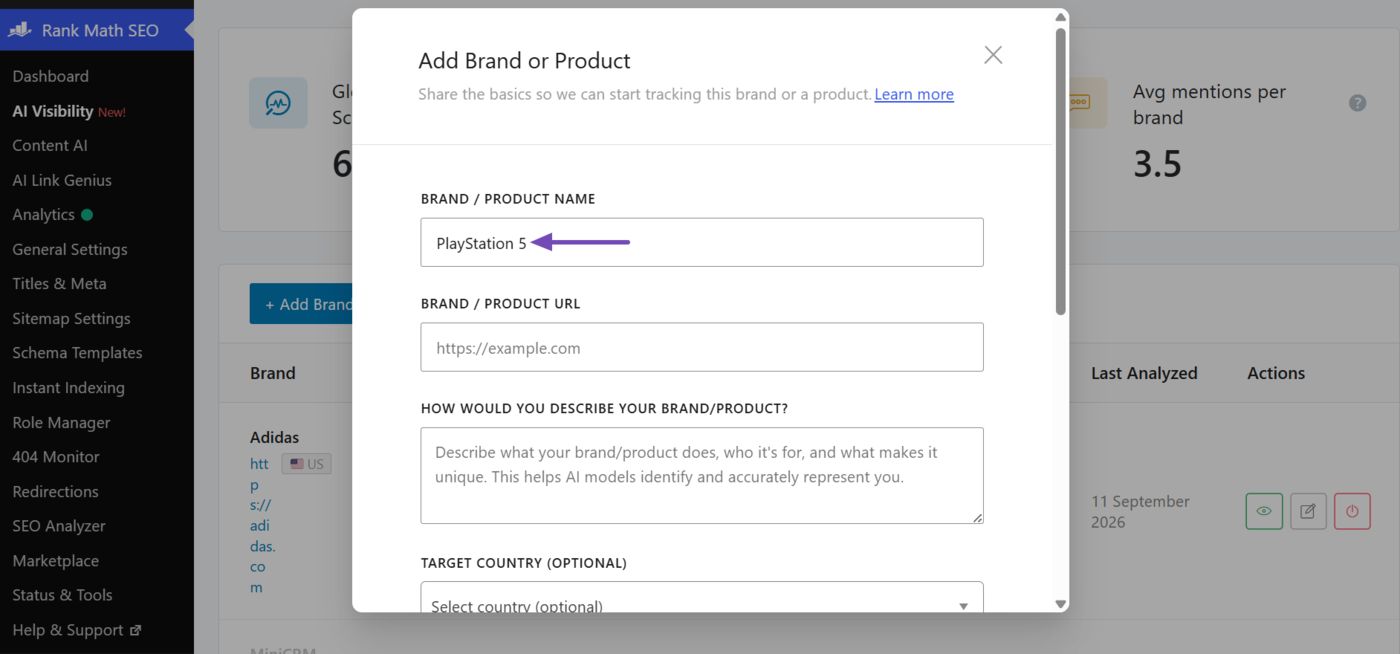
Enter the name of the brand or product you want to track, exactly as it appears on the web. For example, to track “PlayStation 5,” enter it here.
3.2 Brand/Product URL
Enter the URL of the brand or product. Here, we’ll enter PlayStation’s URL.
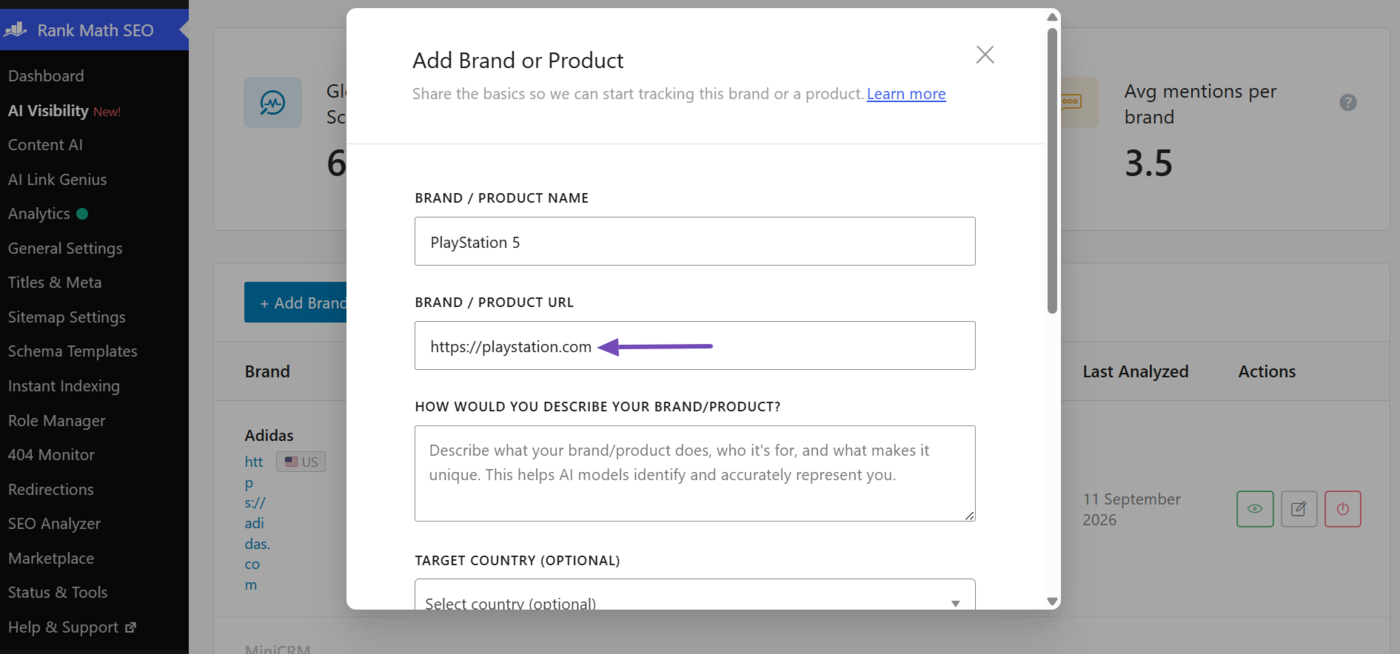
3.3 How Would You Describe Your Brand or Product?
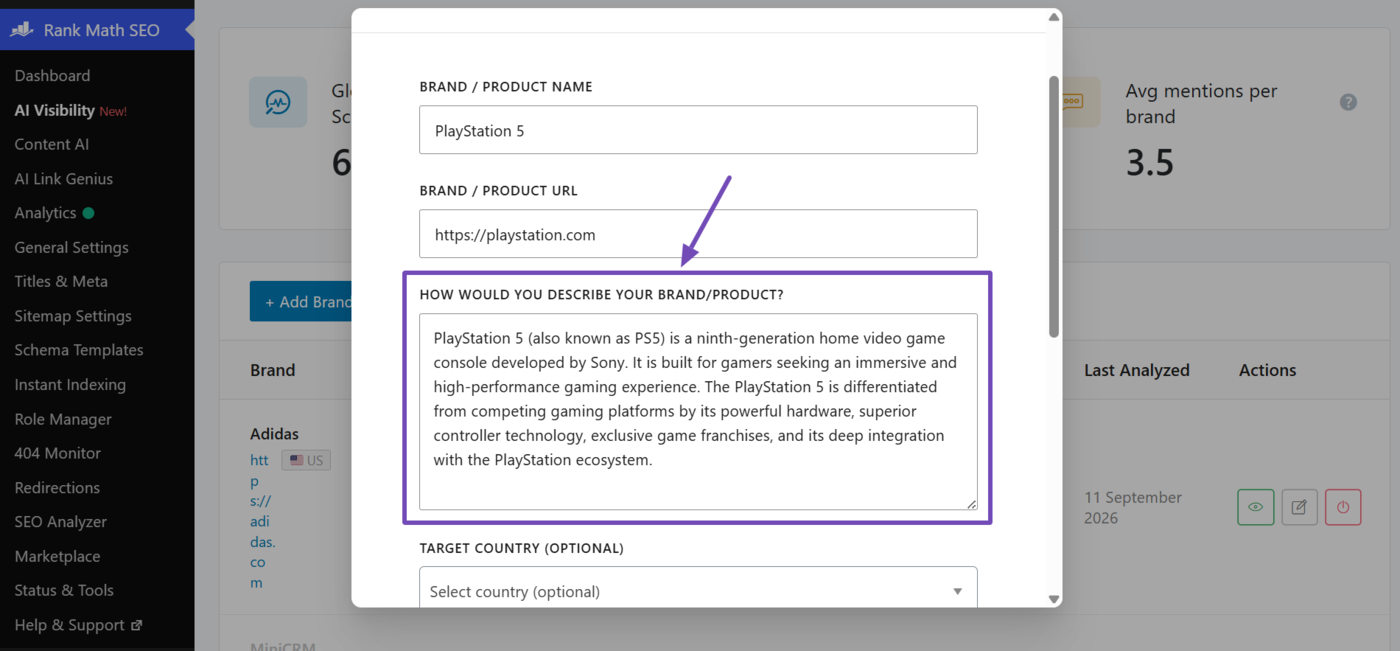
Enter a detailed description of your brand or product. The more information you include, the more accurately our AI system can identify and track your brand and its competitors.
For example, we are tracking AI Visibility for PlayStation 5, so here’s the description we used for it:
PlayStation 5 (also known as PS5) is a ninth-generation home video game console developed by Sony. It is built for gamers seeking an immersive and high-performance gaming experience. The PlayStation 5 is differentiated from competing gaming platforms by its powerful hardware, superior controller technology, exclusive game franchises, and its deep integration with the PlayStation ecosystem.
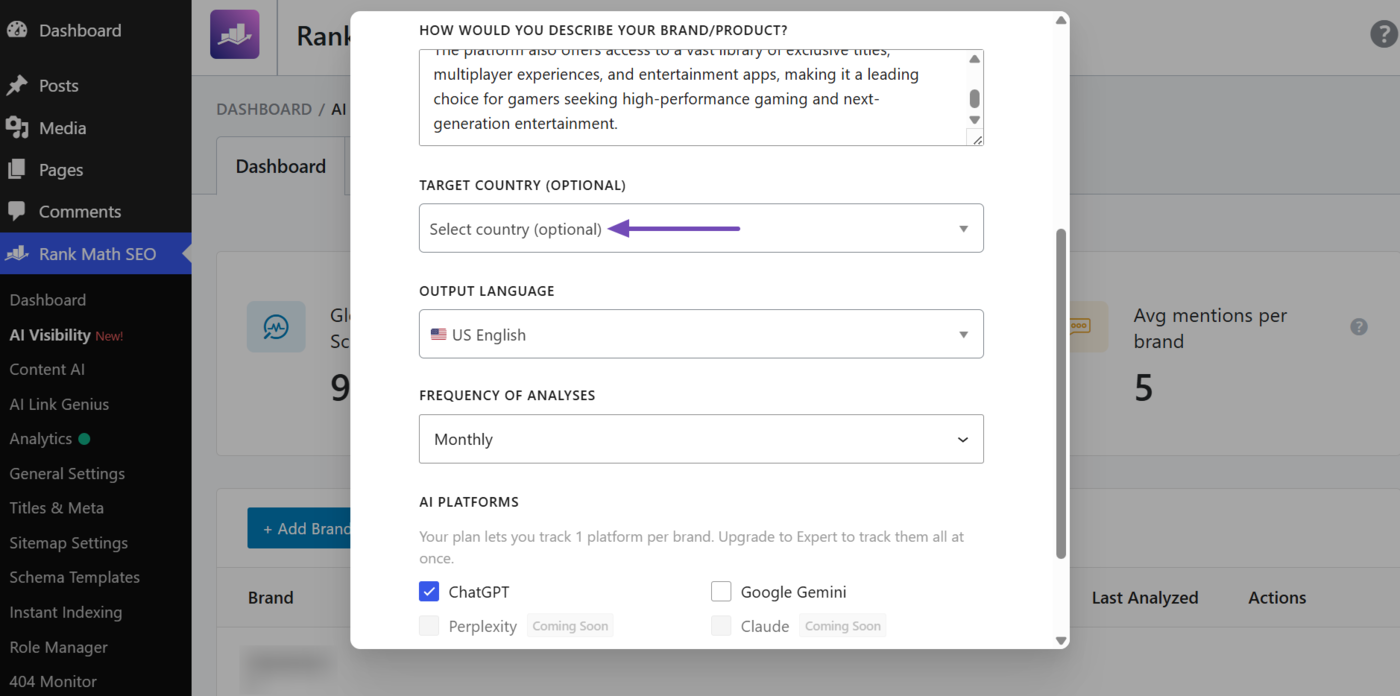
3.4 Target Country
Enter the country where you want to track your AI Visibility. This field is optional. To track the brand globally, leave it at “Select country (optional),” otherwise, select a country.
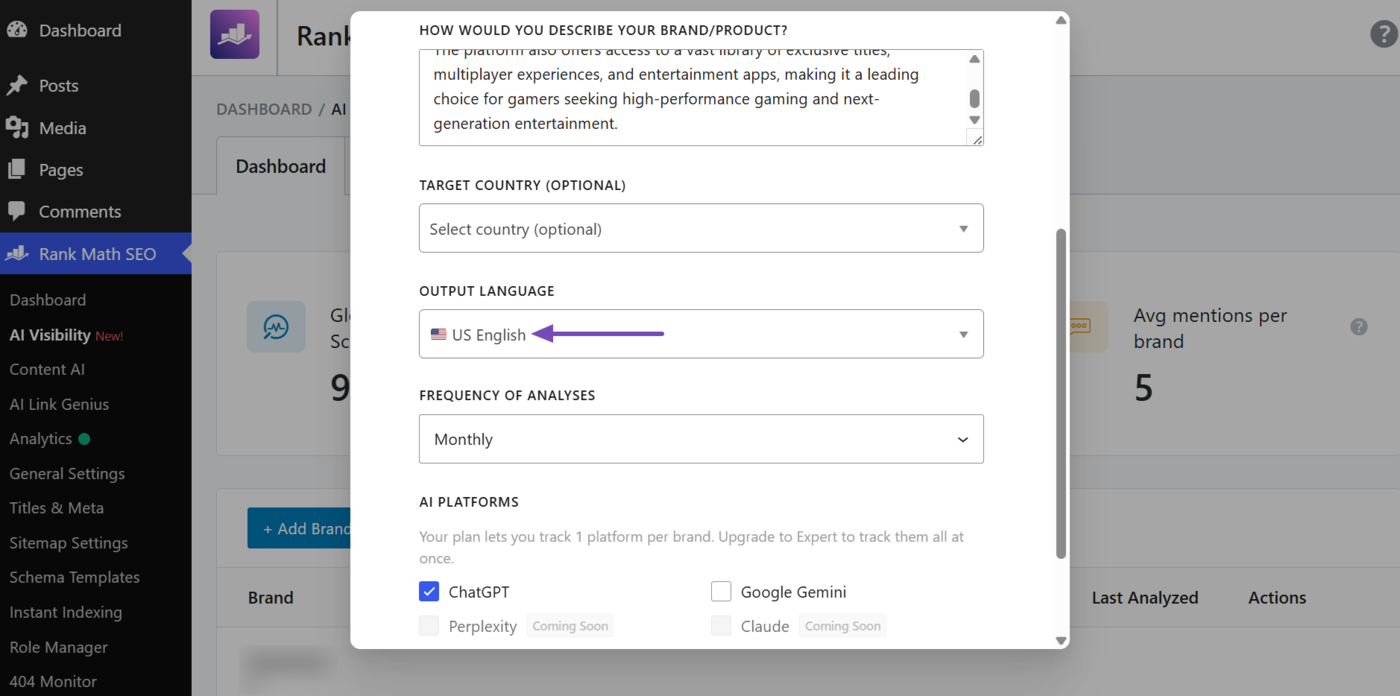
3.5 Output Language
Select the language in which you want to track your AI Visibility. There are 30+ languages available.
For example, selecting German will track your AI Visibility for German queries. We want to track ours in US English, so we select that here.
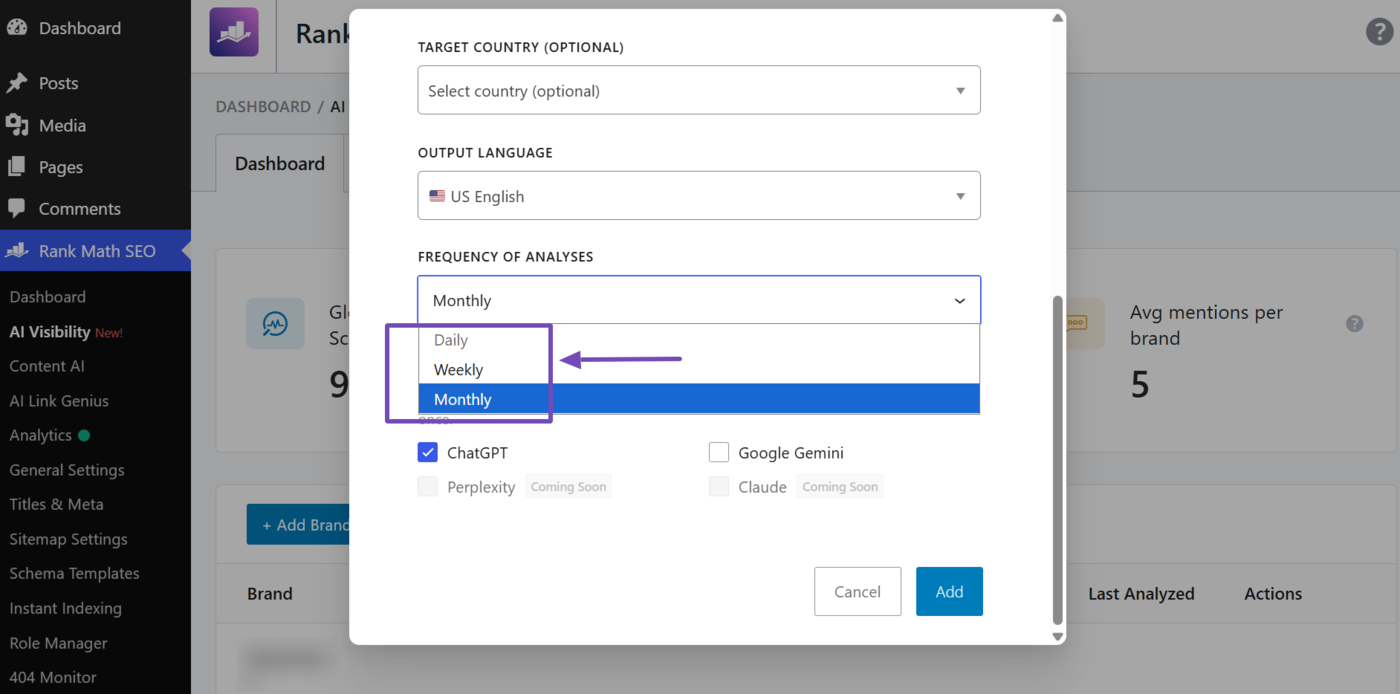
3.6 Frequency of Analyses
Select how frequently the tracking data should be refreshed. The available options depend on your Rank Math AI plan:
- Starter users can choose between Weekly and Monthly refreshes
- Creator users can choose between Weekly and Monthly refreshes
- Expert users can choose between Daily, Weekly, and Monthly refreshes
For our example, we want the analysis to refresh every month, so we select Monthly.
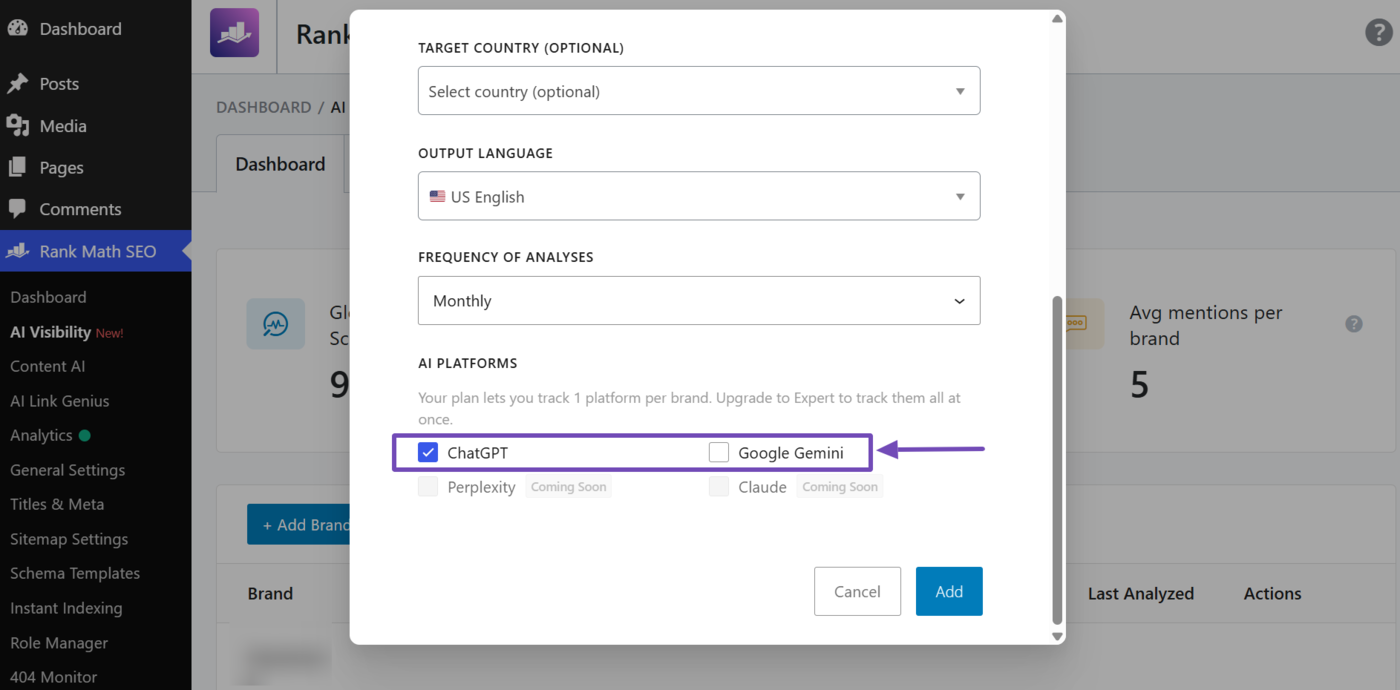
3.7 AI Platforms
Select the AI platforms on which you want to track your AI mentions. Your options depend on your Rank Math AI plan:
- Starter users can choose ChatGPT or Google Gemini
- Creator users can choose ChatGPT or Google Gemini
- Expert users can choose ChatGPT, Google Gemini, or both
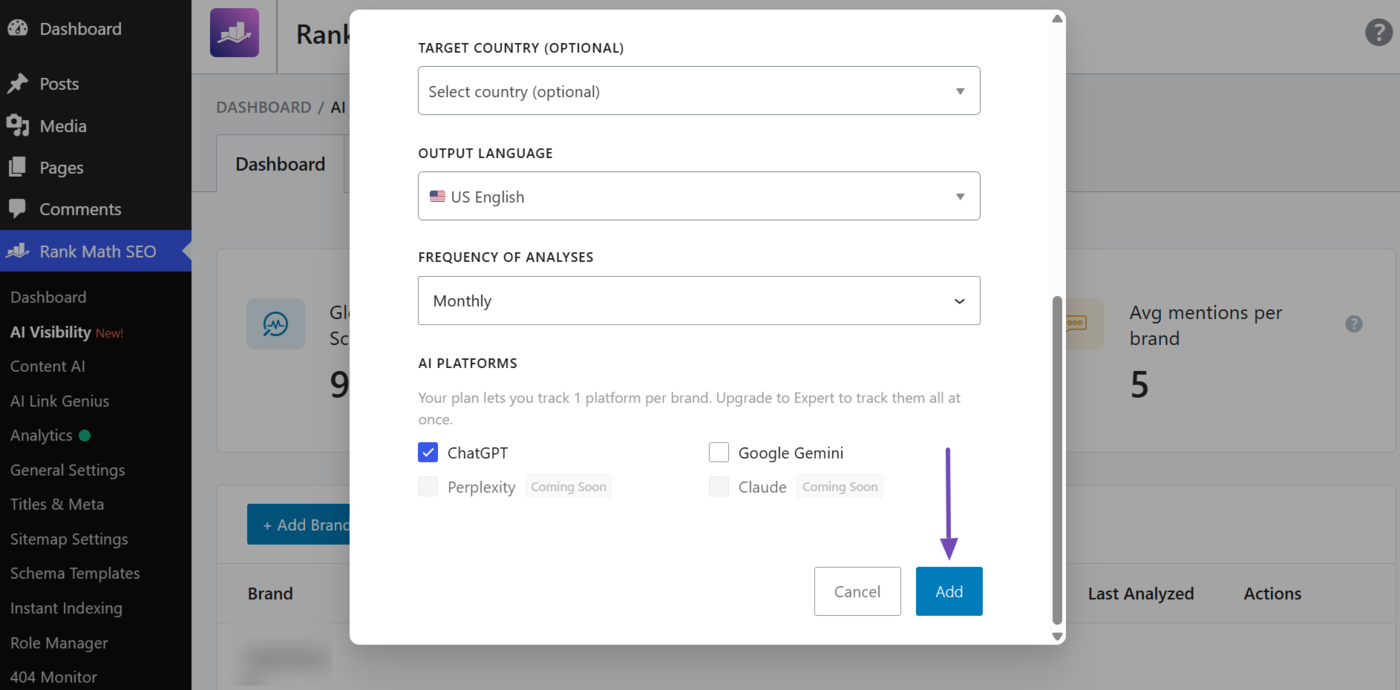
Once done, click Add. AI Visibility will begin tracking mentions of your brand or product across the selected AI platforms.
4 How to Monitor Your AI Visibility
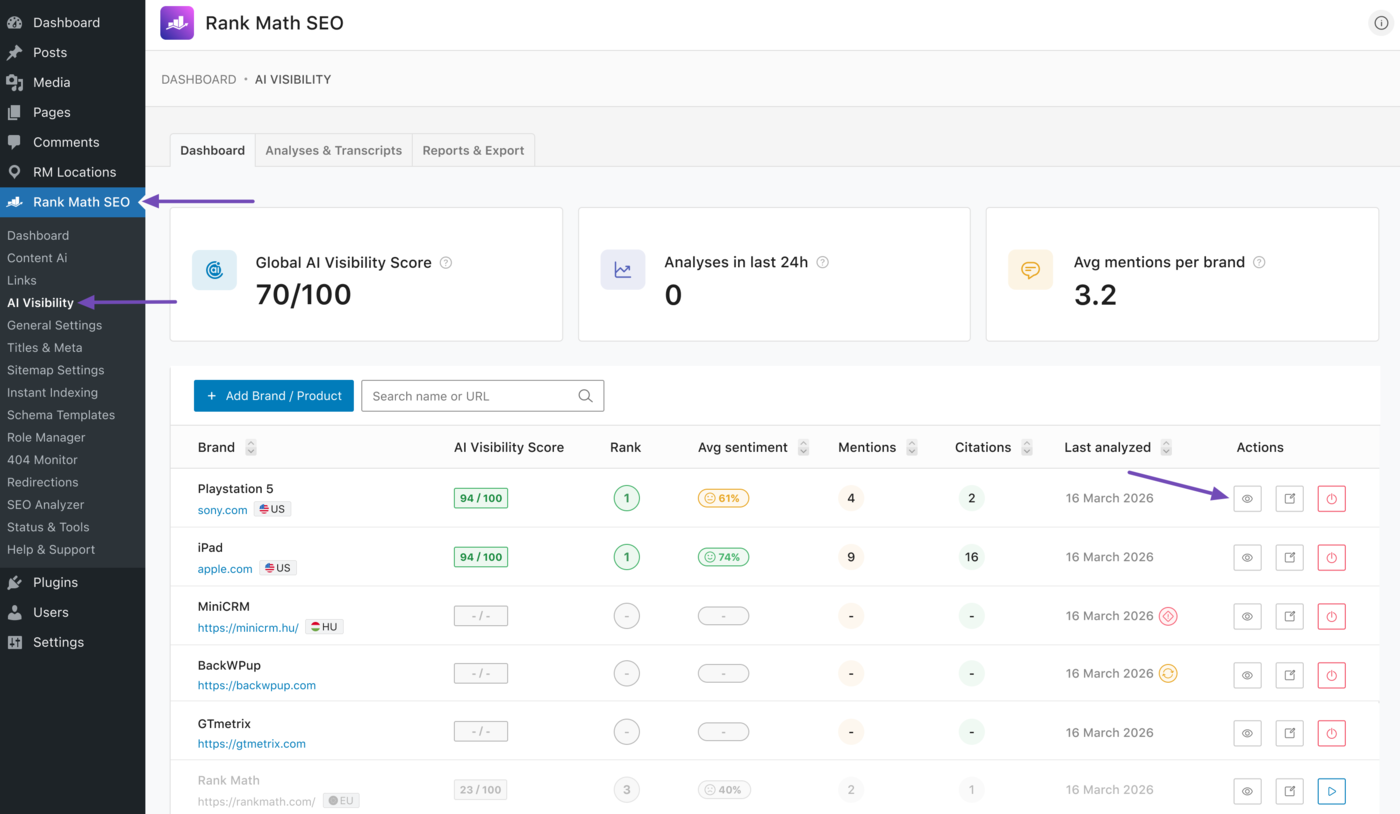
To monitor your visibility on AI platforms, navigate to Rank Math SEO → AI Visibility from your WordPress dashboard. Here, you will see all the brands and products you are currently tracking. Locate the one you want to analyze and click the View icon.
In this example, we want to review AI mentions of the PlayStation 5. We will head to it and click the View icon, as shown below.
You will be taken to the Overview tab of the report. This is one of several tabs that provide insights into your AI mentions. The available tabs include:
- Overview
- Queries
- Competitors
- Raw Data/Transcripts
We will now explain the tabs and the details they contain below.
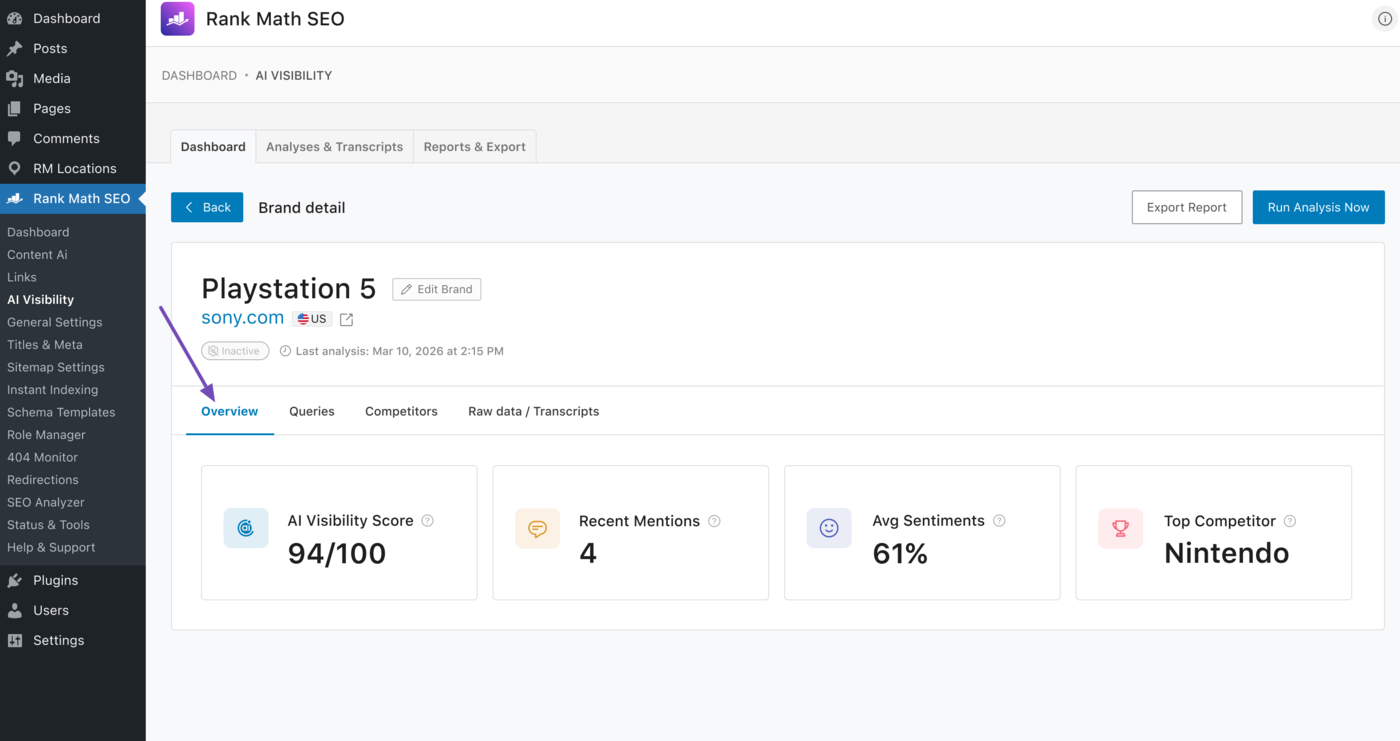
3.1 Overview Tab
The Overview tab gives you a bird’s-eye view of your brand or product. The available reports include:
- AI Visibility score: This displays the AI Visibility score assigned to your brand
- Recent mentions: Shows the recent mentions your brand received on AI platforms
- Avg sentiment: Displays a score that reflects how your brand or product is portrayed in AI responses
- Top competitor: Shows the top brand or product AI platforms often compare against yours
Note: The AI Visibility score is calculated using your brand or product’s rank, citations, mentions, and sentiment.
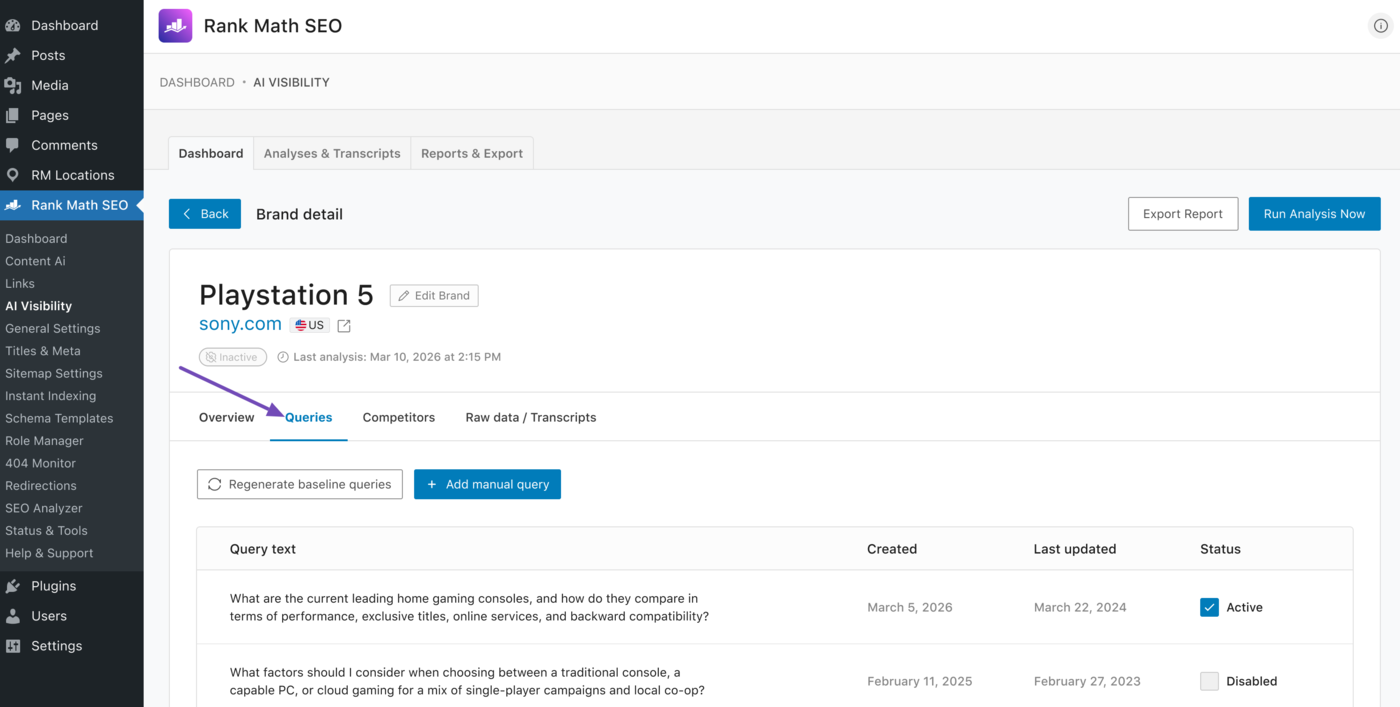
3.2 Queries Tab
The Queries tab shows the prompts, questions, or queries for which your brand or product was mentioned.
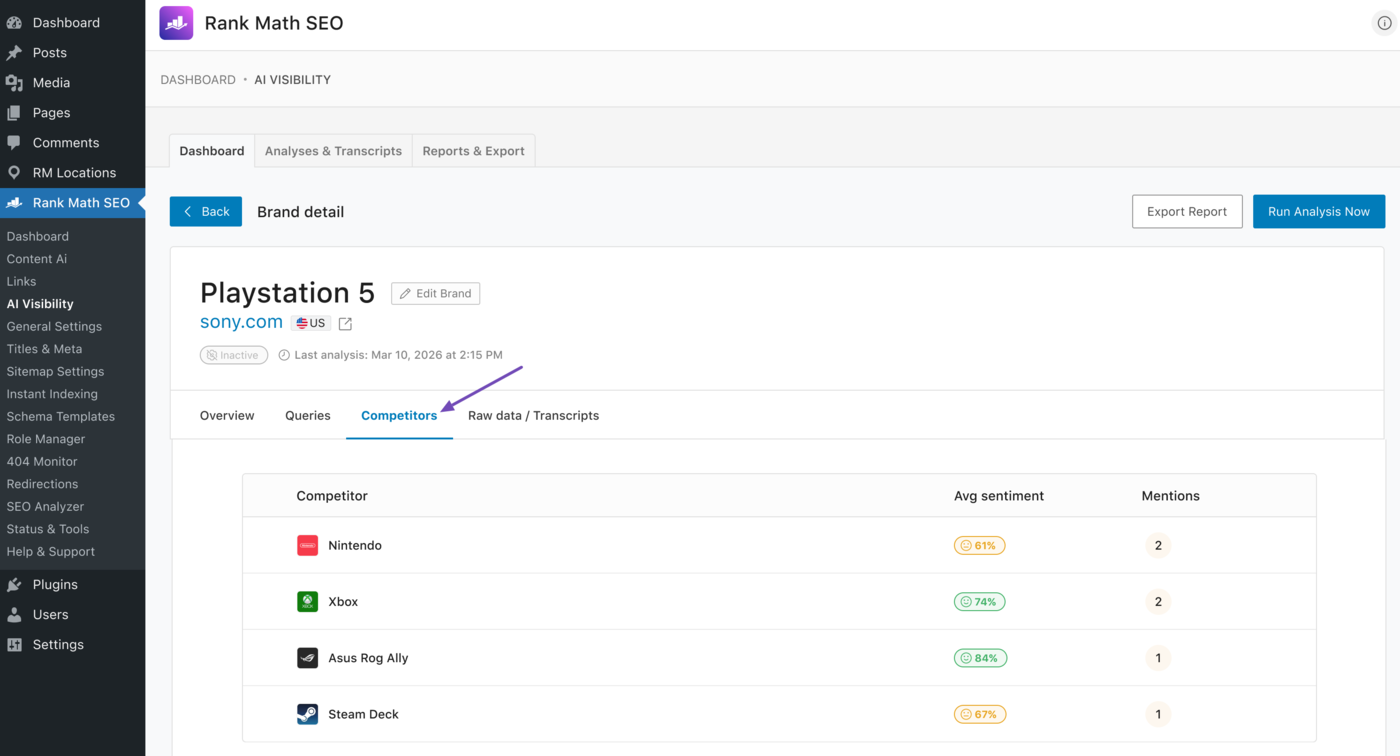
3.3 Competitors Tab
The Competitors tab shows your top competitors along with their mentions and average sentiment. These brands are typically mentioned alongside your brand or, in some cases, instead of it.
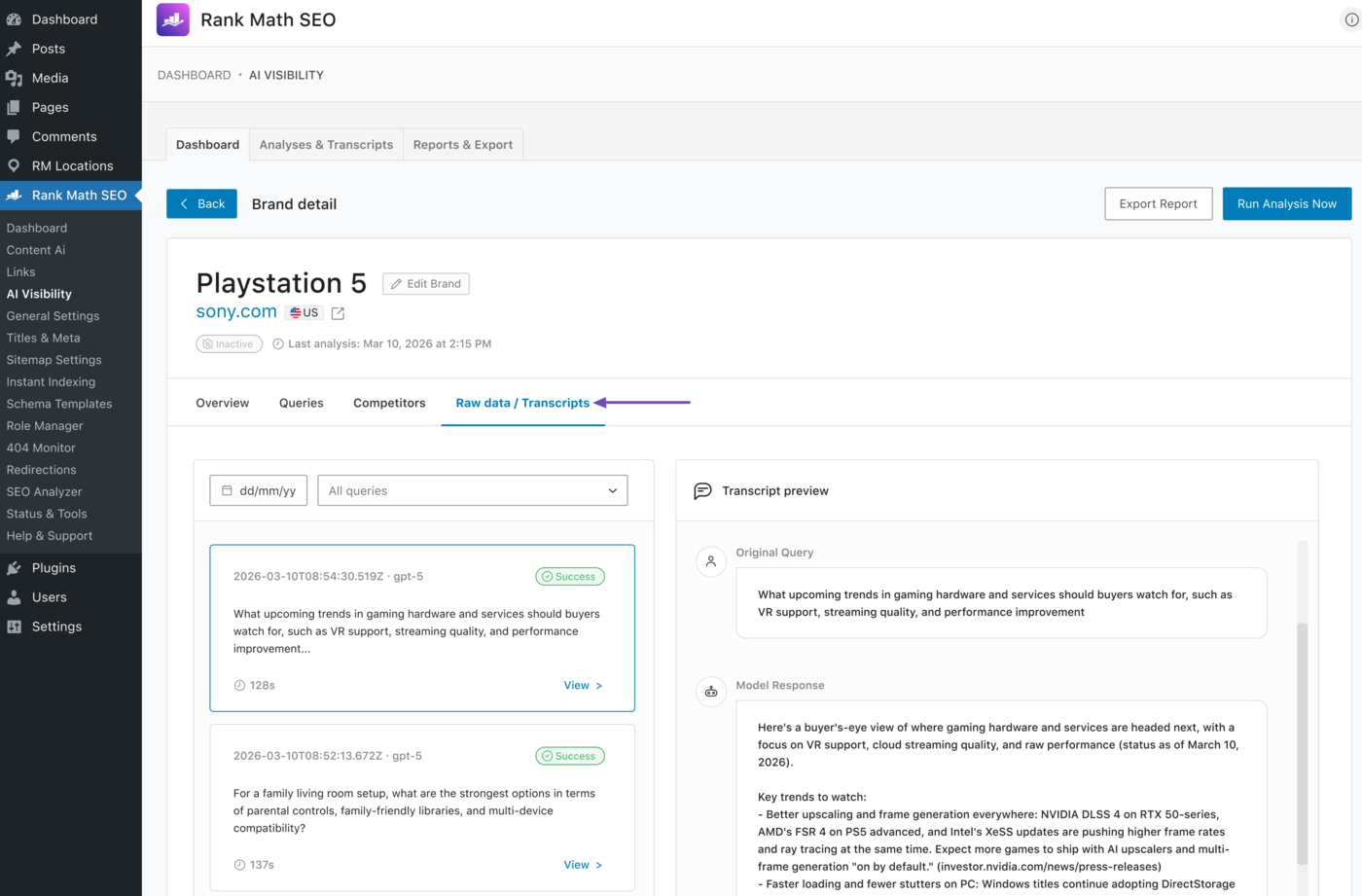
3.4 Raw Data/Transcripts Tab
The Raw data and transcripts tab shows the user queries for which your brand or product appeared, along with the answers provided by the AI model.
This concludes our guide on tracking your brands and products using AI Visibility in Rank Math. If you have any questions, you’re always more than welcome to contact our dedicated support team. They are available 24/7, 365 days a year, and are always ready to answer your questions.