

Publishing useful content is only one part of SEO.
Your content should also be easy to read, answer your audience’s questions clearly, and include the information search engines need to understand your page. If you overlook these factors, your content may struggle to perform even if it offers valuable information.
This is where content optimization plugins can help.
Instead of manually reviewing every page before publishing, these plugins analyze your content and identify opportunities to improve it. Depending on the plugin you choose, it can help you optimize your headings, improve readability, strengthen your internal linking, add structured data, or even suggest missing topics that your content should cover.
Some plugins focus on traditional on-page SEO, while others use AI to recommend improvements based on search intent and existing search results.
In this post, you’ll learn how content optimization plugins work, what features to look for, and which plugins are worth considering for your WordPress website.
Key Takeaways:
If you’re short on time, here’s what you need to know:
- Rank Math SEO is the best all-around content optimization plugin. It combines on-page SEO, AI-powered content optimization, Schema markup, internal linking, and technical SEO tools in one plugin.
- Yoast SEO is a good choice if you’re new to SEO and want simple recommendations while writing.
- All in One SEO (AIOSEO) offers a balance between ease of use and advanced SEO features.
- SEOPress is ideal for developers and agencies looking for a lightweight SEO solution.
- Squirrly SEO provides real-time optimization suggestions as you write.
- Slim SEO automates most SEO tasks, making it suitable for users who prefer a simple setup.
- Surfer SEO focuses on content scoring and improving articles based on competitor analysis.
Table Of Contents
1 What is a Content Optimization Plugin?
A content optimization plugin helps you improve your content before publishing it.
Rather than checking every SEO element manually, the plugin reviews your content against established SEO best practices and highlights areas that need improvement.
Depending on the plugin, it can help you:
- Optimize your SEO title and meta description
- Improve readability
- Organize headings correctly
- Optimize keyword placement
- Add internal and external links
- Optimize image alt text
- Generate schema markup
- Identify missing SEO elements
- Suggest related topics
- Provide AI-powered content recommendations
The goal isn’t simply to achieve a higher SEO score. It’s to create content that’s easier for both readers and search engines to understand.
How to Choose the Right Content Optimization Plugin
Not every plugin is designed for the same type of website.
Some focus on technical SEO, while others specialize in AI-powered content optimization or keyword research. Before choosing one, think about how you create content and what kind of guidance you need.
Ask yourself these questions:
- Do you only need on-page SEO recommendations, or do you also want AI-assisted writing?
- How often do you publish new content?
- Are you managing the website alone or working with a team?
- Do you need content scoring, keyword suggestions, or both?
- Do you want a complete SEO plugin or a dedicated content optimization tool?
Answering these questions will help you choose a plugin that fits your workflow instead of paying for features you’ll never use.
2 Best Content Optimization Plugins for Your Website
Each plugin on this list approaches content optimization differently, so the best choice depends on your requirements.
Some provide real-time writing recommendations, others focus on technical SEO, while a few analyze competing pages to help you create more comprehensive content.
| Plugin | Best For | Free Version | AI Features |
|---|---|---|---|
| Rank Math SEO | Complete SEO and content optimization | ✅ | ✅ |
| Yoast SEO | Beginners | ✅ | Limited |
| All in One SEO | Small businesses | ✅ | ✅ |
| SEOPress | Agencies and developers | ✅ | ❌ |
| Squirrly SEO | Real-time SEO guidance | ✅ | ✅ |
| Slim SEO | Lightweight automation | ✅ | ❌ |
| Surfer SEO | Content optimization and scoring | ❌ | ✅ |
Let’s take a closer look at each one.
2.1 Rank Math SEO
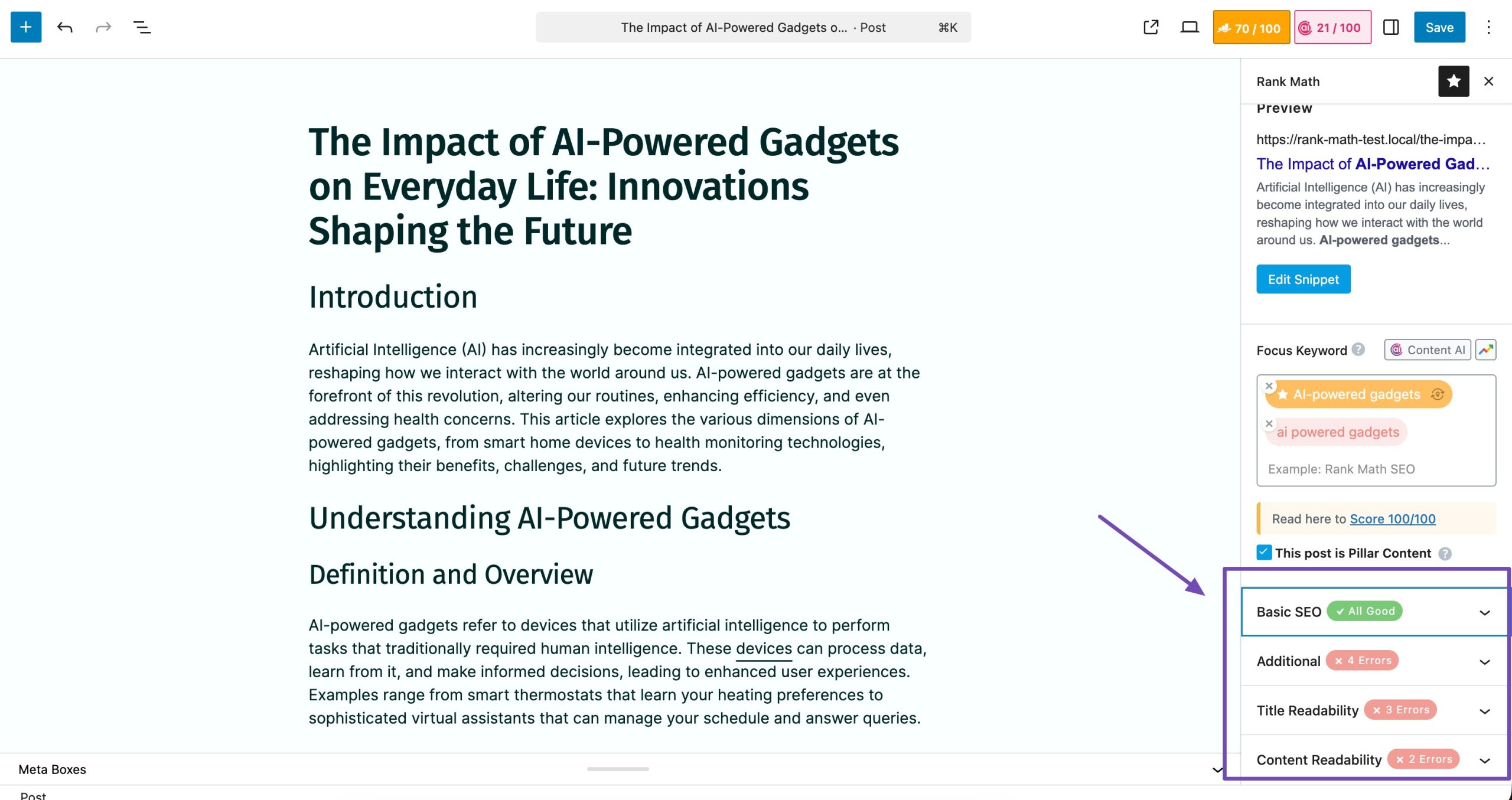
If you want one plugin that helps with content optimization, technical SEO, Schema markup, keyword optimization, and AI-assisted writing, Rank Math SEO is one of the strongest options available.
Whether you’re publishing your first blog post or managing hundreds of pages, Rank Math gives you practical recommendations while you write.
It helps you identify areas that still need attention. For example, it checks whether you’ve:
- Used your primary keyword naturally
- Written an optimized SEO title
- Added a compelling meta description
- Used headings correctly
- Included internal and external links
- Optimized image alt text
- Kept paragraphs readable
- Added enough content to cover the topic
Artificial intelligence has become a regular part of content creation.
In fact, our survey found that 78% of AI users regularly use one to three AI tools, showing that AI is becoming a standard part of many publishing workflows.
Rank Math brings the same technology to WordPress, using AI-powered features to help you optimize your content and improve your website’s SEO more efficiently.
If you often spend too much time researching or outlining articles, Content AI makes the process much easier. It offers you 40+ AI tools that help you build your content, enhance your workflow and maximize your productivity.
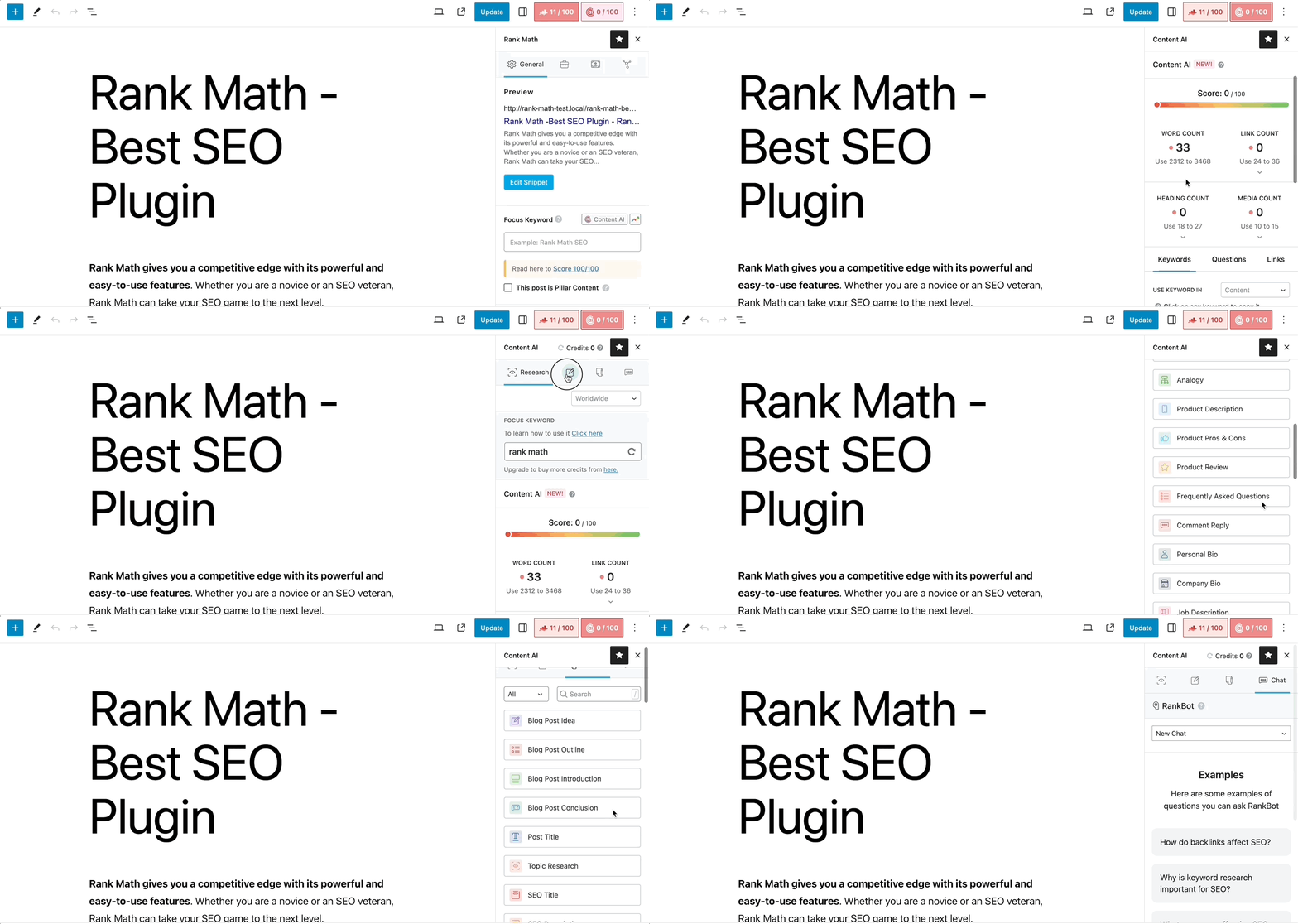
Instead of generating random paragraphs, it helps you build better content by suggesting:
- Important topics to cover
- Related keywords
- Frequently asked questions
- Link recommendations
- SEO improvements
- Content outlines
These suggestions are based on the topic you’re writing about, helping you create more complete articles without switching between multiple research tools.
Rank Math also includes features that go beyond traditional content optimization.
AI Visibility helps you understand how your brand appears in AI-powered search tools. You can track brand mentions, monitor citations, analyze sentiment, and see how often AI assistants reference your website. This gives you a clearer picture of your visibility as more people turn to AI for answers.
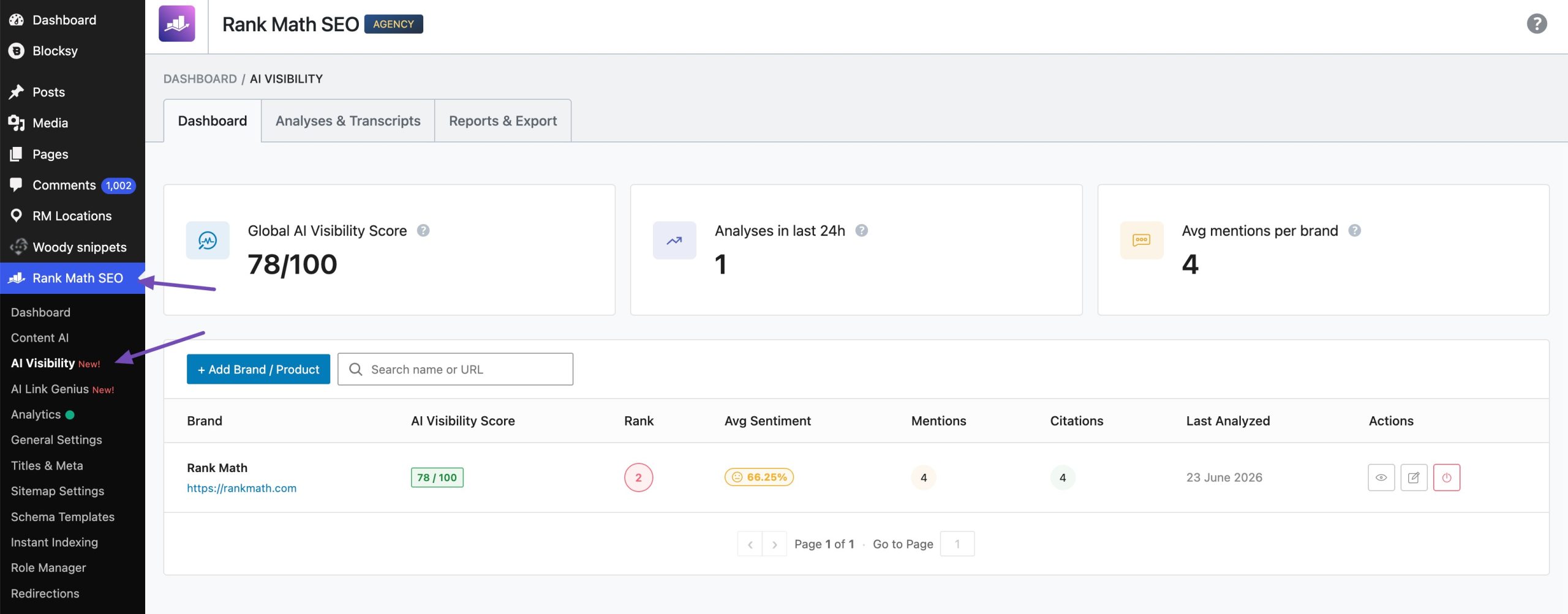
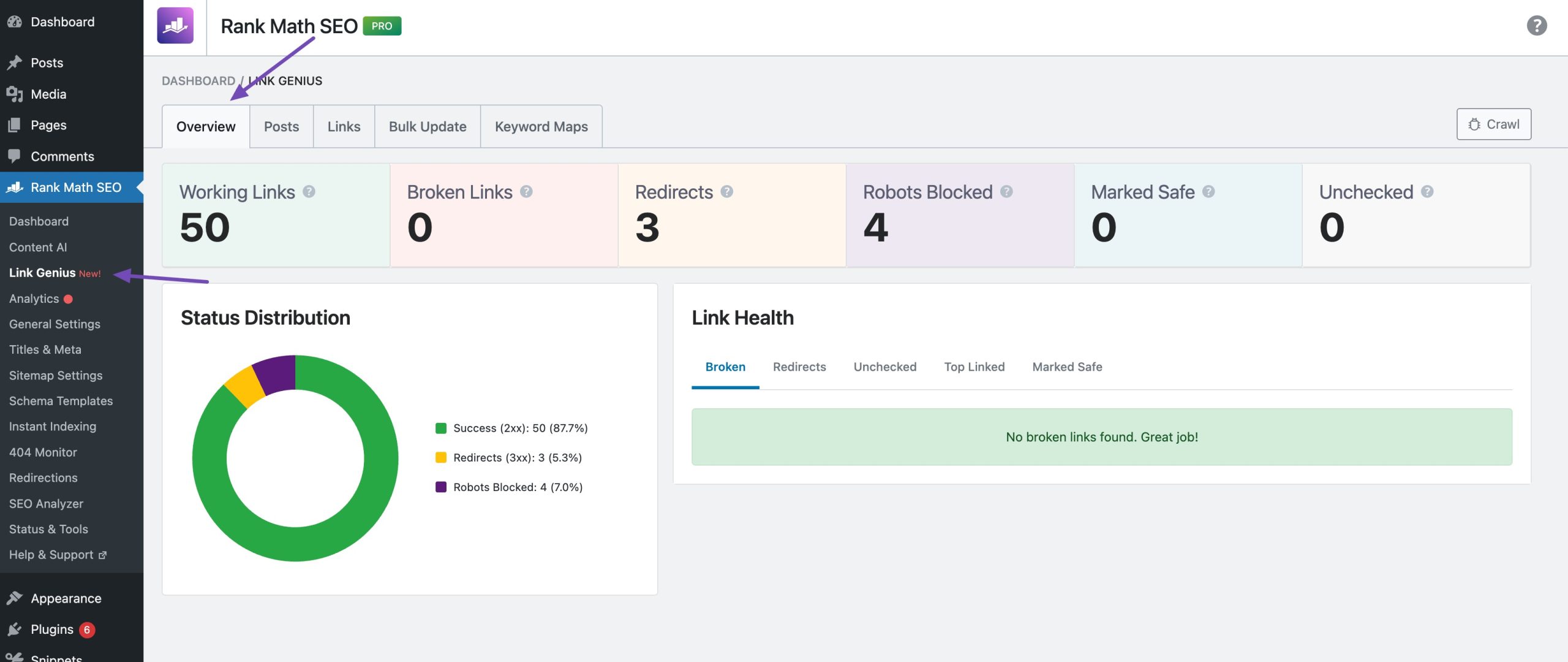
Another useful feature is AI Link Genius, an AI-powered internal linking tool. Instead of manually finding pages to link together, it analyzes your content and suggests relevant internal links.
This helps you strengthen your site’s structure, improve navigation, and save time, especially if you manage a large website with hundreds of pages.
Besides content optimization, Rank Math includes several tools that often require separate plugins:
- XML sitemaps
- Redirect manager
- 404 monitor
- Image SEO
- Local SEO
- WooCommerce SEO
- Breadcrumbs
- Internal link suggestions
- SEO analytics
Having everything in one plugin keeps your website lighter and easier to manage.
Pros
- Easy-to-understand optimization suggestions
- Excellent free version
- Multiple keyword optimization
- Built-in schema generator
- AI-powered content assistance
- Includes many SEO tools in one plugin
- Beginner-friendly interface
Cons
- Some advanced AI features require a paid plan.
Best For
Bloggers, businesses, agencies, WooCommerce stores, affiliate marketers, and anyone looking for an all-in-one SEO and content optimization plugin.
Pricing
Free version available, and the premium plans start at €7.99/month.
2.2 Yoast SEO
Yoast SEO has been one of the most widely used WordPress SEO plugins for years, and many website owners install it as their first SEO plugin.
Yoast walks you through the basics and highlights common issues while you write. You don’t need much technical knowledge to understand its recommendations.
Yoast analyzes your content using two separate scores:
- SEO analysis
- Readability analysis
The SEO analysis checks whether you’ve optimized your keyword, title, meta description, URL, headings, links, and images.
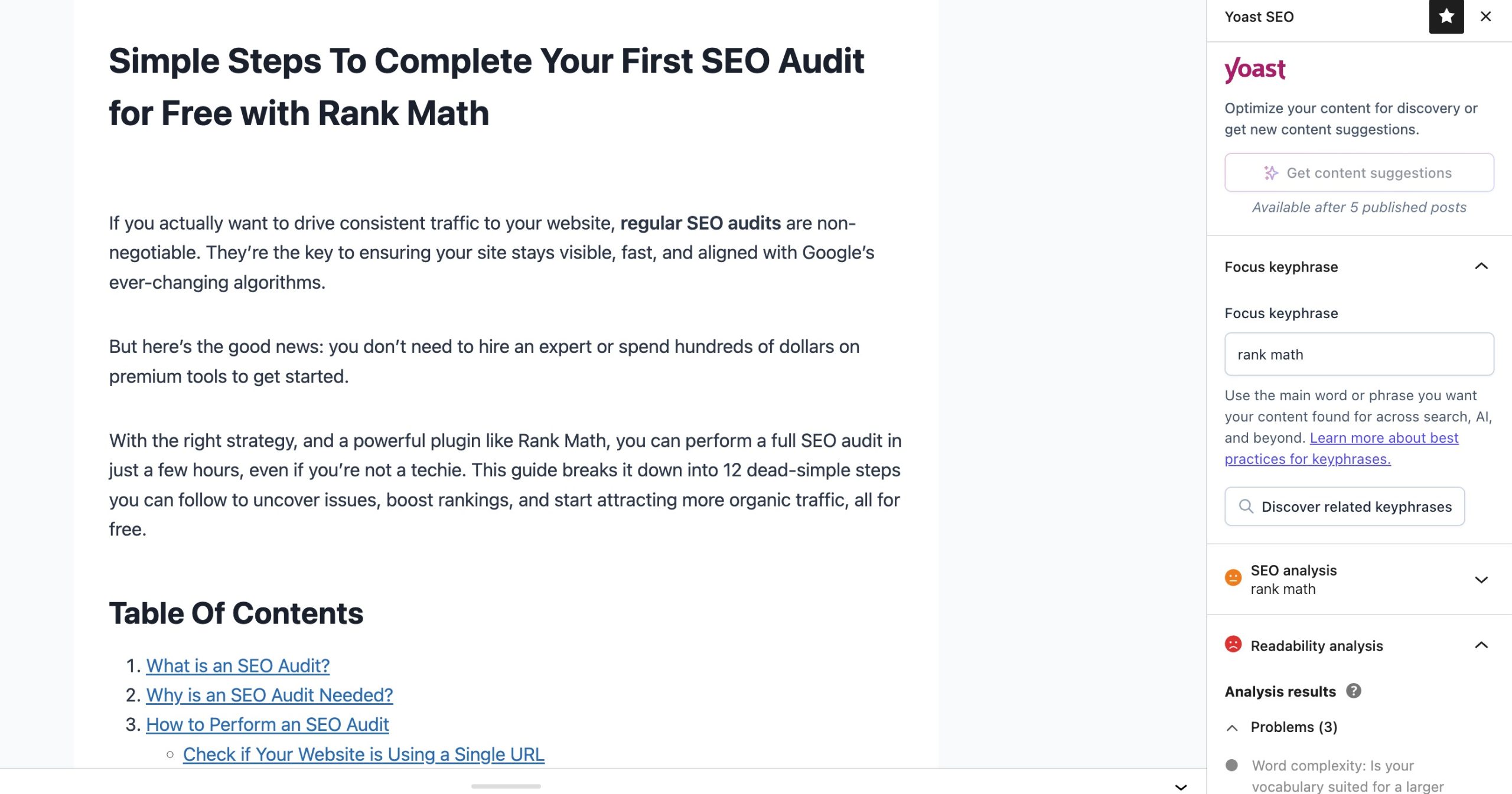
The readability analysis focuses on making your content easier to read.
For example, it checks:
- Sentence length
- Paragraph length
- Passive voice
- Transition words
- Heading distribution
- Consecutive sentences
These checks encourage you to write clearer content, especially if your articles tend to become long or difficult to follow.
Pros
- Beginner-friendly
- Excellent readability analysis
- Helpful writing recommendations
Cons
- Many advanced features require the premium version.
- The free version only supports a single focus keyword.
- Fewer built-in features compared to some newer SEO plugins.
Best For
Beginners, bloggers, and small business websites looking for straightforward SEO guidance.
Pricing
Free version available and the premium plans start at $9.90/month.
2.3 All in One SEO
All in One SEO (AIOSEO) is another popular WordPress SEO plugin that helps you optimize your content without requiring advanced SEO knowledge.
AIOSEO includes a built-in content analysis tool that reviews your posts as you write. Instead of waiting until you’ve finished an article, you receive suggestions in real time.
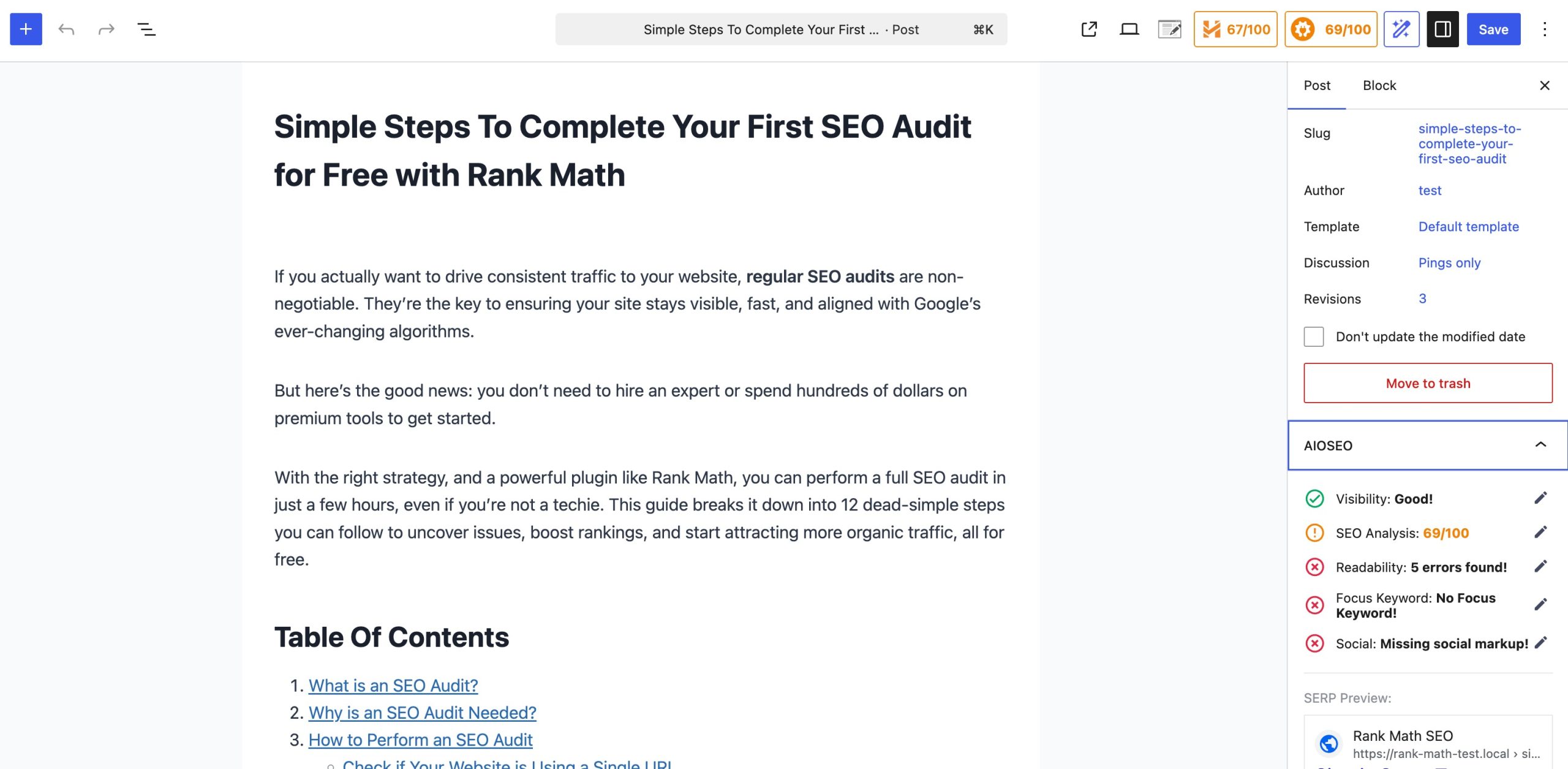
It checks several important on-page SEO elements, including:
- SEO title
- Meta description
- URL structure
- Heading hierarchy
- Keyword placement
- Internal and external links
- Image alt text
- Content length
These recommendations help you find common SEO issues before publishing your content.
Pros
- Clean and lightweight interface
- Supports unlimited focus keywords
- Excellent schema capabilities
- Good value for money
- Suitable for developers and agencies
- Minimal impact on website performance
Cons
- Doesn’t include as many AI-powered content optimization features as some competitors.
- Beginners may find the interface less guided than plugins like Rank Math SEO or Yoast.
Best For
Small businesses, bloggers, WooCommerce stores, and website owners looking for a complete SEO solution.
Pricing
Free version available and the premium plans start at $1000/month.
2.4 SEOPress
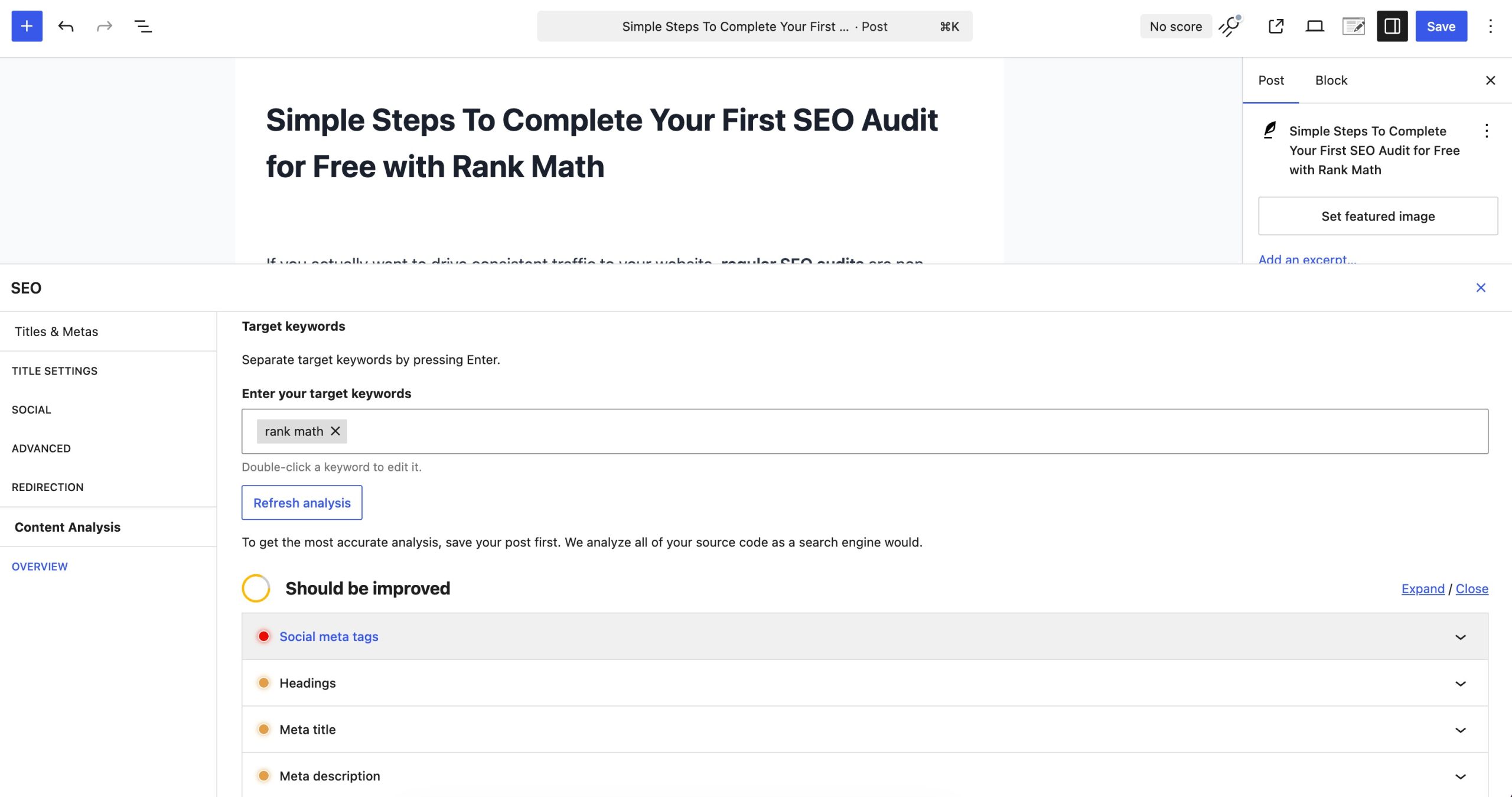
SEOPress is a lightweight WordPress SEO plugin that focuses on giving you powerful optimization tools without adding unnecessary complexity.
It includes most of the SEO features you’ll need while keeping the interface simple and uncluttered.
Pros
- Clean and lightweight interface
- Excellent Schema capabilities
- Suitable for developers and agencies
- Minimal impact on website performance
Cons
- Doesn’t include as many AI-powered content optimization features as some competitors.
- Beginners may find the interface less guided than plugins like Rank Math or Yoast.
Pricing
Premium plans start at $49/year
2.5 Squirrly SEO
Squirrly is built around AI technology and is designed specifically for small business owners who don’t have a lot of time to learn SEO or run their sites themselves, with cloud-based machine learning feeding data-driven insights back into the plugin.
Squirrly focuses on helping you create content that is both reader-friendly and search engine-friendly.
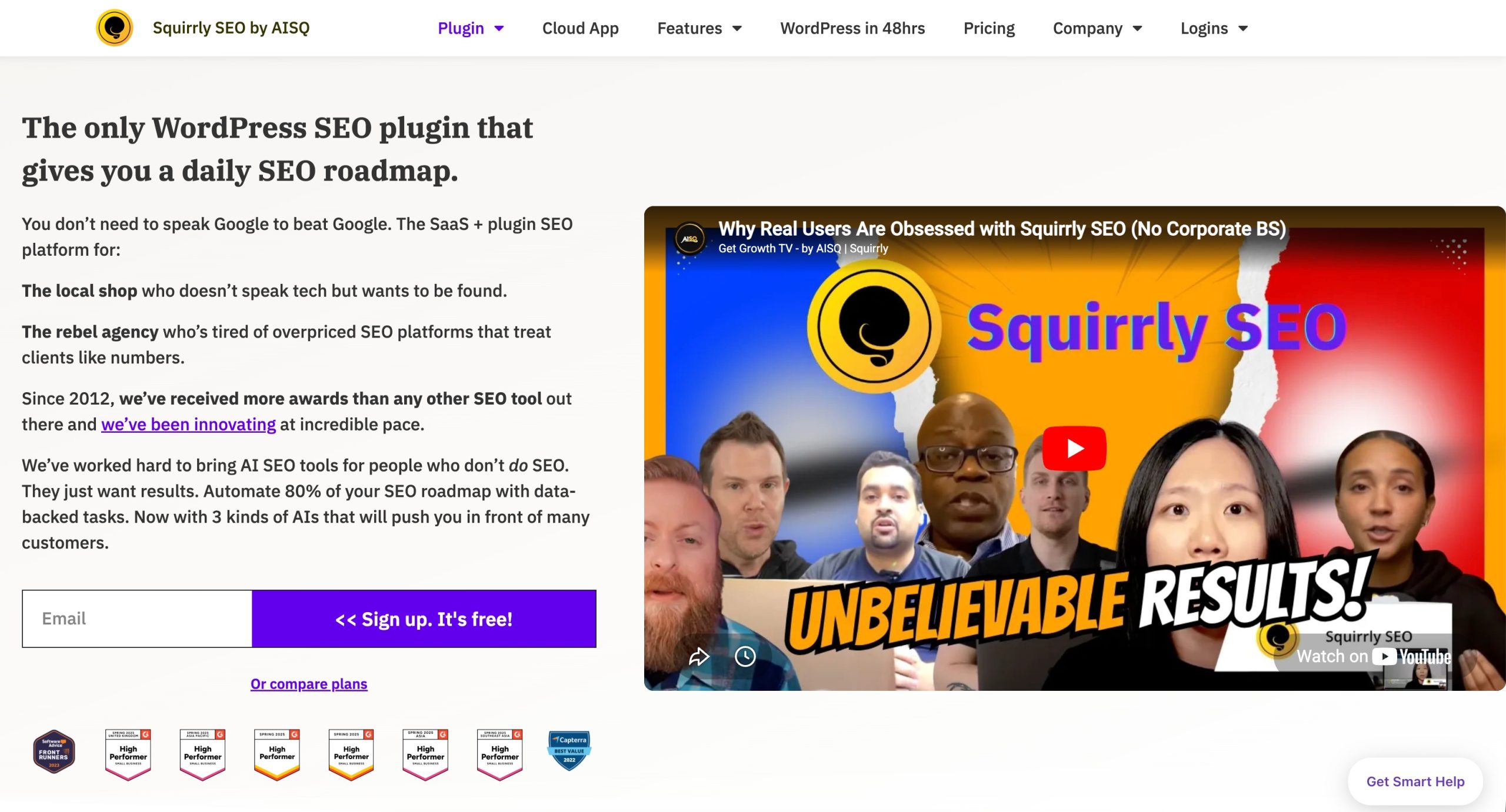
As you write inside the WordPress editor, the plugin continuously analyzes your content and provides recommendations without interrupting your workflow.
Since the feedback updates instantly, you can make improvements as you write instead of editing everything at the end.
Pros
- Real-time optimization suggestions
- Beginner-friendly guidance
- Built-in keyword research
- Helpful AI-powered recommendations
- Detailed website audits
- Good educational resources for learning SEO
Cons
- The interface can feel busy because it includes many dashboards and reports.
- Some advanced features are available only in the premium plans.
- Experienced SEO professionals may find some recommendations too prescriptive.
Best For
Bloggers, beginners, small businesses, and website owners who want continuous SEO guidance while writing.
Pricing
There’s a free version, with premium plans starting around $9.99/month.
2.6 Slim SEO
If you prefer a plugin that works quietly in the background without requiring constant adjustments, Slim SEO is worth considering.
Slim SEO automatically handles many SEO tasks as soon as you install it. It can automatically generate:
- Meta titles
- Meta descriptions
- Open Graph tags
- Twitter Cards
- XML sitemaps
- Breadcrumbs
- Schema markup
This reduces the amount of manual work needed to optimize each page.
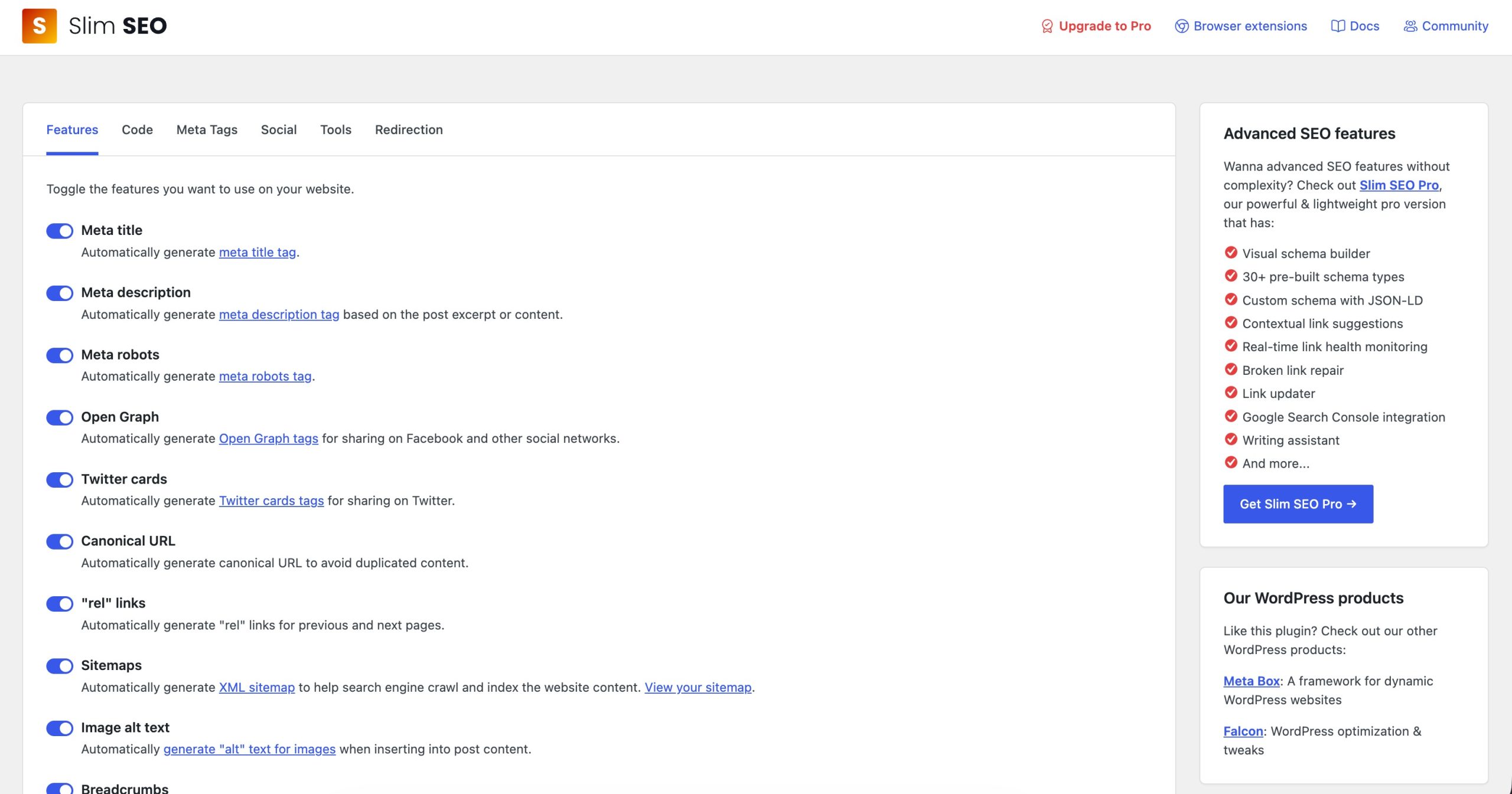
While it doesn’t offer advanced content optimization or AI-powered suggestions, it covers the SEO essentials without slowing down your website.
Slim SEO performs basic on-page SEO optimization rather than providing detailed writing guidance.
It helps ensure that your pages include the essential SEO elements needed for search engines to understand your content.
However, unlike plugins such as Rank Math or Squirrly SEO, it doesn’t provide real-time suggestions while you’re writing or analyze keyword usage in detail.
Pros
- Extremely easy to set up
- Lightweight and fast
- Automates most SEO tasks
- Clean interface with very few settings
- Suitable for users who don’t want a complicated SEO plugin
Cons
- No AI-powered content optimization features
- Limited content analysis compared to larger SEO plugins
- Doesn’t provide keyword recommendations or content scoring
- Advanced users may find the customization options limited
Best For
Personal blogs, small websites, beginners, and anyone looking for a lightweight SEO plugin that works automatically.
Pricing
Free version is available and premium plans start at $59/year.
2.7 Surfer SEO
Surfer SEO takes a different approach from traditional WordPress SEO plugins. Instead of focusing on technical SEO tasks like XML sitemaps or redirects, it specializes in content optimization and content scoring.
It analyzes the pages that already rank for your target keyword and compares your article against them. Based on this analysis, Surfer provides recommendations that help you create more comprehensive content.
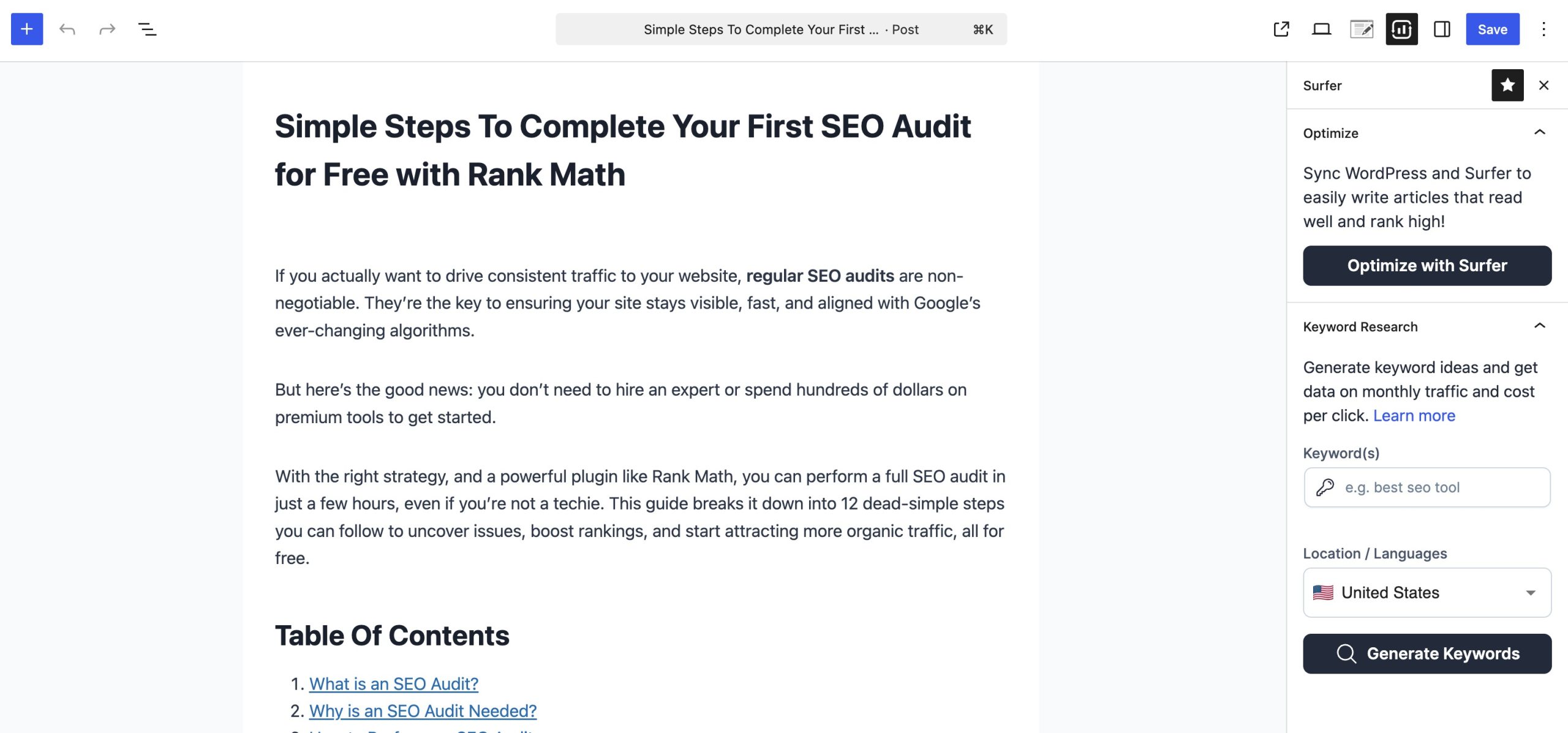
While Surfer SEO integrates with WordPress, it’s primarily used as a standalone content optimization platform by content creators, SEO professionals, and marketing teams.
Pros
- Detailed optimization recommendations
- Strong AI-assisted writing tools
- Helpful content audits
- Integrates with WordPress and Google Docs
Cons
- More expensive than most WordPress SEO plugins
- Doesn’t replace a complete SEO plugin for technical SEO tasks like sitemaps or redirects
Best For
Content marketers, SEO professionals, agencies, and businesses that publish content regularly and want detailed optimization recommendations.
Pricing
Premium plan starts at $99/month.
4 Frequently Asked Questions
Do I need a content optimization plugin?
If you regularly publish content on your WordPress website, a content optimization plugin can help you identify SEO issues before publishing. It also saves time by automating many optimization tasks that would otherwise need to be done manually.
Can AI help optimize content?
Yes. Many modern SEO plugins include AI-powered features that can recommend topics to cover, improve metadata, suggest internal links, generate content outlines, and identify content gaps. AI should support your writing process rather than replace it.
Can I use more than one content optimization plugin?
It’s generally not recommended to install multiple WordPress SEO plugins because they often perform similar functions, which can lead to conflicts. However, you can use a dedicated content optimization platform like Surfer SEO alongside a WordPress SEO plugin such as Rank Math SEO.
5 Conclusion
A content optimization plugin can make it much easier to create content that’s useful for readers and easier for search engines to understand.
While every plugin on this list offers something different, the right choice depends on how you create content and the features you need.
Whichever plugin you choose, remember that optimization should support high-quality content, not replace it. Focus on creating content that answers your audience’s questions, provides accurate information, and delivers a great reading experience.
The right plugin will help you refine that content and improve its chances of reaching more people.
Have you used any of these content optimization plugins? We’d love to hear about your experience. Share your thoughts by tweeting @rankmathseo and let us know which plugin has worked best for your website.