

In today’s zero-click search environment, most platforms are trying to keep users within their ecosystem. However, Pinterest is different.
If your business isn’t on Pinterest, you’re likely missing out on high-intent traffic and sales. Pinterest remains one of the few platforms that actively sends traffic to websites, making it a powerful growth channel for the right businesses.
However, Pinterest isn’t for everyone. In this post, we’ll break down:
- Whether your business is suitable for Pinterest
- Who Pinterest users actually are
- How Pinterest works as a search engine
- A complete step-by-step strategy to grow traffic, followers, and sales
- Keyword research, pin creation, boards, and best practices
Let’s get started.
Table Of Contents
- Is Pinterest Right for Your Business?
- How to Set Up a Pinterest Account
- Pinterest Keyword Research
- How to Create Boards and Pins on Pinterest
- Choose the Right Pinterest Strategy Based on Your Business Type
- Pinterest Best Practices for Steady Growth
- Frequently Asked Questions
- Wrapping Up: Turn Pins Into Traffic, Leads & Sales
1 Is Pinterest Right for Your Business?
Before you put time into creating pins and boards, it’s worth asking yourself one simple question: Does Pinterest match how your audience discovers and decides to buy?
Not every platform works for every business, and Pinterest is no exception.
According to Pinterest’s 2025 SEC filing:
- Pinterest had 550 million monthly active users in 2024
- By September 2025, this grew to 600 million monthly active users
That growth makes Pinterest worth a closer look, but the actual value comes from who those users are.
Who uses Pinterest?
As per the Pinterest Demographics:
- 42% of Pinterest users are Gen Z
- Two-thirds of users are women
- 1 in 3 luxury shoppers earns $100,000+ annually
- 3 in 5 luxury shoppers use Pinterest to research brands and products
These users aren’t scrolling aimlessly. They’re saving ideas, comparing options, and planning purchases.
For instance, someone planning a wedding might spend months saving outfits, decor ideas, and vendor inspiration. If your business shows up during that stage, you become part of their decision-making process long before they spend money.
Top countries on Pinterest
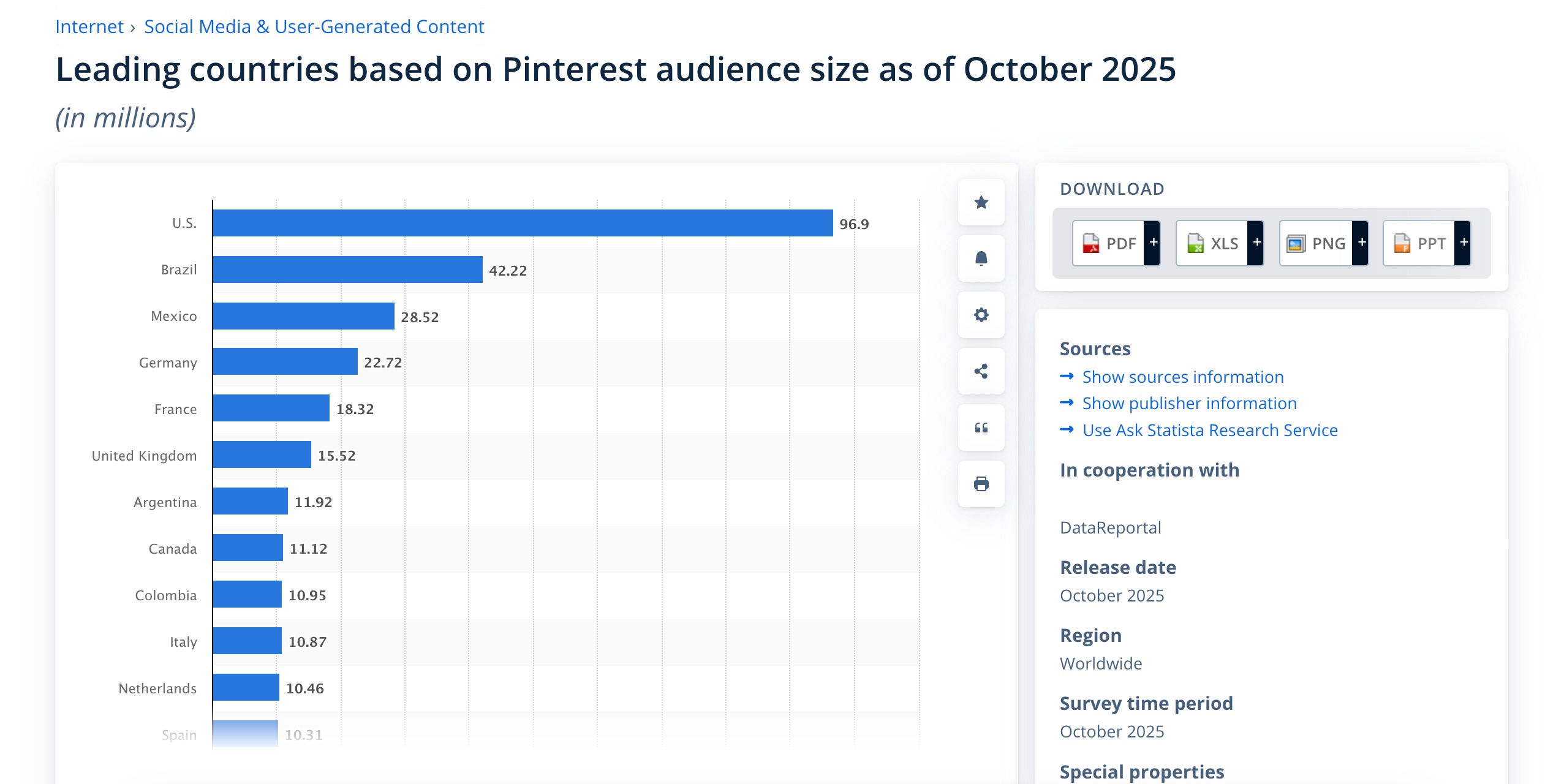
Pinterest usage is strongest in specific regions. If your business targets audiences in countries where Pinterest is widely used, that alone is a strong reason to test the platform and see how it performs for you.
As per Statista, below are the leading countries based on the Pinterest audience.
What visitors use Pinterest for
Visitors primarily come to Pinterest for:
- Fashion ideas
- Home decor and interior design
- DIY and renovation projects
- Food and recipes
- Crafts and handmade ideas
- Travel inspiration
- Event planning (weddings, holidays, renovations)
At its core, Pinterest is a place for planning. Visitors arrive with something in mind and leave with saved ideas they intend to act on later.
What is Pinterest really?
Pinterest is not just social media. It sits in between multiple worlds:
- Part search engine
- Part social platform
- Part shopping and discovery tool
Because it works like a visual search engine, Pinterest is especially useful if you can show what you offer. A product photo, a styled room, a before-and-after design, or a step-by-step visual can travel far and keep driving traffic long after you publish it.
If your business benefits from visual discovery and long-term planning, Pinterest is likely a good fit. If not, it may still be worth testing, but knowing this upfront helps you decide where your time is best spent.
2 How to Set Up a Pinterest Account
Let us now discuss how to set up a Pinterest account.
2.1 Create a Pinterest Account
To get started, you first need a Pinterest account. You can do this by visiting pinterest.com on your browser or downloading the Pinterest app on your phone. The steps are the same on both.
For this post, let’s imagine you’re setting up Pinterest for a luxury home decor brand.
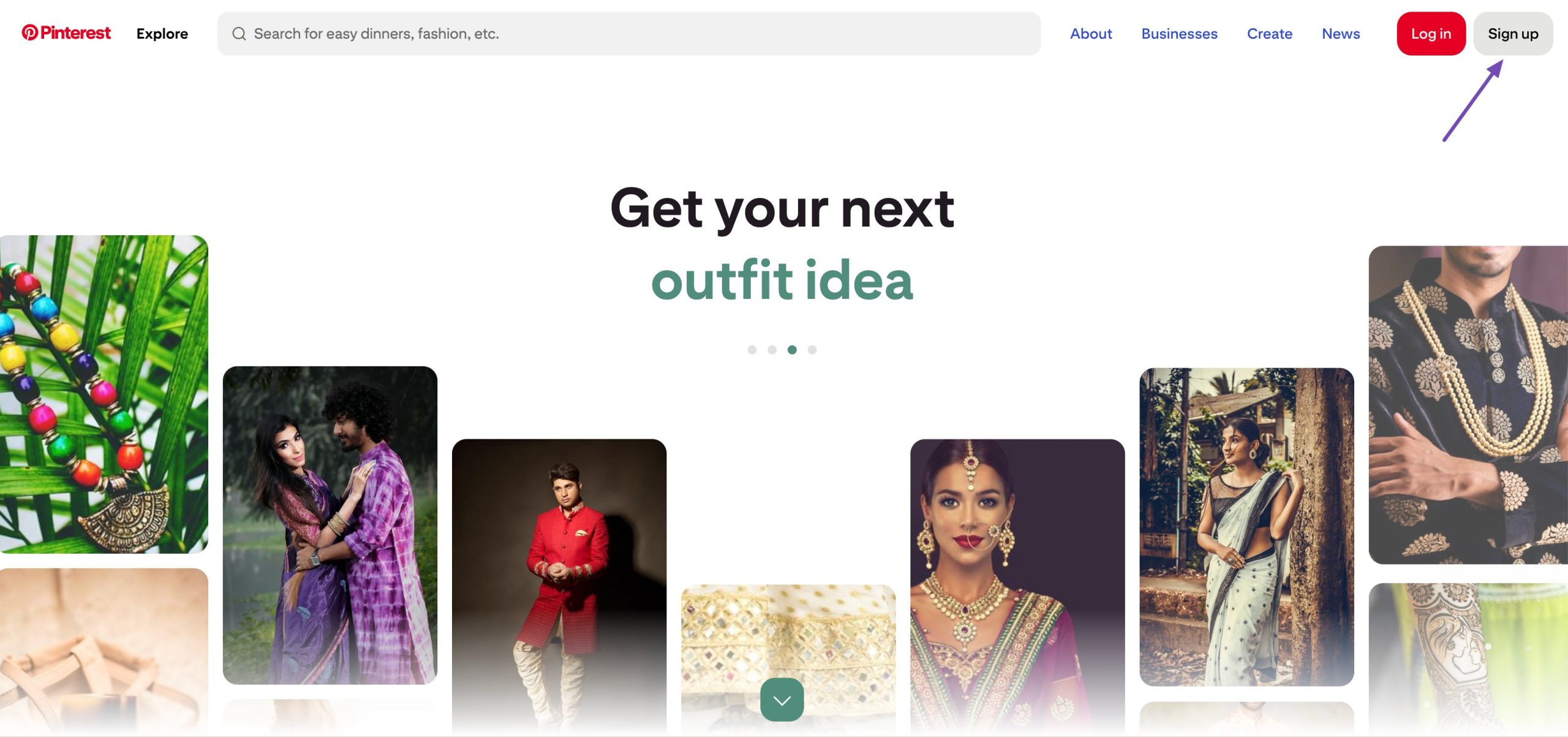
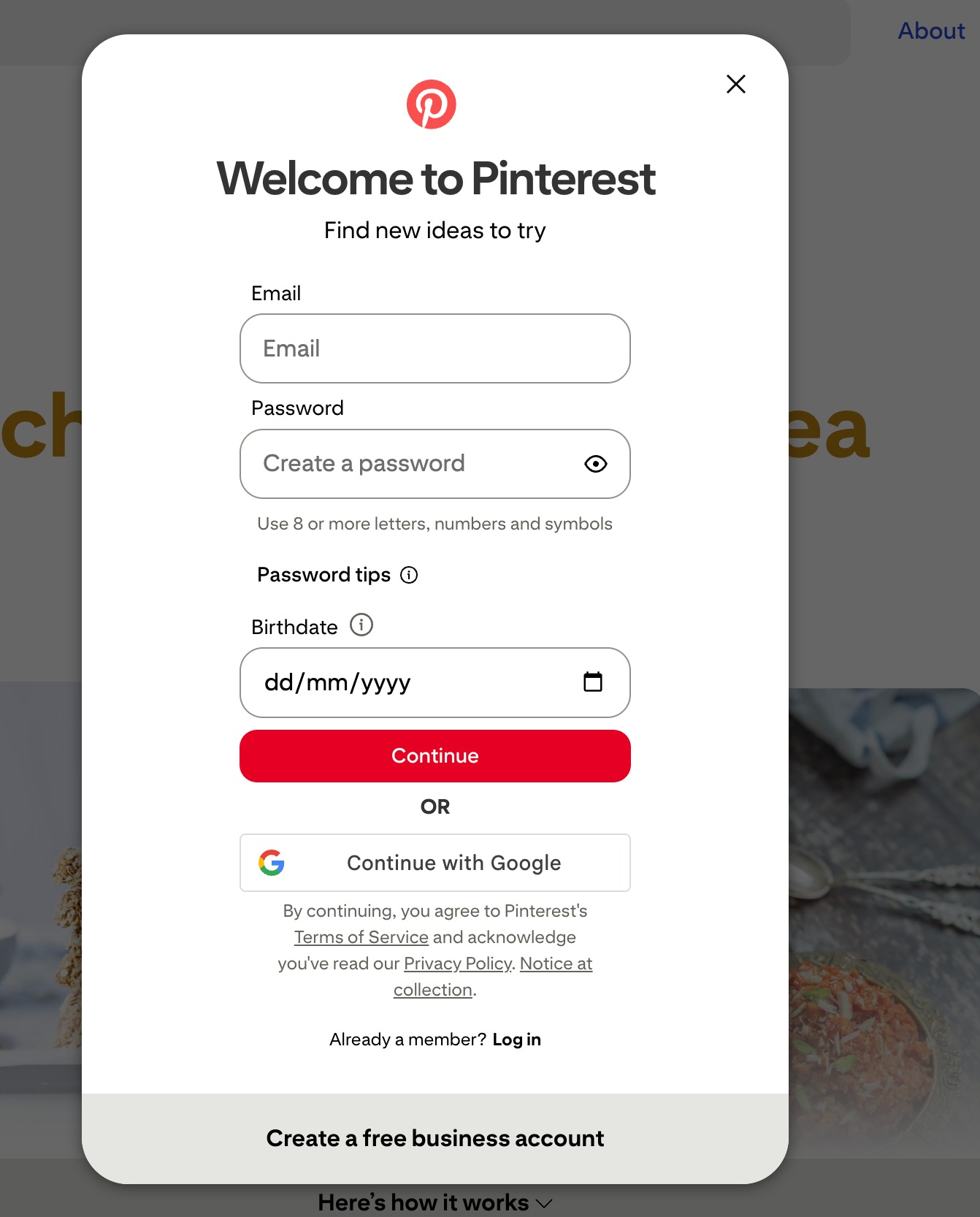
Click Sign up and choose to sign up using your email address or Google account.
Pinterest will ask for your birthday and a few basic details. This information is only for age verification and account setup.
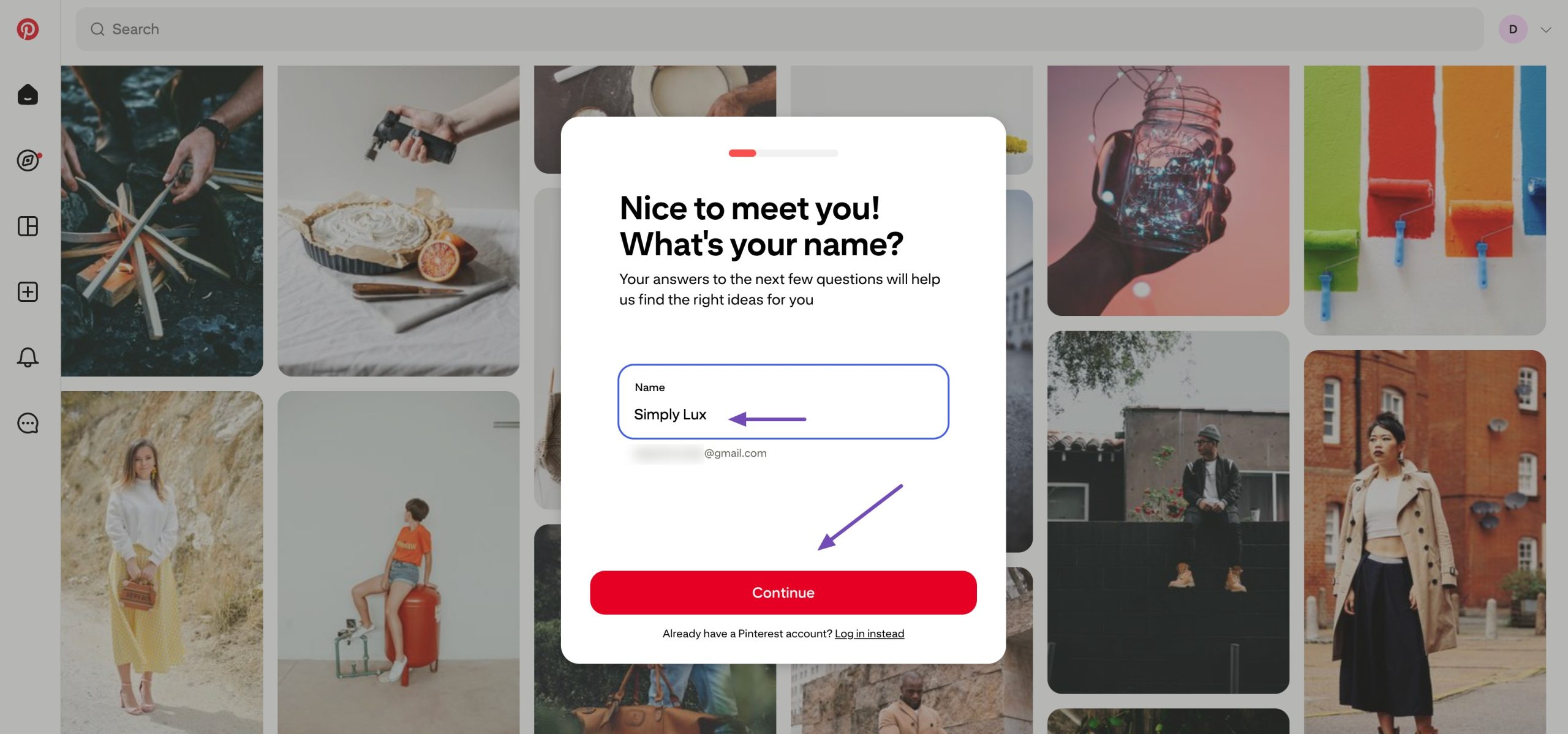
Next, add your business or brand name. If your brand is called Simply Lux, enter that here. Then select your gender, country, and language.
These settings help Pinterest show you relevant content, but do not affect how your pins perform.
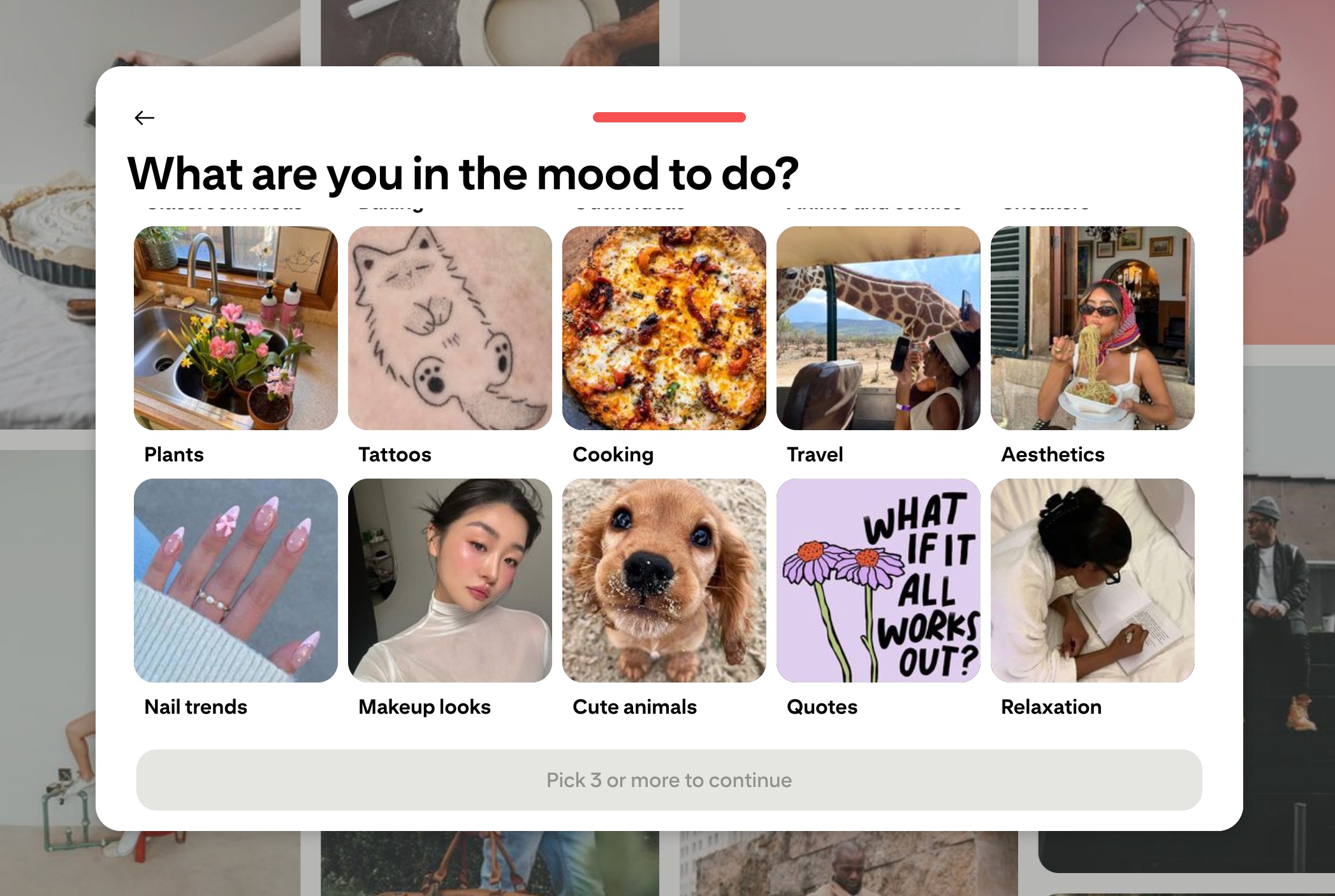
You’ll also be asked to choose at least three interests, such as home decor, interior design, or luxury living. This only shapes your home feed. It won’t limit your reach or growth later.
Once you finish these steps, Pinterest will create your account and show you a curated feed. At this stage, your account is live, but it’s still a personal account.
The next step is turning it into a business account so you can actually grow and track results.
2.2 Convert to a Business Account
A business account offers features you’ll need to grow, like analytics, website claiming, and visibility tools.
Click the dropdown menu in the top-right corner of your Pinterest dashboard and select Convert to business. Pinterest will walk you through a short setup process.
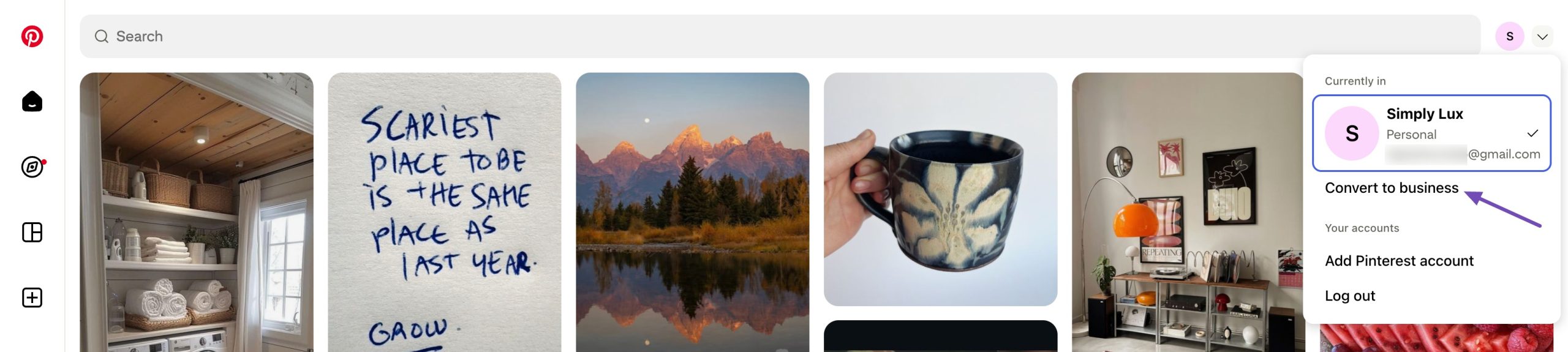
You’ll be asked to add:
- Your business name (for example, Simply Lux)
- Your country
- Your website URL
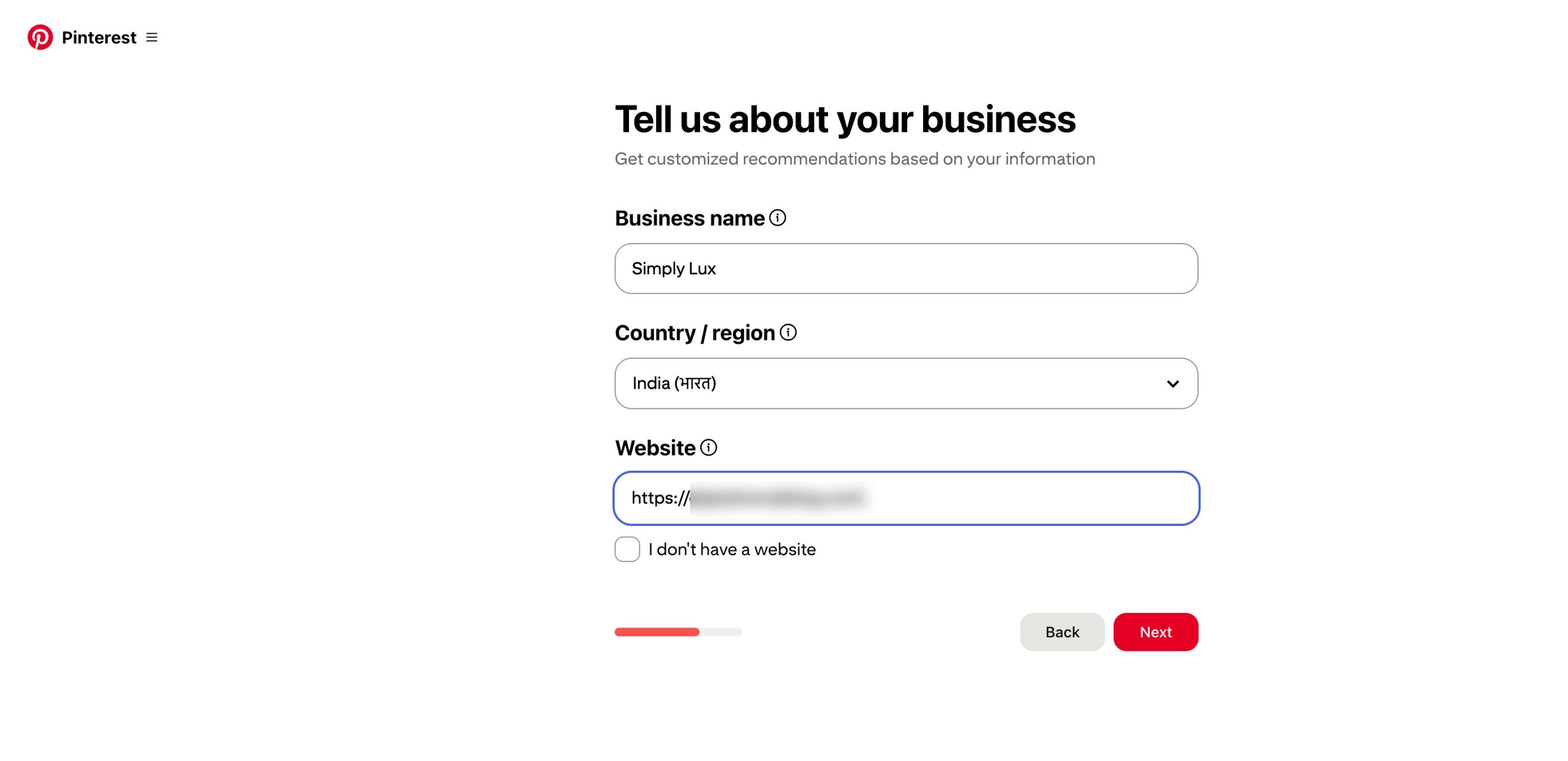
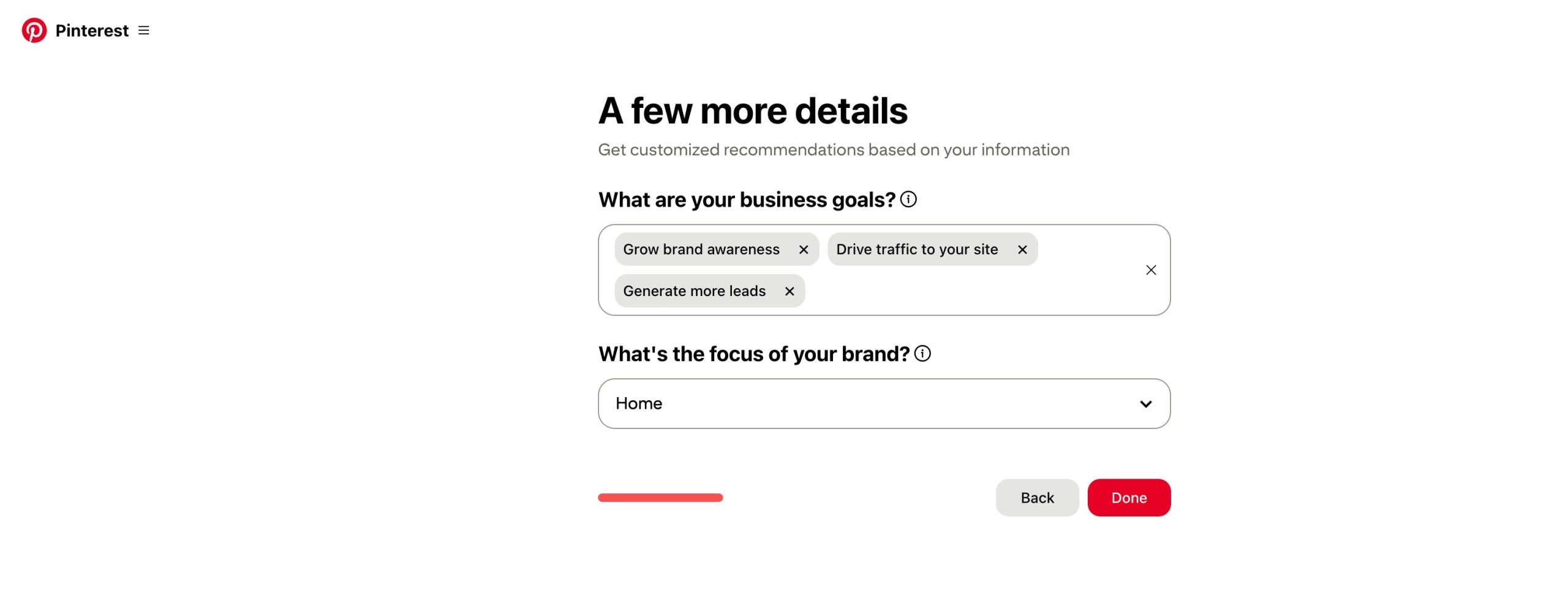
Next, Pinterest will ask about your goals. For a luxury home decor brand, you can choose goals like driving traffic to your website or increasing brand awareness. Then select your brand focus, such as home decor or interior styling.
You’ll also be asked if you plan to run ads. This step is optional. You can choose No and still grow organically.
Once completed, your account will officially be a Pinterest business account, and you’ll be provided with three options, as shown below.
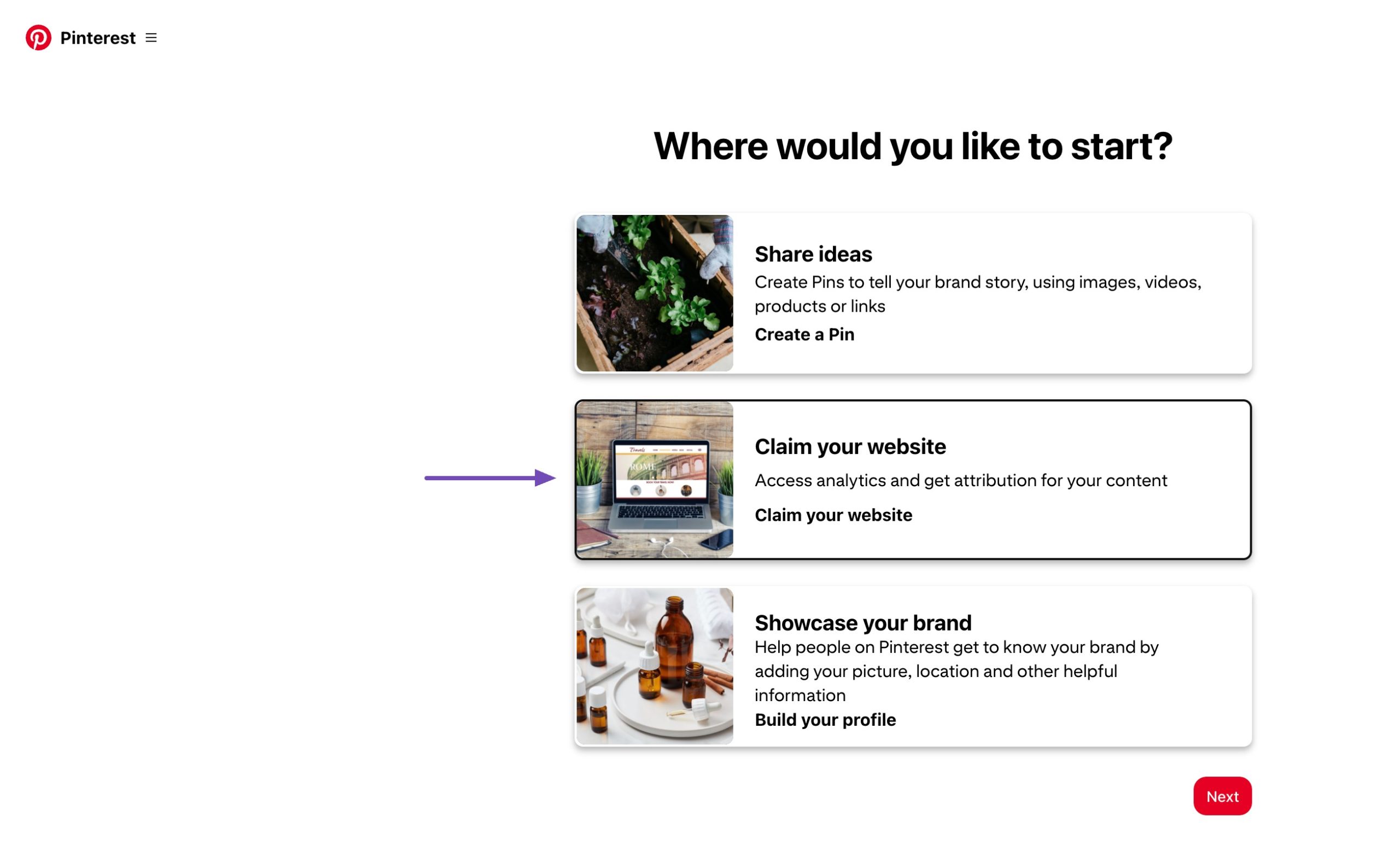
You can then claim and verify your website in the next step.
2.3 Claim and Verify Your Website
Claiming your website tells Pinterest that your content is trustworthy and connected to your brand.
This step is important because it helps your pins show up more often and gives you access to detailed analytics.
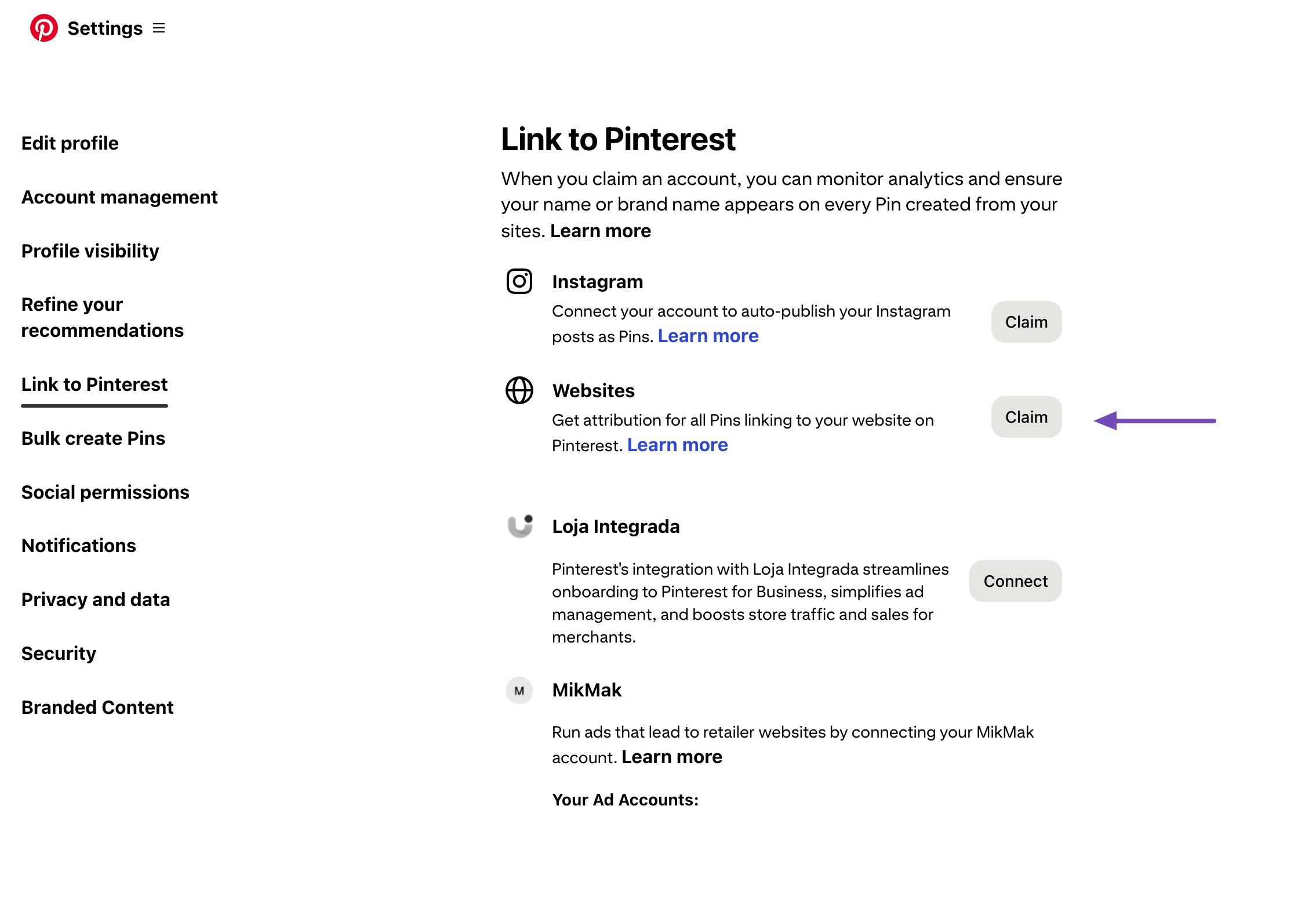
Pinterest offers three ways to verify your website.
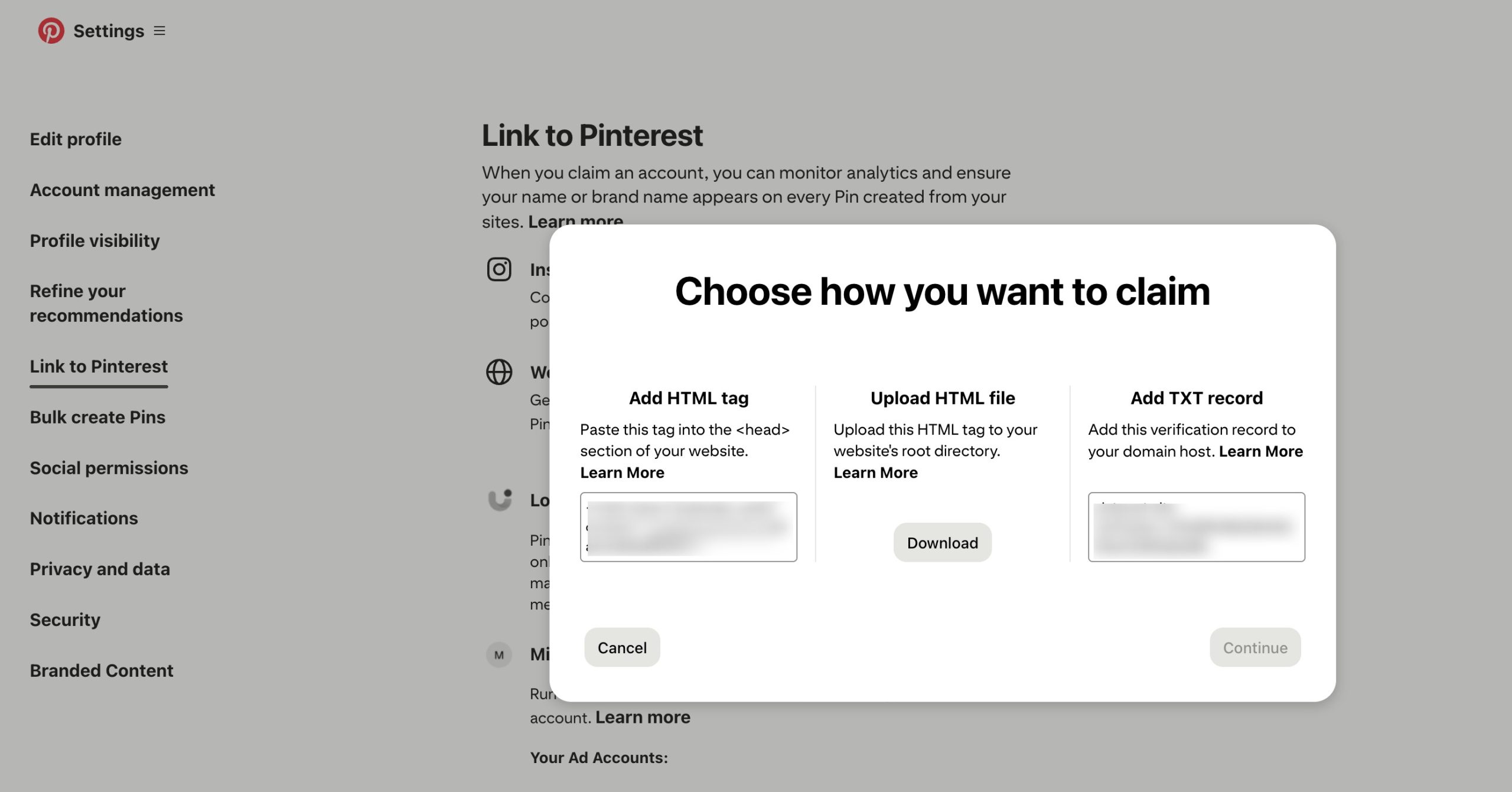
If you’re using WordPress, the HTML tag method is usually the easiest.
Option 1: Using the Rank Math SEO Plugin
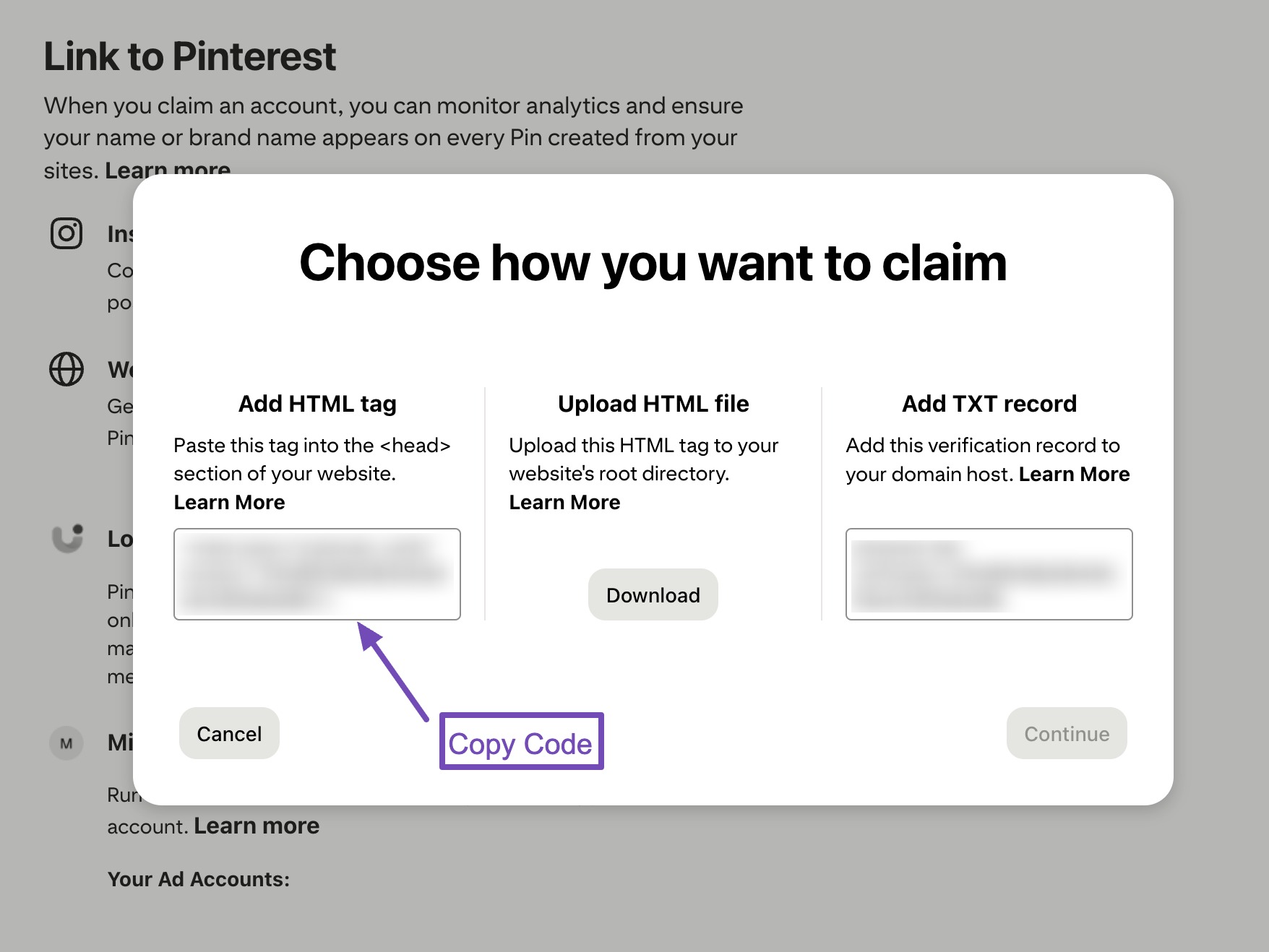
If your luxury home decor site uses WordPress and Rank Math, copy the Pinterest verification code from Pinterest, as shown below.
Go to Rank Math → General Settings → Webmaster Tools, as shown below.
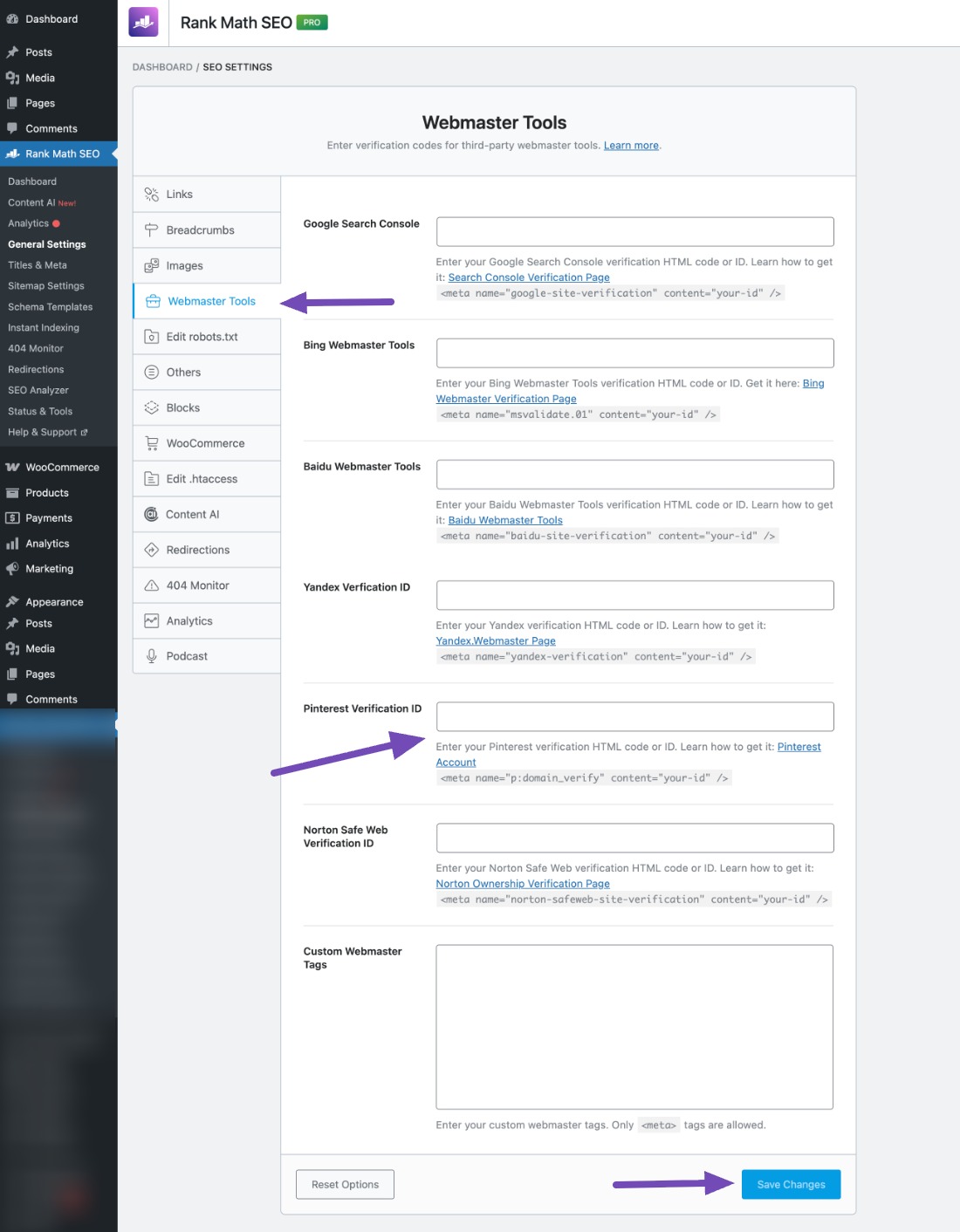
Paste the code into the Pinterest Verification ID field and save your changes.
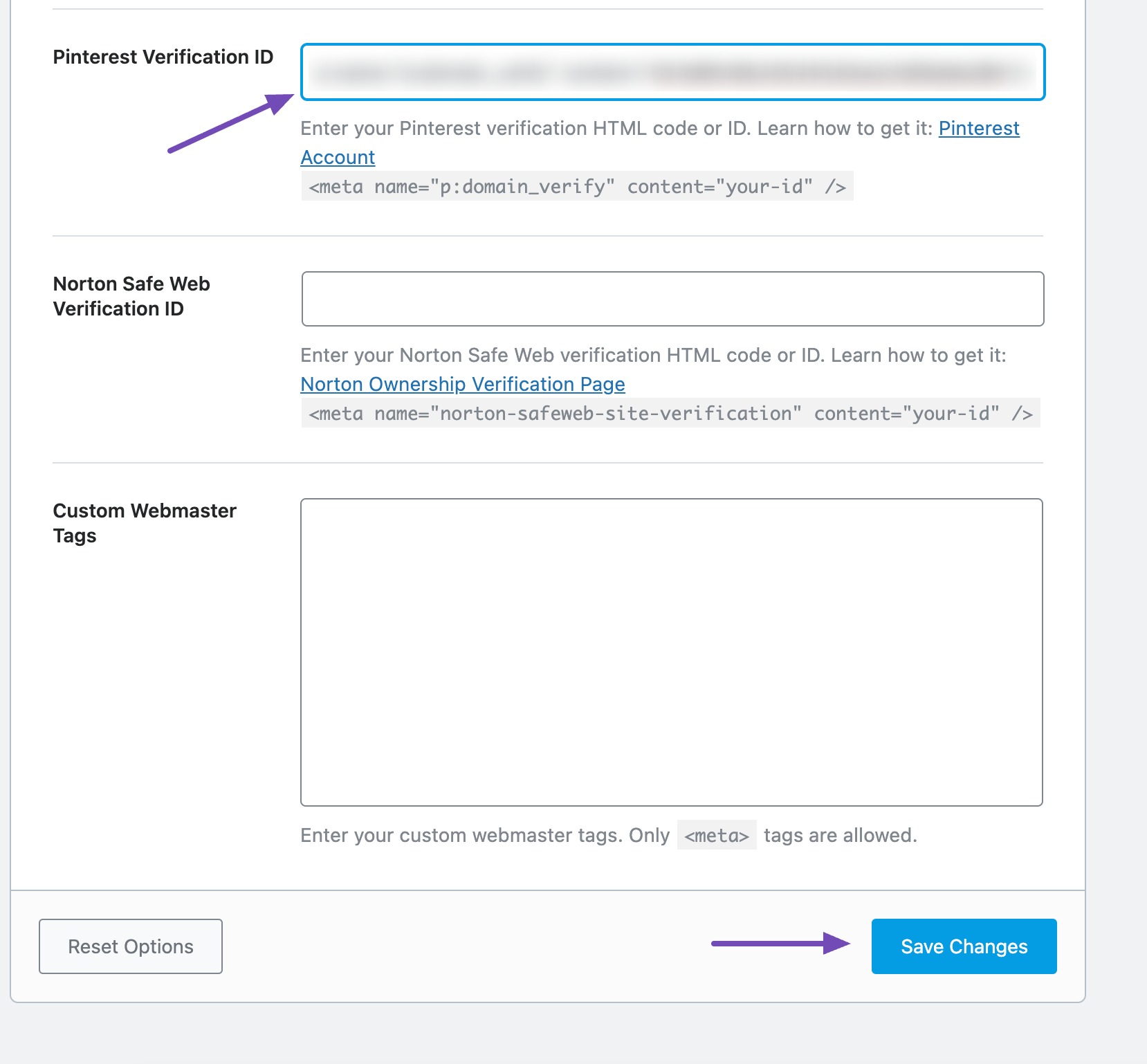
Return to Pinterest, enter your website URL, and click Verify.
Option 2: Using the Code Snippets Plugin
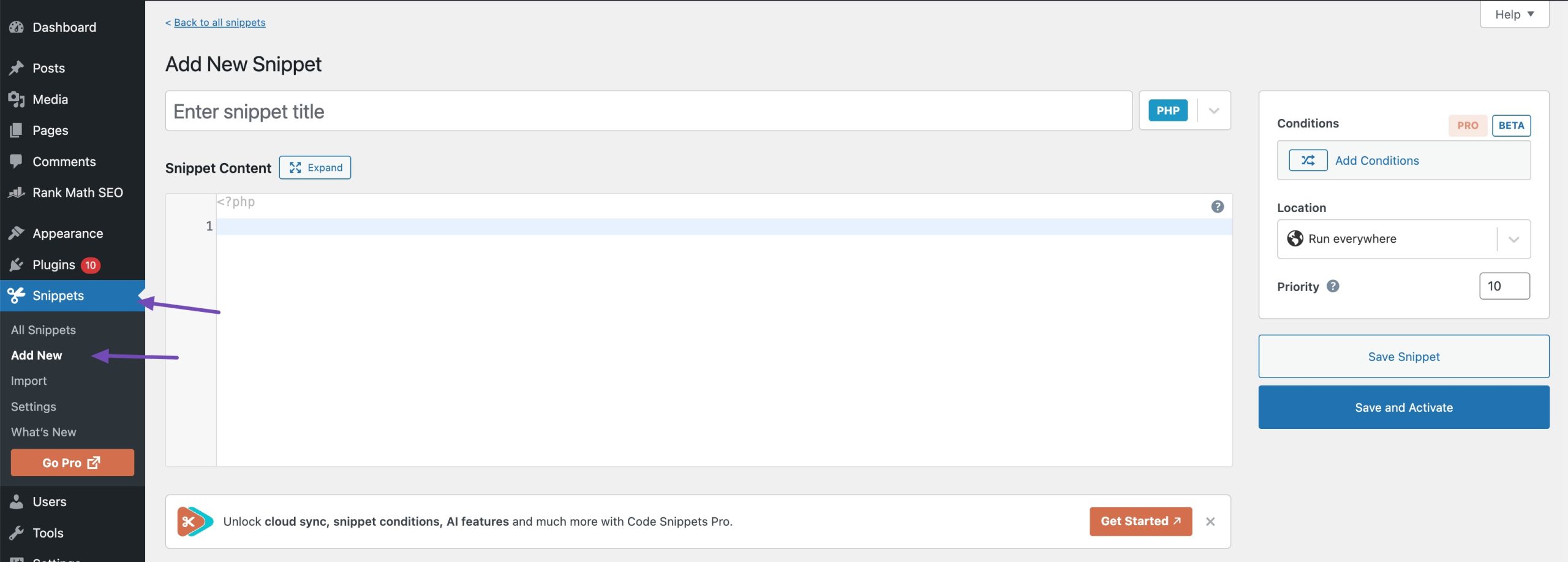
If you prefer not to use Rank Math SEO for this step, install the Code Snippets plugin and add a new snippet.
Choose the HTML snippet and set the location to Inside Head Section. Paste the Pinterest verification code and activate it, as shown below.
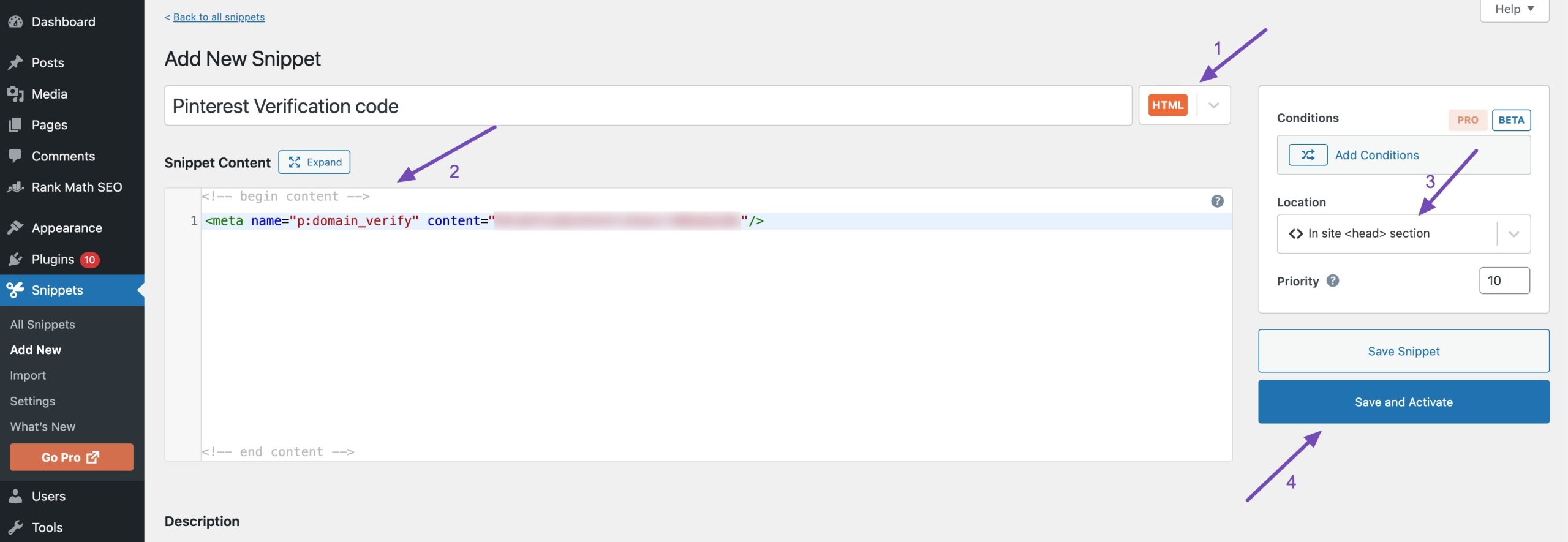
Then go back to Pinterest, add your website URL, and click Verify.
Once verified, Pinterest links your pins to your website and starts tracking performance.
2.4 Optimize Your Pinterest Profile
Your profile helps Pinterest understand what your business is about and who should see your pins. A clear profile also helps visitors decide whether to follow you. Click on Edit profile, and you can add a profile image.
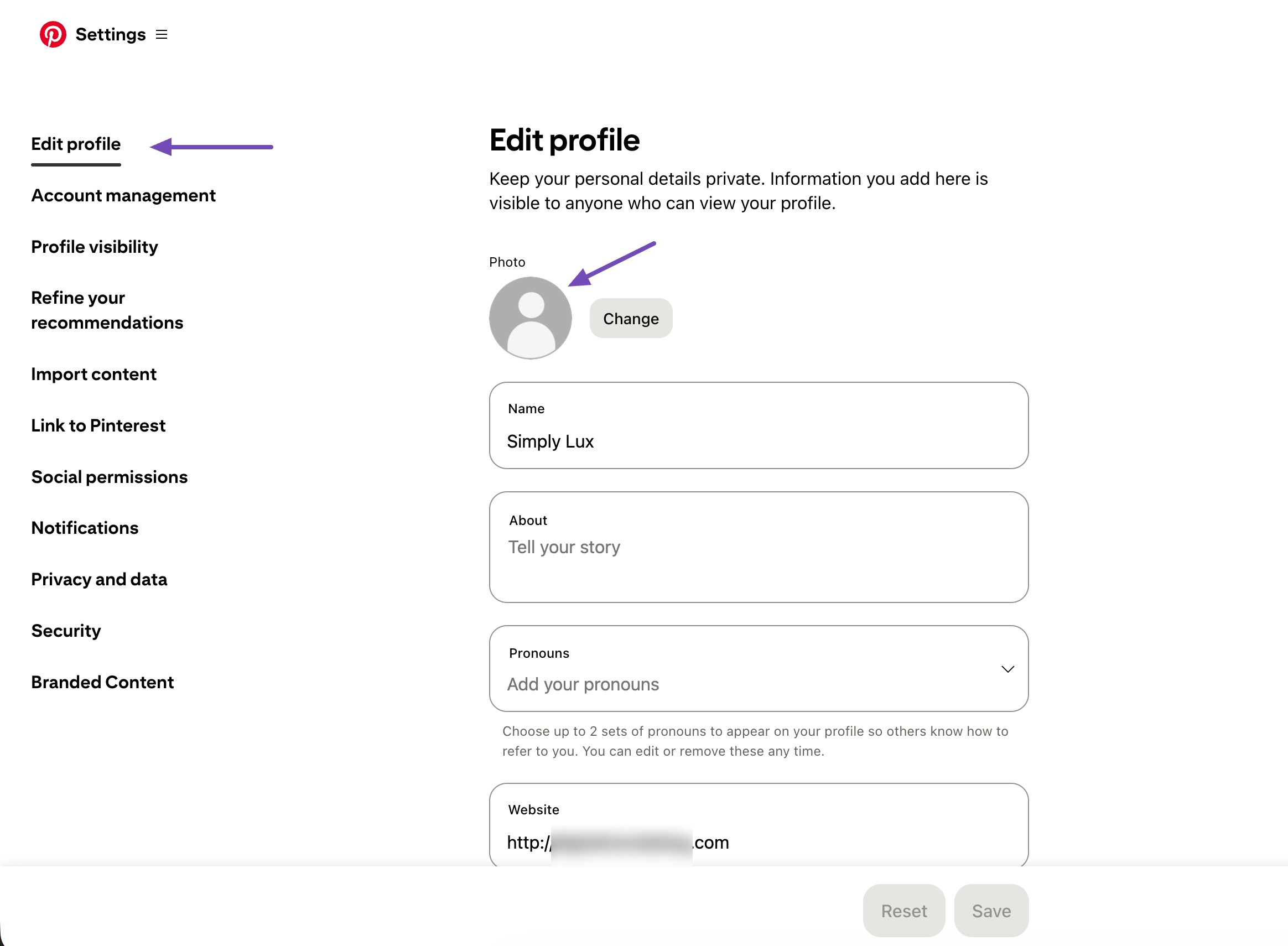
Profile name
Your profile name should include:
- Your brand name
- One clear keyword visitors might search for
Example: Simply Lux | Luxury Home Decor
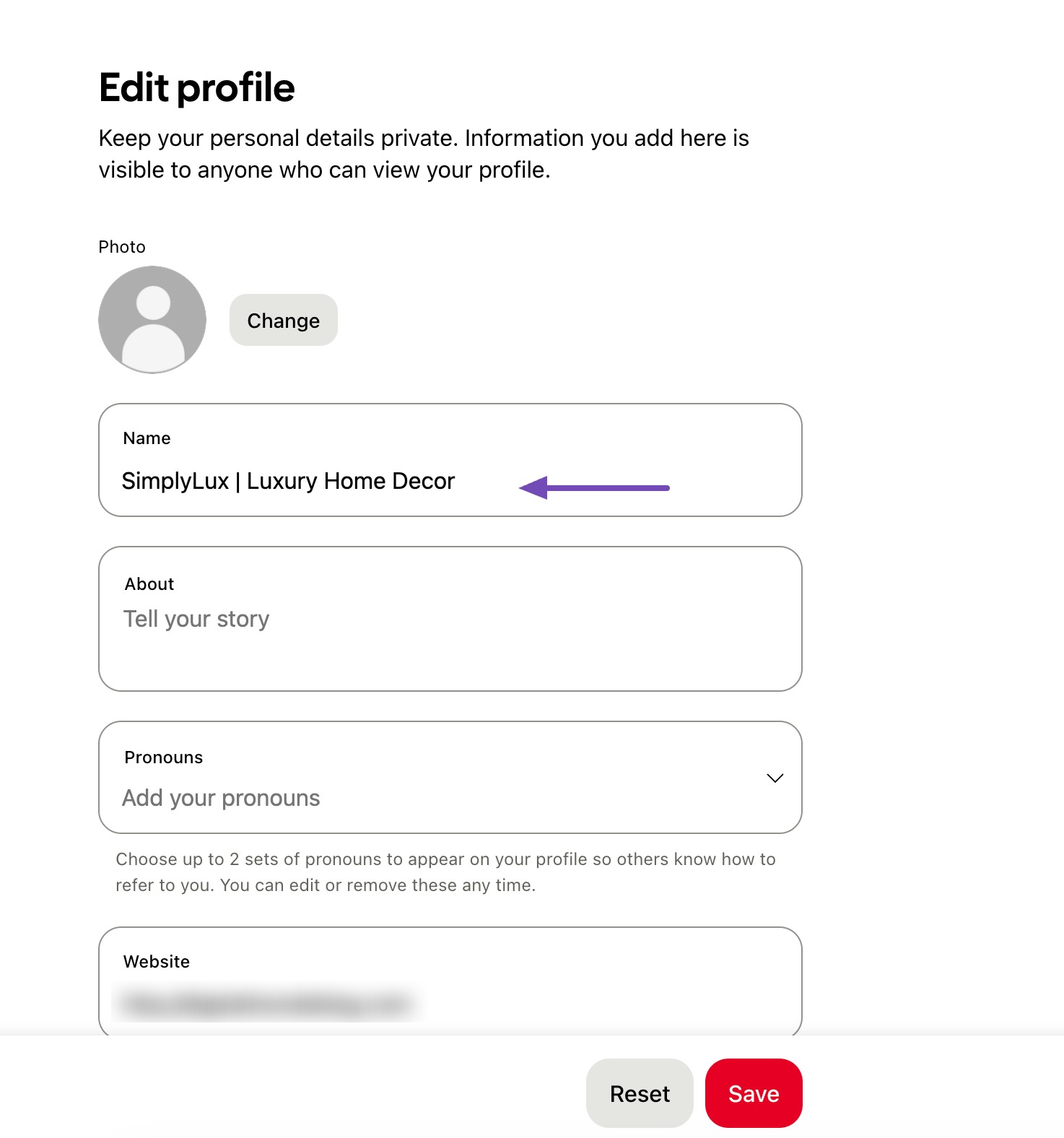
This immediately tells Pinterest and visitors what you offer.
Bio (About section)
Your bio should explain what you do in simple language. Include your main keywords naturally without forcing them in.
For a luxury home decor brand, this can include:
- Luxury home decor ideas
- High-end home design tips
- Elegant interior styling
Your bio must stay under 500 characters.
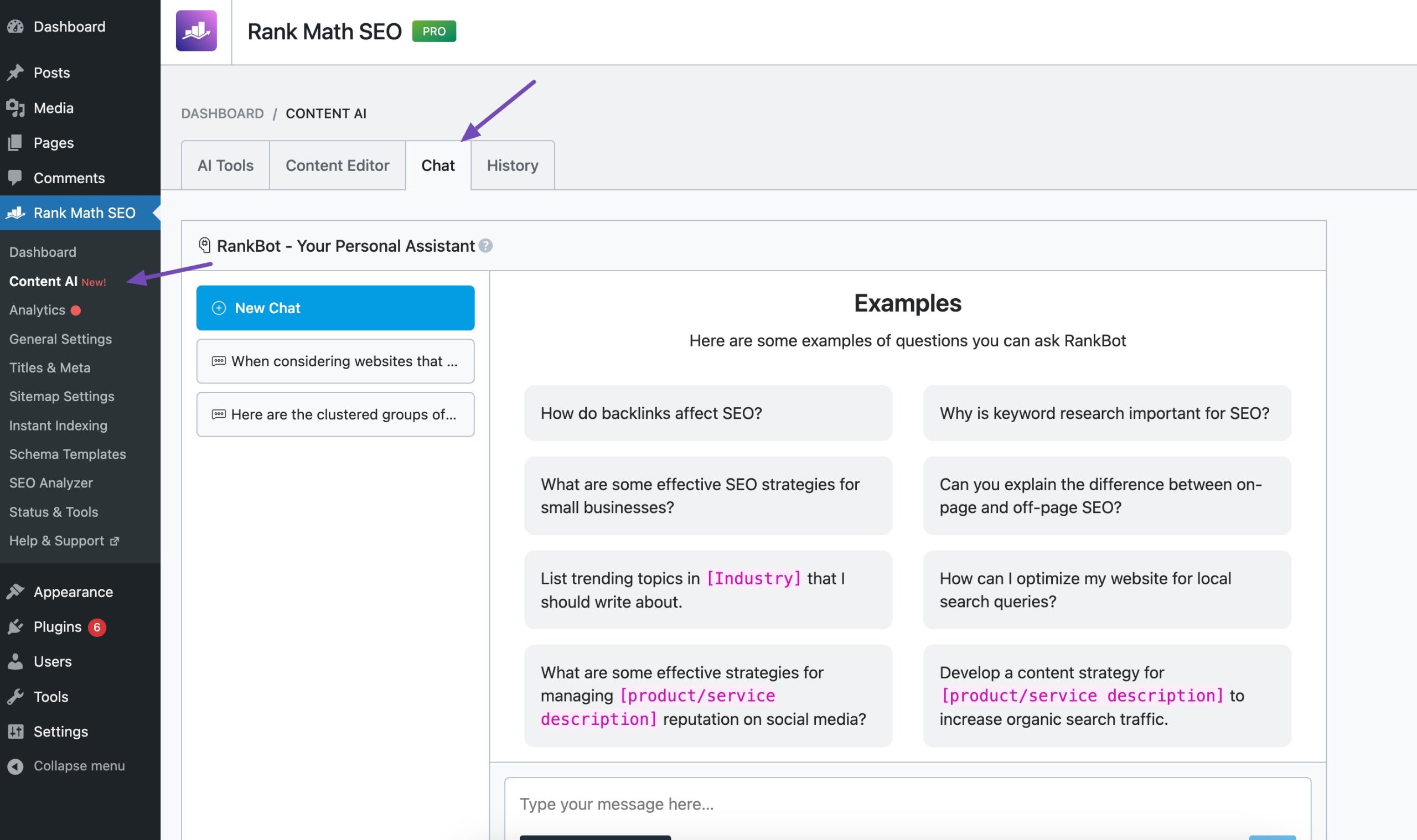
You can use tools like RankBot inside Rank Math Content AI to help write a clean, search-friendly description, but keep it natural and readable.
To do so, navigate to Rank Math SEO → General Settings → Content AI → Chat from your WordPress dashboard, as shown below.
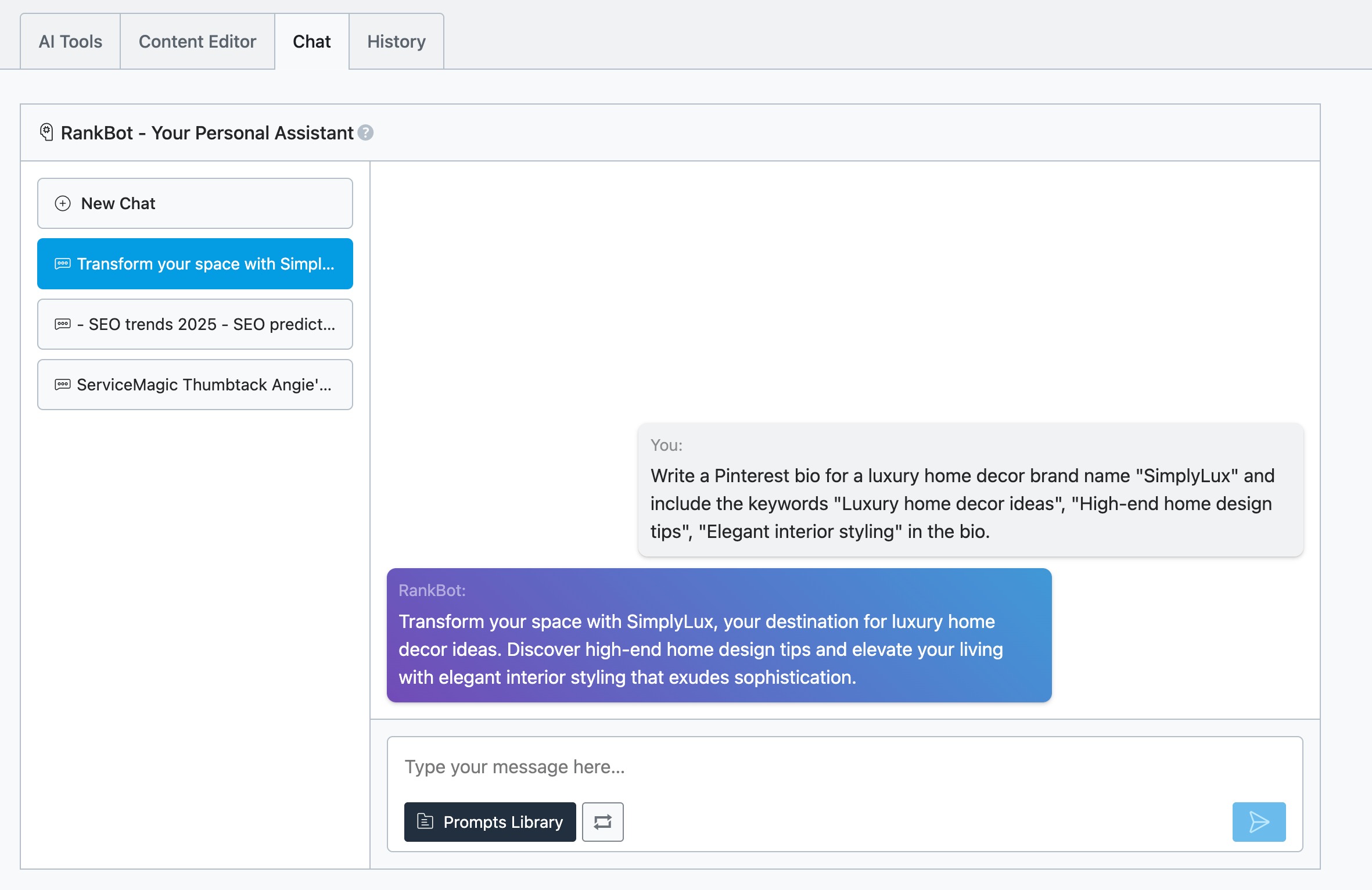
Write your prompt, and RankBot will generate a bio for your Pinterest profile.
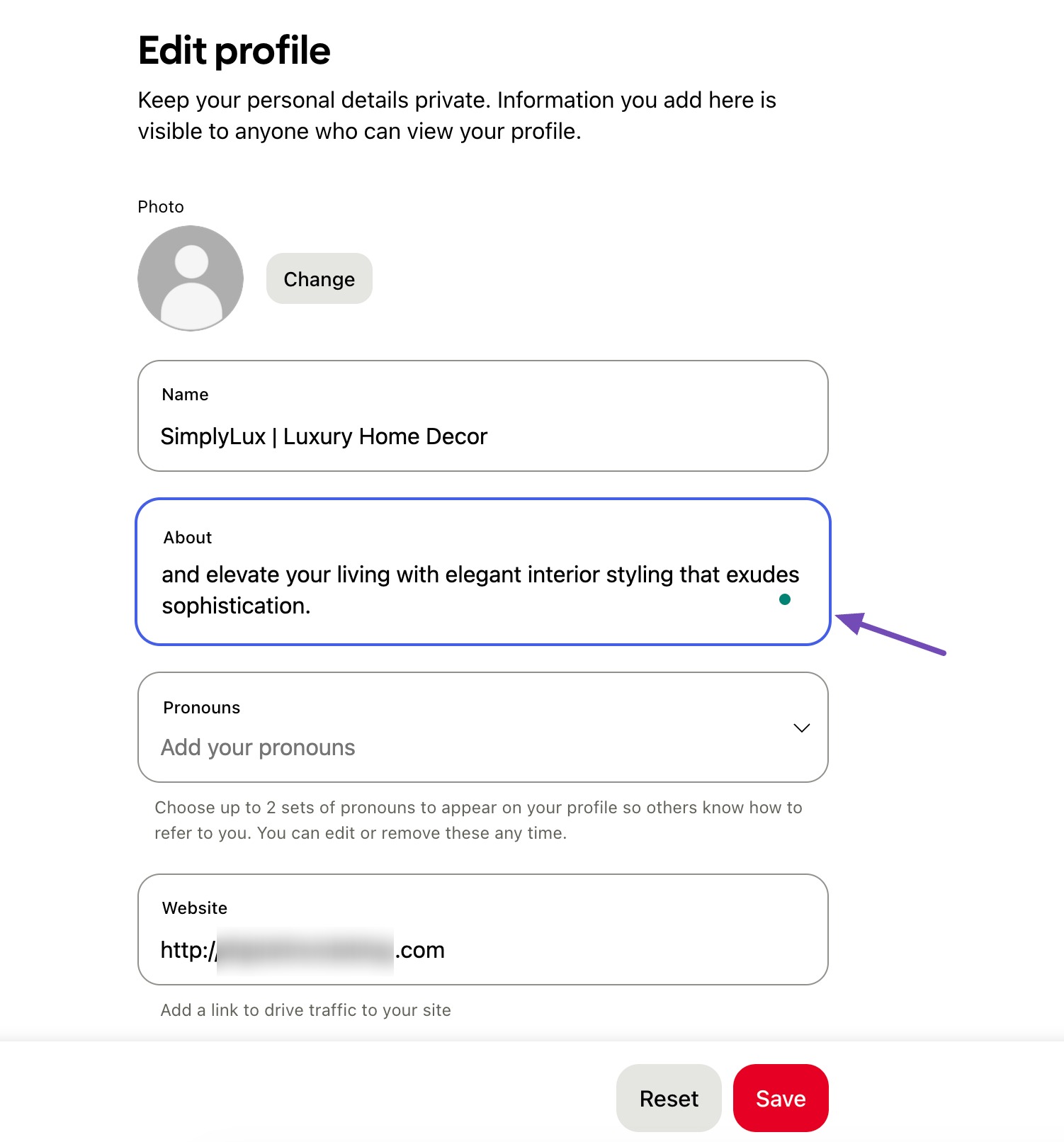
Copy the bio and paste it into your Pinterest profile. Your bio should not be more than 500 characters.
Username
Choose a username that is:
- Easy to remember
- Close to your brand name
- Simple and clean
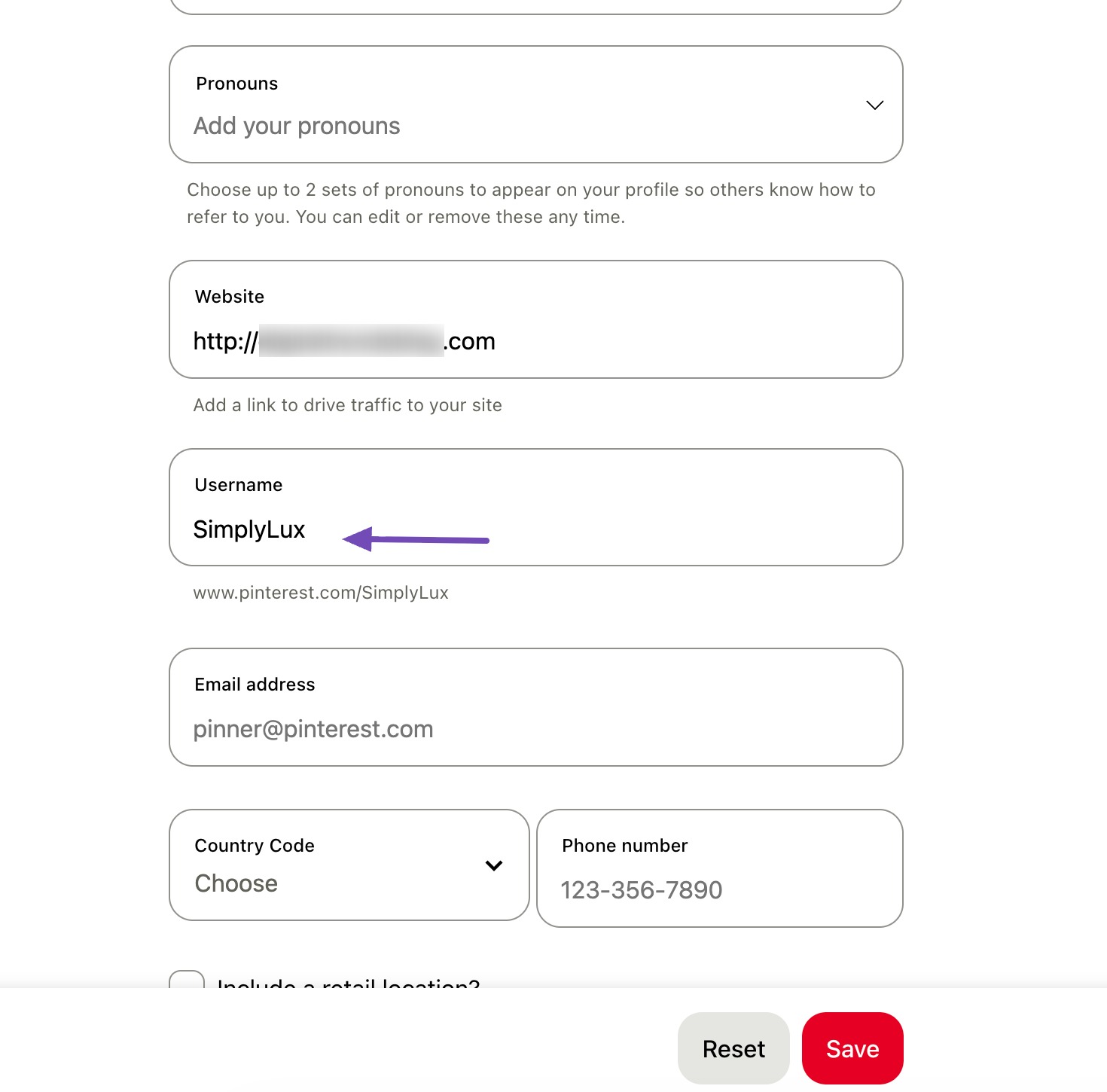
Pinterest profile links look like this: pinterest.com/yourprofilename
For instance: pinterest.com/SimplyLux
Contact details
Add your:
- Business email address
- Phone number (if applicable)
- Physical address (optional, but helpful for trust)
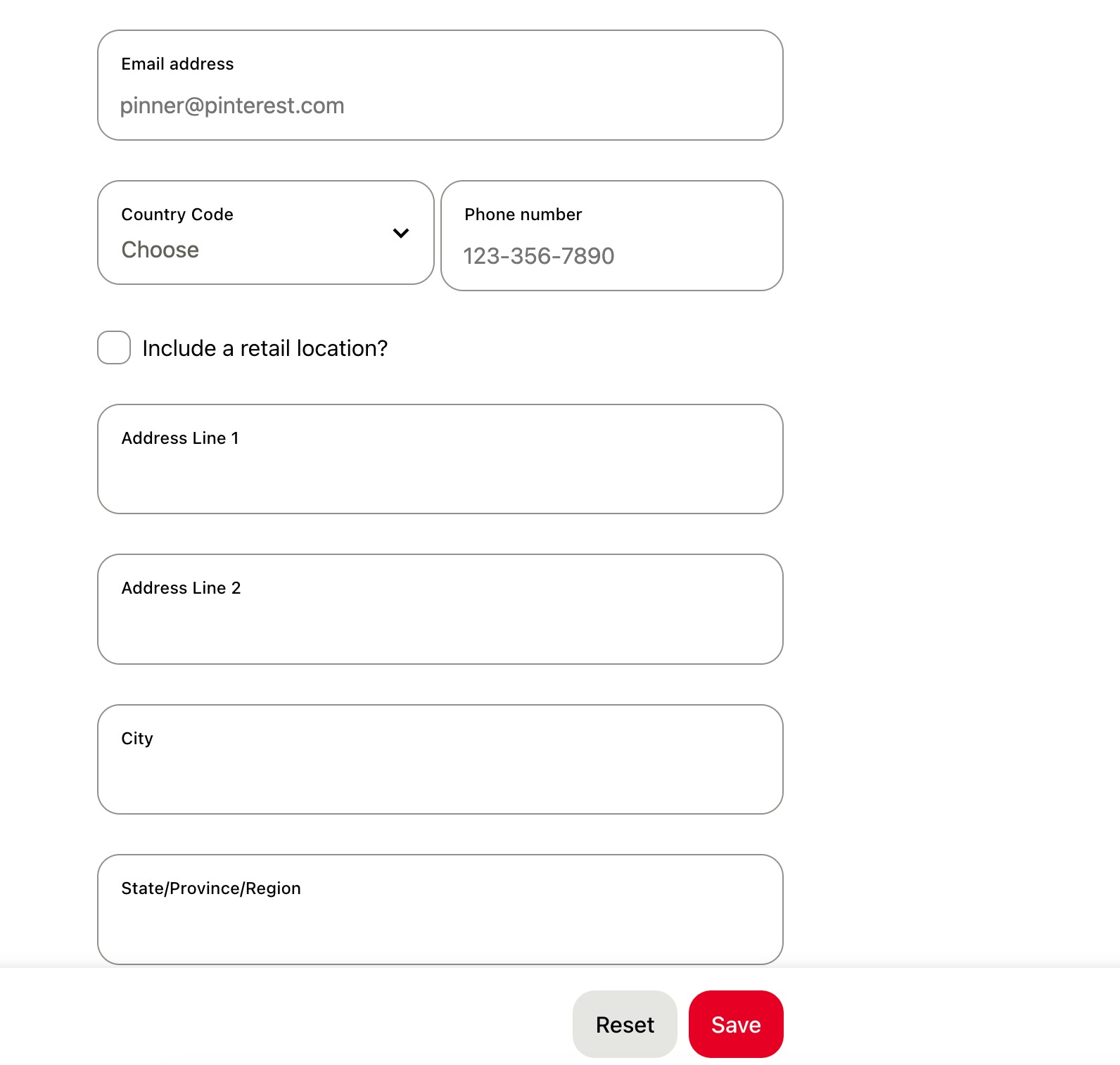
Once everything is filled in, save your profile.
Your Pinterest account is fully set up, verified, and optimized. Now you’re ready to start creating content that visitors can actually find, save, and click on.
3 Pinterest Keyword Research
If you look closely at creators who consistently get traffic from Pinterest, one thing stands out: they understand keywords.
Pinterest is a search engine. Just like Google, it needs context to know what your content is about. That context comes from the words you use. Without clear keywords, Pinterest has no way to match your pins with what visitors are searching for.
3.1 How Pinterest Matches Your Content to Searches
When a visitor searches for phrases like:
- Luxury modern bedroom design
- High-end interior styling ideas
Pinterest scans several places to decide whether your content is relevant:
- Pin titles
- Pin descriptions
- Board names
- Board descriptions
If your keywords match what visitors are searching for, your pins appear in search results. If they don’t, your content stays hidden, no matter how good it looks.
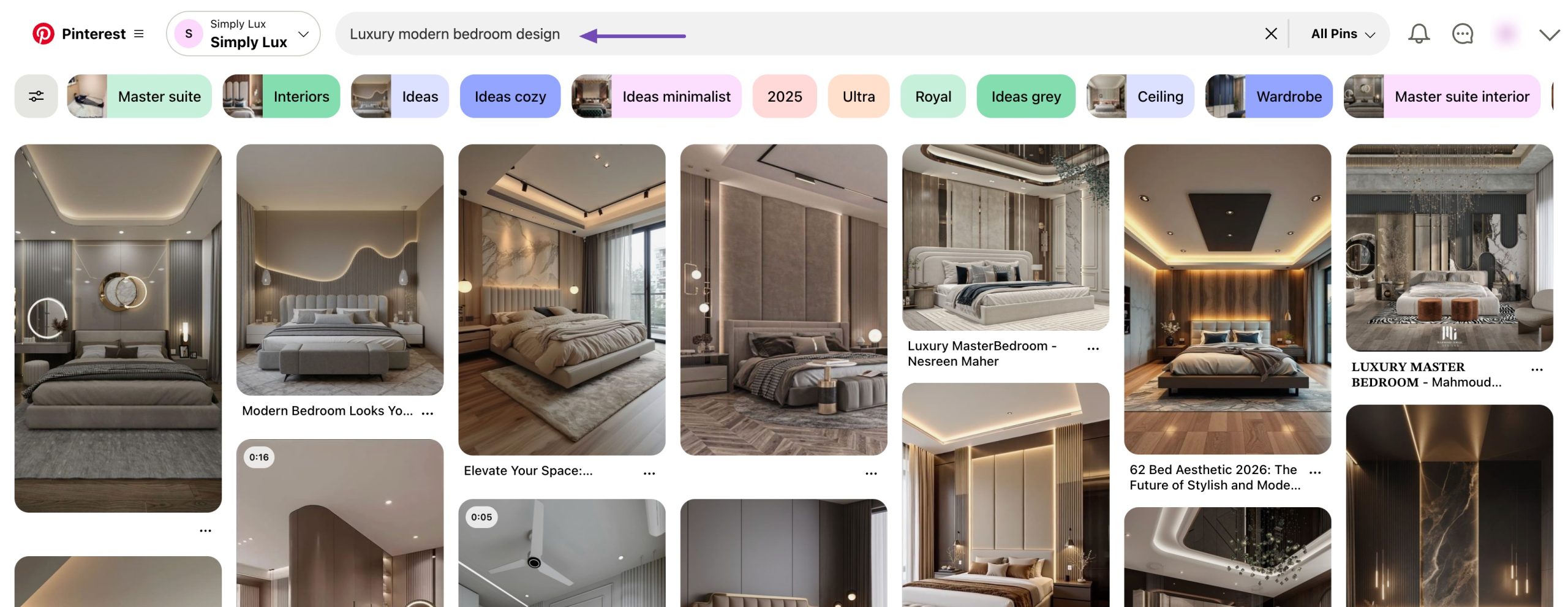
And here’s the important part: audiences searching for premium home decor usually click on results at the top. If your pins aren’t there, you’re losing traffic and potential customers who already want what you offer.
3.2 Understanding Search Intent on Pinterest
Not all Pinterest searches mean the same thing. Visitors use Pinterest at different stages of decision-making. Understanding this helps you create the right kind of content.
Inspirational searches
These searches are broad and idea-focused. The user is exploring, not buying yet.
Examples:
- Luxury bedroom ideas
- Elegant home decor styles
- Modern living room inspiration
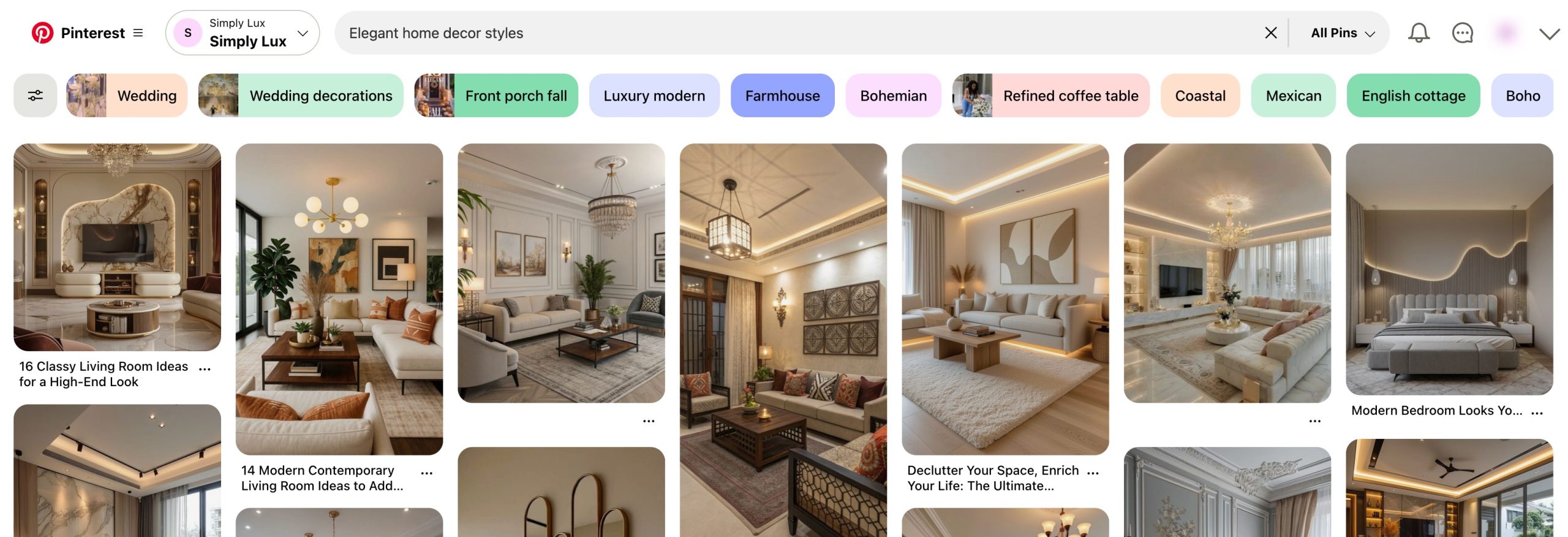
If your brand sells premium furniture, these searches are perfect for mood boards, styled photos, and design inspiration pins.
Research-based searches
Here, the user wants guidance and comparisons.
Examples:
- Best luxury sofa designs
- How to style a luxury living room
- High-end home décor ideas for apartments
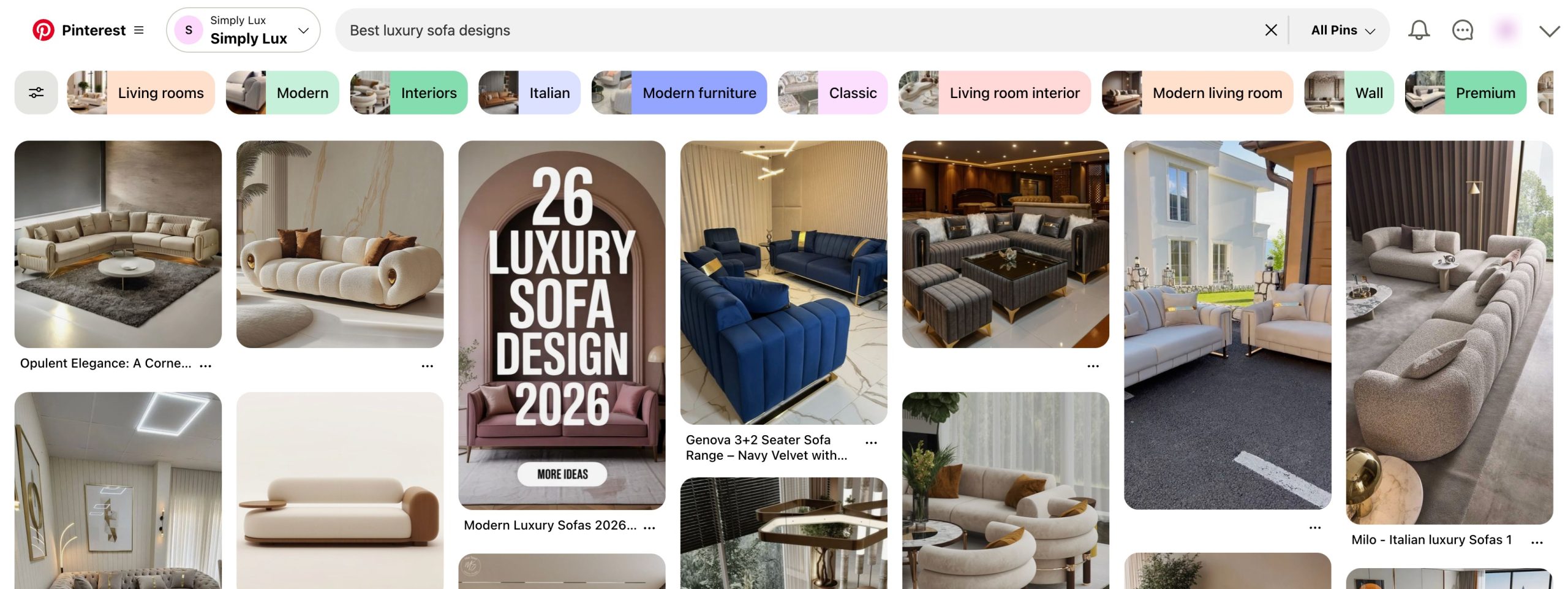
This is where educational pins work well. You can share tips, guides, or step-by-step visuals that show your expertise.
Transactional searches
These searches show buying intent.
Examples:
- Buy luxury home decor online
- Luxury wall art for the living room
- High-end home decor store
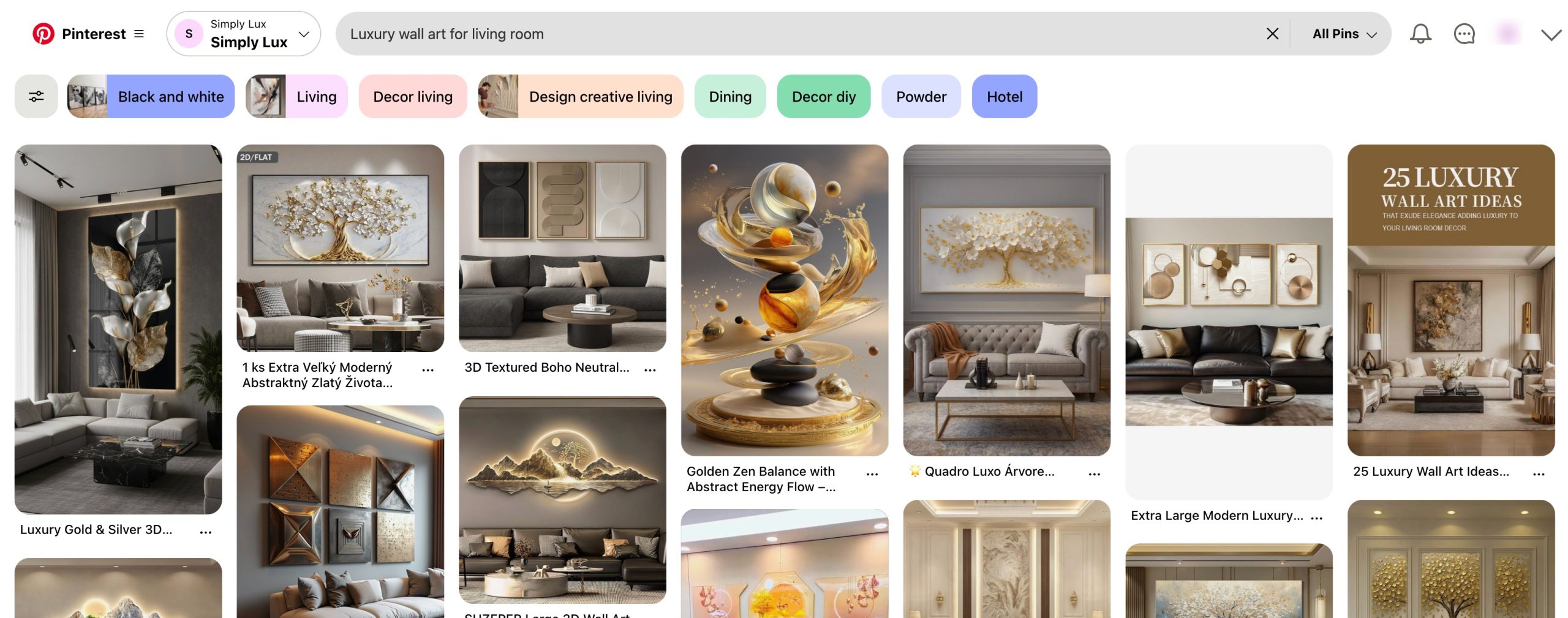
These are ideal for product pins that link directly to your store or product pages.
A strong Pinterest account targets all three types of searches, not just one.
3.3 How to Find Pinterest Keywords
Let us now discuss the various methods for finding keywords on Pinterest.
Use the Pinterest Search Bar First
The Pinterest search bar is your most reliable keyword tool.
Start by typing a main keyword related to your niche, such as luxury home decor. Pinterest will instantly suggest longer phrases.
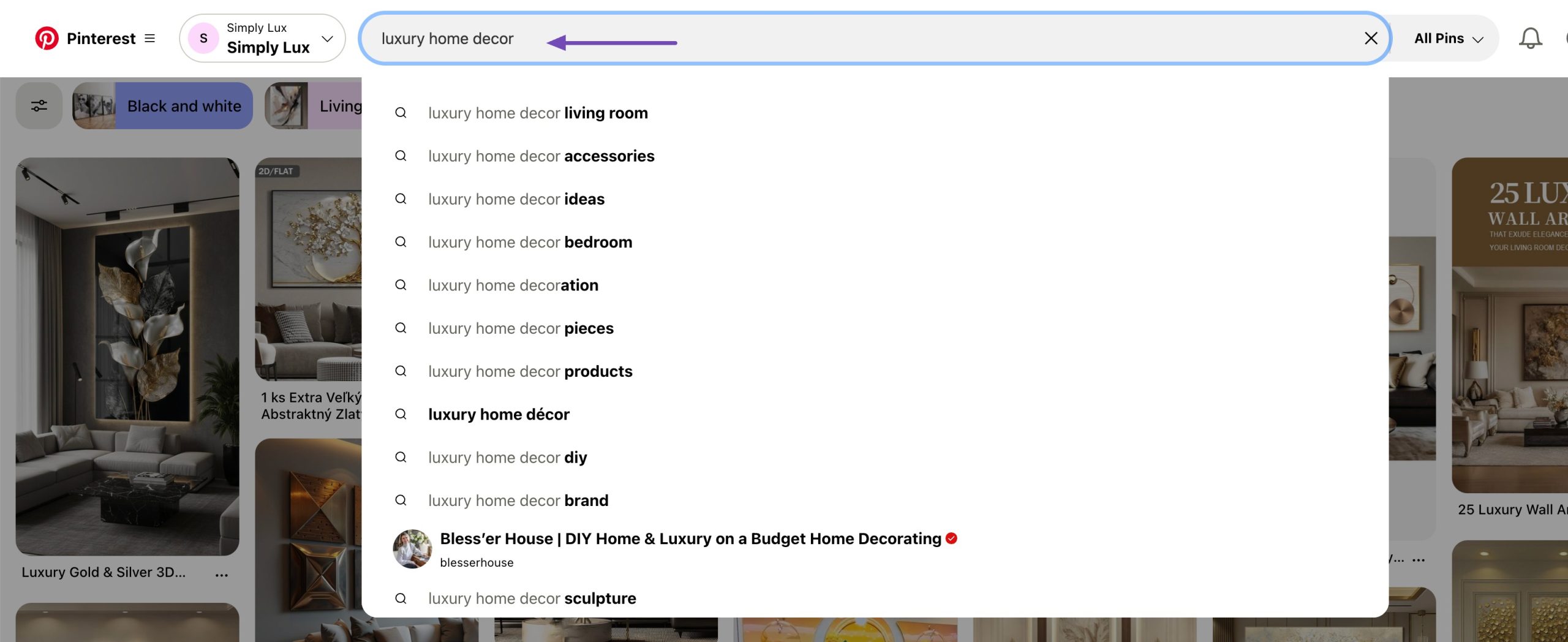
For example, typing luxury bedroom may show:
- Luxury bedroom living room
- Luxury bedroom ideas
- Luxury bedroom interior
These are not random suggestions. They reflect what users are actively searching for.
Write these down.
How to Extract Keyword Variations
Type the main keyword, then:
- Add different letters after it (a, b, c)
- Try synonyms like high-end, premium, or elegant
- Note down all relevant variations
These keywords serve as the base for your pin titles and descriptions.
Using Pinterest Trends
Pinterest Trends is a tool many creators ignore, but it offers valuable insights.
Go to Pinterest Trends and search for a keyword like luxury home decor.
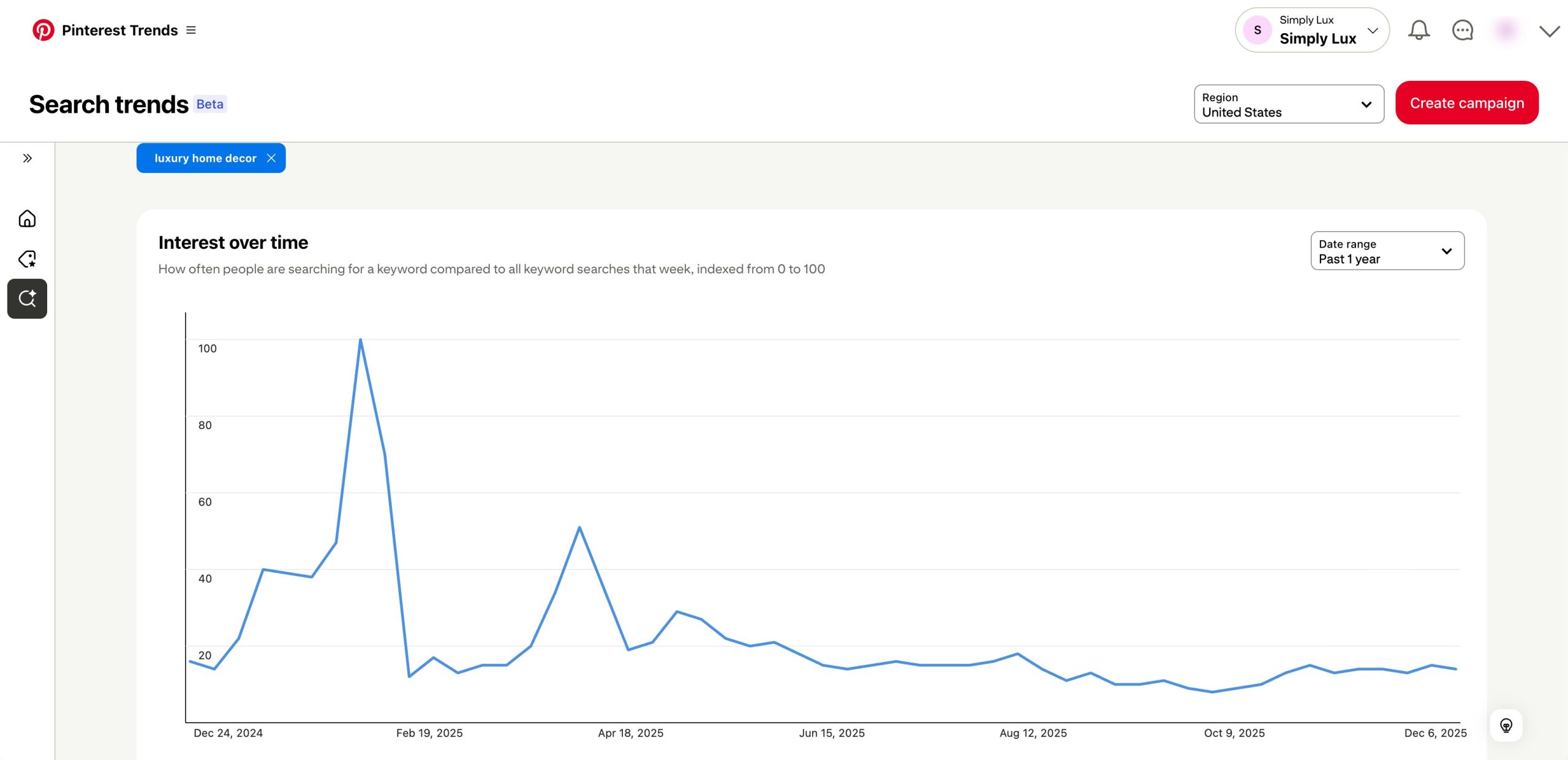
You’ll see:
- Search interest over time
- Keywords that are growing
- Keywords that are losing interest
You can also compare related terms. For example, you might find that a luxury living room is searched for more often than luxury home decor. That tells you where to focus your content.
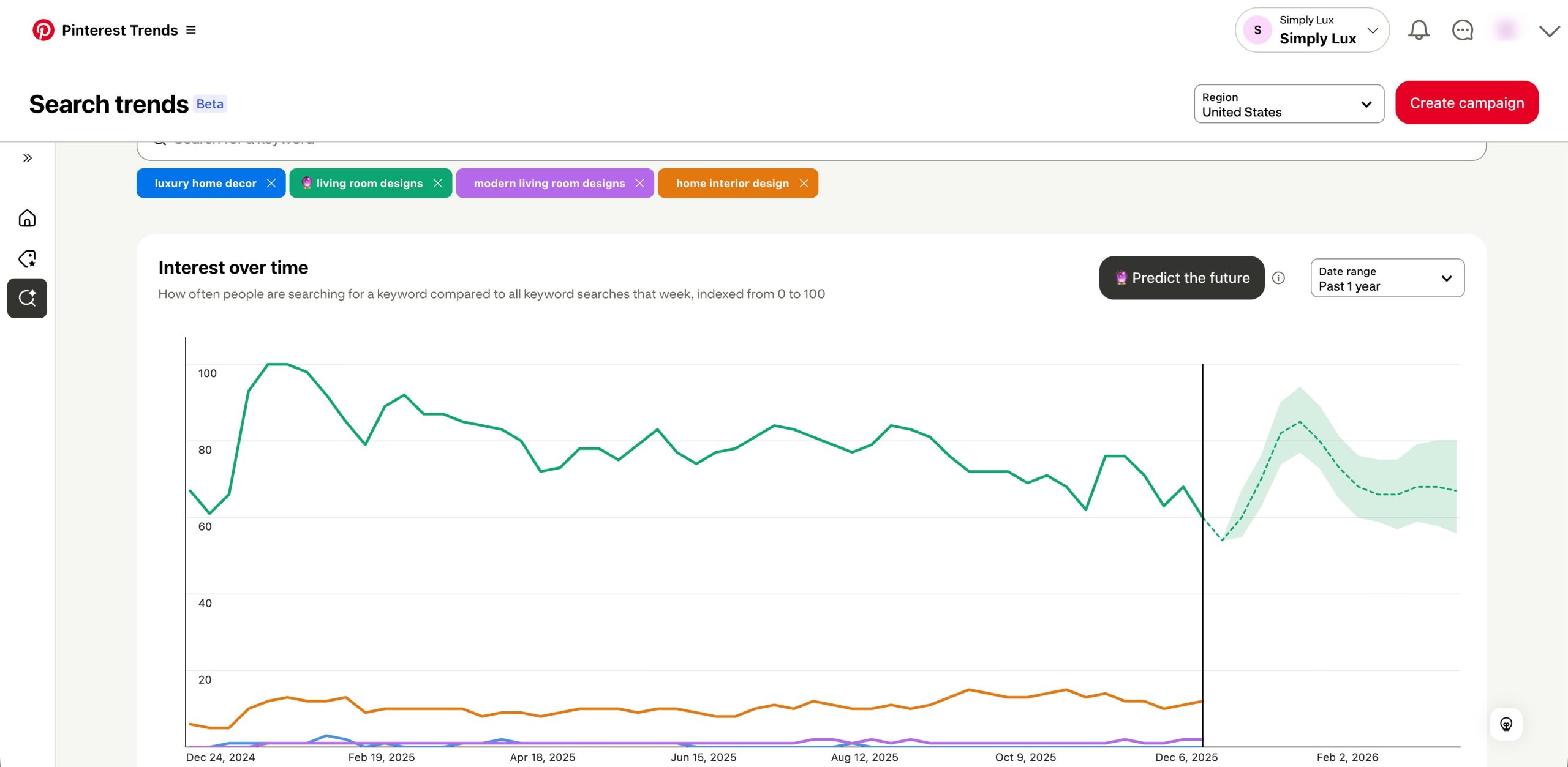
Pinterest allows you to compare up to four trends at once, which is usually enough to spot patterns.
Validating Keywords with Keysearch
Pinterest tools give you direction, but if you want numbers, Keysearch helps.
Use the Keysearch Pinterest Keyword Tool and enter a keyword like luxury bedroom design.
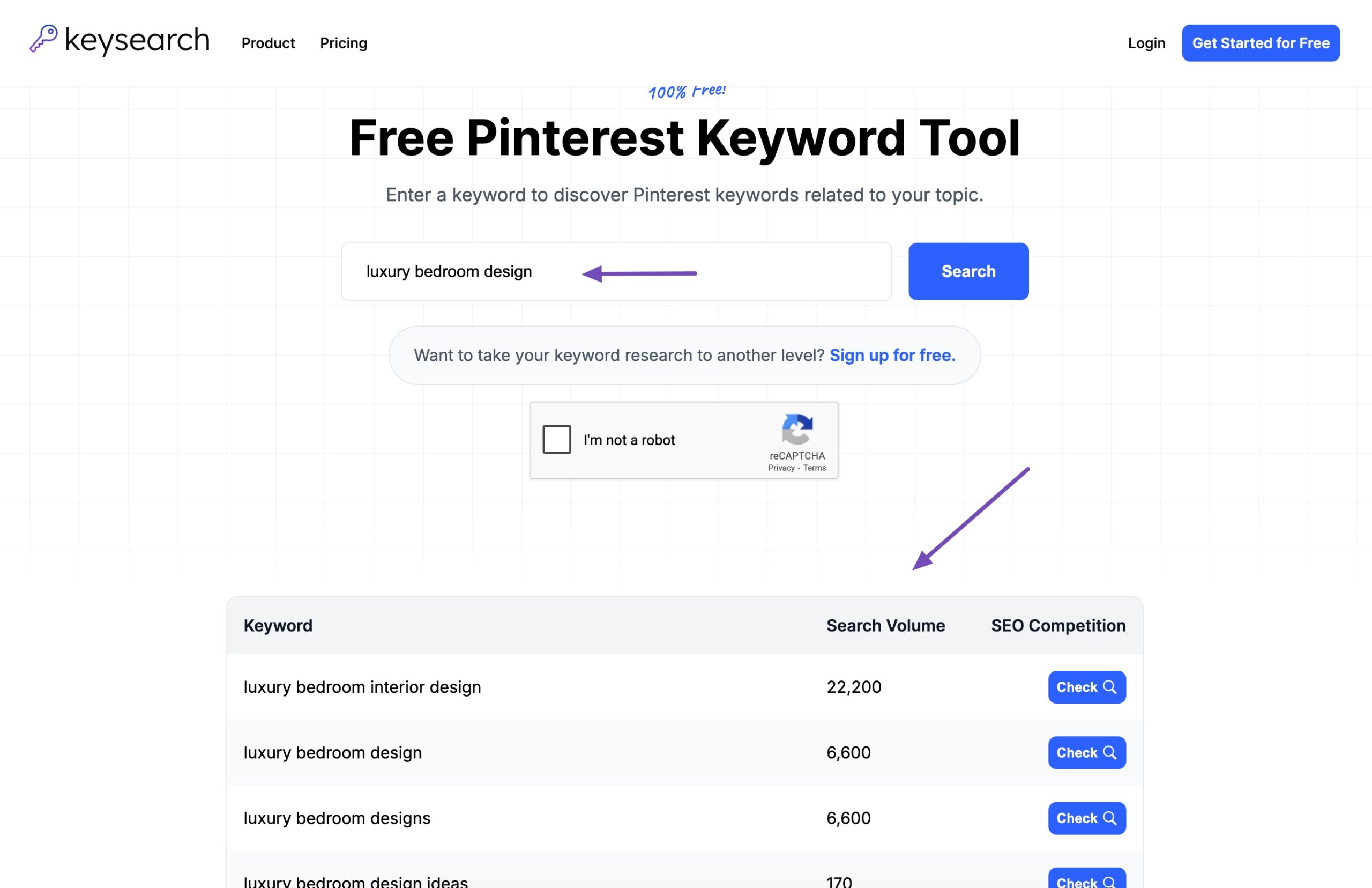
The tool shows:
- Estimated search volume
- Related keyword ideas
You’ll need a paid plan to see competition levels, but the free search volume data is still extremely useful.
Use Three Data Sources Together
Your keyword research becomes powerful when you combine:
- Pinterest Search Bar (user language)
- Pinterest Trends (timing and demand)
- KeySearch (search volume)
When a keyword appears in all three places, that’s a strong opportunity.
Those are the keywords you should build content around: blog posts, landing pages, and pins.
Choose Long-Tail Keywords First
If you’re new to Pinterest, don’t chase broad keywords.
Start with long-tail keywords, phrases with four or more words. These are easier to rank for and attract more focused users.
As your account grows and Pinterest starts trusting your content, you can gradually target broader keywords like:
- Luxury home decor
- Home interior design
This gradual expansion helps you grow without competing too early.
Your goal isn’t just clicks, it’s action.
Each pin should lead to a page that matches the search intent:
- Inspiration-focused searches → email signups or inspiration guides
- Research-focused searches → detailed blog posts or comparisons
- Buying-focused searches → product or service pages
Every page should guide visitors toward something meaningful, whether it’s a subscription, download, inquiry, or purchase.
3.4 Create Content Before Creating Pins
One final rule: content comes first.
Pinterest rewards clarity, relevance, and intent. If you already have blog posts, turn them into strong landing pages. This helps with both Pinterest and AI-based search visibility.
If you don’t have content targeting those keywords yet, create it first, then design pins for it. Never create pins without content behind them.
4 How to Create Boards and Pins on Pinterest
Once your keyword research is in place, the next step is turning that research into boards and pins. The process itself is simple, but how you name and structure things makes a big difference.
From your profile page, click the red Create button.
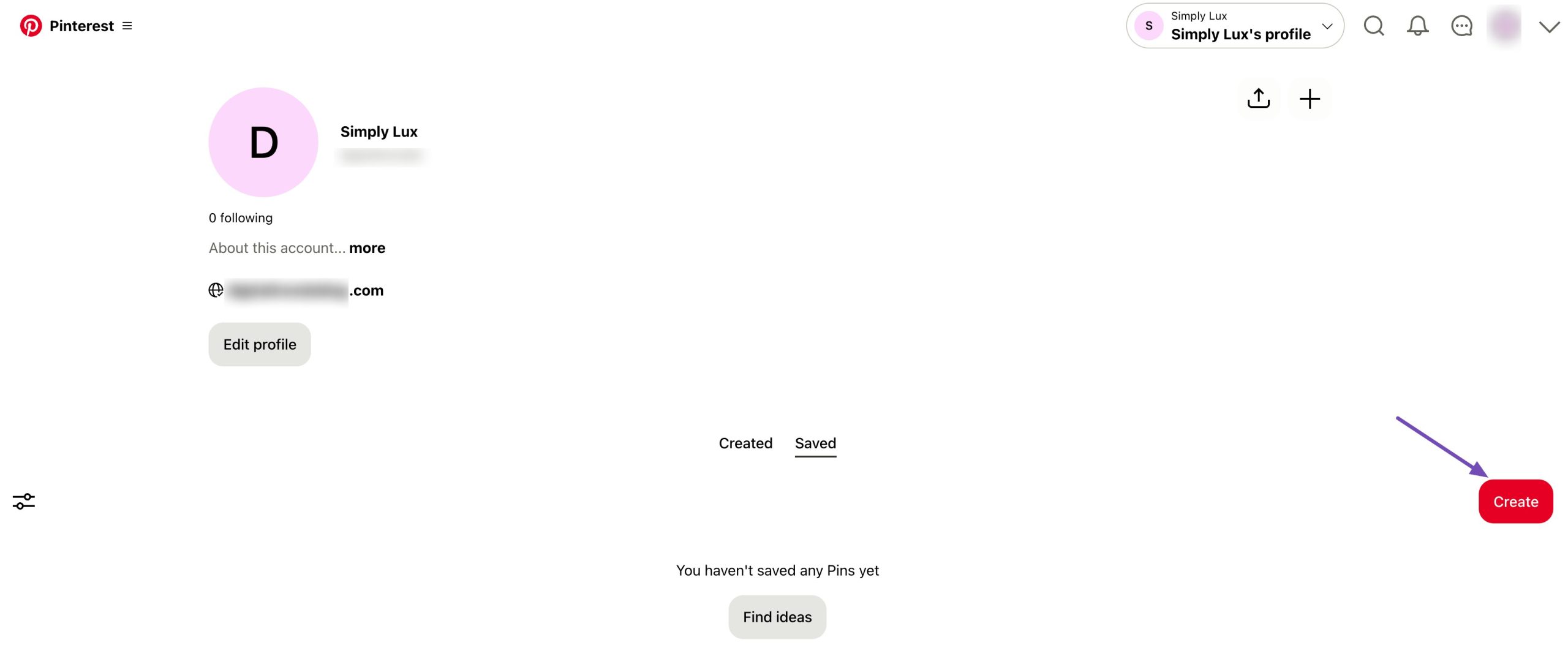
Pinterest will ask if you want to create a Pin, a Board, or a Collage. We’ll start with creating a board.
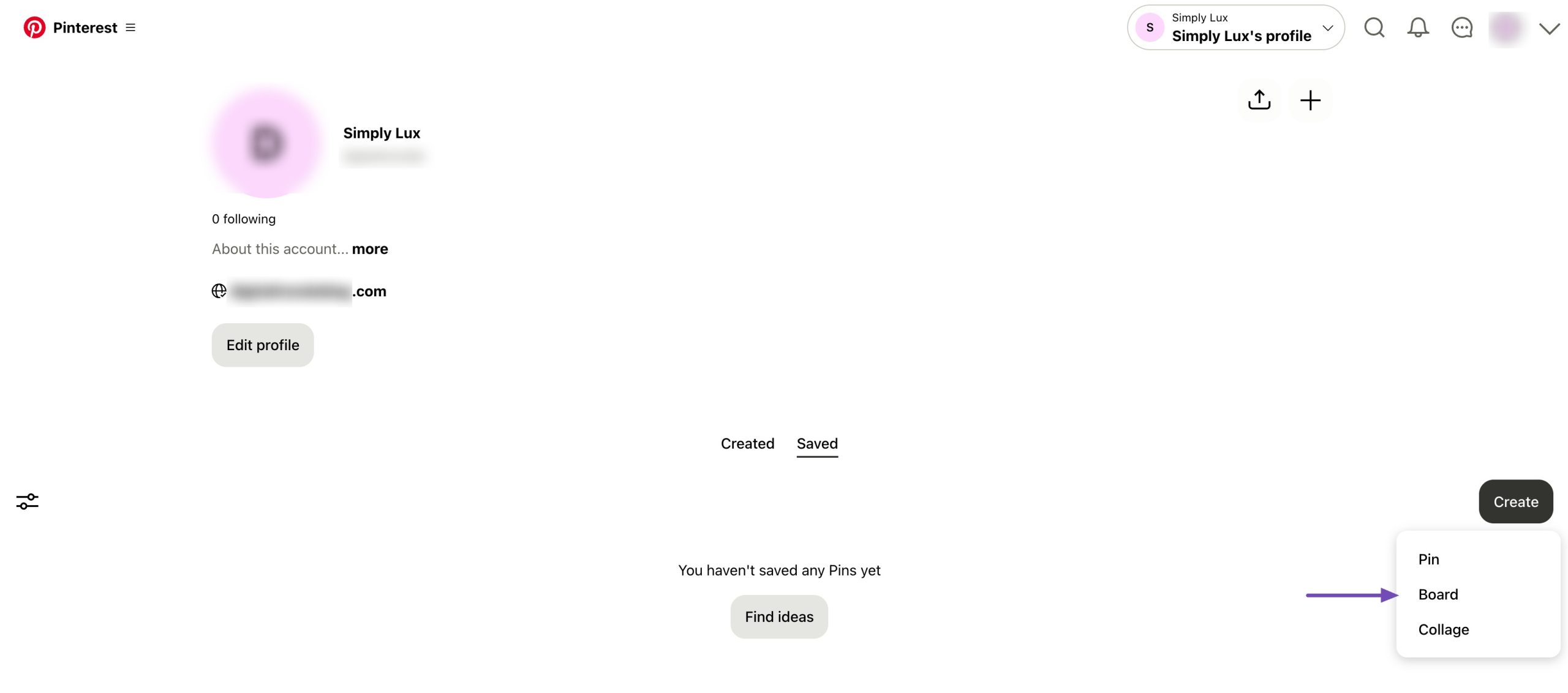
4.1 How to Create a Keyword-Focused Board
When creating a board, the most important decision is the board name. Your board name should include a keyword that visitors are actually searching for.
For example, if you’re running a luxury home decor brand and want a board for lamps, don’t guess the name. Search for luxury lamps on Pinterest first. You can find that luxury floor lamps have higher search demand than more generic options.
Once you find the stronger keyword:
- Use it as your board name
- Keep the board public so it can appear in search results
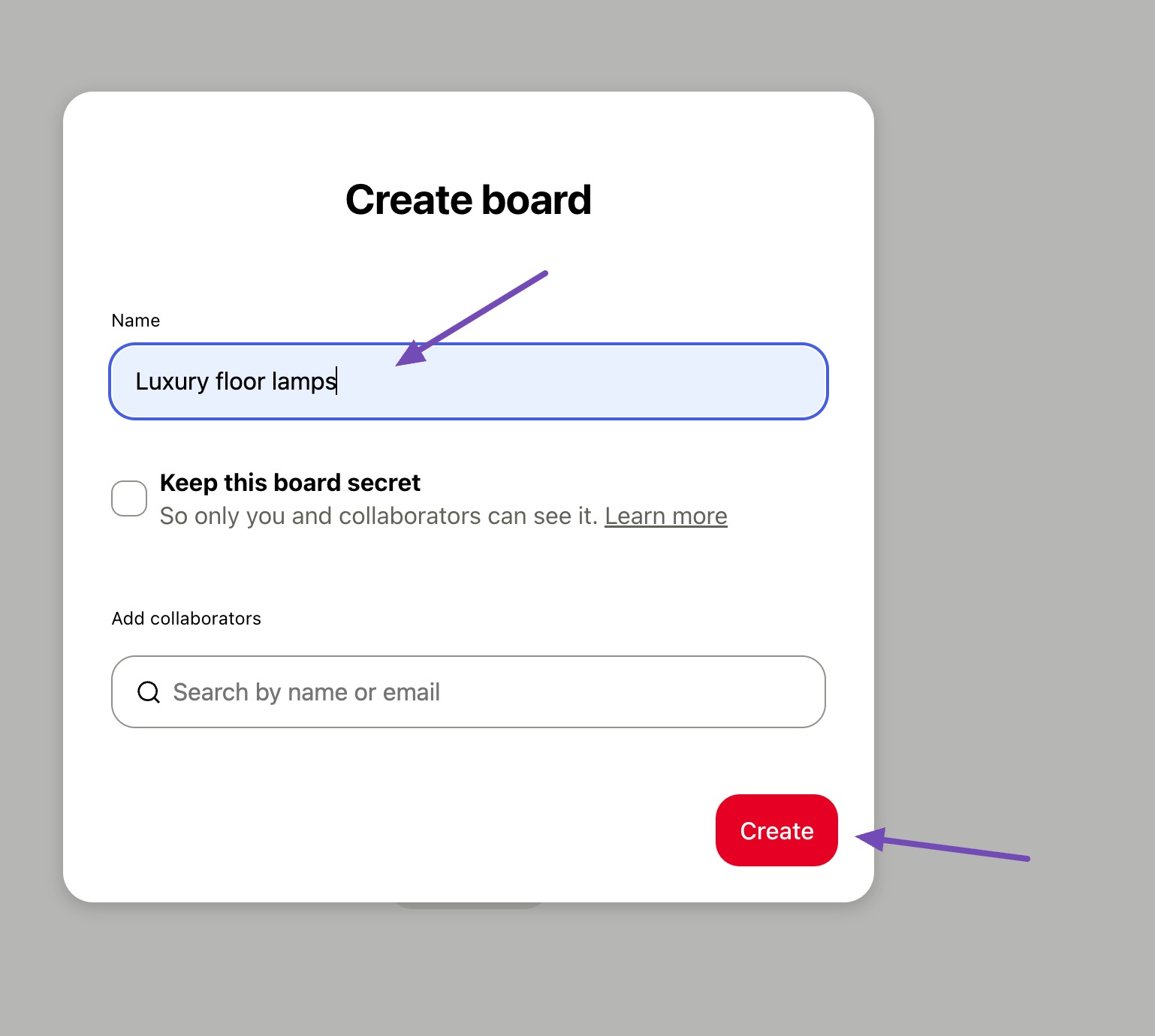
This helps Pinterest understand what the board is about and who should see it.
4.2 Using Board Collaboration to Expand Reach
Boards become even more powerful when more than one creator contributes to them.
Instead of collaborating with direct competitors, reach out to parallel businesses.
For instance:
- A home decor brand can collaborate with interior designers
- Furniture sellers can collaborate with contractors or architects
When multiple visitors pin to the same board:
- The board stays active with fresh content
- It reaches multiple audiences
- Pins tend to perform better in search
When possible, create group boards. If you’re just starting out, create your own board first and add collaborators later.
Also, don’t limit yourself to your own content. Pinning high-quality content from others makes your board more useful and signals activity to Pinterest.
4.3 Create a Pin the Right Way
Now that your board is ready, it’s time to create a pin.
Go to your profile, click Create, and select Pin. If your content already exists on your website, you don’t need to upload everything manually.
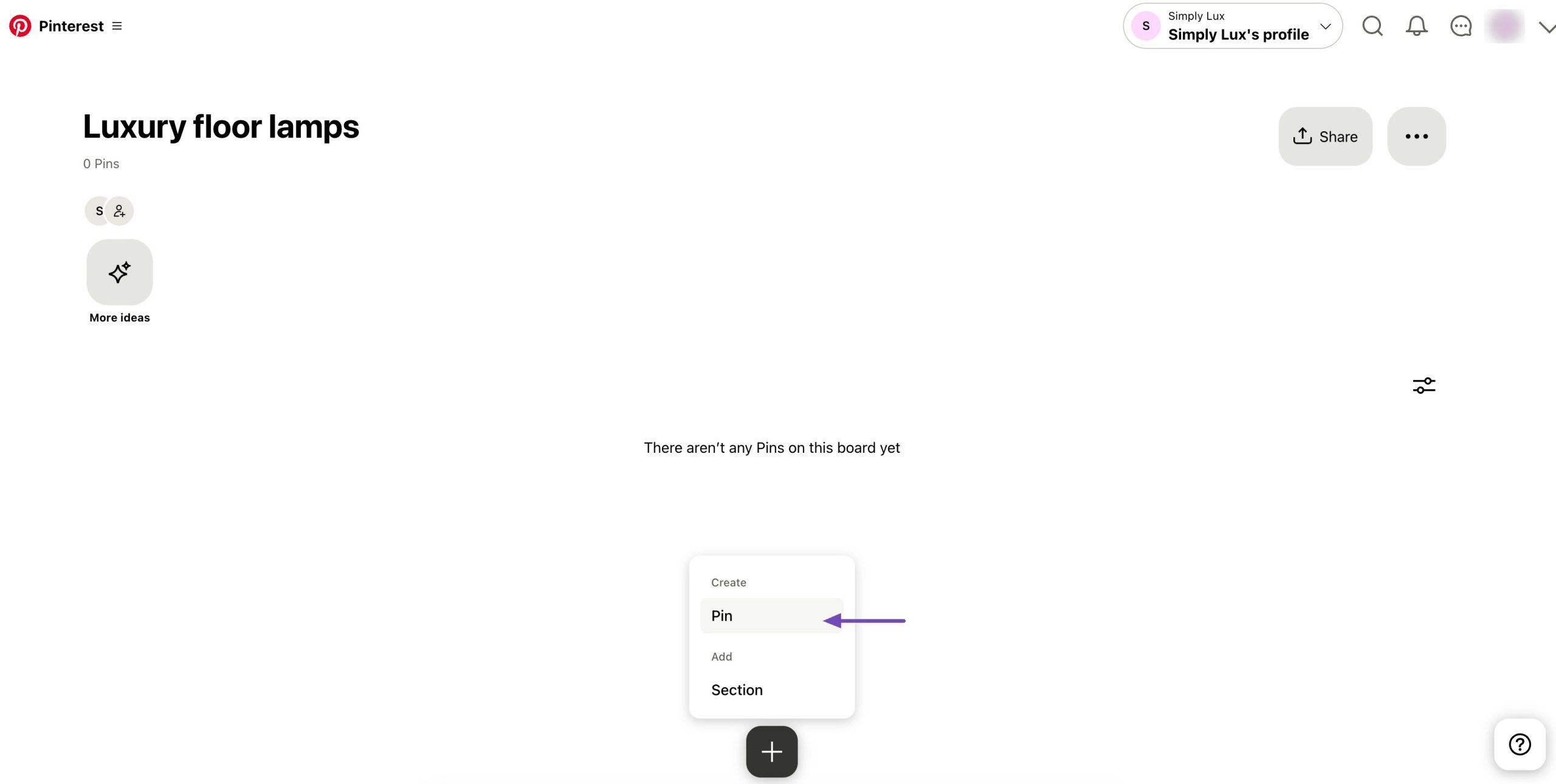
Click Save from URL, paste the page link, and let Pinterest scan the page.
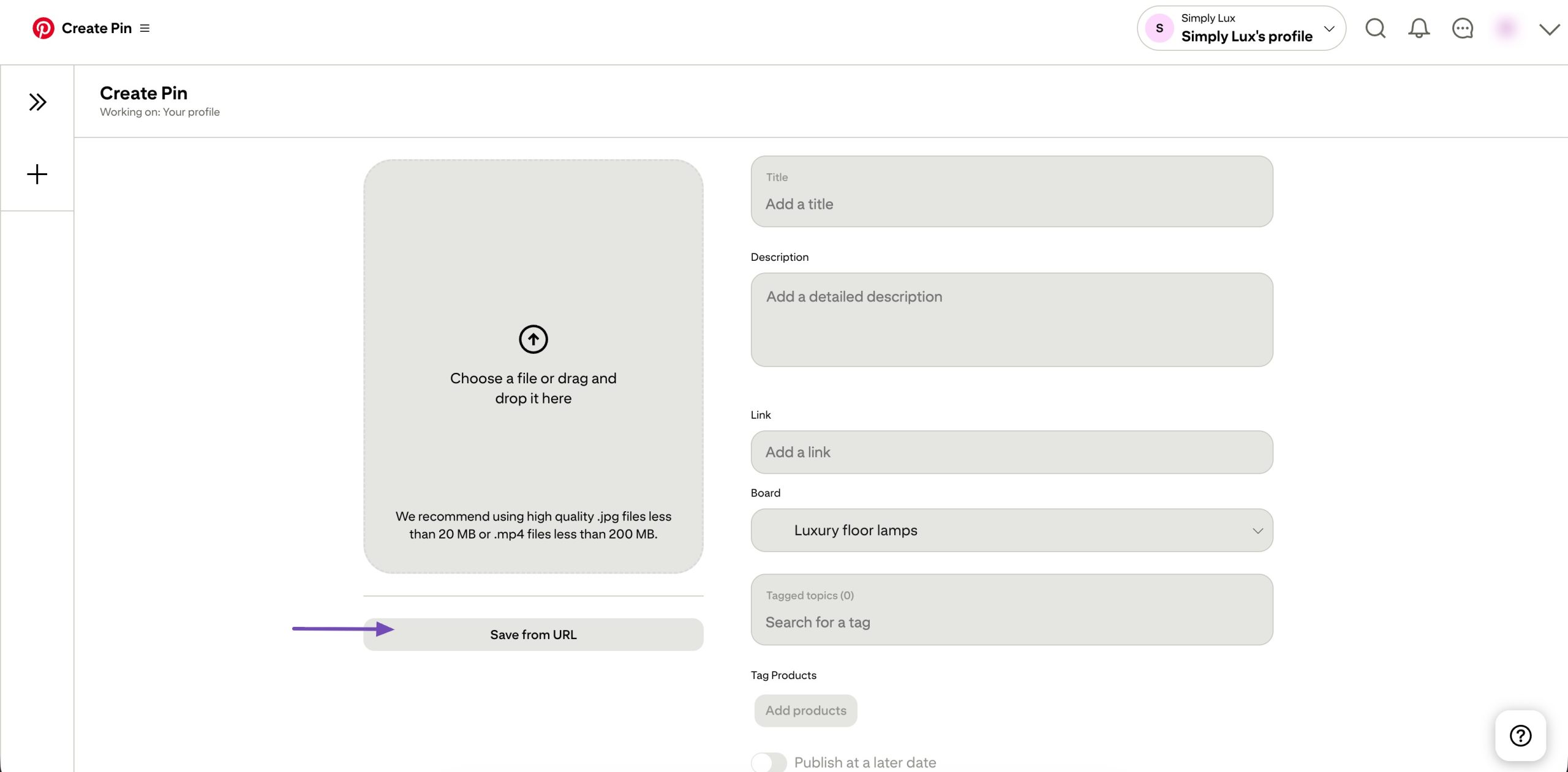
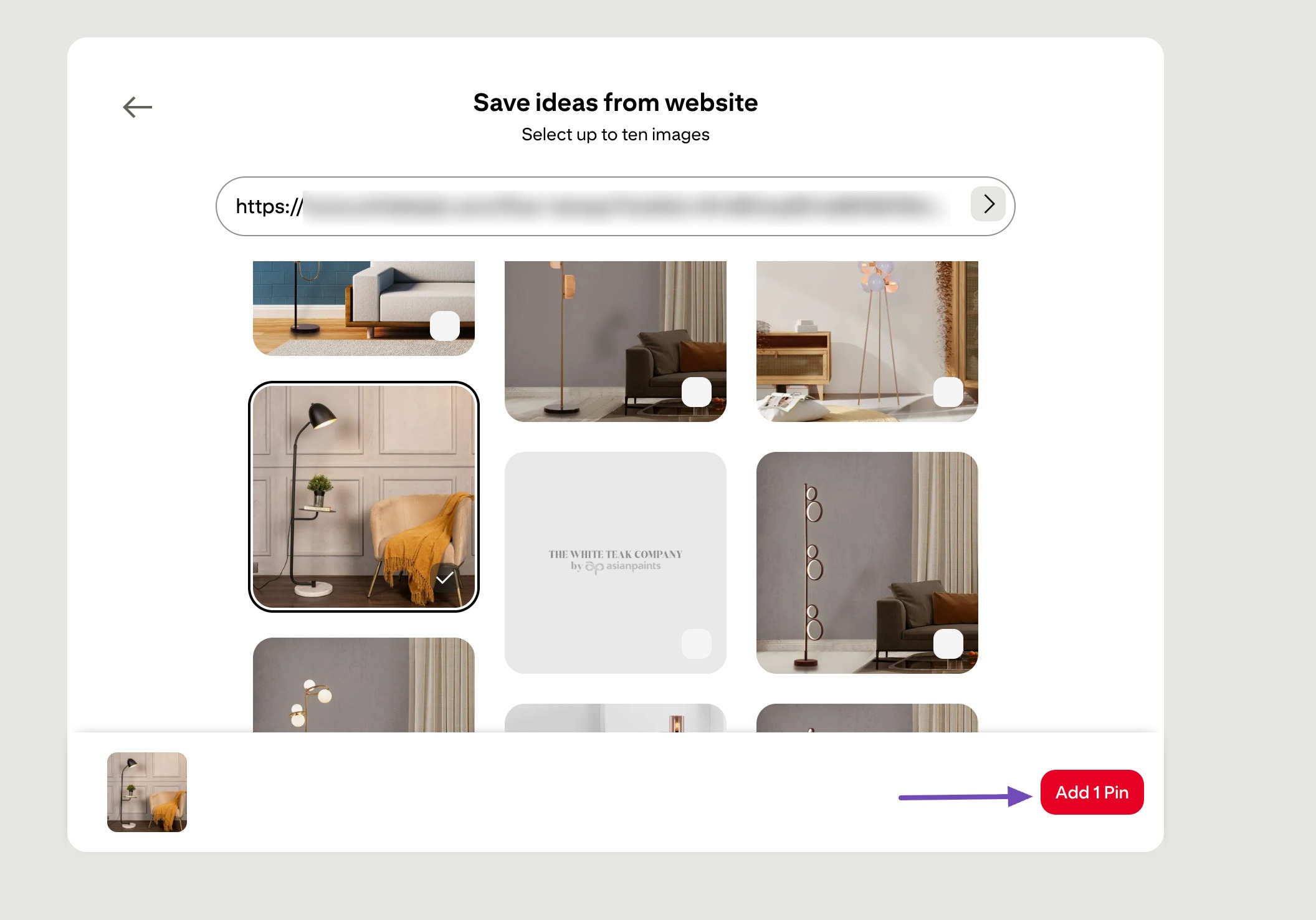
It will pull all available images from your site. Choose the image that works best as a pin.
4.3 Optimize Your Pin Details
Once the image is selected, focus on the details:
- Pin title: Use your main keyword naturally
- Pin description: Clearly explain what the image shows and include related keywords without forcing them
- Alt text: Describe the image in simple language
- Board selection: Choose the most relevant board
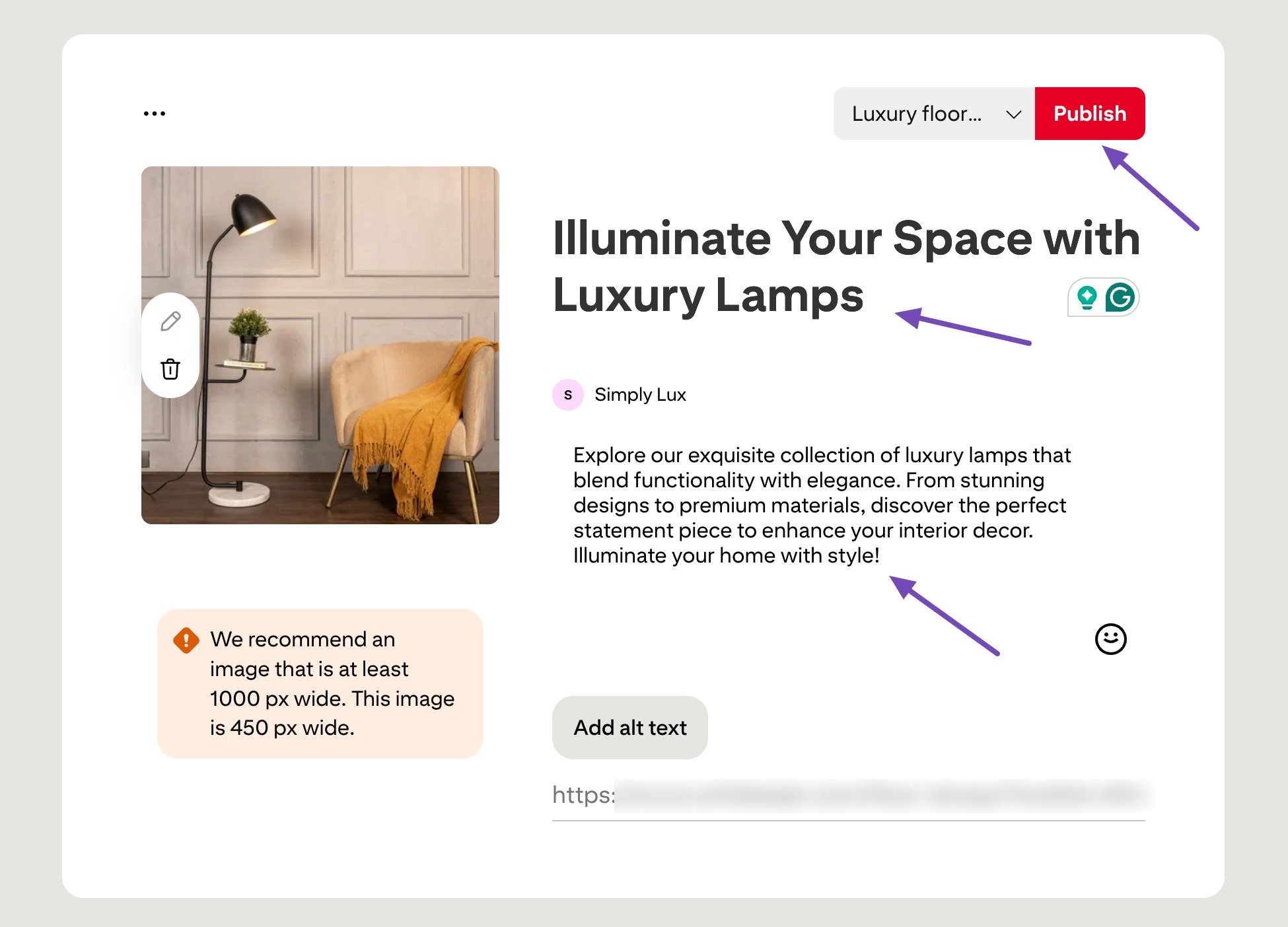
After everything is filled in, click Publish.
When you visit your profile, you’ll now see your board and the pin inside it.
4.4 Why Your Pin’s Link Matters More Than You Think
One common mistake many creators make is linking pins to the wrong type of page.
For example, if a pin clearly shows a luxury lamp, visitors expect the link to take them to:
- A product page
- Or a page that shows where they can buy that lamp
Instead, many pins lead to blog posts that only talk about different lamps without linking to any products. This creates frustration. If your pin promises education or inspiration, then a blog post makes sense. But the destination must always match the intent of the pin.
Before publishing any pin, ask yourself:
- What does the user expect after clicking this?
- Does the page actually deliver that?
When your pin, page, and user intent align, Pinterest traffic becomes far more valuable, not just more clicks, but better outcomes for your business.
5 Choose the Right Pinterest Strategy Based on Your Business Type
Let me be very clear about one thing: there is no one-size-fits-all Pinterest strategy.
Your business is different from everyone else on the platform. If you try to copy someone else’s approach without considering how your business works, you’ll likely be disappointed with the results.
To get Pinterest right, you need to adjust your strategy based on what you sell. Product-based businesses and service-based businesses need very different approaches.
5.1 How Product-Based Businesses Should Use Pinterest
The Most Common Mistake: Only Posting Product Images
If you sell physical products, your biggest mistake is only pinning images of the products you sell.
It’s easy to think, “This is a product platform, so I should only show my products.” But when you do that, every pin sends the same message: buy from me.
If someone doesn’t need your product right now, they have no reason to follow you or engage with your content. This comes across as self-focused, and Pinterest’s system notices that behaviour.
Think Beyond the Sale
Let’s say you sell luxury lamps.
Some visitors searching for luxury lamps are ready to buy. Others are just collecting ideas for the future. Many will save pins privately and continue researching.
Your goal is to show up in multiple related searches, not just one. The more often visitors see your brand while researching, the more familiar and trusted it becomes.
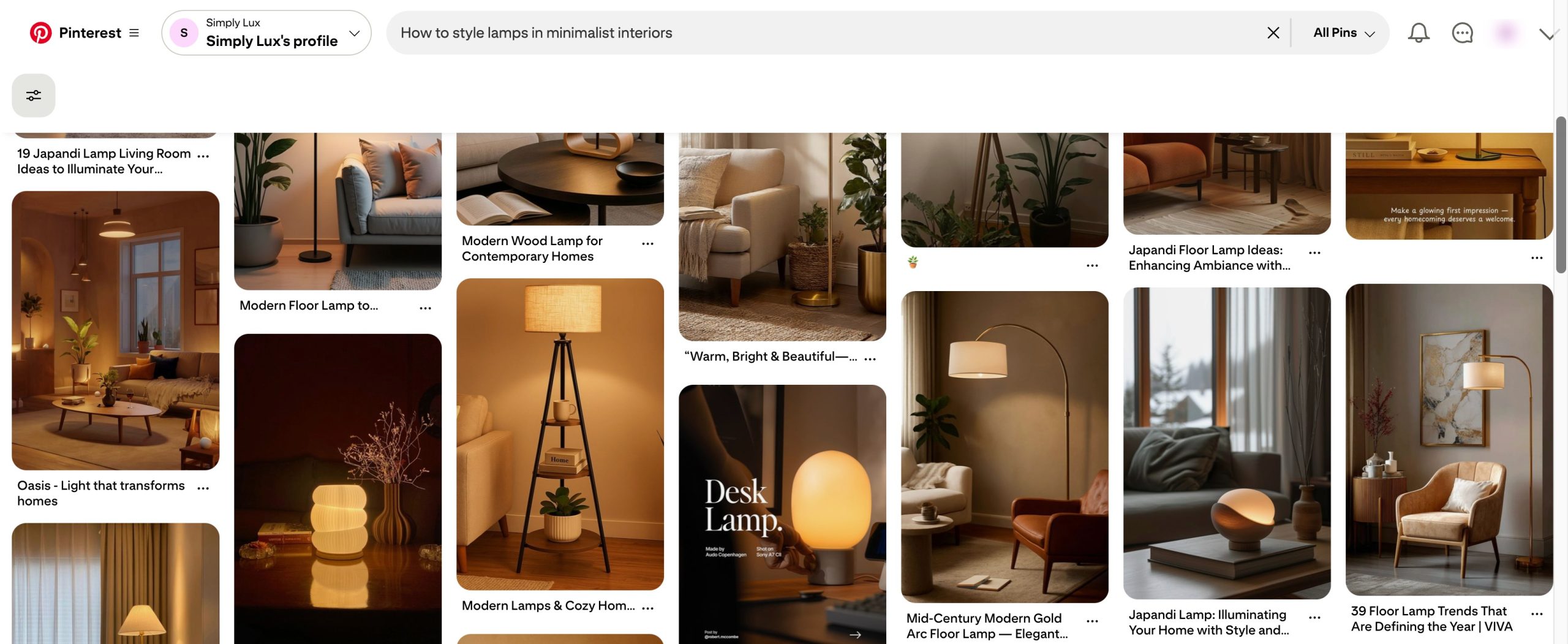
Instead of only pinning product photos, create content around:
- How lighting affects the mood of a room
- How to style lamps in minimalist interiors
- How lighting can make a home feel more luxurious
You’re not just selling a lamp, you’re helping visitors imagine a better space.
Mix Your Content with Others’ Content
You should not only pin your own content. Pin content from other creators as well and organize everything into clear, relevant boards.
Aim to create three to five main boards closely related to your business. These boards should include:
- Your own pins
- High-quality pins from others in your niche
This signals to Pinterest that you’re an active participant, not someone who only promotes themselves. That activity helps improve your profile health, which can lead to better visibility and reach.
When you pin thoughtfully curated content:
- Pinterest sees you as engaged and consistent
- Other creators notice and may engage back
- Your profile starts to look like a trusted resource
Over time, this positions you as a curator with expertise, not just a seller, and that trust leads to more traffic, followers, and sales.
5.2 How Service-Based Businesses Should Approach Pinterest
If you run a service-based business, your strategy needs to shift completely.
Whether you’re a wedding photographer, interior designer, planner, or consultant, your biggest focus should be building trust.
Audiences don’t hire services from strangers. They hire services they feel comfortable with.
Stop Hiding Behind Your Services
One of the biggest mistakes service providers make on Pinterest is staying invisible. They only talk about what they do, not who they are.
Pinterest users want to see:
- Your work
- Your process
- Your thinking
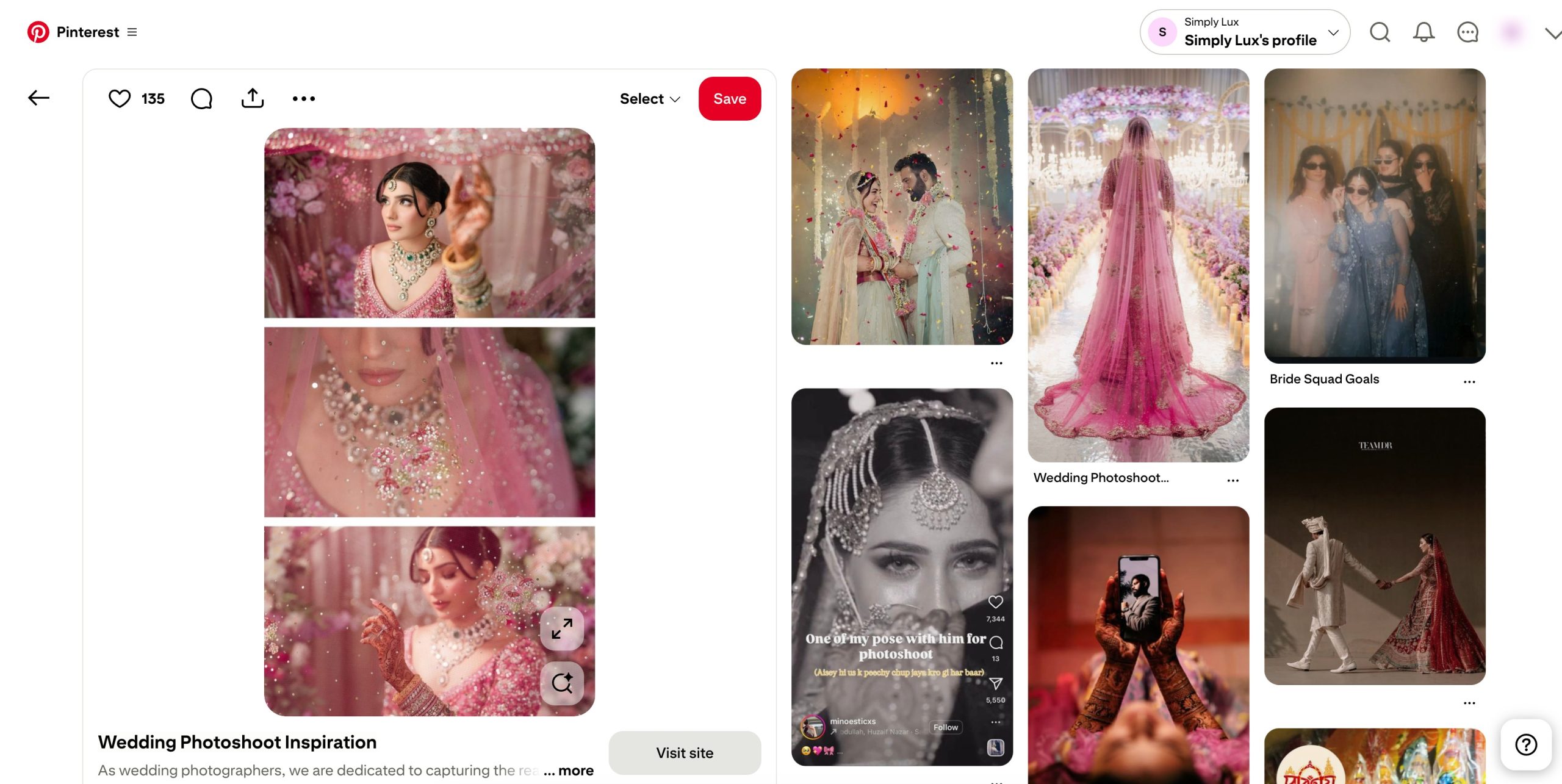
Showing the person behind the business helps visitors feel connected before they ever contact you.
Use Your Content to Educate and Show Expertise
Strong service-based Pinterest profiles don’t just share portfolios. They also share helpful content.
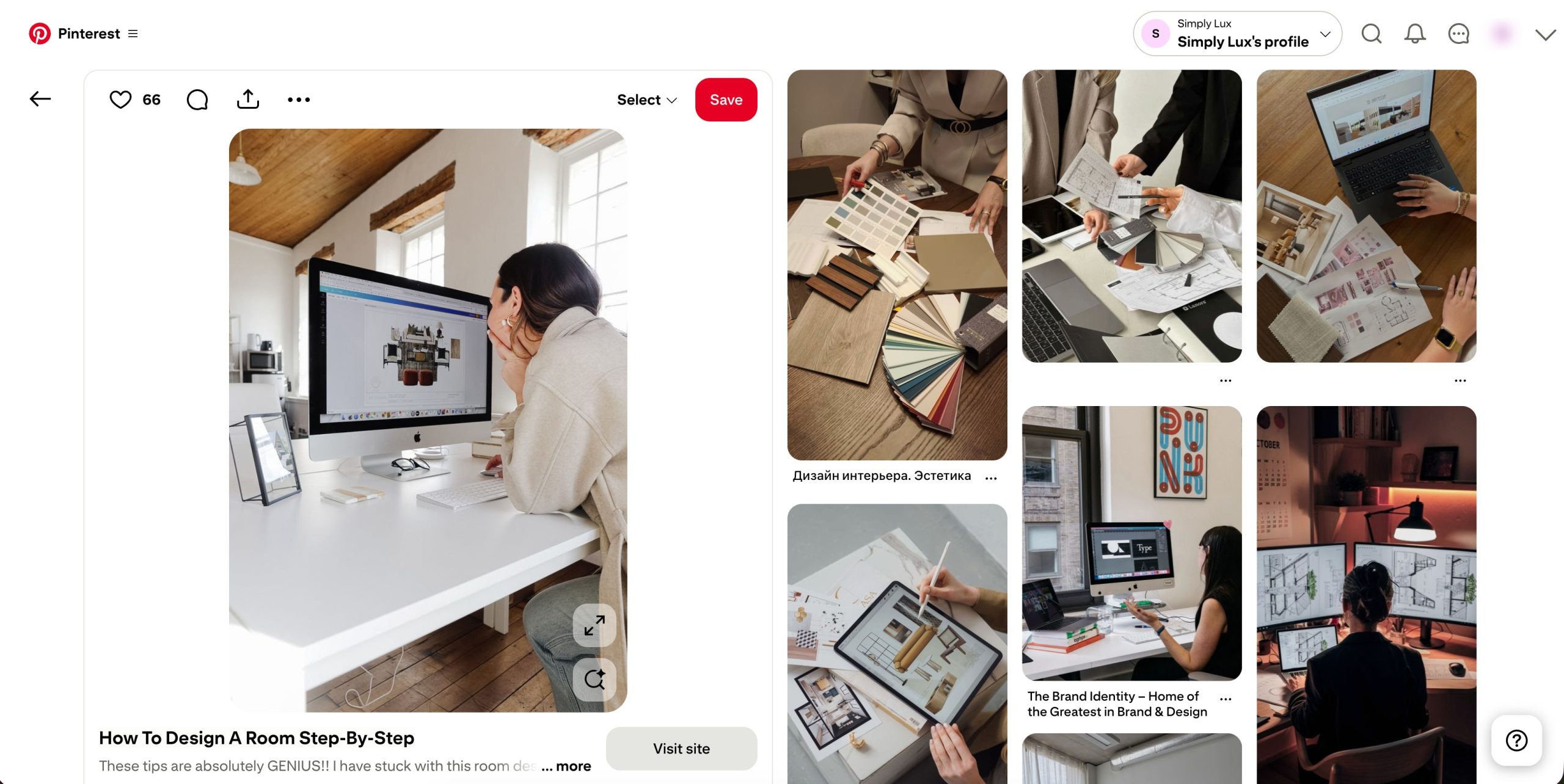
For example:
- Walkthroughs of completed projects
- Short videos explaining design decisions
- Educational pins that explain techniques or materials
Pinterest supports video, and using it helps visitors understand your work on a deeper level.
If someone likes what they see, they may reach out through Instagram, messaging apps, or email.
Guide Visitors Toward Hiring You
Your long-term goal on Pinterest is not instant bookings. It’s to teach, help, and guide your audience until they’re ready to hire you.
Ideally, your profile should:
- Link to your website
- Offer a way to capture emails
- Lead visitors into a simple funnel
By consistently serving your audience with useful content, you position yourself as an expert. When the time comes for them to hire, you’re no longer a stranger; you’re the obvious choice.
6 Pinterest Best Practices for Steady Growth
- Optimize for mobile first : Images: vertical, 1000 × 1500 px (2:3 ratio) and Videos: 15–60 seconds, 1080 × 1920 px, vertical format
- Create content that feels useful at first glance: clear visuals and simple messaging work best. Maintain consistent branding and use the same colours, fonts, and logo placement across pins
- Be a curator, not just a promoter: for every pin you publish, save 3–5 quality pins from other creators
- Spread pins across different boards: link pins to the right destination. Match pins to product pages, landing pages, blog posts, or lead magnets
- Review analytics weekly: Identify pins with the most clicks, saves, and engagement
- Plan seasonal content early: Schedule pins 2–3 months before peak search periods
7 Frequently Asked Questions
Why should my business focus on Pinterest?
Pinterest drives high-intent traffic and referral clicks to websites, making it a powerful channel for discovery, especially for visual and inspiration-focused niches like home decor, fashion, food, crafts, and event planning.
Do Pinterest keywords work like Google keywords?
Yes. Pinterest used keywords in pin titles, descriptions, board names, and board descriptions to match user search queries with relevant content, similar to how search engines use keywords for relevance.
Should I link pins directly to my website?
Yes, make sure the landing page matches the intent of the pin so your readers get exactly what they expect.
How often should I post new pins?
Consistency matters; pin regularly instead of in bursts. Frequent pinning keeps your profile active and signals outgoing engagement to Pinterest, which can help your visibility.
8 Wrapping Up: Turn Pins Into Traffic, Leads & Sales
Growing your business on Pinterest isn’t about quick wins or shortcuts. It’s about understanding how visitors search, plan, and make decisions, and showing up consistently when they do.
When you treat Pinterest as a search platform, not just a social network, your efforts start compounding over time.
If you focus on the basics: clear keywords, helpful content, strong visuals, and consistent pinning, you give Pinterest the signals it needs to trust your account. From there, growth becomes more predictable. Your pins don’t disappear after a day; they keep working for you weeks or even months later.
Start small, test what works for your business, and refine your approach as you go. Over time, Pinterest can become a steady source of traffic, leads, and sales, not because you chased trends, but because you built a system that supports long-term growth.
If you like this post, let us know by tweeting @rankmathseo.