

If you run a WordPress website, Google Search Console is probably one of the first tools you should connect to it.
Why? Because it tells you what Google actually sees.
You can find out which search queries bring people to your website, which pages get the most impressions, how many people click your results, and whether Google has indexed your important URLs.
The only problem is that Search Console lives outside WordPress. If you’re already spending most of your time inside your WordPress dashboard, constantly jumping between two platforms can become annoying.
That’s where the Google Search Console plugins can make your life easier.
A good Google Search Console plugin can bring useful search data into WordPress, connect it with your SEO workflow, and help you spot opportunities without making you dig through reports every time.
In this post, I’ll walk you through different Google Search Console plugins for WordPress. I’ll explain what each plugin does, who it’s best for, and which one I’d choose depending on what you’re trying to accomplish.
Key Takeaways:
- Rank Math SEO is a strong choice if you want Google Search Console data alongside a complete WordPress SEO workflow.
- Site Kit by Google is best if you want to connect WordPress with Google’s official services.
- MonsterInsights is useful if your priority is Google Analytics, visitor behavior, and reporting.
- AIOSEO provides a broad set of tools for managing WordPress SEO.
- Yoast SEO provides SEO guidance and essential technical SEO tools in WordPress
- You do not need a plugin to use Google Search Console. Plugins make selected data and functionality more convenient to access from WordPress.
- For advanced Search Console reports and troubleshooting, you should still use Google Search Console directly.
Table Of Contents
1 What is Google Search Console?
Google Search Console is a free Google service that helps you understand how your website performs in Google Search. It provides both search-performance data and technical information about your website’s presence in Google Search.
After verifying your website, you can use Search Console to monitor:
- Clicks: How many times people clicked your search results
- Impressions: How often your pages appeared in Google Search
- Search queries: The searches that generated impressions and clicks
- Click-through rate (CTR): The percentage of impressions that resulted in clicks
- Average position: Your pages’ average position in search results
- Page performance: Which URLs receive search visibility
- Indexing information: Whether Google has processed your URLs
- Sitemap information: Information about submitted sitemaps
- Search-related issues: Problems that can affect your website’s search visibility
Google’s Performance report lets you analyze your website using metrics such as clicks, impressions, CTR, and average position. You can also break the data down by queries, pages, countries, and devices.
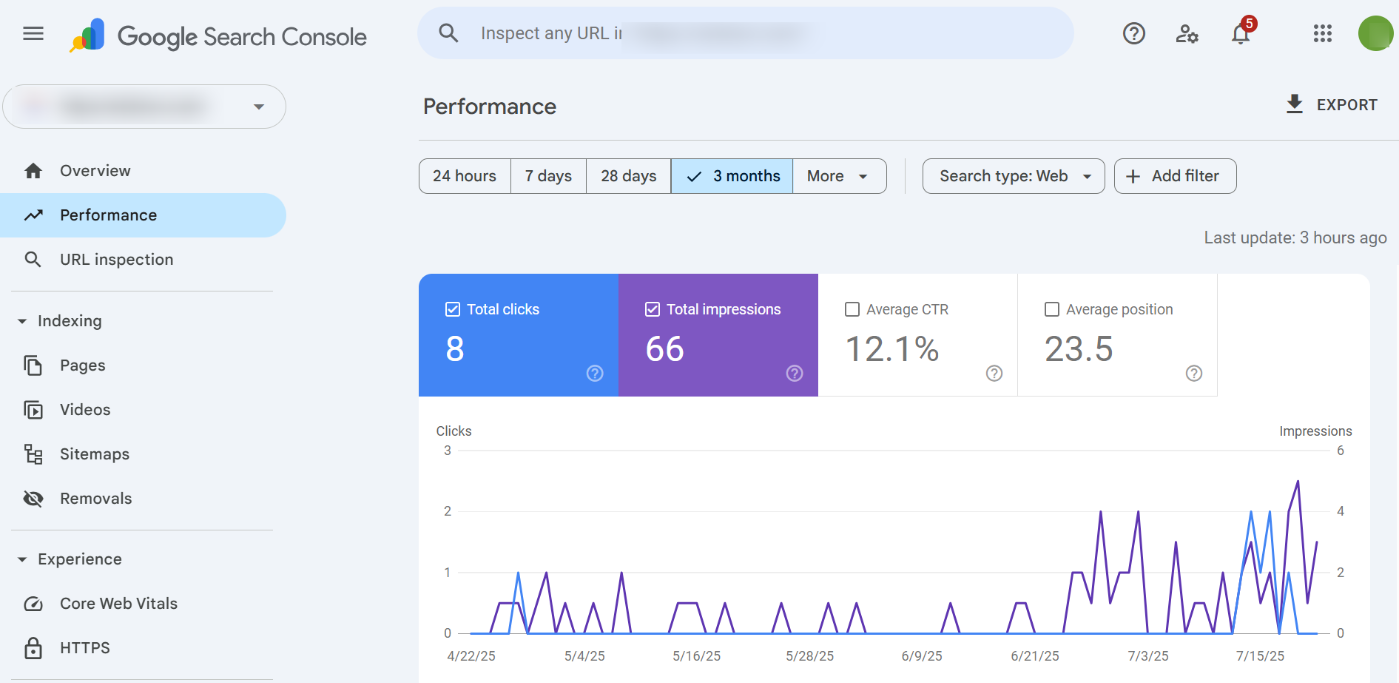
Here’s a simple example.
Suppose you publish an article called “How to Start a Vegetable Garden.”
After several months, your Search Console data shows:
- 20,000 impressions
- 800 clicks
- 4% CTR
- Average position: 7.2
These are illustrative figures, but they show why Search Console data is useful. Your page is receiving significant visibility, yet the CTR gives you another metric to investigate.
If similar pages receive more clicks from comparable positions, you could review your title, description, search intent, and content to identify opportunities for improvement.
The important point is that Search Console doesn’t just tell you what happened. It gives you information you can use to decide what to improve next.
2 Why Should You Connect Search Console to WordPress?
You don’t need a WordPress plugin to use Google Search Console. You can access your Search Console property directly through your Google account.
However, a plugin can make your workflow more efficient by bringing selected Search Console information into WordPress.
For example, your workflow might look like this:
- You publish an article.
- You optimize the article for search.
- Google begins showing the page in search results.
- You review Search Console data to see which queries and pages are generating visibility.
- You use those insights to decide whether the content needs improvement.
A plugin can reduce the need to switch between WordPress and Google Search Console while you’re working on your website.
However, a WordPress plugin does not replace Google Search Console. Plugins generally display selected data or connect Search Console with other WordPress tools, while the Google Search Console interface provides the complete set of reports and controls
3 Best Google Search Console Plugins for WordPress
Now let’s look at the Google Search Console plugins for WordPress.
3.1 Rank Math SEO – Best for SEO and Search Console Integration
If you want your Search Console data to be part of a larger SEO workflow, Rank Math SEO is one of the best plugins to consider.
Rank Math combines WordPress SEO tools with integrations for Google Search Console and Google Analytics.
Rank Math can connect your Google account and automatically create and verify the Search Console property.
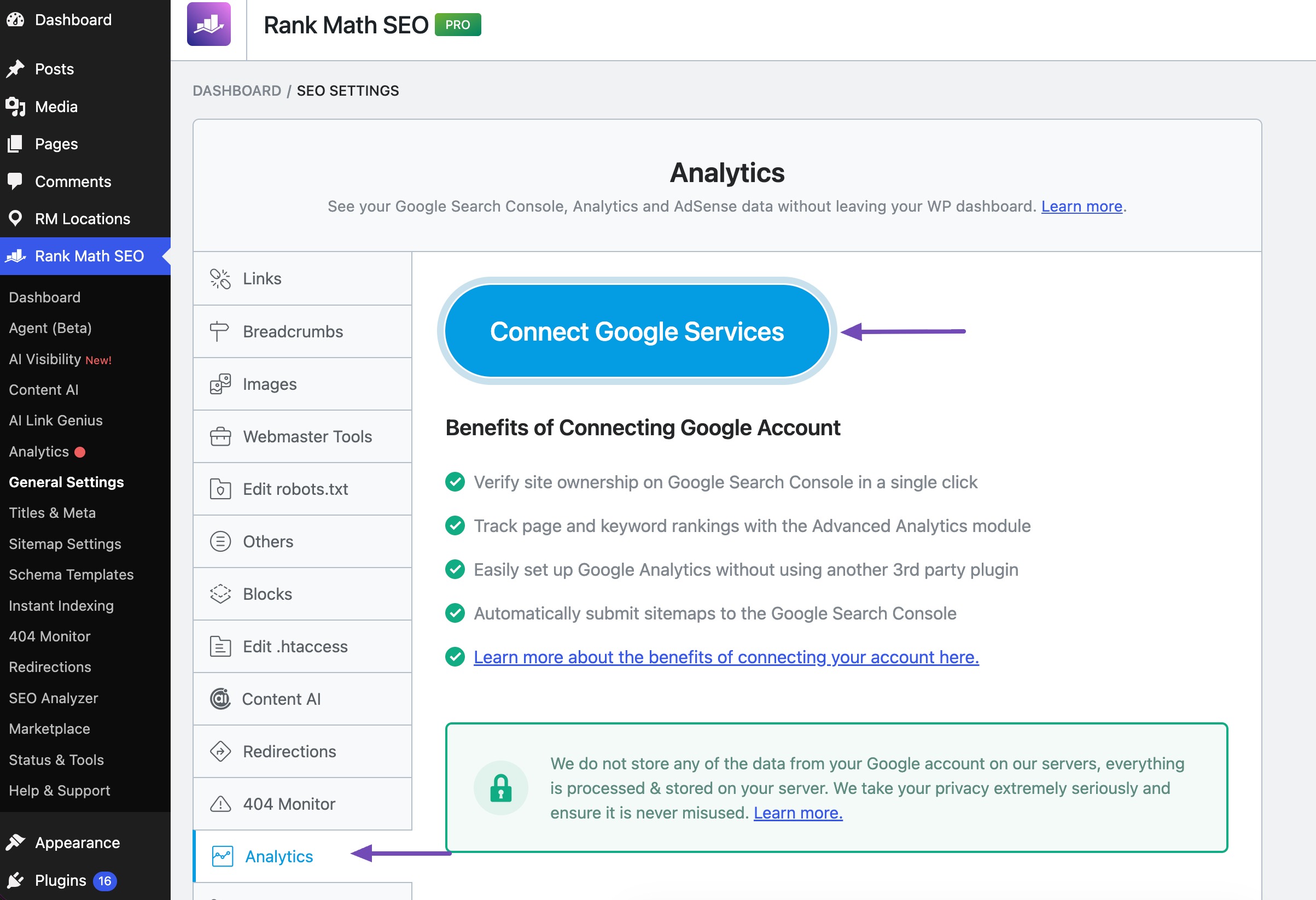
In WordPress, navigate to Rank Math SEO → General Settings → Analytics. Ensure that you’ve enabled the Analytics module. Click Connect Google Services, as shown below.
After granting the requested Google permissions, select your Search Console property and save the settings.
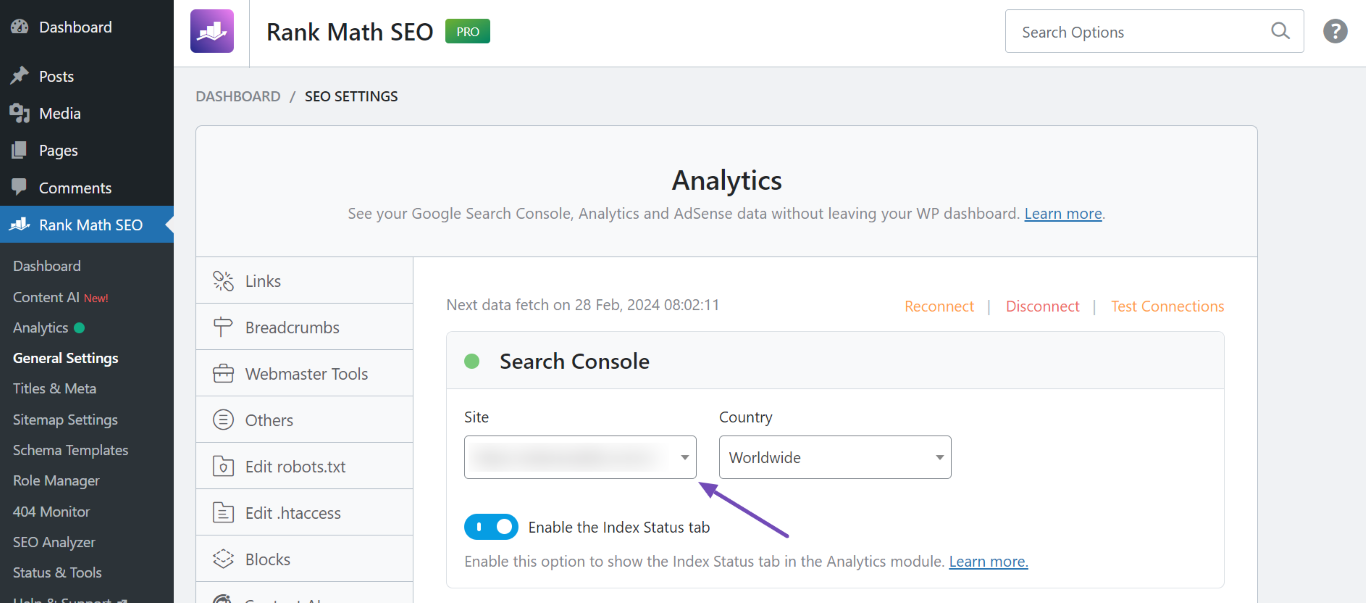
Once connected, you can access your Search Console data through Rank Math’s Analytics area and use it alongside your SEO workflow.
For detailed setup instructions, see the Rank Math Google Site Verification guide.
Who Should Use Rank Math?
I’d recommend Rank Math if you’re:
- Running a blog
- Managing an affiliate website
- Running a business website
- Managing a WooCommerce store
- Working in SEO
- Managing websites for clients
- Publishing content regularly
Pricing: Free version available, and the premium plans start at €7.99/month.
2.2 Site Kit by Google – Best for Google’s Official Integration
If you want an official Google solution, Site Kit by Google should be near the top of your list.
Site Kit by Google is Google’s official WordPress plugin for connecting your website with several Google services.
You can connect services such as:
- Google Search Console
- Google Analytics
- PageSpeed Insights
- Google AdSense
- Google Tag Manager
Who Should Use Site Kit?
I’d recommend it if you’re:
- New to WordPress SEO
- Running a small business website
- Blogging
- Publishing content
- Using several Google services
- Looking for an official Google solution
Pricing: Free version available.
3.3 MonsterInsights — Best for Analytics and Search Data
If your main concern is understanding what visitors do on your website, MonsterInsights deserves a look.
MonsterInsights is primarily a Google Analytics plugin for WordPress, but it also provides Search Console reporting as part of its broader analytics experience.
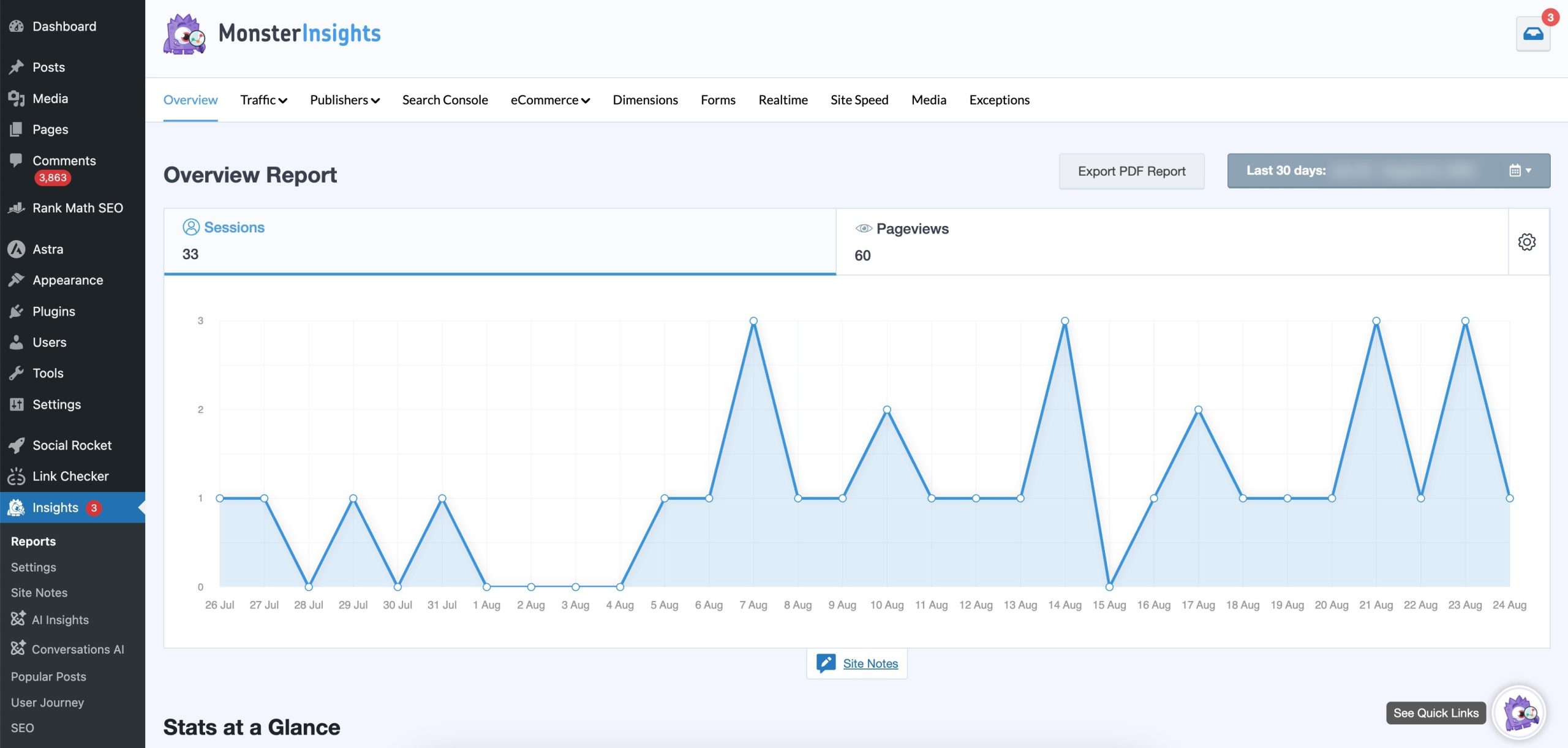
You don’t need to configure every event manually. MonsterInsights can automatically track actions such as outbound link clicks, file downloads, form submissions, and scroll depth with minimal setup.
Who Should Use MonsterInsights?
Consider it if you:
- Run an online store
- Manage a business website
- Publish content
- Work in digital marketing
- Need client-friendly reports
- Already use MonsterInsights for Google Analytics
Pricing: MonsterInsights has a free version with basic features. If you need advanced tracking, eCommerce reports, or custom dimensions, you’ll need a paid plan. The Plus plan starts at $99.50/year.
3.4 All in One SEO (AIOSEO) – Comprehensive SEO Suite
All in One SEO, commonly called AIOSEO, is another long-standing option in the WordPress SEO space.
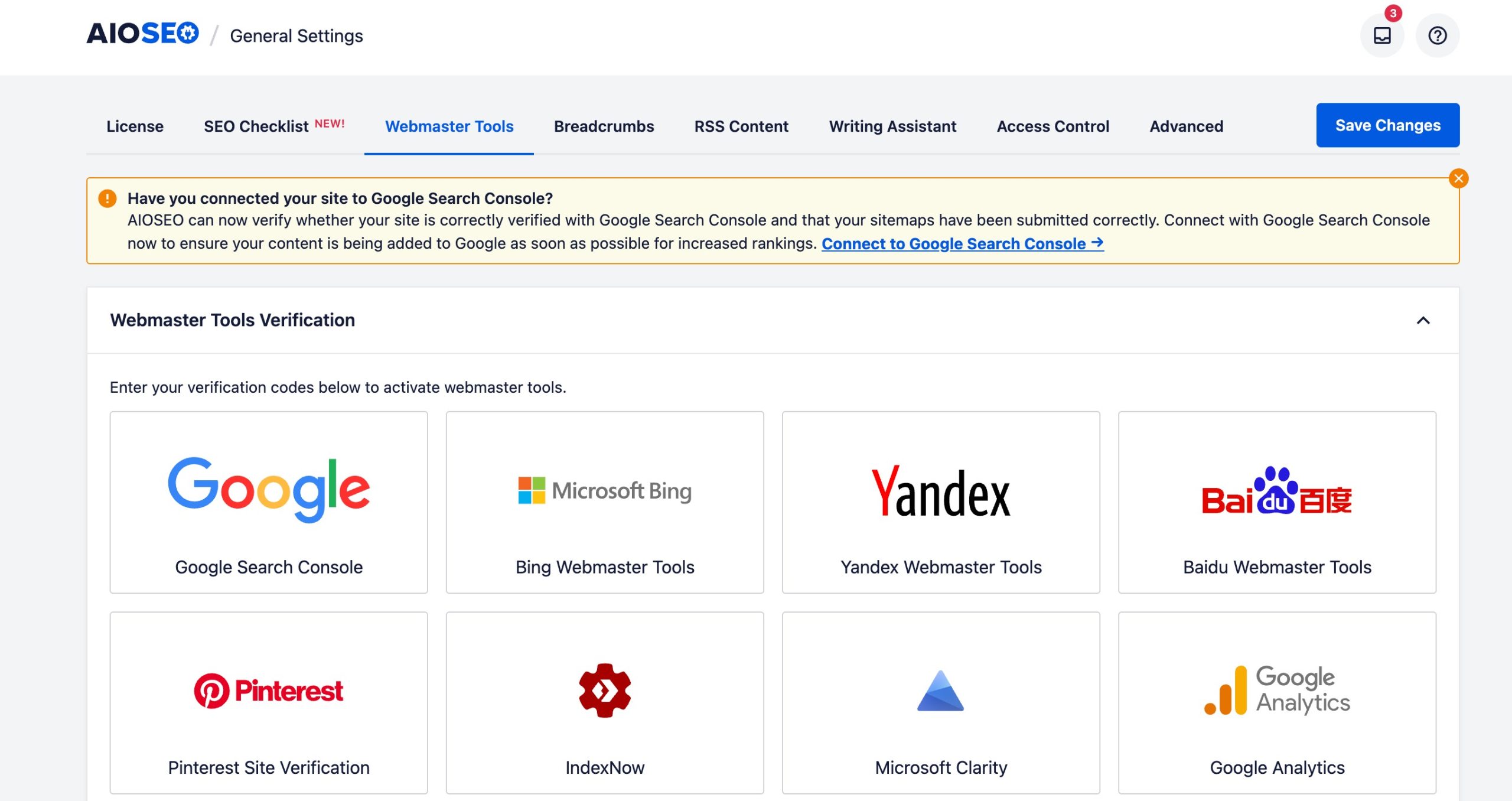
AIOSEO provides a broad collection of tools for managing your website’s SEO. You can choose it if you want one plugin to handle many parts of your SEO setup.
For example, suppose you manage an online store.
You may need to optimize:
- Product pages
- Category pages
- Images
- XML sitemaps
- Structured data
- Social sharing information
- Redirects
- Local SEO
Having those tools together can make managing the website easier.
Who Should Use AIOSEO?
You should consider AIOSEO if you:
- Run a business or corporate website and need to manage multiple SEO settings.
- Manage an eCommerce or WooCommerce store and need product SEO features.
- Run a content-heavy website or blog and want tools for optimizing pages and posts.
- Need built-in tools for XML sitemaps, Schema markup, redirects, local SEO, and social metadata.
- Manage SEO for multiple websites and want a broad set of SEO features in one plugin.
Pricing: Free version available, and the premium plans start at $1000/month.
3.5 Yoast SEO – Best for Established SEO Workflows
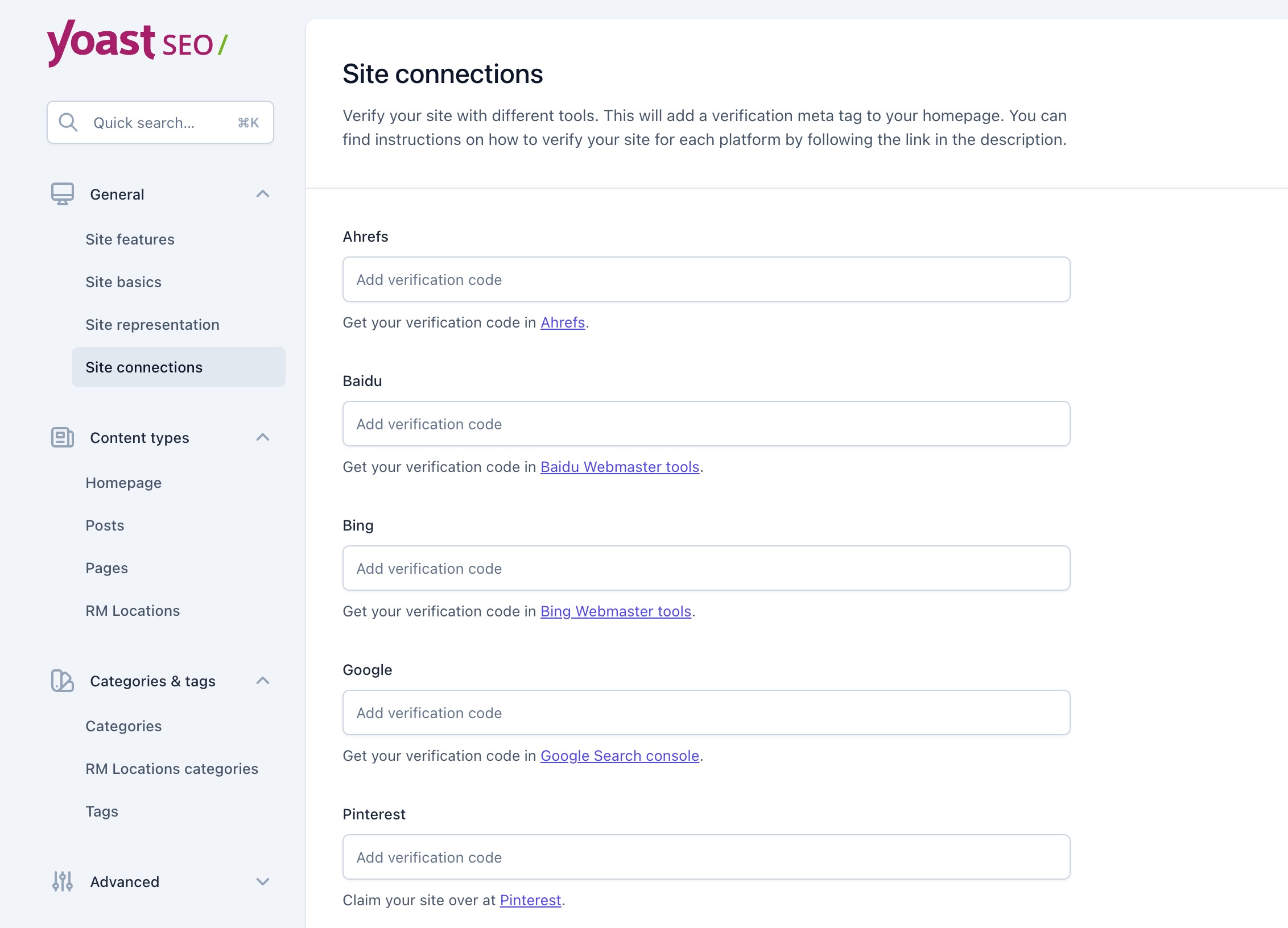
There are two related ways to use Yoast with Google Search Console: use Yoast SEO to verify your site, or use the newer Site Kit by Google integration in Yoast’s dashboard to see Search Console insights.
This lets you see key Search Console and Google Analytics metrics in your Yoast SEO dashboard, including impressions, clicks, CTR, average position, and organic sessions.
Who Should Use Yoast SEO?
You should consider Yoast SEO if you:
- Are new to WordPress SEO and want guidance while creating content.
- Run a blog, news website, or content-focused website.
- Want SEO recommendations directly inside the WordPress editor.
- Need tools for SEO titles, meta descriptions, XML sitemaps, Schema, breadcrumbs, and canonical URLs.
- Have a team of writers who need a consistent way to follow basic SEO practices.
Pricing: Free version available and the premium plans start at $9.90/month.
4 Which Plugin Should I Choose?
Still not sure which one to choose? This table should make the decision easier.
| Plugin | Best For | Search Console | Analytics | SEO Tools | Technical SEO |
|---|---|---|---|---|---|
| Rank Math SEO | SEO + Search Console | Yes | Yes | Yes | Yes |
| Site Kit | Google services | Yes | Yes | Basic | Basic |
| MonsterInsights | Analytics reporting | Yes/Reporting | Available | Limited | Limited |
| AIOSEO | Complete SEO | Search/SEO integrations | Available | Yes | Yes |
| Yoast SEO | Content + technical SEO | Search-related integration | Available | Yes | Yes |
The best plugin depends on the job you want it to perform.
- Choose Rank Math SEO if you want SEO tools and Search Console data together.
- Choose Site Kit if you want Google’s services connected to WordPress.
- Choose MonsterInsights if analytics and visitor behaviour are your priority.
- Choose AIOSEO if you want a comprehensive SEO toolkit.
- Choose Yoast SEO if you want established SEO tools with content optimization and technical SEO guidance.
5 Frequently Asked Questions
Is Google Search Console free for WordPress?
Yes. Google Search Console is free. You don’t need a paid WordPress plugin to use it. A plugin simply makes selected Search Console data easier to access from your WordPress dashboard.
Can I use Google Search Console without a plugin?
Yes. You can use Google Search Console directly without installing anything on your WordPress website. A plugin is simply more convenient if you want Search Console data available alongside your SEO or analytics tools.
Can Google Search Console plugins improve my rankings?
No plugin can directly improve your Google rankings simply by connecting to Search Console. These plugins help you understand your search performance and identify opportunities. You still need to improve your content, technical SEO, internal linking, page experience, and other ranking factors based on what the data tells you.
What Search Console metrics should I monitor?
Start with four important metrics: clicks, impressions, CTR, and average position. You should also look at the queries generating traffic and the pages receiving impressions.
How often should I check Google Search Console?
You don’t need to check it several times a day. For most websites, checking your important metrics once a week is a good starting point. You should take a closer look when you publish important content, make major website changes, notice a traffic decline, or encounter indexing issues.
Can Search Console tell me why my website traffic dropped?
Search Console can help you identify where the decline happened, but it won’t always tell you exactly why. Compare clicks, impressions, queries, pages, and average position before and after the decline. Then investigate possible causes such as outdated content, increased competition, technical issues, seasonality, or changes in search behaviour.
6 Final Thoughts
Choosing a Google Search Console plugin doesn’t have to be complicated. The best option depends on what you want to do with your search data.
Whichever plugin you choose, don’t install it and forget about the data.
Your Google Search Console data can tell you exactly where your website is gaining visibility and where there’s room to improve. With Rank Math SEO, you can bring important search insights into your WordPress dashboard and use them alongside your everyday SEO workflow.
The plugin makes the data easier to access. What you do with that information is what can make a real difference to your SEO.
If you like this post, let us know by tweeting @rankmathseo.