

If you want to grow your website, you can’t rely on traffic numbers alone. You need to understand what your visitors actually do after they land on your site.
That’s where website visitor tracking becomes essential.
When you know how visitors scroll, click, hesitate, or leave, you can improve user experience, remove friction, and guide visitors toward conversions more effectively.
In this post, I’ll discuss the 7 best website visitor tracking tools to help you understand your audience better and make smarter decisions.
So, without any further ado, let’s get started.
Table Of Contents
1 What is Website Visitor Tracking?
Website visitor tracking tools help you move beyond basic traffic stats and understand how visitors interact with your website.
Instead of only telling you how many users visited a page, these tools show you how visitors experience your site – what grabs their attention, what confuses them, and what makes them leave or convert.
When you use visitor tracking tools, you’re not just collecting data; you’re observing behaviour.
You can see patterns in how users navigate your pages and how they respond to content. This provides you with practical insights you can act on, rather than just reporting numbers.
What Visitor Data Can You Track?
When you use visitor tracking tools, you gain visibility into behaviour patterns that standard analytics alone can’t fully explain. You can track:
- Clicks to see which elements attract attention
- Scroll depth to understand how much of your content visitors read
- Session recordings that replay visits step by step
- Events like form submissions, video plays, or downloads
- User journey paths showing how visitors move between pages
- Heatmaps that visually highlight engagement and drop-off areas
This allows you to see your website from your visitors’ perspective.
2 Best Website Visitor Tracking Tools
I’ll now share with you the best visitor tracking tools that’ll help improve experience, conversions, and performance.
2.1 Rank Math SEO
Rank Math SEO isn’t just a plugin; it’s a powerful platform that helps you understand both your SEO performance and visitor behaviour in one place.
With Rank Math, you get access to an integrated Analytics dashboard right in your WordPress admin. Once you connect your Google Search Console and (optionally) Google Analytics accounts, Rank Math pulls in data.
It transforms it into meaningful visuals and reports, showing both traffic and behaviour trends that matter most to your growth.
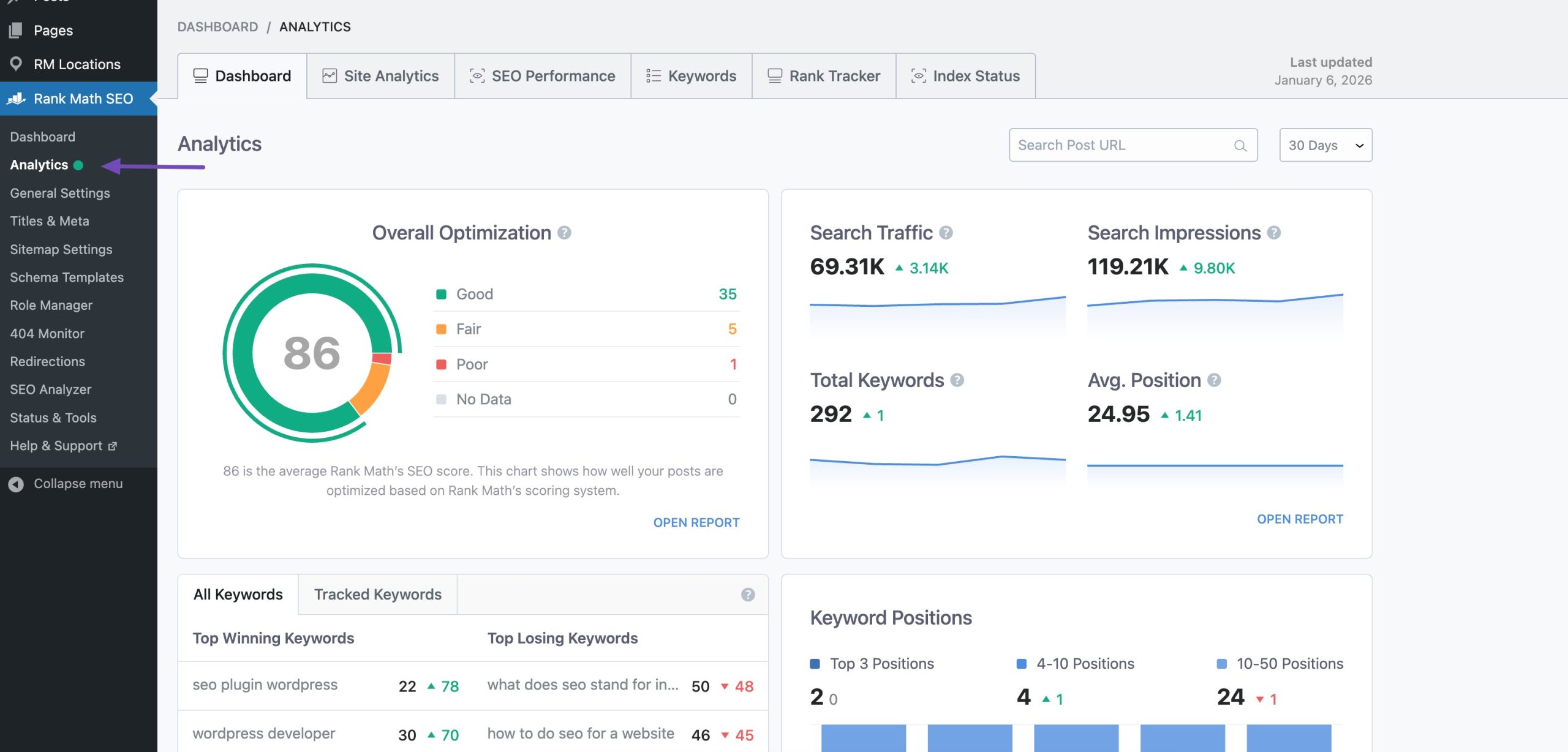
This means you can answer important questions like:
- Which posts are bringing you the most search traffic?
- Where are visitors clicking more or less?
- How are your keyword rankings trending over time?
- Which content needs improvement?
And you don’t need to switch between separate tools to gain these insights; everything is in one place.
What You Can Track With Rank Math Analytics
Here’s what Rank Math’s analytics feature lets you see and act on:
SEO Performance Metrics
You’ll see key SEO stats such as:
- Search impressions and search clicks
- Total search traffic
- Average search position
- Click-through rate (CTR)
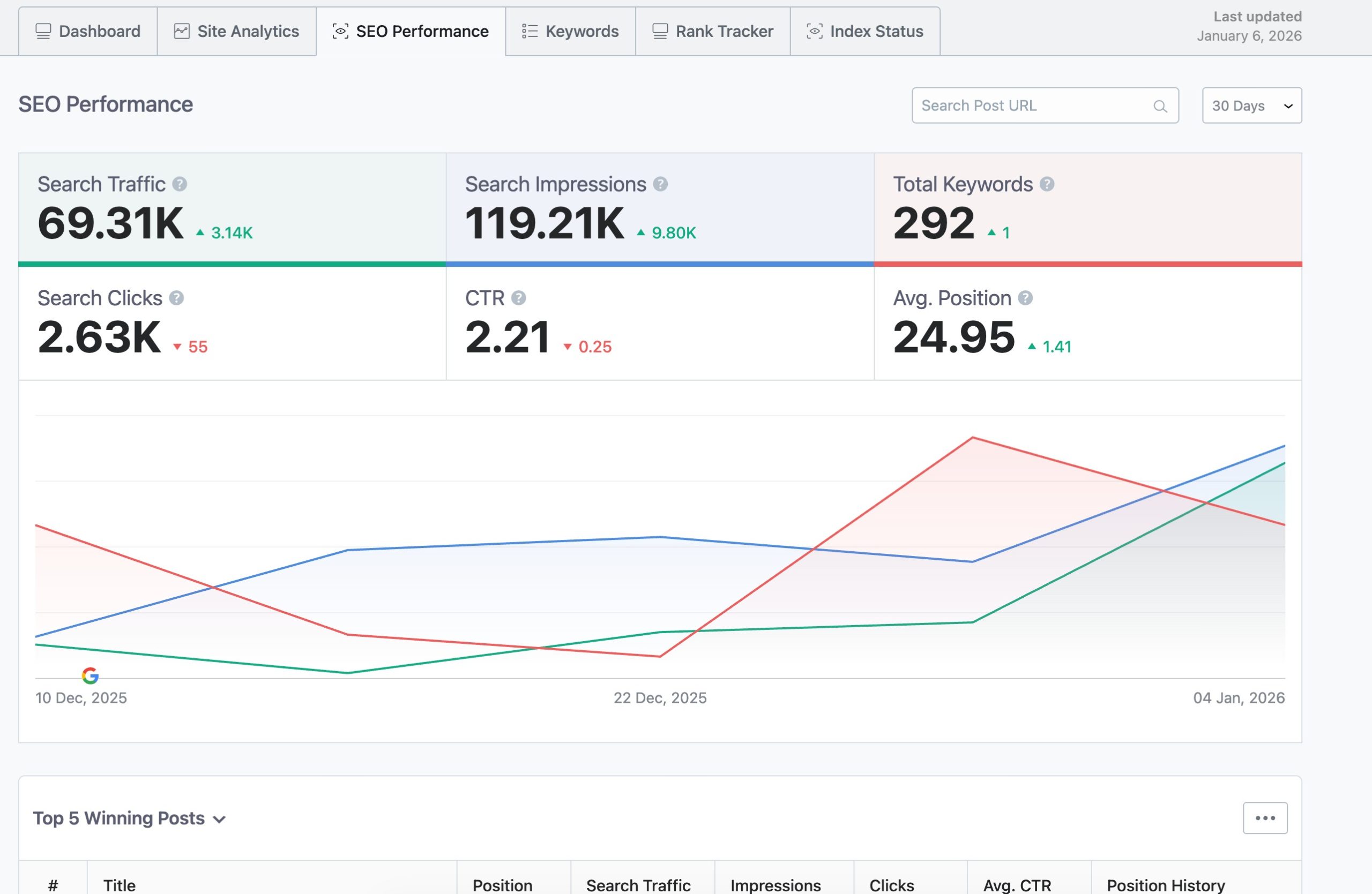
These help you understand how search engines view your content and how visitors respond to the results page.
Keyword Insights
Rank Math shows where your tracked keywords currently rank and how they’ve changed over time, so you can spot opportunities or drops quickly.
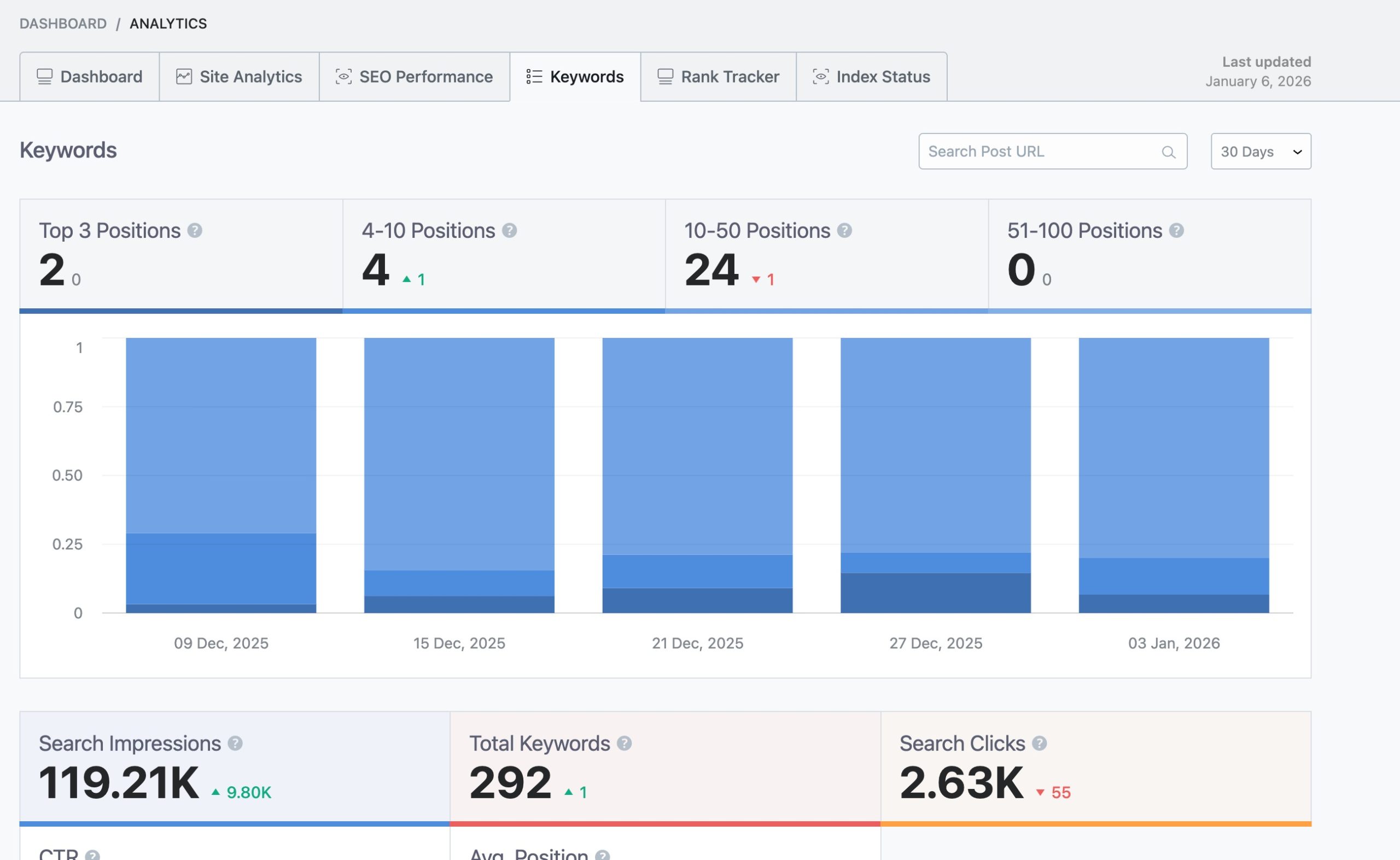
The system even highlights your top “winning” and “losing” keywords based on recent position changes.
Site Analytics
Beyond overall performance, you can drill down into individual posts or pages to see:
- SEO score and optimization suggestions
- Traffic trends
- Search impressions and clicks
- Page loading performance
- Index status as fetched via Google’s URL Inspection API
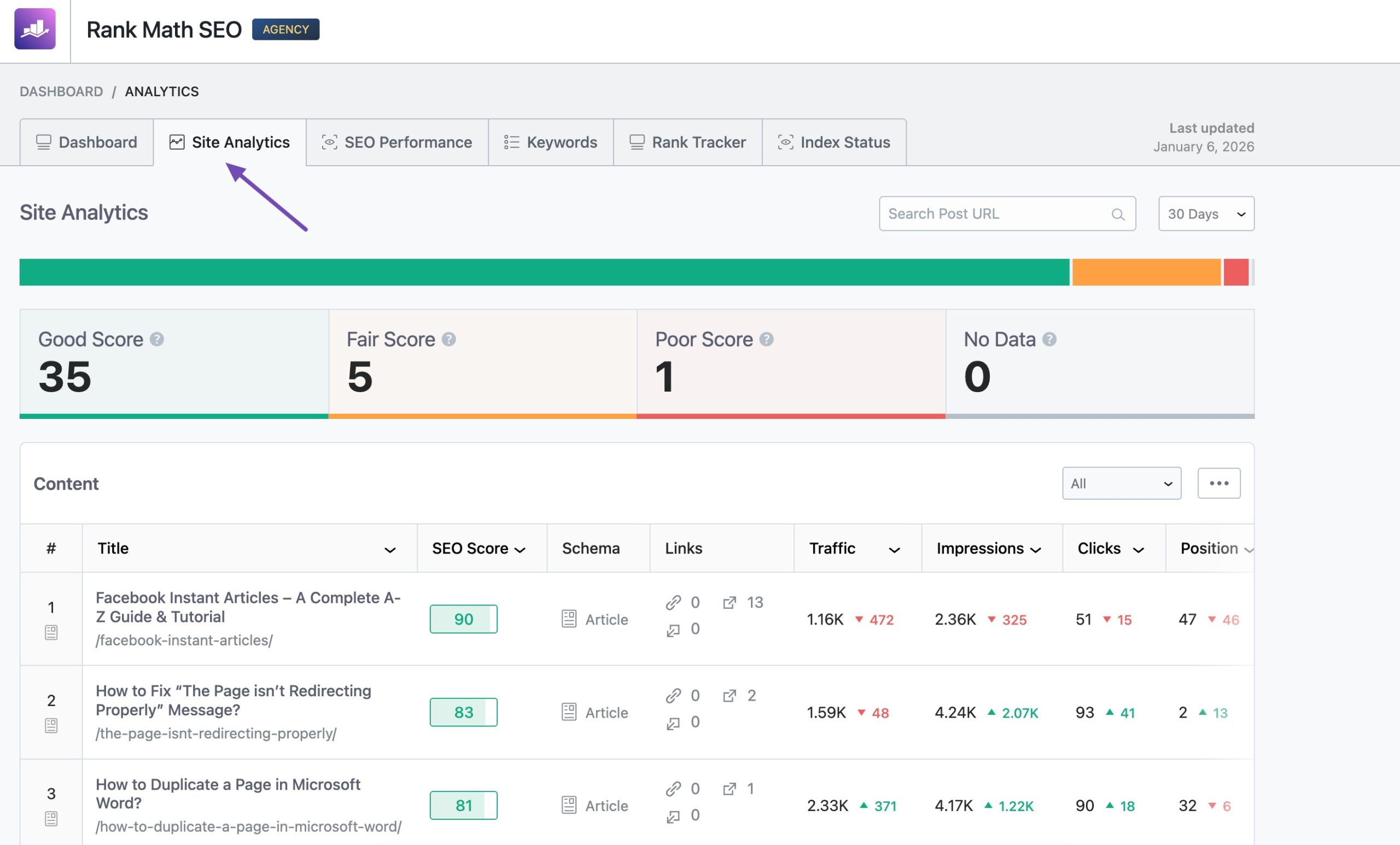
This helps you improve pages that matter most to your goals.
Rank Tracker (PRO)
If you upgrade, Rank Math’s Rank Tracker lets you follow your selected keywords over time and visualize their movement, even correlating it with major Google updates.
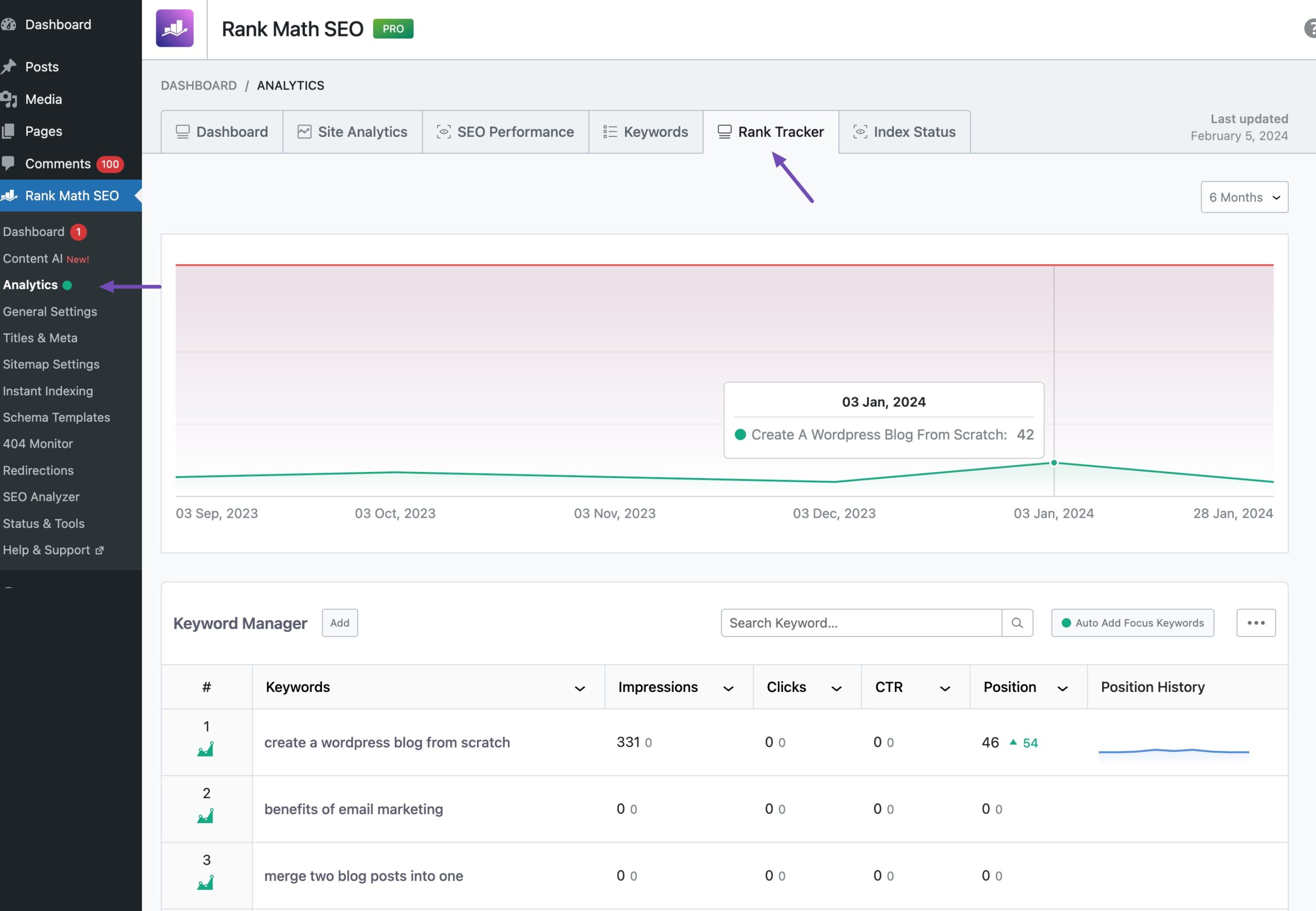
Pricing: Rank Math is freely available, and the PRO plan starts at €95.88/year.
2.2 Google Analytics
Google Analytics works best when you want to answer what is happening and where visitors are dropping off.
You can identify top-performing pages, spot underperforming content, and measure the impact of marketing efforts without relying on assumptions.
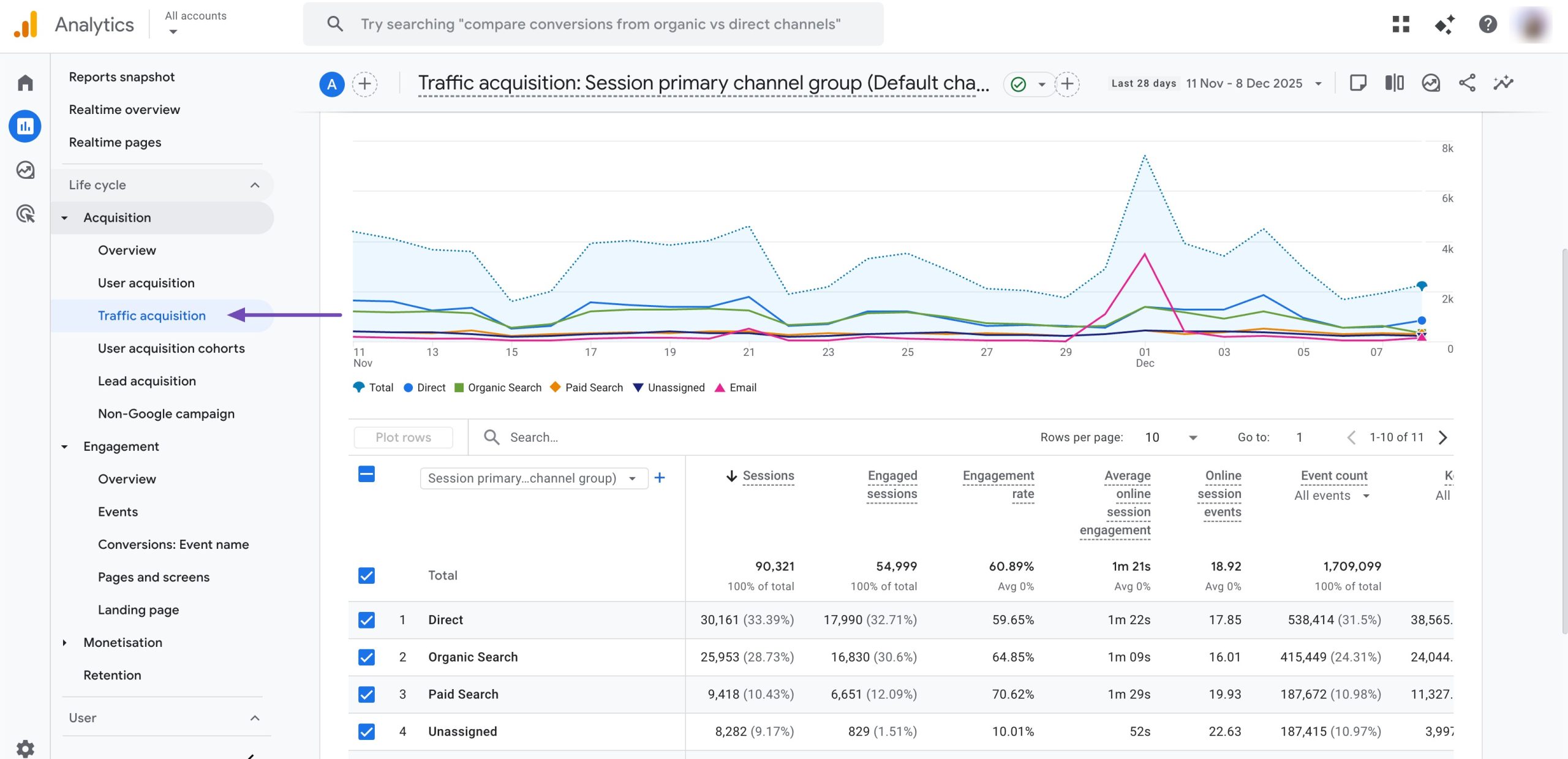
Instead of focusing on visuals like heatmaps or session replays, Google Analytics helps you understand patterns and performance.
You can see which traffic sources bring engaged visitors, how visitors flow from one page to another, and where drop-offs happen across your site.
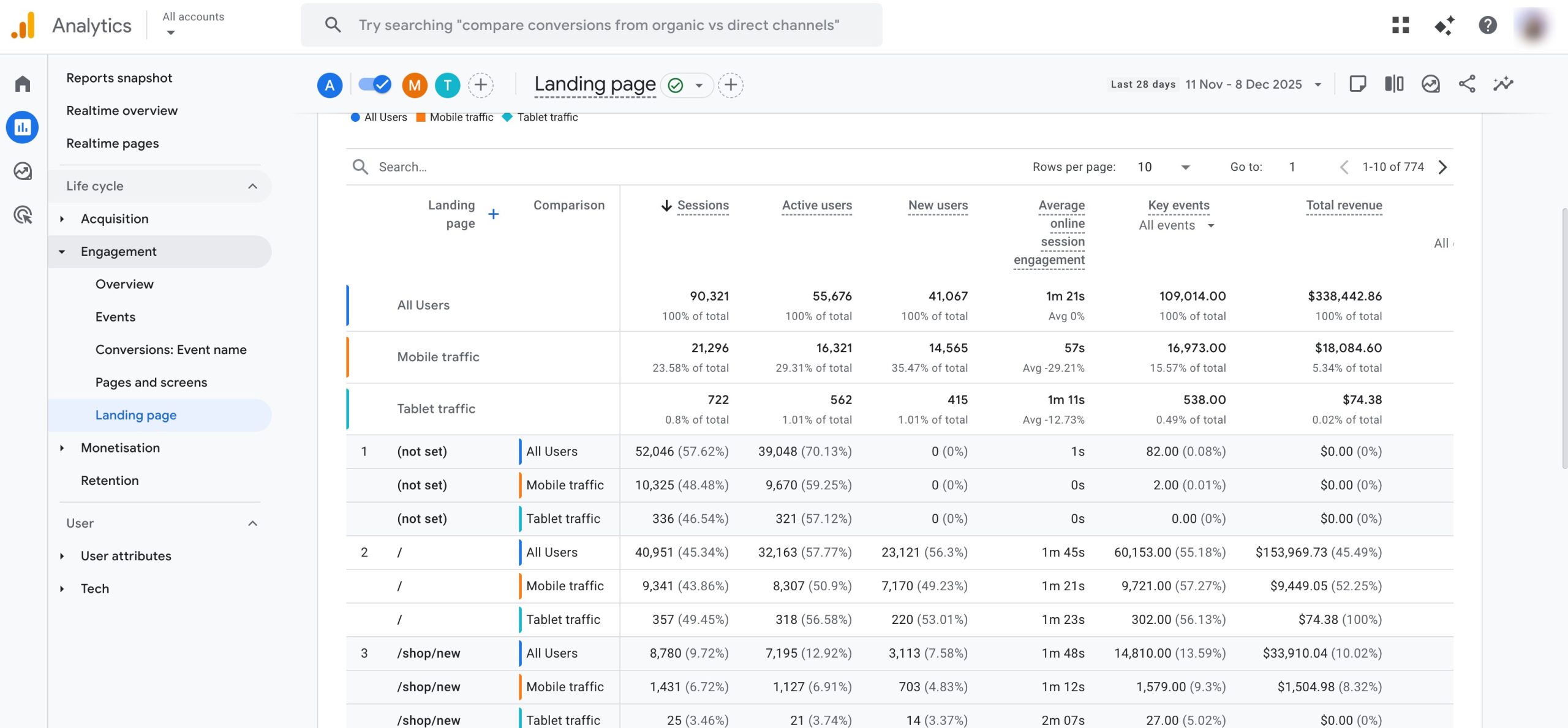
What You Can Track With Google Analytics
Using Google Analytics, you’re able to monitor:
- User acquisition by channel, source, and campaign
- Page-level engagement, including time spent and exit points
- Events such as button clicks, form submissions, and video plays
- Conversion paths that show how visitors complete goals
- Audience behaviour trends across devices and locations
This gives you a structured view of how visitors interact with your site over time.
Pricing: Freely available
2.3 Microsoft Clarity
If you want to understand how visitors actually use your website without spending anything, Microsoft Clarity is one of the most practical tools you can choose.
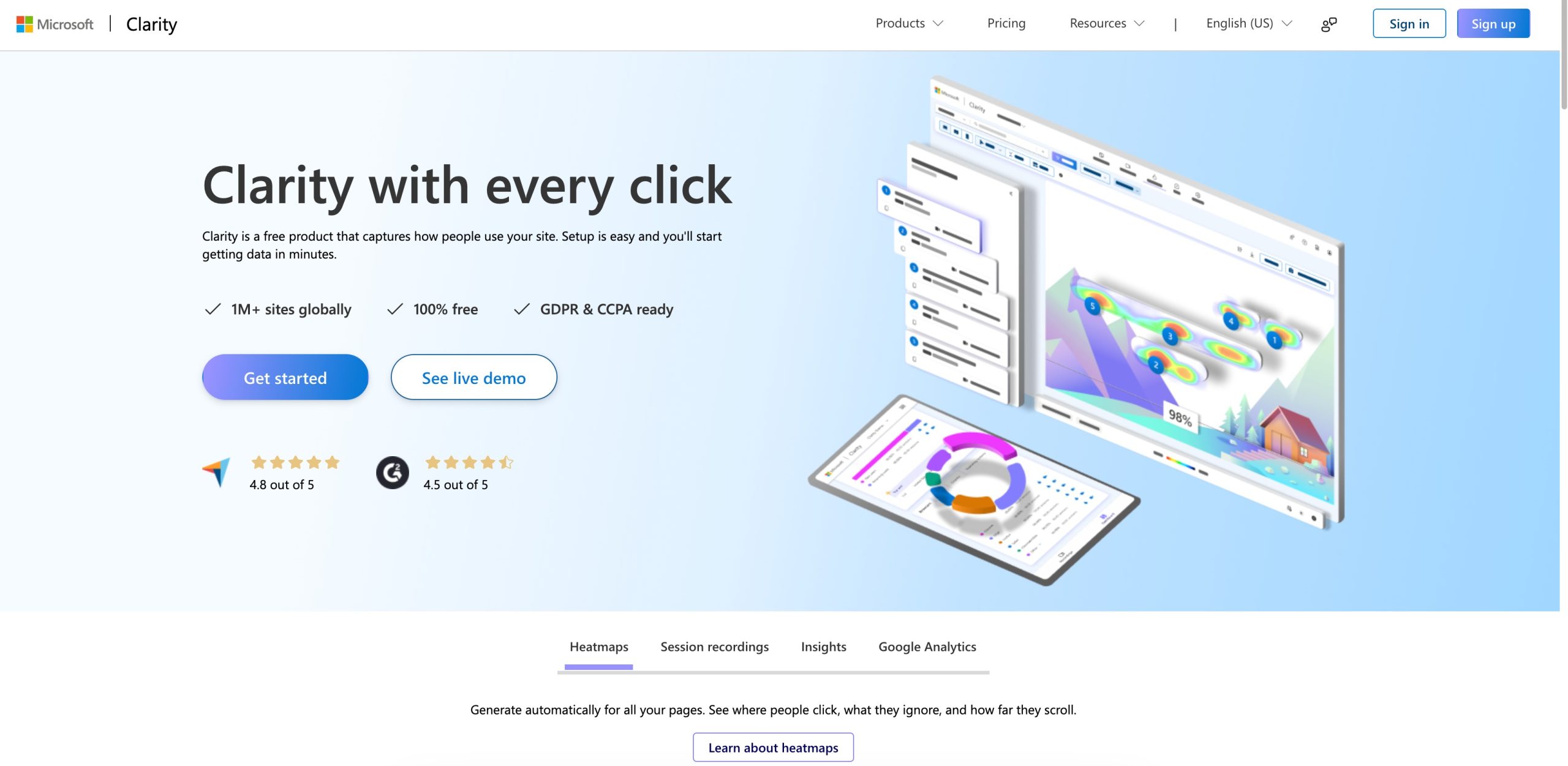
It gives you clear, visual insight into visitor behaviour, helping you see where users click, scroll, pause, or abandon a page.
Because Clarity is completely free, you can start tracking user interactions right away, with no traffic limits, no user caps, and no hidden upgrades.
What You Can Track With Microsoft Clarity
When you use Clarity, you gain access to behaviour-focused data that’s easy to understand and act on. You can:
- Watch session recordings to see user journeys
- Use heatmaps to identify areas that attract attention, or get ignored
- Spot dead clicks, and quick back-and-forth behaviour
- Understand how far visitors scroll before leaving
These insights help you fix usability issues, improve layout decisions, and remove friction from important pages.
Pricing: Freely available
2.4 Hotjar
If you want to understand how visitors feel when they use your website, not just what they click, Hotjar is built for that purpose.
Once you sign up, add the verification code to your website, and Hotjar will start tracking your website.
It provides heatmaps to show where users click or tap, session recordings to watch real-time user journeys, and feedback tools to collect direct input.
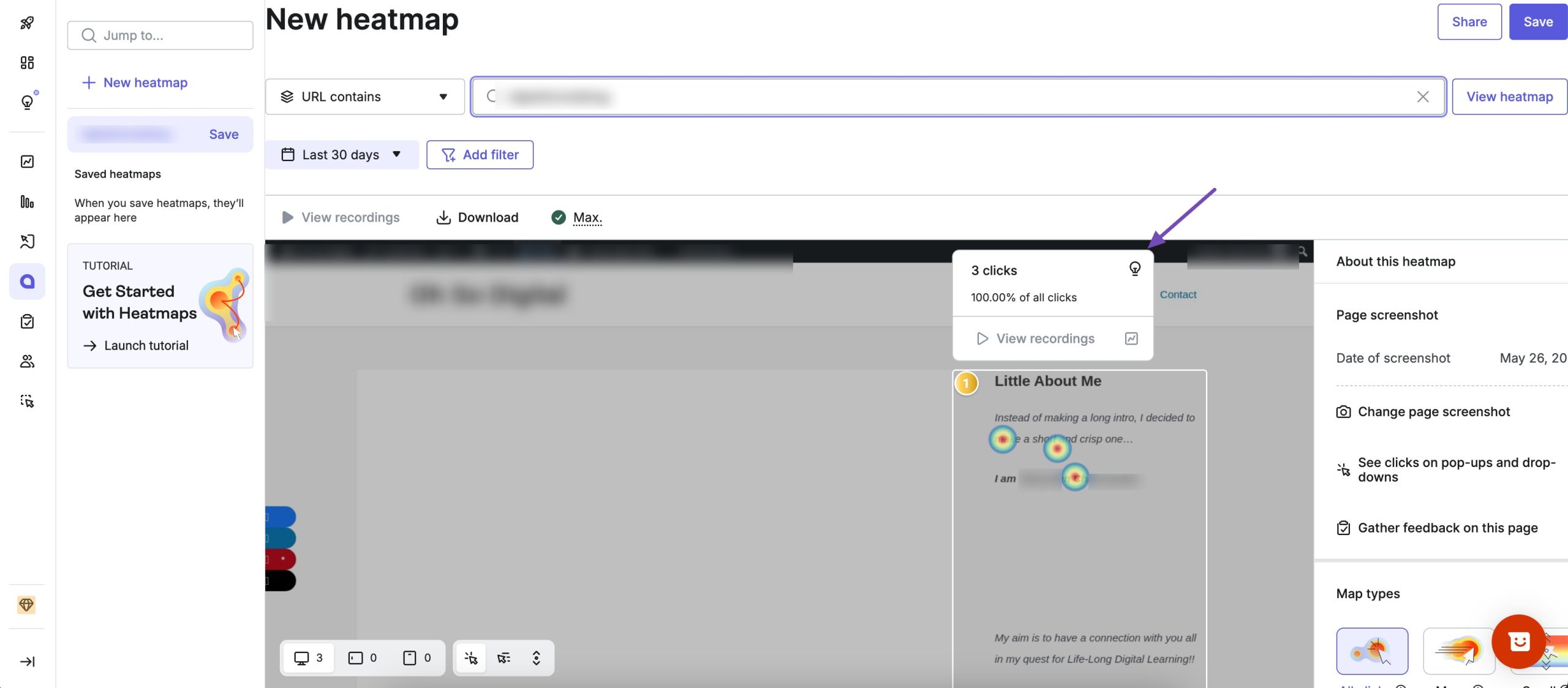
This makes it easier for you to spot confusion or hesitation that traditional analytics often fail to explain.
What You Can Track With Hotjar
When you use Hotjar, you can visually analyze how visitors move through your site and where they struggle. You’re able to:
- Watch session recordings to see real navigation patterns
- Use heatmaps to understand where attention drops or peaks
- Analyze conversion funnels to identify where users abandon key actions
- Collect feedback through on-page surveys and polls
This combination of behaviour tracking and direct user feedback gives you deeper insight into why visitors behave the way they do.
Pricing: Paid plans start at $32/month.
2.5 CrazyEgg
If you want to see where visitors interact with your pages quickly, Crazy Egg makes behaviour tracking easy to understand at a glance.
Instead of digging through reports, you get visual maps that show exactly how users engage with your content, what they click, how far they scroll, and which elements attract the most attention.
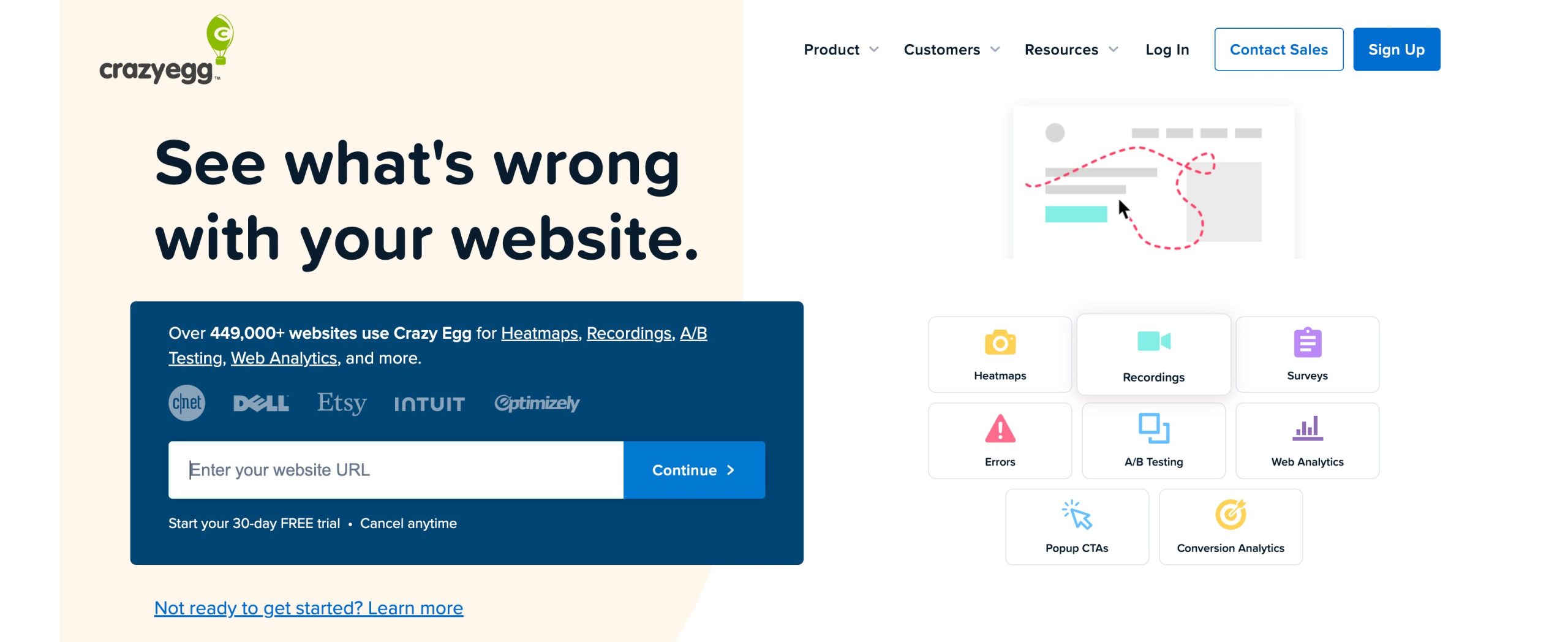
Crazy Egg focuses on visual behaviour analysis, making it especially useful when you’re optimizing page layouts, landing pages, or conversion elements.
What You Can Analyze With Crazy Egg
When you use Crazy Egg, you can explore visitor engagement through multiple visual layers:
- Heatmaps to highlight the most-clicked areas on a page
- Scroll maps to see how far visitors scroll before losing interest
- Confetti maps to break down individual clicks in detail
You can also segment behaviour by traffic source, device type, browser, or campaign, helping you understand how different audiences interact with the same page.
Pricing: Paid plans start at $29/month.
2.6 Mouseflow
If you need deeper insight into how visitors move through your site and where conversions break down, Mouseflow gives you a more advanced level of behaviour tracking. It’s built for understanding entire user journeys, not just individual clicks or page views.
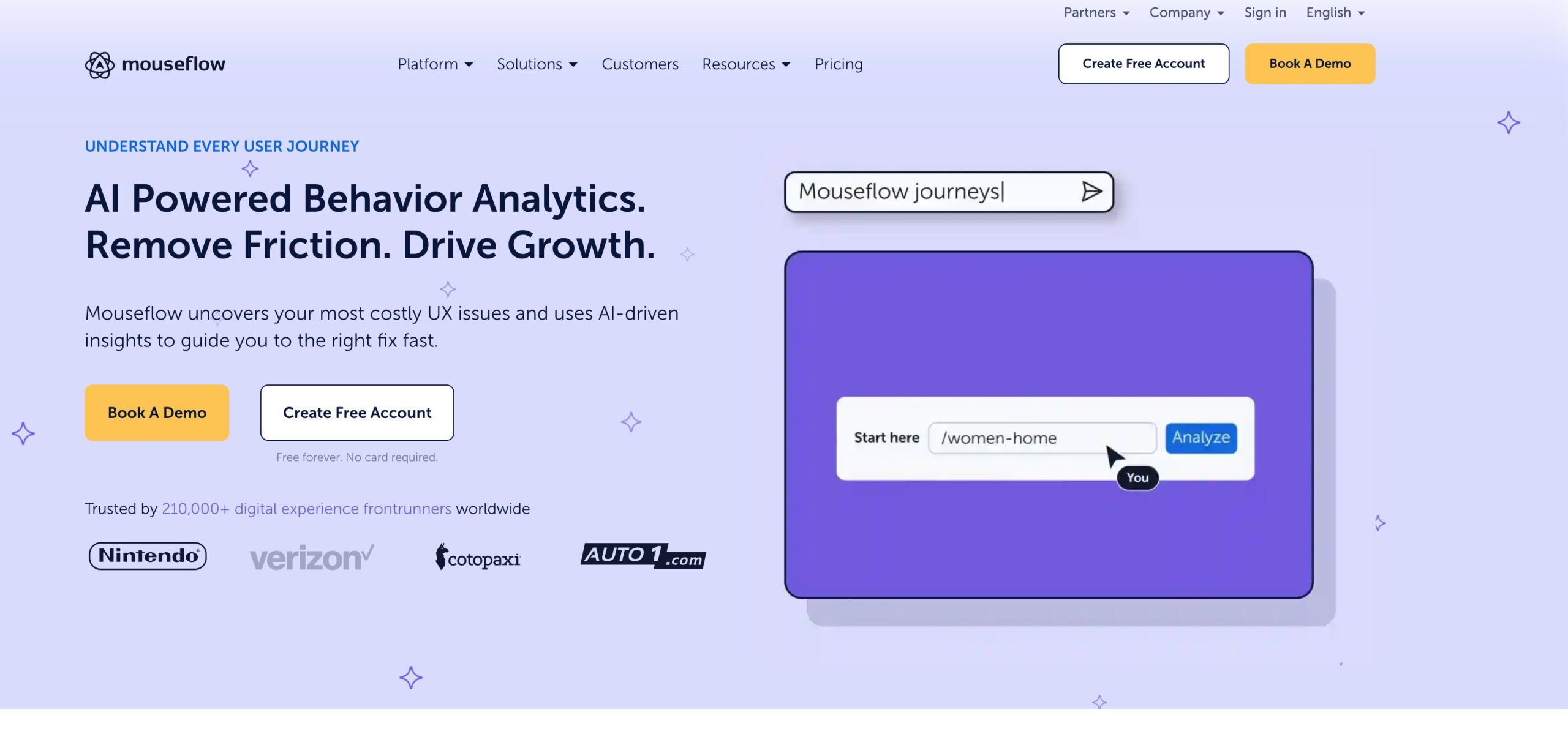
Mouseflow combines full session replays with multiple heatmap types, allowing you to see exactly how users interact with your pages from entry to exit. This makes it easier for you to identify friction points that directly affect conversions.
What Mouseflow Helps You Track
With Mouseflow, you can analyze visitor behaviour in detail, including:
- Session recordings that replay real visits step by step
- Click, scroll, and movement heatmaps to visualize engagement
- Conversion funnels that show where users drop off during key actions
- Form analytics to reveal hesitation, field abandonment, and errors
Instead of guessing why users don’t convert, you can see where and why the process fails.
Pricing: Paid plans start at $219/month.
2.7 LeadFeeder
If your goal is to turn anonymous website traffic into actionable sales insights, Leadfeeder is a tracking tool built for that purpose.
Instead of just showing you pageviews and clicks, Leadfeeder helps you discover which companies are visiting your website, how they behave once they arrive, and which pages they engage with most.
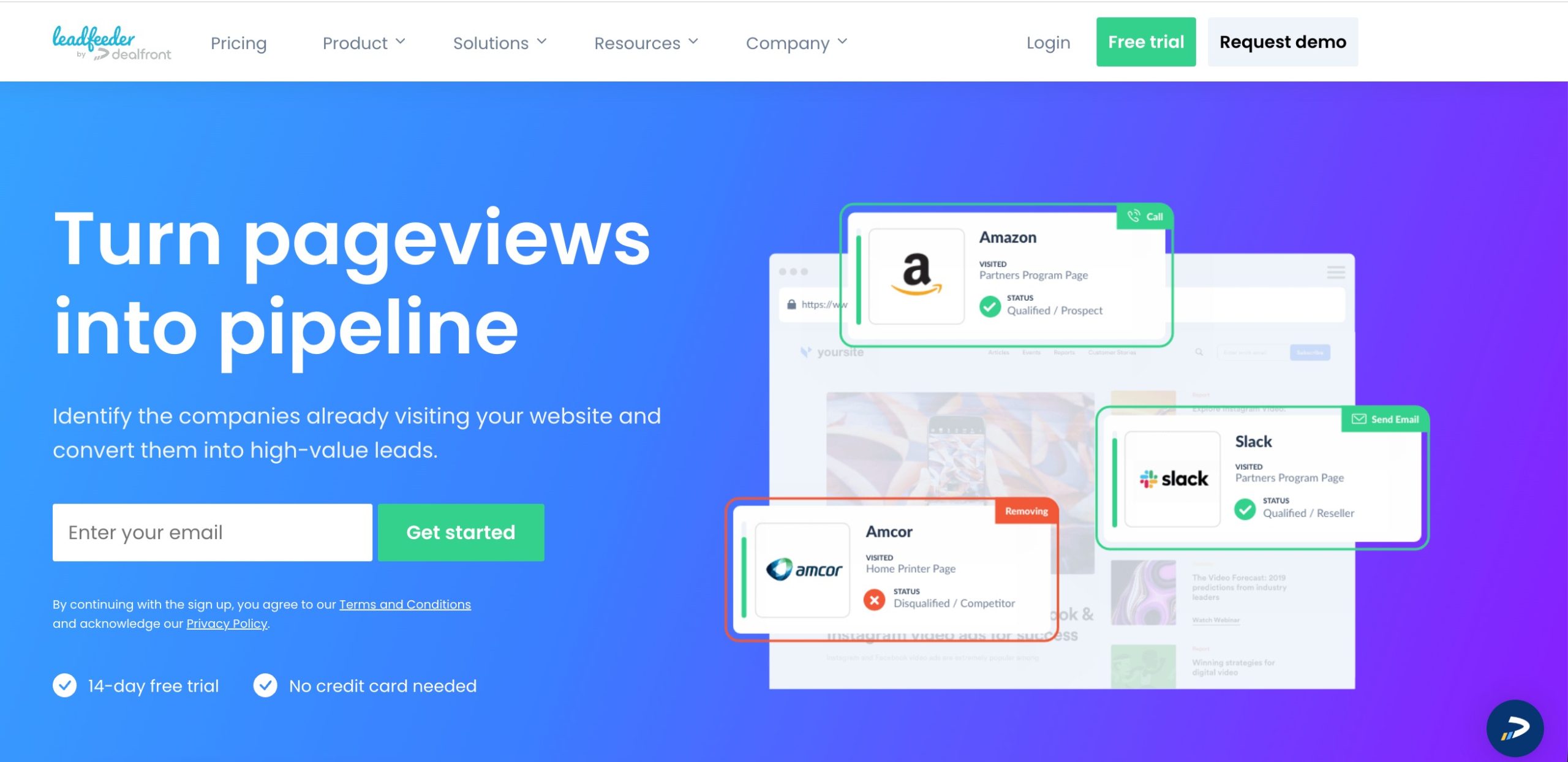
Leadfeeder connects with your existing analytics setup, usually Google Analytics, to enhance it with lead detection capabilities. Once set up, it starts pulling visitor data and matching it to a company profile based on IP addresses.
With Leadfeeder, you can:
- See a list of companies that visited your website
- Track which pages they viewed, how long they stayed, and their engagement patterns
- Monitor behaviour trends by company instead of just individual sessions
- Integrate with your CRM or email tools to turn visits into follow-ups
- Score leads based on pages visited, duration, and frequency
This transforms your website into a lead generation machine, rather than just a source of information.
Pricing: It offers a 7-day free trial, and the paid plan starts at €99 per month.
3 Frequently Asked Questions
What are website visitor tracking tools?
Website visitor tracking tools help you understand how users interact with your site. Instead of only showing traffic numbers, they reveal actions like clicks, scrolling behaviour, navigation paths, and conversion drop-offs, giving you insight into how visitors actually experience your website.
Do website visitor tracking tools affect site speed?
Most modern tracking tools are lightweight and designed to minimize performance impact. When properly configured, they should not noticeably slow down your website. It’s still a good practice to avoid running too many tracking scripts at once.
Can I use multiple visitor tracking tools on the same website?
Yes, you can use more than one tracking tool, especially if they serve different purposes. For example, you might use Google Analytics for traffic analysis and another tool for heatmaps or session recordings. Just ensure the tools don’t duplicate functionality unnecessarily.
4 Final Thoughts: Choosing the Right Website Visitor Tracking Tool
Website visitor tracking helps you understand how visitors actually use your site, so you can improve experience, conversions, and performance.
Whether you choose an all-in-one option like Rank Math SEO or a specialized tracking tool, the key is using visitor data to guide your decisions.
When you optimize based on how users behave, not assumptions, you get better results from the traffic you already have.
If there’s anything else you’d like us to cover in this post, let us know by tweeting @rankmathseo. 💬