
If you’re just starting with Rank Math AI or encounter a scenario where you need to reconnect with Rank Math AI, then follow the below steps we have covered in this knowledgebase article.
Note: To reconnect your website with Rank Math AI, you’d need to first disconnect and then connect with Rank Math AI once again.
In this tutorial, we’ll cover:
1 How to Connect a Site With Rank Math AI
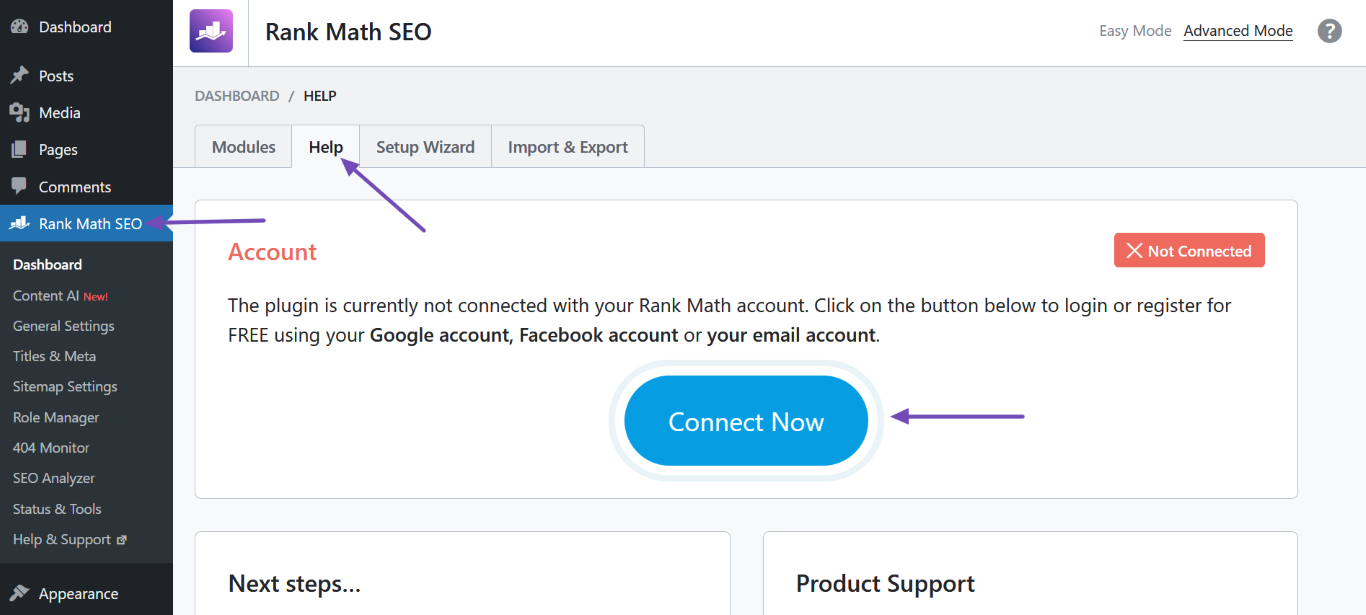
To connect a site to Rank Math AI, navigate to Rank Math SEO → Help from your WordPress dashboard and click Connect Now.
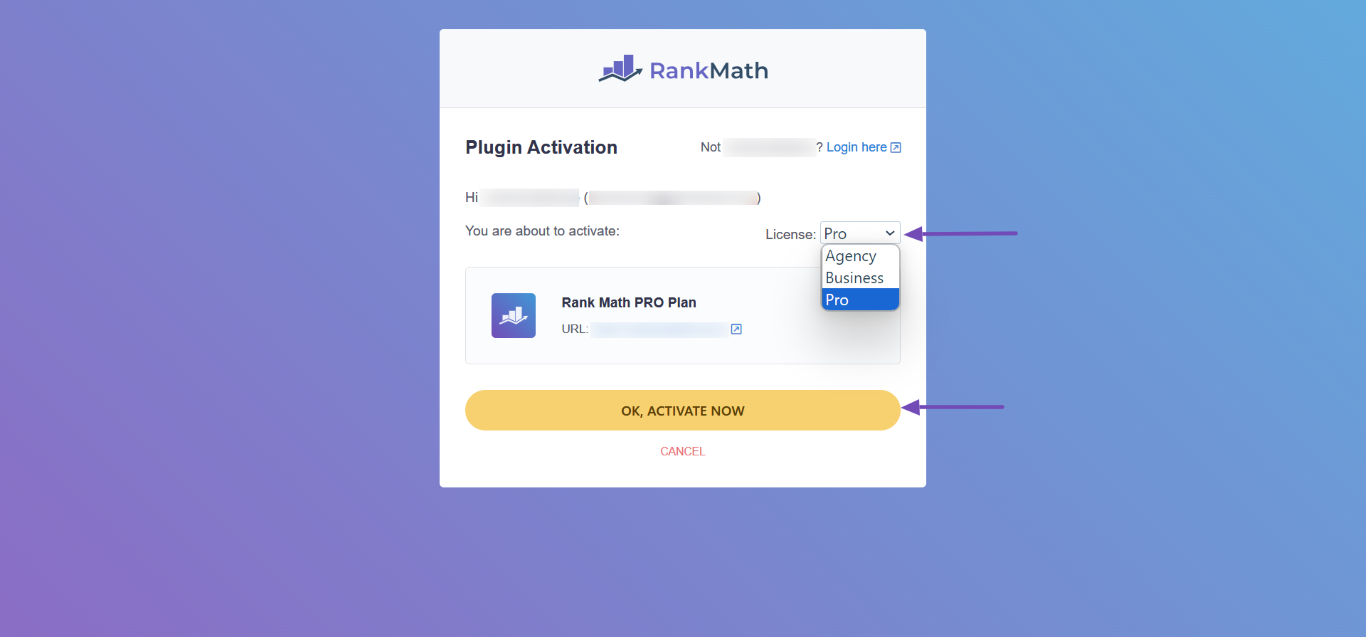
Now, sign into the Rank Math account containing your Rank Math AI plan. If you have multiple Rank Math PRO licenses, select the applicable license from the License dropdown menu. Once done, click OK, ACTIVATE NOW.
You have now successfully connected your website to Rank Math AI.
2 How to Disconnect a Site From Rank Math AI
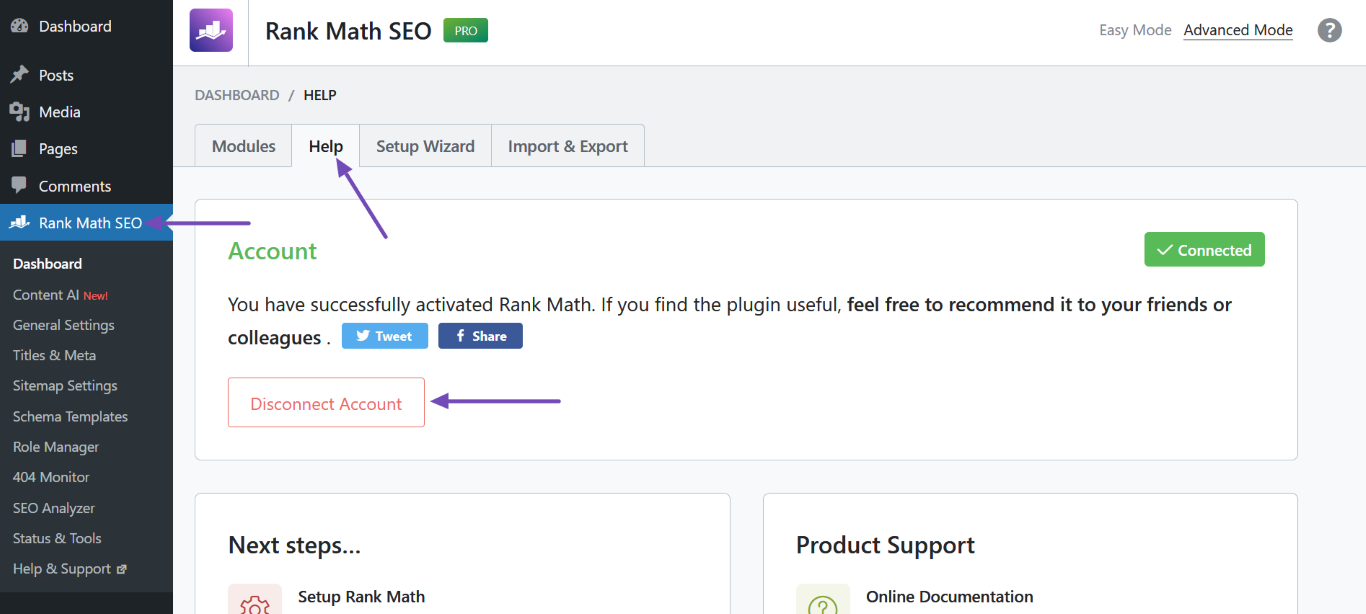
To disconnect a site from Rank Math AI, navigate to Rank Math SEO → Help from your WordPress dashboard, and click Disconnect Account. Your site will be disconnected from Rank Math AI.
That’s how you can connect or disconnect a site from Rank Math AI. We hope you are able to follow the above steps. If you have any questions, you’re more than welcome to contact our dedicated support team. We’re available 24/7, 365 days a year…