
In the Gutenberg Block editor, WordPress displays the Rank Math SEO meta box in the right sidebar of your post or page editor by default. However, you can use a filter to move it to the bottom of the Block editor instead. Here’s how to do that.
Note: This filter does not affect the Classic editor, which already displays the Rank Math SEO meta box at the bottom of the post or page editor by default. It also does not affect the Content AI meta box, which will always be in the right sidebar of the Block Editor even when the filter is present.
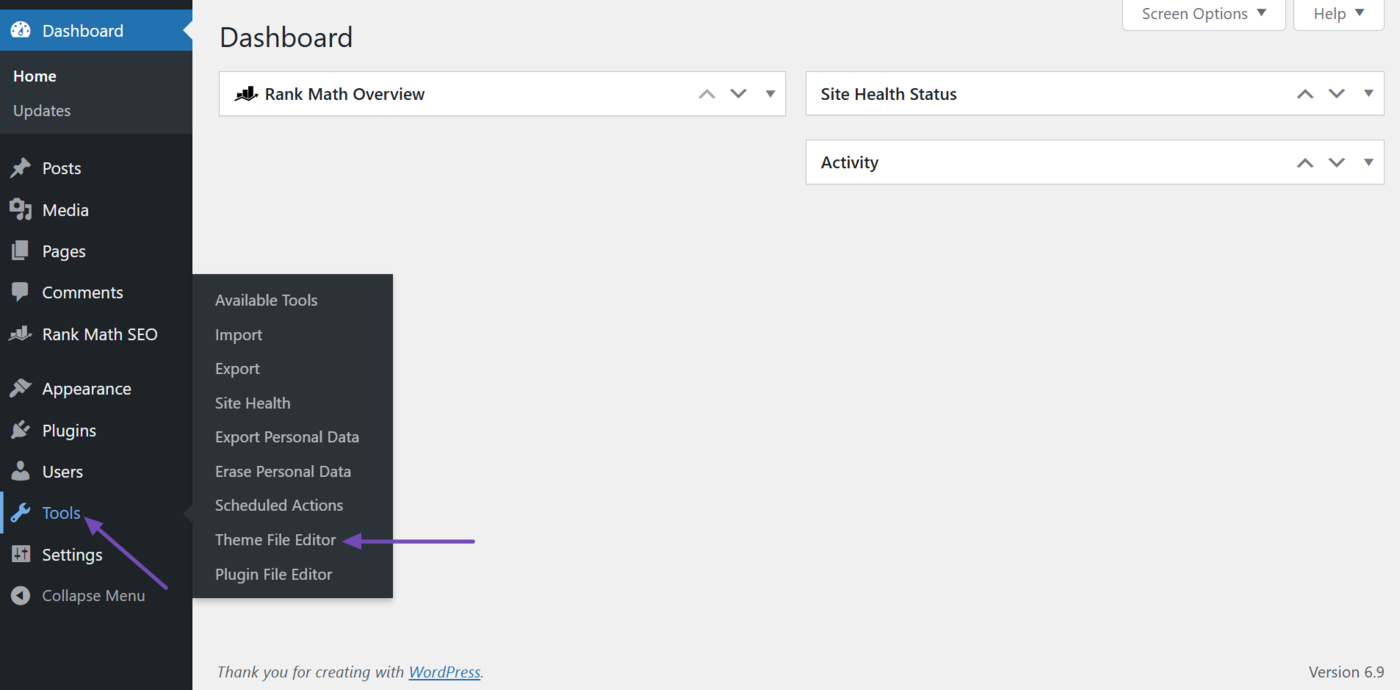
To get started, click Tools → Theme File Editor from your WordPress dashboard.
Note: We recommend adding this filter to a child theme rather than the parent theme. This ensures you do not lose the filter when you update your theme. You can refer to this guide on creating a child theme in WordPress.
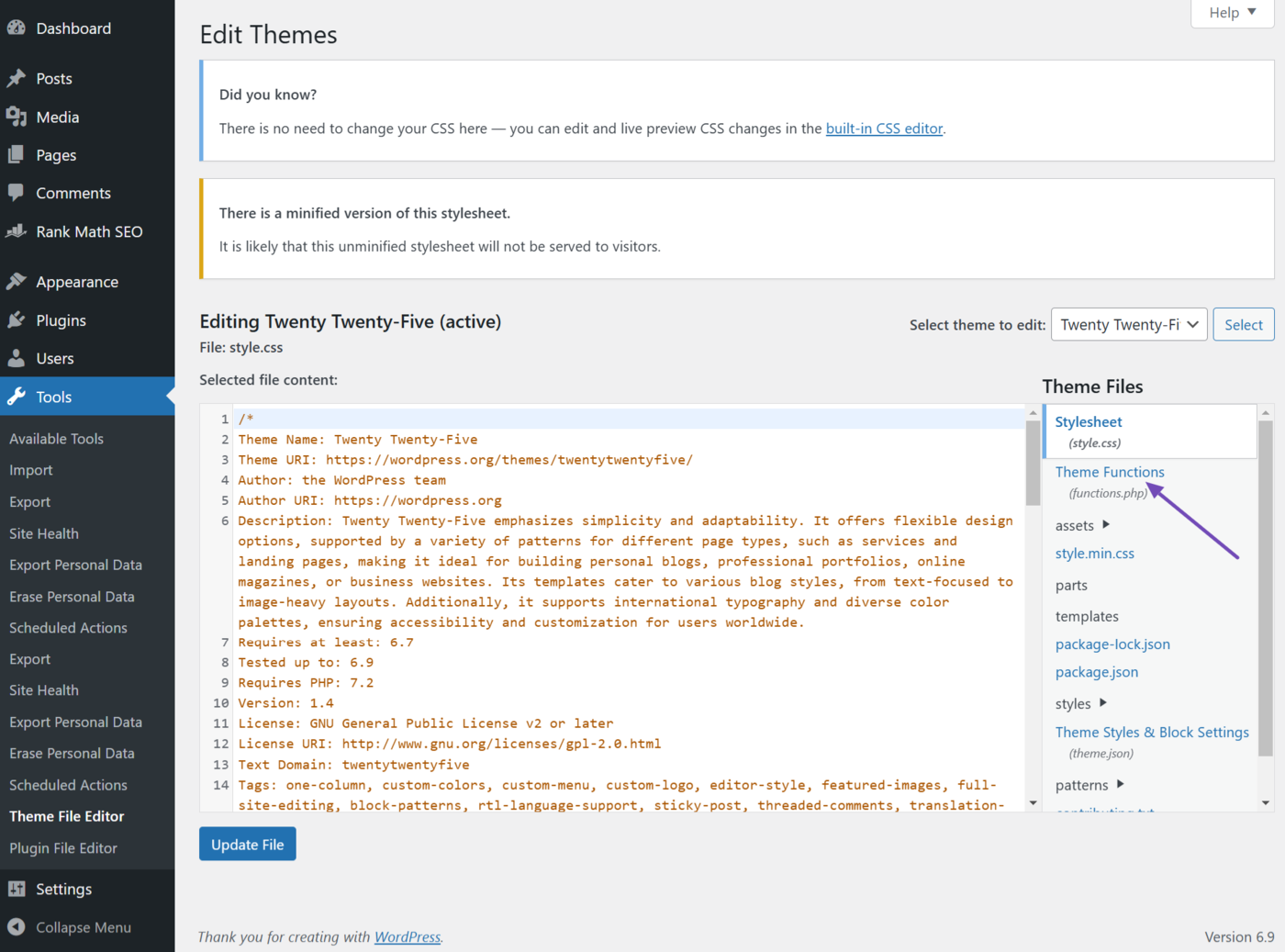
Next, click Theme Functions.
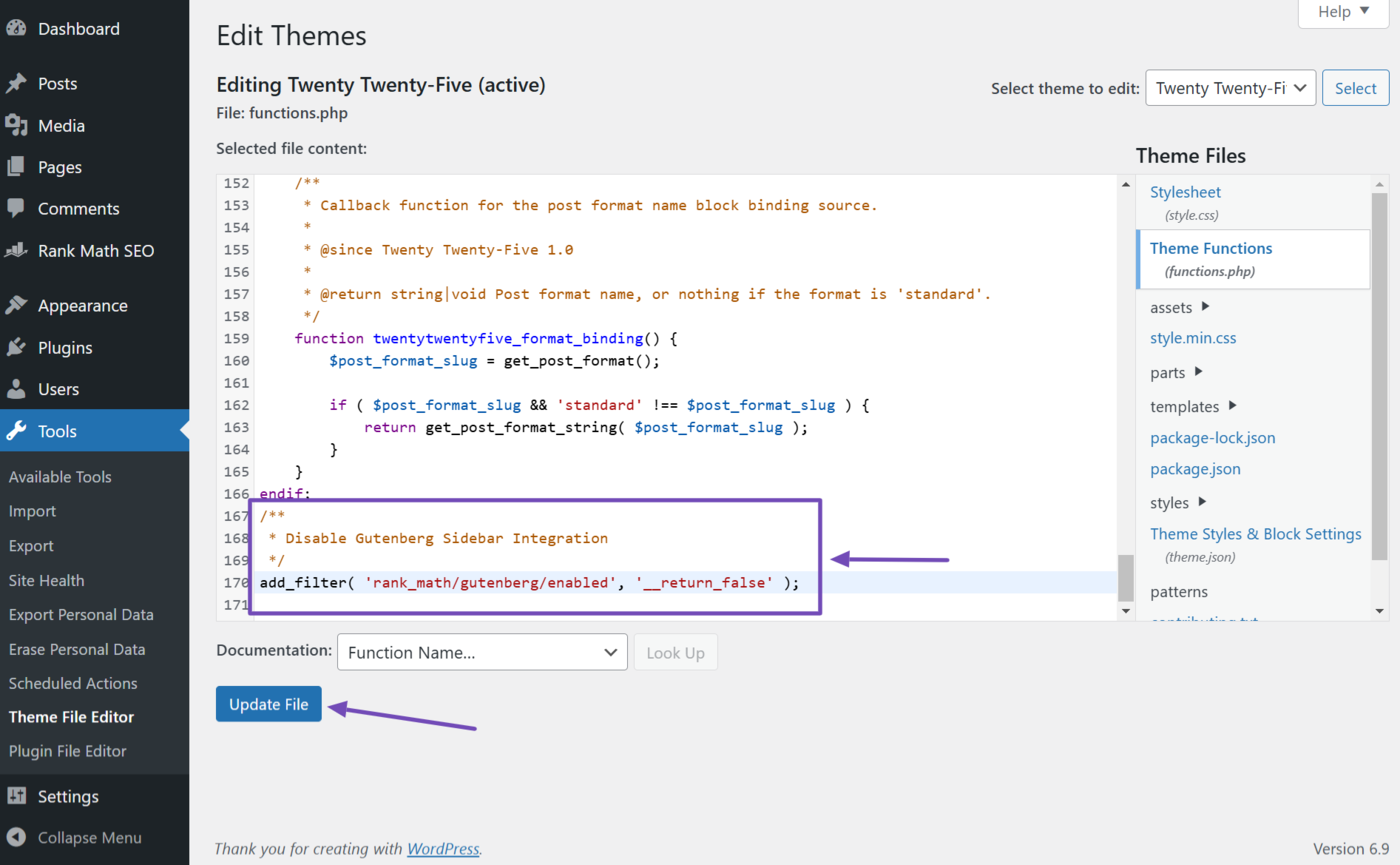
Now, scroll to the bottom of the code. Then, copy this filter and paste it after the last line.
/**
 * Disable Gutenberg Sidebar Integration
 */
add_filter( 'rank_math/gutenberg/enabled', '__return_false' );
This is how the filter should look when pasted into the code. Once done, click Update File. You have now added the filter to your site.
You can now proceed to your post or page editor. You will notice the Rank Math meta box is now located at the bottom of the Block editor instead of in the sidebar.
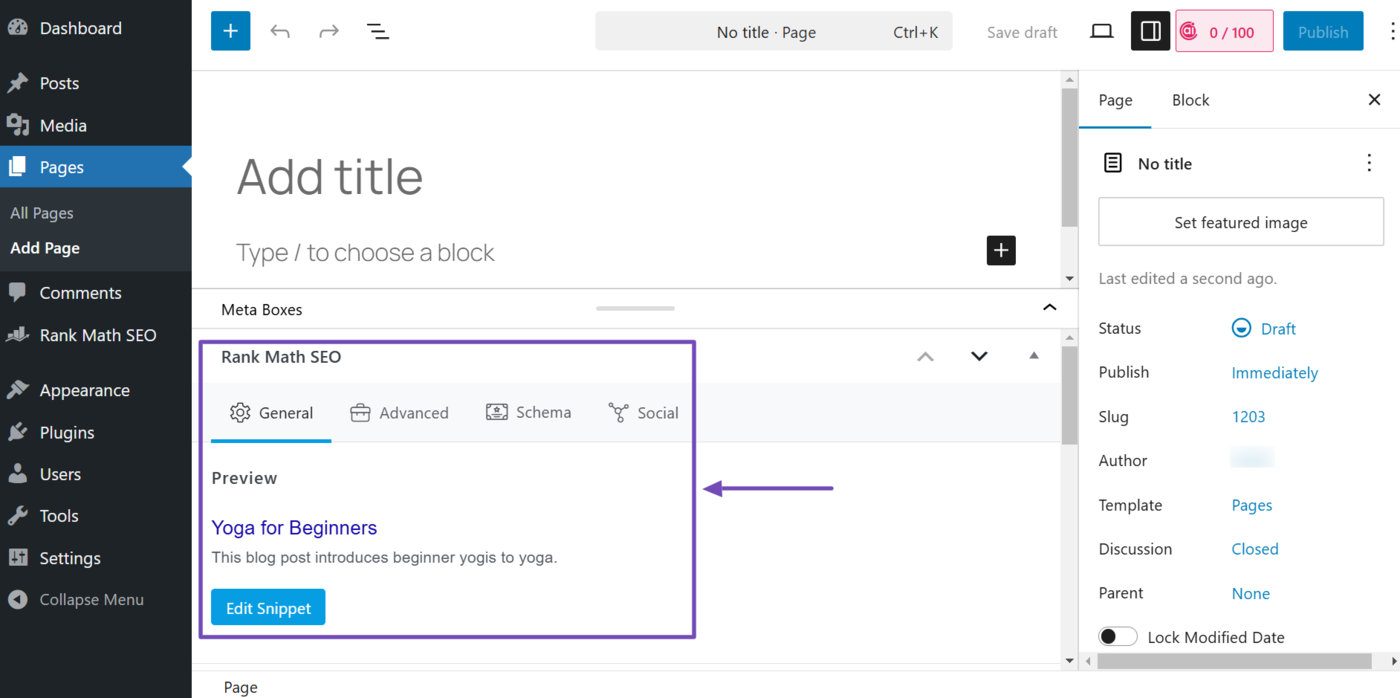
That’s how to move the Rank Math meta box from the Block editor sidebar to the bottom of the editor screen. If you have any questions about Rank Math, feel free to reach out to our dedicated support team. They are always available and happy to assist you.