
When you use Rank Math SEO Care, you will need to share your credentials with us so we can access your site. For confidentiality purposes, you will do so using the Rank Math vault and then send the secret link to us. Once done, our team will access your credentials, after which the vault automatically deletes itself.
Here’s how to create a secret link:
1 Head to the Rank Math Vault
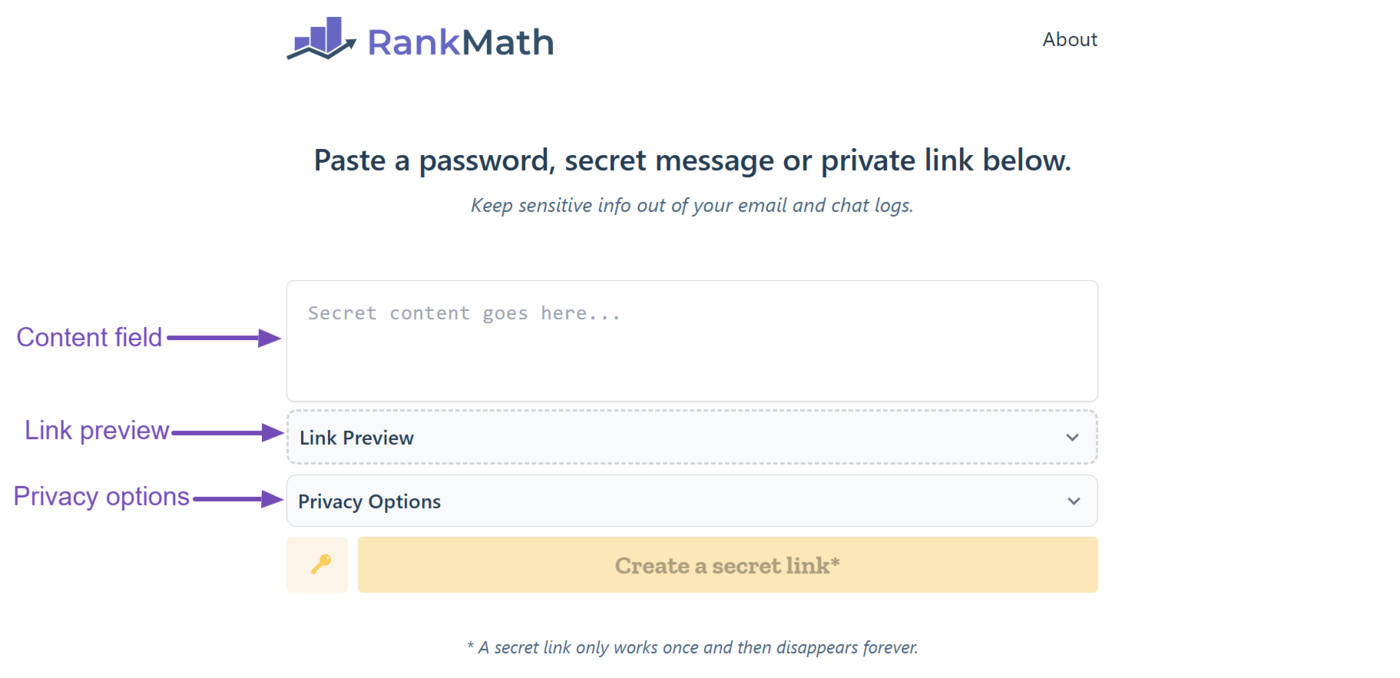
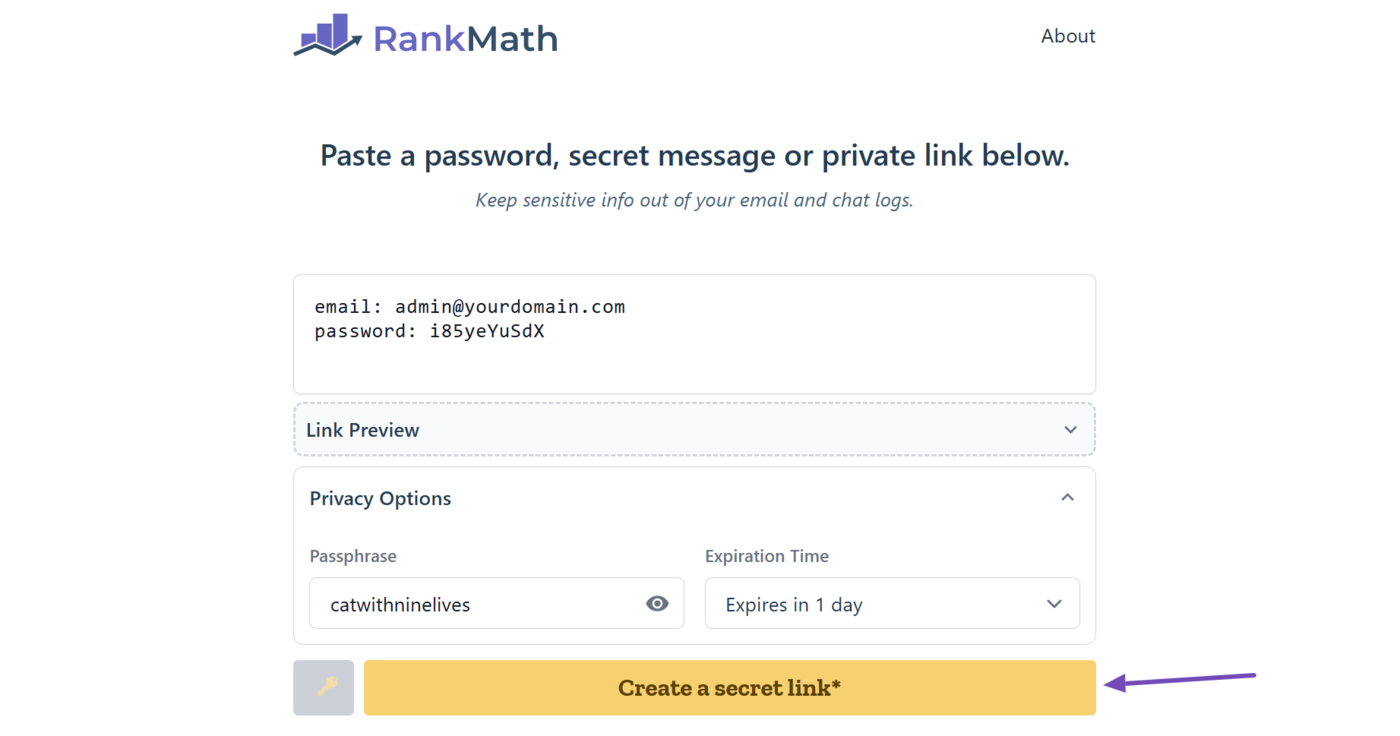
Head over to the Rank Math vault at vault.rankmath.com. There are three fields here:
- Content field: Where you enter your credentials
- Link preview: Where you can view the link to the vault (You can ignore this)
- Privacy options: Where you create a passphrase that allows us to access your credentials (This is optional)
2 Enter Your Credentials
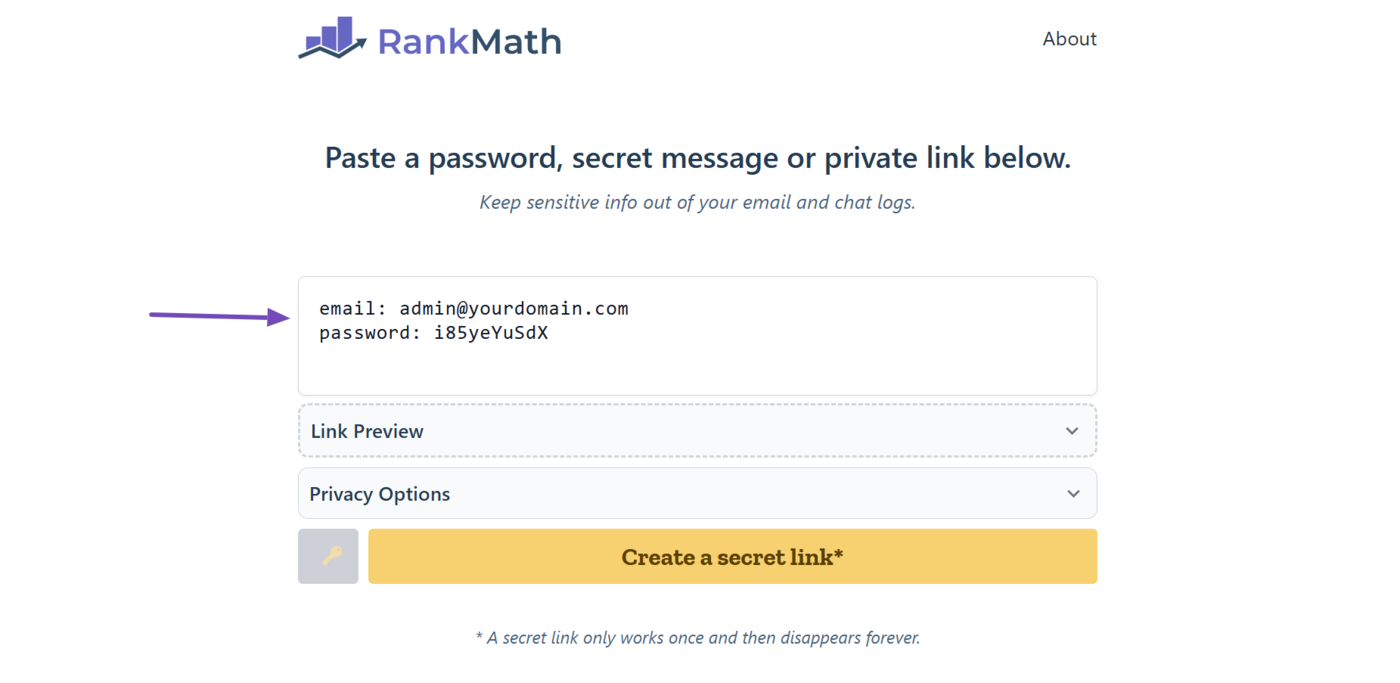
Next, enter your credentials into the available field.
3 Use a Passphrase (Optional)
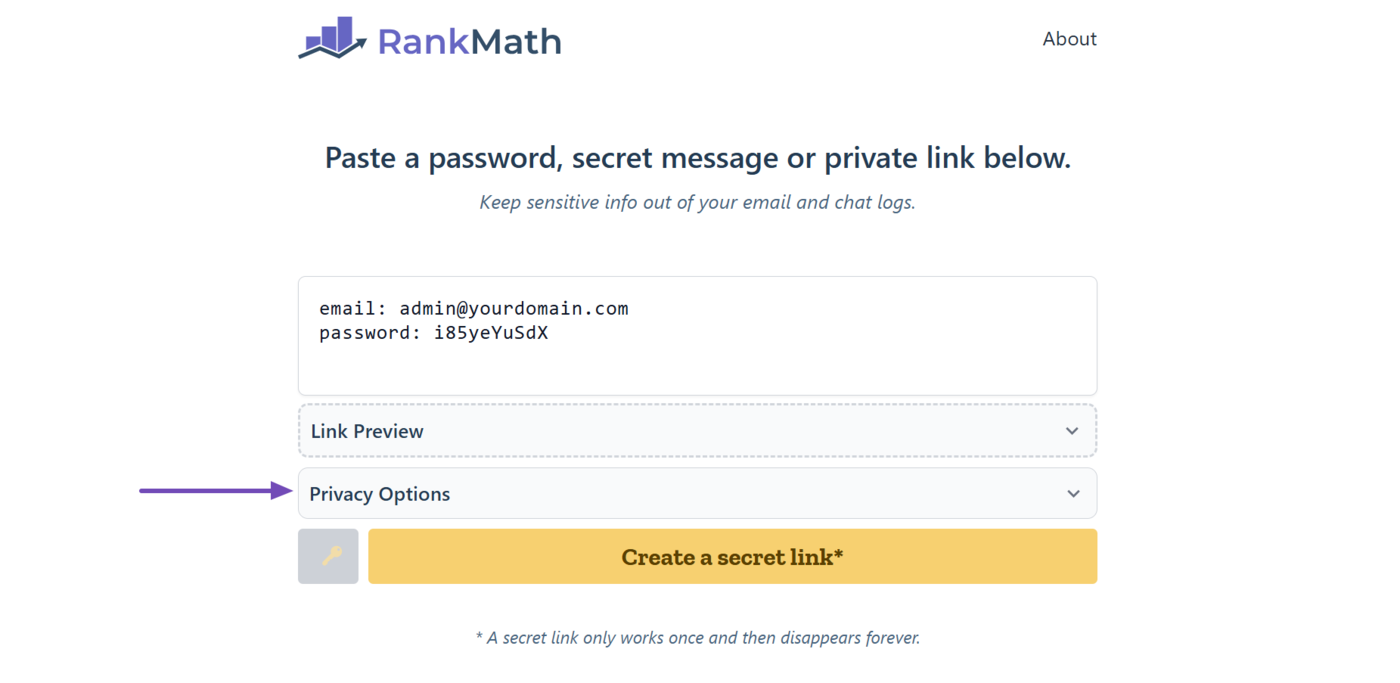
You can optionally use a passphrase. This is a one-time password to allow us access your credentials. To set a passphrase, click Privacy Options.
You will have two new options:
- Passphrase: Where you set your passphrase
- Expiration time: Set how long the secret link would remain available
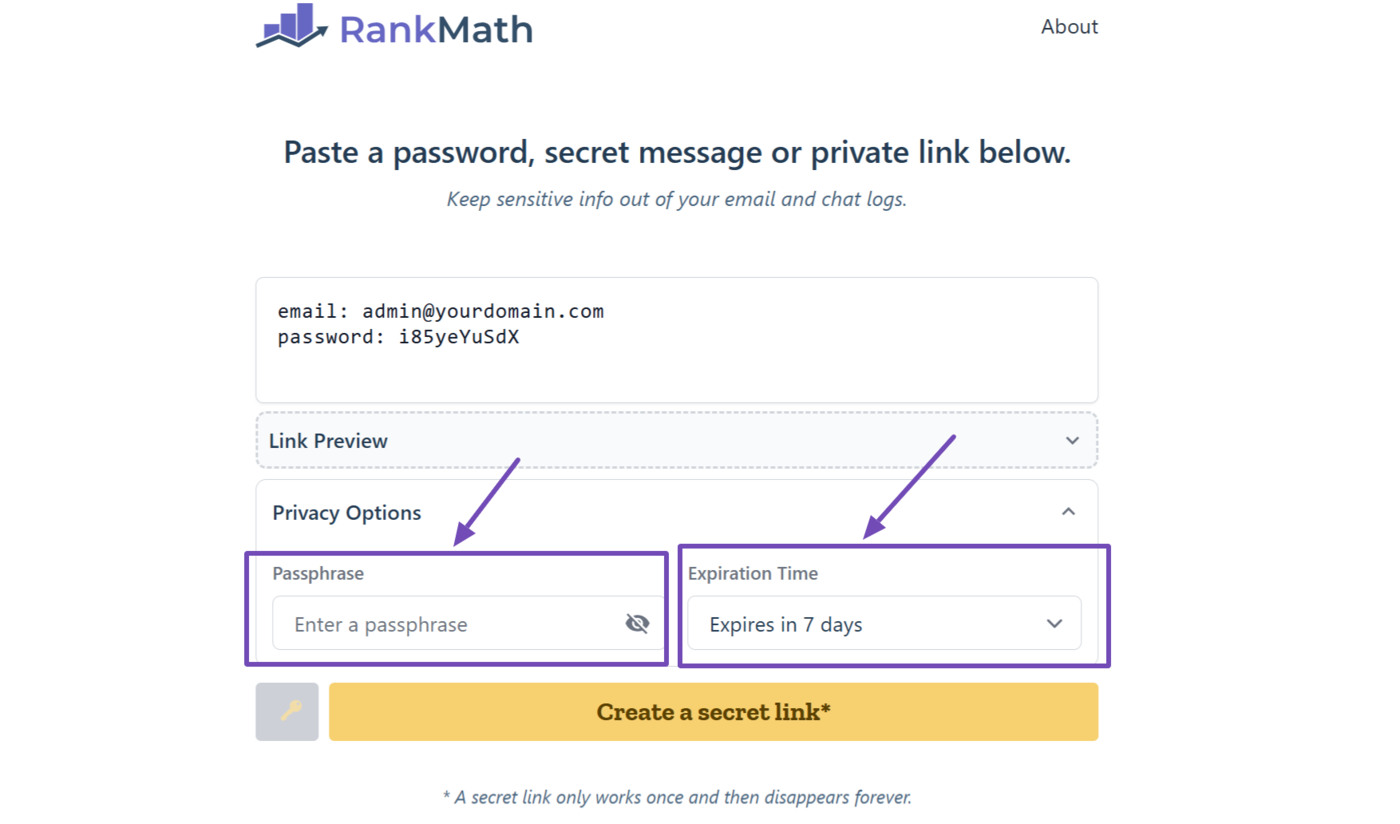
If you set a passphrase, make sure to remember it because the vault does not save it anywhere and will not show it to you again. (You can click the eye icon to view your passphrase.)
As for the expiration time, it is set to 7 days by default. Leave it that way.
4 Click Create a Secret Link
Once done, click the Create a secret link button.
5 Share Your Secret Link with Us
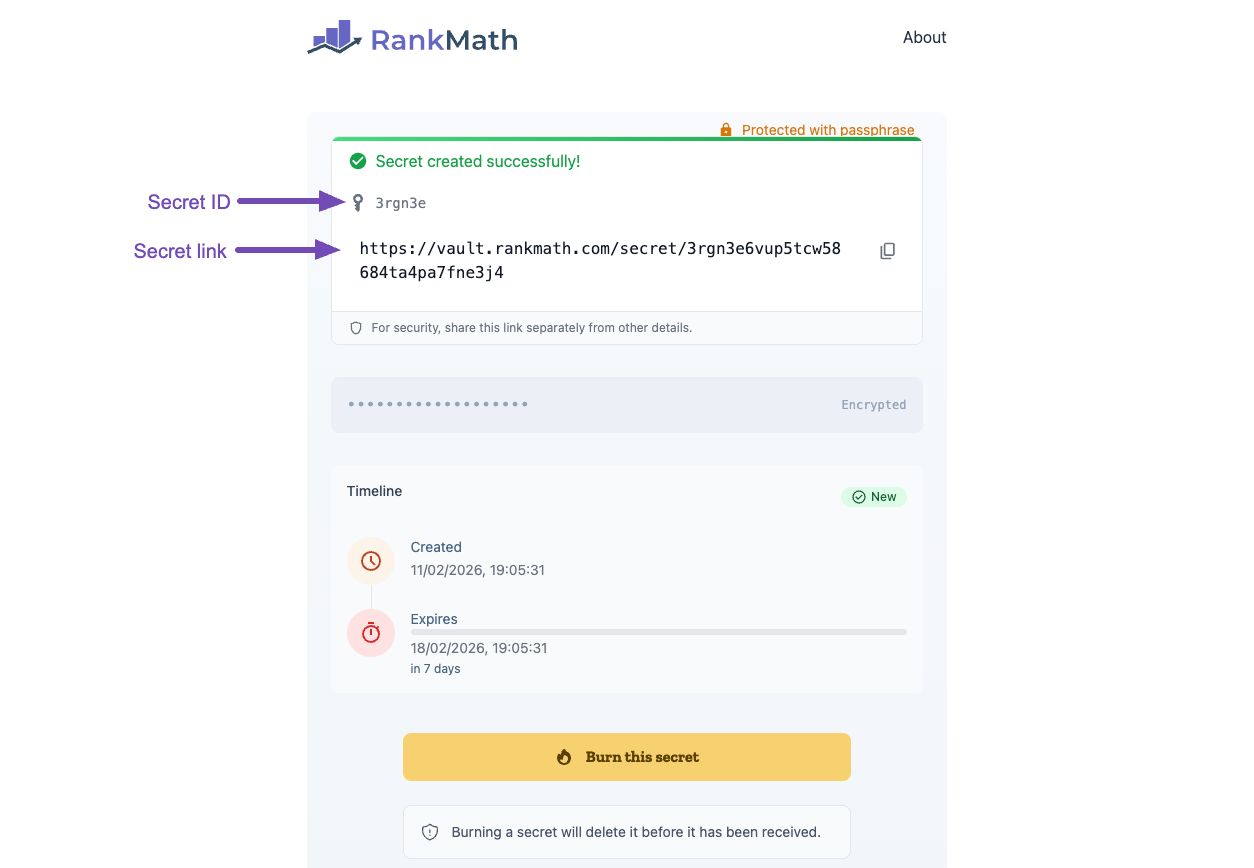
After creating the secret link, you will see a new page. This page contains your secret ID and secret URL. Note that this page does not display your passphrase. (Your secret ID is not your passphrase.)
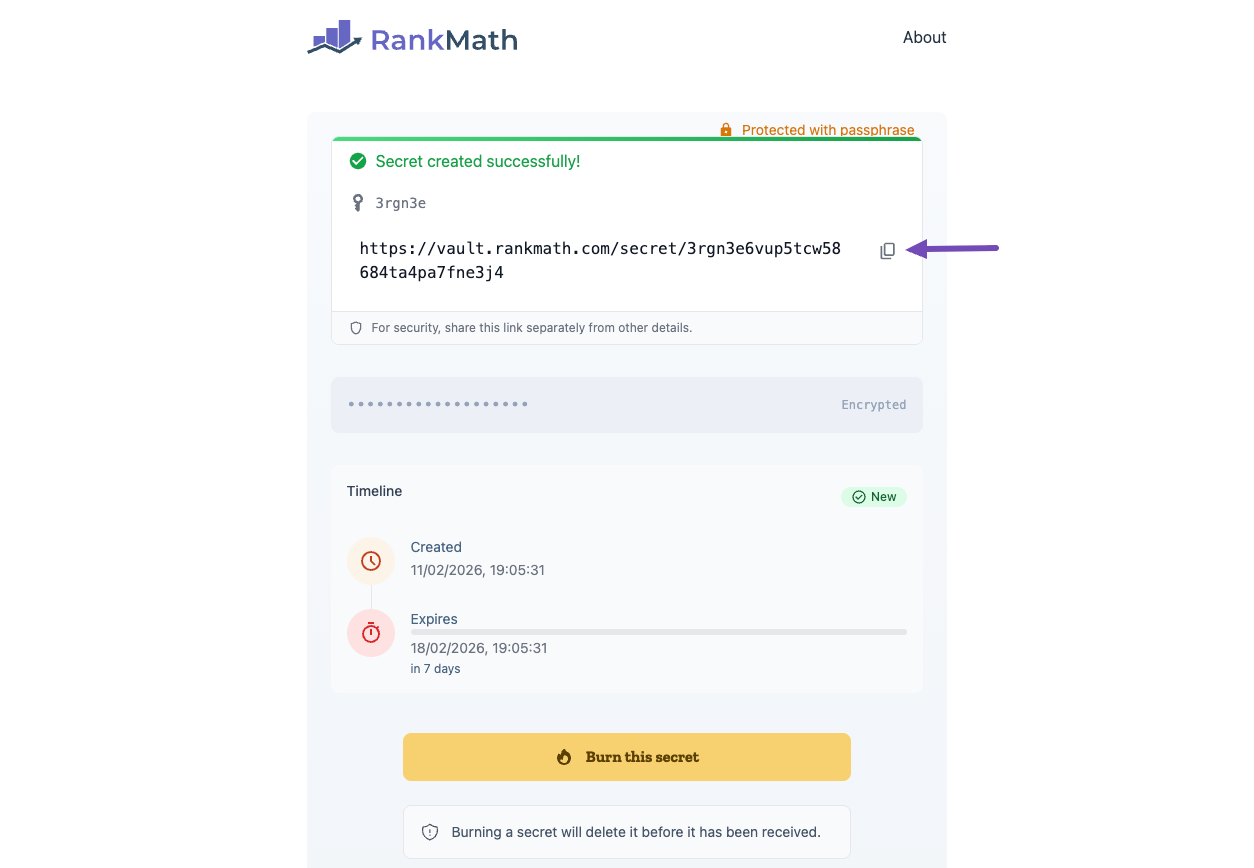
You can easily copy the secret link by clicking the Copy icon, as shown below. Once copied, send it to us along with your passphrase (if you had set one).
That is how to use the Rank Math vault and generate a secret link. If you have any questions, make sure to contact our dedicated support team, who are available 24/7, 365 days a year.