Writing emails can take a lot of time, especially when you want them to sound clear and persuasive. Whether you handle outreach, pitch brands, or send regular updates, starting from a blank page slows everything down.
That is why many marketers and creators now rely on AI email generators. These tools turn short prompts into ready-to-edit drafts, subject lines, and replies in seconds.
In this guide, you will find the best AI email generators for outreach, sales, content marketing, and everyday communication.
Each tool has its own strengths and ideal use cases, so this breakdown helps you choose the one that fits your workflow.
AI email generators use artificial intelligence to turn your ideas or short instructions into full email drafts. You tell the tool what the message is about, who it is for, and the tone you want. It creates a clean version you can refine or send.
Some tools write full emails, some help with replies, and others focus on polishing your writing so it sounds professional and easy to understand.
2 Why AI Email Generators Matter
AI email writer tools make writing faster and less stressful. They help you:
Speed up outreach, sales messages, and customer communication
Keep your emails clear and consistent
Reduce grammar mistakes and tone issues
Stay organized by removing the need to draft everything from scratch
Focus more on strategy instead of writing every single email by hand
3 Top 10 AI Email Generators Every Marketer Should Try
Here are the top AI Email Writer tools worth using if you want to write better emails faster.
3.1 Content AI
Content AI is Rank Math’s built-in writing assistant for WordPress users. It helps you generate emails, replies, outreach messages, and polished marketing copy without leaving your WordPress dashboard.
Everything happens inside the same workflow where you manage SEO tasks or publish content, so you stay focused without switching tools.
Key AI features
Content AI includes over 40 AI tools, and three stand out for email creation. These tools make it easy to produce outreach messages, replies, or quick drafts directly inside WordPress.
Email Tool
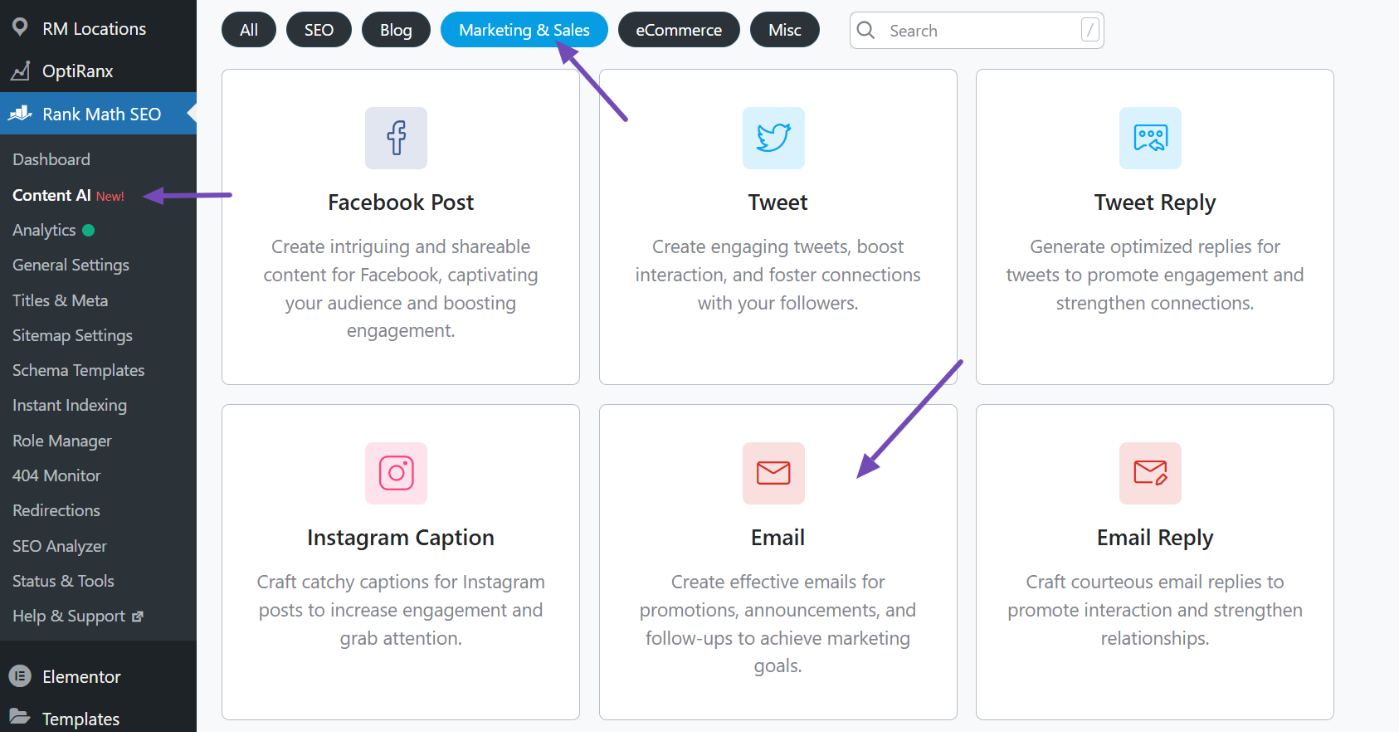
This tool helps you create new emails from scratch. To access it, first make sure Rank Math is set up on your site. Then go to Rank Math SEO → Content AI and open the Marketing & Sales tab. Select the E-mail tool.
You will see fields like Email Brief, Call to Action, Audience, Tone, Length, and Language. Fill them in and click Generate. Content AI will produce a complete email draft you can copy into your email platform or CRM.
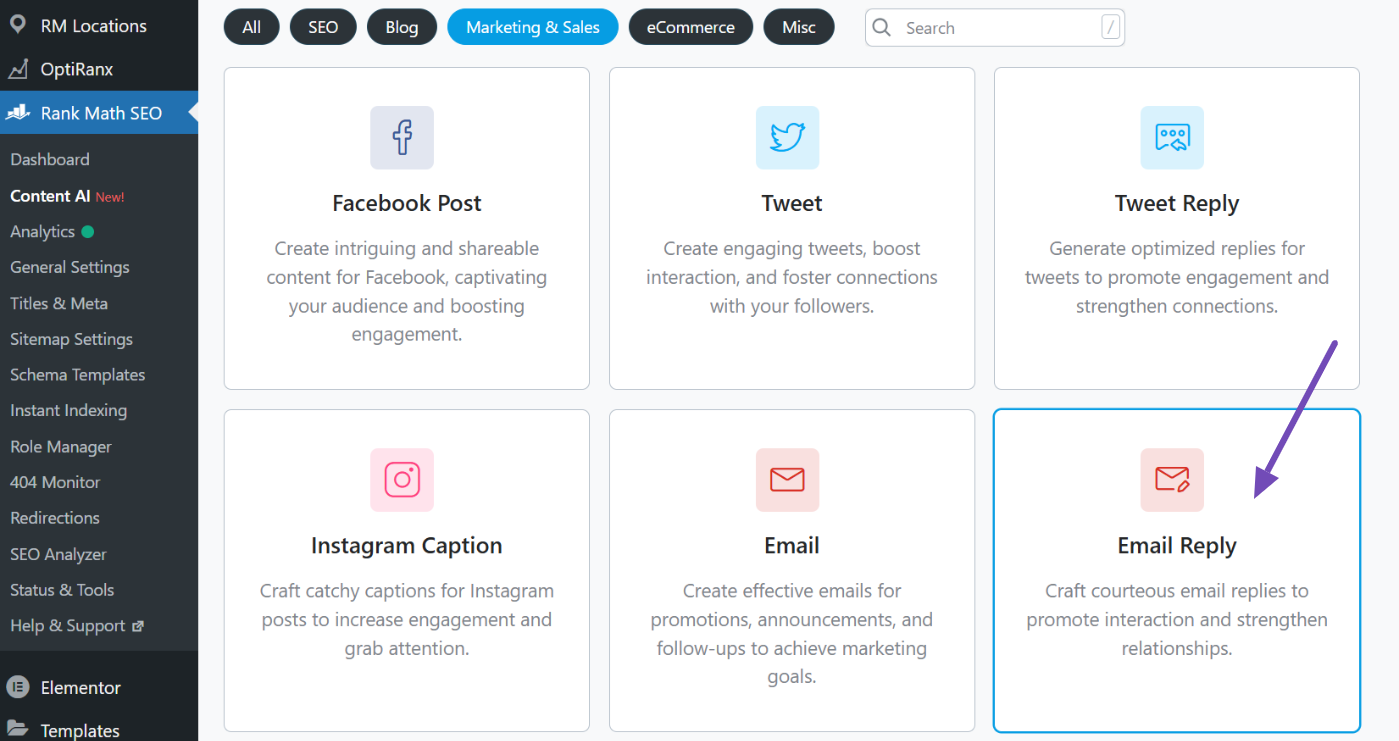
This tool creates replies based on a message you paste. It is helpful for follow-ups, link-building responses, partnership replies, or any conversation you want to handle quickly.
Select the Risposta e-mail tool from the same Marketing & Sales tab.
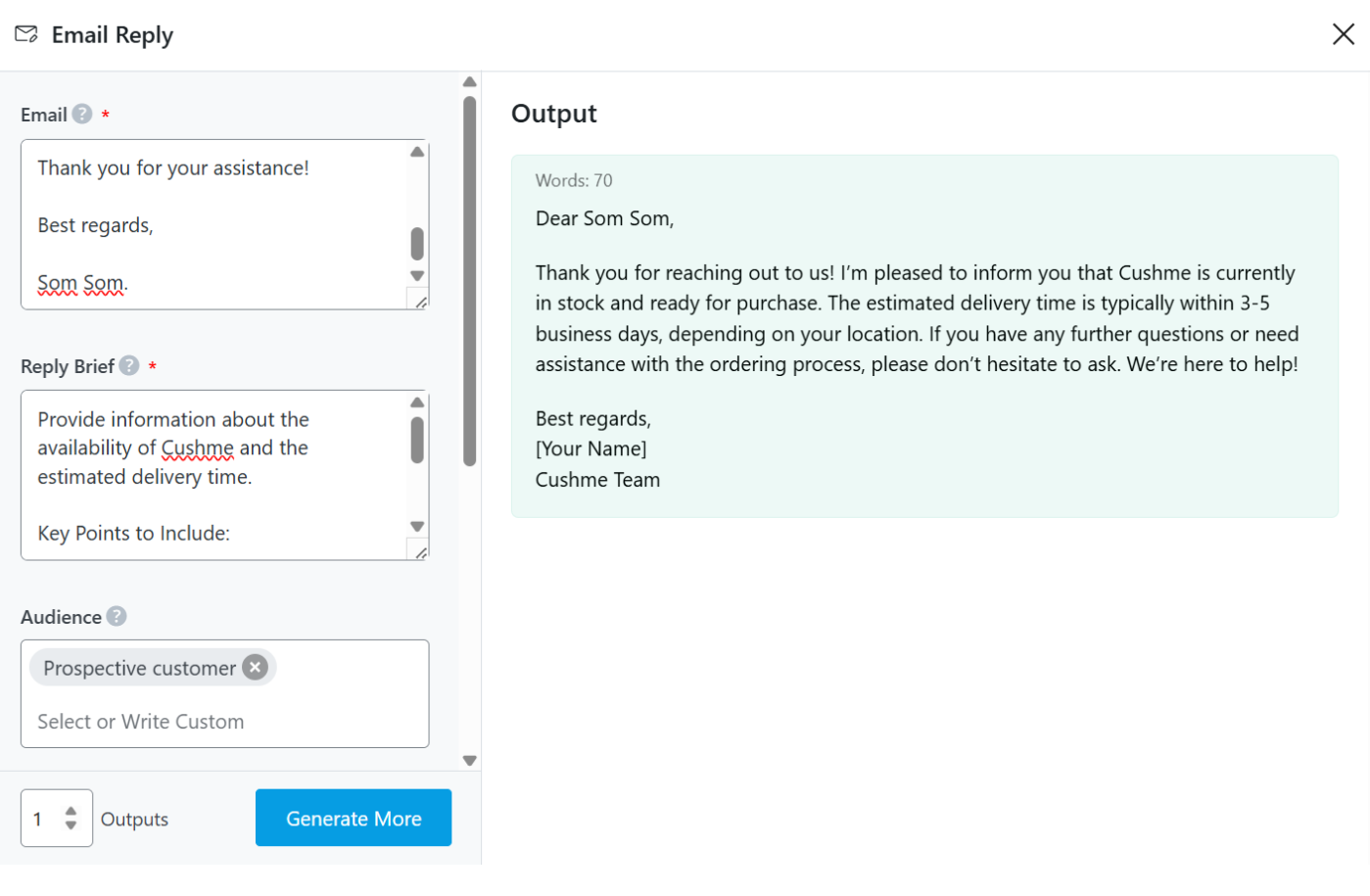
Paste the original message, add your reply brief, choose tone, length, and language, then click Generate. Content AI will generate a reply that aligns with your intent.
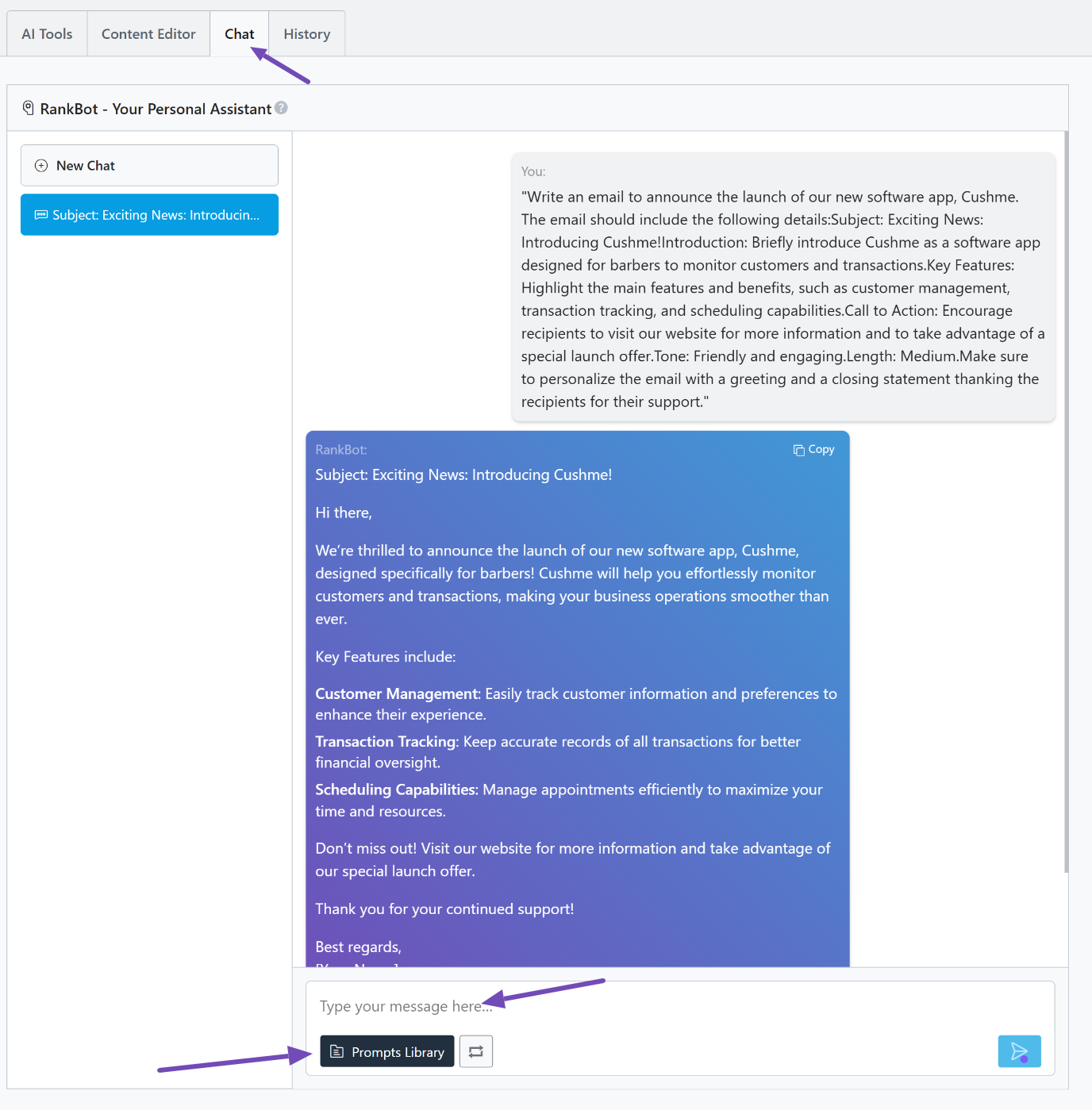
RankBot is your conversational writing partner inside Rank Math. You can use it to rewrite paragraphs, shorten text, adjust tone, personalize messages, or find new angles for an outreach email.
It also helps brainstorm ideas if your first draft feels off.
You can access RankBot by going to Rank Math SEO → Content AI → Chat. Type your request, and it will generate or improve your email draft.
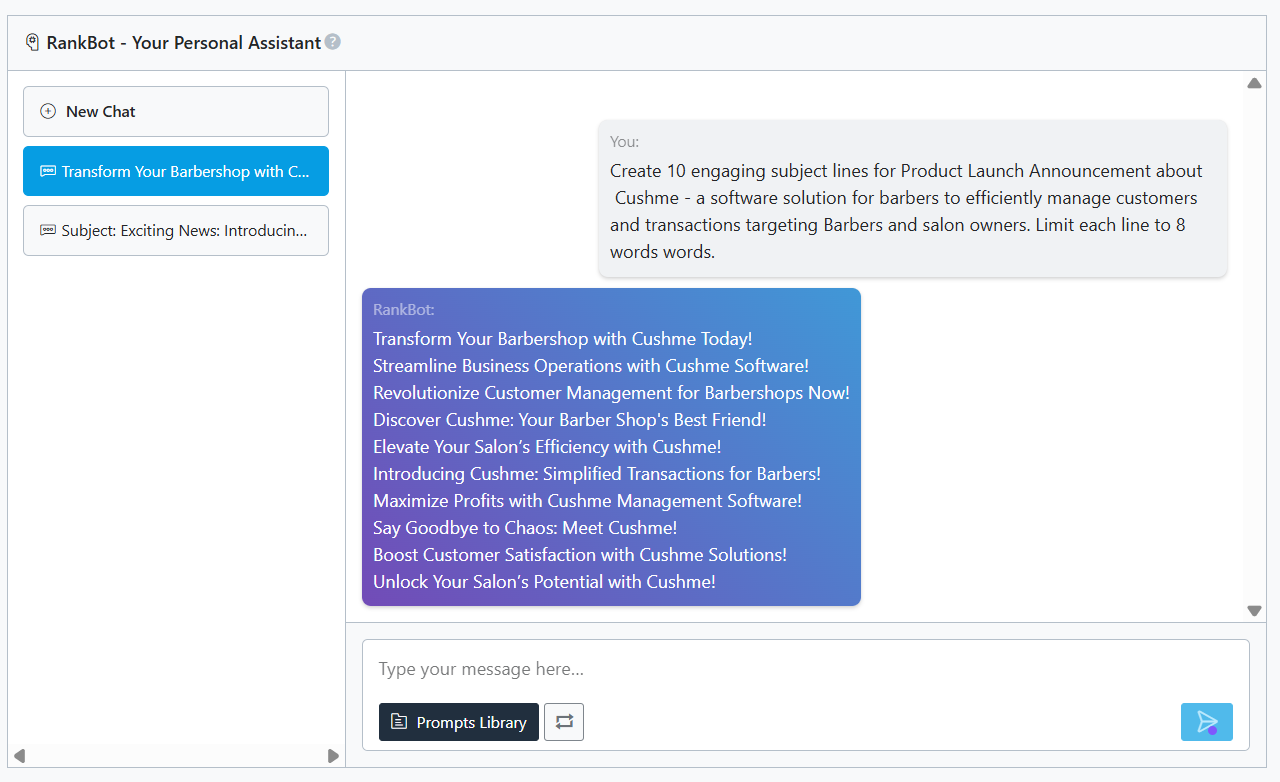
You can also find a ready-made template in the Prompts Library that you can use to create your email subject lines.
Click it, then navigate to the Marketing & Sales tab. Select the Captivating Email Subject Lines option and choose Use Prompt.
Once it loads inside the RankBot chat, customize the placeholders and send it. RankBot will then generate multiple subject line options based on your needs.
Best use cases and what it does
Content AI is ideal for drafting cold outreach, guest post pitches, link-building emails, partnership requests, or simple follow-ups.
It lets you create email drafts directly inside WordPress and refine the tone quickly. RankBot helps rewrite or expand paragraphs, and the Email Reply tool speeds up response handling.
Who needs it and what it’s best for
Content AI is perfect for WordPress users, bloggers, SEOs, content marketers, and business owners who prefer a built-in AI writer that supports both content creation and email communication.
It suits anyone who wants a single workflow for SEO, content, and outreach without relying on external AI tools.
Prezzo Refer to our dedicated tutorial to have a closer look at the various Content AI plans and credit renewals.
3.2 ChatGPT
ChatGPT is a flexible AI writing assistant that turns short instructions into full email drafts, subject lines, replies, and follow-ups.
It works on web and mobile and fits naturally into outreach, sales, support, marketing, and everyday communication.
It can create new emails from simple prompts, rewrite your drafts in a different tone, improve clarity, and personalize messages when you add context or recipient info. It also generates subject line options and handles long or detailed instructions easily.
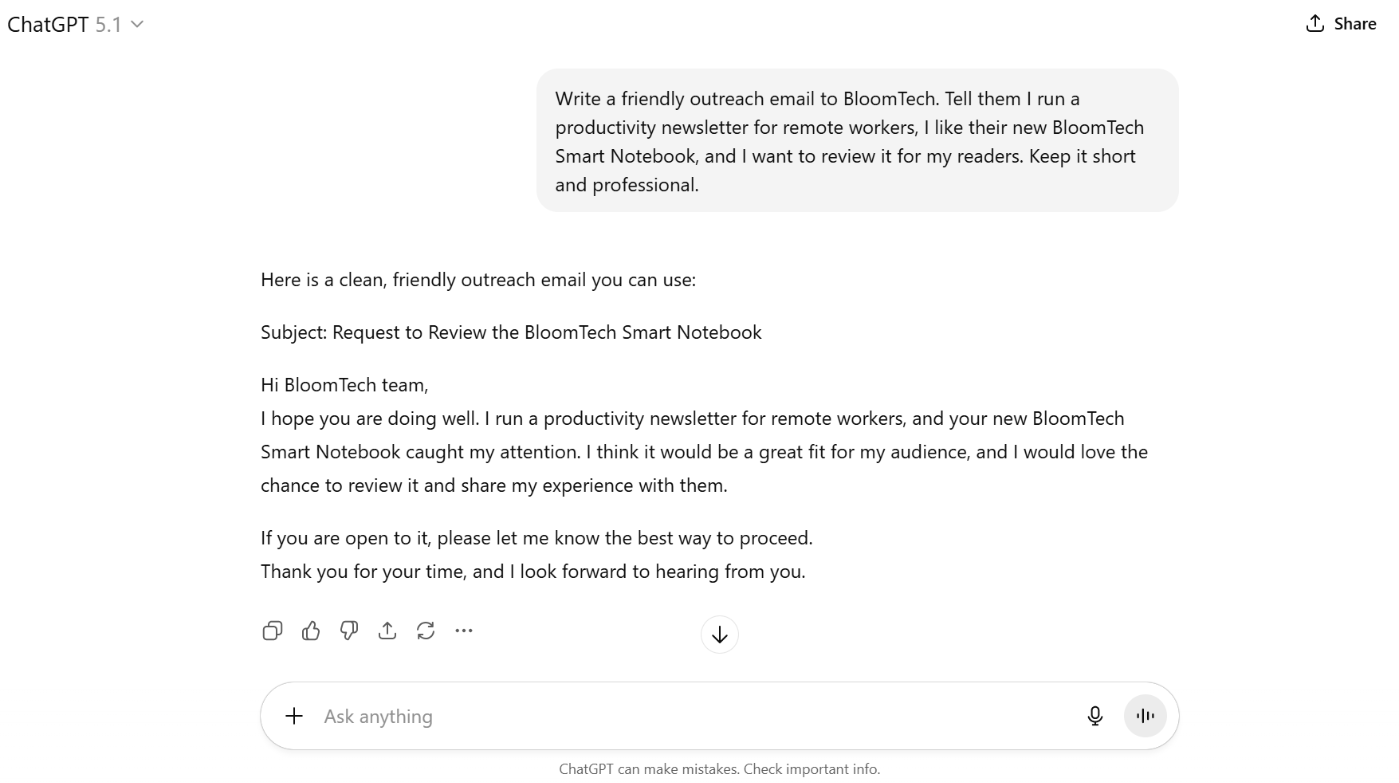
For example, let’s say you want to write an outreach email to a brand about reviewing their product. A simple prompt might be:
Write a friendly outreach email to [Brand Name]. Tell them I run a [type of audience] community, I like their , and I want to review it for my followers. Keep it short and professional.
ChatGPT will produce a clear draft introducing who you are, why you like the product, and what you are requesting.
Best use cases and what it does
ChatGPT works well for outreach emails, partnership pitches, link building, demo invites, newsletter drafts, customer replies, and internal communication. With enough context, it creates natural, tailored messages you can send with minimal editing.
Who needs it and what it’s best for
It’s ideal for teams and individuals who want fast, clean drafts without templates, including founders, sales reps, SEOs, bloggers, and support teams. It also suits beginners looking for a free or low-cost AI writer.
Prezzo
ChatGPT has a free version. Its Plus plan starts at $20/month.
3.3 Jasper AI
Jasper AI is a marketing-focused content platform that helps teams and creators produce emails, sales copy, newsletters, and long-form content without starting from scratch.
It is built for people who want consistent quality and brand voice across their messaging. Key AI features
Templates for cold emails, marketing emails, outreach messages, and follow-up sequences
Tone and style controls that help shape the exact voice you want
Long form generation for full email campaigns or detailed messages
Variant generation so you can test different angles or lengths
Workflow tools for teams, like collaboration, drafts, and approvals
SEO aware writing features that help with clarity, keywords, and readability
Brand voice settings that keep messaging consistent across everything you write
Best use cases and what it does
Jasper is great when you need to produce a steady flow of email content, especially campaigns, drip sequences, or structured outreach.
It helps agencies write link-building emails, sales teams create multi-step follow-ups, and marketers build newsletters or promotional copy that feels polished. If your workflow mixes content creation and email strategy, Jasper keeps everything in one place.
Who needs it and what it’s best for
Jasper is ideal for marketing teams, SEO agencies, sales teams, freelancers, and small businesses that send frequent emails and want them to sound professional without spending hours writing each one.
It is also a strong option for anyone who needs both email generation and broader content support inside a single platform.
Prezzo
Starts at $69/month.
3.4 Copia.ai
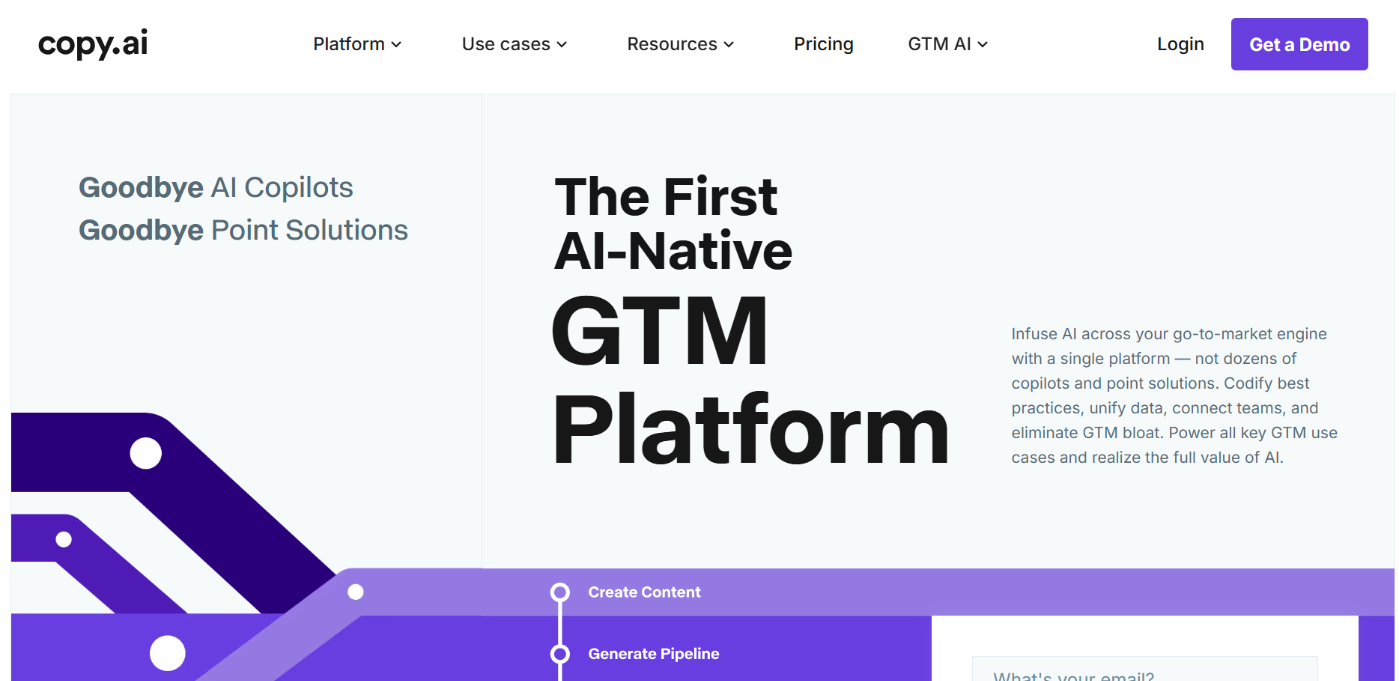
Copy.ai is an AI writing tool that helps you create email copy, marketing messages, and short-form content quickly with simple prompts and templates.
It is designed for users who want clean outputs without spending time on complex settings.
Key AI features
Ready-made templates for cold outreach, marketing emails, follow-ups, and sales messages
Tone controls that help you shift between formal, friendly, casual, or persuasive writing
Multiple variations from one prompt, so you can compare angles or test subject lines
Supports both short-form and longer messages depending on the prompt
Easy export or copy options to move drafts into your email tool or CRM
Fast generation that works well for quick brainstorming and content batches
Best use cases and what it does
Copy.ai is helpful when you want high-quality, repeatable emails without having to write everything yourself. It works well for cold email drafts, outreach to leads, pitch messages, proposal follow-ups, and marketing email ideas.
It is also useful for testing different subject lines or calls to action to see which version better fits your audience.
Who needs it and what it’s best for
Copy.ai is ideal for freelancers, small business owners, content creators, and marketing teams that need fast, consistent email copy.
It suits anyone who wants a straightforward interface, quick drafts, and reliable tone options without needing a heavy all-in-one content platform.
Prezzo
Starts at $29/month.
3.5 WriteSonic
WriteSonic is an AI writing platform that helps you generate emails, marketing copy, ads, and longer content from simple prompts.
It is built for users who want a single tool that handles multiple writing tasks without switching platforms.
Key AI features
Templates for cold emails, follow-ups, subject lines, and short message drafts
Style and length controls for quick emails or detailed outreach sequences
Regeneration and refinement features that let you improve drafts until they match your tone
Flexible writing modes that adapt to different campaign needs, like ads, landing pages, and blog posts
Best use cases and what it does
WriteSonic works well for cold outreach, follow-up sequences, campaign emails, and simple marketing messages.
It helps agencies and creators build email campaigns while handling related assets, such as landing page copy and social media captions. If you need one platform to support both email and broader marketing content, it fits that workflow.
Who needs it and what it’s best for
It’s great for marketers, freelancers, agencies, and small businesses that create a mix of emails, ads, and content each week.
It is beneficial for users who send frequent outreach emails and want a tool that can quickly adjust tone and personalization with prompts.
Prezzo
Starts at $39/month.
3.6 Claudio
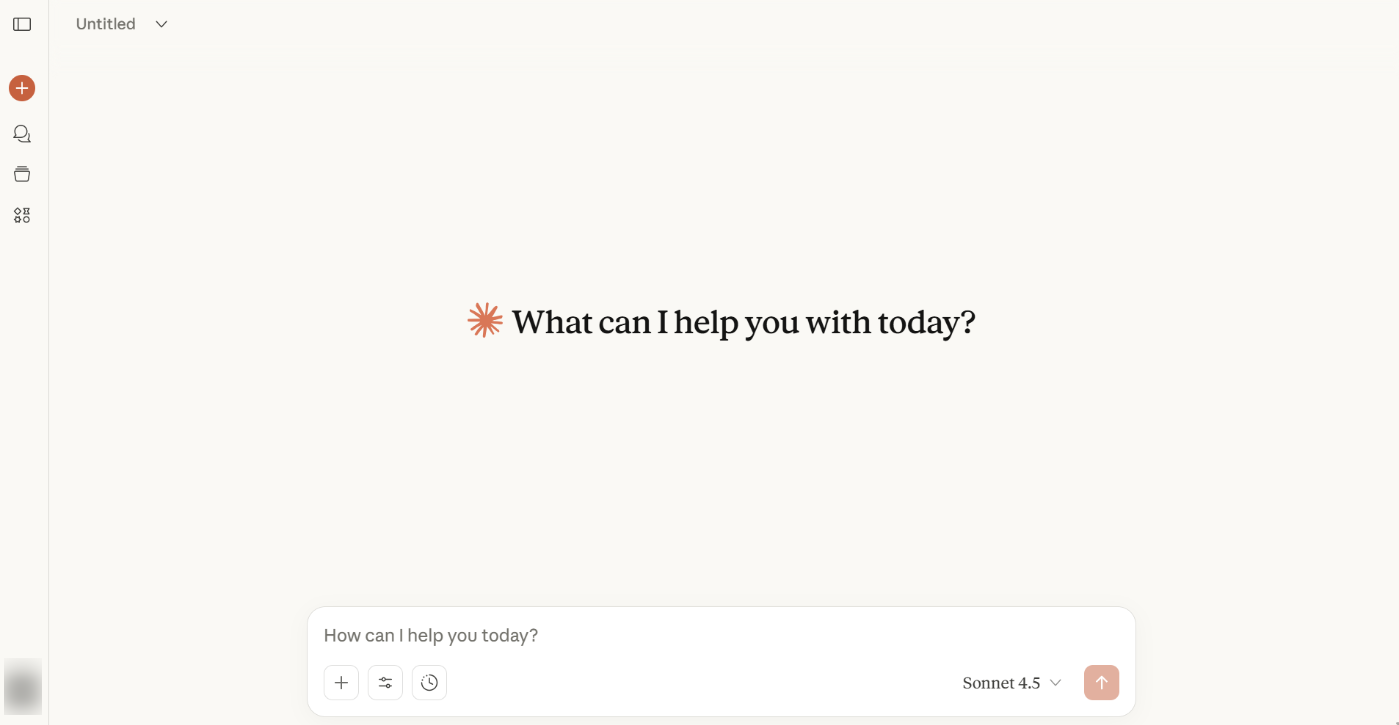
Claude is an AI writing assistant from Anthropic that focuses on clarity, thoughtful responses, and safe content generation.
It is known for producing human-sounding writing and handling long context smoothly, making it useful for more nuanced or sensitive email communication.
Key AI features
Generates emails with a natural, human tone that feels polished rather than robotic
Handles long context well, so you can paste full threads or background info and get accurate replies
Follows detailed instructions for tone, style, and structure
Let’s you refine drafts with follow-up instructions for smoother personalization
Produces multiple variants or rewrites when you want different subject lines or angles
Strong summarization abilities for turning long messages into clear replies
Best use cases and what it does
Claude is perfect for outreach emails where tone and nuance matter, such as partnership requests, sensitive follow-ups, investor outreach, or client communication.
It also works well for longer pitches, detailed proposals, and any message where you want a thoughtful structure instead of a quick template-style email.
Who needs it and what it’s best for
Claude can work well for business development teams, agencies, consultants, PR professionals, and creators who want email drafts that sound more human than most AI tools.
Claude also suits users who need an assistant that can balance depth and clarity in one place, whether for emails, content, or brainstorming.
Prezzo
Starts at $20/month.
3.7 MailerLite AI Email Generator
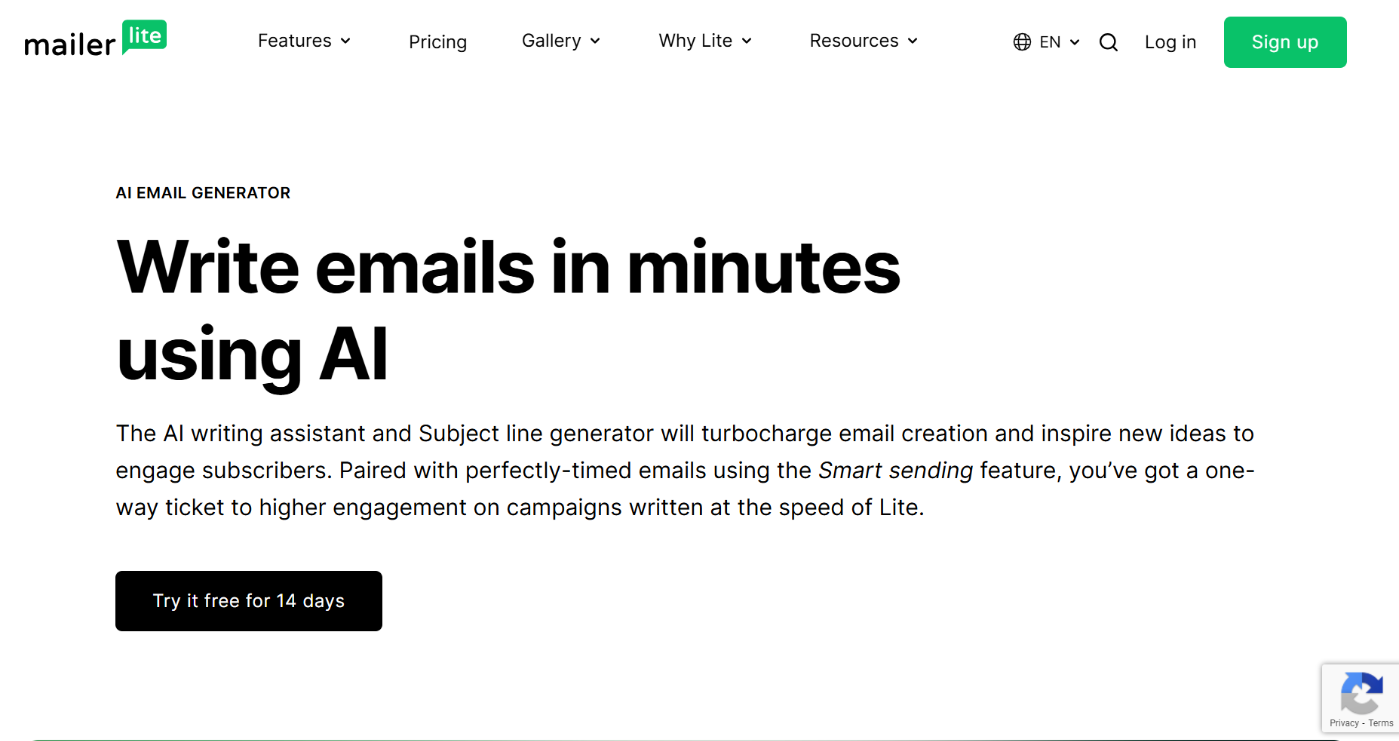
MailerLite is an email marketing platform with a built-in AI writing assistant that helps you create email copy, subject lines, and newsletter content directly inside its editor.
Instead of switching tools, you can write, design, and send everything in one place.
Key AI features
AI writing assistant that drafts email body content inside the builder
Subject line generator for quick testing and optimization
Tone options like Natural, Catchy, Professional, and Persuasive
Regeneration options that let you request alternate drafts up to three times
Smart sending that learns subscriber behavior and optimizes send times
A/B testing for comparing AI-generated copy, subject lines, or layouts
Integrations with WordPress and other tools for smoother workflows
Best use cases and what it does
MailerLite works well for drafting newsletters, promotions, onboarding emails, and regular campaign content without having to start from scratch.
You can quickly create a full email, test subject lines, and use smart send timing to improve engagement. It is beneficial when your workflow involves both writing and sending inside the same system.
Who needs it and what it’s best for
Bloggers, creators, small businesses, and agencies can use MailerLite AI for an all-in-one platform for email creation and delivery.
It suits users who prefer built-in AI features rather than a separate AI writer and an email service. Anyone sending consistent newsletters or campaigns will find it efficient and easy to use.
Prezzo Starts at $20/month.
3.8 HubSpot AI Email Writer
HubSpot’s AI email writer is built directly into its CRM and marketing tools, giving you an assistant that drafts emails while staying connected to your contact data, deals, and automation workflows.
It helps you write outreach, follow-ups, and campaign emails without leaving the platform.
Key AI features
Generates email drafts based on simple prompts for sales, marketing, or service communication
Uses CRM context so emails can reference contact data for clearer personalization
Works inside sequences, campaigns, and one-off emails
Supports tone adjustments and intent-based writing
Let’s teams create consistent messaging across marketing, sales, and support
Helps scale multi-step outreach by generating different versions or follow-up drafts quickly
Best use cases and what it does
HubSpot AI is useful for personalized outreach, automated follow-ups, campaign emails, and customer communication. It speeds up writing while letting you use CRM data to shape the message.
If you email sequences or nurture flows inside HubSpot, the AI writer helps you build them faster and with better consistency.
Who needs it and what it’s best for
This AI tool is ideal for businesses already using HubSpot for contact management, sales pipelines, or marketing automation.
It also suits teams that want AI writing connected to real customer data, and professionals who send many sales or follow-up emails and prefer writing, sending, and tracking inside a single ecosystem.
Prezzo
HubSpot’s AI email writing is free, but it depends on the premium tier you choose. The price starts at $15/month.
3.9 Brevo AI Email Generator
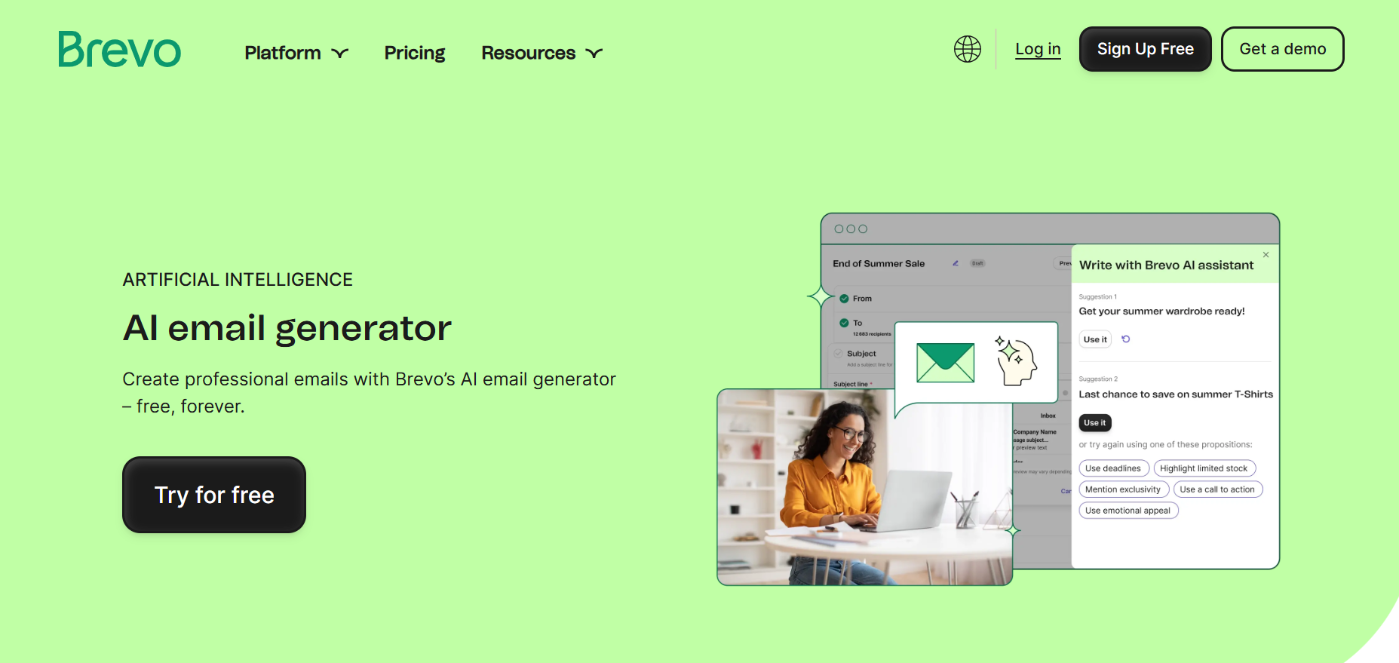
Brevo includes an AI email generator inside its platform that helps you create email copy, subject lines, and content blocks without using external tools.
You start with a short explanation of what your email should say, and the AI turns that into a clean draft you can refine.
Key AI features
Generates complete email drafts and subject lines from short inputs
Let’s you refine or regenerate text by adjusting tone, clarity, or length
Supports translation, making it useful for multilingual or international audiences
Improves grammar and structure to make messages more polished
Provides ideas, angles, and calls to action to help you avoid writer’s block
Offers multiple subject line suggestions that can be used in regular or A/B campaigns
Best use cases and what it does
Brevo works well for creating newsletters, campaign emails, cold outreach, and follow-ups when you need a quick draft.
It is also helpful when you want new ideas or variations to test. If your audience spans multiple languages, the translation support makes email creation faster and more consistent.
Who needs it and what it’s best for
Brevo AI is ideal for businesses, freelancers, agencies, and small teams already using Brevo for email delivery.
It suits users who want AI writing built directly into their email editor so they can draft, regenerate, personalize, and send without switching tools.
Prezzo It has a free plan. Paid plans start at $35/month.
3.10 GrammarlyAI Email Writer
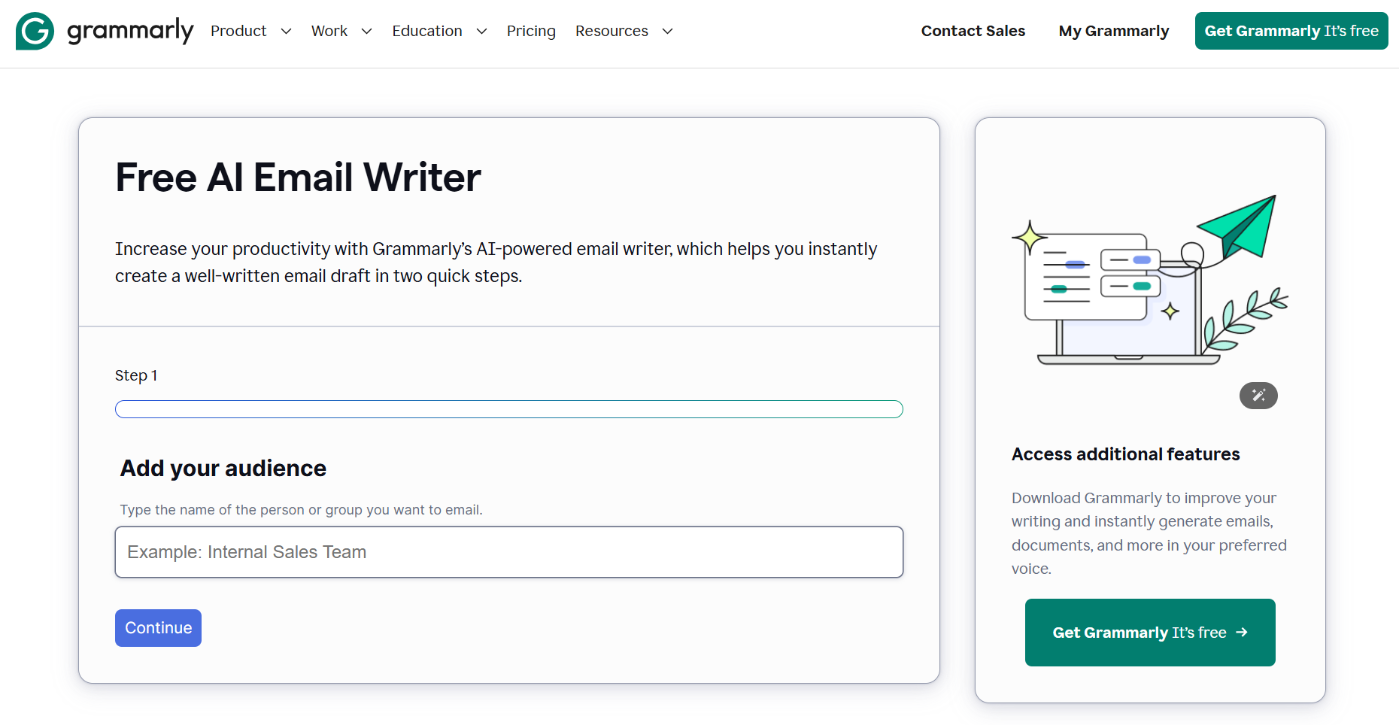
GrammarlyAI is a writing assistant that helps you improve grammar, clarity, tone, and structure when drafting emails.
It works through browser extensions, its web editor, and in many email clients, so you can write or paste your draft and let the AI refine it.
Key AI features
Automatic grammar, spelling, and punctuation corrections
Tone adjustments that help you sound more formal, friendly, confident, or concise
Clarity and structure improvements for more professional messages
Vocabulary suggestions that strengthen outreach or business emails
Originality checks on higher plans to ensure unique content
Integrations across browsers and editors so that you can use it directly in Gmail or other email tools
Best use cases and what it does
GrammarlyAI is perfect for polishing cold outreach, pitch emails, newsletters, and follow-ups. It turns rough drafts into clear and professional messages.
If you struggle with tone or want to make sure your email is easy to read, Grammarly gives quick, helpful revisions. It also supports users who write in English as a second language.
Who needs it and what it’s best for
GrammarlyAI is great for freelancers, small business owners, marketers, and anyone who sends regular emails and wants error-free, confident writing.
It is also helpful for creators using AI draft tools and needing a final layer of editing before sending.
Prezzo
Grammarly has a free plan. Premium plan starts at $30/month.
4 A Quick Comparison of All the AI Email Generators
Here’s a quick breakdown of all the AI email generator tools so you can compare their features and strengths at a glance.
Tool
AI Features
Best For
Prezzo
Strength
Content AI
Email tool, Email Reply tool, RankBot
WordPress users, bloggers, SEOs, outreach emails
Starts at $71.88/year
Built directly into the WordPress workflow
ChatGPT
Prompt-based email drafts, tone edits, rewrites, and subject line ideas
Flexible email writing, cold outreach, and general use
Starts at $20/month
Most customizable and versatile
Jasper AI
Marketing templates, tone control, email sequences
Sales emails, marketing campaigns, and brand voice consistency
Starts at $69/month
Strong marketing style writing
Copia.ai
Quick email drafts, variations, subject line ideas
Simple outreach, follow-ups, and lightweight email writing
Starts at $29/month
Fast and easy to use
WriteSonic
Multiple versions, tone editing, short-form email copy
Promotions, announcements, quick campaign emails
Starts at $39/month
Great for short, punchy messages
Claudio
Human-sounding writing, extended context support, and tone accuracy
Personal emails, thoughtful outreach, nuanced communication
Starts at $20/month
Most natural human tone
MailerLite AI Email Generator
Email drafts, tone options, subject line generator, A/B support
Newsletters, campaigns, list-based emails
Starts at $20/month
Works inside your email platform
HubSpot AI Email Writer
CRM integrated writing, personalized drafts, sequence help
Sales teams, follow-ups, CRM based outreach
Starts at $15/month
Best for data-driven personalization
Brevo AI Email Generator
Email creation, rewrites, translation, and subject line suggestions
Campaign emails, multilingual messages
Starts at $35/month
Built-in AI inside email editor
GrammarlyAI
Tone improvement, clarity rewrites, and grammar correction
Polishing drafts and professional writing
Starts at $30/month
Best for final editing and quality
5 How to Choose the Best AI Email Generator
Different tools shine in various areas. Here is a quick guide to help you pick the one that fits your workflow.
For the most flexible writing and custom prompts, go with ChatGPT o Jasper AI.
For built-in email creation inside your email platform, choose MailerLite o Brevo.
For fast marketing and outreach messages, tools like Copia.ai o WriteSonic work best.
If you want the most human-sounding emails, Claudio is the strongest option.
To polish and improve your own drafts, use GrammarlyAI.
If you work inside WordPress, Content AI keeps everything in one place.
For CRM based personalization, HubSpot AI Email Writer is the easiest choice.
6 Domande frequenti
Which AI email generator tool works best inside WordPress?
Content AI by Rank Math is the simplest option because it is already part of your WordPress dashboard. You can generate emails, drafts, or outreach messages directly in your editor without extra plugins.
How good are AI tools at writing cold outreach emails?
Most AI tools can produce solid first drafts if you give clear context. The more details you share about your offer, audience, and tone, the more natural the email reads. You still need to personalize it before sending.
What is the best free AI email generator?
ChatGPT’s free plan, Brevo’s built-in AI, and some limited versions of Copy.ai give you solid free drafting. Rank Math Content AI is especially valuable for WordPress users because it is already integrated into their content workflow.
Do AI email generators sound robotic?
They can if your prompt is vague. When you share specific details about the recipient, your goal, and the tone you want, the output becomes much more human and personalized.
What is the best AI tool to reply to emails?
Content AI is great for WordPress users because the Email Reply Tool creates quick, clear responses from any message you paste. For general use, ChatGPT and Claude also give accurate, natural replies when you provide context.
7 Conclusione
AI email generators make outreach, sales messages, and everyday communication easier by giving you a clear starting point instead of a blank page.
The best tool for you depends on your workflow. Some options are great for templates and campaigns, others shine in personalization or WordPress integration.
Start with the tool that fits how you already work and let it handle the heavy lifting. You can continually refine the drafts, adjust the tone, and make each email sound like you.
The goal is to save time, stay consistent, and send better messages without overthinking every line.
So, which of these AI email generator tools have you tried? Which one is your favorite? Share your thoughts with us by Tweeting @rankmathseo.
10 Best AI Email Generators for Outreach, Sales, and Content Marketing
10 Best AI Email Generators for Outreach, Sales, and Content Marketing » Rank Math
Bhanu Ahluwalia
Best AI email generators: 1. Content AI 2. ChatGPT 3. Jasper AI 4. Copy.ai 5. WriteSonic 6. Claude 7. MailerLite 8. HubSpot 9. Brevo 10. Grammarly
Which AI email generator tool works best inside WordPress?
Content AI by Rank Math is the simplest option because it is already part of your WordPress dashboard. You can generate emails, drafts, or outreach messages directly in your editor without extra plugins.
How good are AI tools at writing cold outreach emails?
Most AI tools can produce solid first drafts if you give clear context. The more details you share about your offer, audience, and tone, the more natural the email reads. You still need to personalize it before sending.
What is the best free AI email generator?
ChatGPT’s free plan, Brevo’s built-in AI, and some limited versions of Copy.ai give you solid free drafting. Rank Math Content AI is especially valuable for WordPress users because it is already integrated into their content workflow.
Do AI email generators sound robotic?
They can if your prompt is vague. When you share specific details about the recipient, your goal, and the tone you want, the output becomes much more human and personalized.
What is the best AI tool to reply to emails?
Content AI is great for WordPress users because the Email Reply Tool creates quick, clear responses from any message you paste. For general use, ChatGPT and Claude also give accurate, natural replies when you provide context.