Mapas del sitio tell Google which pages on your website are the most important and to be indexed. While there are many ways to create a sitemap, adding it to robots.txt is one of the best ways to ensure that it is seen by Google.
In this knowledge base article, we will show you how to add sitemaps to your robots.txt file using Rank Math. We will also explain the benefits of adding a sitemap and how it can help improve your website’s search engine ranking.
¡Empecemos!
1 Benefits of Adding a Sitemap
Adding a sitemap to your website helps Google index your site more quickly. This is because a sitemap tells Google which pages on your website are the most important and which pages need to be indexed.
2 How to Add a Sitemap to Robots.txt Using Rank Math
Adding a sitemap to your robots.txt file is a great way to ensure that it is seen by Google. In this section, we will show you how to do this using Rank Math.
2.1 Login to Your WordPress Website
First, you need to log in to your WordPress website and install the Rank Math plugin. For more information on how to do this, please see our knowledge base article on How to Install Rank Math.
2.2 Navigate to Edit Robots.txt
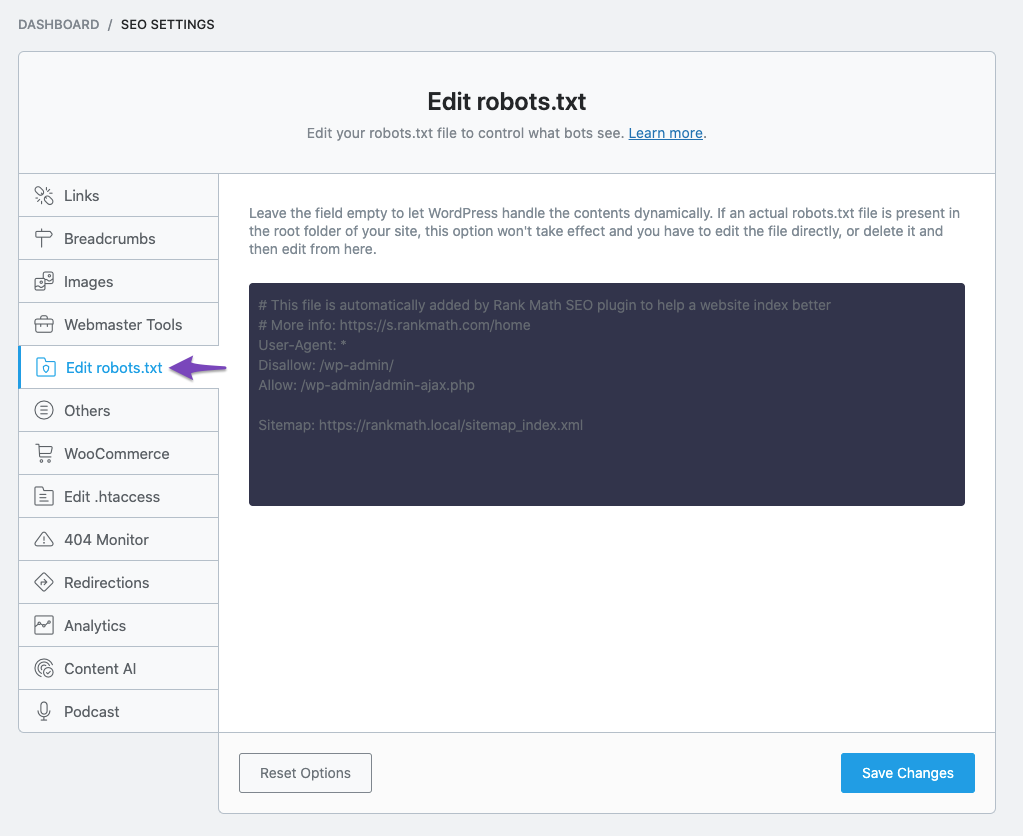
Navigate to your robots.txt file in Rank Math, which is located under WordPress Dashboard → Rank Math SEO → General Settings → Edit robots.txt Como se muestra abajo:
2.3 Add Sitemap URL in Your Robots.txt
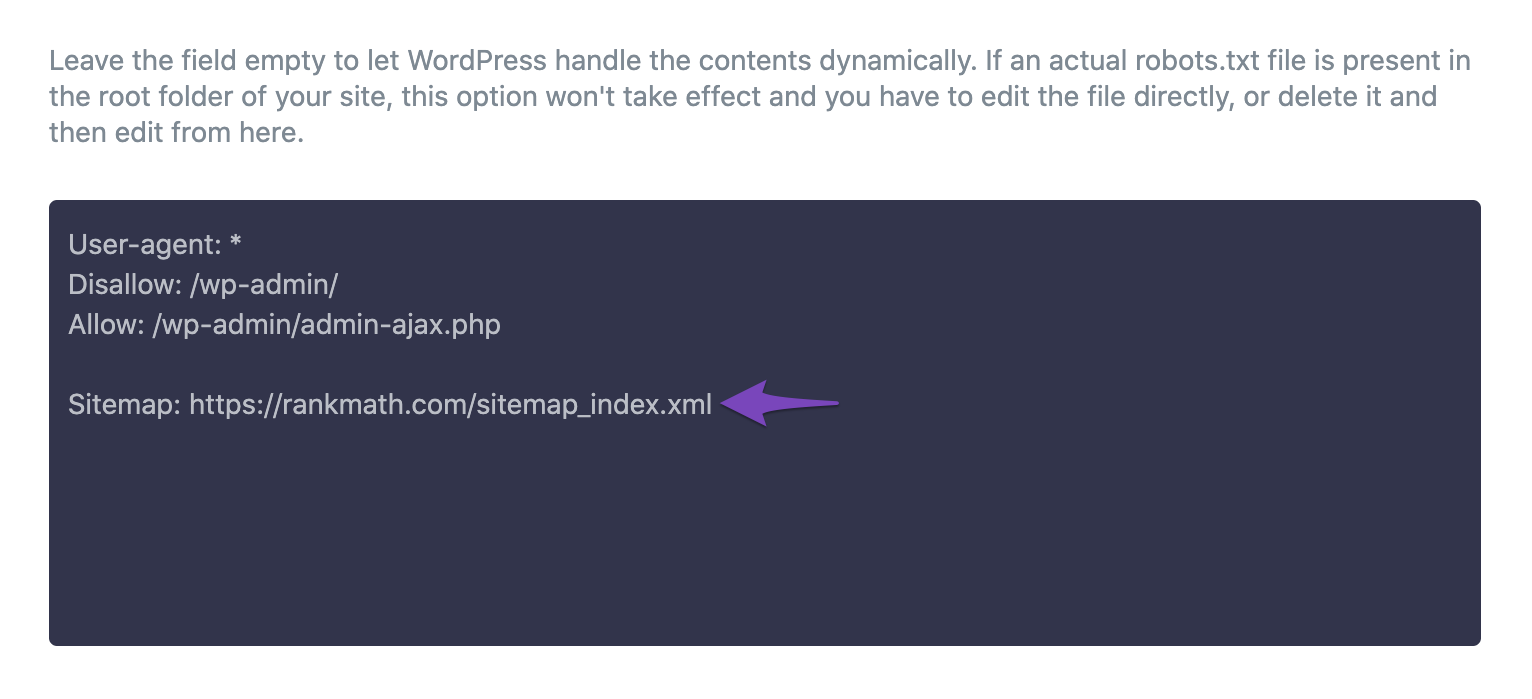
By default, Rank Math would automatically add a set of rules (including your Sitemap) to your robots.txt file. But you can always add/edit the code as you prefer from the available text area.
Now, here you need to enter the URL of your sitemap in this box. The URL will be different for each website. For example, if your website is example.com, the sitemap URL would be example.com/sitemap.xml.
You can also add multiple sitemap URLs if you have more than one sitemap. For example, if you have a video sitemap, you would enter the URL for that sitemap as well.
Here are some of the example reference URLs you can use:
Sitemap: https://example.com/sitemap.xml
Sitemap: https://example.com/post-sitemap.xml
Sitemap: https://example.com/page-sitemap.xml
Sitemap: https://example.com/category-sitemap.xml
Sitemap: https://example.com/video-sitemap.xml
But instead of listing individual URLs, you can simply include the Sitemap Index, and search engines can pull out all the individual sitemaps from here. It’s also helpful — if you end up adding/removing sitemaps, you don’t need to make these changes to your robots.txt manually.
Sitemap: https://example.com/sitemap_index.xml
Para más preámbulos, vea la captura de pantalla a continuación:
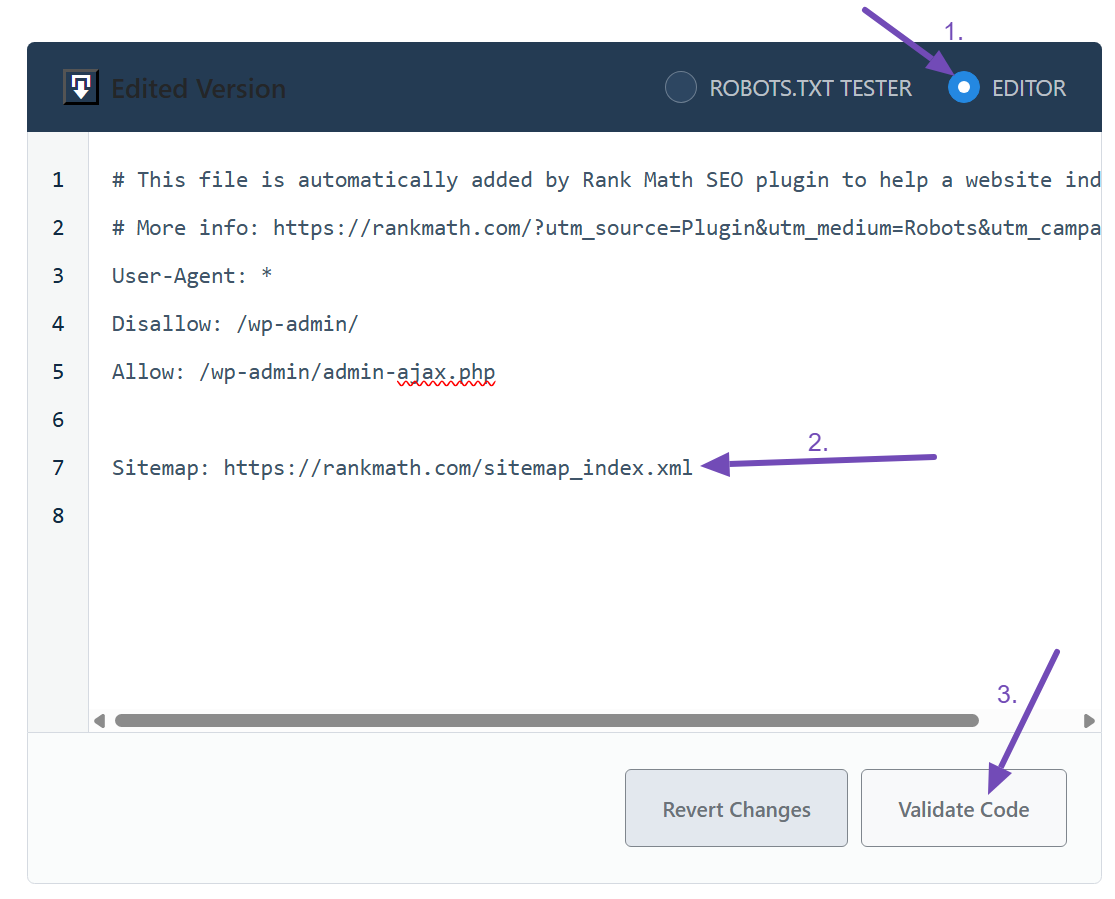
If you’re a Rank Math PRO user, you’ll have an advanced robots.txt editor. So, you’ll have to click the EDITOR option to add the sitemap to your robots.txt file. Once you’re done, you can use the Validate Code button to return to the preview.
2.4 Save Your Changes
Once you have added the sitemap URL to your robots.txt file, you need to save your changes. You can do this by clicking the Guardar cambios botón en la parte inferior de la página.
Precaución: Tenga cuidado al realizar cambios importantes o menores en su sitio web a través de robots.txt. Si bien estos cambios pueden mejorar su tráfico de búsqueda, también pueden hacer más daño que bien si no tiene cuidado.
Conclusion:
Ultimately, we have demonstrated how to add sitemaps to your robots.txt file using Rank Math. We have also explained the benefits of adding a sitemap and how it can help improve your website’s search engine ranking. We hope this article has been helpful to you. If you have absolutely any questions, please feel free to contact our support team, who are available 24/7 & ready to help.
¿Aún no utilizas Rank Math?
¡La configuración toma menos de 5 minutos, incluida la importación desde su antiguo complemento SEO!