Analysieren Sie das SEO Ihres Konkurrenten mit Rank Math
Are you looking to gain an edge in the ever-competitive world of SEO? One effective strategy is to closely monitor your competitors and analyze their SEO tactics.
Knowing what works for your competitor is a low-hanging fruit because your competitor has already tried and tested things. This means you skip the trial and error and get more remarkable results with less work.
In this knowledgebase article, we will show you how to gain valuable insights into your competitor’s SEO strategies using Rank Math.
The SEO Analyzer allows you to inspect your competitor’s webpages and gain valuable insights into their SEO strategy.
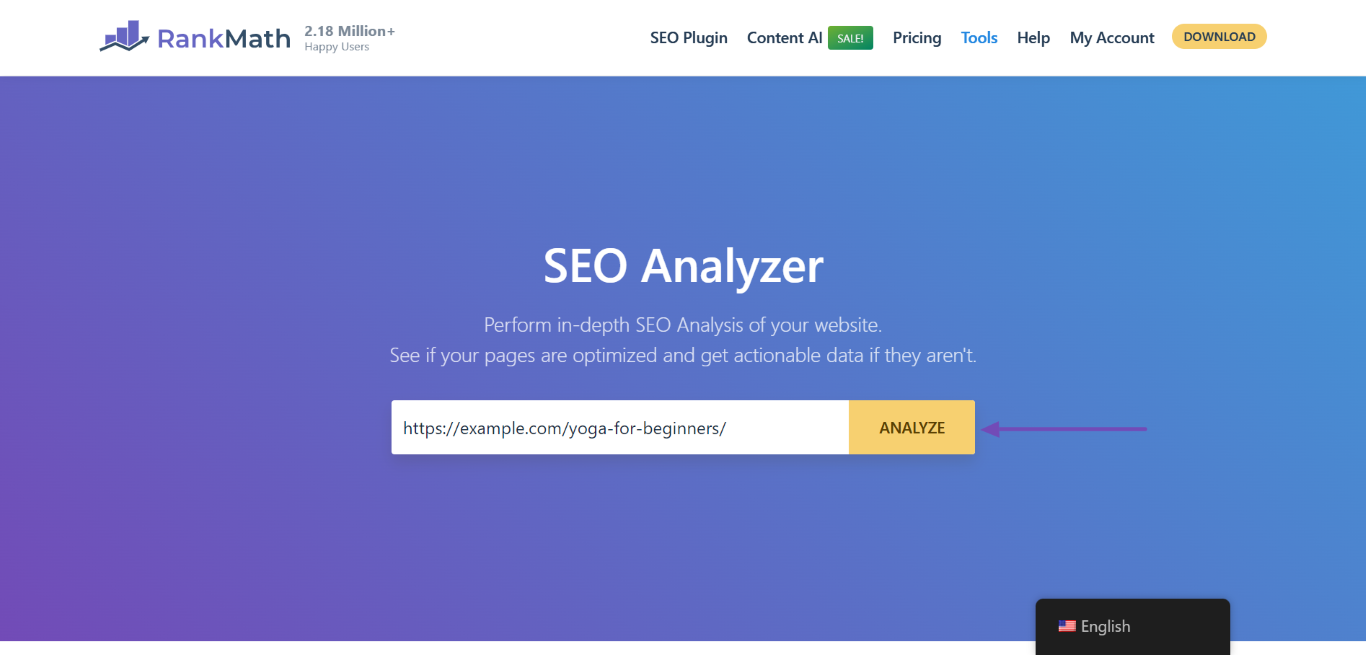
Rank Math PRO users can access the SEO Analyzer from their WordPress dashboard. If you don’t have PRO, you can use our free SEO Analyzer tool. Enter your competitor’s URL into the available field and click ANALYZE.
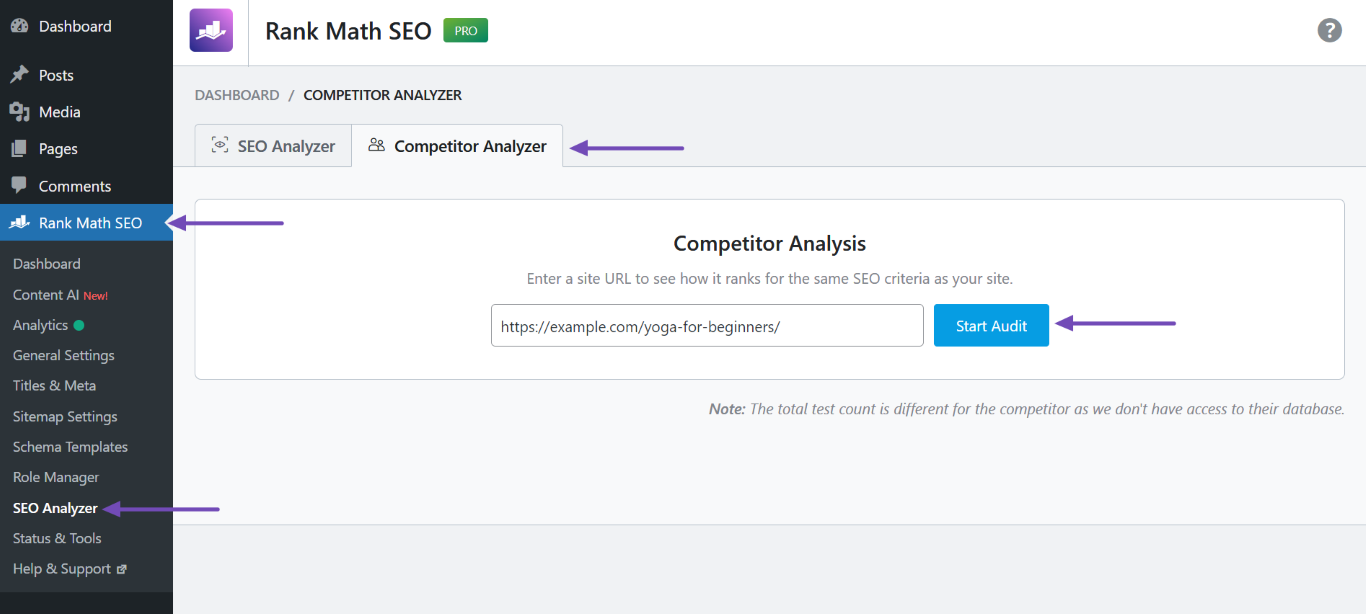
If you’re using Rank Math PRO, head to WordPress-Dashboard → Rank Math-SEO → SEO-Analyzer → Wettbewerbsanalysator. Once done, enter your competitor’s URL into the field and click Start Audit, Wie nachfolgend dargestellt.
Notiz: If the SEO Analyzer is not displayed, head to WordPress-Dashboard → Rank Math-SEO und aktivieren Sie die SEO-Analyzer module.
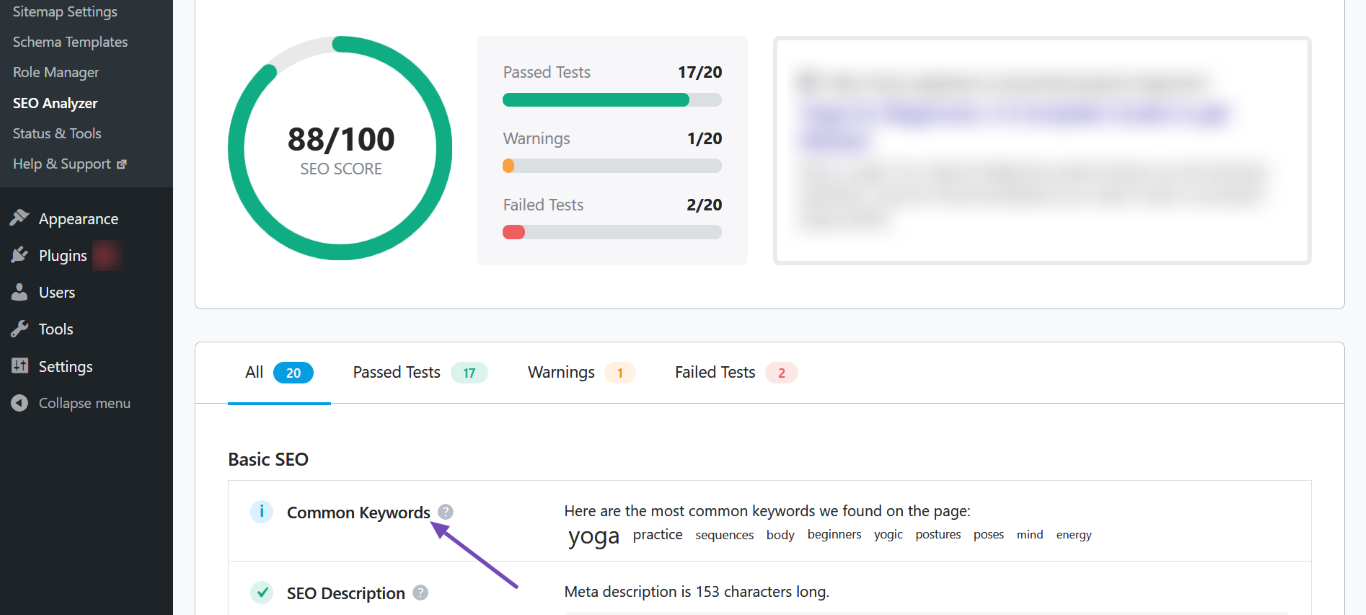
The SEO Analyzer will run a series of tests on your competitor’s URL and return with the results. Below, we have listed the results you want to pay attention to.
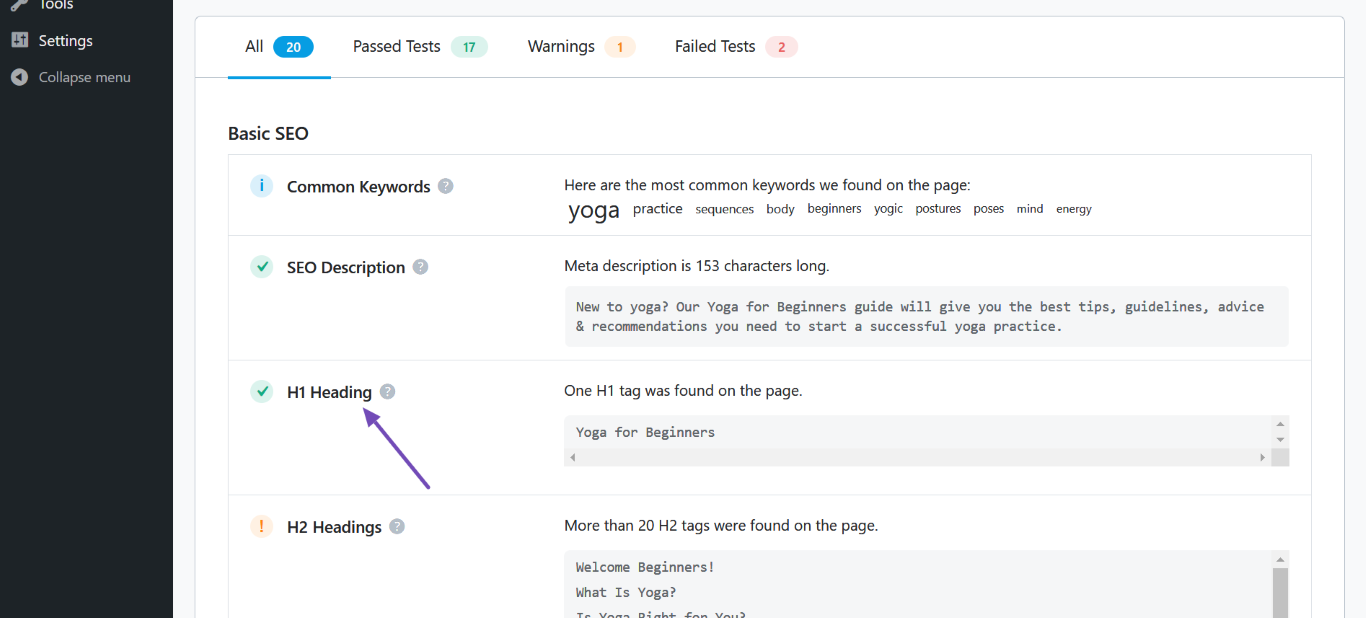
1.1 Gemeinsame Schlüsselwörter
This section lists the most common keywords detected on your competitor’s page. These are the same keywords search engines use to understand the intent of your competitor’s website. You may want to optimize your page for these keywords.
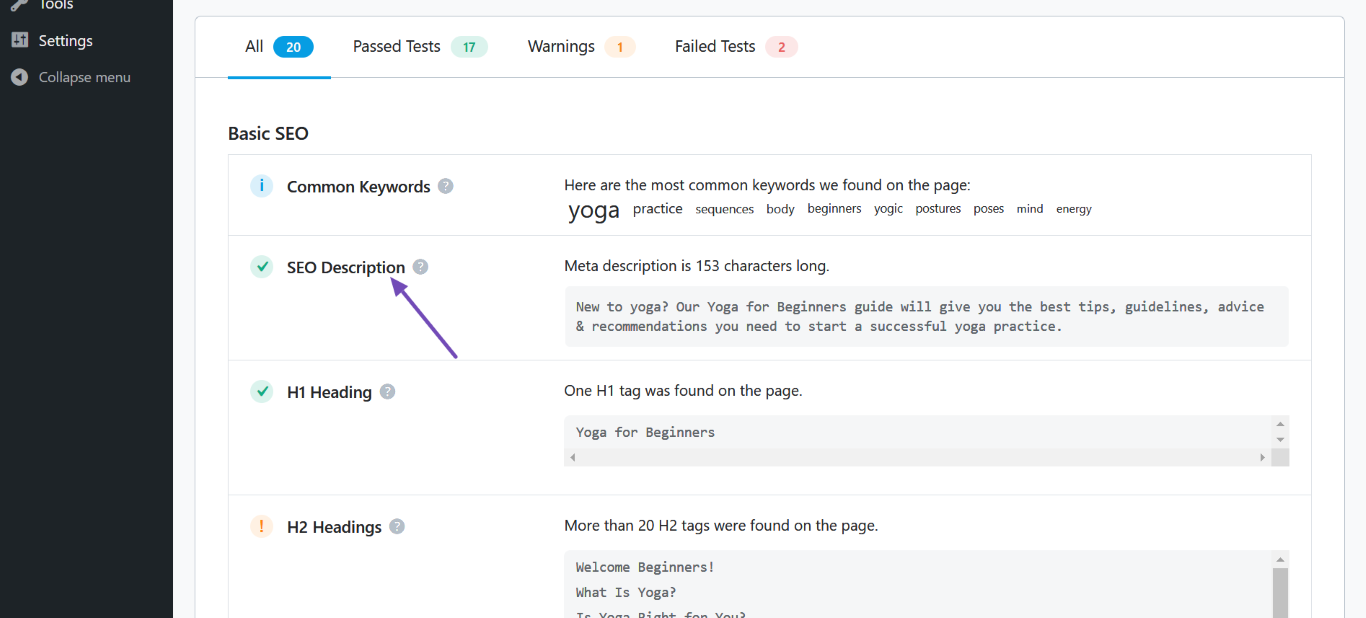
1.2 SEO-Beschreibung
This section lists the SEO meta description your competitor included in their content. You can use a similar SEO description for your competing page. An ideal SEO description should be between 50 and 160 characters.
1.3 H1 Überschrift
This section contains the H1 heading of your competitor’s content. You’ll have to create a better H1 for your page.
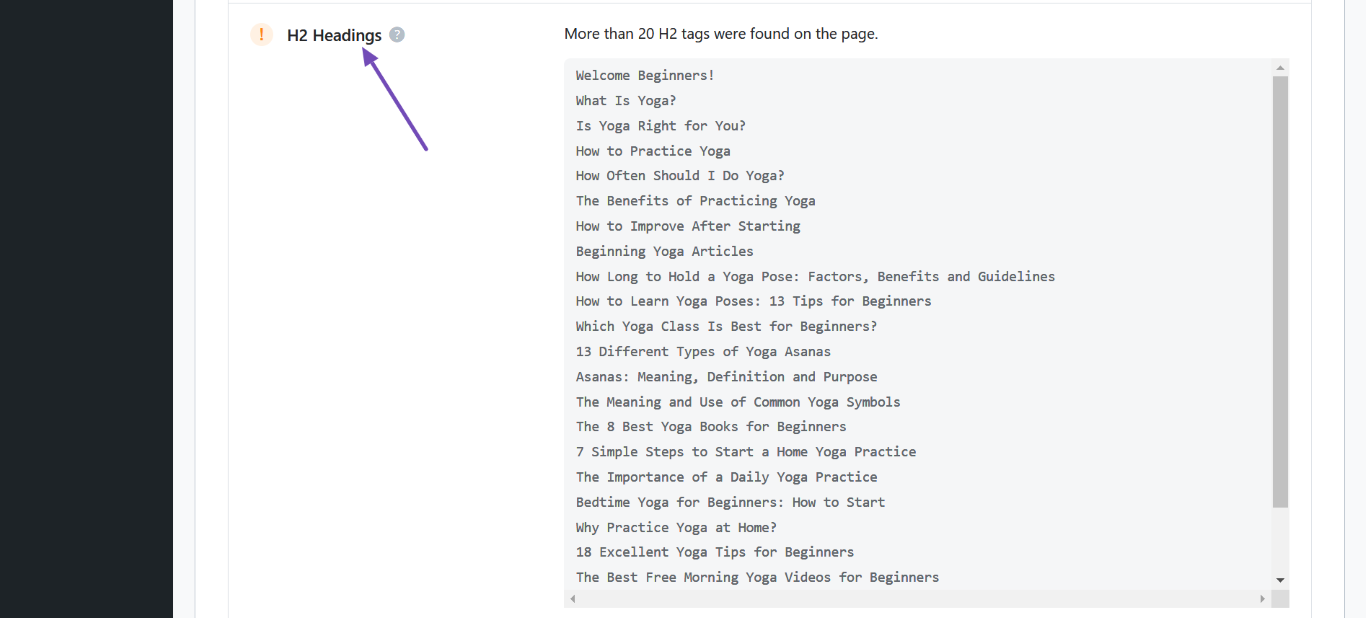
1.4 H2-Überschriften
This section displays the H2 headings in your competitor’s content & gives an outline of your competitor’s article. You can get an idea of what your competitor is covering and try to cover in your article as well.
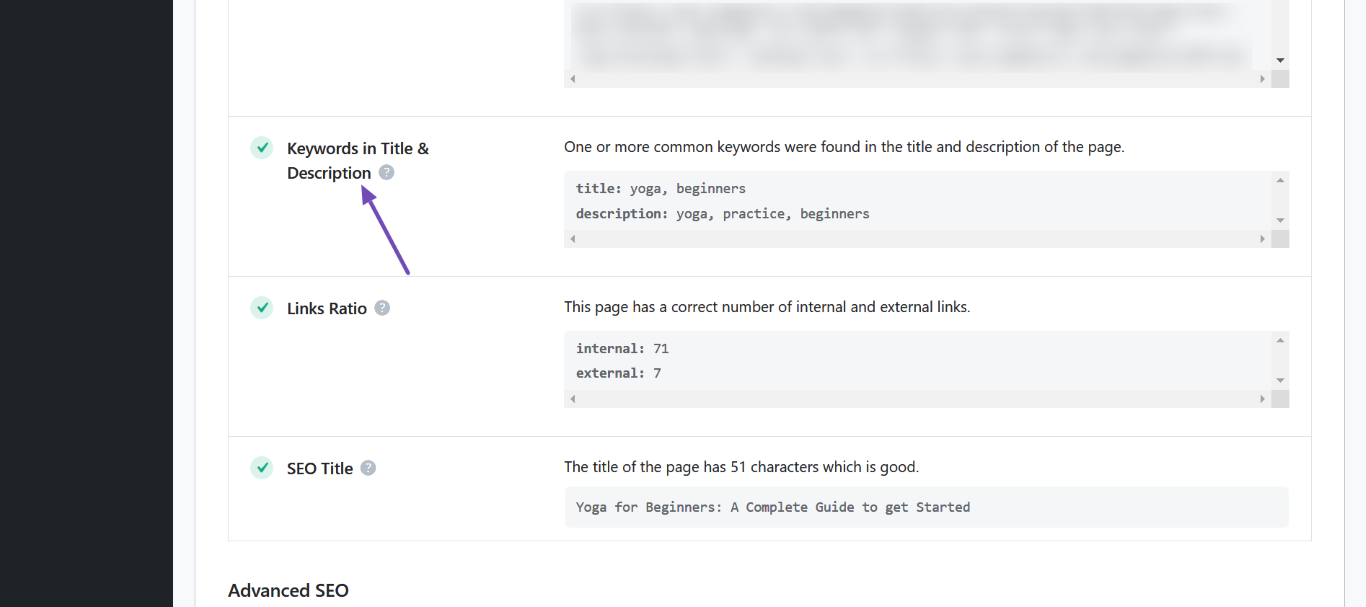
1.5 Schlüsselwörter in Titel und Beschreibung
This field compares the keywords on your competitor’s page with those on their webpage’s SEO title and description. Keywords that appear on the page and its SEO title and description will be displayed here.
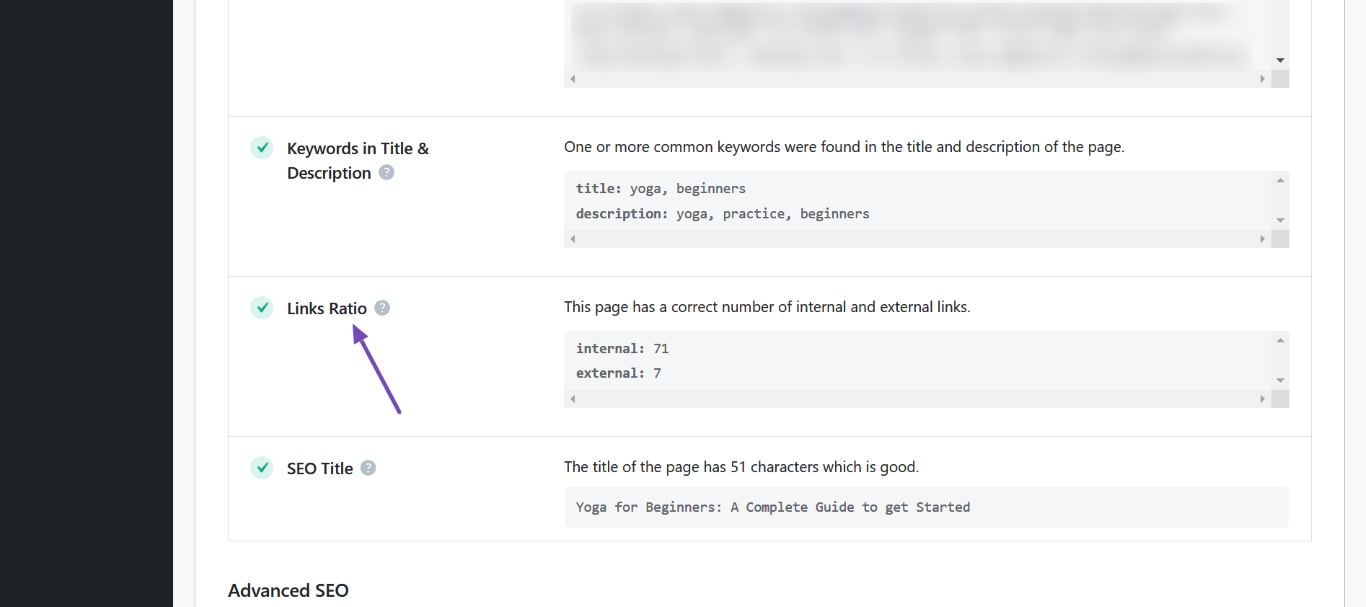
1.6 Links-Verhältnis
The Links Ratio field compares your competitor’s internal and external links. You can review the number of internal and external links to guide you on the number of links to include in your content.
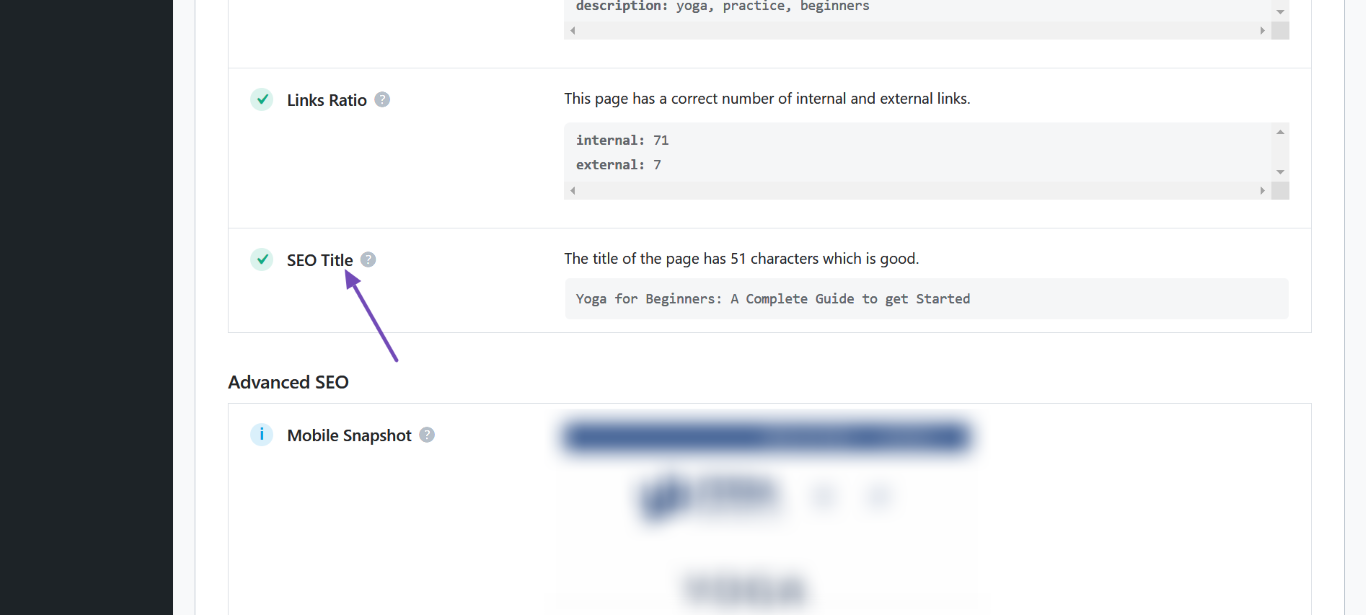
1.7 SEO-Titel
This section lists the SEO title of your competitor’s content. You can use a similar SEO title in your content. An ideal SEO title should be between 50 and 60 characters.
Now that you’ve gathered insights into your competitor’s SEO, it’s time to replicate their results using Content AI.
2 Research Using Content AI
If you wish to skip the previous process of manually collecting insights on your competitors, you can use our Content AI research feature.
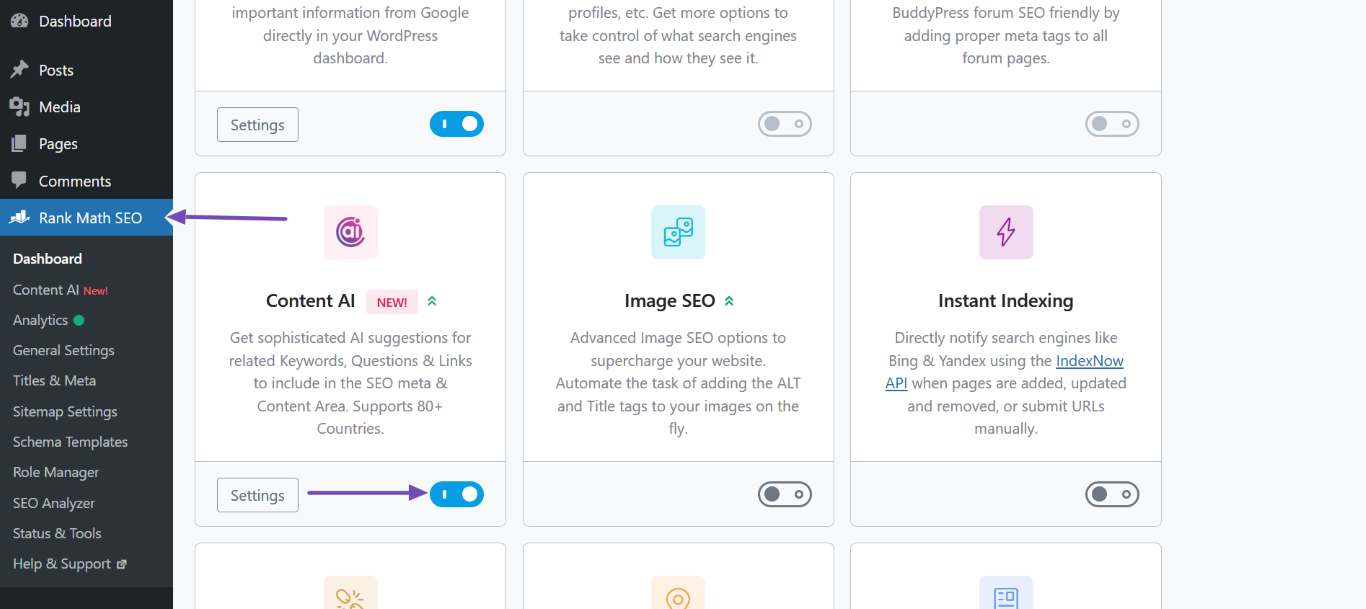
If you already have a Content AI membership, head to WordPress-Dashboard → Rank Math-SEO und aktivieren Sie die Content AI Modul, wie unten gezeigt.
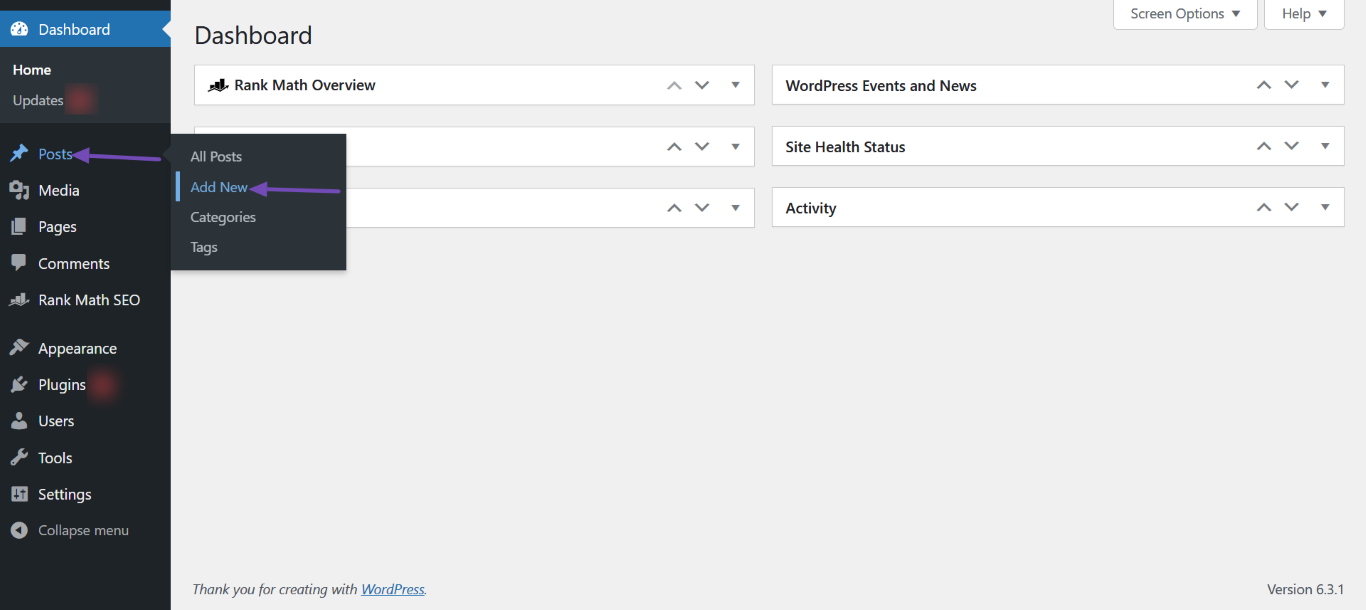
Once done, head to the post or page you’re creating to compete with your competitor’s content. If you have not begun creating the content, head to WordPress-Dashboard → Beiträge oder Seiten → Neue hinzufügen to begin drafting one.
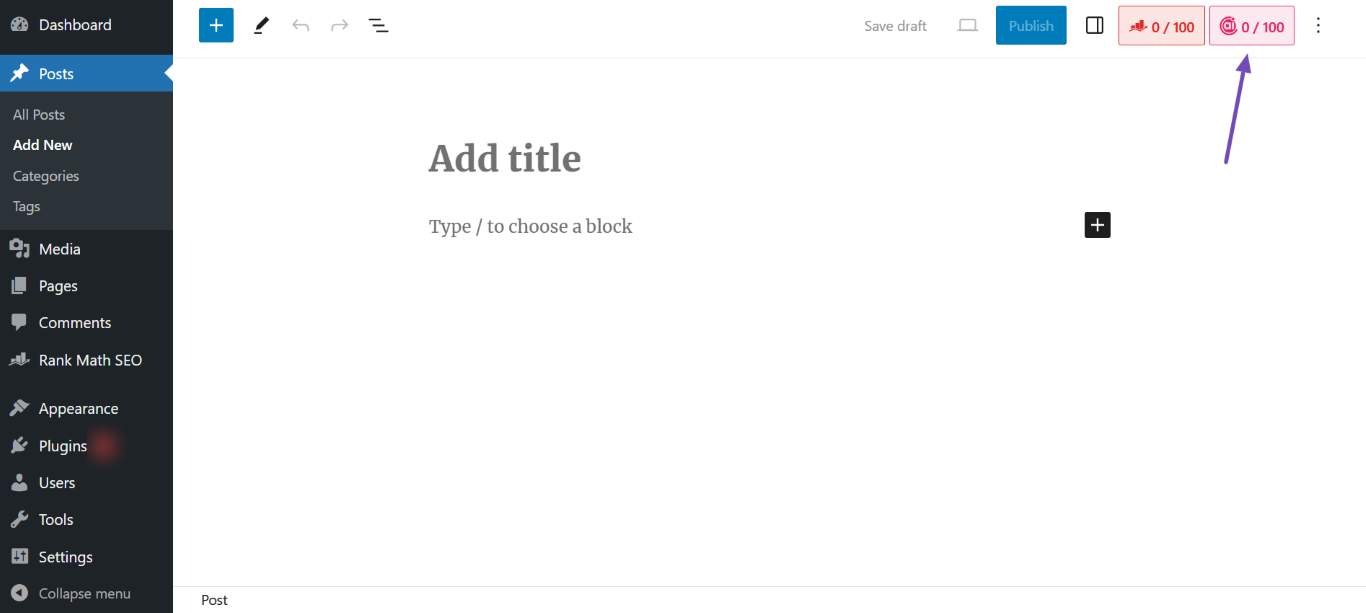
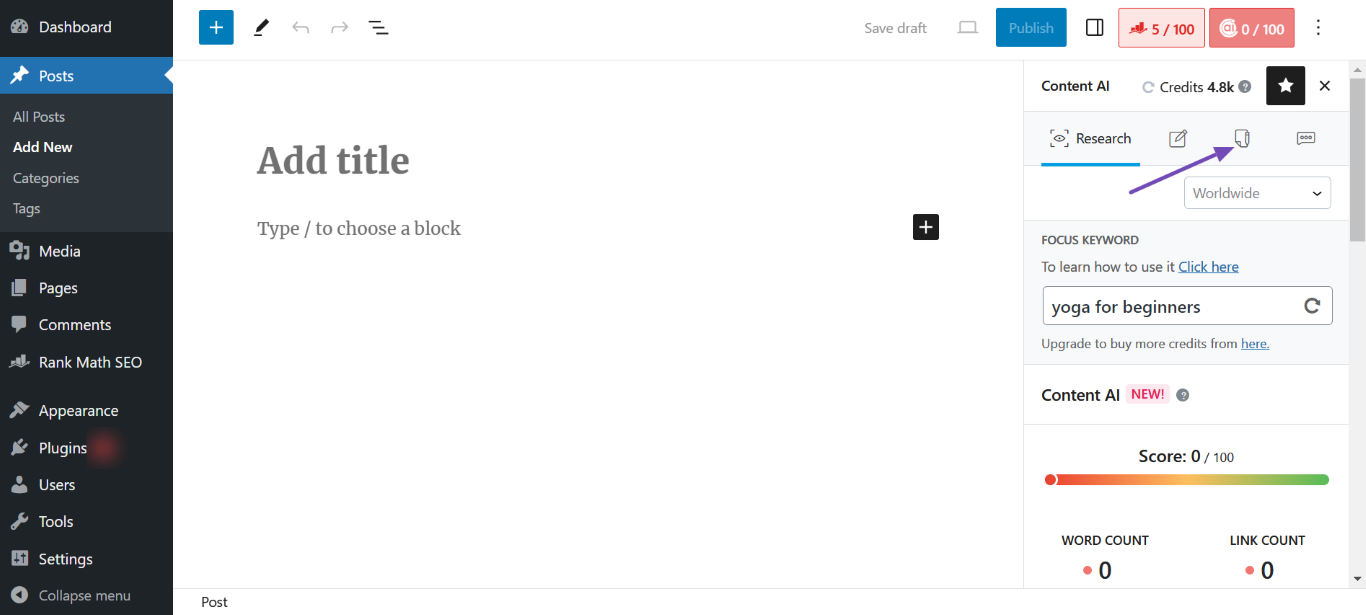
Next, click the Content AI icon at the top-right corner of the page.
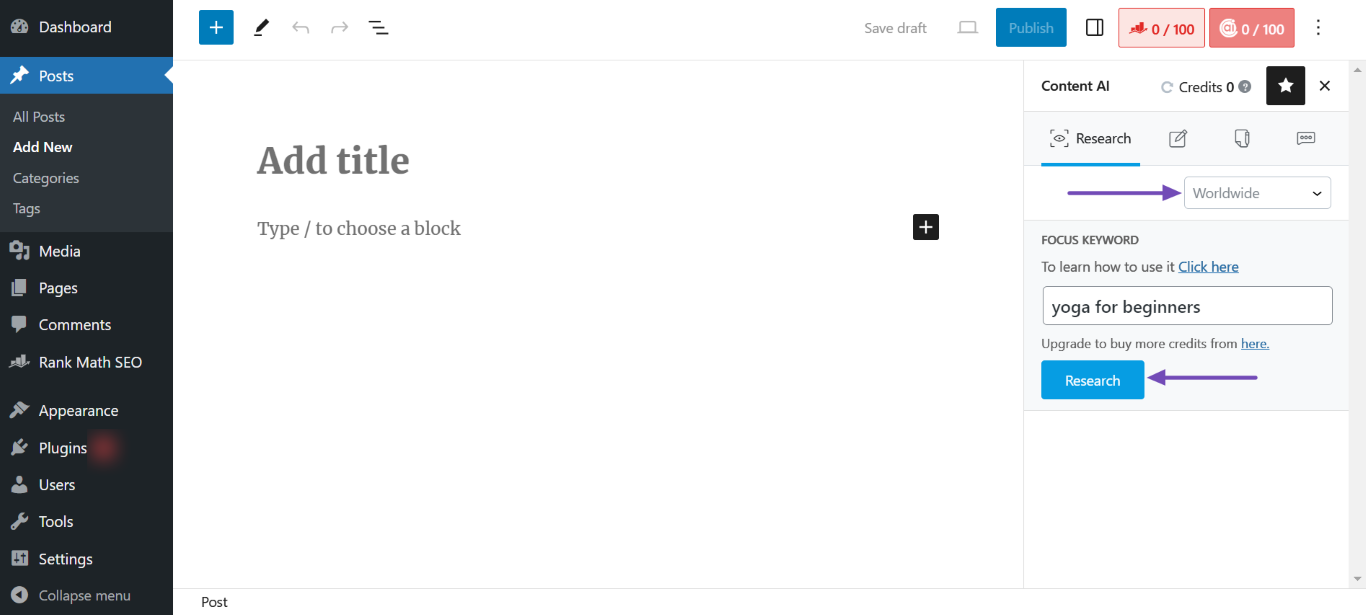
Once done, enter your keyword into the FOCUS KEYWORD field. If your target audience is from a specific country, select the country from the dropdown. Once done, click Forschung, Wie nachfolgend dargestellt.
Content AI will analyze the top content ranking for your desired keyword and return with suggestions on the headings, media, links, questions, and keywords to include in your content.
3 Generating a Competing Article Using Content AI
After gaining insights into the top-ranking content, the next step is to generate a competing article using Content AI.
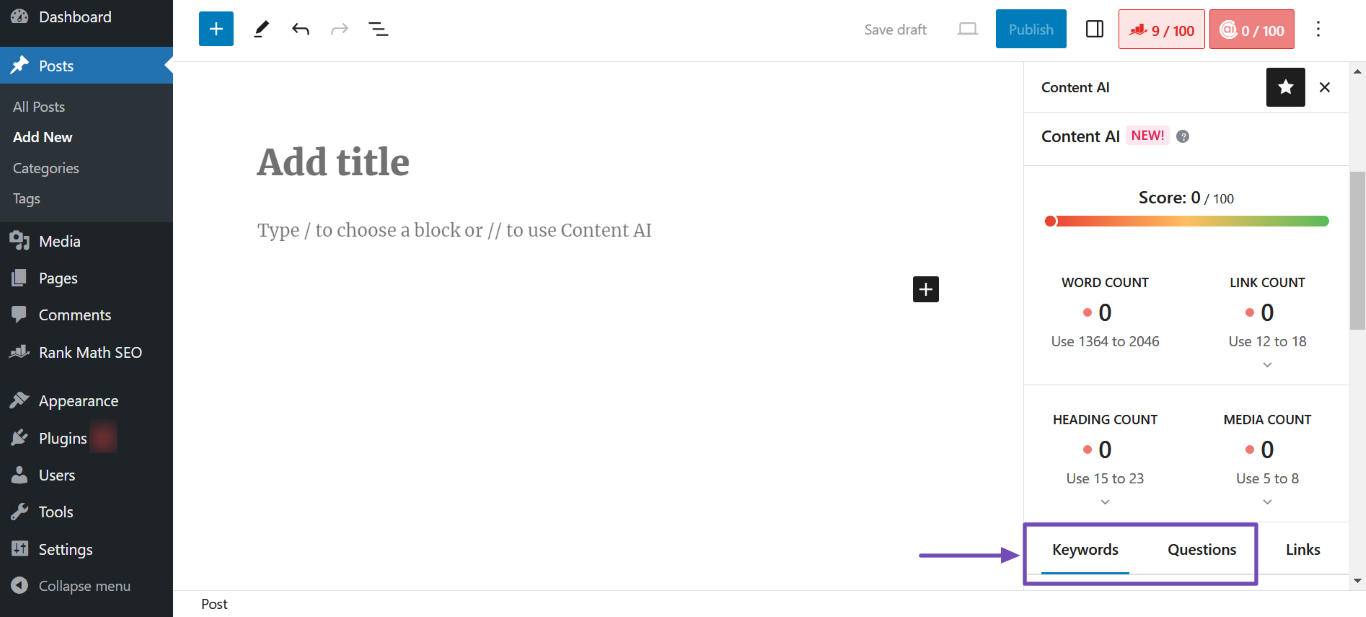
To get started, scroll to the bottom of the analysis results. You will be presented with some tabs. Now, we will show you how to convert the data in the Keywords and Questions tabs into high-quality content using Content AI.
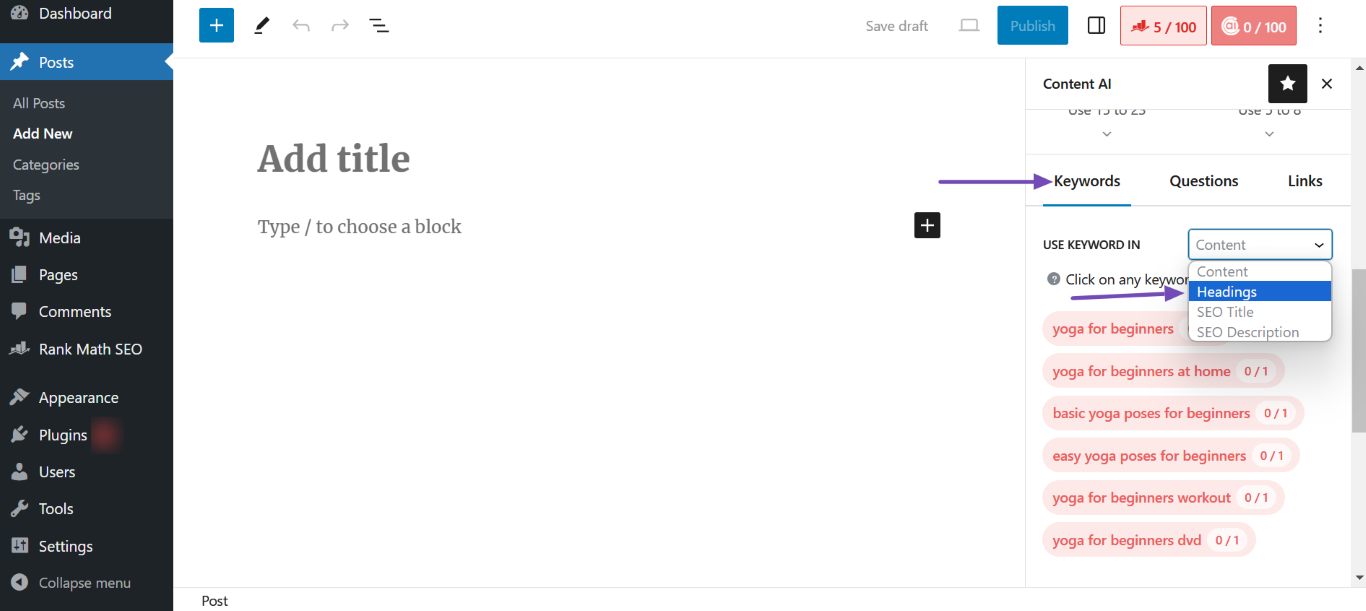
Here, scroll down to the Schlüsselwörter tab. Once done, click the USE KEYWORD IN dropdown and select Überschriften, Wie nachfolgend dargestellt.
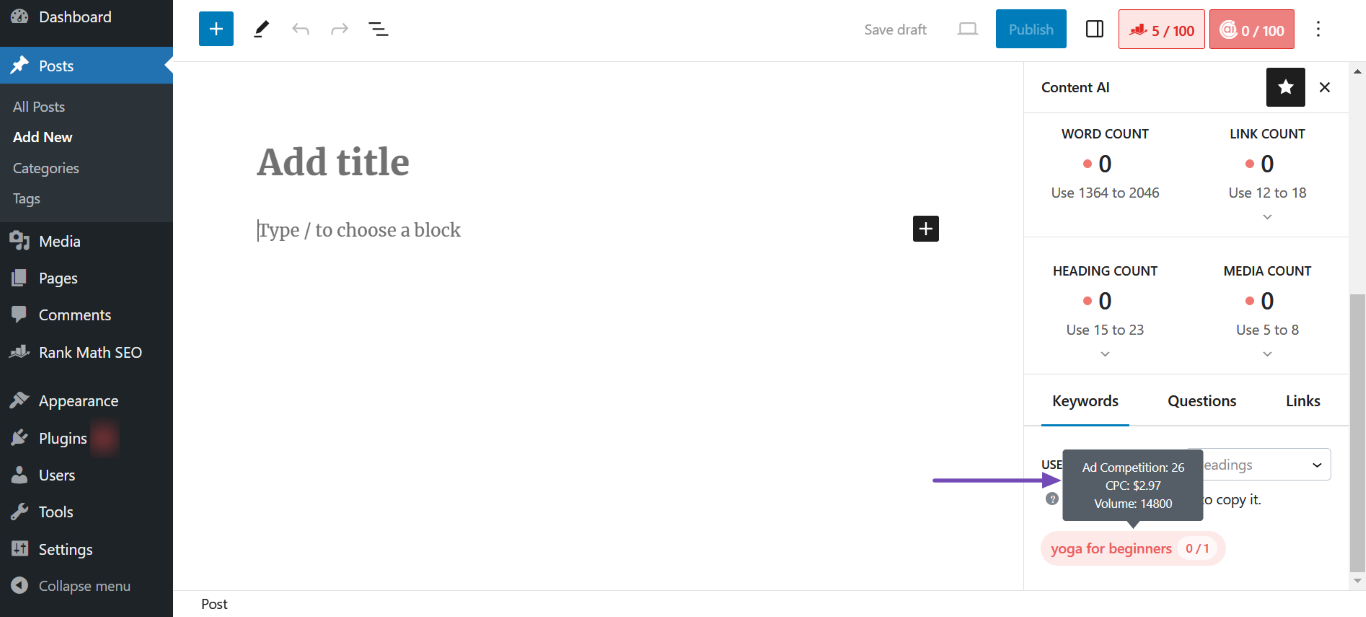
You will be presented with some keywords to include in your headings. Hover over the keywords to view their ad competition, cost per click (CPC), and search volume. Once you decide on the keyword to use in your H1 heading, click on it to copy it.
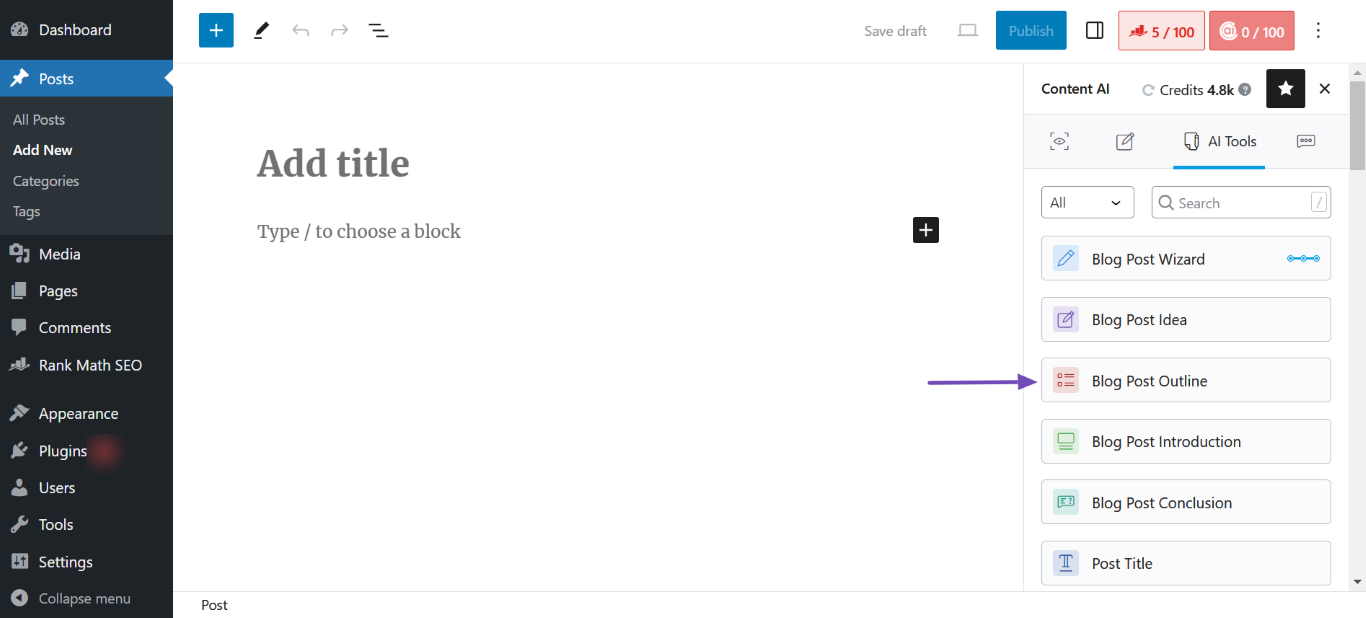
After copying the keyword, scroll up and click the KI-Tools icon, as shown below.
Once done, select the Gliederung des Blogbeitrags AI tool.
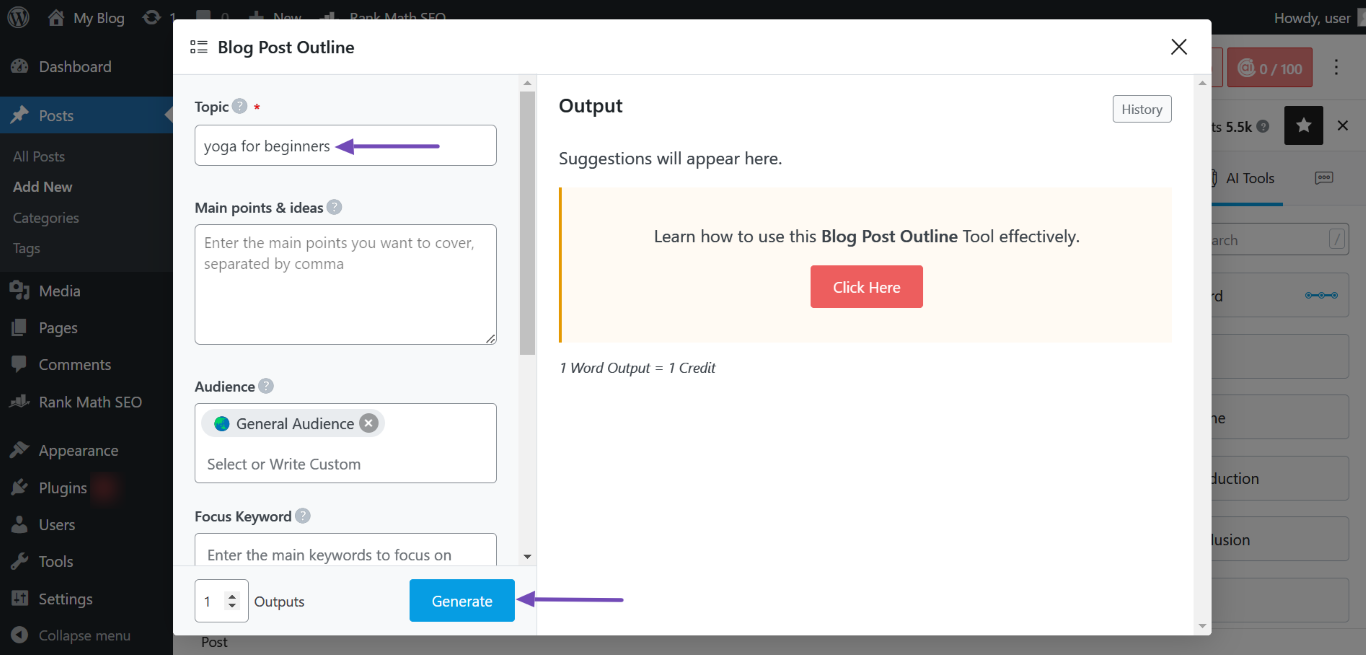
Now, paste the keyword into the Topic field. Once done, fill in the other fields and click Generieren.
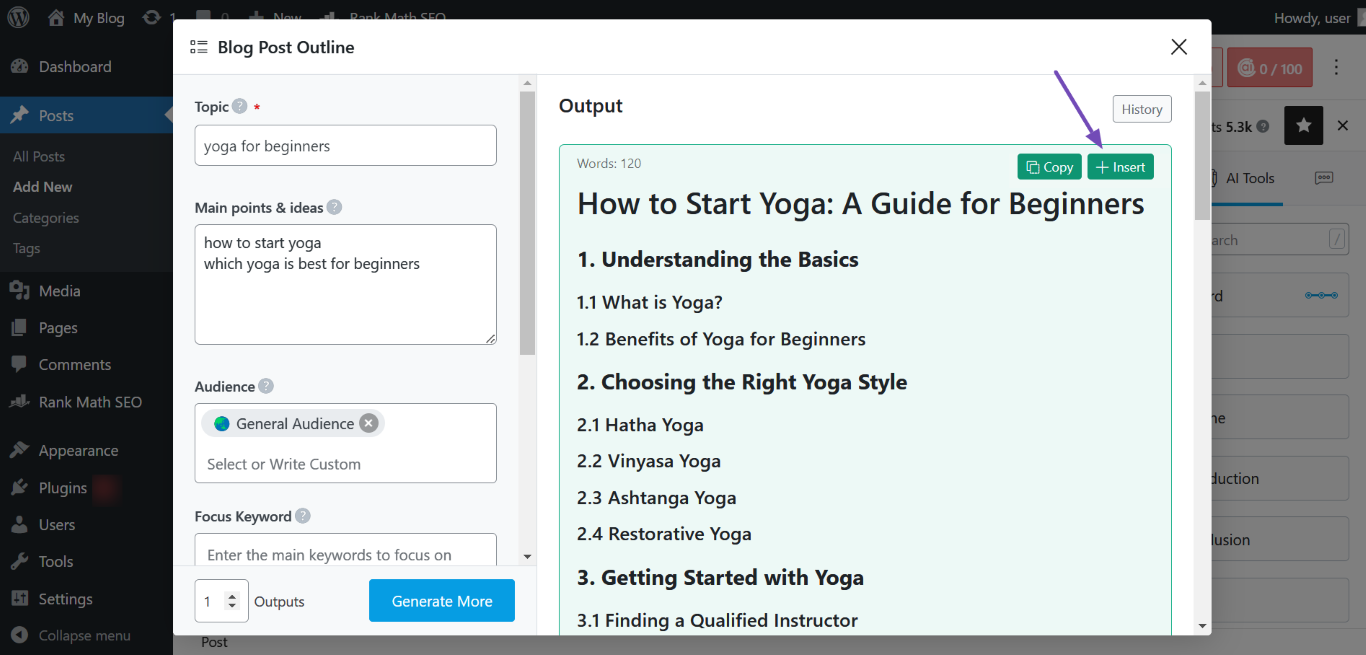
You will be presented with an outline for your content. Hover over the outline and click Einfügen.
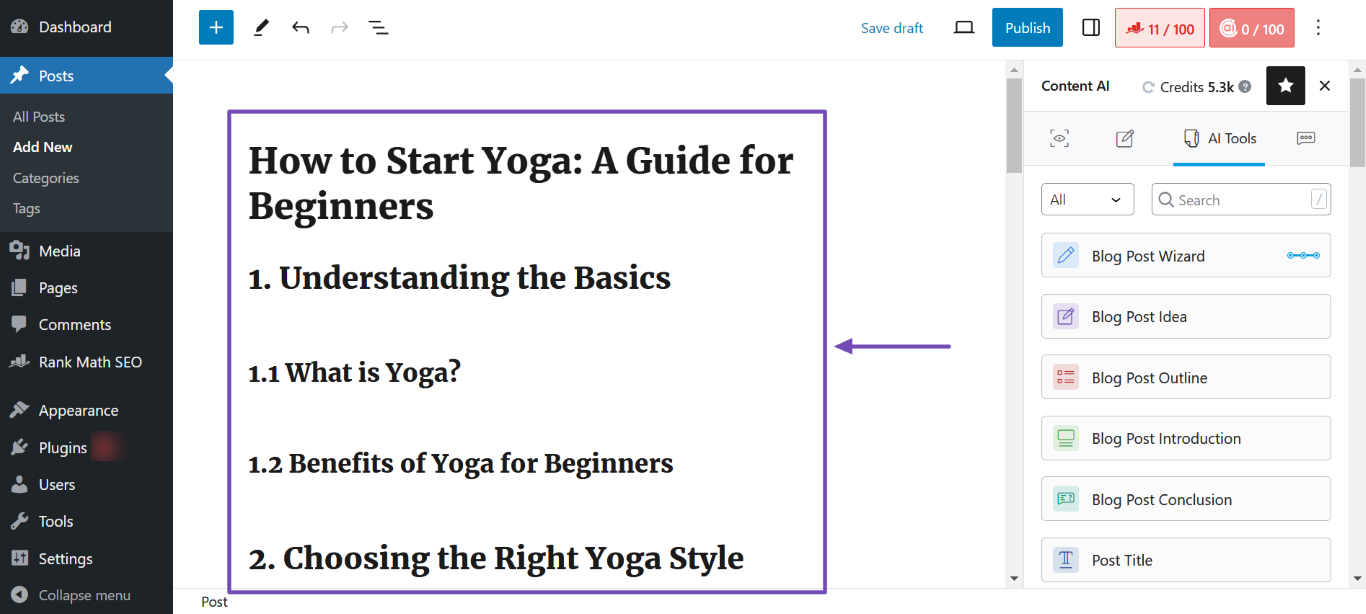
The outline will be inserted into your editor, as shown below.
3.2 Step 2: Generate an Article
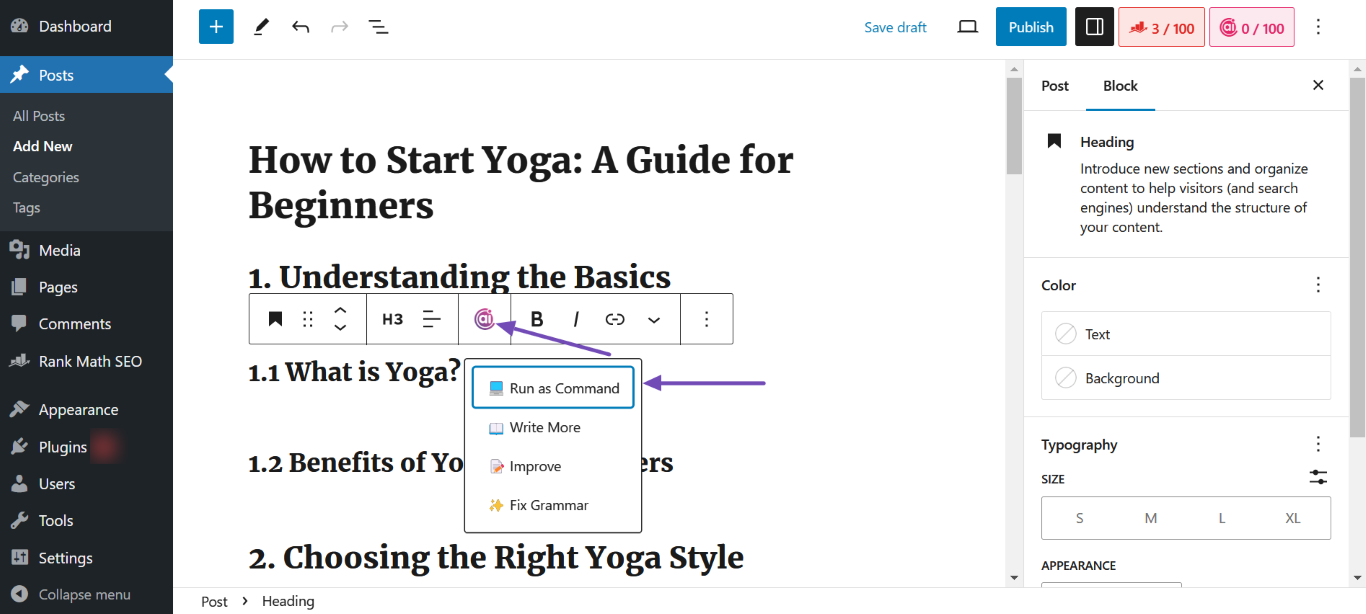
Now, it’s time to turn your outline into paragraphs. To get started, click on a heading and select the Content AI icon. Once done, click Run as Command.
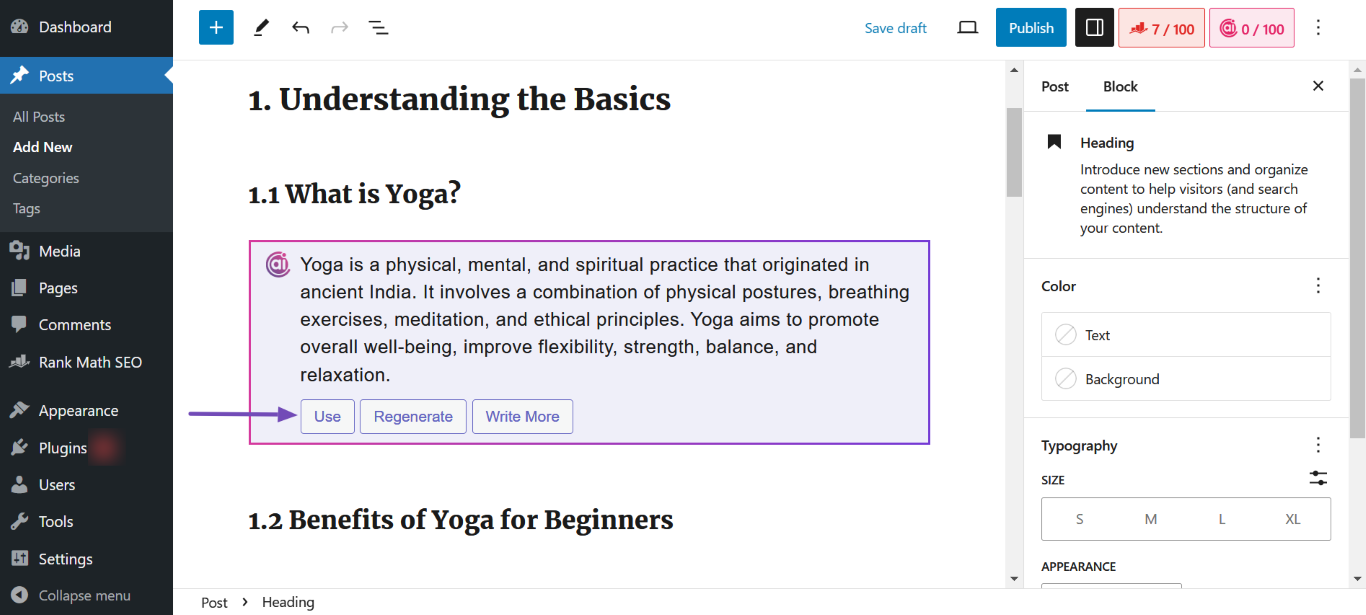
Content AI will generate paragraphs for the heading. To add the content to your article, click Verwenden. You can repeat this step for as many headings as you desire.
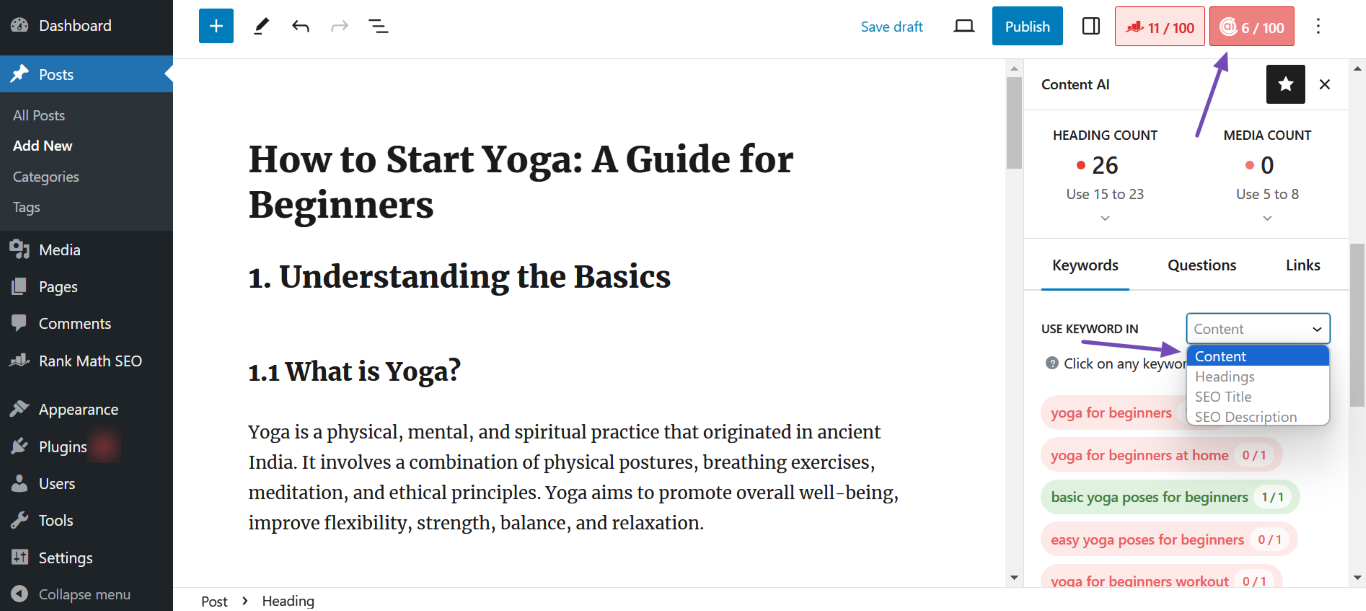
Once done, return to Content AI Metabox → Schlüsselwörter und auswählen Inhalt from the KEYWORDS IN USE dropdown. You will now proceed to include those keywords in your content.
3.3 Step 3: Generate an FAQ Block
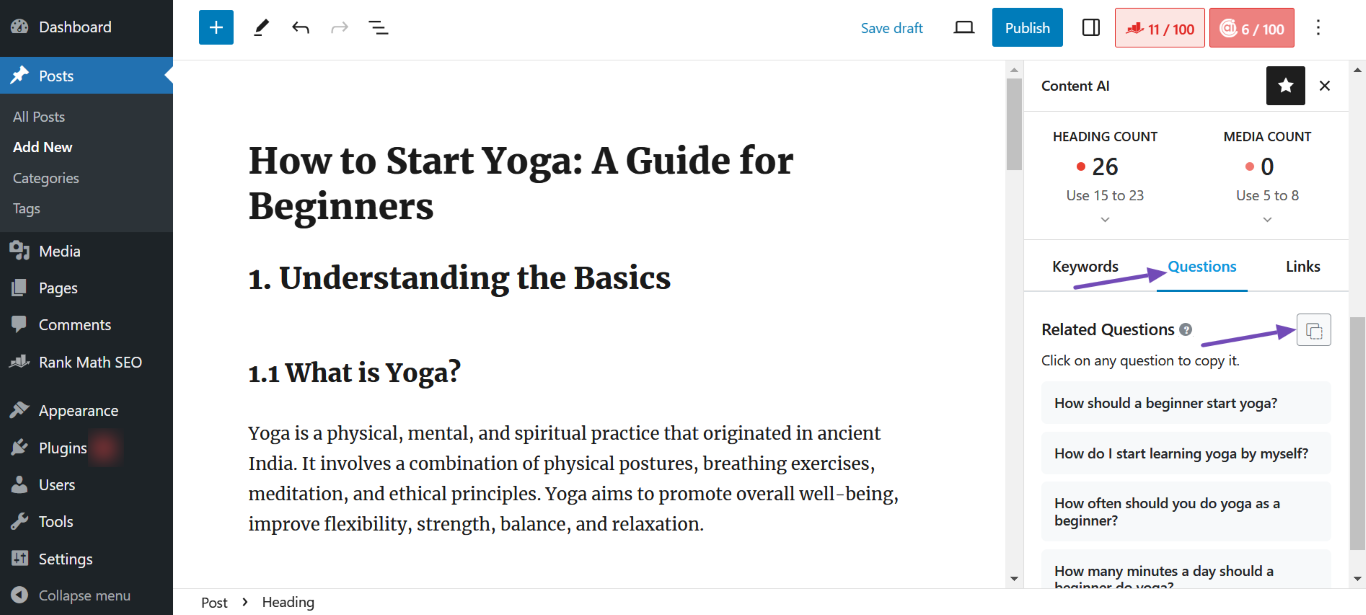
After creating your content, it’s time to create a Frequently Asked Questions (FAQ) block. To do that, click the Fragen tab and then the Kopieren icon, as shown below.
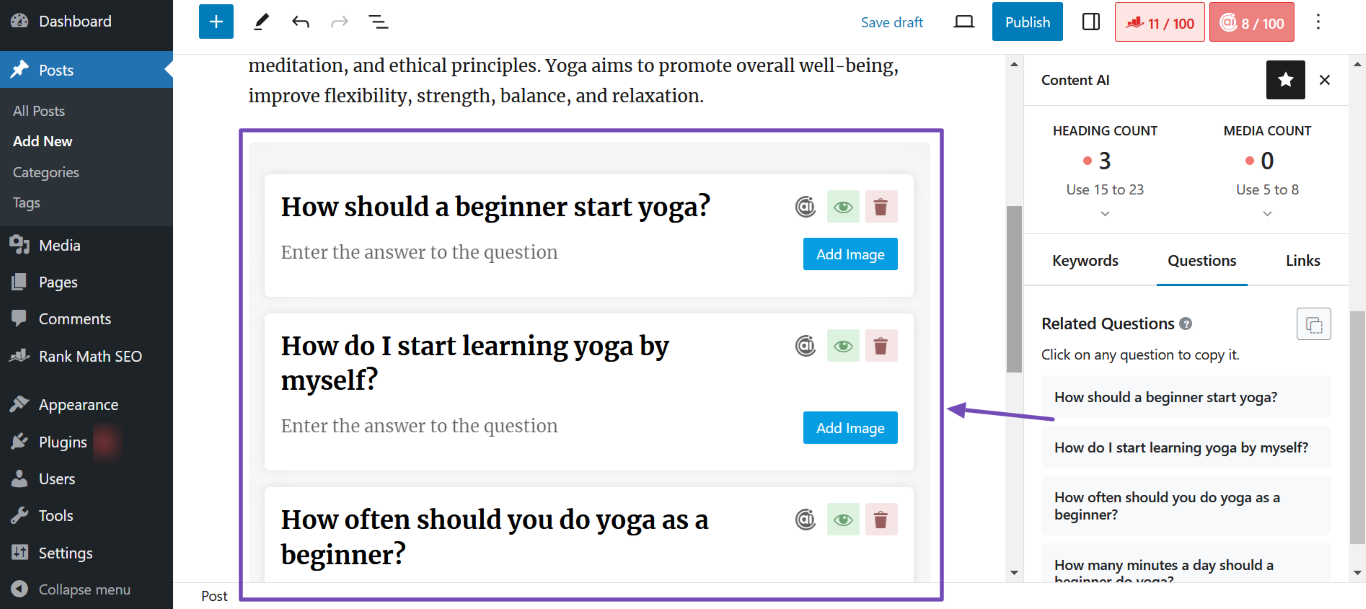
Next, head to the editor screen and click Ctrl+V on your keyboard. A FAQ block containing the questions will be added to your content, as shown below.
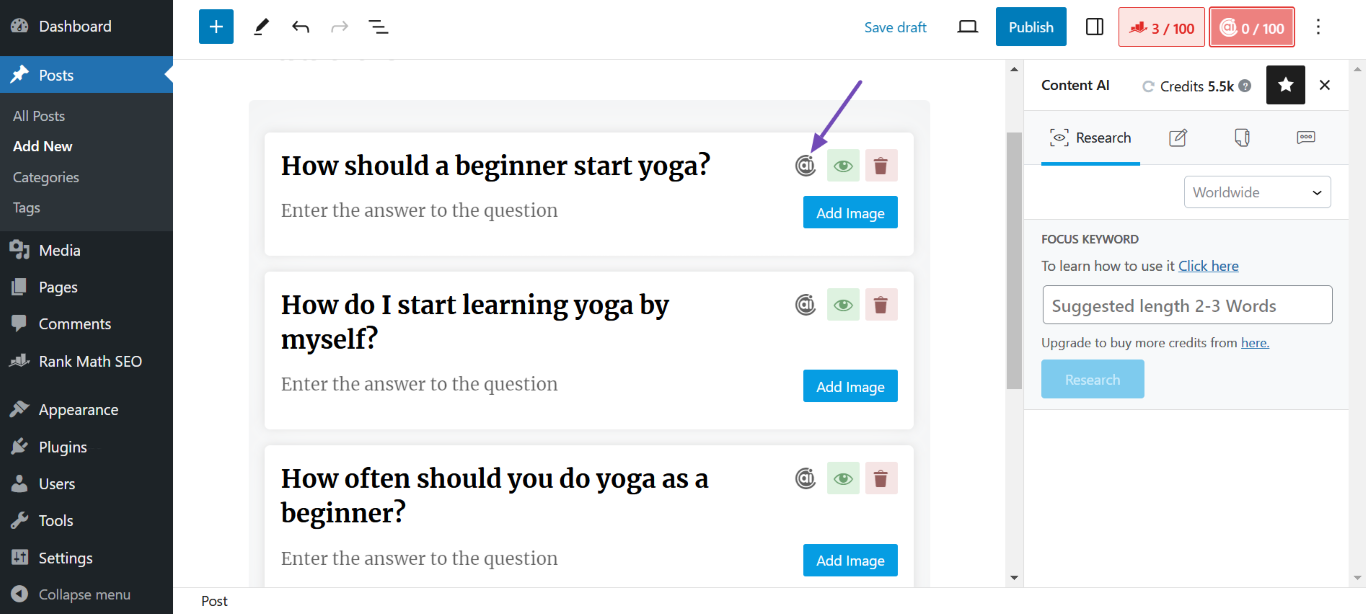
Now, it’s time to get Content AI to generate answers to those questions. To do that, head to a question and click the Content AI icon, as shown below.
Content AI will generate an answer to the question. You should repeat this step for the other questions.
3.4 Step 4: Generate an SEO Title and Description
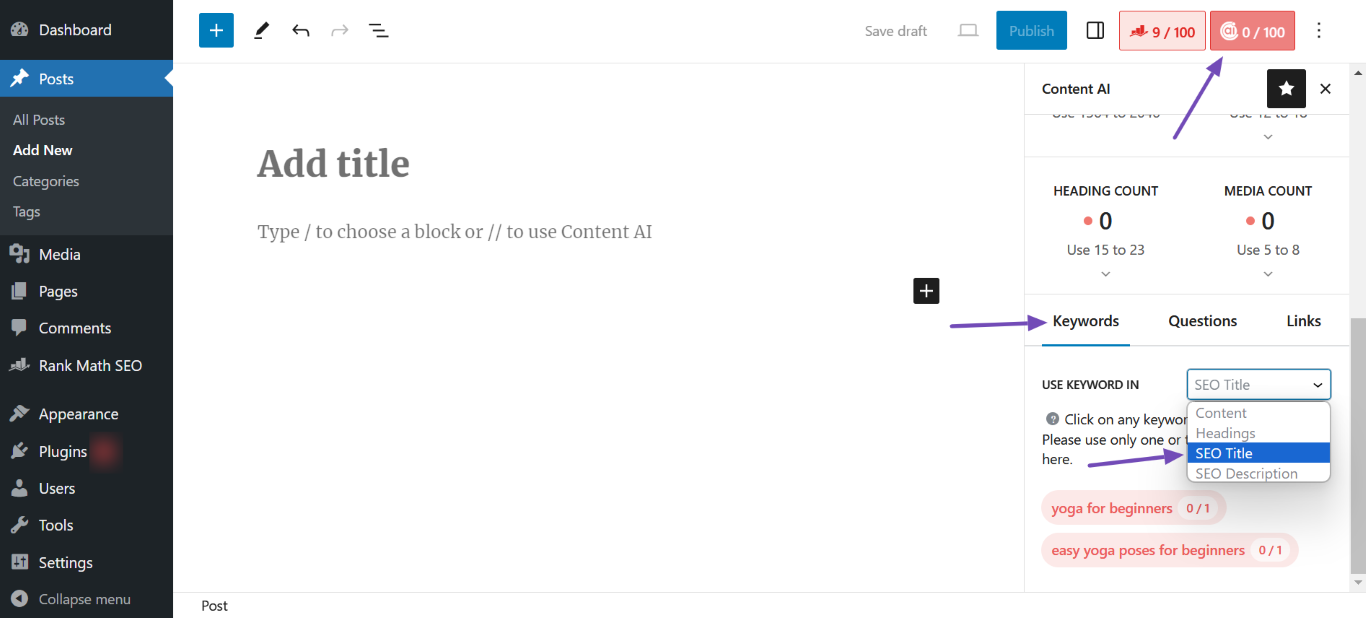
To generate an SEO title and description, return to Content AI Metabox → Schlüsselwörter. Once done, click the Use Keyword In dropdown and select SEO-Titel.
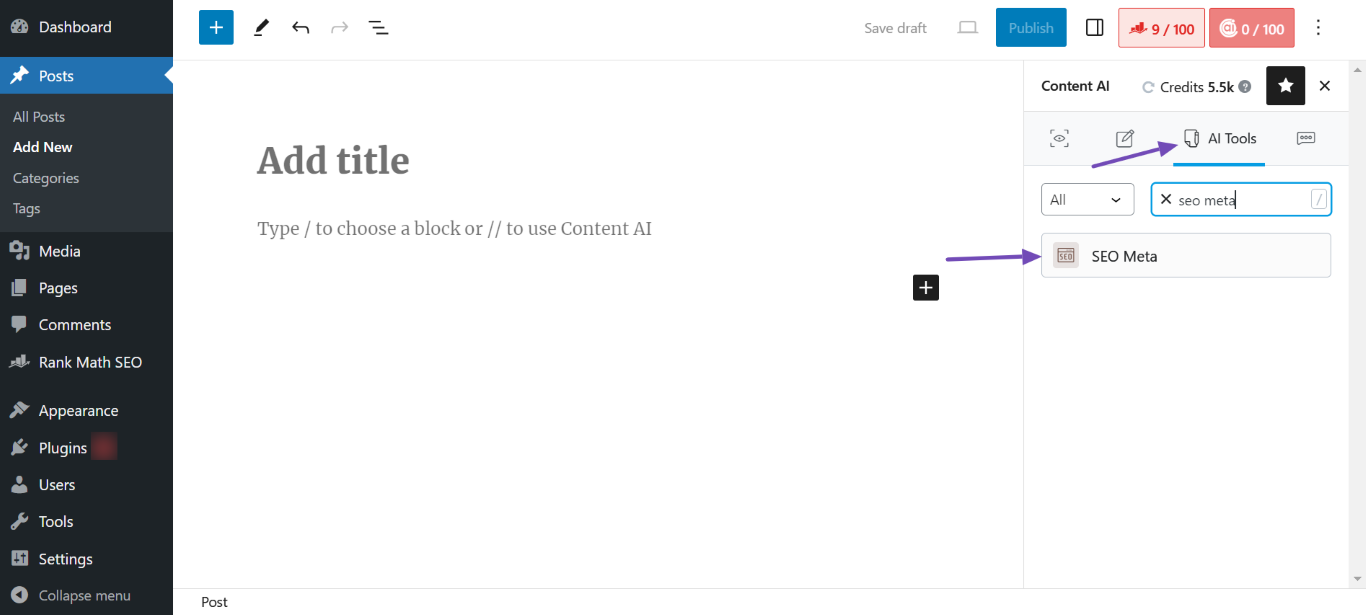
You will be presented with the keywords to include in your SEO title. Click on a keyword to copy it. Once done, scroll up and click the KI-Tools icon. Then, select the SEO Meta AI tool, as shown below.
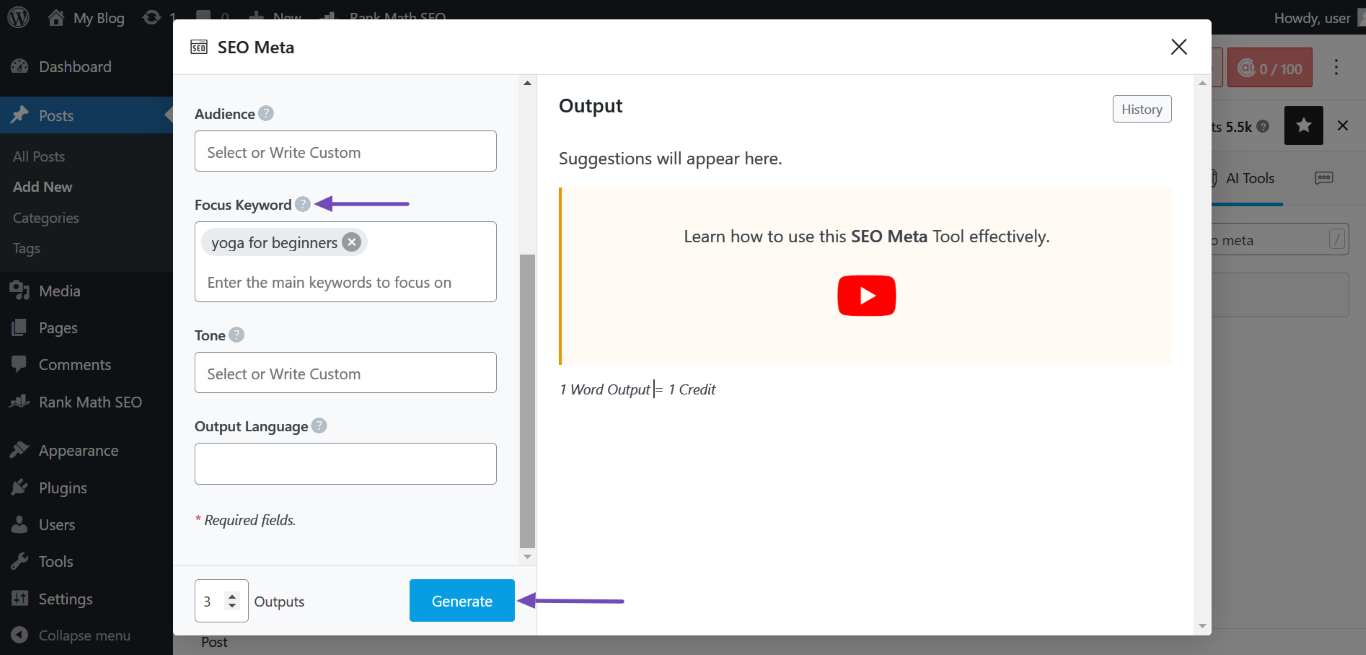
Next, paste the keyword you just copied into the Fokus-Schlüsselwort field. Next, fill in the other fields and click Generieren.
Notiz: You can also copy the keyword in the SEO Description and paste it into the Focus Keyword field.
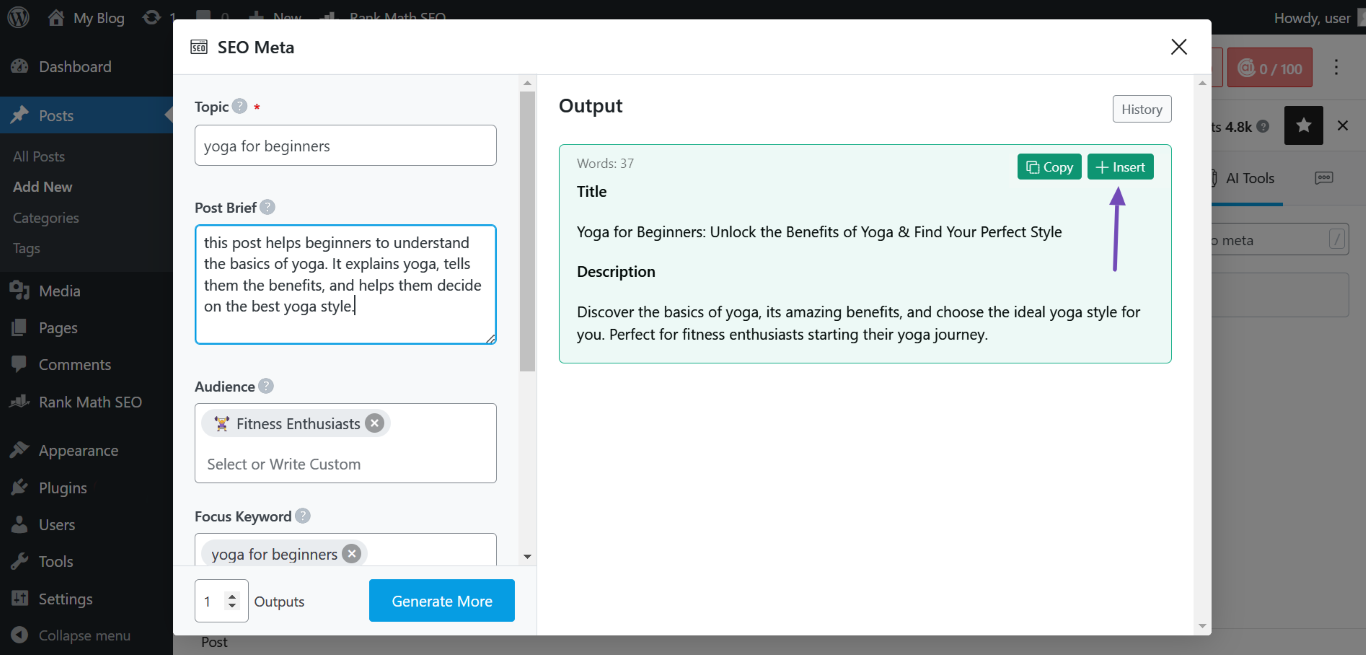
Once done, hover over the SEO meta title and description you just generated and click Einfügen.
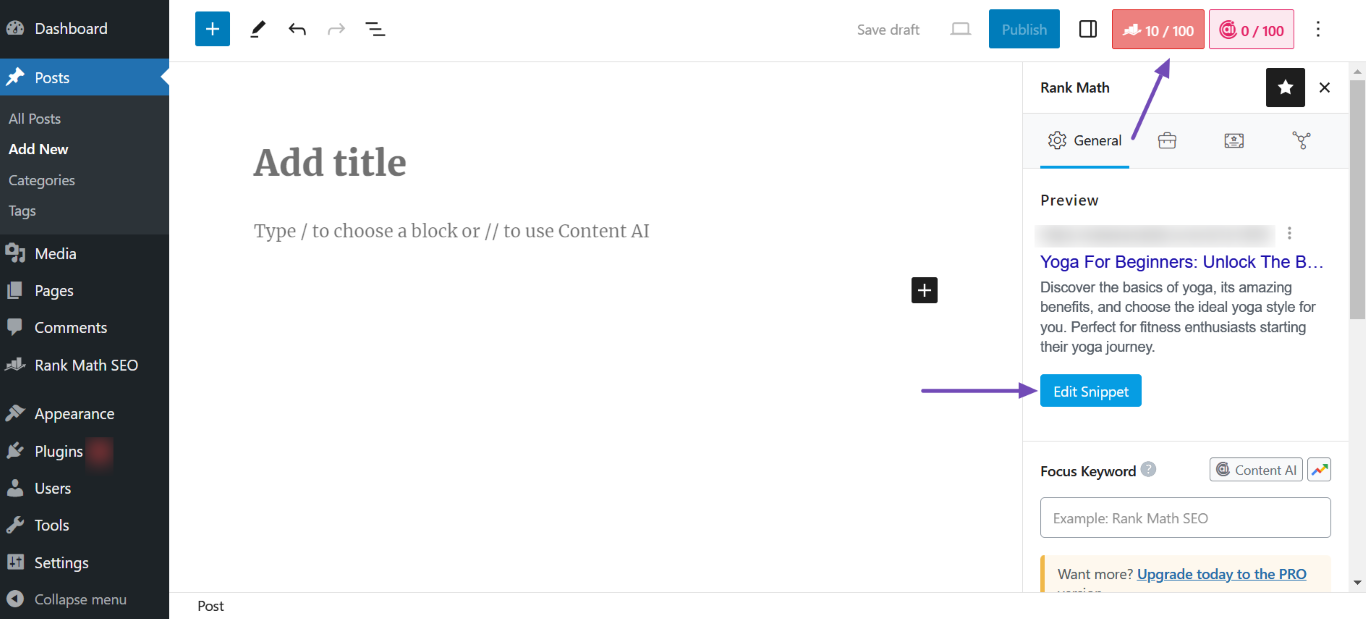
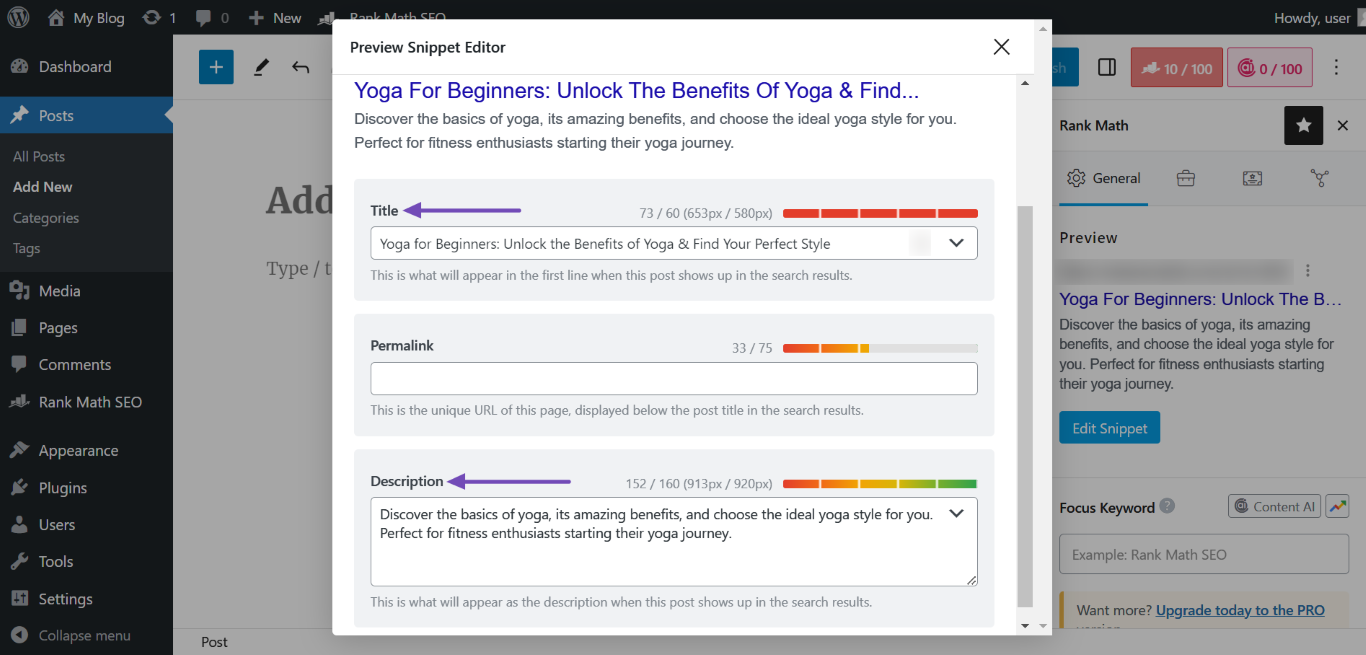
The SEO meta title and description will be added to your content. To view them, click the Rank Math-SEO Metabox → Meta-Tags bearbeiten, Wie nachfolgend dargestellt.
You will be presented with your SEO title and description, as shown below.
You can now proceed to edit the article to your satisfaction. Once done, click Veröffentlichen oder Aktualisieren, Wie nachfolgend dargestellt.
In conclusion, Content AI allows you to dive deep into your competitor’s SEO tactics. By analyzing their keywords, backlinks, and content format, you can skip the errors and uncover valuable insights to enhance your SEO strategies.
We hope you’re able to analyze your competitor’s SEO using Content AI. If you have any questions, you’re more than welcome to Kontaktieren Sie unser engagiertes Support-Team. Wir sind rund um die Uhr, 365 Tage im Jahr für Sie da …
Verwenden Sie Rank Math immer noch nicht?
Die Einrichtung dauert weniger als 5 Minuten, einschließlich des Imports von Ihrem alten SEO-Plugin!
Analysieren Sie das SEO Ihres Konkurrenten mit Rank Math
How to Spy on Your Competitor’s SEO Strategy Using Rank Math
Are you looking to gain an edge in the ever-competitive world of SEO? One effective strategy is to closely monitor your competitors and analyze their SEO