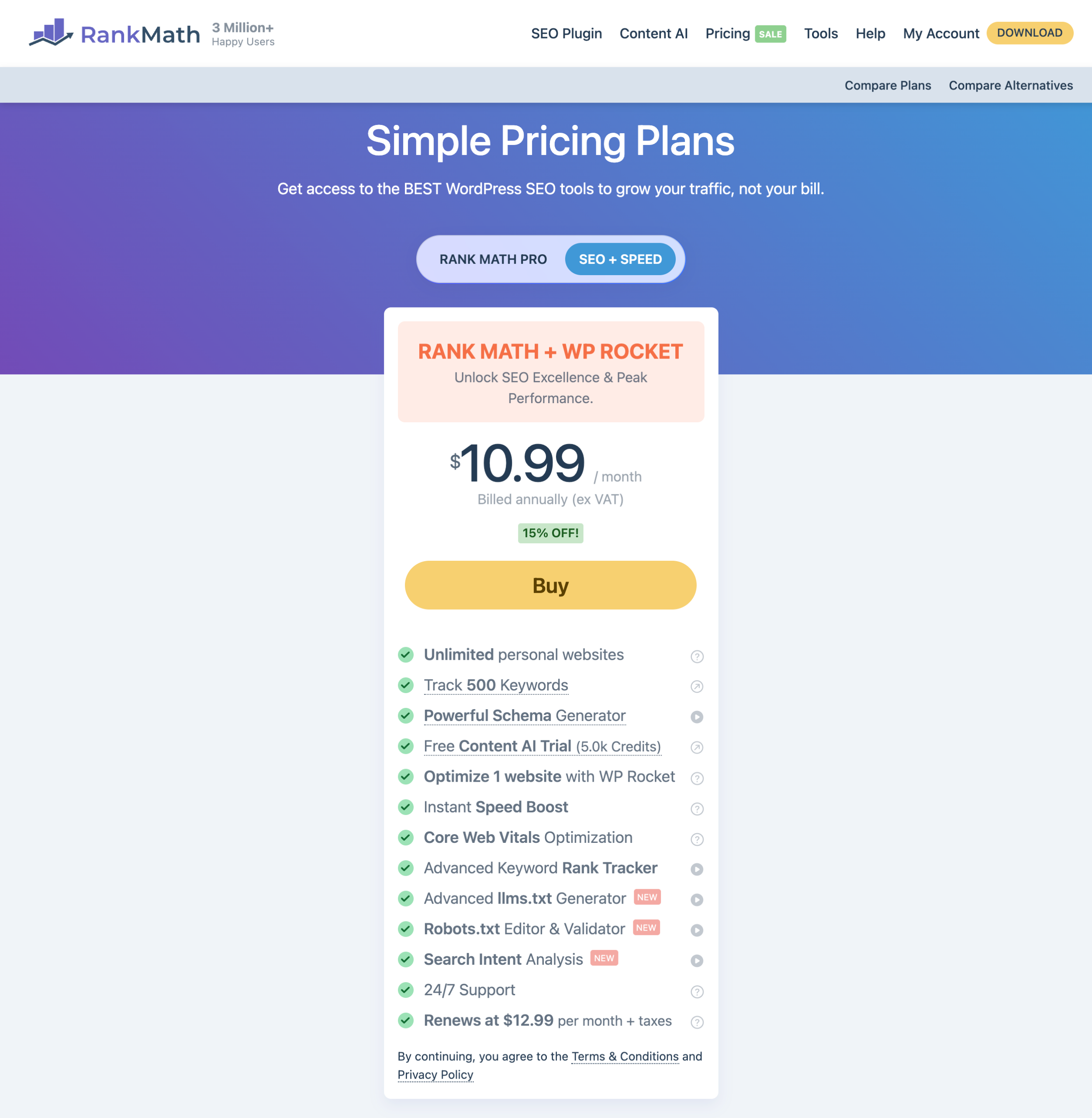
This way, you get the best of both worlds: Rank Math to optimize your website for search engines and WP Rocket to boost your site speed and performance.
But after making the purchase, how do you download and install the WP Rocket plugin on your WordPress site?
This knowledgebase article will walk you through the exact steps.
1 Downloading the WP Rocket Plugin
There are two simple ways to download the WP Rocket plugin after purchasing it with Rank Math.
1.1 Download WP Rocket from the Thank You Page
After successfully purchasing the Rank Math + WP Rocket plan, you can easily download the WP Rocket plugin directly from the thank you page.
1.2 Download WP Rocket from Your Account Page
If you didn’t download it from the thank you page or prefer to do it later, you can download it anytime from your Rank Math account.
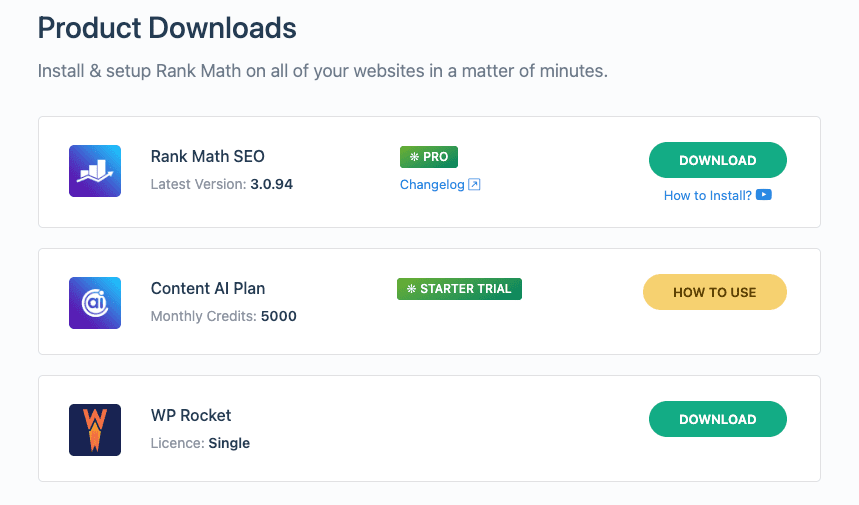
To do this, log in to your Rank Math account by clicking Mon compte at the top of the page. From your account dashboard, you’ll see the option to download both Rank Math PRO and WP Rocket.
Clique sur le DOWNLOAD button next to WP Rocket to save it to your computer.
2 Installing the WP Rocket Plugin
Once downloaded, log in to your WordPress admin.
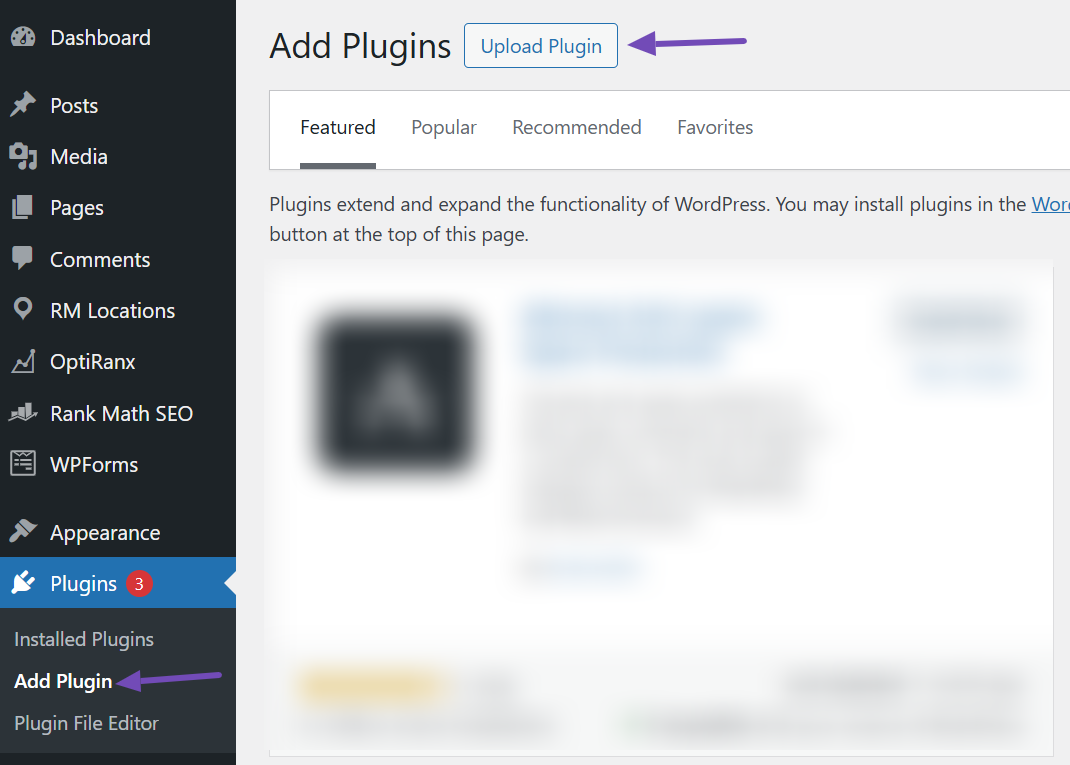
In the WordPress admin menu, go to Plugins → Add Plugin. On that page, click the Upload Plugin button, as shown below.
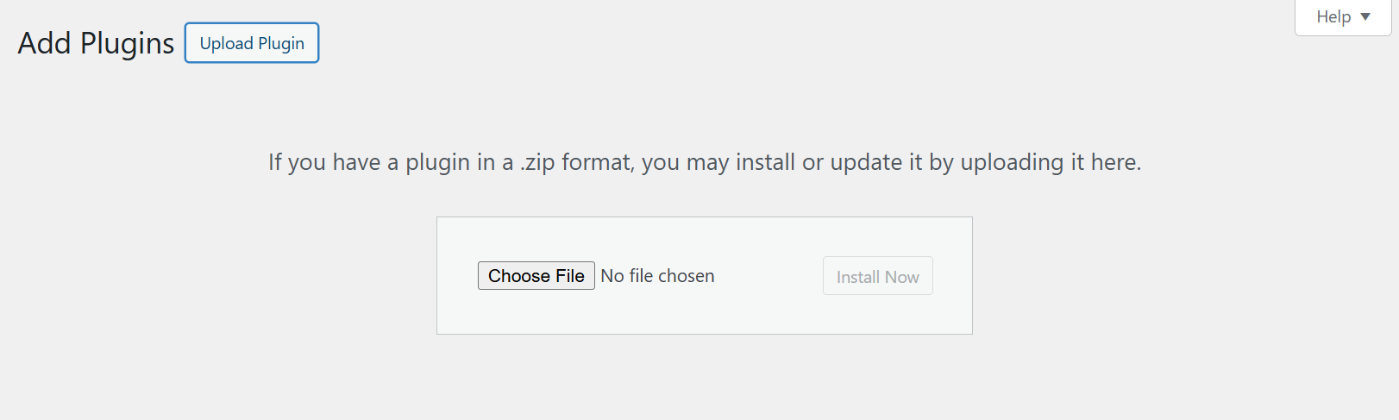
Ensuite, cliquez sur Choose File to upload the WP Rocket plugin you downloaded, then click Installer maintenant.
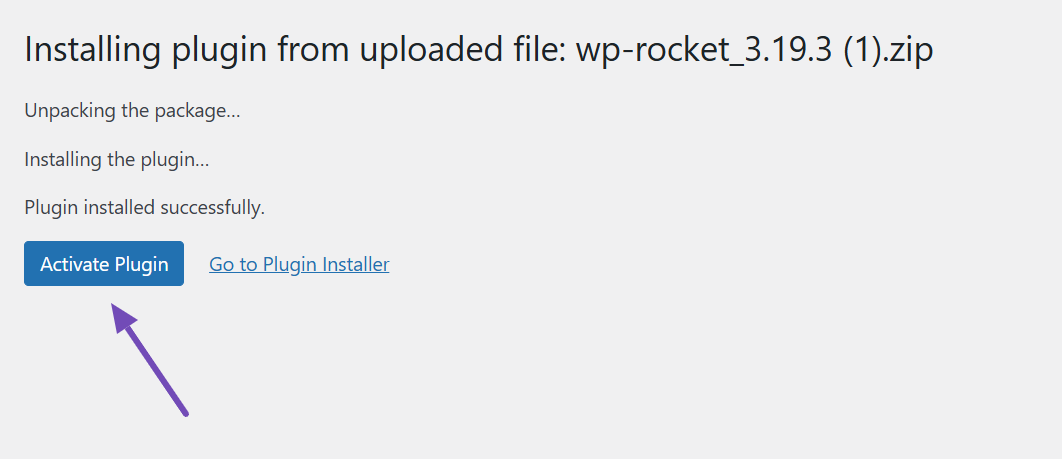
Wait a few moments, then click the Activate Plugin button once the installation is complete.
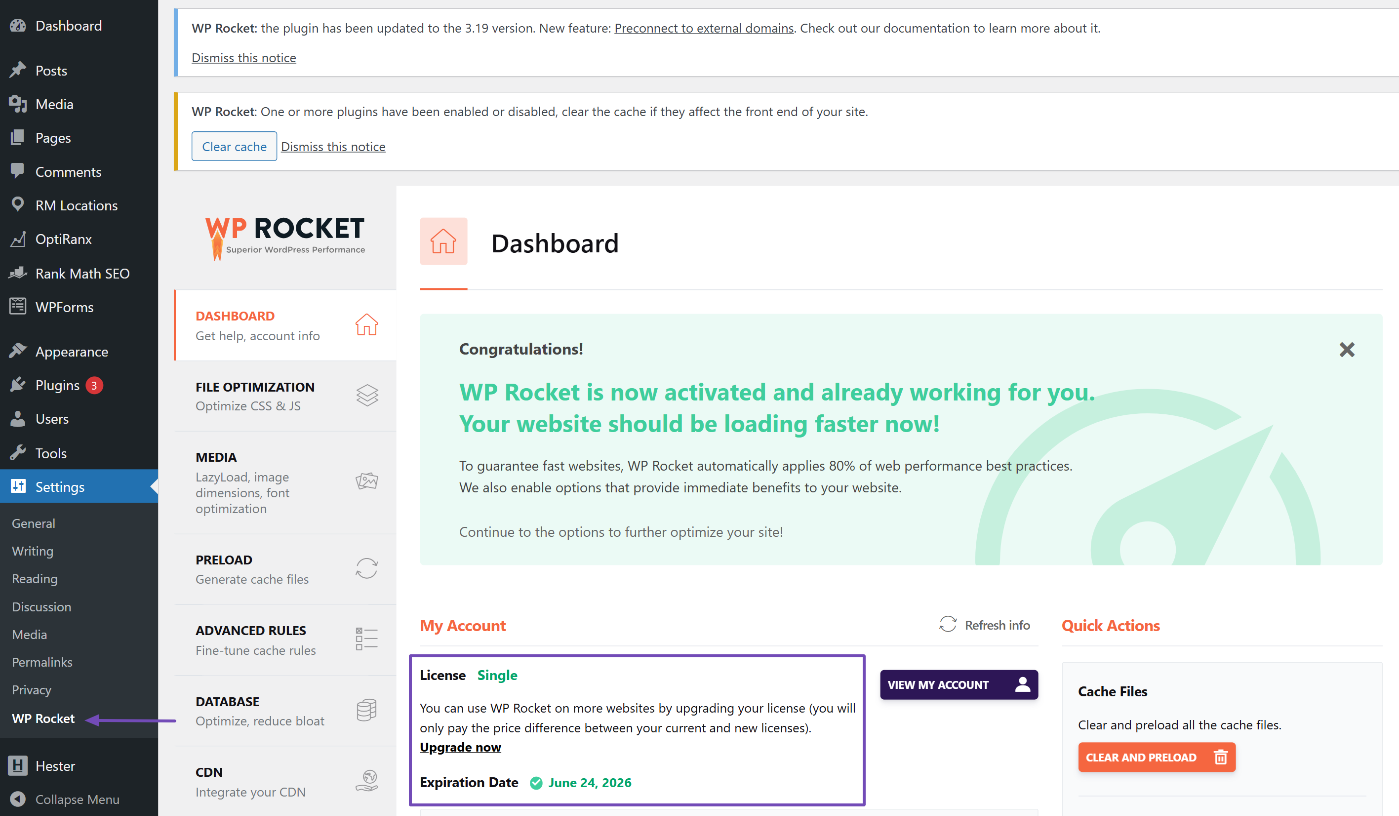
After activation, go to Settings → WP Rocket from your WordPress admin menu. On your WP Rocket dashboard, you’ll see a successful activation notice.
Below it, you’ll also find your license details and expiration date, as shown below.
And that’s it! WP Rocket is now installed and activated on your website.
If you need help setting up WP Rocket on your site, you can check out their official documentation here.
If you have any questions or need assistance with Rank Math, don’t hesitate to reach out to our dedicated support team. We’re available 24/7, 365 days a year.
Vous n’utilisez toujours pas Rank Math ?
L'installation prend moins de 5 minutes, y compris l'importation depuis votre ancien plugin SEO !