JSON-LD or JavaScript Öbject Notation for Linked Data is a lightweight data interchangeable format that uses the vocabulary of Schema.org to describe what a web page is about.
JSON-LD is used in the page in such a way that it does not impact the existing HTML structure and tags. Web- developers use JSON-LD as it follows the JSON syntax and is simple to implement. JSON-LD helps to create an overall better web by annotating the elements on a page and structuring the data which is further used by the search engines to organize and connect data easily.
How to Import JSON-LD Schema With Rank Math
Before importing Schema from HTML code please ensure that you’ve enabled the Schema module from Rank Math SEO → Dashboard → Module section. The import feature of the Schema Module is available only in the PRO version of Rank Math. We recommend installing the Rank Math PRO plugin to make the most of the Schemas supported by the plugin.
If you’re using the Schema Markup for the very first time, we recommend you to go through our massive guide on Configuring Schema Markup with the help of the Rank Math plugin.
Without further ado, let’s walk you through the steps on how to import JSON-LD Schema using Rank Math:
1 Navigate to the Schema Generator
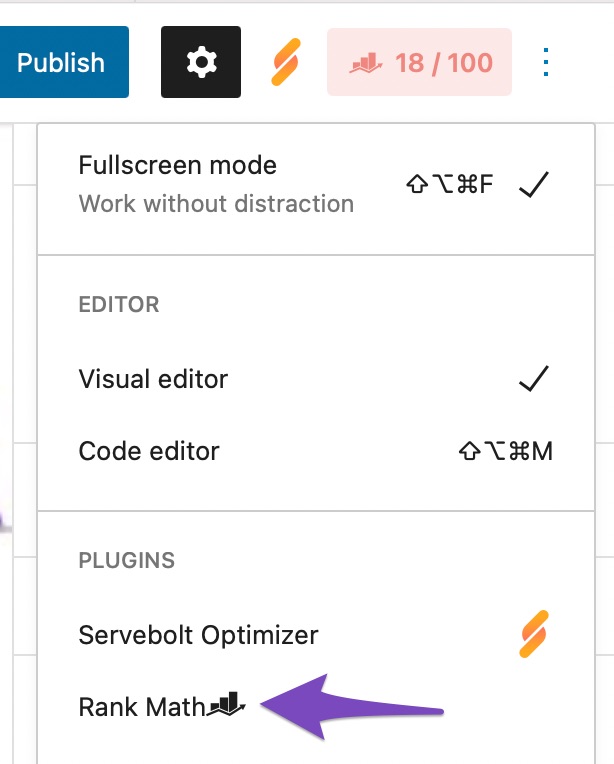
At first, navigate to your post editing screen. Then open Rank Math in the Gutenberg sidebar by clicking on the Rank Math SEO icon for the page. Or you can also click the three vertical dots in the top right-hand corner of the edit page and select Rank Math in the Plugins section – as shown below:
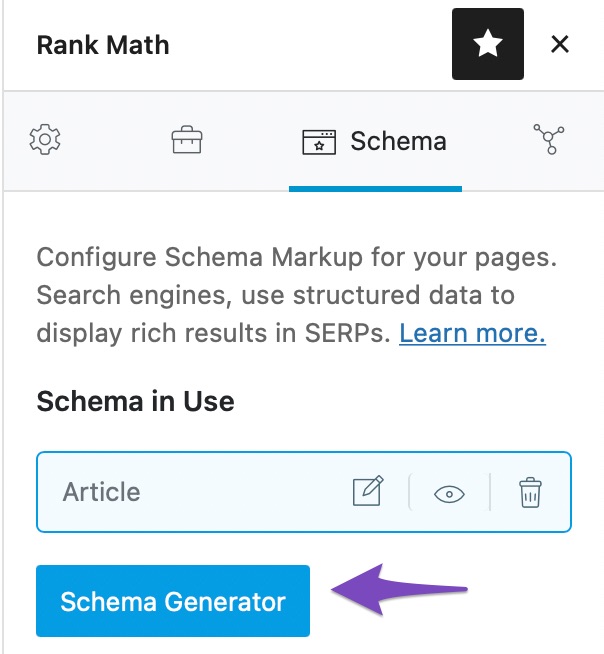
Then in the Schema tab of Rank Math’s meta box, click on Schema-Generator.
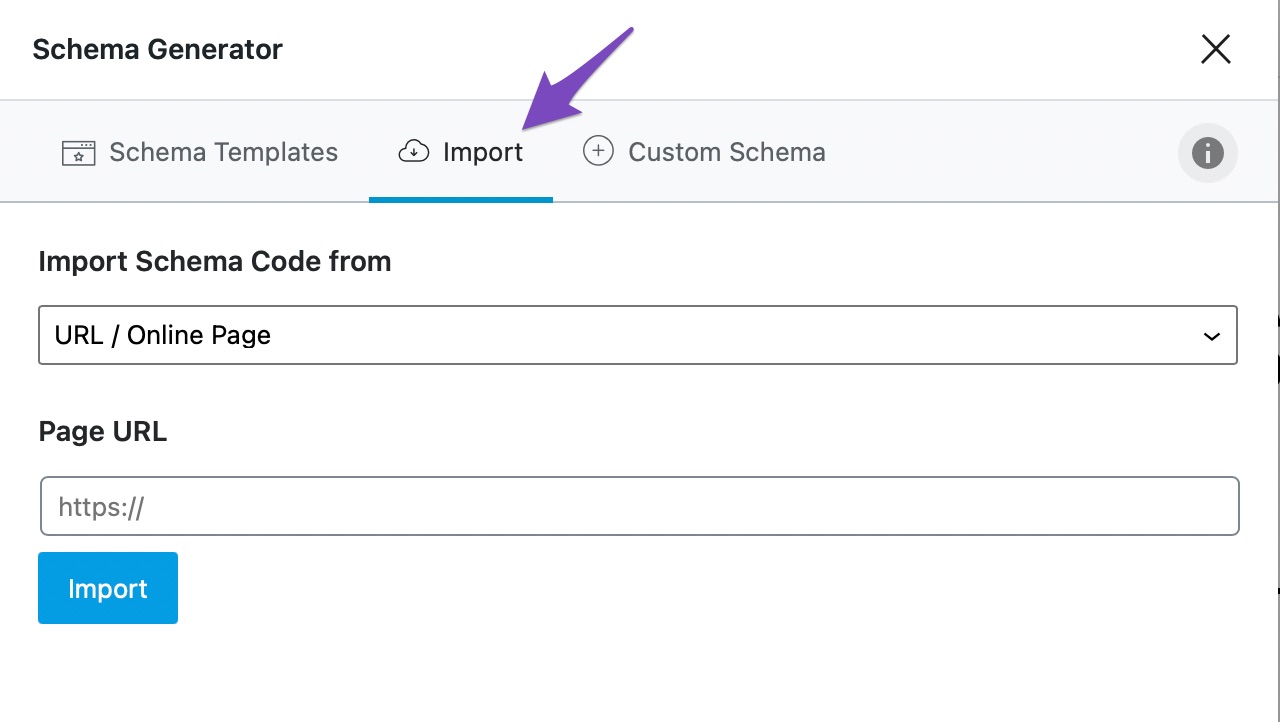
2 Navigate to the Import Tab
Klick auf das Importieren tab in the Schema Generator.
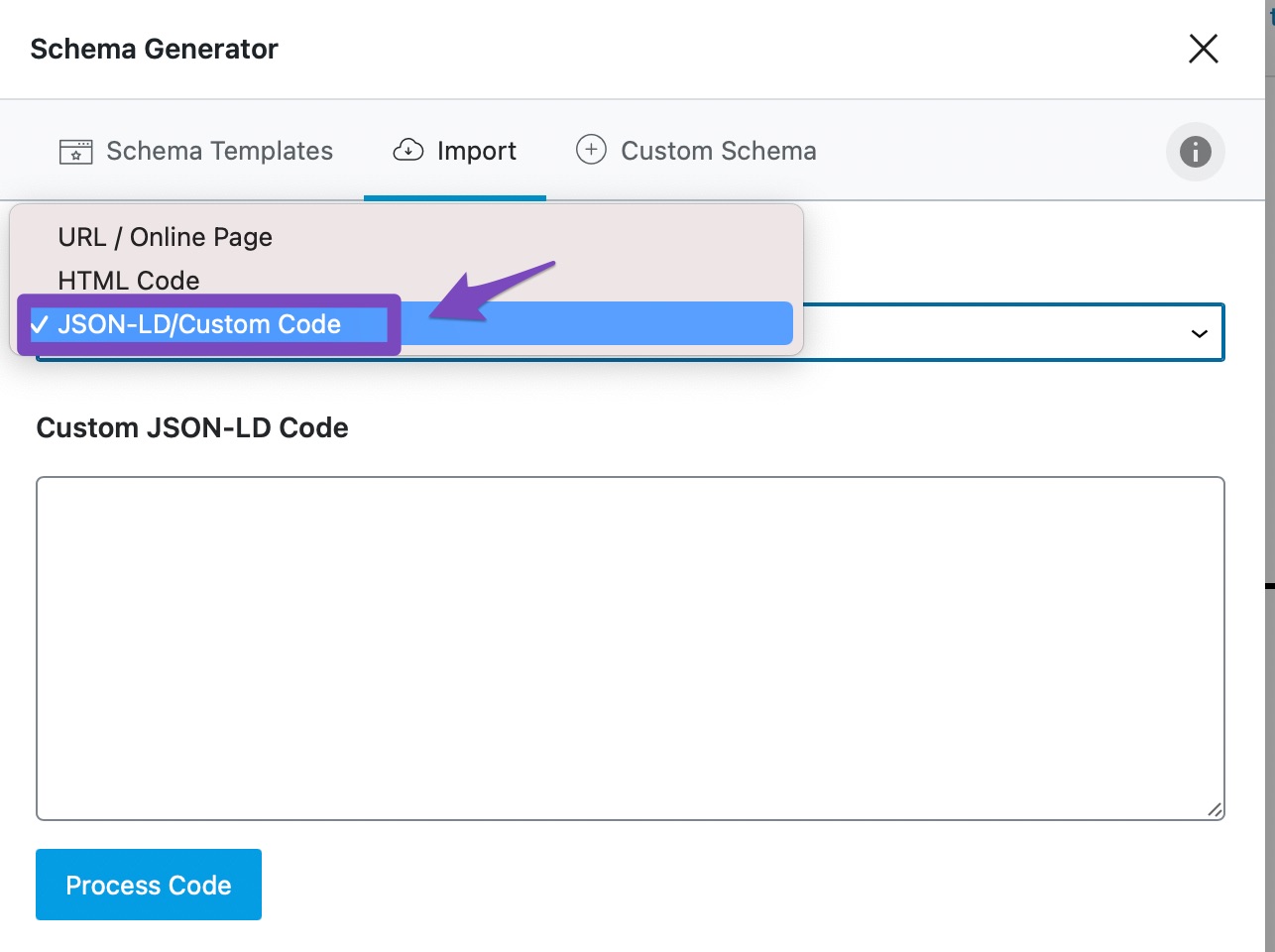
3 Select the JSON-LD/Custom Code Option in the Import Tab
In the Import tab, select JSON-LD/Custom Code option from the drop-down list as shown below:
4 Enter the JSON-LD/Custom Code
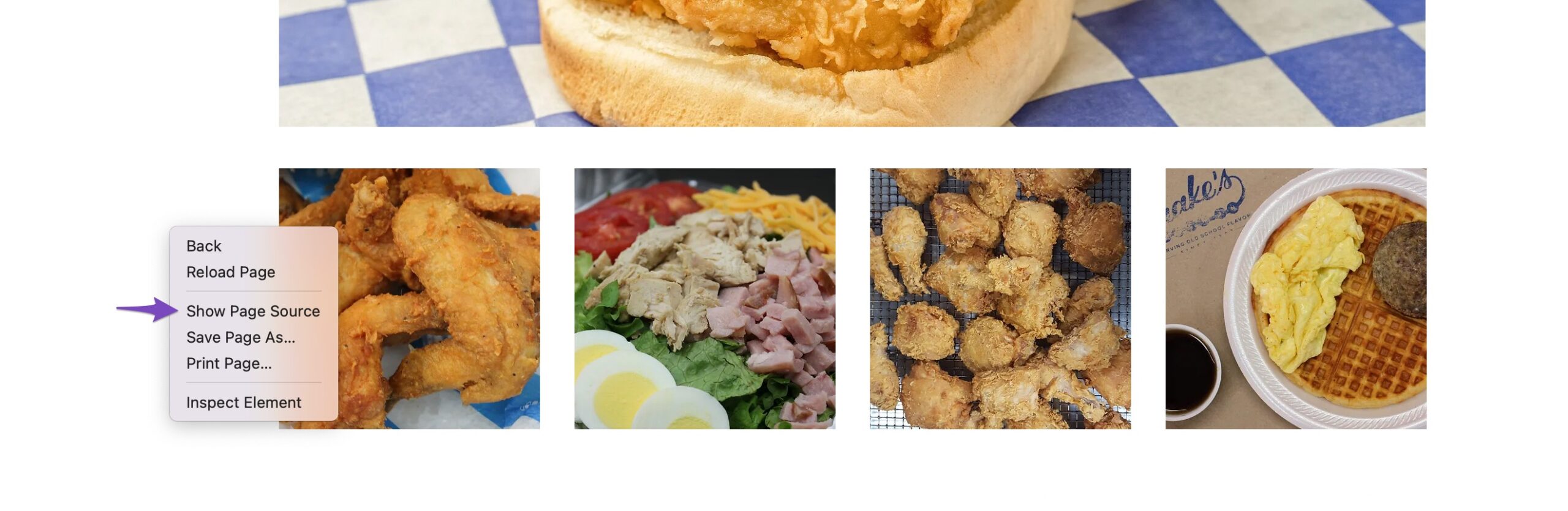
To find the JSON-LD code on a webpage, right-click and select Show Page Source (the exact word may differ depending on the browser).
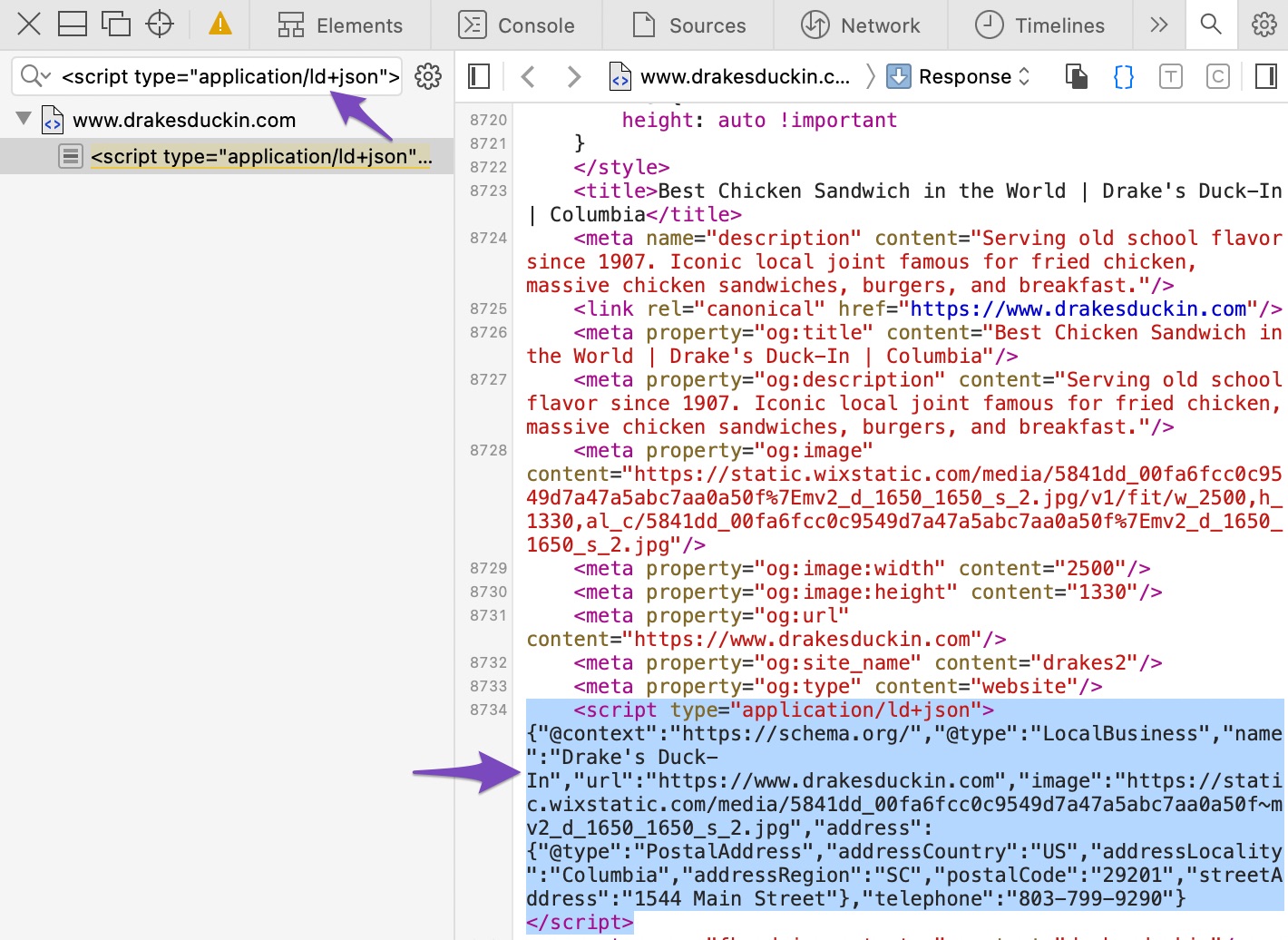
Once done, navigate to the Source page, and in the search bar, paste the below code:
<script type="application/ld+json">
The JSON-LD code on the webpage will be highlighted. You need to copy the entire JSON-LD code and paste it into Rank Math.
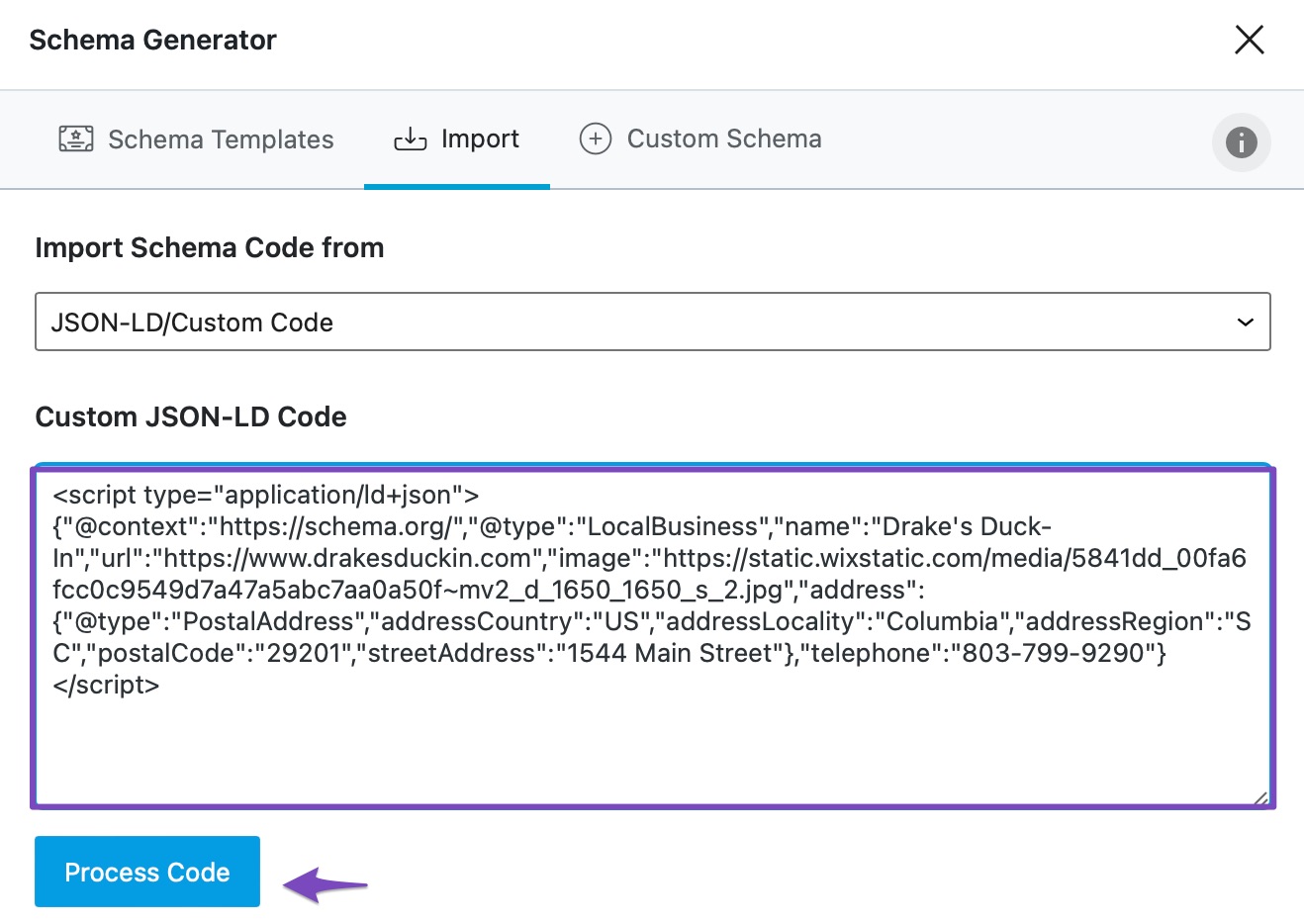
Next, copy and paste the JSON-LD Custom Code in the corresponding box and click on Process Code.
5 Select the Schema
Once you click on Process Code, the Schema will be imported within a fraction of a second. Click Verwenden to use whichever Schema you want, as shown below.
6 Modify the Schema
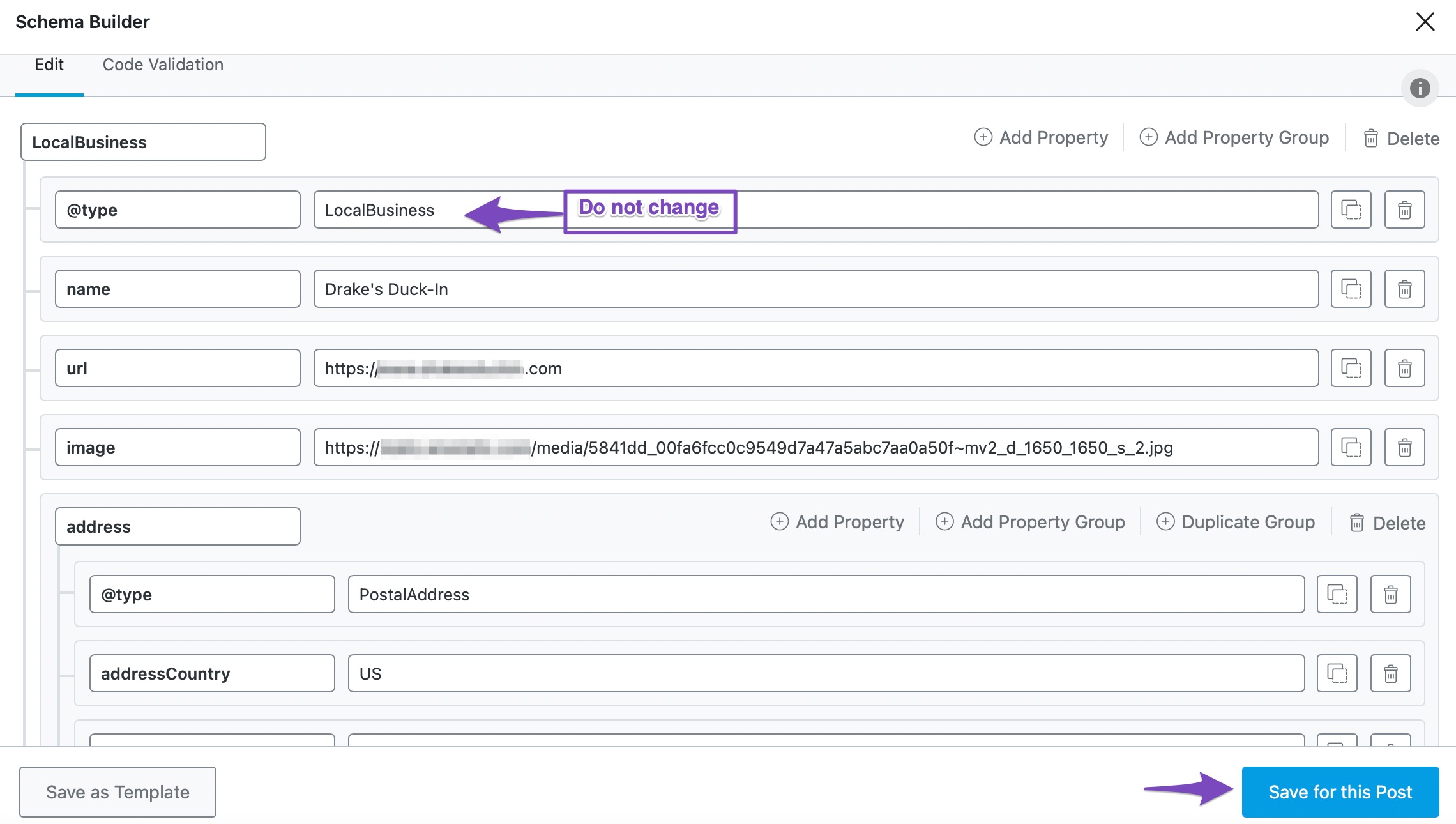
You can modify the Schema to suit your site. However, do not modify the @Art property. Once done, click Für diesen Beitrag speichern, Wie nachfolgend dargestellt.
7 Validate the Schema
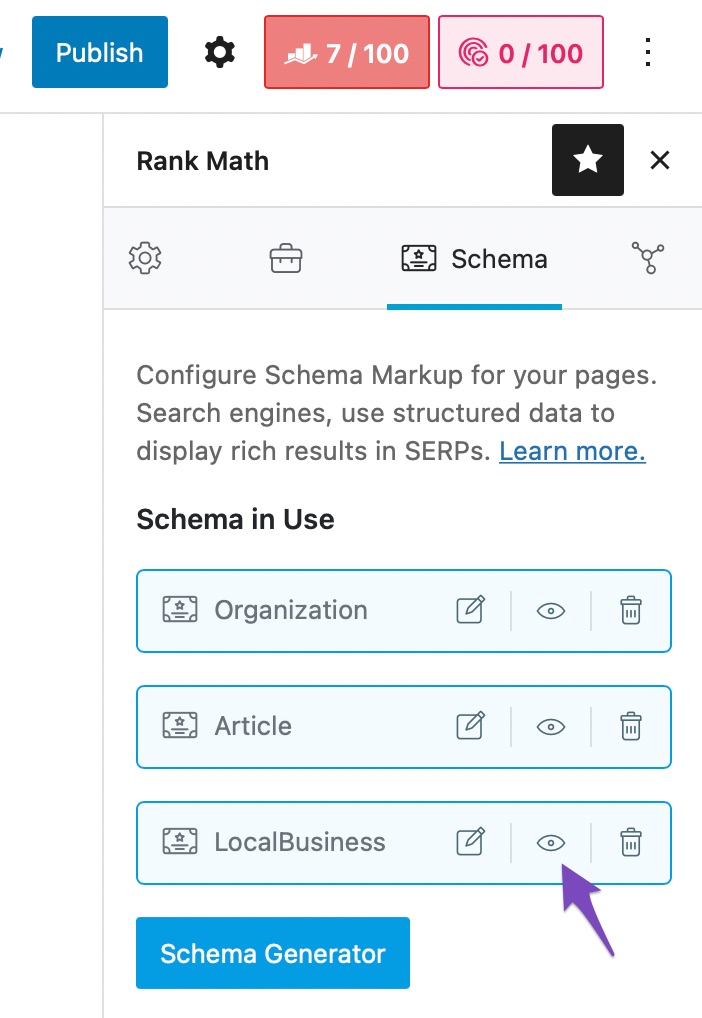
To confirm your Schema is correctly set up, click the Eye icon, as shown below.
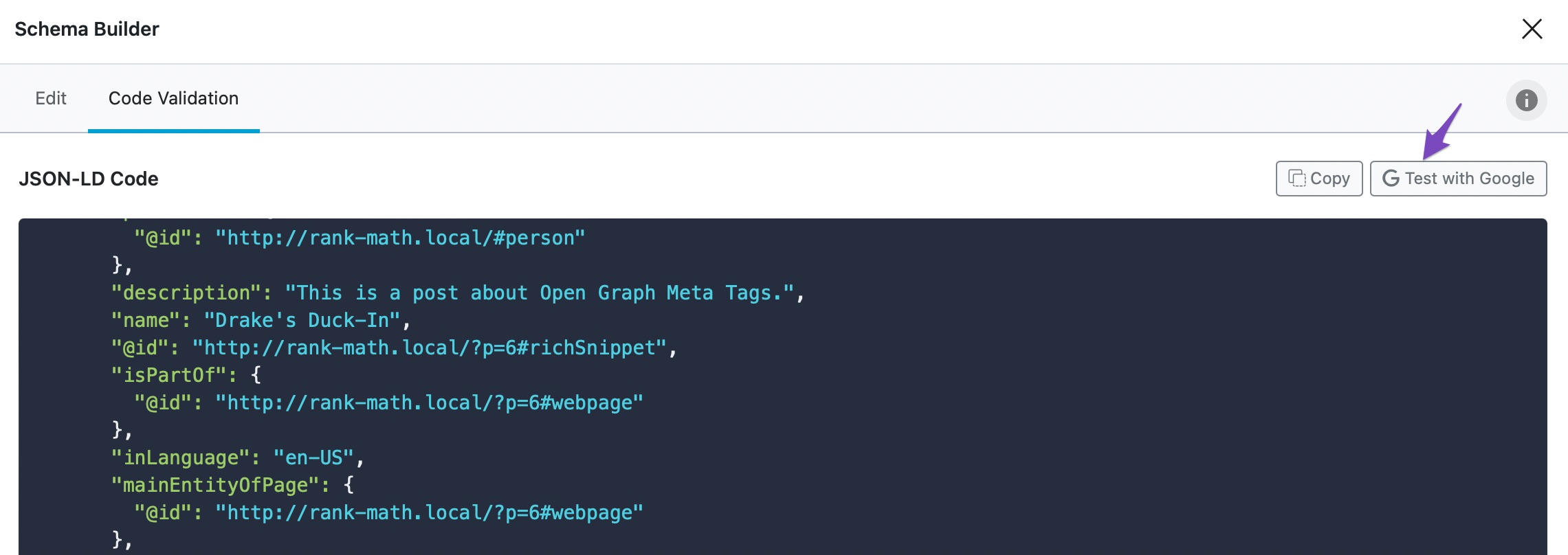
Dann klick Test with Google, Wie nachfolgend dargestellt.
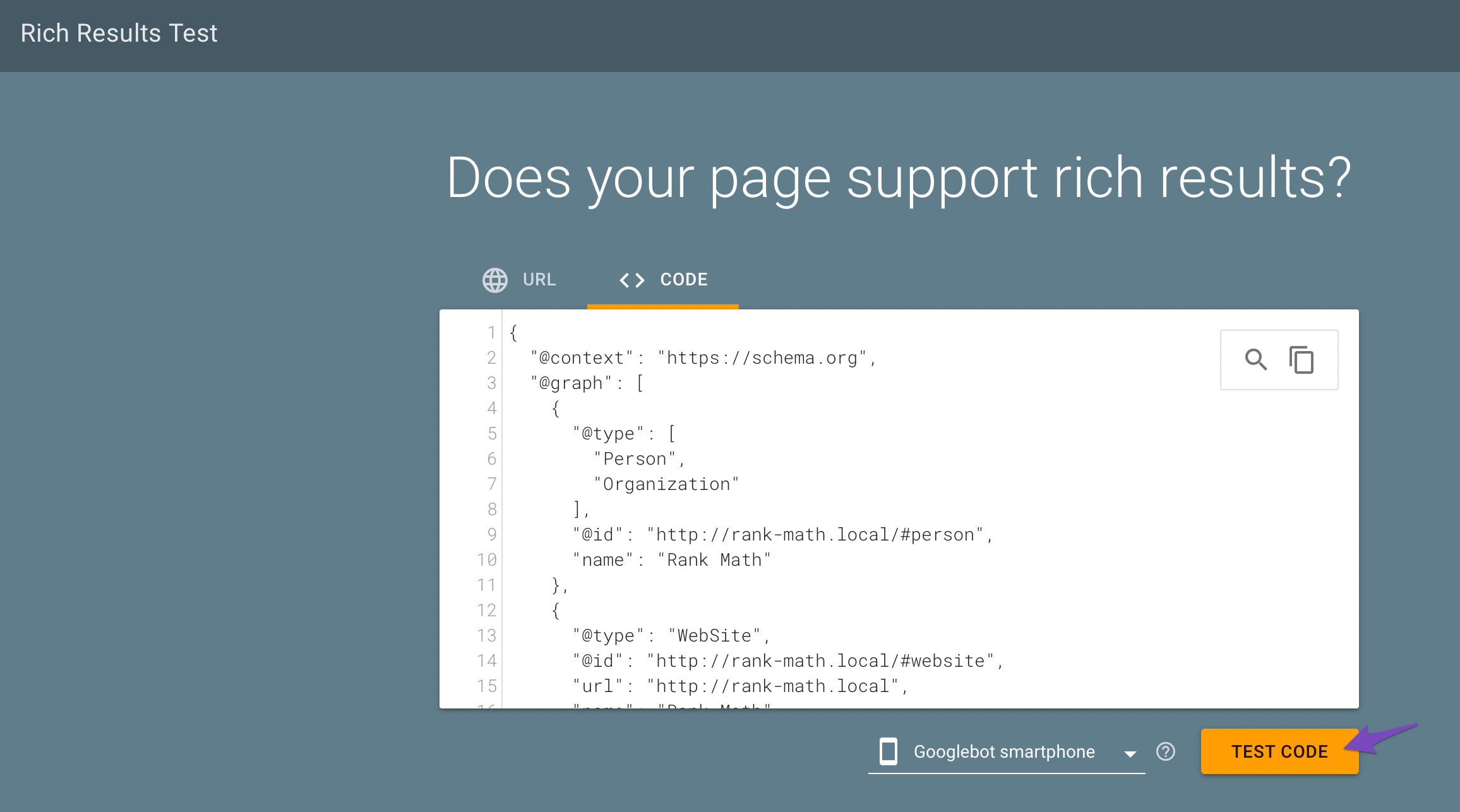
Once done, click TEST CODE, Wie nachfolgend dargestellt.
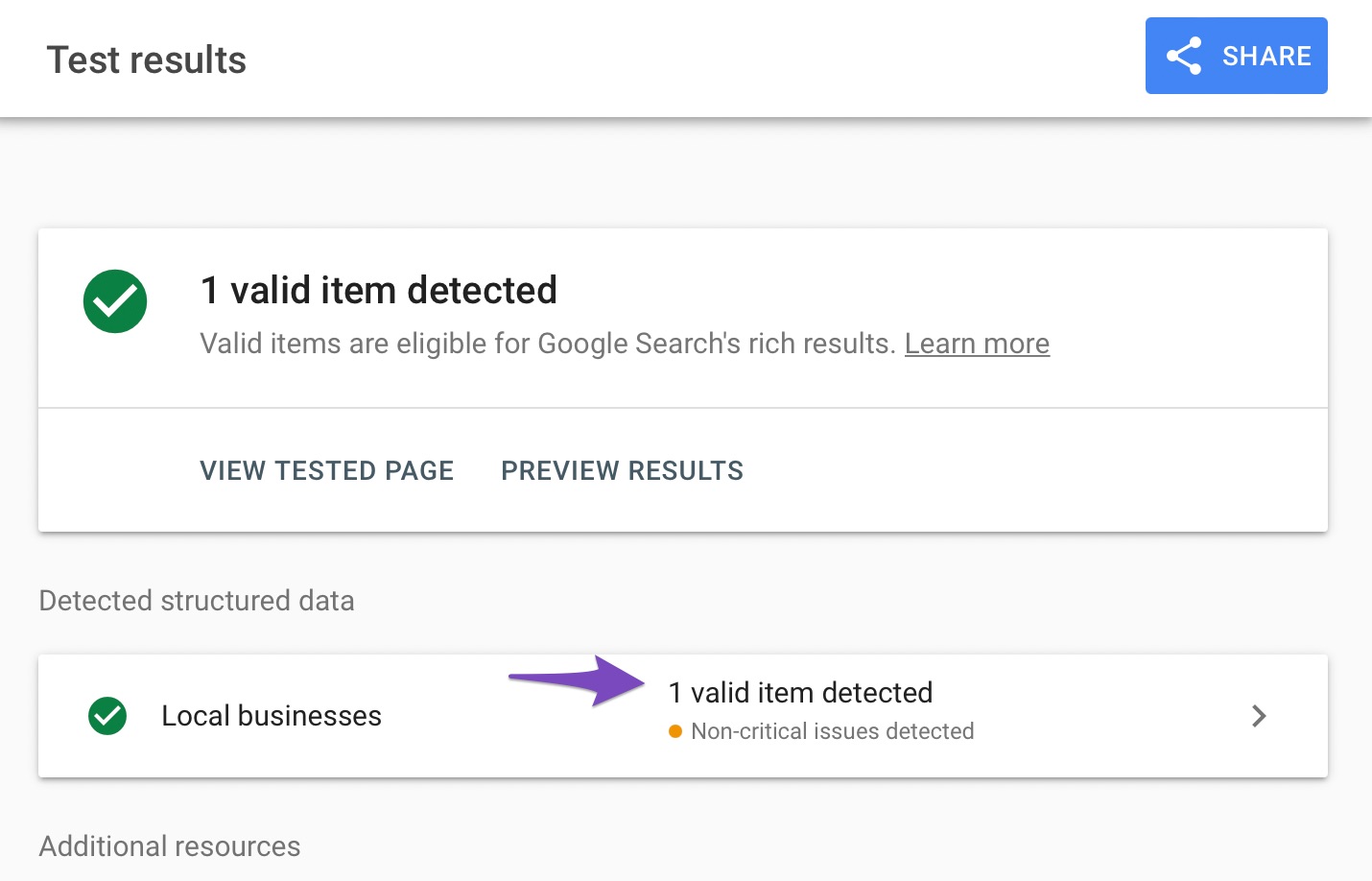
You will be presented with the validity of the structured data.
A checkmark in a green circle indicates the Schema is valid and eligible for display in Google Search.
An exclamation mark in a yellow triangle indicates a warning.
An exclamation mark in a red circle indicates an error in the Schema. Your content will be ineligible for display in Google Search results until the error is fixed.
If you require extra details about the validity of the Schema, click the option available in the Detected structured data section, as shown below.
If you still have any questions, please feel free to contact our Support-team , die rund um die Uhr für Sie da sind und Ihnen so schnell wie möglich weiterhelfen.
Verwenden Sie Rank Math immer noch nicht?
Die Einrichtung dauert weniger als 5 Minuten, einschließlich des Imports von Ihrem alten SEO-Plugin!
How to Import JSON-LD Schema Markup With Rank Math
How to Import JSON-LD Schema Markup With Rank Math » Rank Math
Schema.org
In this knowledgebase article, we'll walk you through how you can use Rank Math PRO to import JSON-LD Schema Markup.
Rank Math-Team
Rank Math Schema Generator PRO & Advanced Builder
Learn why the Schema Generator in the PRO version of Rank Math is the most advanced Schema Markup generator for WordPress. You can use from 20+ Pre-defined S...