Wat is de URL-inspectietool?
De URL-inspectietool is een Google Search Console functie die gedetailleerde informatie geeft over hoe Google een specifieke URL op je website. Het is exclusief voor Google en is alleen toegankelijk voor de blogger via een Google Search Console-account.
De URL-inspectie ookl stelt webmasters in staat de indexstatus te controleren en kruipend en indexering problemen en de gerenderde versie van hun webpagina's bekijken. Bloggers kunnen het ook gebruiken om Google te verzoeken hun pagina's te indexeren.
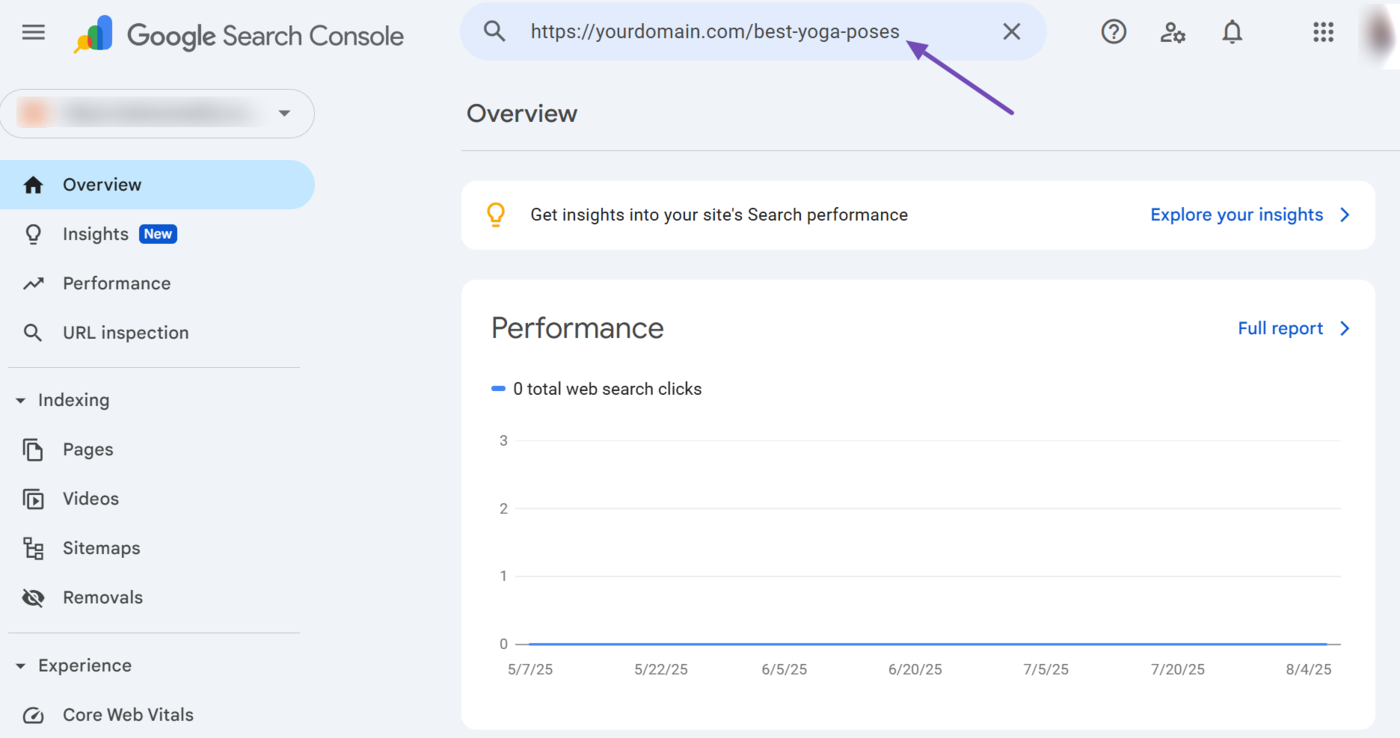
De URL-inspectietool is het zoekveld bovenaan Google Search Console. U kunt het snel openen door op het veld zelf te klikken of door te selecteren URL-inspectie, zoals hieronder weergegeven.
{Voorbeeld van de URL-inspectietool van Google Search Console
Het belang van de URL-inspectietool
Met de URL-inspectietool kunnen bloggers en SEO-professionals gedetailleerde inzichten krijgen in hoe Google specifieke pagina's op hun site waarneemt. De tool stelt bloggers bijvoorbeeld in staat om webpagina's te identificeren die Google heeft gecrawld, geïndexeerd en niet geïndexeerd.
Met de URL-inspectietool kunnen bloggers ook de problemen identificeren die kunnen voorkomen dat Google hun pagina's crawlt en indexeert. Dit is essentieel omdat het ervoor zorgt dat essentiële pagina's op uw site toegankelijk zijn voor Google en correct worden weergegeven op de pagina's met zoekresultaten van Google.
De URL-inspectietool gebruiken
De URL-inspectietool is intuïtief en eenvoudig te gebruiken. Om te beginnen, logt u in op uw Google Search Console en voer de URL die je wilt inspecteren in de URL-inspectietool bovenaan de pagina in. Zodra u klaar bent, klikt u op Binnenkomen op je toetsenbord.
Google Search Console komt terug met de indexstatus en andere rapporten over de URL.
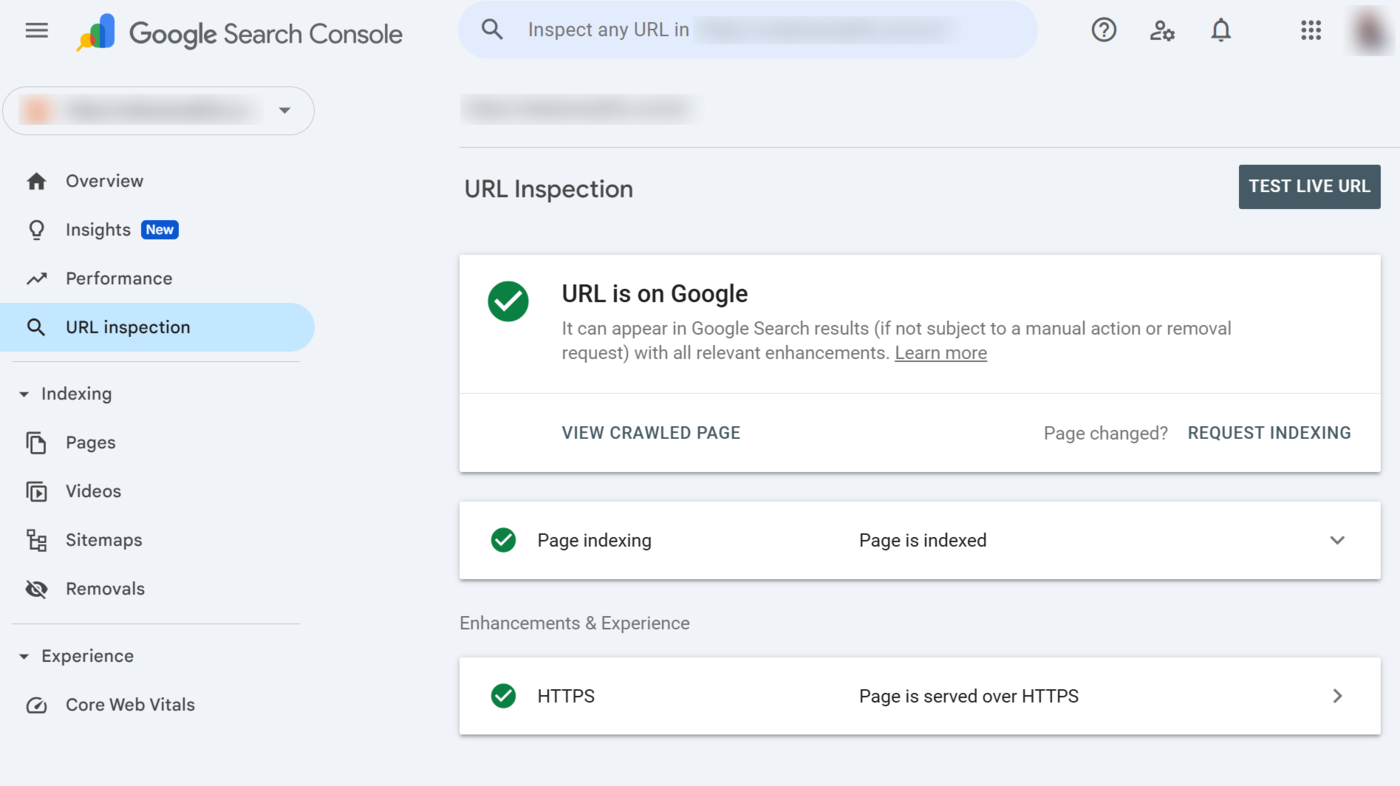
URL-inspectietool rapporten
De URL-inspectietool biedt meerdere opties en rapporten waarmee u specifieke acties kunt uitvoeren en kunt beoordelen hoe Google uw pagina's ziet. Hieronder beschrijven we ze in detail.
1 URL staat op Google
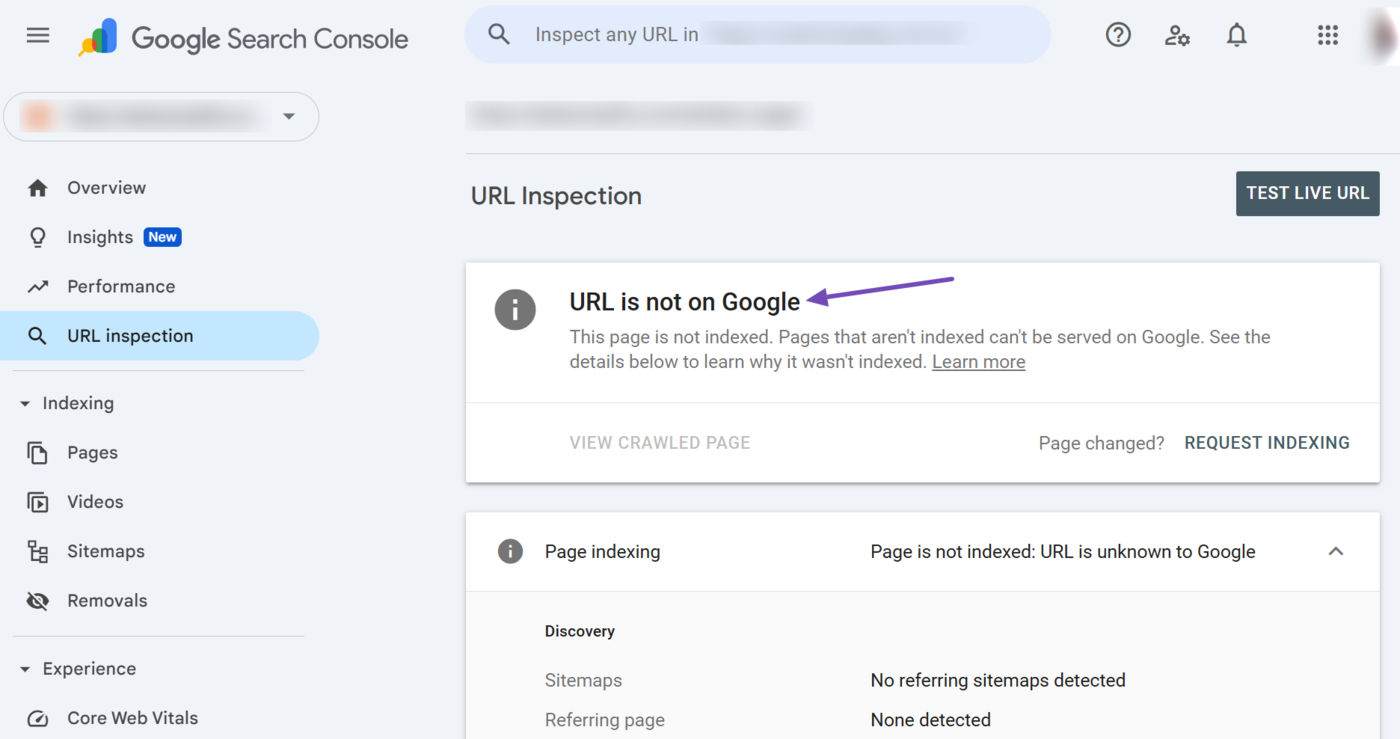
Bovenaan de URL-inspectietool staat de indexstatus. Er worden twee statusrapporten weergegeven:
- URL staat op Google
- URL staat niet op Google
URL staat op Google geeft aan dat Google de pagina heeft geïndexeerd en deze kan weergeven op zoekresultatenpagina's. Dit statusrapport geeft geen garantie dat Google de URL zal weergeven op de pagina met zoekresultaten. Het geeft alleen aan dat de pagina in aanmerking komt voor weergave en dat Google deze mogelijk weergeeft.
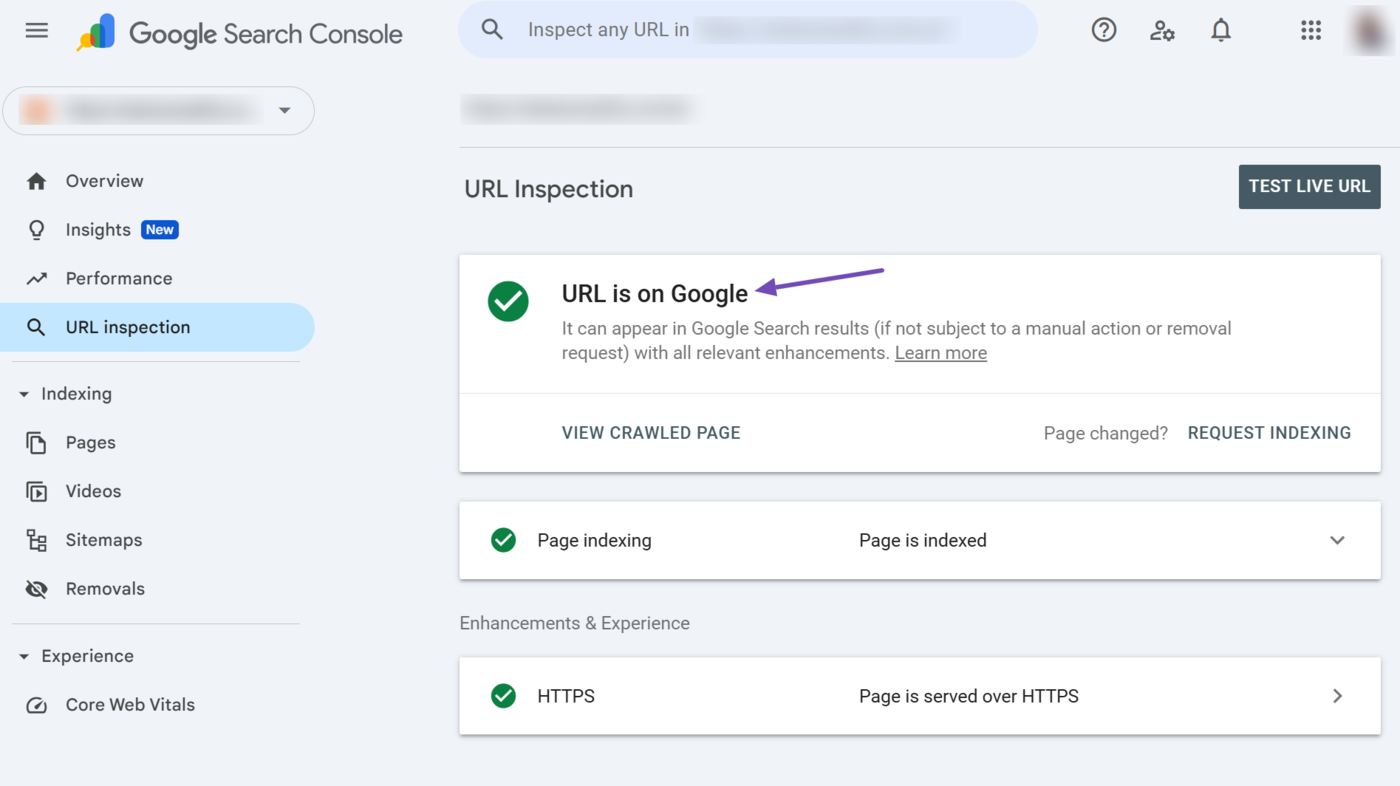
Aan de andere kant is de URL staat niet op Google statusbericht geeft aan dat Google de URL niet heeft geïndexeerd en deze niet kan weergeven op de pagina met zoekresultaten. Dit statusrapport geeft aan dat de URL niet beschikbaar is of dat Google deze om specifieke redenen niet kon crawlen of indexeren.
2 Indexering aanvragen
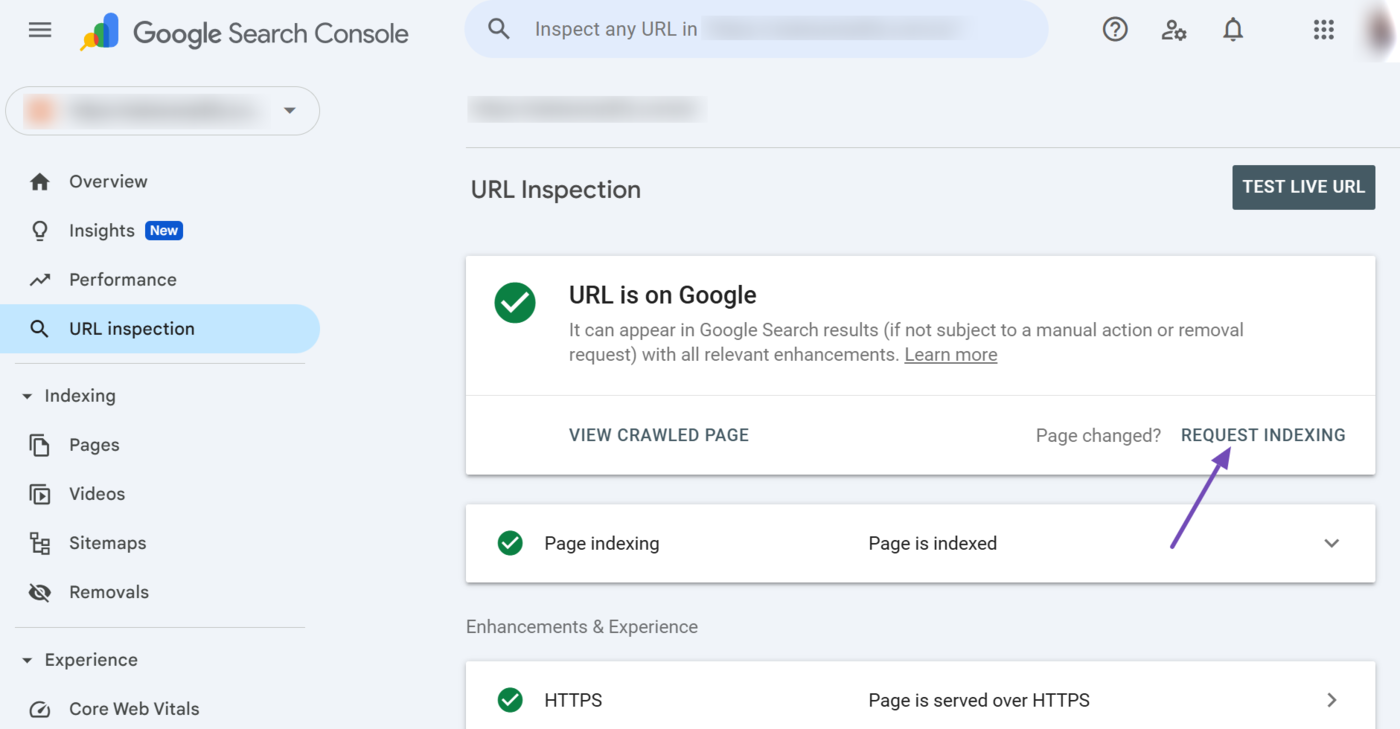
Met de optie Indexering aanvragen kun je Google vragen de webpagina te indexeren. Dit is handig als je de pagina hebt bijgewerkt sinds het laatste bezoek van Google. Klik echter één keer op de optie, omdat meerdere keren klikken geen invloed heeft op hoe snel Google de pagina opnieuw opent.
3 Test live URL
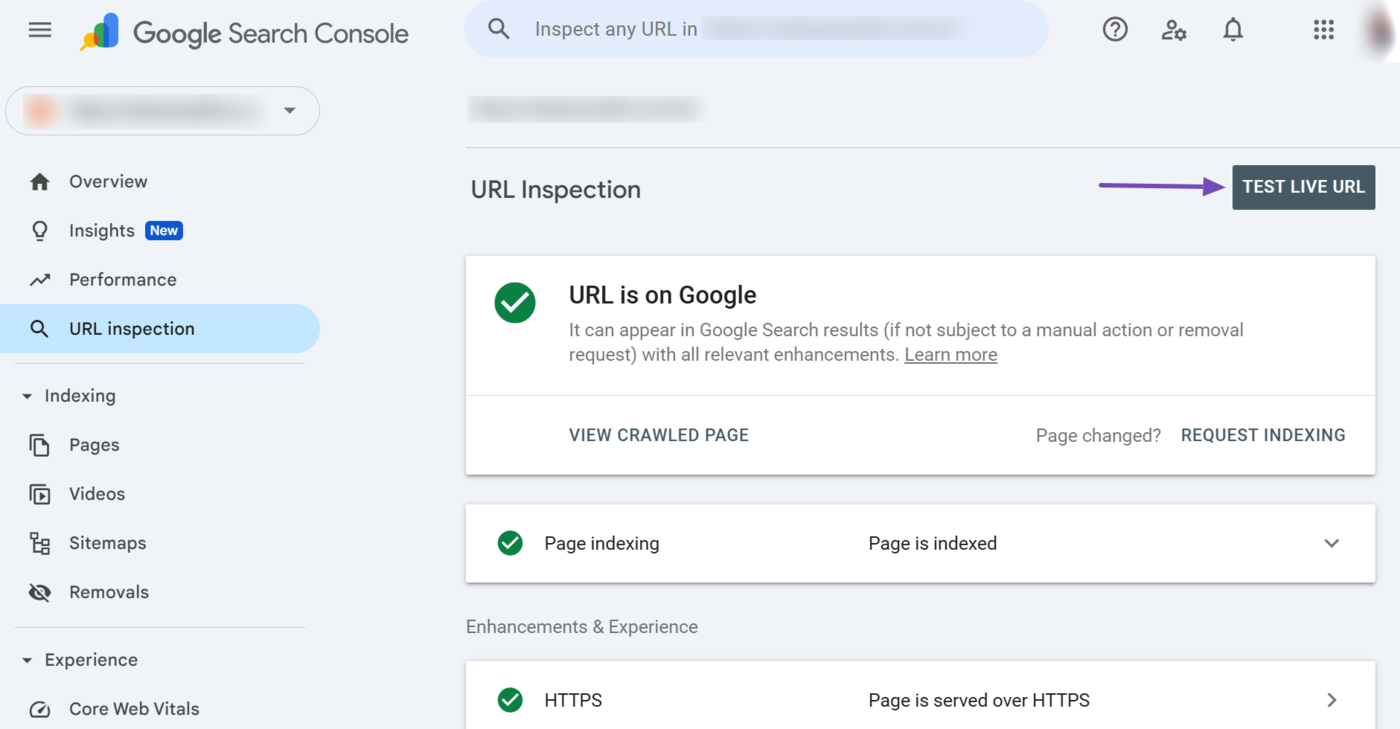
Met de optie Test Live URL kun je bekijken hoe de URL in realtime wordt weergegeven in plaats van hoe deze momenteel wordt weergegeven in de index van Google. Deze optie helpt bij het identificeren van problemen op de pagina of bij het testen na het oplossen van een probleem.
Om de live URL te testen, klik je op Test live URL.
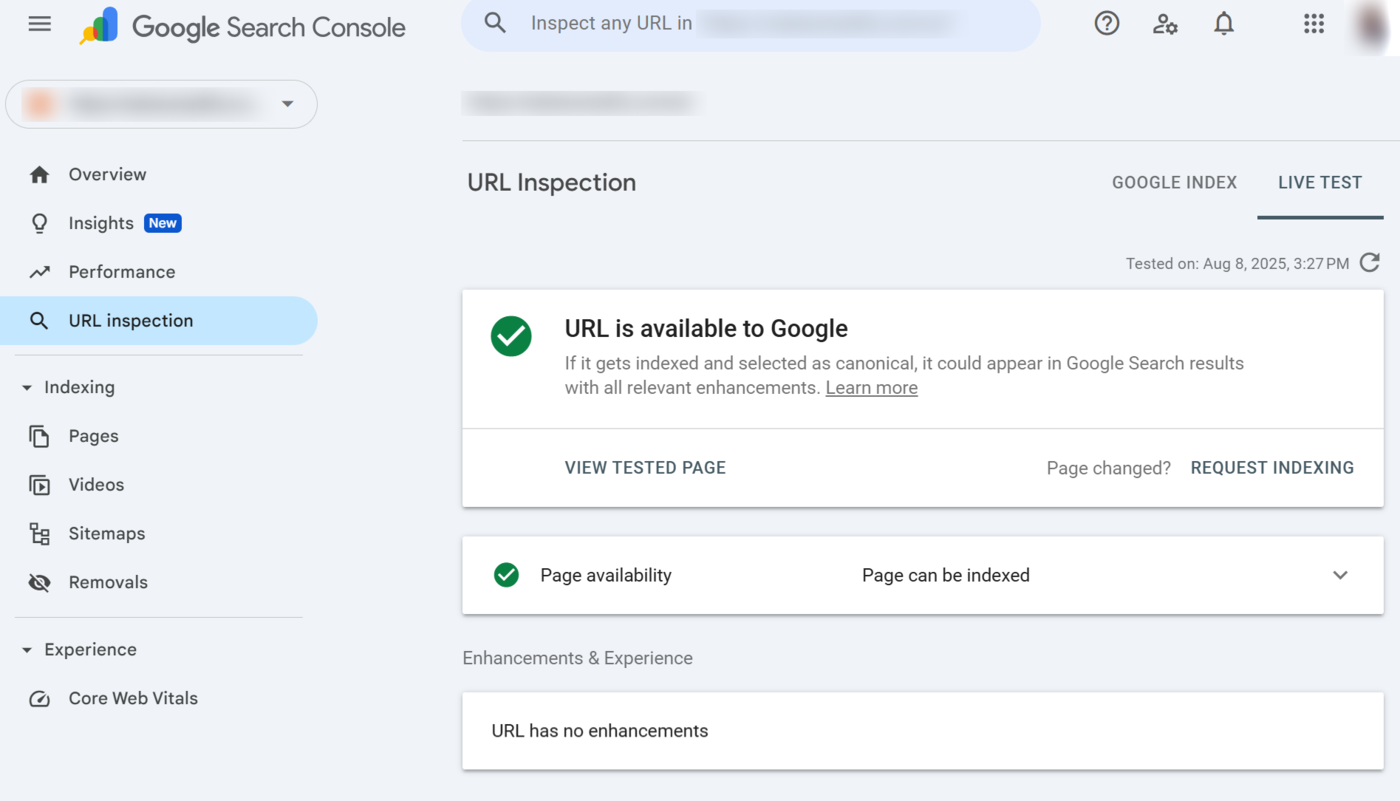
De URL-inspectietool voert een live test uit op de URL en stuurt de resultaten terug. Bekijk de resultaten om de huidige situatie van de webpagina te diagnosticeren.
4 Pagina indexering
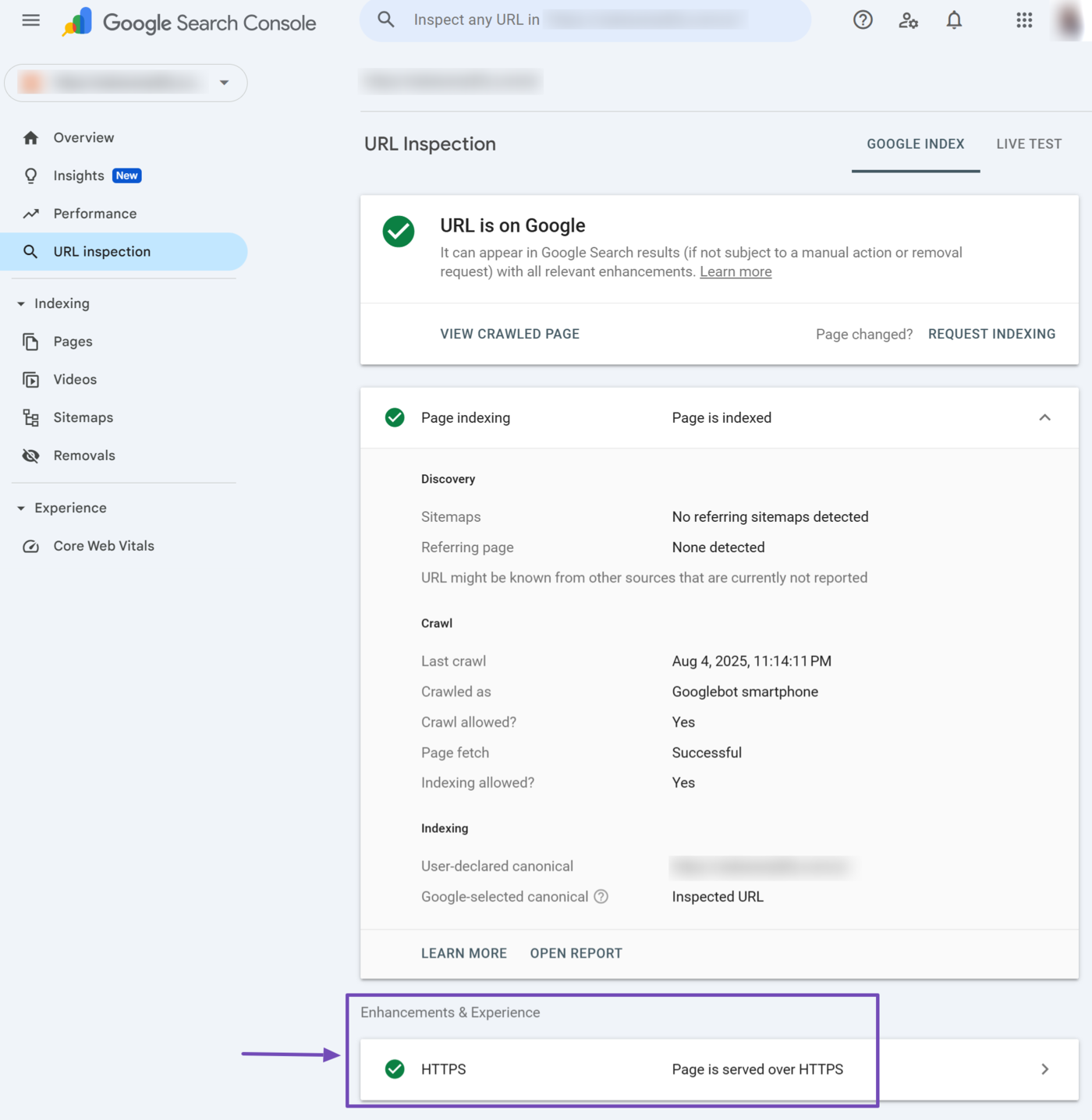
Het indexeringsrapport van de pagina geeft inzicht in hoe Google de pagina heeft ontdekt, gecrawld en geïndexeerd. Je wilt dat het een Pagina is geïndexeerd bericht. Klik op het rapport om het uit te breiden.
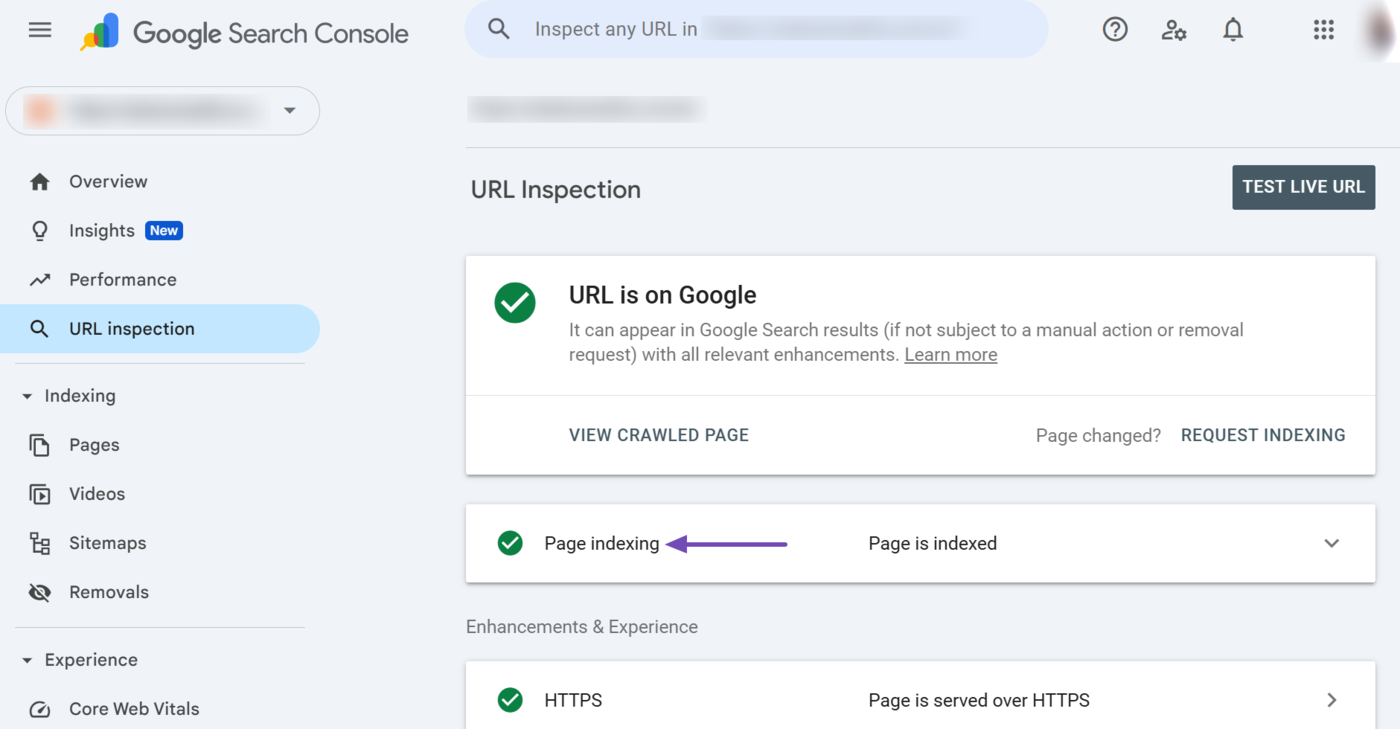
Zodra het pagina-indexeringsrapport is uitgebreid, worden meerdere rapporten weergegeven, waaronder de volgende:
- Sitemaps
- Verwijzende pagina
- Laatste kruipsessie
- Gekropen als
- Kruipen toegestaan?
- Pagina ophalen
- Indexeren toegestaan?
- User-declared canonical
- Google-selected canonical
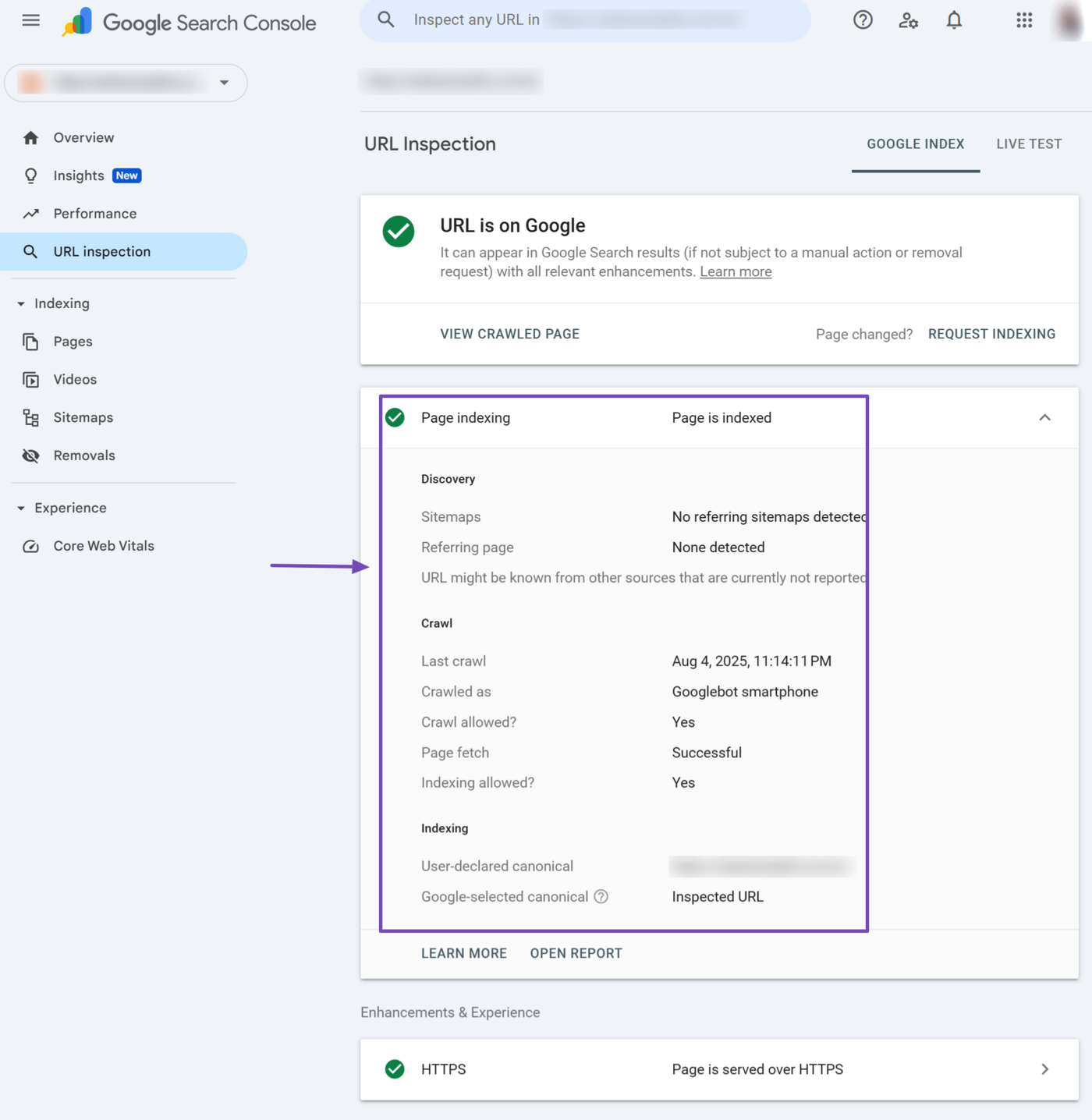
We will explain the available reports below.
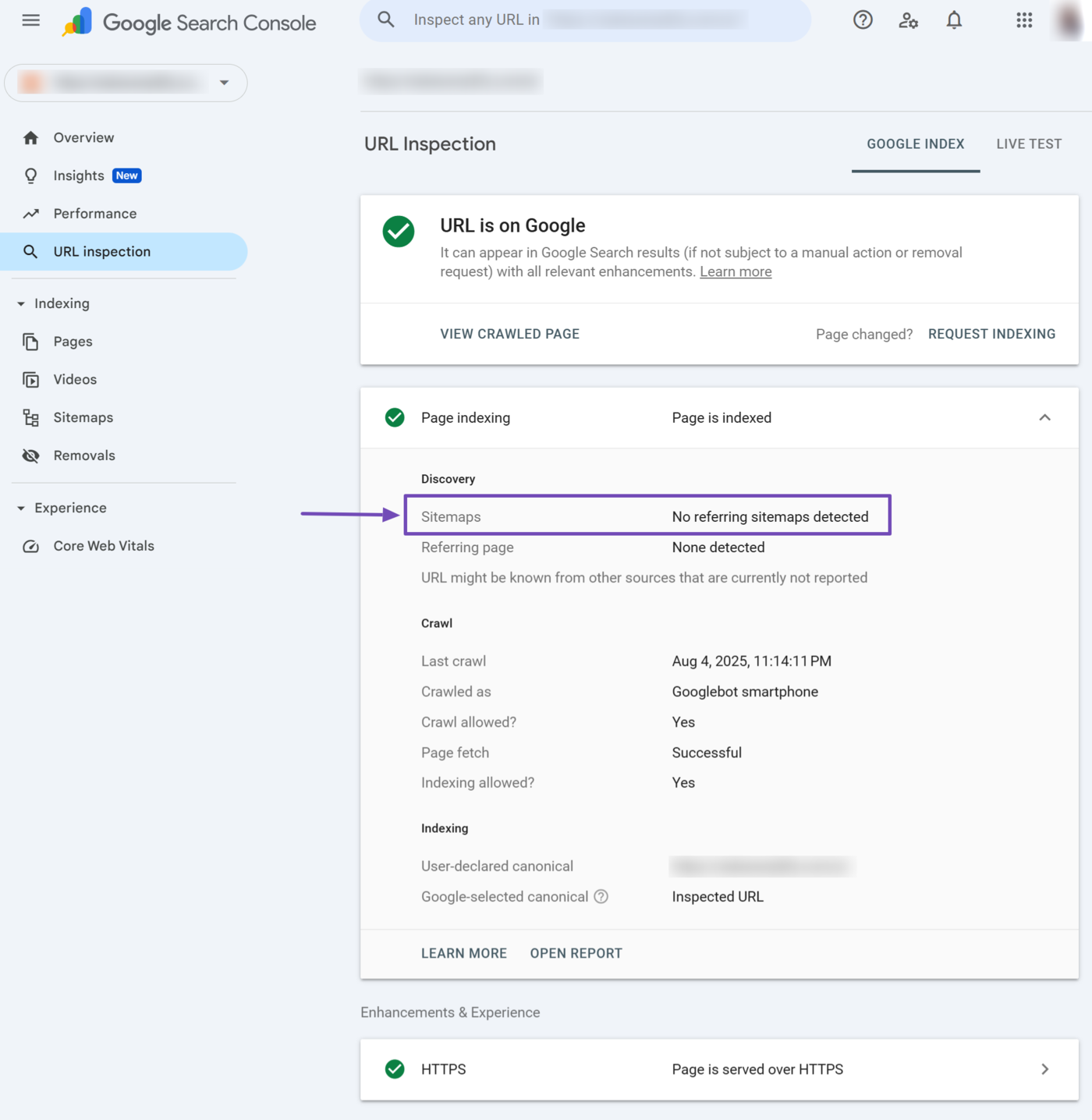
5 Sitemaps
The sitemaps section should contain the URL of your sitemap. Otherwise, it may return “Temporary processing error” or “No referring sitemap detected.”
- Temporary processing error: This indicates a temporary issue that prevents Google from retrieving data from your sitemap. You may re-inspect the URL to check if it resolves the problem.
- No referring sitemap: This indicates that Google could not identify the sitemap that contains and refers to the inspected URL.
6 Referring Page
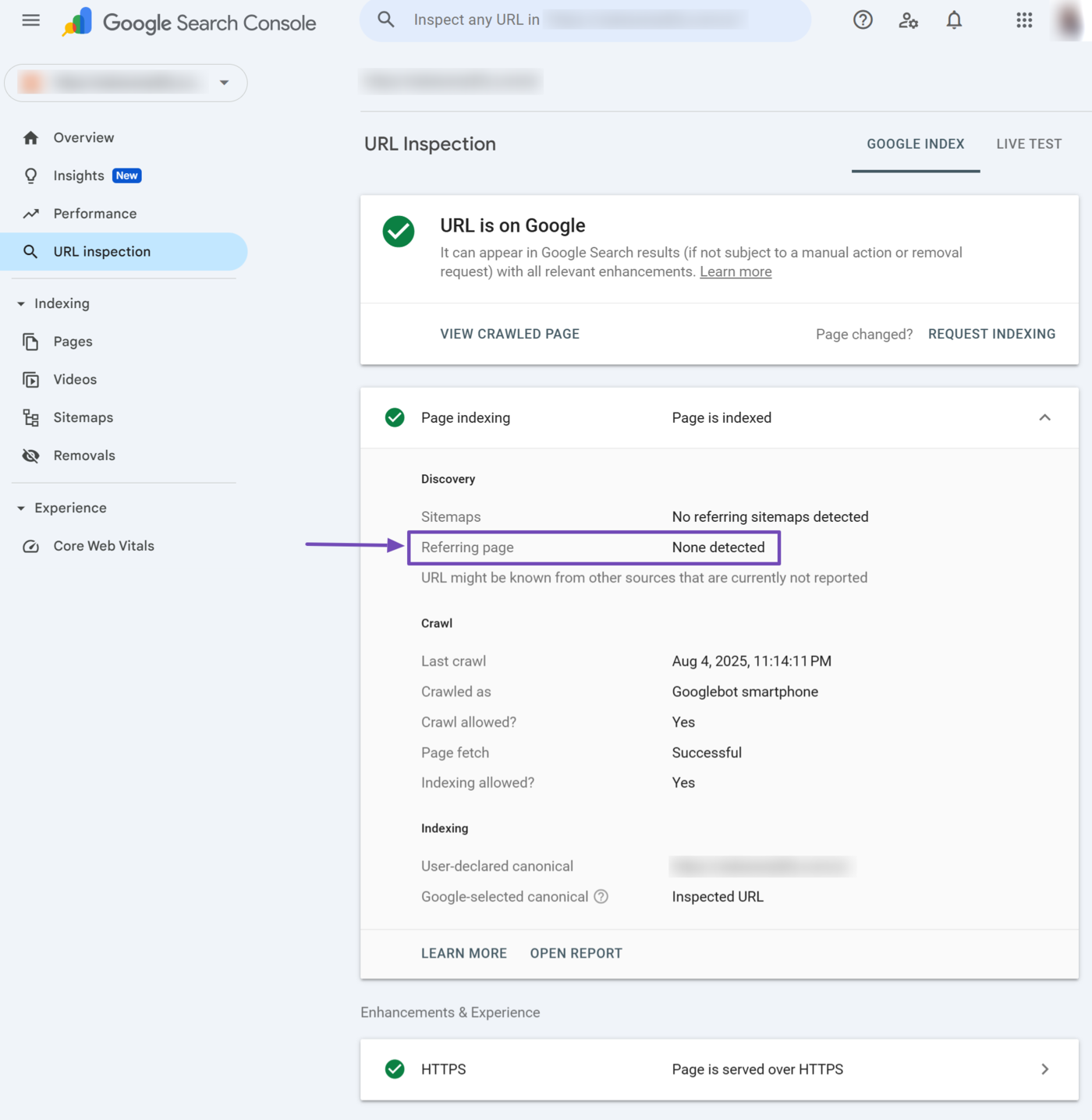
The referring page field contains the URL through which Google discovered the URL. This field may contain the inspected URL or the URL of some other page linking to it.
This field may also be blank if the referring information is not available. Optionally, it may display “URL might be known from other sources that are currently not reported” to indicate that Google discovered the URL through some other means.
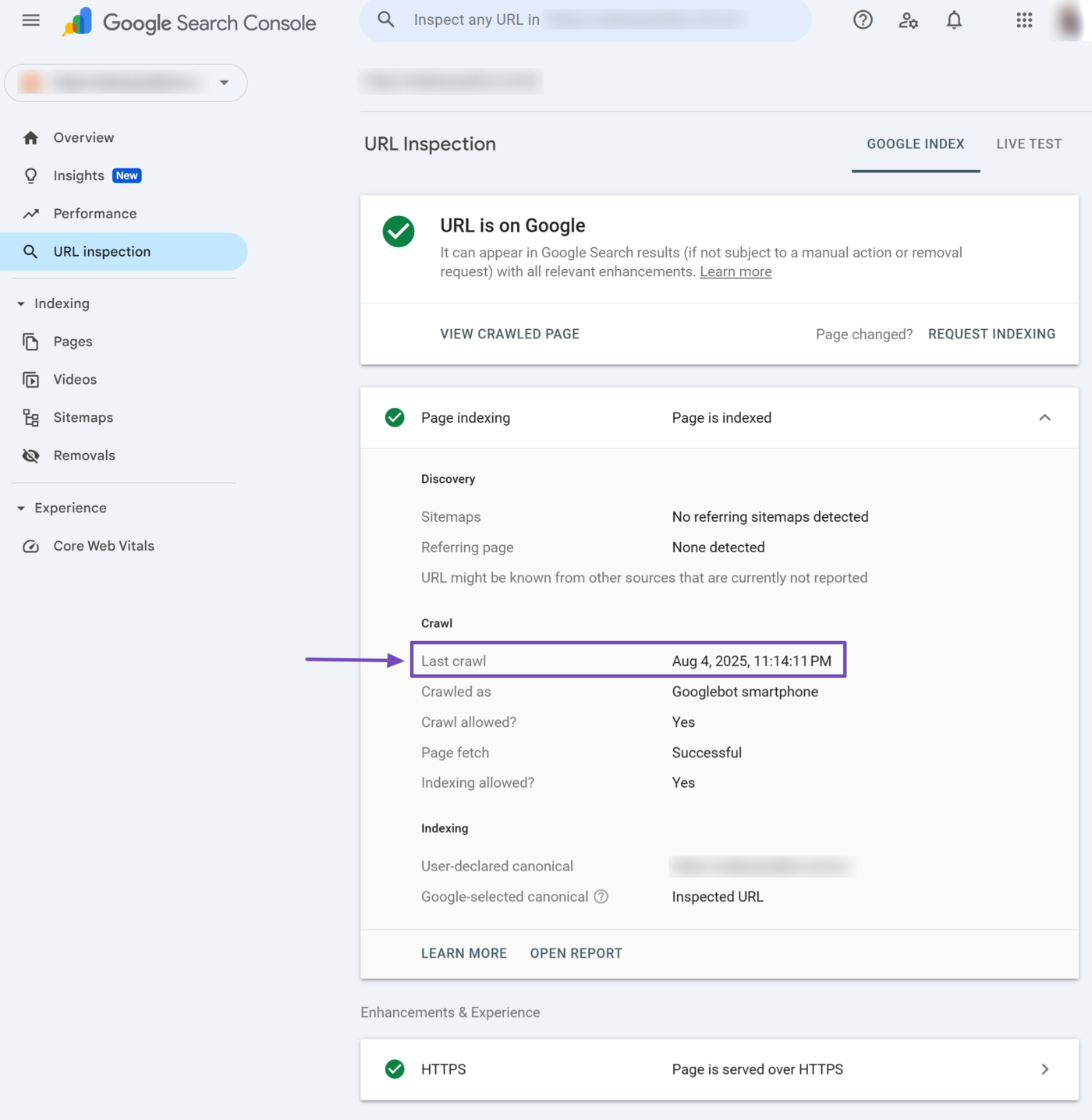
7 Last Crawl
The last crawl field specifies the date and time Google last crawled the inspected URL.
8 Crawled As
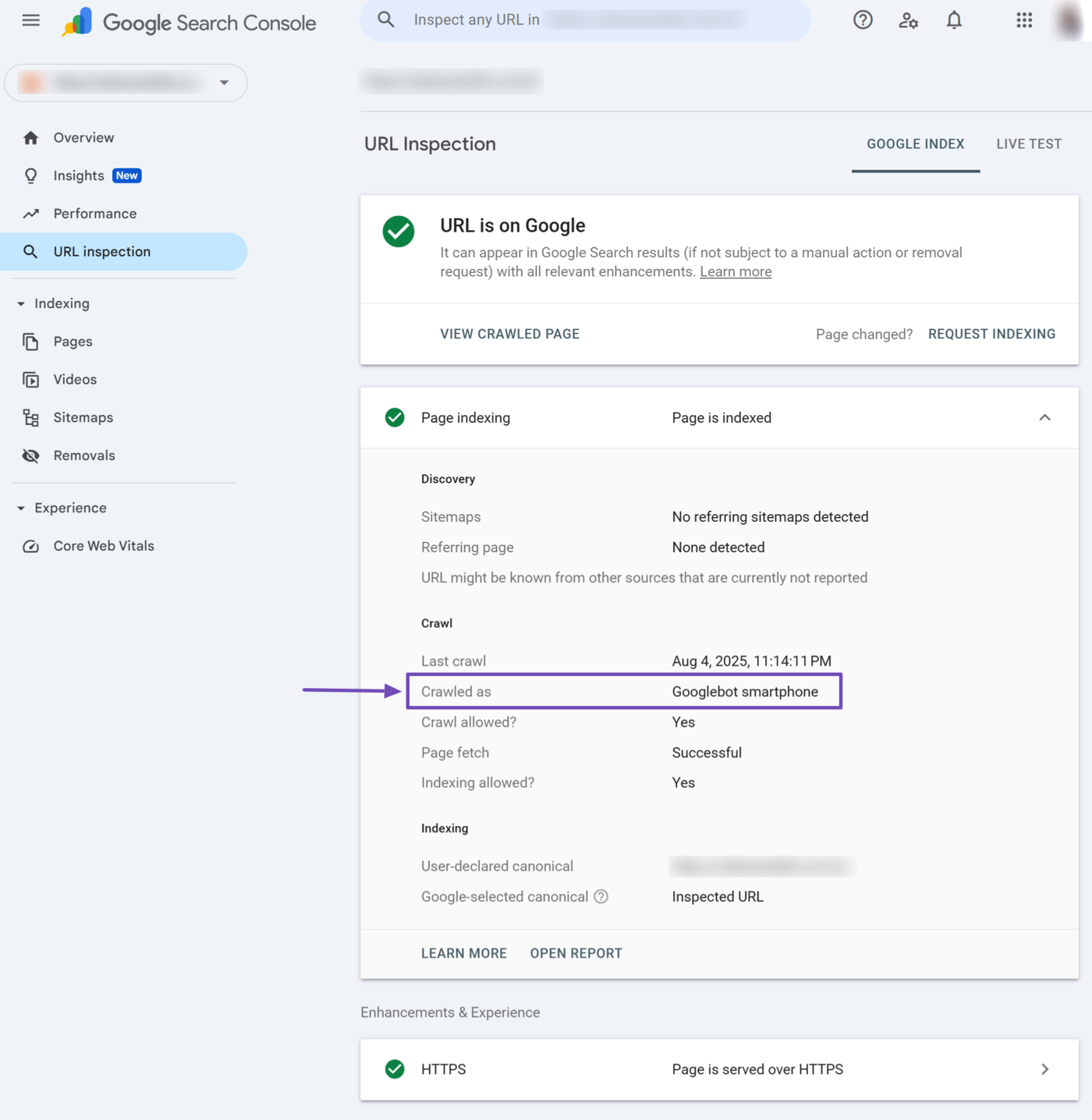
The crawled as field specifies the crawler Google used to crawl the URL. The crawler could be “Googlebot desktop” or “Googlebot smartphone.”
- Googlebot desktop: The Googlebot crawler that imitates a desktop
- Googlebot smartphone: The Googlebot crawler that imitates a smartphone
9 Crawl Allowed?
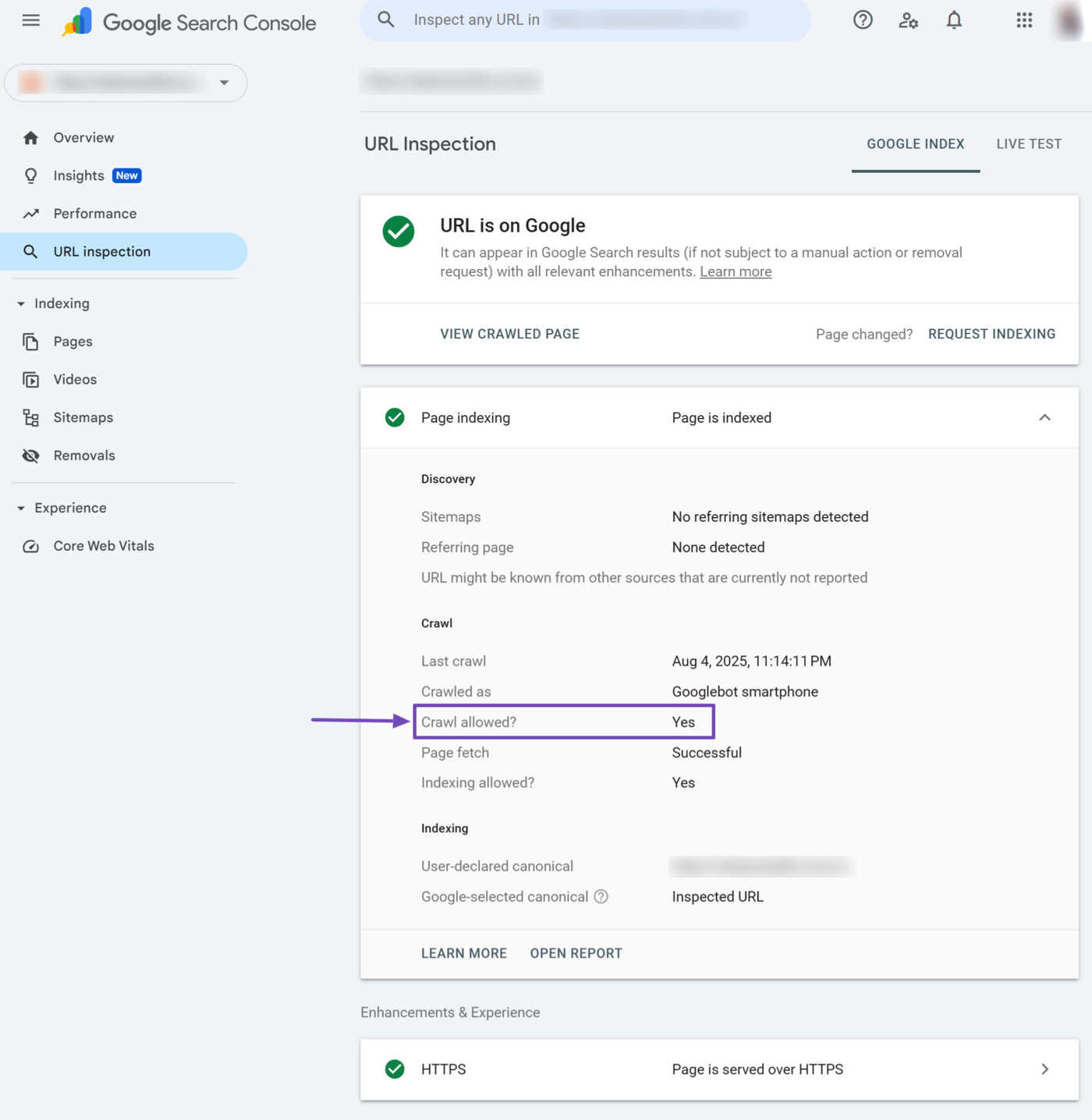
The crawl allowed field specifies whether you allow or block Google from crawling the page. It would return a Ja if you allow Google to crawl the page.
10 Page Fetch
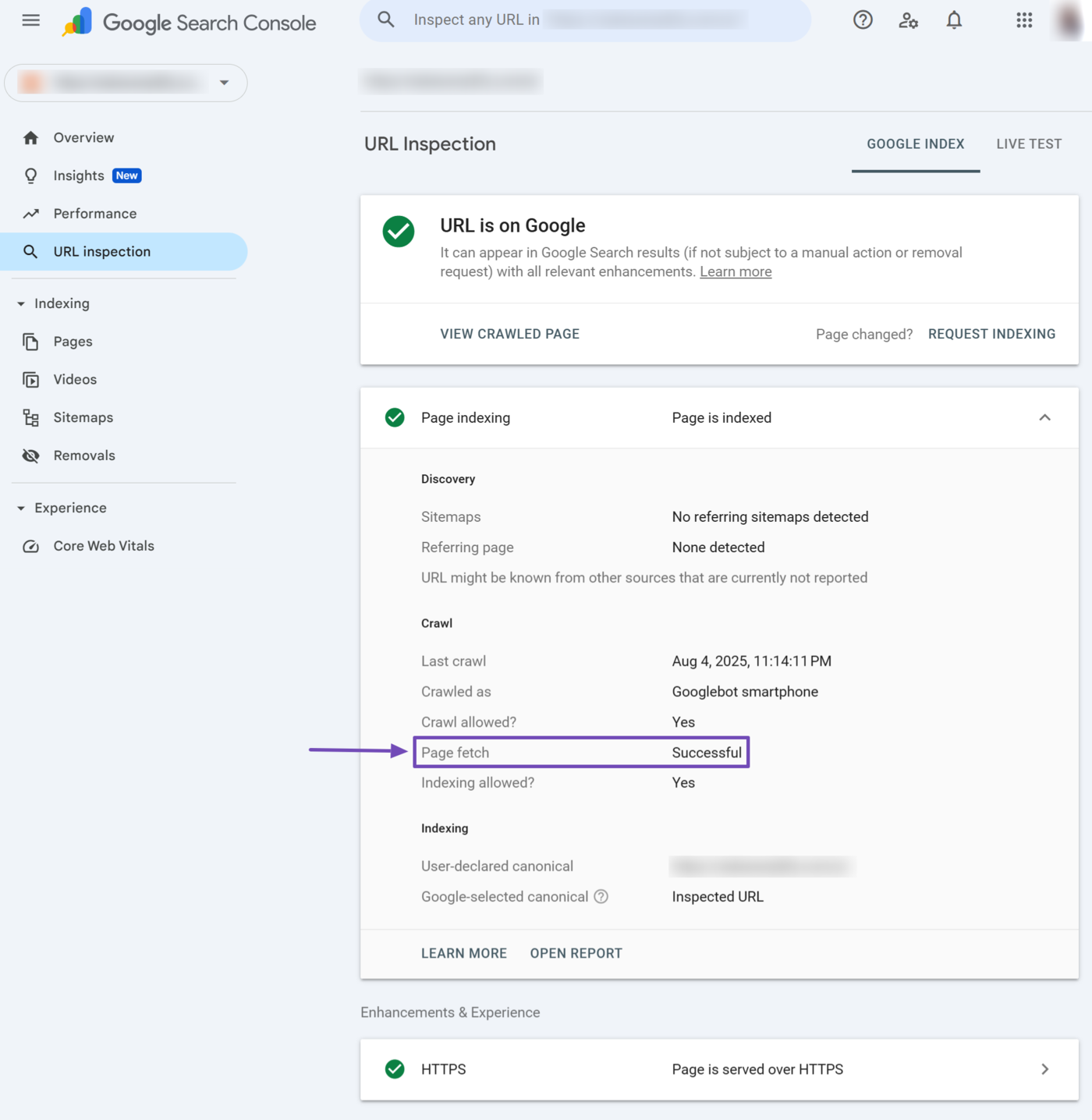
The page fetch field specifies whether Google can access the webpage. Google cannot index the page if it cannot fetch it. This field could return:
- Succesvol: Google was able to fetch the page
- Failed: Google cannot fetch the page, and will include why Google could not fetch the page
- Nvt: Google cannot fetch the page for some unidentified reason
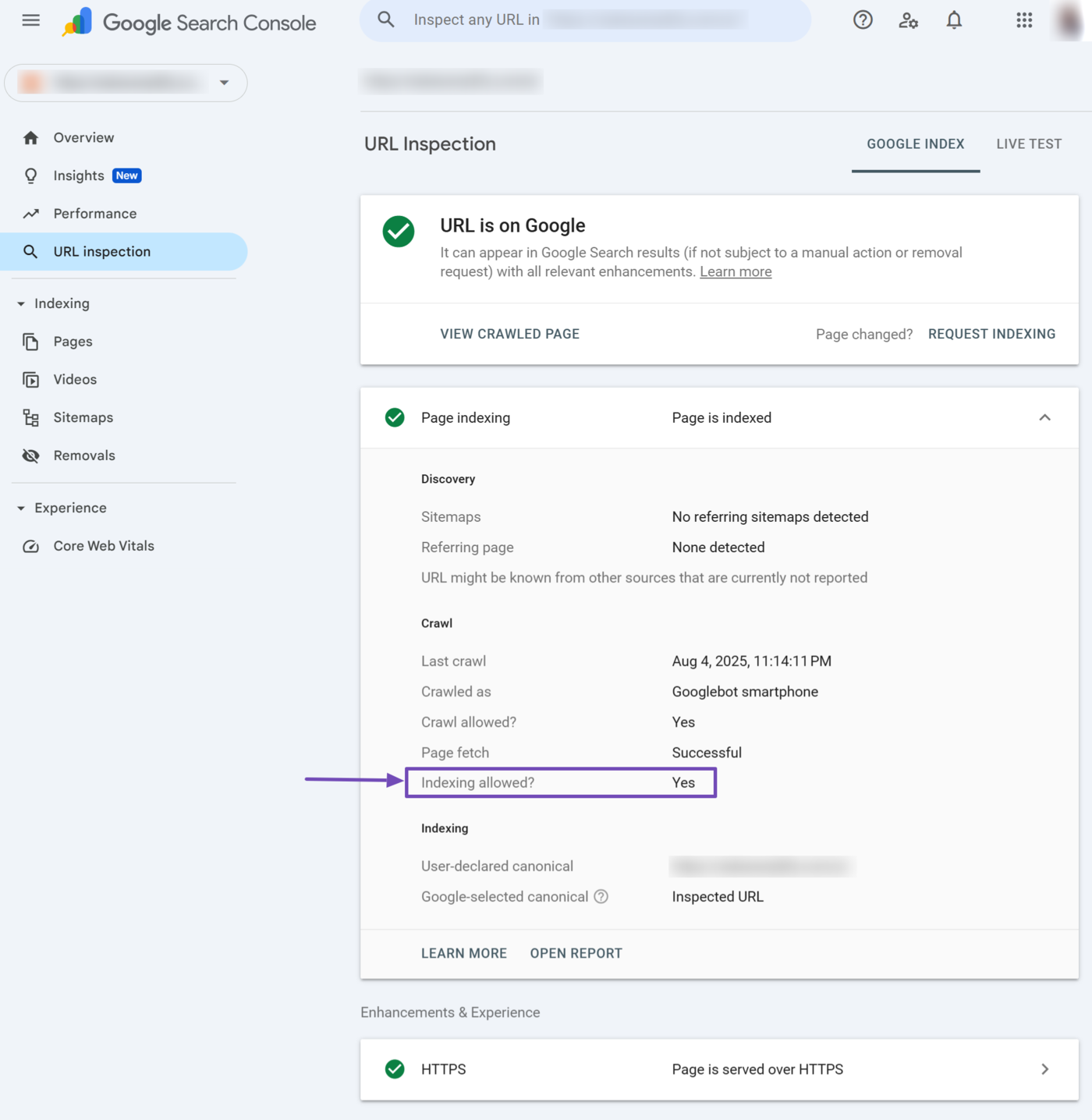
11 Indexing Allowed?
The indexing allowed field indicates whether you allow Google to index the page. It will return Ja if you allow indexing. Otherwise, it will return the reason Google could not index the page. Unindexed pages cannot appear on Google results pages.
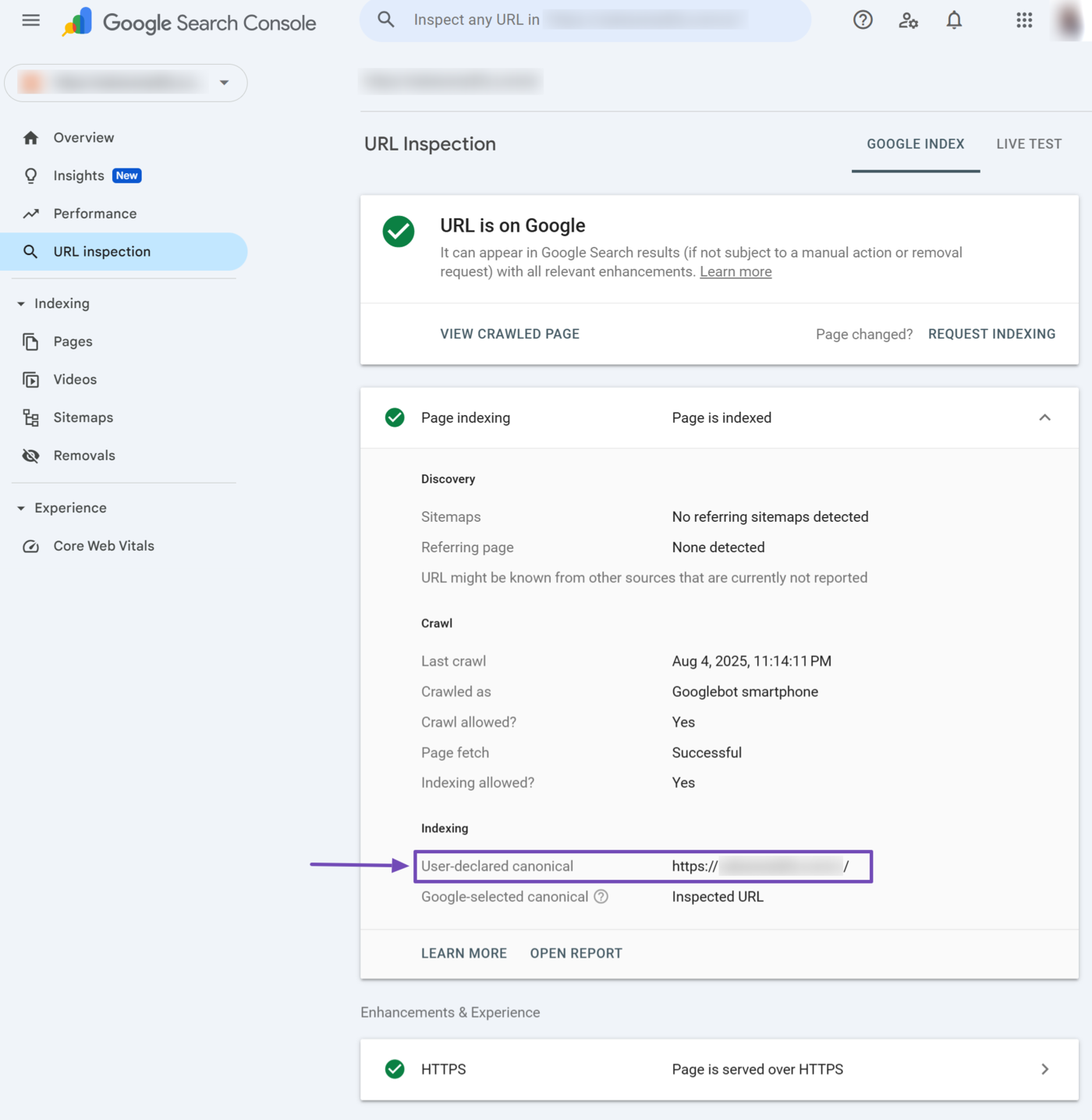
12 User-Declared Canonical
The user-declared canonical field indicates the canonieke URL you declared for the URL. The canonical URL indicates the main URL among a group of URLs that lead to the same content.
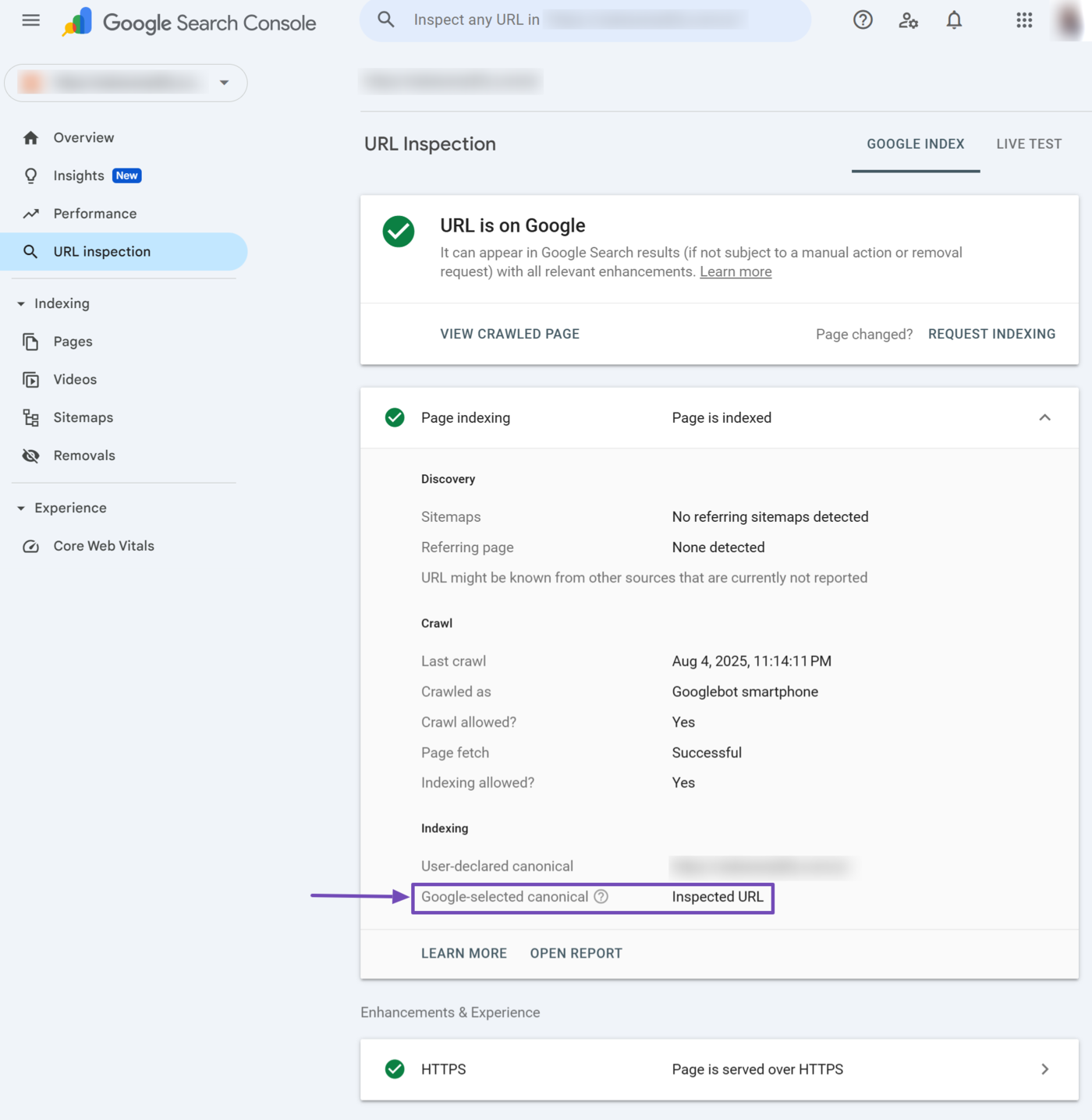
13 Google-Selected Canonical
The Google-selected canonical field specifies the URL that Google selected as canonical. If Google considers the URL you inspect as canonical, it displays Inspected URL. Otherwise, it will display the URL Google considers canonical.
This field may contain a URL from a different site under certain circumstances. This could happen if your content originally appeared on another site.
14 Experience & Enhancements
This Experience & Enhancements section outlines the enhancements made to the URL. The specific reports displayed here differ from URL to URL. For example, the inspected URL contains HTTPS.