Rank Math PRO allows you to automatically fetch data from YouTube videos to use in Video Schema and Video Sitemap. The data is fetched using YouTube’s Public API, which works well for most users.
However, if you notice any discrepancies, such as incorrect titles, descriptions, or no thumbnails, we recommend generating a YouTube Data API key for more accurate results.
Opmerking: YouTube’s Data API is free but has a daily quota. You can fetch data of up to 100 videos per day, which should be sufficient for most users.
In this tutorial, we will walk you through the steps to get an API key for yourself and use it with Rank Math.
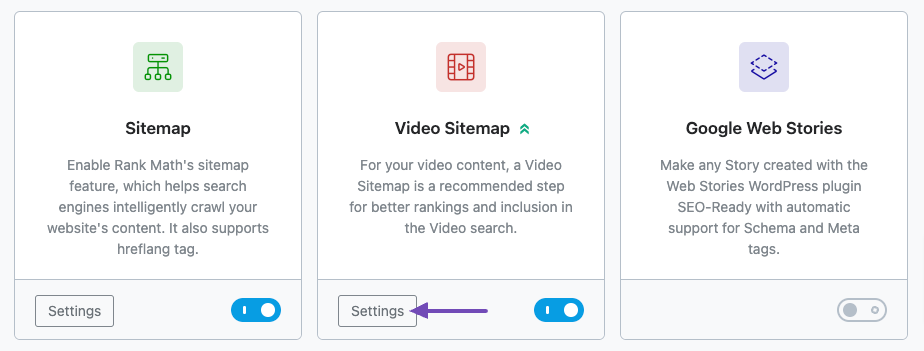
To use this advanced feature, you must first ensure that Rank Math’s Video Sitemap module is enabled from WordPress Dashboard → Rank Math SEO → Dashboard → Modules.
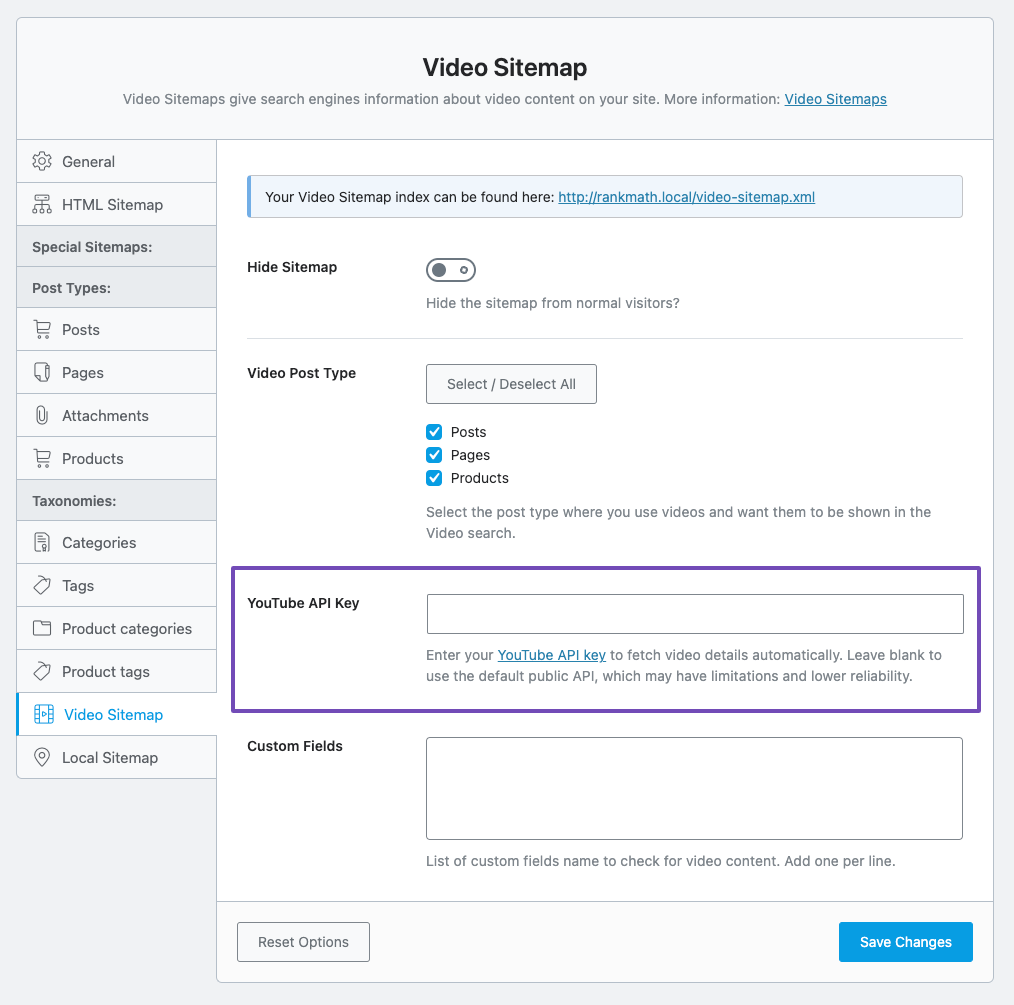
Now, when you head over to Rank Math SEO → Sitemap Settings → Video Sitemap, you should see the YouTube API Key veld.
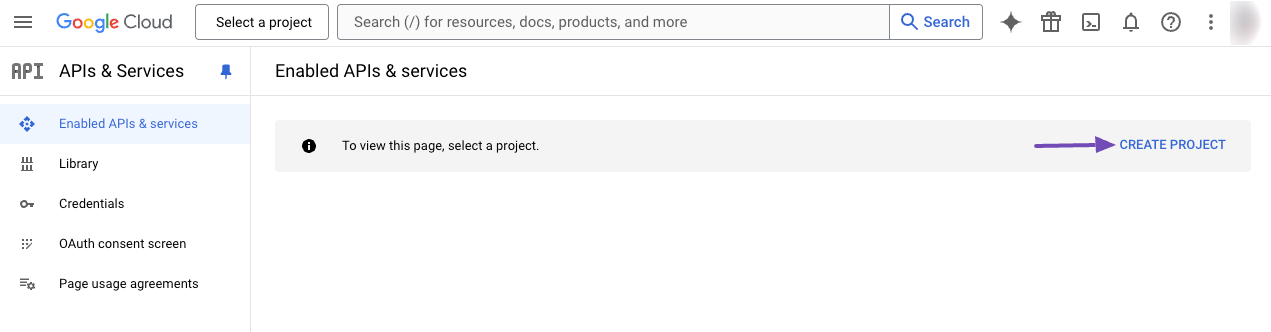
Bezoek de Google’s Cloud Console. If you haven’t already created a project, you will need to create a new one. If you already have a project created, then you can proceed to the next step.
To create a new project, click the CREATE PROJECT option that appears on the screen.
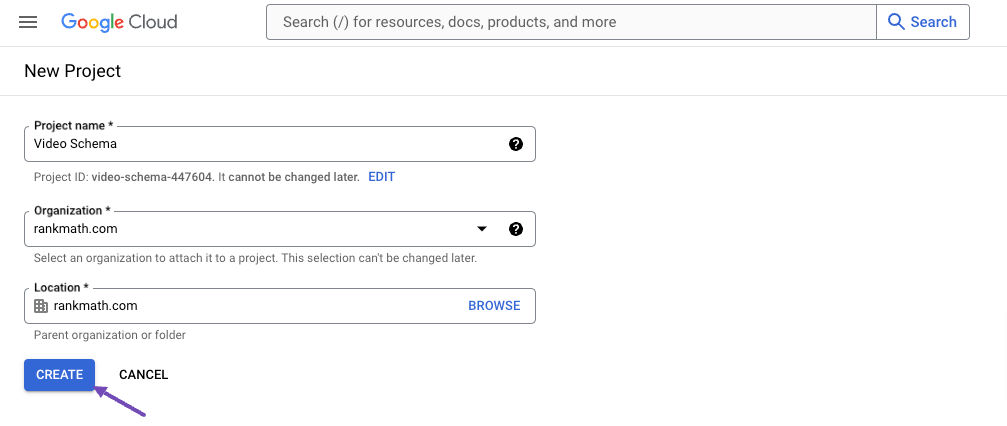
Next, enter the project details and click the CREATE knop.
3 Create API Key
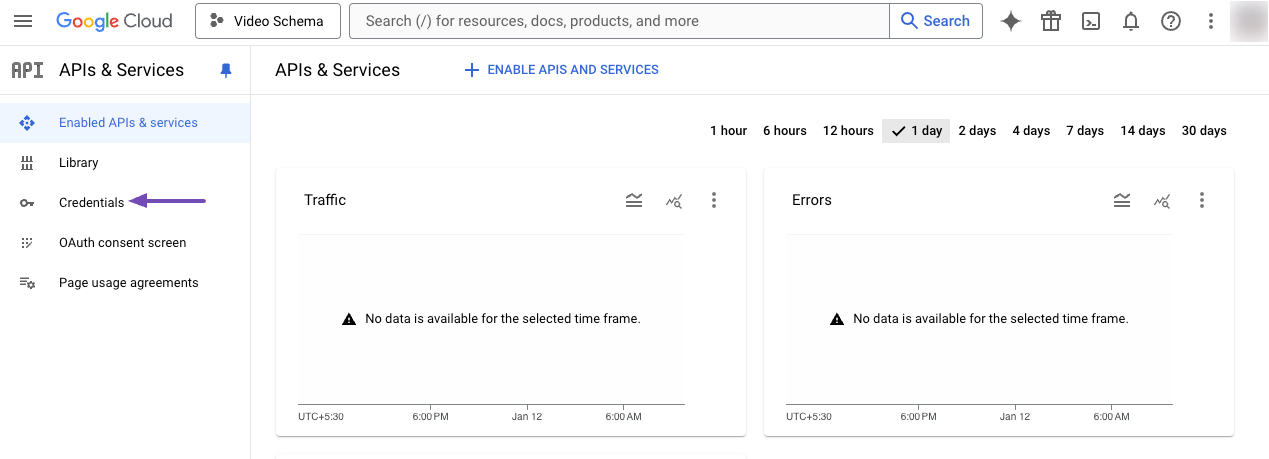
Once you’ve created a project, click the Credentials tab in the left menu.
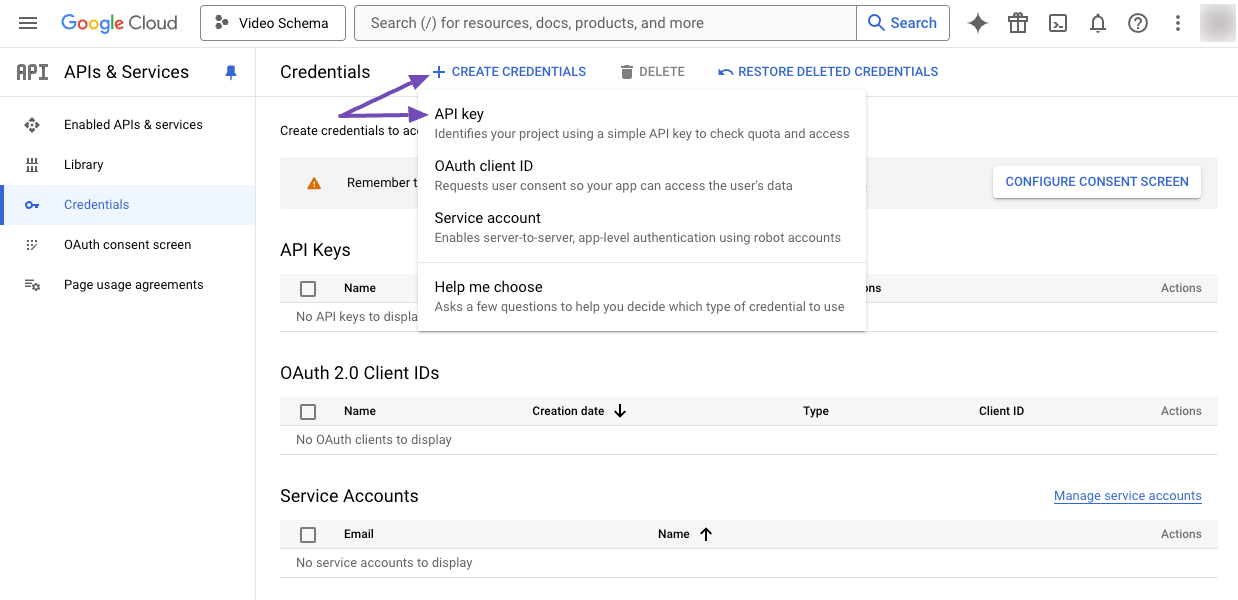
On the Credentials page, click the Create Credentials option, and from the dropdown, choose API sleutel.
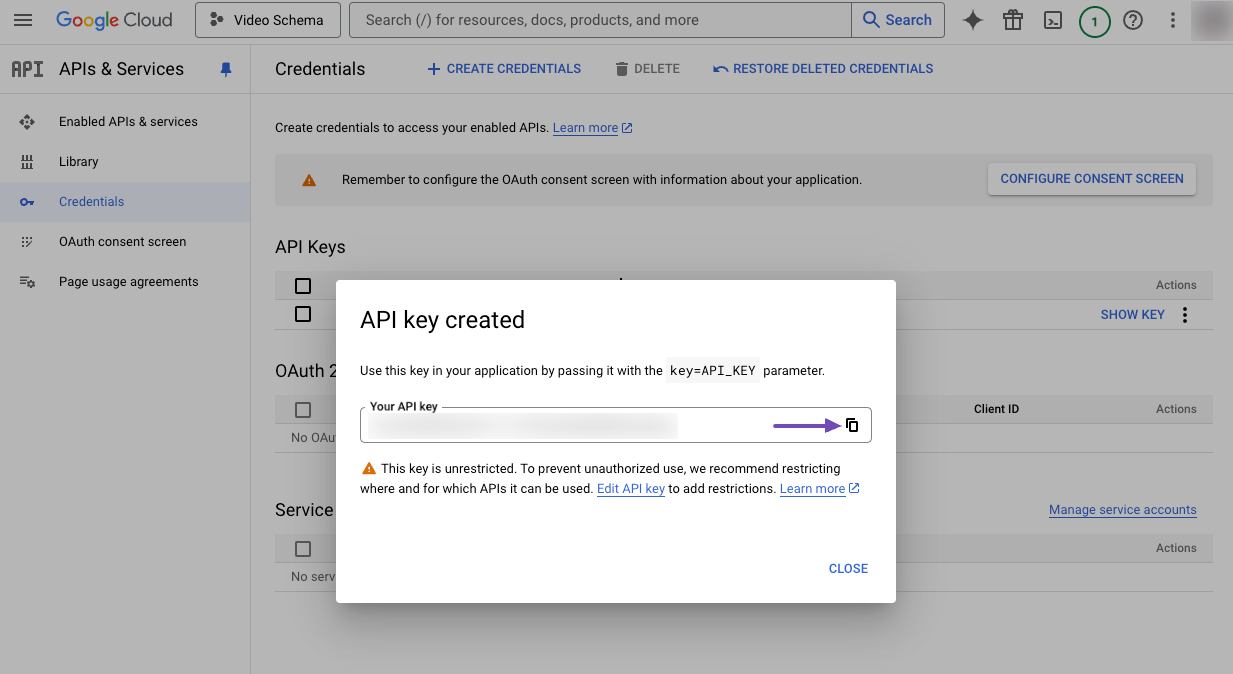
Wait for a few moments for the API key to be created. Then, copy the generated API Key.
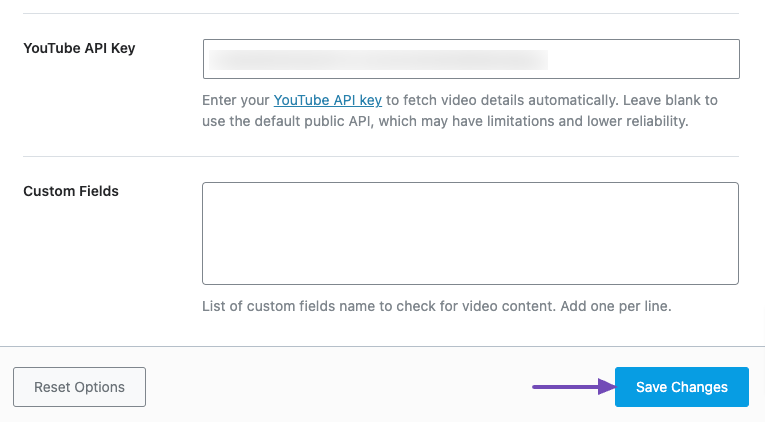
Paste it into the YouTube API Key field in the Rank Math Settings, and click the Wijzigingen opslaan knop zoals hieronder getoond.
4 Enable the YouTube Data API
Google, by default, doesn’t enable the YouTube Data API for all the projects.
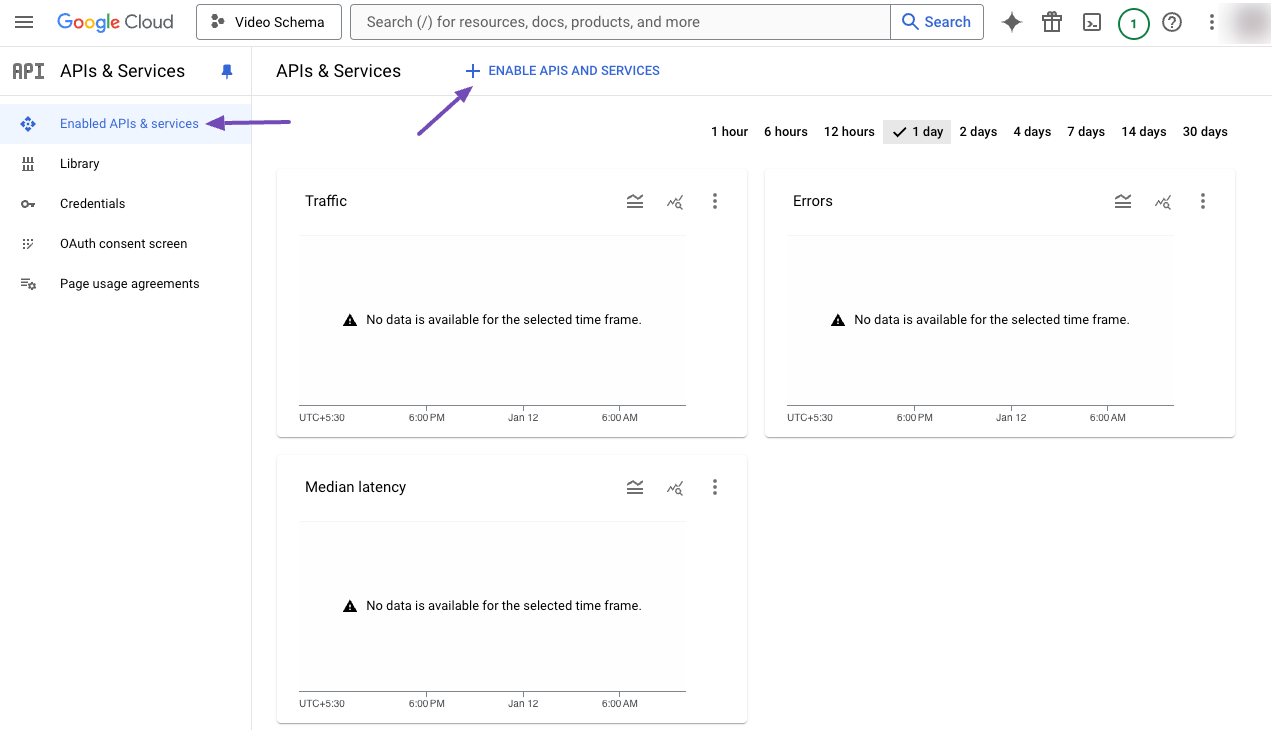
So, we still need to head over to the Enabled APIs & services tab in the Cloud console menu and choose ENABLE APIS AND SERVICES option, as shown below.
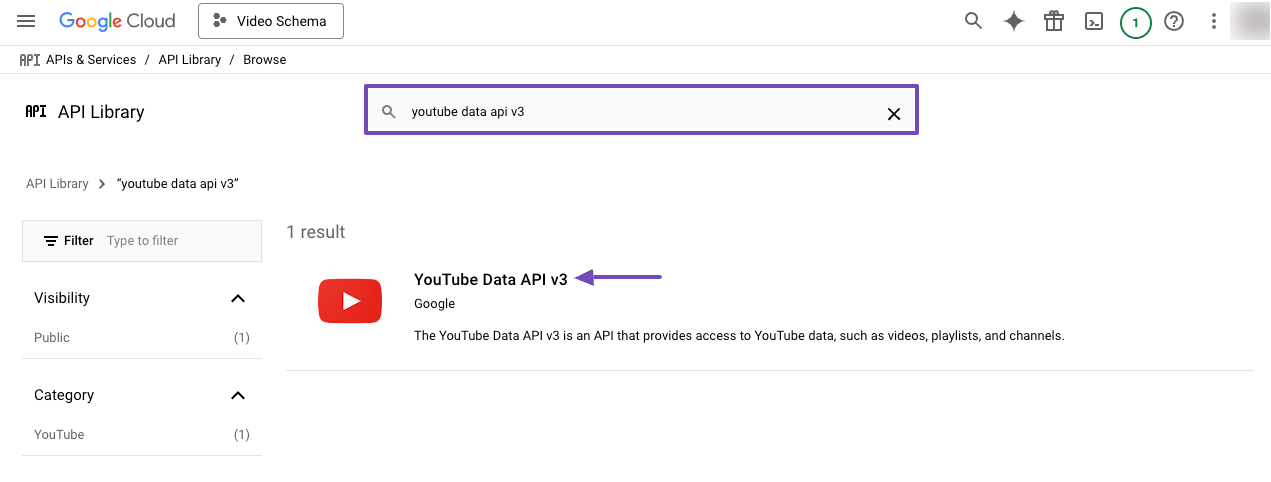
From the API Library, search for YouTube Data API v3 and select it.
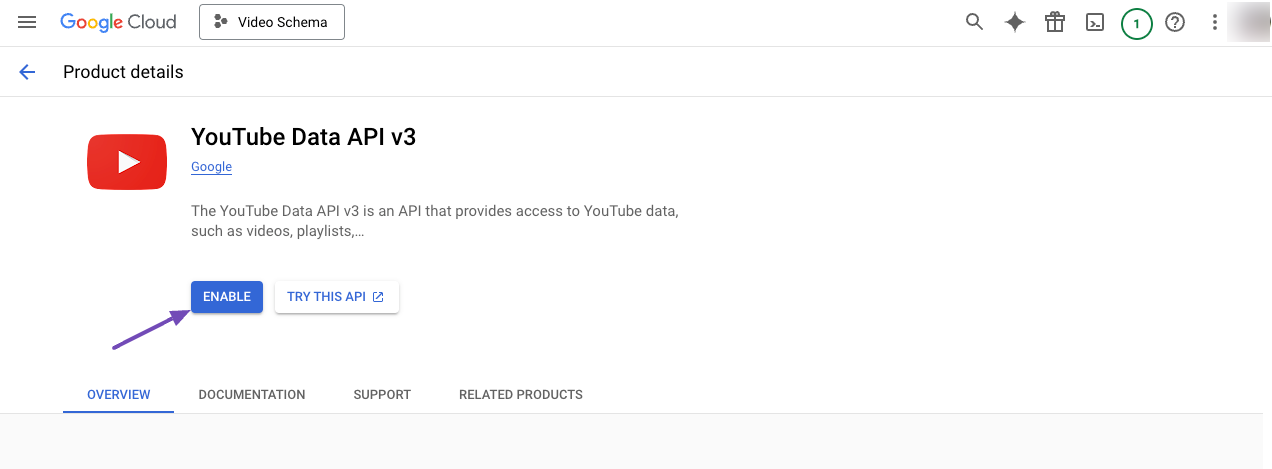
Then, ENABLE the YouTube Data API as shown below.
Now that you’ve enabled the YouTube Data API, you can start using it within Rank Math PRO.
And that’s it. If you have any questions about Rank Math or facing any issues with the setup, feel free to get in touch with our support team here, and our support team will always be happy to assist you.
Gebruikt u nog steeds geen Rank Math?
De installatie duurt minder dan 5 minuten, inclusief het importeren van uw oude SEO Plugin!