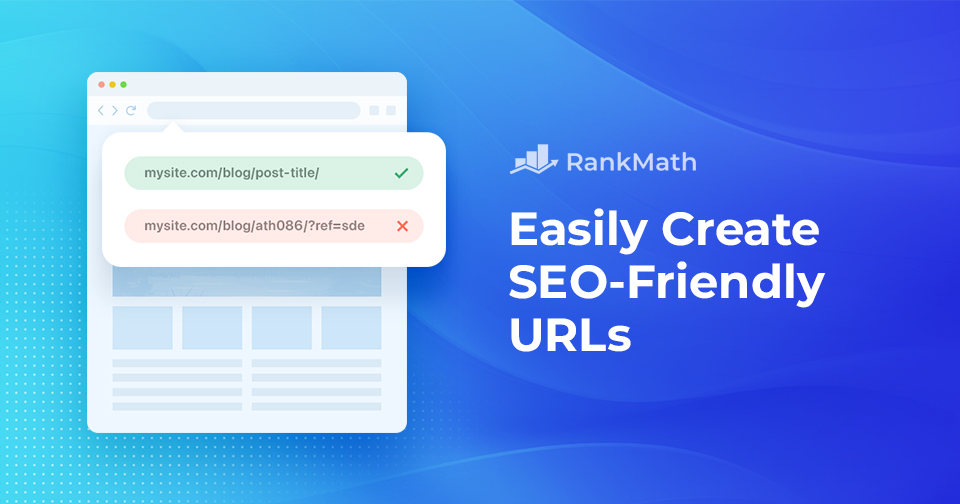
So erstellen Sie ganz einfach SEO-freundliche URLs

Creating SEO-friendly URLs might seem like a small detail, but it plays a big role in how both users and search engines understand your content.

A well-structured URL not only improves your site’s visibility in search results but also enhances user experience by making your links easy to read, remember, and share.

On the other hand, messy or confusing URLs can hurt your SEO and confuse your audience.

In diesem Beitrag besprechen wir alles über SEO-freundliche URLs und helfen Ihnen bei der Erstellung. Also, ohne weitere Umschweife, fangen wir an.
Ultimate Guide to WordPress Permalinks (Best Link Structure)
Weiterlesen

So verbergen Sie den Namen eines WordPress-Themes

Picture this: you’ve poured your heart and soul into creating the perfect WordPress website that truly represents your vision and style. 

You’re proud of every detail, but suddenly, you realize that your visitors can see the name of the theme you used, taking away from the authenticity you’ve worked so hard to achieve.

Themes are undoubtedly a helpful resource, but sometimes, you want your website to showcase your creativity and uniqueness, not the theme’s identity. 

That’s when you can hide a WordPress theme name.

In this post, we’ll show you how to hide a WordPress theme name, making your website appear custom-built and one-of-a-kind. 

Sind Sie bereit? Lass uns anfangen.

Weiterlesen

How to Easily Create a WordPress Backup? [5 Easy Methods]

When you’re running a WordPress site, one of the smartest things you can do is create regular backups.

No matter how secure or well-optimized your website is, unexpected issues like hacking, server crashes, or even a small mistake during an update can put your data at risk. Without a backup, you can lose all your hard work in seconds.

The good news?

Creating a WordPress backup is easier than you might think.

In this post, you’ll learn five simple methods to create a WordPress backup so you can protect your content, stay prepared, and restore your site quickly whenever needed.

Without any further ado, let’s get started.

Weiterlesen

Paginierung SEO: Optimieren Sie Ihre Website für bessere Suchrankings

Have you ever found yourself endlessly clicking through pages, just trying to find the content you need on a large website? It can be frustrating, right?

That’s exactly where pagination helps. It breaks up long lists of content into manageable pages, making it easier for you and your visitors to navigate.

But here’s the thing: pagination isn’t just about usability. If it’s not done right, it can confuse search engines and hurt your SEO.

That’s why in this post, we’ll walk you through how to implement SEO-friendly pagination, so your content is not only easier to browse but also easier for search engines to crawl, index, and rank.

Also, ohne weitere Umschweife, fangen wir an.

Weiterlesen

So beheben Sie ganz einfach WordPress-HTTP-Fehler beim Hochladen von Bildern

If you’ve ever seen the dreaded WordPress HTTP error message while trying to upload an image to your WordPress site, you know how frustrating it can be. I’ve been there too—and I know how much it can slow you down, especially when visuals are a key part of your blog posts or website design.

But here’s the good news: you can fix it.

In this post, we’ll walk you through the most common reasons behind the WordPress HTTP error and show you simple, practical solutions to get your images uploading smoothly again.

Without further ado, let’s get started.

Weiterlesen
🇩🇪 Deutsch